How to Make an AI Avatar Video for YouTube in 2027
By Alex Stevens
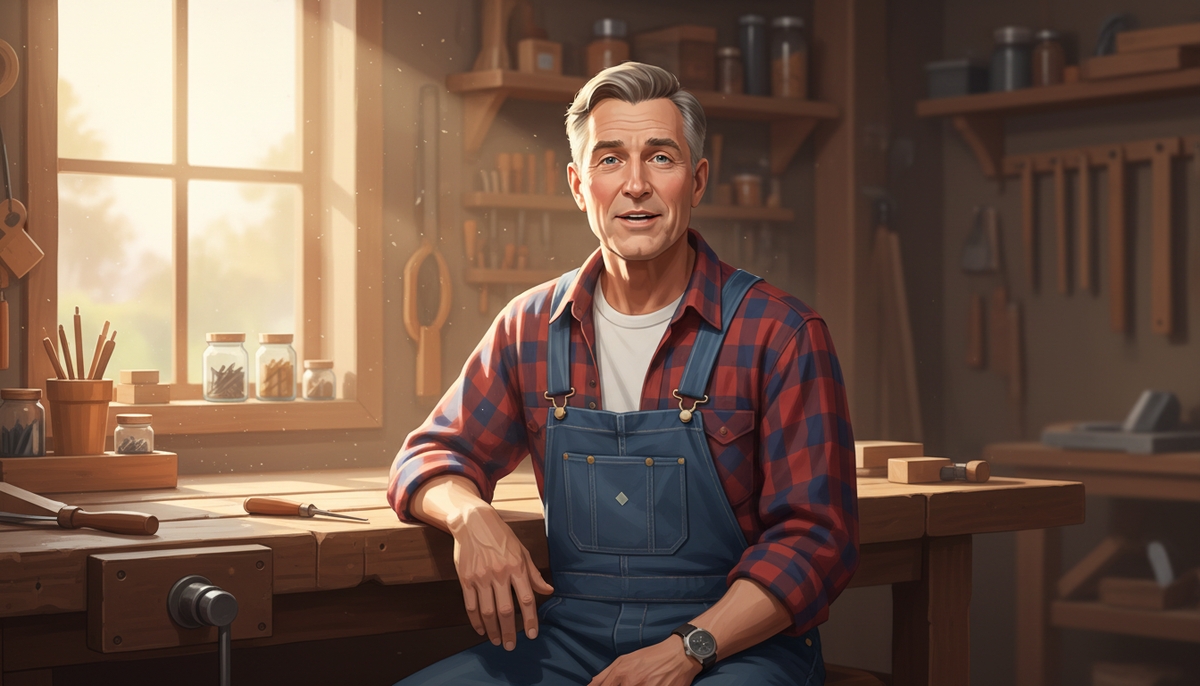
To make an AI avatar video, you generate a photoreal presenter character, place them inside a scripted landscape video, and choose how often they appear on screen. Tools like Digital Maker AI (digitalmaker.ai) handle the whole pipeline: script, scene images, narration, captions and the talking presenter, all exported as a ready-to-upload MP4. Knowing how to make an AI avatar video in 2027 means you can launch a faceless YouTube channel with a consistent on-screen host and never appear on camera yourself.
Key takeaways
- AI avatar videos use a generated presenter character who speaks on screen, replacing a real human host.
- Digital Maker AI's AI Presenter feature is available on Premium and Ultimate plans (see digitalmaker.ai/pricing for current plan details, as of November 2026).
- You create a presenter in Account Settings under the Presenters tab: describe the character, check the generated picture, and save it for reuse across every video.
- Three layouts are available: Full screen, Split screen and Corner circle. You can tick all three and the video rotates through them.
- Avatar time is measured in seconds and is separate from video minutes. Making a presenter uses 30 seconds; a video uses only the seconds the presenter is actually on screen.
- Channels like Elias Yoder (378,000 subscribers) and Bertha Cooks (236,000 subscribers) show how effective an AI avatar persona can be at scale.
What are AI avatar YouTube channels, and why are they growing in 2027?
An AI avatar YouTube channel is a faceless channel where a generated character, rather than a real person, appears on screen as the host. The creator never appears on camera. The presenter has a consistent persona, a tight niche, a recognisable look and a voice, and they show up in every video. Viewers follow the character, not the creator behind it.
The format is growing fast because it removes the biggest barrier to starting a YouTube channel: being on camera. It also lets creators build multiple channels in different niches without any of them being tied to their face or voice.
The channels below are confirmed AI avatar channels listed in Digital Maker AI's Faceless Finder tool (all subscriber counts, view estimates and ad revenue figures are the Finder's own rough estimates based on recent views and typical ad rates for the niche, not the channels' real earnings):
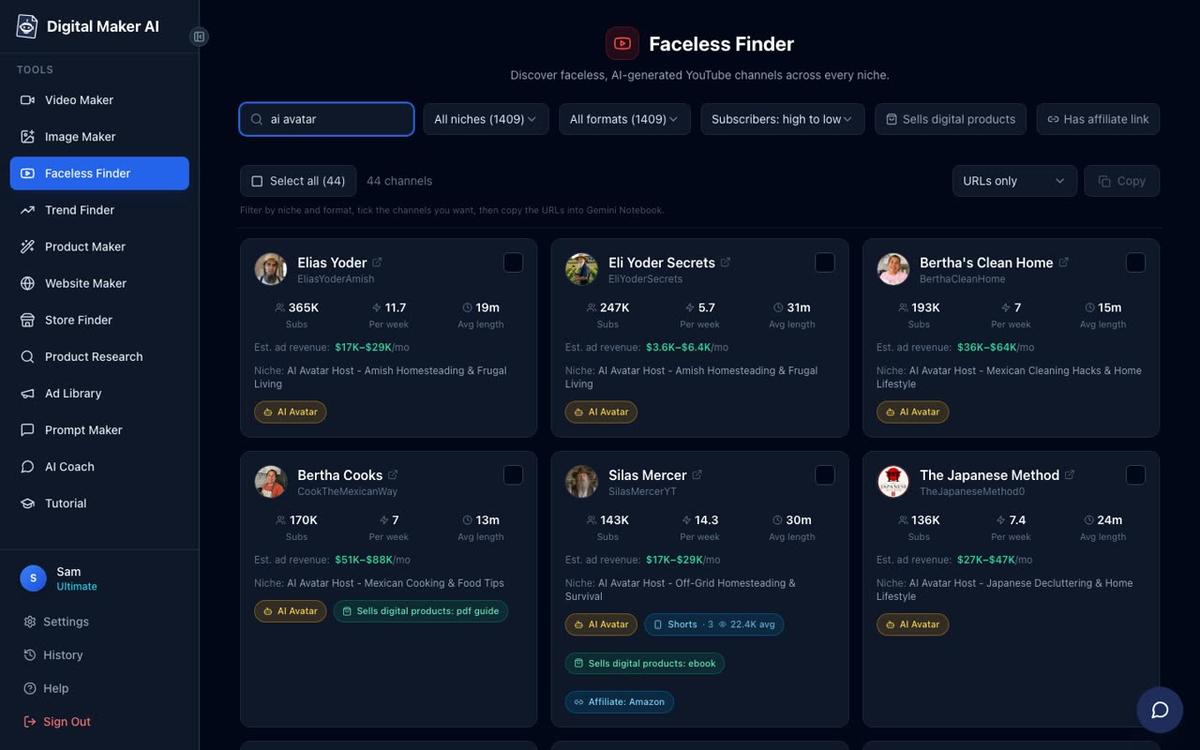
- Elias Yoder: 378,000 subscribers, niche: Amish Homesteading and Frugal Living, estimated 1.5 million views a month, estimated ad revenue $10,000 to $16,000 a month.
- Bertha Cooks: 236,000 subscribers, niche: Mexican Cooking and Food Tips, estimated 4.6 million views a month, estimated ad revenue $28,000 to $42,000 a month.
- The Japanese Method: 157,000 subscribers, niche: Japanese Decluttering and Home Lifestyle, estimated 3.6 million views a month, estimated ad revenue $28,000 to $43,000 a month.
- Silas Mercer: 153,000 subscribers, niche: Off-Grid Homesteading and Survival, estimated 1.9 million views a month, estimated ad revenue $14,000 to $21,000 a month.
- Frugal Japan: 49,100 subscribers, niche: Frugal Japanese Cooking and Grocery Tips, estimated 2 million views a month, estimated ad revenue $16,000 to $24,000 a month.
What these channels have in common: each one has a strong, specific persona (an elderly Amish farmer, a Mexican grandmother, a Japanese decluttering expert, an off-grid survivalist), a tight niche focused on practical everyday tips, a consistent posting schedule of multiple videos a week, and no real person ever on camera. The persona is the brand.
If you want to explore more channels like these, you can search "AI avatar" in the Faceless Finder inside your Digital Maker AI account. Every result carries an amber "AI Avatar" label and shows estimated views and revenue alongside upload frequency. For a deep look at one of the most-watched examples, see AI Avatar Channel Ideas for Japanese Decluttering Videos.
How to make an AI avatar video step by step in 2027
The steps below use Digital Maker AI's AI presenter video feature, which is available on Premium and Ultimate plans. Each step is exactly what you do in the product.
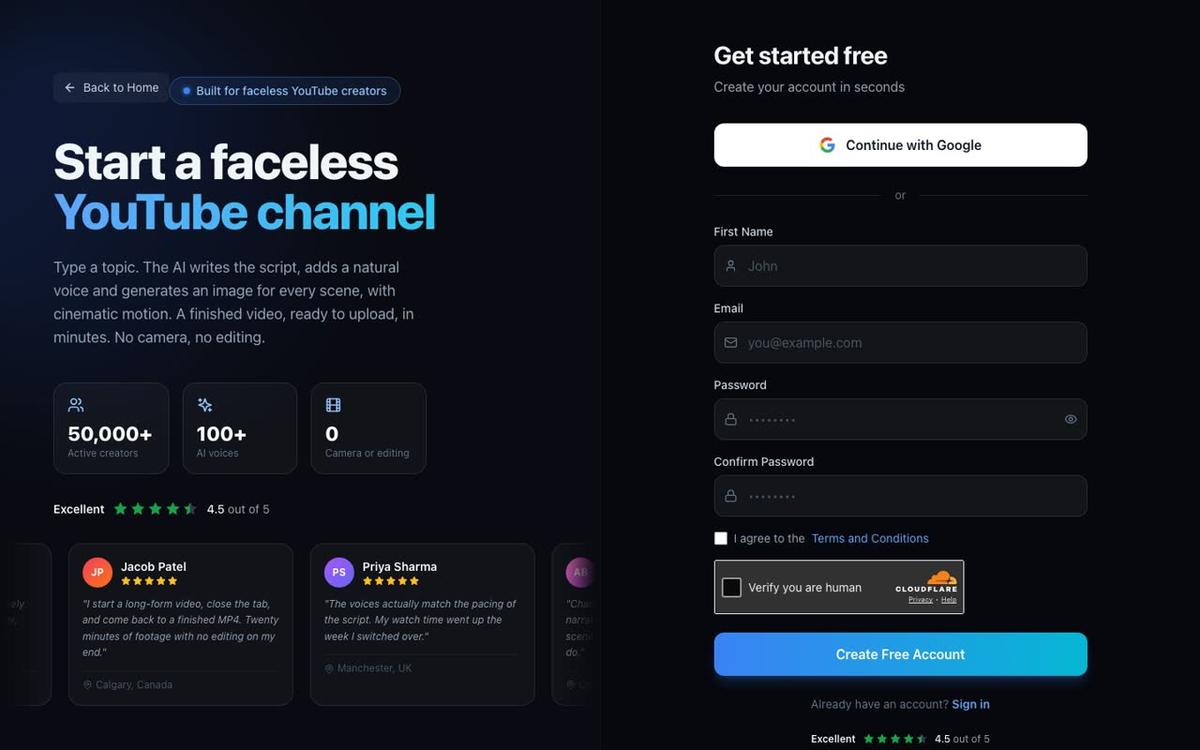
- Create your account. Go to digitalmaker.ai/faceless and sign up. The Free plan lets you try the platform, but AI Presenters require Premium or Ultimate. No card is needed to create a free account.
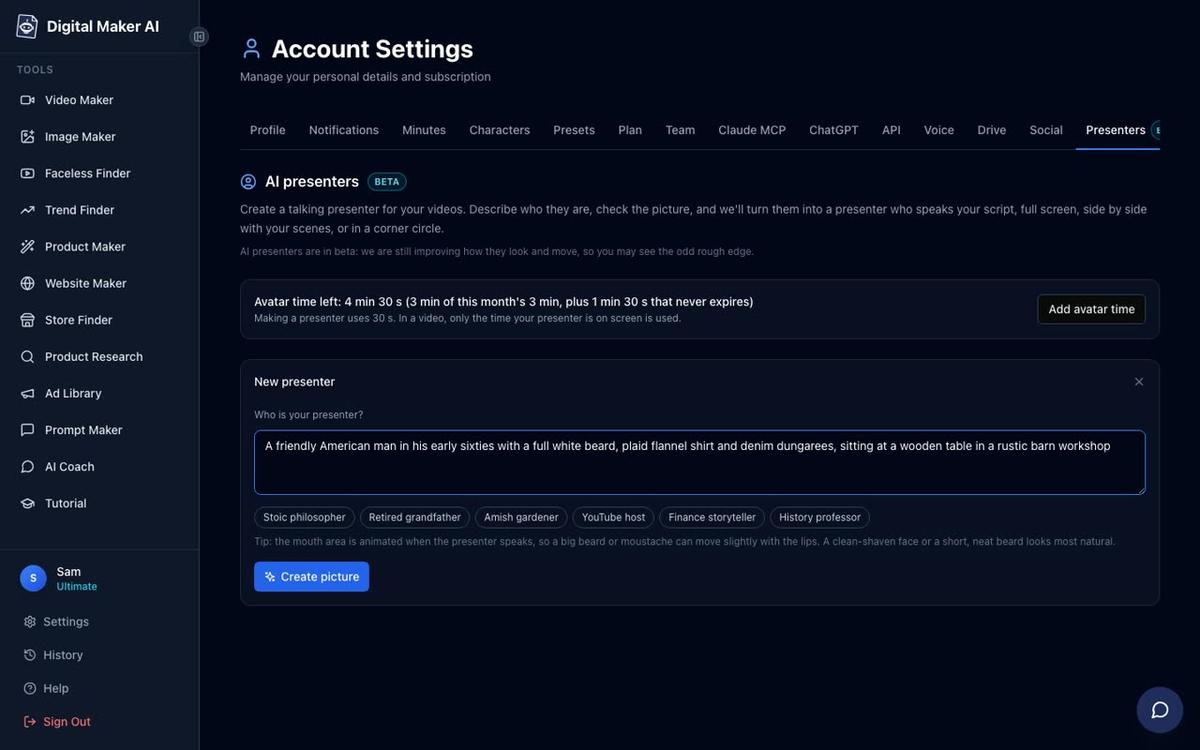
- Open Account Settings and go to the Presenters tab. After signing in, click your account icon and open Account Settings. Find the Presenters tab. This is where all your presenter characters live.
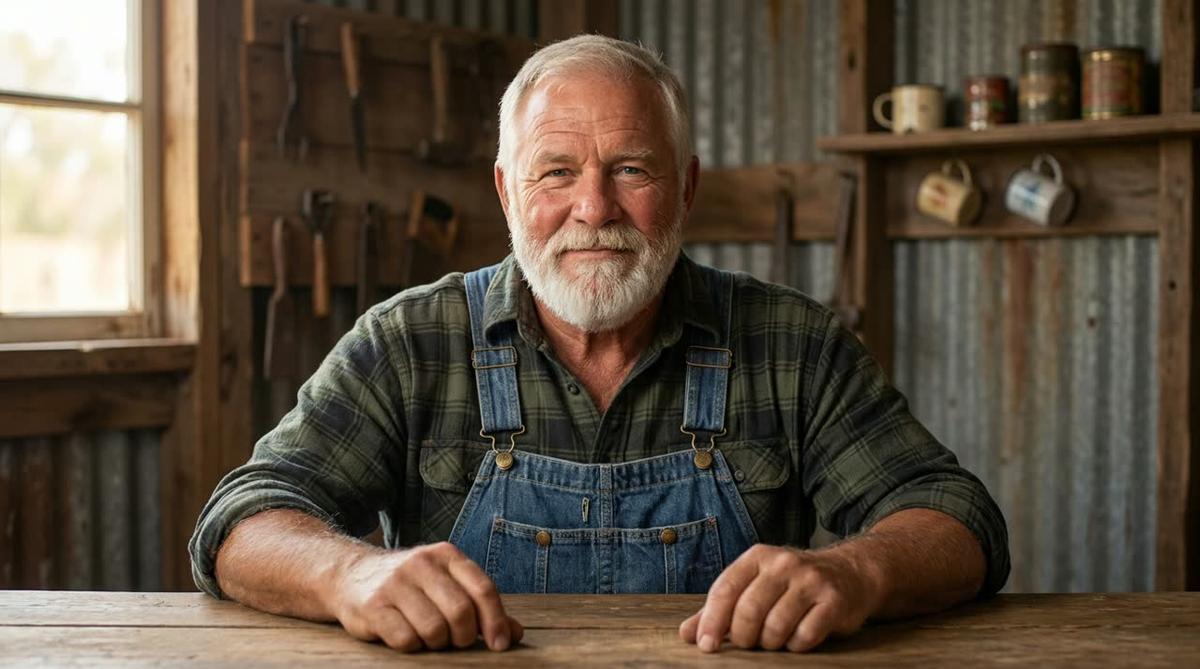
- Describe your presenter and generate their picture. In the New Presenter form, write one or two sentences describing who the presenter is and where they are. For example: "A bearded man in his sixties, wearing a plaid shirt and denim dungarees, sitting at a wooden table in a barn workshop." The AI generates a photoreal picture of them. Check it, and if you are happy, press Save.
Here is an example of two finished presenters created this way. Cedric, below, was made from a two-sentence description. The Monk Gardener was made the same way for a gardening channel in a completely different niche. You can save up to ten presenters in your account and switch between them for different series.

- Open the Video Maker and start a Multi Scene long form video. From the left sidebar, press Video Maker, then choose the Long-Form Faceless Video card. AI Presenters work on Multi Scene landscape videos only.
- Pick your presenter and tick your layouts. In the presenter step, select the saved presenter you want to use. Then tick one, some or all three layout options: Full screen (the presenter fills the frame), Split screen (presenter on the left, the scene on the right), or Corner circle (the scene fills the frame with the presenter in a round window in the corner). The video rotates through whichever layouts you tick.
- Set screen time and markers. A slider controls how much of the video the presenter is on screen, from 5 percent up to the whole video. Markers on a timeline bar let you place the presenter at specific moments, for example at the intro, the midpoint and the outro, or spread throughout.
- Type your topic. Enter the video topic in one line. The AI writes the full script, generates a unique scene image for every scene, adds narration and captions, and builds the finished MP4.
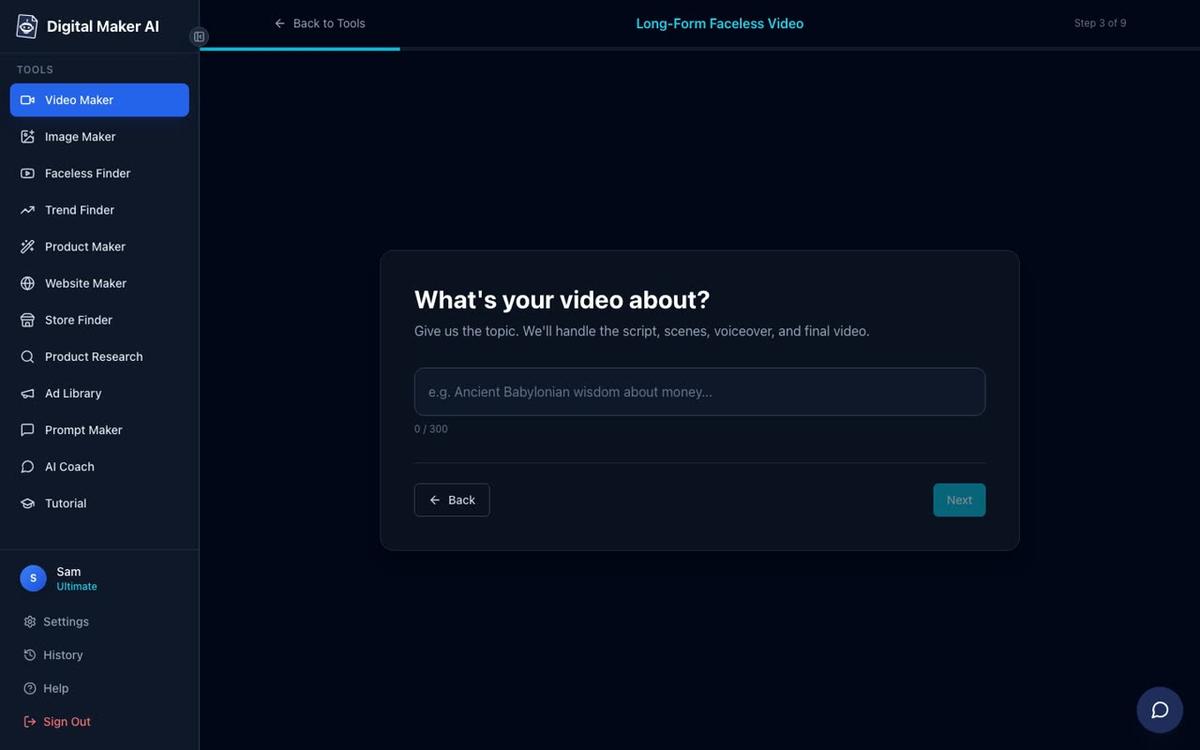
- Pick a visual style, length and voice. Choose one of seven visual styles (Realistic, Animated, Motivational, Finance, History, Space or Minimalist), set the video length, and pick a narration voice from over 100 options. The presenter speaks the same narration voice as the rest of the video.
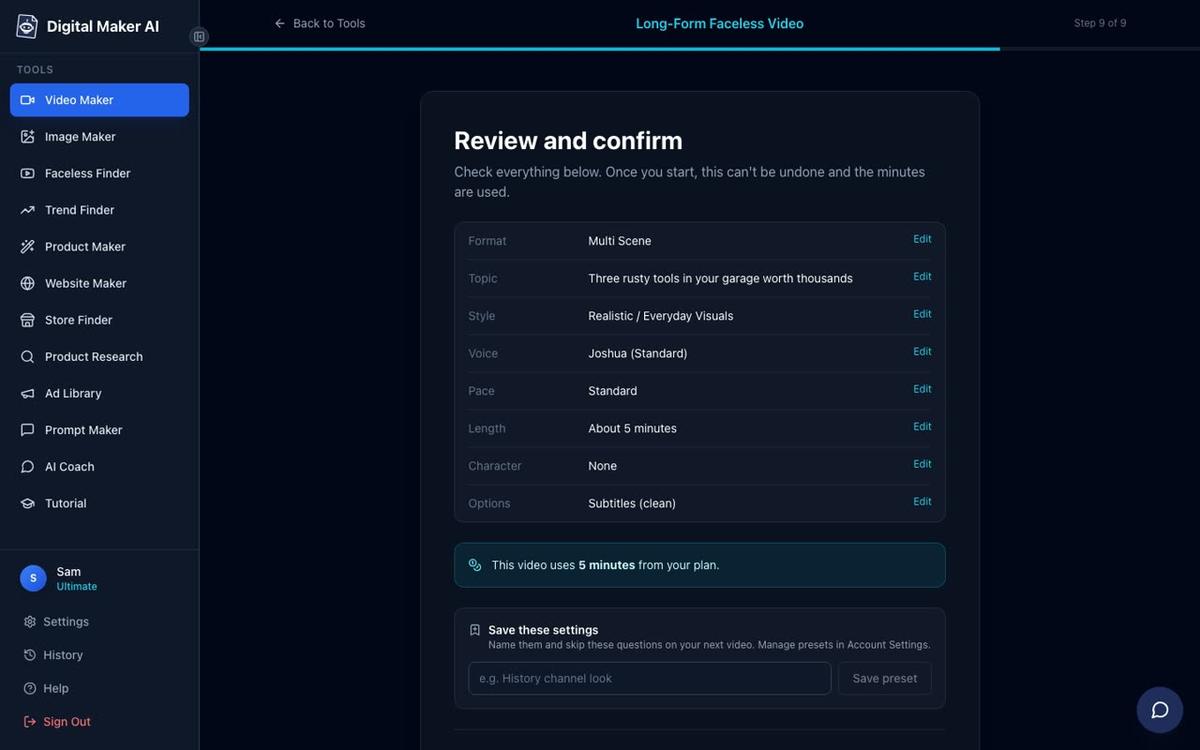
- Review and generate. The final screen shows every setting and tells you how many video minutes the video will use from your plan. Press Generate Video and the platform builds the complete MP4.
What do the three AI avatar layouts look like in a finished video?
Each layout gives the presenter a different visual relationship with the content. Full screen puts the presenter front and centre, exactly like a talking-head YouTube video. Split screen keeps the presenter visible while showing the relevant scene beside them, useful for tutorial or explainer content. Corner circle lets the scene carry the visual while the presenter stays present in a small round window, similar to a reaction or commentary format.
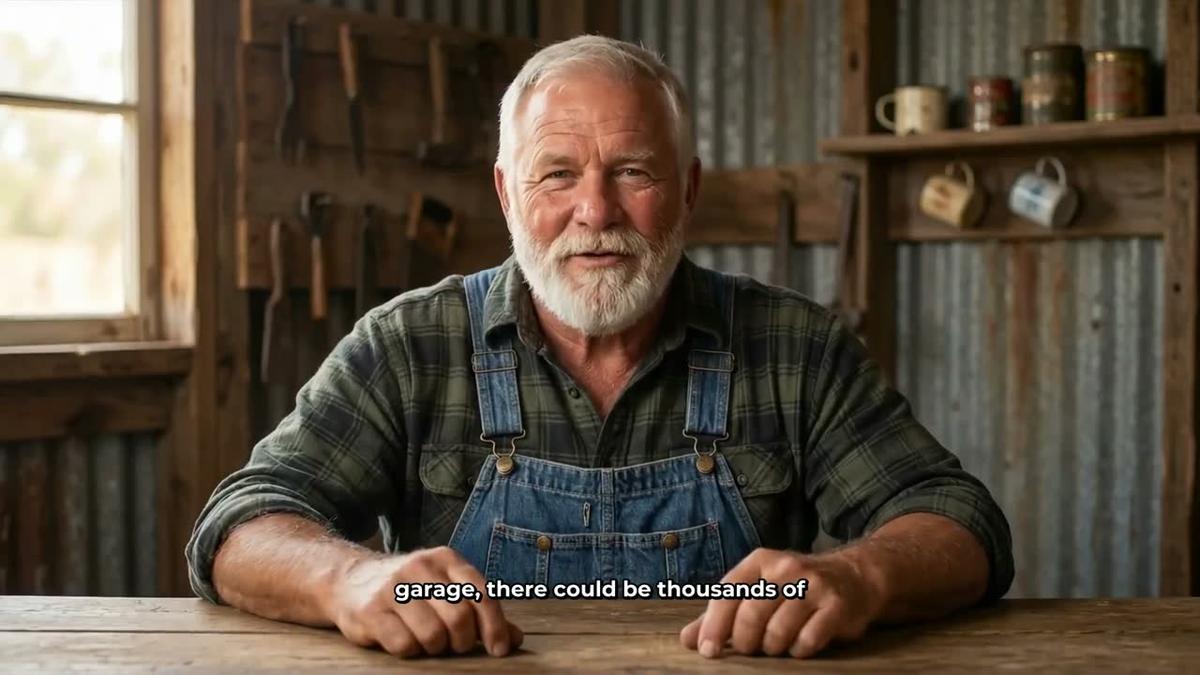

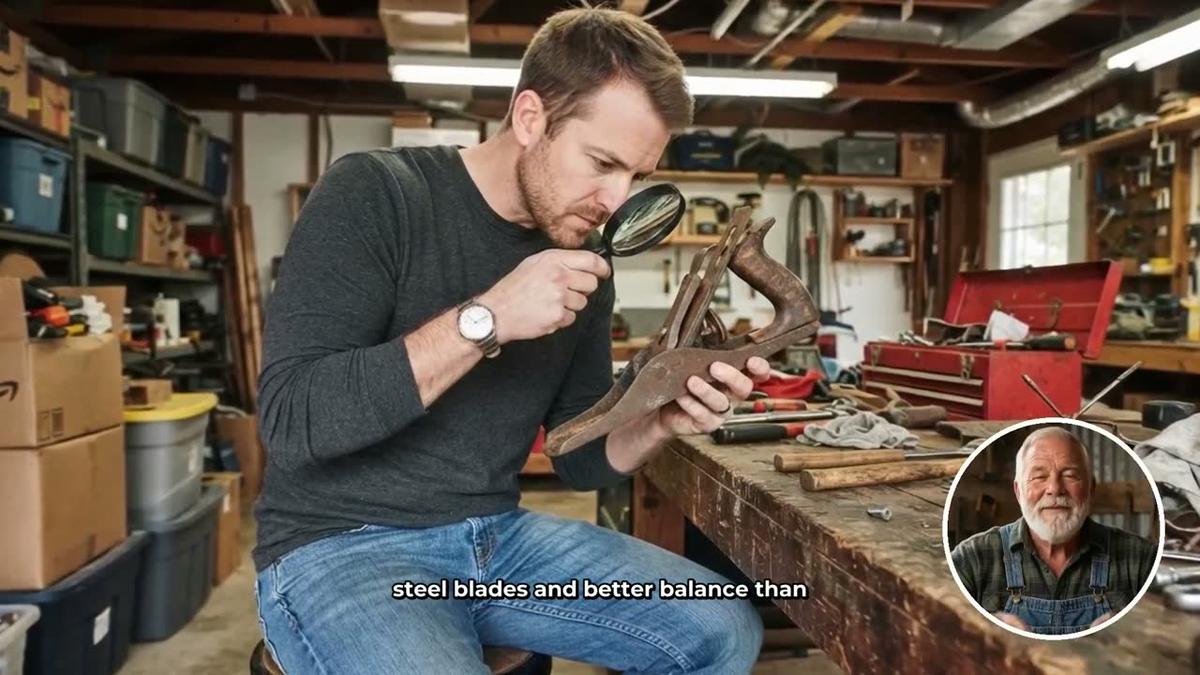
Ticking all three layouts and setting the presenter to appear at the intro, midpoint and outro gives you the most variety. Viewers get a strong sense of the presenter's persona without the presenter dominating every second of the video. For advice on exactly how much screen time to give your presenter, see How Much Screen Time Should Your AI Avatar Get Per Video.
How does avatar time work, and how much do you get?
Avatar time is measured in seconds and is kept completely separate from your video minutes. Creating a new presenter uses 30 seconds of avatar time. When you make a video, only the seconds the presenter is actually visible on screen are counted against your avatar time balance, not the full video length. This means a 10-minute video where the presenter appears for 2 minutes uses 120 seconds of avatar time, not 600.
Premium plans start with 2 minutes of avatar time. Ultimate plans start with 5 minutes and also receive 3 minutes of avatar time every month on top of that. If you need more, Avatar Packs let you add time as a one-off purchase, and pack time does not expire while you are subscribed. See digitalmaker.ai/pricing for current Avatar Pack options.
What niche should you choose for an AI avatar channel in 2027?
The most successful AI avatar channels in the Faceless Finder share one pattern: a very specific persona matched to a very specific niche. "Gardening" is too broad. "Amish homesteading and frugal living" is a niche. "Japanese decluttering and home lifestyle" is a niche. The persona and the niche reinforce each other, so viewers know exactly what they are getting and why this particular presenter is the right guide for it.
Practical tips niches tend to perform well because viewers return for the next tip, the next recipe, the next hack. High ad rates come from niches like health, home improvement, finance and cooking, which is why channels like Bertha Cooks (estimated $28,000 to $42,000 a month in ad revenue from the Finder) and The Japanese Method (estimated $28,000 to $43,000 a month) reach those figures with relatively modest subscriber counts compared to entertainment channels.
A practical starting point for 2027: pick a persona first (who is this person, where are they, what do they believe), then find the niche that persona would naturally teach. Use the Faceless Finder in your Digital Maker AI account to see what is already working and how competitive each niche is before you commit.
| Channel | Subscribers | Niche | Est. monthly views | Est. ad revenue/month |
|---|---|---|---|---|
| Elias Yoder | 378,000 | Amish Homesteading | 1.5 million | $10,000 to $16,000 |
| Bertha Cooks | 236,000 | Mexican Cooking | 4.6 million | $28,000 to $42,000 |
| The Japanese Method | 157,000 | Japanese Decluttering | 3.6 million | $28,000 to $43,000 |
| Silas Mercer | 153,000 | Off-Grid Homesteading | 1.9 million | $14,000 to $21,000 |
| Frugal Japan | 49,100 | Frugal Japanese Cooking | 2 million | $16,000 to $24,000 |
All figures are Digital Maker AI Faceless Finder estimates based on recent views and typical ad rates for the niche. They are not the channels' real earnings.
Tips for making your AI avatar video perform better on YouTube
- Keep the persona consistent. Use the same saved presenter across every video in a series. Viewers build a relationship with the character, not the production.
- Match the visual style to the persona. A barn-workshop presenter fits Realistic or Everyday Visuals. A Japanese lifestyle presenter fits Minimalist or Clean. Consistency across the presenter and the scenes makes the channel feel coherent.
- Use Full screen at the start and end. Opening with the presenter speaking directly to camera builds trust fast. Ending the same way reinforces the persona and encourages subscriptions.
- Use Corner circle for the body. During the main content, Corner circle keeps the presenter present without competing with the information on screen.
- Post frequently. Every channel in the table above uploads multiple times a week. The AI Presenter feature is designed for volume: once the presenter is saved, every new video uses them in seconds.
- Regenerate any scene you are not happy with. After the video is generated, you get 10 free scene regenerations per video. Use them on any scene where the image does not match the narration.
Frequently asked questions
Do I need to appear on camera to make an AI avatar video?
No. The presenter is a fully generated character created from a written description. You never appear on camera. The presenter speaks your script using a chosen AI narration voice, and you can reuse the same character across every video you make.
Can I use an AI avatar on YouTube Shorts or vertical videos?
AI Presenters in Digital Maker AI work on landscape Multi Scene long form videos only. They are not available on Shorts, Single Scene, Whiteboard or non-English format videos. For vertical content, the platform's Short-Form Video maker produces multi scene Shorts without a presenter.
How long does it take to generate an AI avatar video?
A typical 5-minute video with a presenter takes roughly 3 to 6 minutes to generate. Longer videos take proportionally more time. You can leave the page and return, or continue working in other tools while the video builds in the background.
Can I change the presenter's voice?
The presenter speaks the same narration voice as the rest of the video. You choose from over 100 built-in voices when setting up the video. Premium and Ultimate users can also use Voice Design to create a custom voice from a written description, or connect their own ElevenLabs cloned voice via their ElevenLabs account key.
What happens if I run out of avatar time?
You can purchase Avatar Packs as one-off additions to your account. Pack time does not expire while you are subscribed. See digitalmaker.ai/pricing for current Avatar Pack options as of November 2026.
Can I make an AI avatar video by chatting inside Digital Maker AI rather than using the Video Maker?
Yes. On Premium and Ultimate, the AI Coach in Expert mode can create an AI avatar presenter and put them in a video from a conversational prompt. It shows a card with all the options before anything is built, and nothing starts until you press "Make it".
Ready to build your first AI avatar video? Start with the free course at digitalmaker.ai/free-course, which walks you through picking a niche, creating your presenter persona and publishing your first video, step by step.
Alex Stevens: Alex Stevens writes for the Digital Maker AI team about faceless YouTube channels, AI presenters and AI video tools.