How to Sell an Ebook With a Faceless YouTube Channel in 2027
By Alex Stevens

You can sell an ebook with a faceless YouTube channel by making videos that solve the same problem your ebook covers, then pointing viewers to a store link in the description. In 2027, the fastest way to do this without showing your face is to use AI tools to create both the ebook and the videos, then let the channel work as a free traffic machine. Digital Maker AI (digitalmaker.ai) is an AI video platform for faceless YouTube videos, AI presenter videos, animated podcasts, 3D animated films and digital products. Its built-in digital product tools let you make the ebook and the videos in the same place.
Key takeaways
- A faceless YouTube channel is a channel where the creator never appears on camera; AI visuals and a voiceover carry every video.
- Digital Maker AI's Ebook Writer creates finished downloadable ebooks, planners and workbooks you can sell immediately.
- List your ebook on Gumroad, Etsy, Stan Store or Shopify so buyers can purchase it without leaving the platform they trust.
- Make videos on the same topic as your ebook, link to the store in the description, pin the link in a comment and add it to your end screen.
- A 30-day plan can take you from zero to a live product and four published videos using the steps in this guide.
Why a faceless YouTube channel is one of the best ways to sell an ebook in 2027
YouTube is the world's second largest search engine, and it is free to use as a traffic source. Every video you publish stays up and keeps sending viewers to your store link for months or years. You do not need to run paid ads, build an email list first or spend hours on social media. The channel does the selling while you sleep.
The combination works because the video and the ebook solve the same problem. A viewer searches for "how to budget on a low income", watches your five-minute faceless video, gets real value, then sees your ebook in the description. They already trust you from the video, so the sale is a natural next step.
In 2027, AI tools have removed every excuse not to start. You do not need to write the ebook from scratch, hire a designer or record yourself on camera. The whole system can be built in a single weekend.
Step 1: Pick a niche where people buy information
Choose a niche where people have a specific problem and are already buying ebooks or guides to solve it. Good examples include personal finance, productivity, health and fitness, parenting, home organisation, side hustles and self-improvement. Avoid broad topics. "Finance" is too wide. "Budgeting on a single income" is specific enough to write an ebook about and make ten videos around.
Worked example niche for this guide: personal budgeting for single parents. The ebook could be "The Single Parent Budget Playbook: a step-by-step guide to saving money on one income." Videos on the channel cover topics like "5 ways to cut your grocery bill in half", "how to build an emergency fund on a tight budget" and "the envelope method explained in under 5 minutes". Every video ends with a link to the ebook.
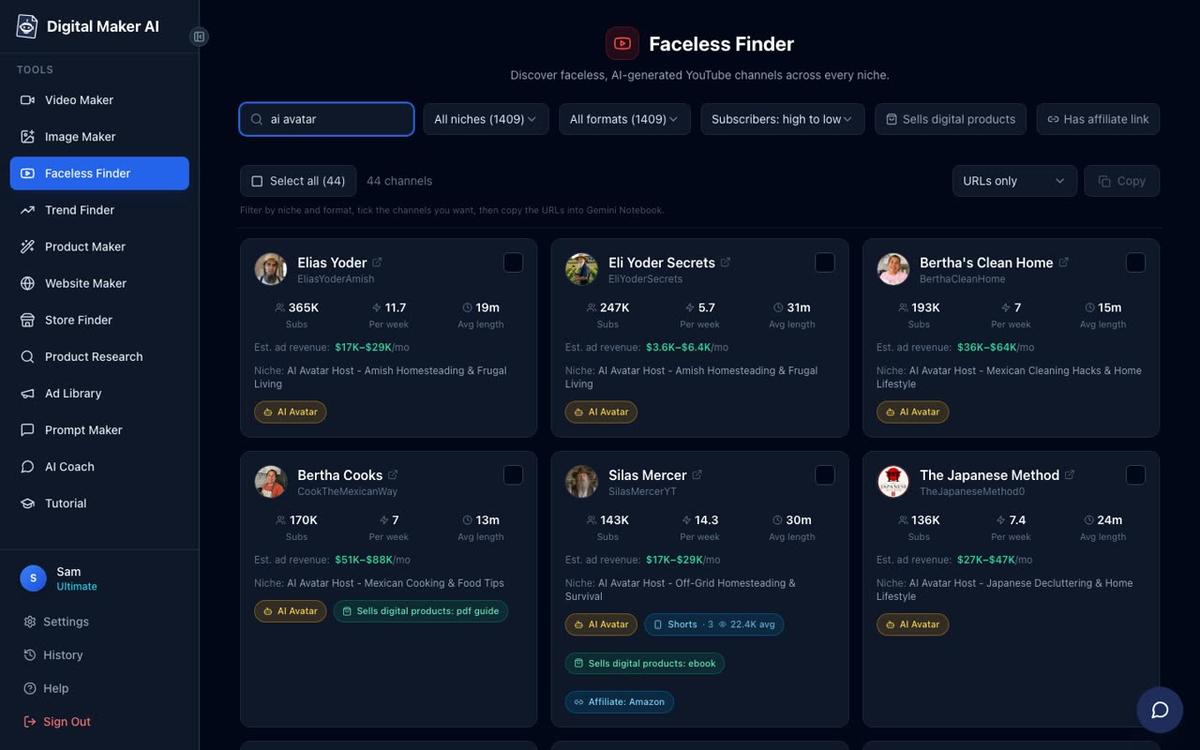
Use Digital Maker AI's Faceless Finder to search confirmed faceless channels in the money and personal finance niche. It shows subscribers, uploads per week, average video length and an estimated monthly ad revenue so you can see what is already working before you commit to a niche.
Step 2: Create your ebook with Digital Maker AI's digital product tools
Digital Maker AI includes an Ebook Writer that produces finished downloadable ebooks, lead magnets, workbooks and printable planners as ready-to-sell documents. You do not need Word, Canva or a separate design tool. Type your topic, choose the format and the AI writes and formats the content for you.
For the single parent budgeting niche, you would open the Ebook Writer, enter your title and a short brief, and get a formatted, downloadable ebook you can list on a store the same day. If your product is a tracker or template, the AI Spreadsheet tool makes spreadsheets, trackers and templates you can sell as digital downloads. If you want a matching website or store theme, the Website Maker builds a Shopify store theme for your digital products, ready to download and install.
You can also use the Product Research and Competitor Analyzer to find digital product ideas and see what competitors in your niche are already selling, so you know your ebook will land in a market with proven demand.
Step 3: List your ebook on a store
You need a place where buyers can pay and download the file. The four most popular options for solo creators in 2027 are Gumroad, Etsy, Stan Store and Shopify. Here is a quick comparison to help you choose:
| Store | Best for | Fee structure | Setup time |
|---|---|---|---|
| Gumroad | Beginners, instant setup | Percentage of each sale | Under 30 minutes |
| Etsy | Reaching buyers already searching | Listing fee plus transaction fee | 1 to 2 hours |
| Stan Store | Creators who link from social profiles | Monthly flat fee | Under 1 hour |
| Shopify | Scaling with a branded store | Monthly subscription plus payment fees | Half a day |
For a first ebook, Gumroad is the fastest path. Create a free account, upload your PDF, set a price, write a short description and publish. You get a link you can paste anywhere. If you already have an audience on Etsy or want to use the Shopify theme from Digital Maker AI's Website Maker, those options work equally well.
Step 4: Make faceless videos that solve the same problem
This is the engine of the whole system. Each video answers a question your ideal buyer is already searching for on YouTube. The video gives real, useful information for free. The ebook gives the complete, organised version for a small price. Together they build trust and convert viewers into buyers.
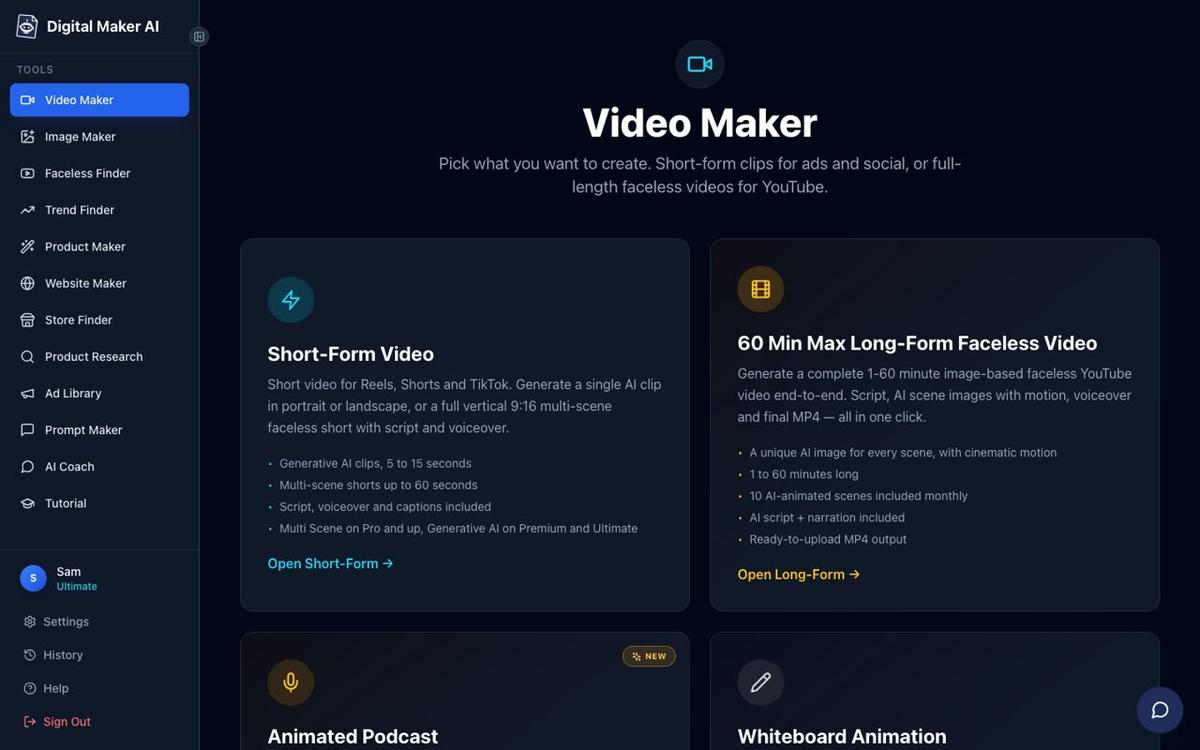
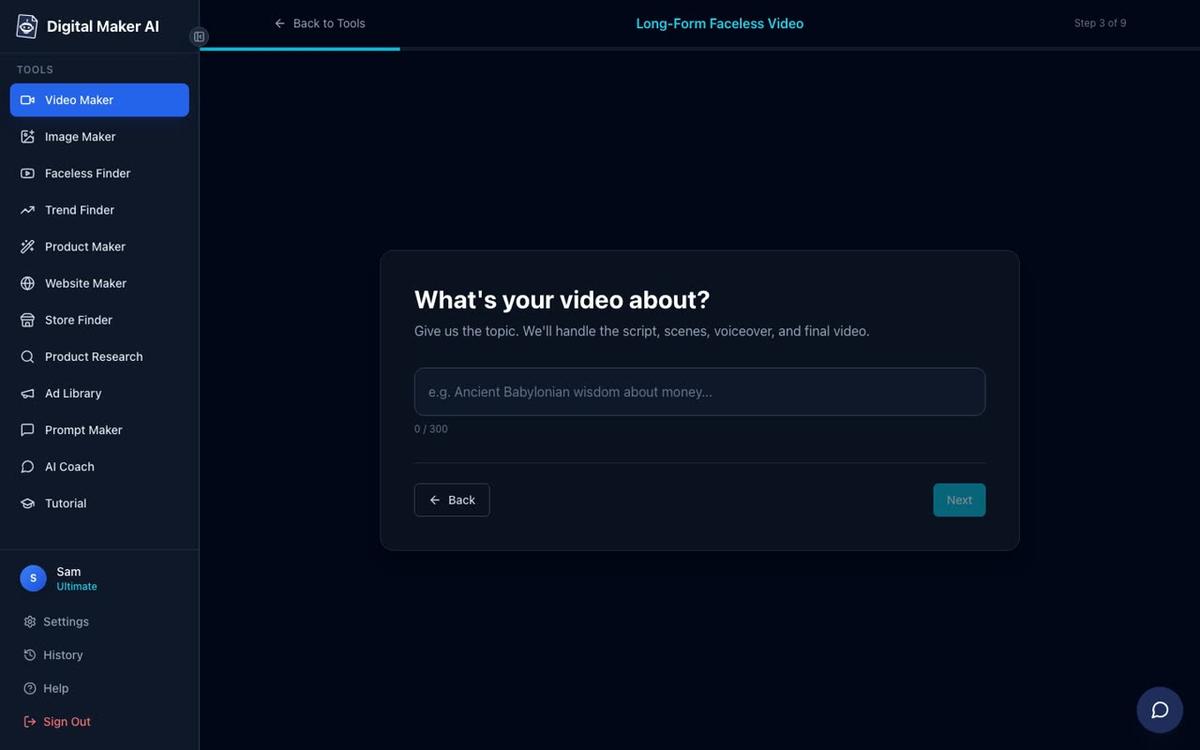
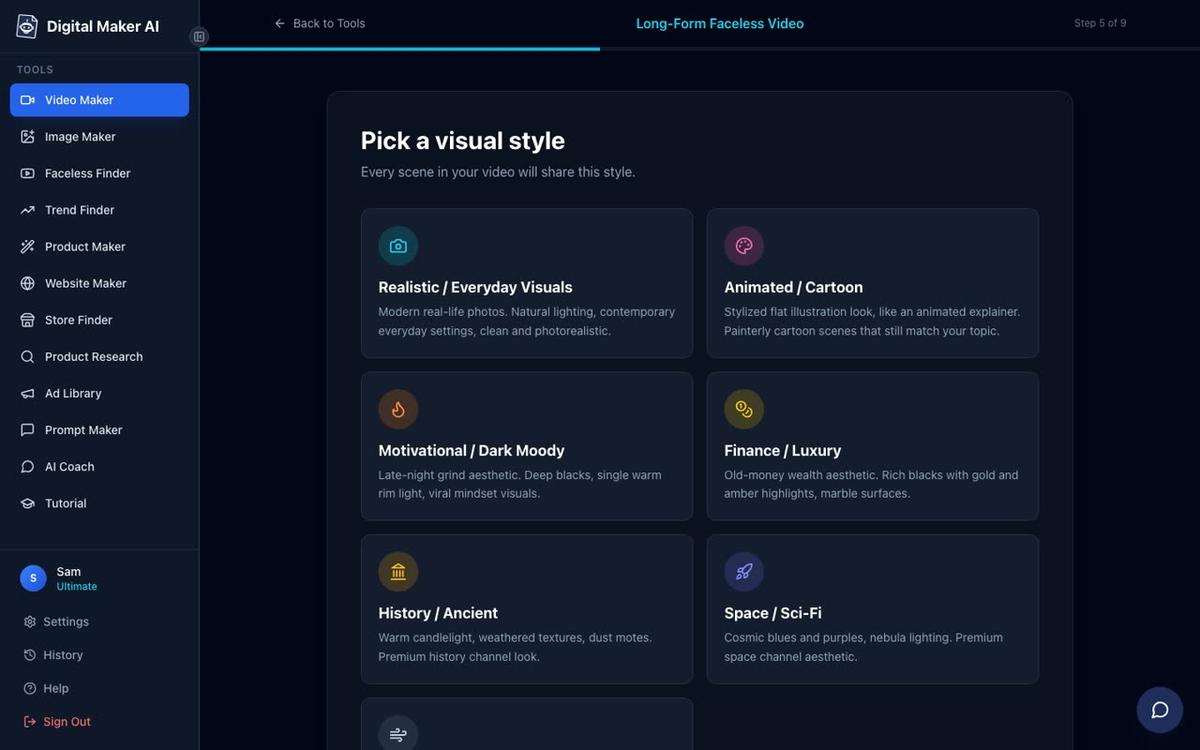
To make a faceless video in Digital Maker AI, sign in, open the Video Maker from the left sidebar and choose Long-Form Faceless Video. The maker walks you through nine steps: format, script source, topic, settings, visual style, length, voice, pacing and a final review before generating.
For the budgeting niche, pick the Finance or Luxury visual style so every scene looks polished and credible. Type your topic in one line ("5 ways single parents can save money on groceries"), choose a length between five and ten minutes and pick a clear, confident narration voice. The AI writes the script, generates a unique scene image for every scene, adds the voiceover and captions, and returns a finished MP4 ready to upload.
On paid plans you can also paste your own script instead of letting the AI write it. This is useful when you want the video to match the exact language and structure of your ebook. See the long form video generator page for a full overview of what each plan includes.
Step 5: Point every video to your store
Making the video is only half the job. You need to make the store link impossible to miss. Use all three of these placements on every video you publish:
- Video description. Put the store link in the first two lines of the description, before the "show more" fold. Write a one-sentence reason to click it, for example: "Get the full Single Parent Budget Playbook with every template and tracker: [your link]".
- Pinned comment. Post the same link as a comment immediately after uploading, then pin it to the top of the comments section. Viewers who scroll down to comment will see it.
- End screen. Add a YouTube end screen card in the last 20 seconds of every video. Use it to point to your store or to another video on your channel. Viewers who watch to the end are your warmest audience.
On Premium and Ultimate plans, Digital Maker AI lets you post a finished video straight to YouTube from the Post to socials button, after connecting your account once in Account Settings. You can post immediately or schedule it for a specific time. Nothing posts automatically; it only goes live when you press Post.
What a 30-day plan looks like for this niche
Here is a concrete 30-day plan for the single parent budgeting niche. Adapt the video topics to your own niche by swapping the subject matter.
| Week | Task | Tool |
|---|---|---|
| Week 1 | Research niche, create ebook with Ebook Writer, list on Gumroad | Digital Maker AI Ebook Writer, Gumroad |
| Week 1 | Set up YouTube channel, banner and profile picture | Digital Maker AI Image Maker |
| Week 2 | Make and publish Video 1: "5 ways to cut your grocery bill in half" | Digital Maker AI Video Maker |
| Week 2 | Make and publish Video 2: "How to build an emergency fund on a tight budget" | Digital Maker AI Video Maker |
| Week 3 | Make and publish Video 3: "The envelope method explained in under 5 minutes" | Digital Maker AI Video Maker |
| Week 3 | Add store link to all descriptions, pin comments, set end screens | YouTube Studio |
| Week 4 | Make and publish Video 4: "How to save for Christmas on a single income" | Digital Maker AI Video Maker |
| Week 4 | Review analytics, note which video sends the most clicks, plan Month 2 | YouTube Studio analytics |
Four videos in 30 days is a realistic target. Each long form video takes a few minutes to generate once you have typed the topic and chosen the settings. The time you spend is mostly on planning the topics and uploading to YouTube, not on production.
How to add an AI presenter to your ebook channel videos
A faceless channel does not have to be voiceover-only. On Premium and Ultimate plans, Digital Maker AI lets you add an AI presenter to your long form Multi Scene videos. You create the presenter once in Account Settings under the Presenters tab: describe who they are in a sentence or two, the AI generates a photoreal picture of them, and you save them. Then in the Video Maker you choose that presenter and pick one or more layouts: Full screen (presenter fills the frame), Split screen (presenter on the left, scene on the right) or Corner circle (scene with the presenter in a small round window).

For an ebook channel, a consistent AI presenter builds brand recognition without you ever appearing on camera. Viewers come to recognise the face and voice and associate them with your content. See the AI presenter video generator page for a full walkthrough of how presenter time works and what each plan includes.
Common mistakes to avoid when you sell an ebook with a faceless YouTube channel
- Making videos that are too broad. "How to save money" competes with thousands of channels. "How to save money as a single parent in 2027" has a specific audience who will buy a specific ebook.
- Hiding the store link. Put it in the first two lines of the description, not buried at the bottom. Most viewers never scroll past the fold.
- Selling before you give value. The video must genuinely help the viewer. If the video is just a sales pitch, viewers click away and YouTube stops recommending it.
- Waiting until the channel is "big enough". Add the store link from your very first video. Even one sale from ten views is proof the system works.
- Using one video style for every topic. Check the Digital Maker AI Faceless Finder to see which visual styles perform in your niche before you commit to one.
For a deeper look at the full digital product funnel, read the guide on how to sell a digital product with AI videos in 2027, which covers email capture, upsells and what to do after your first sale.
Frequently asked questions
Do I need a big YouTube channel to sell an ebook?
No. Even a channel with a few hundred views per video can generate ebook sales if the video topic matches the ebook exactly and the store link is clearly placed. Relevance matters more than scale, especially in specific niches like personal finance or productivity.
Can I use Digital Maker AI for free to make the videos?
Yes. Free accounts get five free videos, one of each type, including one long form faceless video up to 8 minutes. Free videos use images from a set topic library and carry a small watermark. Commercial usage rights are included on every plan, so you can monetise from day one.
What file format should my ebook be in?
PDF is the standard for ebooks sold as digital downloads. It opens on every device, cannot be easily edited by buyers and looks the same on every screen. Gumroad, Etsy, Stan Store and Shopify all accept PDF uploads and deliver them automatically after purchase.
How many videos do I need before I start making sales?
There is no fixed number. Some creators make their first sale from their second or third video. A practical target is four to six videos covering different questions in the same niche before you draw conclusions about what is working. Consistency and topic relevance matter more than volume.
Can I sell more than one digital product from the same channel?
Yes. Many faceless channels sell a range of products: an entry-level ebook, a more detailed planner and a spreadsheet tracker. Digital Maker AI's Ebook Writer, AI Spreadsheet and Website Maker tools let you create all three formats. Start with one product, validate the sales, then add more.
What is the best niche for selling an ebook through a faceless YouTube channel in 2027?
Niches where people search for specific, actionable answers tend to convert best: personal finance, budgeting, productivity, health and fitness, side hustles and home organisation. The ideal niche has a clear problem, a buyer willing to pay for a solution and enough search volume to keep generating video ideas.
Ready to build your ebook channel from scratch? The Digital Maker AI free course walks you through setting up a faceless channel, making your first video and creating your first digital product, step by step and at no cost.
Alex Stevens: Alex Stevens writes for the Digital Maker AI team about faceless YouTube channels, AI presenters and AI video tools.