AI Avatar Channel Ideas for Japanese Decluttering Videos
By Alex Stevens
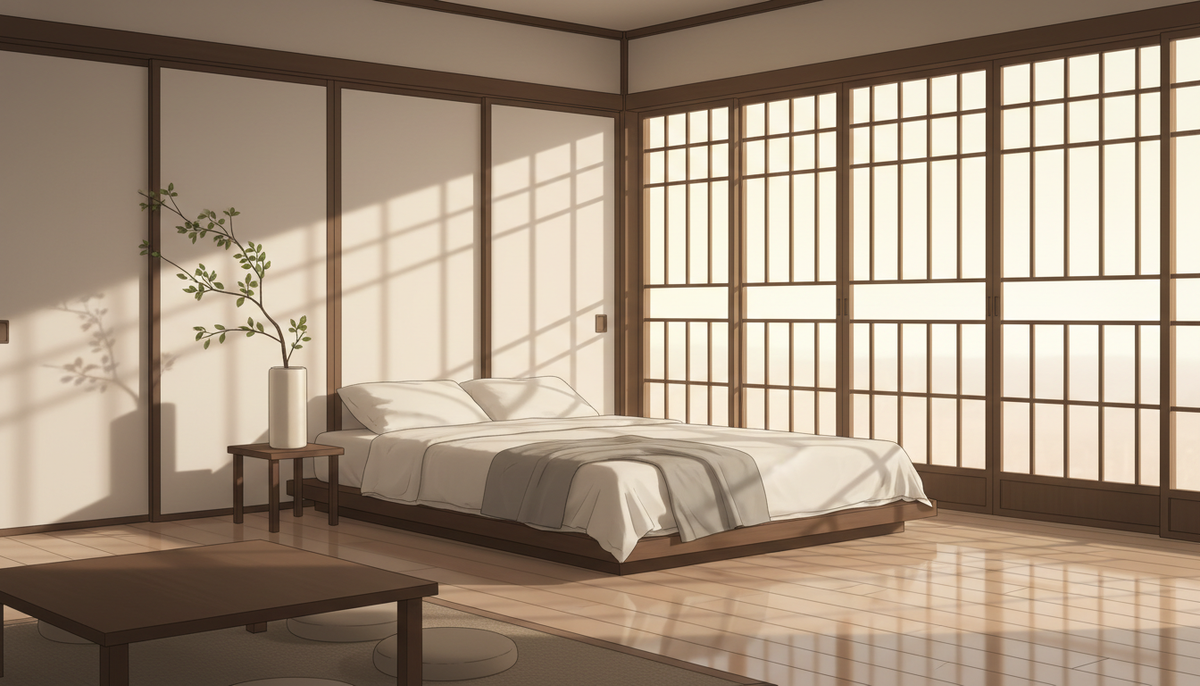
Why Japanese Decluttering Is One of the Best Niches for AI Avatar YouTube Channel Ideas
If you have been searching for ai avatar youtube channel ideas japanese decluttering, the evidence that this niche pays well is already sitting in the Faceless Finder inside Digital Maker AI. Two channels in particular stand out. The Japanese Method has grown to 153,000 subscribers with roughly seven uploads a week, and the Faceless Finder estimates its ad revenue at $28,000 to $43,000 a month. Hana Yoshida, a Japanese cooking and lifestyle channel, has 69,500 subscribers and an estimated $4,300 to $6,400 a month. These are Digital Maker AI Faceless Finder estimates based on recent views and typical ad rates for the niche, not the channels' real earnings, but even as rough benchmarks they show the audience is large and the CPM is high.
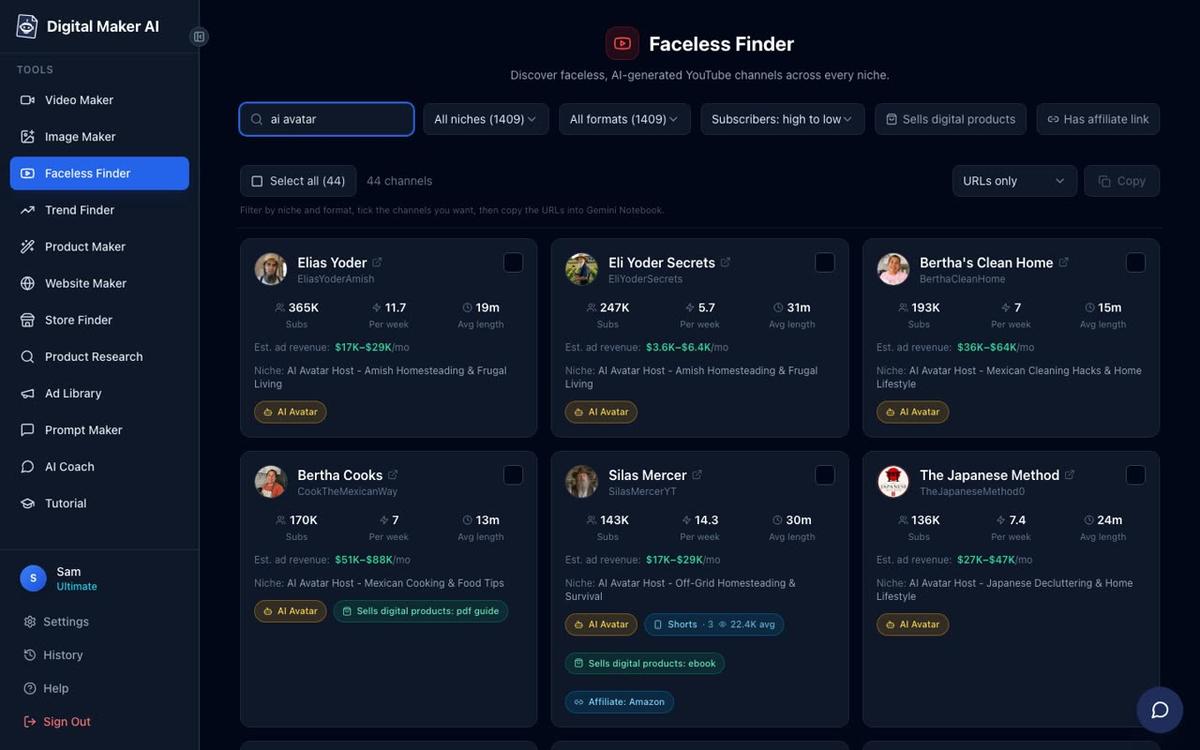
What makes this niche work so well for an AI avatar format? The audience is drawn to a calm, authoritative voice and a sense of order. They are not looking for a charismatic personality doing tricks on camera. They want someone who feels knowledgeable and composed, which is exactly what a well-designed AI presenter can deliver. The Japanese decluttering and minimalist home lifestyle space covers a wide range of practical, searchable topics, and viewers tend to watch long enough to push watch time and CPM in the right direction.
Eight Concrete Video Ideas to Launch Your Channel
Before building your presenter, it helps to have a content plan. Here are eight video ideas that fit the niche, each framed to be searchable and practical for a Western audience that is curious about Japanese home methods.
- The 5-Box Declutter Method for a Western Kitchen: Walk viewers through a Japanese-inspired sorting system adapted for larger Western kitchens with more appliances and less drawer space.
- Why Japanese Homes Feel Bigger Even When They Are Small: Explain the principles of ma (negative space), low furniture and hidden storage that create the illusion of openness.
- How to Store Futons the Traditional Way: A practical how-to on folding, airing and storing bedding in a small space, with tips on Western alternatives like platform beds with under-storage.
- The One-In One-Out Rule: How Japanese Households Really Use It: A focused explainer on the discipline behind minimal ownership and how to apply it to clothes, kitchenware and books.
- Japanese Bathroom Organisation on Any Budget: Cover the principles of a clean, uncluttered bathroom using baskets, hooks and a strict no-surface-clutter rule.
- Wabi-Sabi and the Art of Keeping Imperfect Things: A more reflective video on the Japanese philosophy of finding beauty in worn, aged or repaired objects, a natural counterpoint to the throw-everything-away message.
- How to Declutter When Your Partner Does Not Want To: A high-search-volume topic approached through the lens of Japanese household harmony and gradual, respectful change.
- The Seasonal Reset: How Japanese Families Clear Their Homes Twice a Year: An explainer on the tradition of osoji (year-end cleaning) and how to build a twice-yearly declutter habit.
Each of these topics is long enough to fill a five to ten minute video, searchable enough to attract organic traffic, and calm enough in tone to suit the presenter style you are about to build.
Building a Calm Japanese-Style AI Presenter in Digital Maker AI
The AI Presenters feature is available on Premium and Ultimate plans. It lets you create a photoreal talking avatar who appears on screen inside your long form Multi Scene video, speaking the narration while the scene images play around them. Here is how to set one up from scratch.
Step 1: Create Your Presenter in Account Settings
Sign in to your Digital Maker AI account, open Account Settings and click the Presenters tab. You will see a form asking you to describe who your presenter is and where they are. For a Japanese decluttering channel, a description like this works well:
"A serene woman in her forties wearing a natural linen apron, seated at a low wooden table in a sunlit, minimalist Japanese room with shoji screens and a single ceramic vase behind her."
Press Create picture and the AI generates a photoreal portrait from your description. Check that the image feels calm, approachable and visually clean, then save it. You can create several presenters and switch between them for different series, for example a more reflective presenter for philosophy-leaning videos and a practical, organised one for step-by-step how-tos.
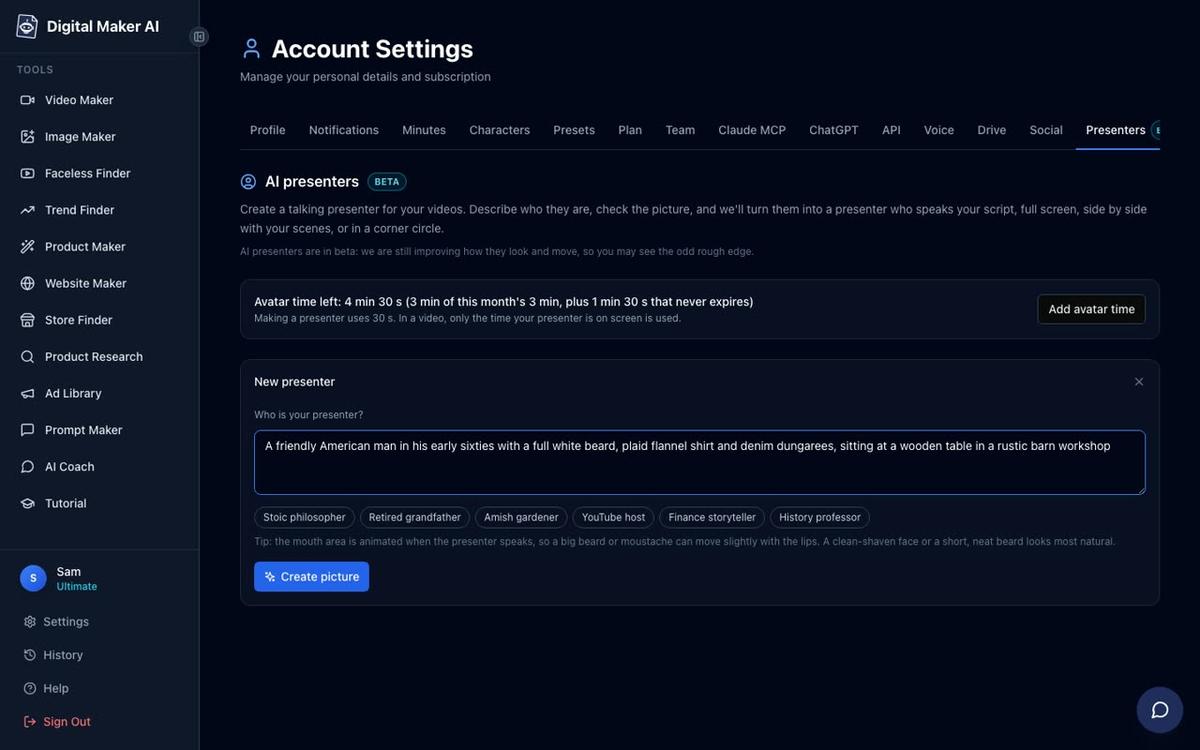
Making a presenter uses 30 seconds of avatar time. Premium accounts start with 2 minutes of avatar time and Ultimate accounts start with 5 minutes, with Ultimate also receiving 3 minutes every month. Avatar Packs let you add more time as a one-off purchase. See digitalmaker.ai/pricing for current pack options.
Step 2: Start a Multi Scene Long Form Video
Go to the Video Maker and select the Long-Form Faceless Video option. At step 1, choose Multi Scene. This is the only format that supports AI presenters. At step 3, type your video topic, for example "The 5-Box Declutter Method for a Western Kitchen". The AI will write the full script, generate a scene image for every scene, and add narration and captions automatically.
Step 3: Pick Your Layouts
When you reach the presenter section of the Video Maker, select your saved presenter and choose which layouts you want the video to use. There are three options and you can tick any combination.
Split screen places your presenter on the left half of the frame with the scene image on the right. This works especially well for instructional moments where you want the viewer to feel they are being spoken to directly while still seeing the visual content. For a Japanese decluttering channel, this layout suits steps and explanations.
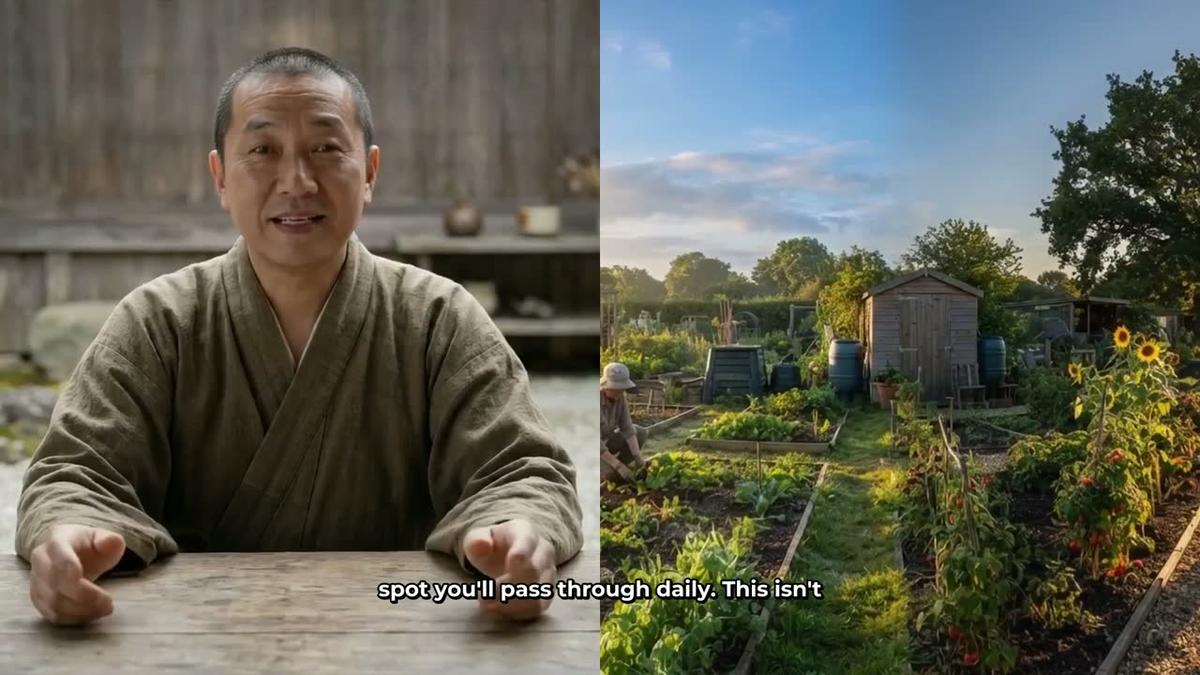
Corner circle keeps the full scene image on screen and places your presenter in a small round window in the corner of the frame. This is a good choice for the more visual moments in a decluttering video, where you want viewers to focus on the room or object being discussed while still keeping the presenter's presence.

A slider controls how much of the total video the presenter is on screen, from 5 percent up to the full video. Markers on a timeline bar let you set exactly where the presenter appears, for example at the opening to introduce the topic, again in the middle to reinforce a key point, and at the end to close. The rest of the video plays as normal scene images. Only the seconds the presenter is actually on screen count against your avatar time.
Step 4: Choose the Minimalist Visual Style
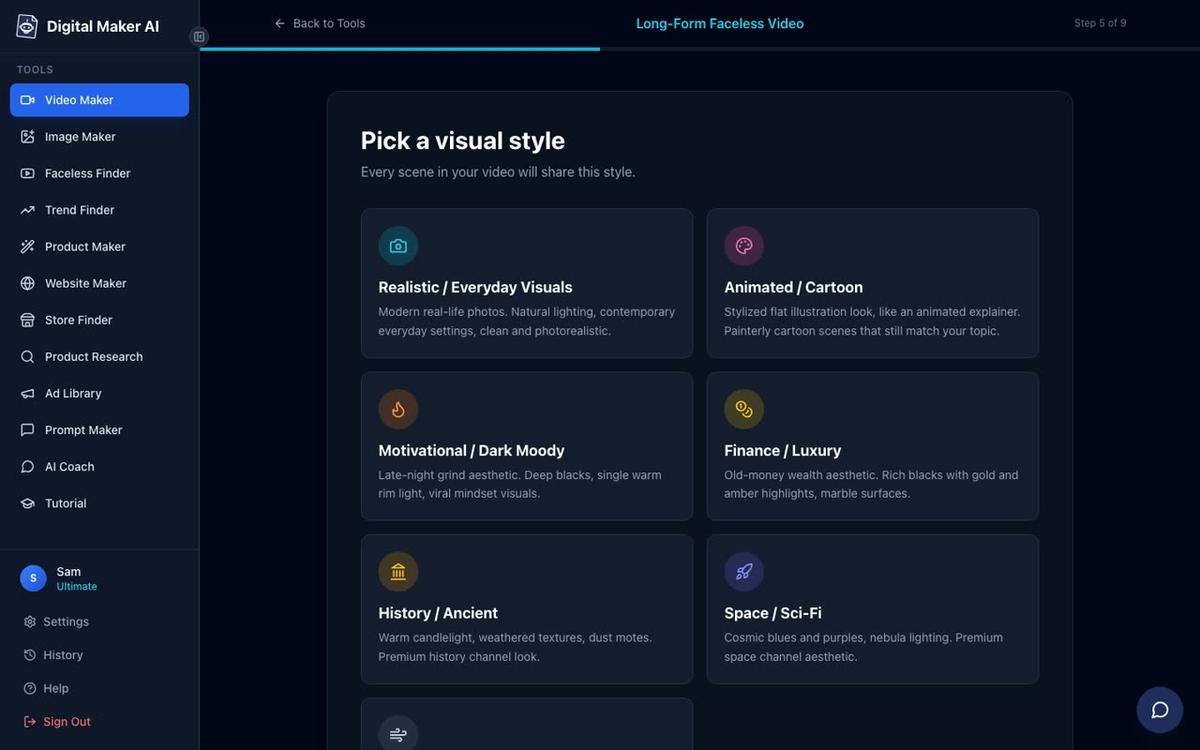
At step 5, pick a visual style for your scene images. For a Japanese decluttering channel, the Minimalist / Clean style is the natural fit. It generates uncluttered, light-filled scene images that reinforce the message of the content. The Realistic / Everyday Visuals style is a solid alternative if you want the rooms and objects to feel more photographically grounded.
Step 5: Set a Calm Pacing
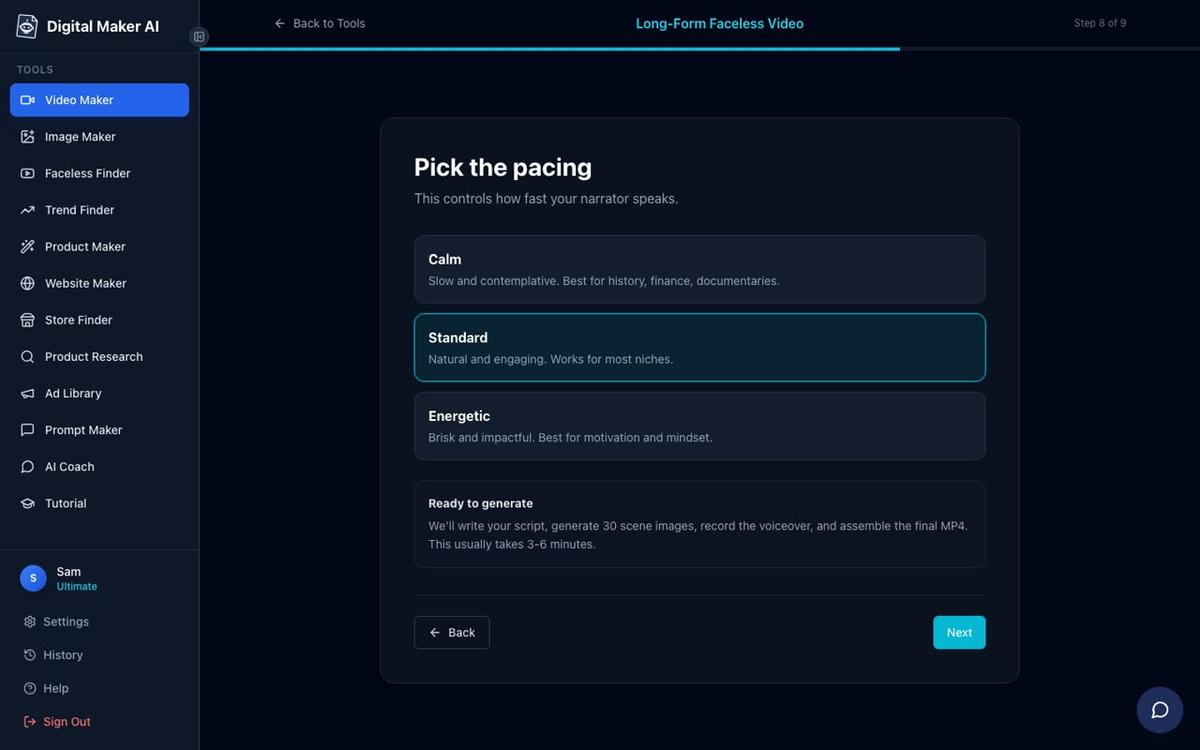
At step 8, choose your narration pacing. For a Japanese minimalist channel, Calm is the right choice. It gives the narrator a measured, unhurried delivery that matches the tone of the content and the aesthetic of the presenter. Viewers in this niche are not looking for fast-paced energy. They want to feel settled.
What the Best AI Avatar Channels in This Space Have in Common
Looking at the channels that are performing well in the Faceless Finder, a clear pattern emerges across the most successful ones. The Japanese Method (153,000 subscribers, estimated $28,000 to $43,000 a month), Hana Yoshida (69,500 subscribers, estimated $4,300 to $6,400 a month), and high-performing channels in adjacent niches like Bertha's Clean Home (221,000 subscribers, estimated $22,000 to $33,000 a month) all share the same formula. Each has a strong, consistent presenter persona, a tight niche focus, a high upload frequency, and a practical tip-driven format. None of them require a real person on camera.
The persona is the key ingredient. An elderly Japanese homemaker, a serene minimalist organiser, a calm woman in a linen apron in a sunlit room: these characters carry authority in their niche because they feel authentic to the subject matter. When a viewer lands on a video about Japanese decluttering, they want to feel they are learning from someone who lives that way. A well-described AI presenter, built carefully in Account Settings, delivers exactly that.
For more inspiration on how AI avatar channels are built across different niches, the guide on how to create an AI avatar for YouTube videos like Otis's Kitchen walks through a very similar process for a cooking channel persona.
More AI Avatar YouTube Channel Ideas in the Japanese Decluttering Space
Once your first presenter and your first video are live, the niche gives you plenty of room to expand. Here are some directions worth exploring as your channel grows.
- A second presenter for a different series: Use a more philosophical, older presenter for videos about wabi-sabi and the meaning of objects, and keep your practical organiser for the how-to content. Digital Maker AI lets you save multiple presenters and choose between them for each video.
- Seasonal content: Japanese home culture is deeply seasonal. Spring cleaning, summer simplicity, autumn letting go and winter coziness all give you natural content hooks throughout the year.
- Room-by-room series: A dedicated series for the kitchen, the bedroom, the bathroom and the entryway gives you a structured playlist that keeps viewers watching multiple videos in sequence.
- Western adaptation videos: Some of the highest-search topics in this niche come from people who love the Japanese approach but live in a Western home with Western habits. Videos that bridge that gap ("Japanese Pantry Organisation in an American Kitchen") tend to attract strong search traffic.
If you want to explore how other AI avatar niches are performing before committing to a direction, the AI avatar channel ideas for Appalachian stories and nostalgia post shows the same research and build process applied to a completely different audience.
Getting Started with Your Own AI Avatar Japanese Decluttering Channel
The niche is proven, the audience is large, and the format suits AI avatar video production well. The steps are straightforward: identify your presenter persona, describe her carefully in Account Settings, pick the Minimalist / Clean visual style, set Calm pacing, and publish consistently. The channels already in the Faceless Finder show what is possible when all those elements come together. All earnings figures mentioned in this article are Digital Maker AI Faceless Finder estimates based on recent views and typical ad rates, not the real earnings of any channel.
You can explore the AI Presenters feature and see what your own presenter could look like at digitalmaker.ai/ai-avatar-video-generator. To see which plan fits your upload schedule and video length needs, visit digitalmaker.ai/pricing. And if you want a step-by-step guide to starting a faceless channel from scratch, the Digital Maker AI free course covers everything from choosing a niche to publishing your first video.
Alex Stevens: Alex Stevens writes for the Digital Maker AI team about faceless YouTube channels, AI presenters and AI video tools.