Easiest Way to Start a Faceless YouTube Channel in 2027
By Alex Stevens
The easiest way to start a faceless YouTube channel in 2027 is to pick a proven niche, let an AI tool write and narrate your script, generate scene images automatically, and export a ready-to-upload MP4, all without appearing on camera. Digital Maker AI (digitalmaker.ai) is an AI video platform for faceless YouTube videos, AI presenter videos, animated podcasts, 3D animated films and digital products. A complete beginner can make and upload their first video in an afternoon, for free.
Key takeaways
- A faceless YouTube channel is a channel where the creator never appears on camera; AI visuals and a voiceover carry every video.
- You can make your first five videos free on Digital Maker AI, with no card required, using the Free plan.
- The YouTube Partner Programme requires 1,000 subscribers and 4,000 watch hours, or 10 million Shorts views in 90 days, before you earn ad revenue.
- Most new faceless channels reach monetisation between 6 and 18 months, depending on niche, upload frequency and video quality.
- The Faceless Finder tool inside Digital Maker AI shows real subscriber counts, upload frequency and estimated monthly ad revenue for confirmed faceless channels, so you can check demand before you commit to a niche.
Step 1: Find the easiest way to start a faceless YouTube channel by picking the right niche
Your niche is the single topic your channel covers. A tight niche helps YouTube recommend your videos to the right audience and helps you build authority faster. The best niches for faceless channels in 2027 share three traits: people search for them regularly, the content does not go out of date quickly, and you do not need to show your face to explain them well.
Strong starting niches include personal finance, stoicism and mindset, history, true crime, space and science, health and fitness, and psychology. These topics work well as faceless videos because the visuals are illustrative rather than personal, and viewers are there for the information, not the presenter.
Before you commit, use the Faceless Finder inside Digital Maker AI to check real numbers. Sign in (even a free account gets access), open Faceless Finder from the left sidebar, and search by topic. You will see confirmed faceless channels with their subscriber count, uploads per week, average video length and an estimated monthly ad revenue. That estimate is Digital Maker AI's own rough figure based on recent views and typical ad rates for the niche, not the channel's real earnings, but it is useful for comparing niches side by side.
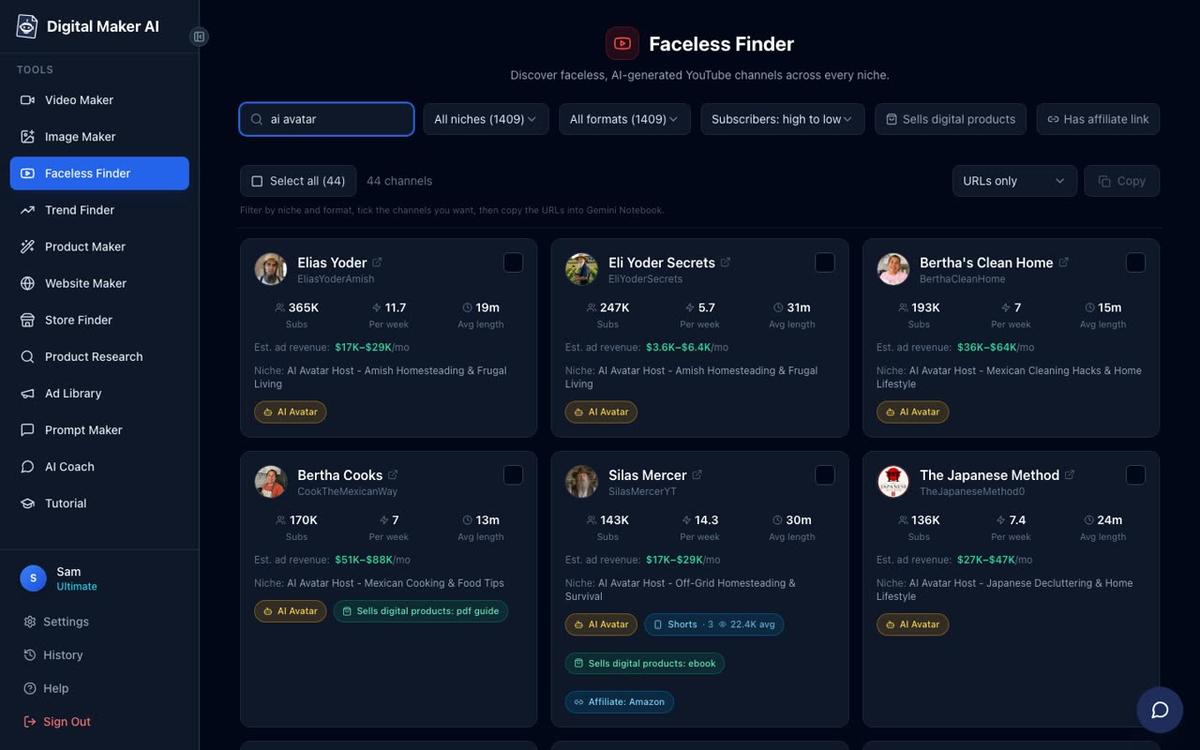
A practical tip: look for niches where the top channels upload two to four times a week and still have under 100,000 subscribers. That signals healthy demand without the niche being completely dominated. History, stoicism and deep sea are all good examples right now.
Step 2: Create a free account and explore the dashboard
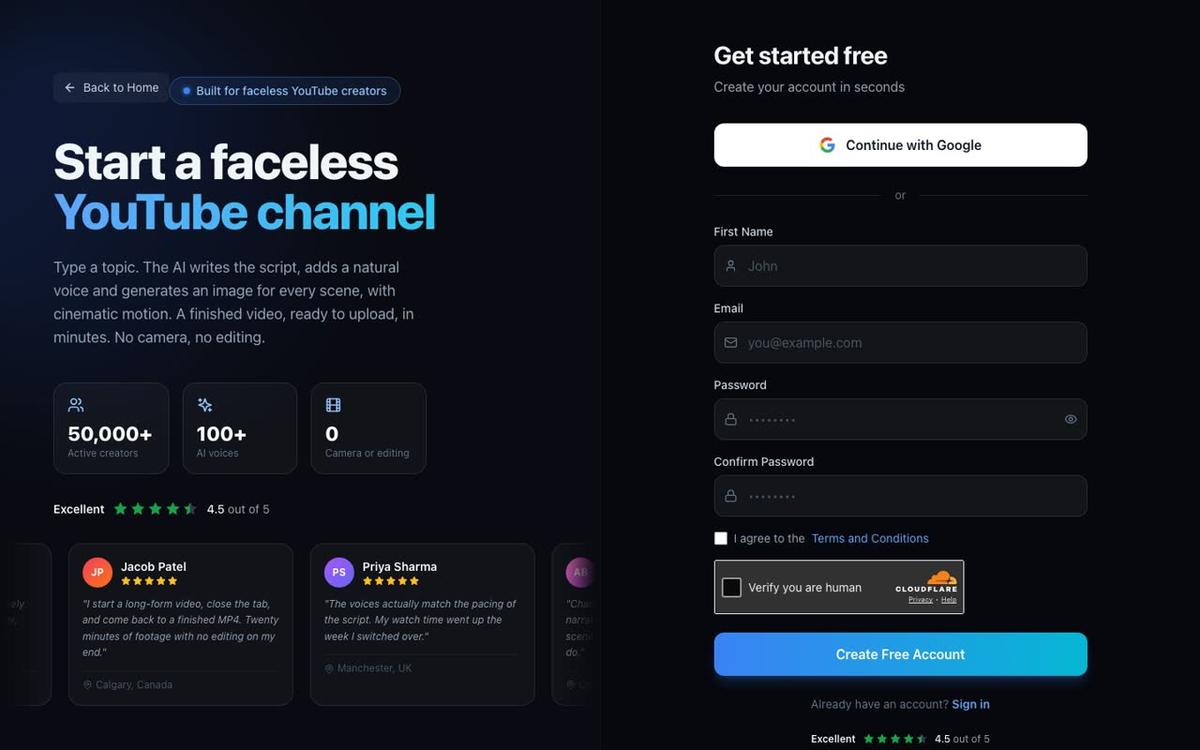
Go to digitalmaker.ai/faceless and create a free account. No card is needed. You can sign up with Google or with an email and password.
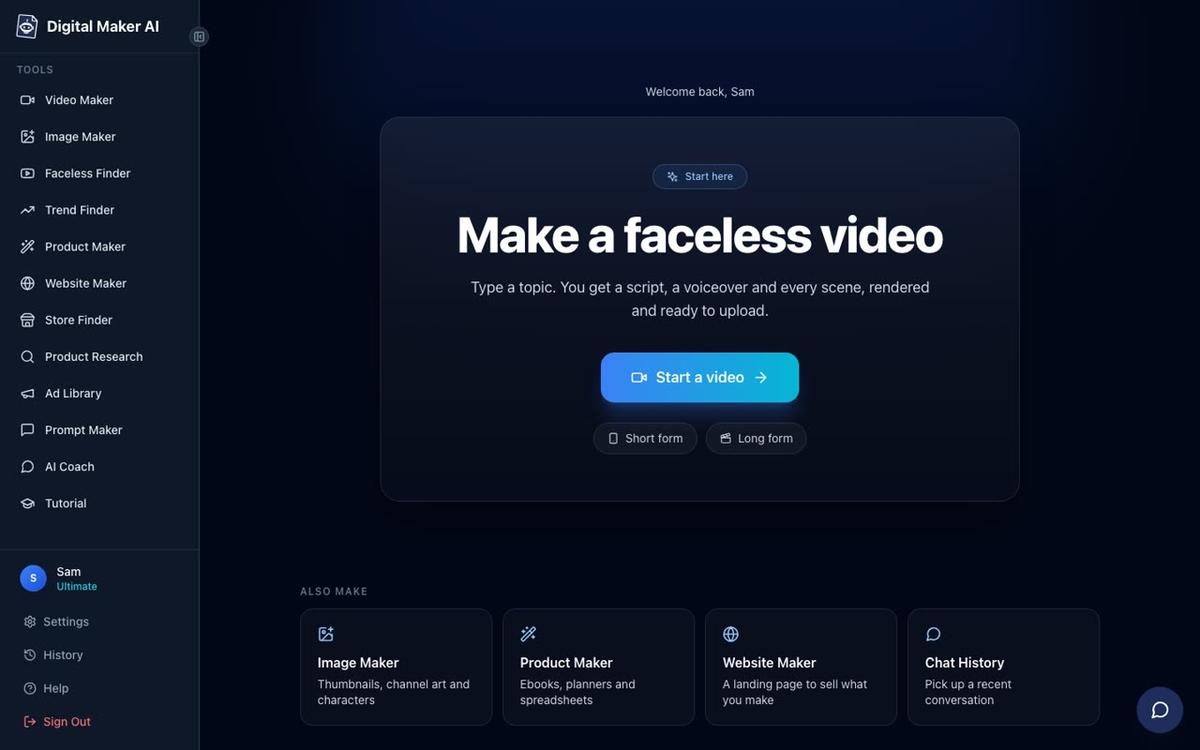
Once inside, the dashboard shows a Make a faceless video panel with a Start a video button, plus the tools menu on the left: Video Maker, Image Maker, Faceless Finder, Trend Finder and more. The Free plan gives you five free videos, one of each type, to try the platform before you decide whether to upgrade.
Step 3: Make your first video in the Video Maker
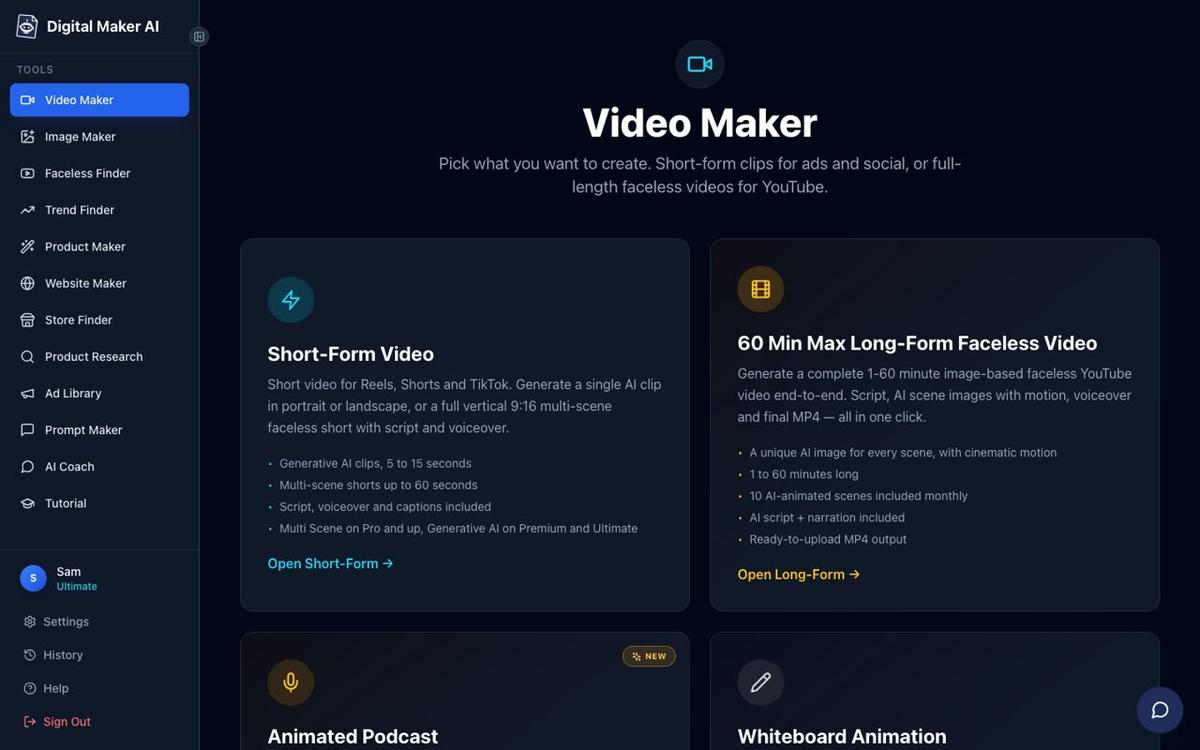
Click Video Maker in the left sidebar. You will see cards for Short-Form Video, Long-Form Faceless Video, the Animated Podcast and the Drag and Drop Studio. For your first YouTube video, choose Long-Form Faceless Video. This produces a complete landscape 16:9 MP4 with AI-written script, a unique generated scene image for every scene, AI narration and burned-in captions.
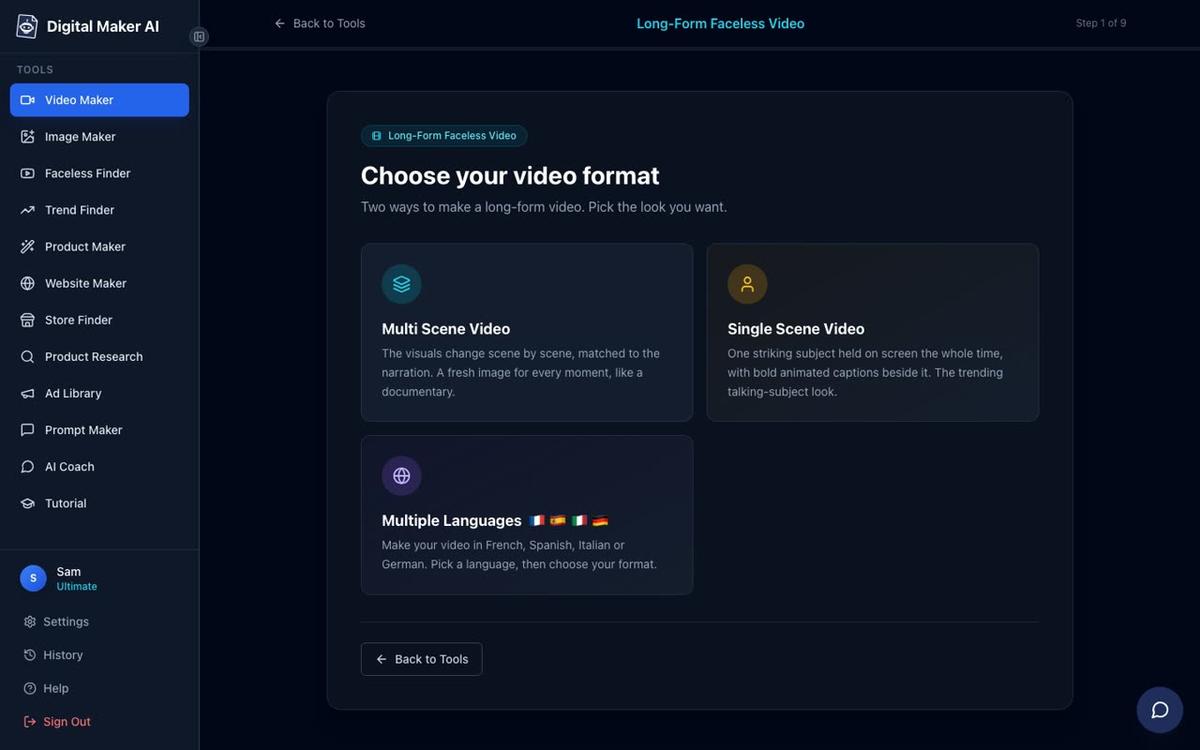
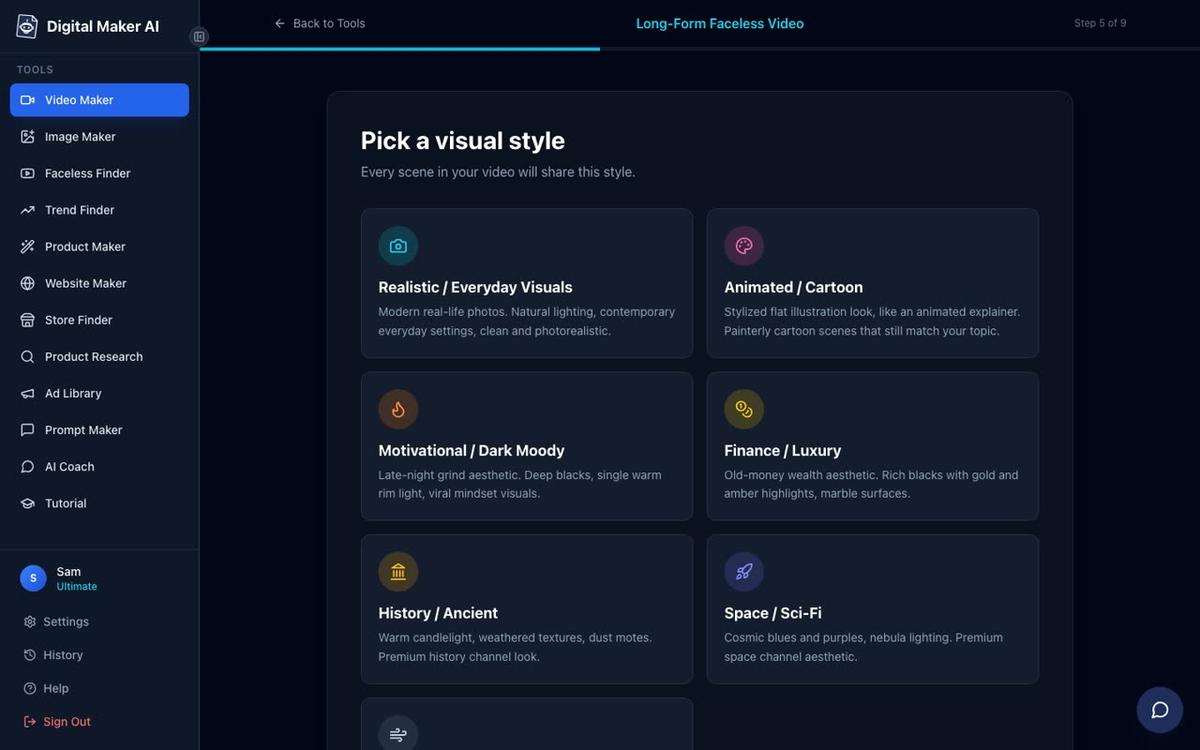
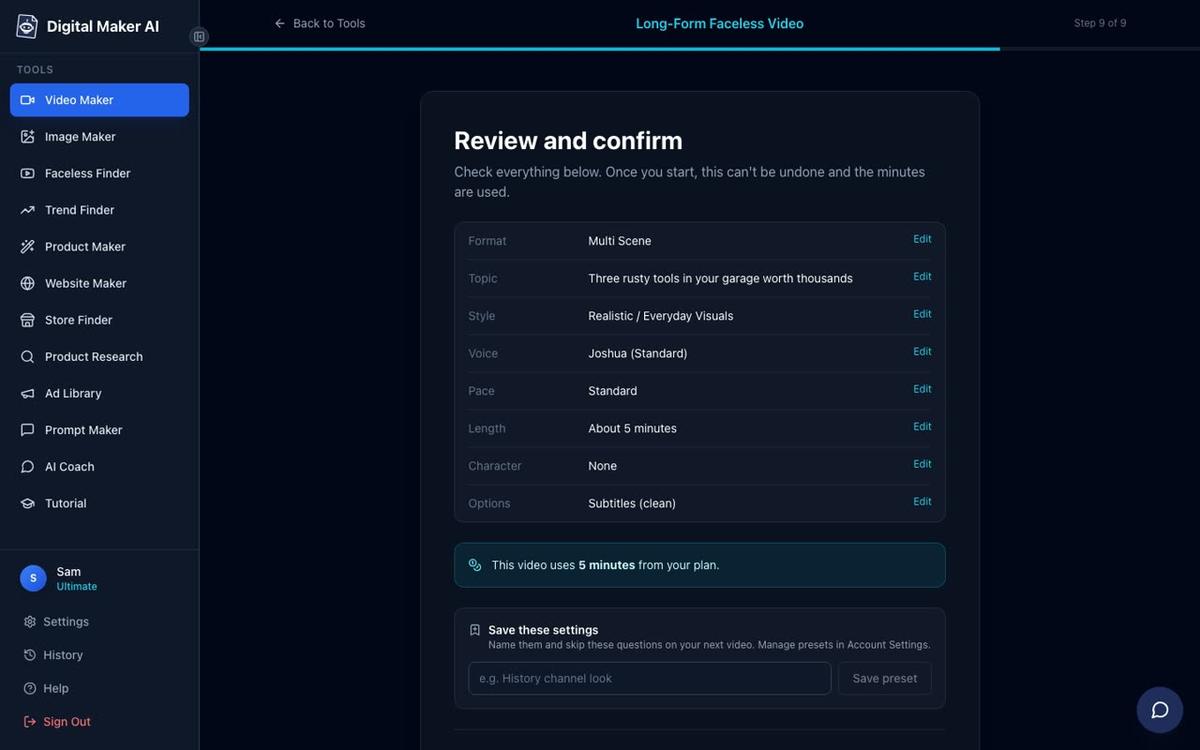
The long form maker walks you through nine steps. Here is what each one asks:
- Choose a format. Pick Multi Scene for your first video. This creates a new AI-generated image for every scene, which works on all paid plans and on the Free plan's one free long form video. Single Scene and Whiteboard Animation are available on Premium and Ultimate.
- Write the script. On the Free plan, choose Write it for me and the AI writes the script from your topic. Pasting your own script is a paid feature.
- Enter your topic. Type a single line, for example "5 Stoic habits that reduce daily stress". Keep it specific. The AI writes a full script from that prompt.
- Reuse settings or choose new ones. On your first video, choose new settings. Later you can reuse the same voice and style from your last video to keep things consistent.
- Pick a visual style. Seven options: Realistic or Everyday Visuals, Animated or Cartoon, Motivational or Dark Moody, Finance or Luxury, History or Ancient, Space or Sci-Fi, and Minimalist or Clean. The Free plan offers Realistic and Animated or Cartoon. Pick the one that fits your niche.
- Set the length. The Free plan long form video goes up to 8 minutes. A 5-minute video is a good starting length for a new channel.
- Pick a narration voice. More than 100 built-in voices with male and female options and US, UK and Australian accents. Standard voices are available on the Free plan.
- Choose the pacing. Calm, Standard or Energetic. Standard works for most niches. Energetic suits motivation and fitness content.
- Review and generate. Check the summary, confirm the settings and press Generate Video. The script, scene images, voiceover and final MP4 usually take 3 to 6 minutes.
Note: free long form videos are built from a ready-made image library in set topic areas (money and personal finance, business and side hustles, motivation, stoicism, history, true crime, space and others). Paid plans generate every scene image fresh, on any topic. Free videos also carry a small Digital Maker AI watermark; upgrading later removes it from that video. Commercial usage rights are included on every plan, including Free.
Step 4: Make a thumbnail
A thumbnail is the first thing a viewer sees before clicking. Open Image Maker from the left sidebar and choose YouTube Thumbnail. Type a short description of your video topic, pick a style and generate a thumbnail. Download it and save it for upload.
A practical tip: the best-performing faceless thumbnails tend to use bold text on a contrasting background, a striking visual (a face, an object or a scene) and a clear promise. Keep the text to three to five words so it reads on a phone screen.
Step 5: Upload and post your first video
Download your MP4 from Digital Maker AI. Then go to YouTube Studio and upload it. Fill in the title, description and tags. Use your target keyword in the title and in the first two lines of the description. Add the thumbnail you made in Image Maker. Set the video to Public and publish.
On Premium and Ultimate plans, you can connect your YouTube account once in Account Settings and post directly from the Post to socials button inside Digital Maker AI, now or on a schedule. Nothing posts automatically; it posts when you press Post, and posts are labelled AI generated. Free and Pro users download the MP4 and upload it themselves. See the AI video publishing guide for the full connection steps.
What format and length should your first faceless video be in 2027?
| Format | Best for | Recommended length | Available on |
|---|---|---|---|
| Multi Scene long form | Evergreen topics, lists, explainers | 5 to 10 minutes | All plans including Free |
| Single Scene long form | Motivational monologues, quotes | 3 to 8 minutes | Premium and Ultimate |
| Whiteboard Animation | Educational, step by step guides | 5 to 15 minutes | Premium and Ultimate |
| Multi Scene Short | Hooks, clips, channel trailers | 15 to 60 seconds | Pro, Premium, Ultimate |
| Animated Podcast | Conversational, debate, interview style | 8 to 30 minutes | Premium and Ultimate |
For a brand new channel, start with a 5-minute Multi Scene long form video. It is long enough to accumulate watch hours toward monetisation, short enough to produce quickly, and the Multi Scene format is available on the Free plan so you can test the tool before upgrading.
How long does it take to reach monetisation on a faceless YouTube channel?
To join the YouTube Partner Programme (YPP) and earn ad revenue, you need either 1,000 subscribers and 4,000 public watch hours in the past 12 months, or 1,000 subscribers and 10 million Shorts views in 90 days. YouTube also requires no active community guideline strikes and a linked AdSense account.
Most new faceless channels reach these thresholds in 6 to 18 months. The variables that matter most are:
- Upload frequency. Channels that publish two to three videos a week consistently reach 1,000 subscribers significantly faster than channels that upload once a fortnight.
- Niche ad rates. Personal finance and business channels earn more per 1,000 views than general motivation channels, so they need fewer total views to make the same income once monetised.
- Watch time per video. A 7-minute video where viewers watch 5 minutes accumulates watch hours faster than a 12-minute video where viewers drop off after 2 minutes. Keep your first videos tight and well-paced.
- Thumbnail and title quality. A high click-through rate means more impressions turn into views, which compounds over time.
Be honest with yourself: most channels do not go viral in month one. Treat the first 20 videos as practice. The channels that reach monetisation are the ones that keep uploading after the first few videos get low views.
A simple weekly routine for a new faceless channel
The easiest way to start a faceless YouTube channel and keep it going is to build a repeatable weekly routine before you need one. Here is a realistic schedule for someone using Digital Maker AI on a paid plan, spending around three to four hours a week:
- Monday: pick the topic. Open Faceless Finder or Trend Finder, find a topic with solid search interest in your niche, and write a one-line prompt for the AI.
- Tuesday: generate the video. Open Video Maker, run through the nine steps, generate the video. While it builds (3 to 6 minutes), make the thumbnail in Image Maker.
- Wednesday: review and edit. Watch the video. Regenerate any scene image you are not happy with (10 free regenerations per video). Edit any narration line that sounds off. Change the voice if needed.
- Thursday: upload and schedule. Upload to YouTube, write the title and description with your keyword, add the thumbnail, and schedule it to publish the next day.
- Friday: post a Short. Use the Short-Form Video maker to create a 30 to 60 second vertical clip from the same topic. Post it to YouTube Shorts and, if you are on Premium or Ultimate, to TikTok and Instagram at the same time via Post to socials.
That is two pieces of content a week from roughly three to four hours of work. As you get faster, you can add a second long form video or an animated podcast episode. For more on building a product business alongside your channel, read how to sell a digital product with AI videos in 2027.
Common mistakes new faceless channels make in 2027
- Picking too broad a niche. "Health" is not a niche. "Gut health for people over 50" is. Narrow niches build loyal audiences faster and rank more easily in YouTube search.
- Giving up after 10 videos. YouTube's algorithm takes time to understand a new channel. Most channels see their first meaningful traffic spike between video 20 and video 40.
- Ignoring the thumbnail. The video content can be excellent, but if the thumbnail does not make someone want to click, the video will not get views. Spend as much time on the thumbnail as on the title.
- Uploading inconsistently. One video a week, every week, outperforms three videos one week and nothing for a month. Consistency signals to YouTube that your channel is active and worth recommending.
- Not using captions. A large share of YouTube viewers watch with the sound off. Burned-in captions, which Digital Maker AI adds automatically, keep those viewers watching longer.
Frequently asked questions
Do I need any video editing skills to start a faceless YouTube channel?
No. Tools like Digital Maker AI handle the script, scene images, voiceover and captions automatically. You type a topic, choose a style and voice, and receive a finished MP4. No timeline editing, no cutting, no voiceover recording is required from you.
Can I start a faceless YouTube channel for free in 2027?
Yes. Digital Maker AI's Free plan gives you five free videos, one of each type, with no card required. Free long form videos go up to 8 minutes and carry a small watermark. Commercial usage rights are included on the Free plan, so you can monetise the content once you meet YouTube's requirements.
How many videos do I need before YouTube recommends my channel?
There is no fixed number, but most new channels start seeing meaningful organic reach after 20 to 30 videos. Consistent uploads in a clear niche help YouTube understand who to recommend your content to. Focus on watch time and click-through rate rather than raw subscriber count in the early months.
What niches work best for faceless YouTube channels in 2027?
Personal finance, stoicism, history, true crime, space, psychology and health and fitness are consistently strong. Use the Faceless Finder inside Digital Maker AI to check real subscriber counts and estimated ad revenue for channels in any niche before committing, so you can compare demand across topics.
What is the difference between a faceless channel and an AI avatar channel?
A faceless channel uses voiceover and visuals with no presenter on screen. An AI avatar channel uses an AI-generated presenter who speaks on camera. Digital Maker AI supports both: the standard long form video is faceless, and the AI presenter feature adds a photoreal talking avatar to the same video, available on Premium and Ultimate plans.
How do I make my faceless videos look more professional?
Choose a consistent visual style across all your videos, use the same narration voice every time, add background music at a low volume, and keep your thumbnails in a consistent design. On paid plans, a recurring character added to every video also builds a recognisable visual identity for the channel without showing your face.
Starting a faceless YouTube channel in 2027 has never been more straightforward. Pick a niche you can commit to, use the tools available to remove every technical barrier, and focus your energy on consistency and improving your titles and thumbnails. Take the free faceless channel course to get a step-by-step plan from niche to first upload, built around the same tools covered in this guide.
Alex Stevens: Alex Stevens writes for the Digital Maker AI team about faceless YouTube channels, AI presenters and AI video tools.