AI Avatar Channel Ideas for Italian and Indian Cooking Videos
By Alex Stevens
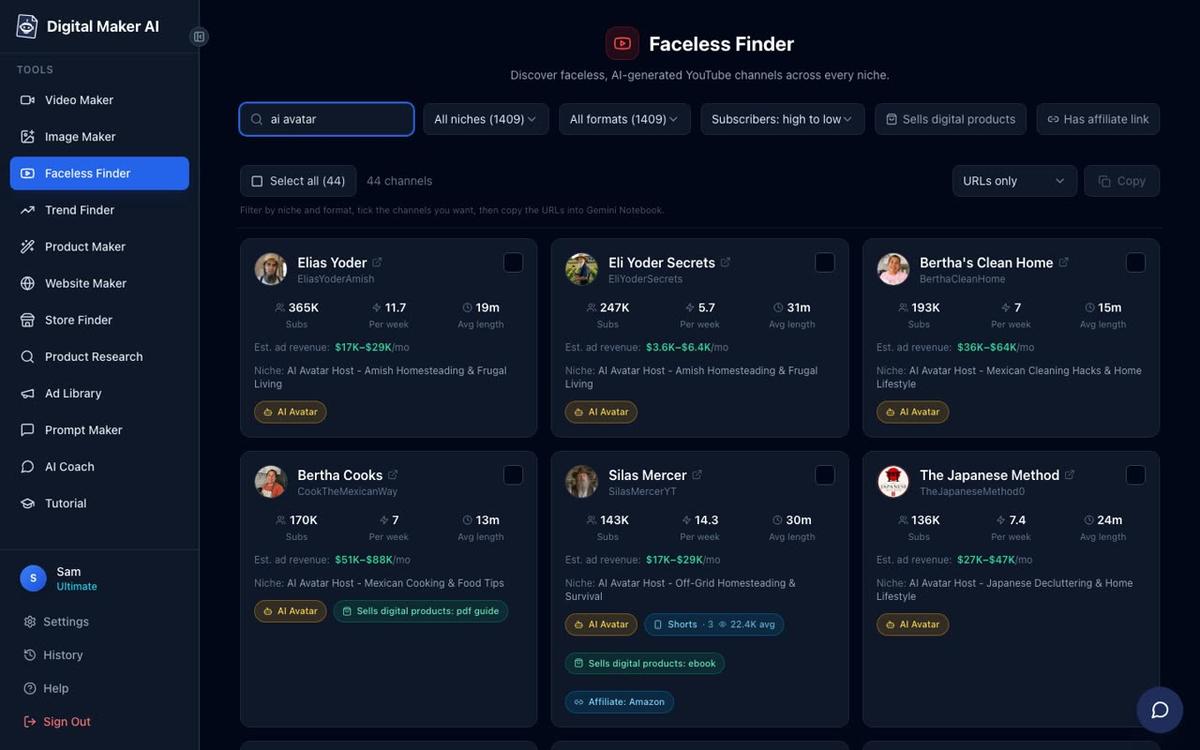
If you are searching for ai avatar youtube channel ideas cooking, the evidence that this niche works is already sitting in plain sight. Bertha Cooks has built 189,000 subscribers across just 57 videos, and the Digital Maker AI Faceless Finder estimates her channel pulls in between $28,000 and $42,000 a month in ad revenue. Hana Yoshida, a Japanese cooking avatar channel with 60,700 subscribers, is estimated at $4,300 to $6,400 a month. Neither channel puts a real person on camera. Both are anchored to a named cultural host with a strong persona, a tight niche and a consistent upload schedule. The formula is clear, and Italian and Indian cooking are two of the biggest untapped territories left to claim.
All revenue figures in this article are Digital Maker AI Faceless Finder estimates based on recent views and typical ad rates for the niche, not the channels' real earnings.
Why Cultural Cooking Avatars Convert So Well
Look at the channels that are performing best in the AI avatar space and a pattern emerges quickly. The Japanese Method (145,000 subscribers, estimated $28,000 to $43,000 a month) and Hana Yoshida both lean into a specific cultural identity. The host is not just a faceless narrator. They have a name, a backstory, a setting and a way of speaking that feels rooted in a place. Viewers come back not just for the recipe but for the character. Italian and Indian cooking carry exactly this kind of cultural depth, and neither niche has a dominant AI avatar channel yet.
Six AI Avatar Channel Ideas for Italian and Indian Cooking
Each concept below is built around a named character, a tight sub-niche and a hook angle that gives viewers a reason to subscribe rather than just watch one video.
- Nonna Rosa's Kitchen. A warm Italian grandmother in her seventies, apron on, sunlit farmhouse kitchen in Tuscany. Every video is a regional Italian recipe passed down through generations, with the story of where it came from. Hook angle: "My grandmother never wrote this down. I'm saving it before it's lost." Video title ideas: The Only Carbonara Recipe That Matters (Nonna Rosa's Version), Why Real Tiramisu Has No Cream, The Bread My Nonna Made Every Sunday.
- Marco's Street Food Italy. A young Italian man in his thirties, casual jacket, standing at a market stall or roadside counter. Covers the street food and snack culture most cooking channels ignore: arancini, piadina, lampredotto, panelle. Hook angle: "Tourists eat at restaurants. Locals eat here." Video title ideas: The Sicilian Street Food That Changed My Life, Rome's Best Street Snack Costs One Euro, Why Every Italian City Has a Different Fried Dough.
- Priya's North Indian Home Kitchen. A middle-aged woman in a bright dupatta, standing at a gas hob in a busy family kitchen in Delhi or Lucknow. Everyday dals, rotis, sabzis and the kind of home cooking that never appears on restaurant menus. Hook angle: "This is what Indian families actually eat on a Tuesday." Video title ideas: The Dal My Mother Made Every Night, How to Make Roti That Stays Soft for Hours, The Aloo Sabzi Every Indian Kid Grew Up Eating.
- Chef Anand's South Indian Vegetarian Kitchen. A calm, scholarly man in his fifties in a clean white dhoti, a well-stocked spice shelf behind him. Focuses on Tamil, Kerala and Karnataka vegetarian cooking, including temple food and festival dishes. Hook angle: "South Indian vegetarian food is the most sophisticated cuisine in the world. Here's why." Video title ideas: The Kerala Sadya Dish You've Never Heard Of, Why Sambar Is Different in Every State, The Tamil Temple Prasad Recipe That Feeds a Thousand People.
- The Mughal Table. A regal, bearded historian in his sixties in a richly decorated study, maps and manuscripts behind him. Recreates dishes from Mughal court records, Ain-i-Akbari references and old Awadhi cookbooks. Hook angle: "This recipe is 400 years old. The Mughal emperors ate it. You can make it tonight." Video title ideas: The Dish Akbar Ate Before Battle, How Biryani Was Actually Invented, The Lost Shahi Korma Recipe from the Mughal Court.
- Giulia's Pasta Masterclass. A precise, cheerful Italian woman in her forties in a modern Milan apartment kitchen. Purely pasta-focused: every video covers one shape, its correct sauce and the regional logic behind it. Hook angle: "There are 350 pasta shapes. Most people only know five. Let's fix that." Video title ideas: Why You Should Never Put Cream in Alfredo, The Pasta Shape Designed for This Exact Sauce, How to Make Fresh Orecchiette in Ten Minutes.
What Makes These Channel Concepts Work as AI Avatar Ideas for Cooking
All of the strongest AI avatar cooking channels share the same structural logic. The host has a name and a face that viewers recognise. The niche is tight enough that every video reinforces the brand rather than diluting it. Uploads are frequent, typically five to seven a week, which keeps the channel in the algorithm. And the content is practical: a viewer watches because they want to cook something, not just because they find the topic interesting in the abstract. Italian and Indian cooking tick every one of these boxes, and the cultural specificity adds a layer of trust and warmth that generic cooking channels cannot match.
How to Build Your AI Presenter Cooking Channel: Step by Step
The AI Presenters feature on Digital Maker AI is available on Premium and Ultimate plans. It lets you create a photoreal AI host, save them to your account, and drop them into any Multi Scene long form video. Here is how to go from zero to finished video.
Step 1: Create Your Account
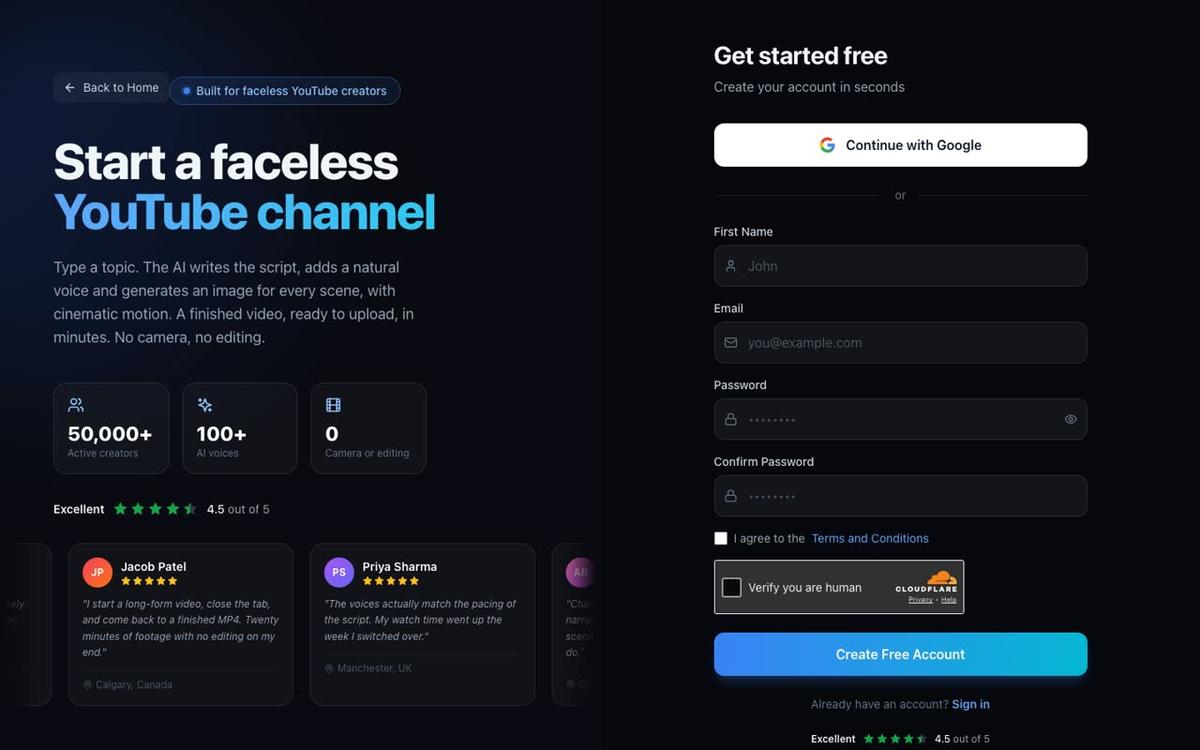
Head to digitalmaker.ai/faceless and sign up. You can start on the Free plan to explore the platform, but AI Presenters require a Premium or Ultimate plan. No credit card is needed to create a free account.
Step 2: Create Your Presenter in Account Settings
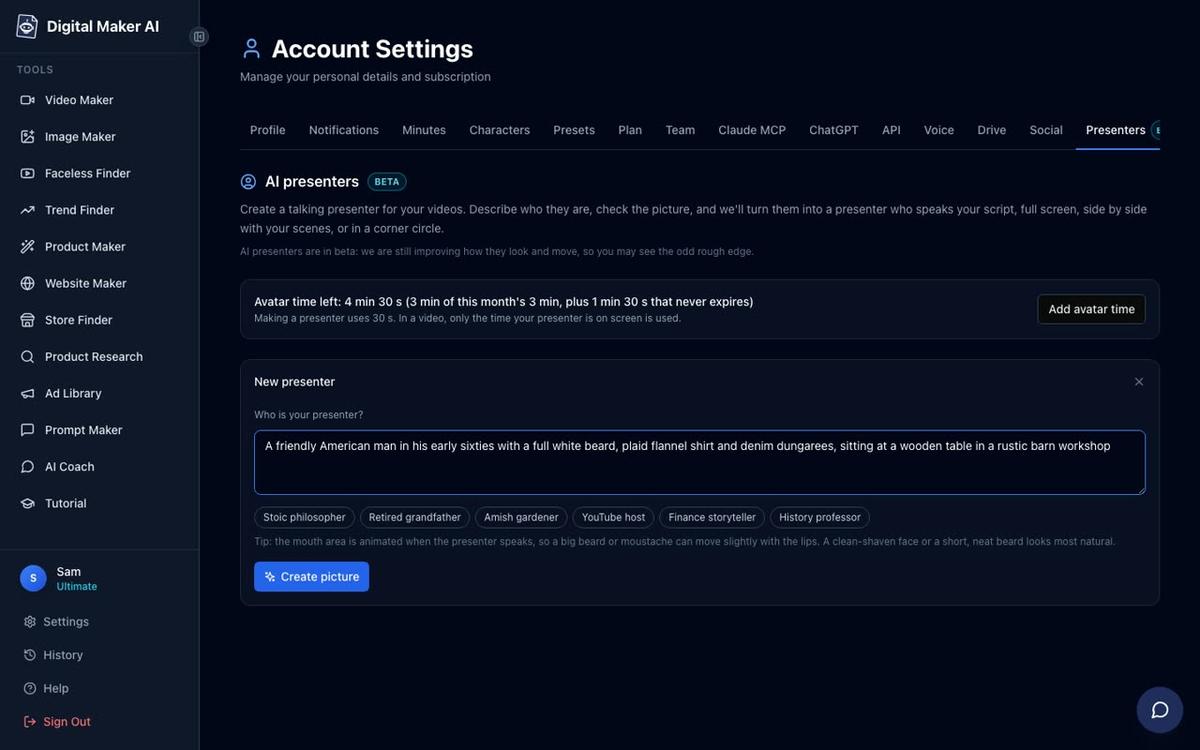
Once you are signed in on a Premium or Ultimate plan, open Account Settings and go to the Presenters tab. You will see a text box asking who your presenter is. Write a description in one or two sentences. For a Nonna Rosa channel you might write: "a warm Italian grandmother in her seventies, wearing a flour-dusted apron, sitting at a wooden table in a sunlit Tuscan farmhouse kitchen." For The Mughal Table, try: "a regal bearded historian in his sixties in a richly decorated study with maps and manuscripts behind him." The more specific your description, the more consistent and on-brand the result. There are also quick picks to give you a starting point if you want one. Press Create picture, check the result, and if you are happy with it, save the presenter. You can build several and reuse each one across as many videos as you like.
Step 3: Start a Long Form Video in the Video Maker
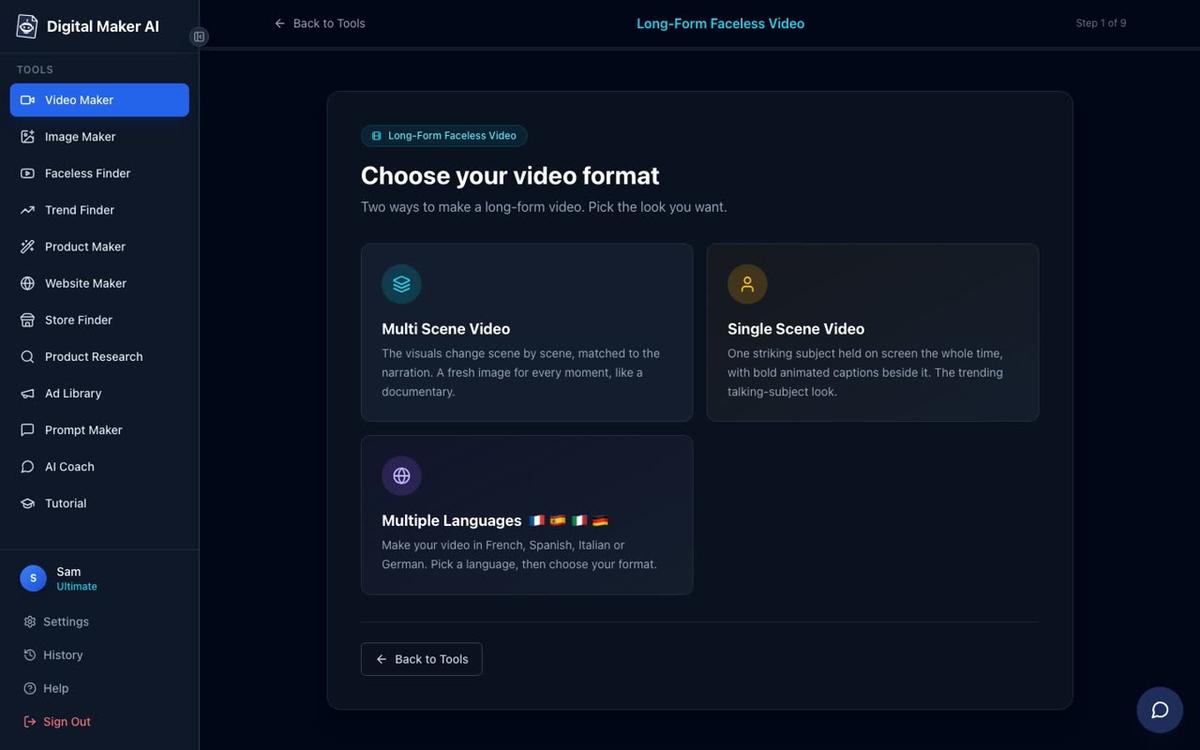
Go to Video Maker from the left sidebar and start a Long Form Faceless Video. At step 1, choose Multi Scene. AI Presenters only run on Multi Scene long form videos in landscape format, so this is the format to pick for your cooking channel.
Step 4: Enter Your Topic
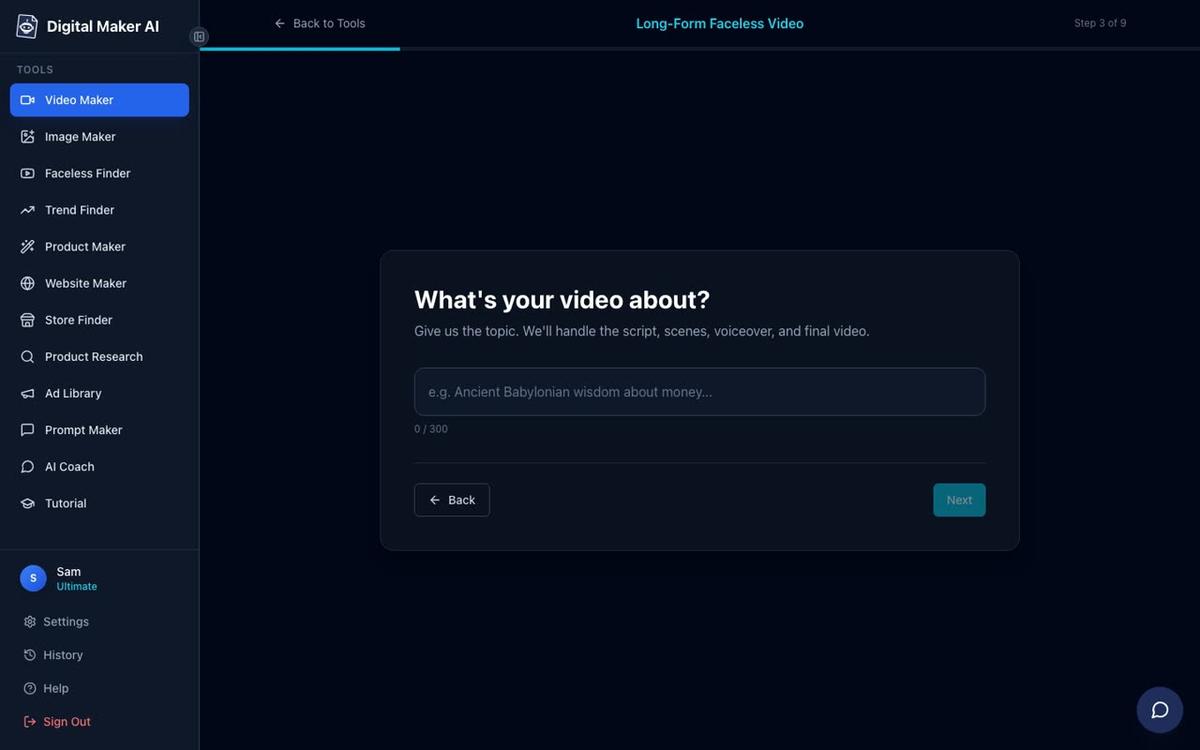
At step 3, type your video topic into the box. You can be as specific as you like: "How to make authentic Lucknowi biryani the way it was cooked in the Nawab's kitchen" or "Why every Italian region has a different version of ragù, and which one is actually correct." The AI writes the full script, generates a scene image for every scene, adds narration and captions, and delivers a finished MP4.
Step 5: Choose a Visual Style
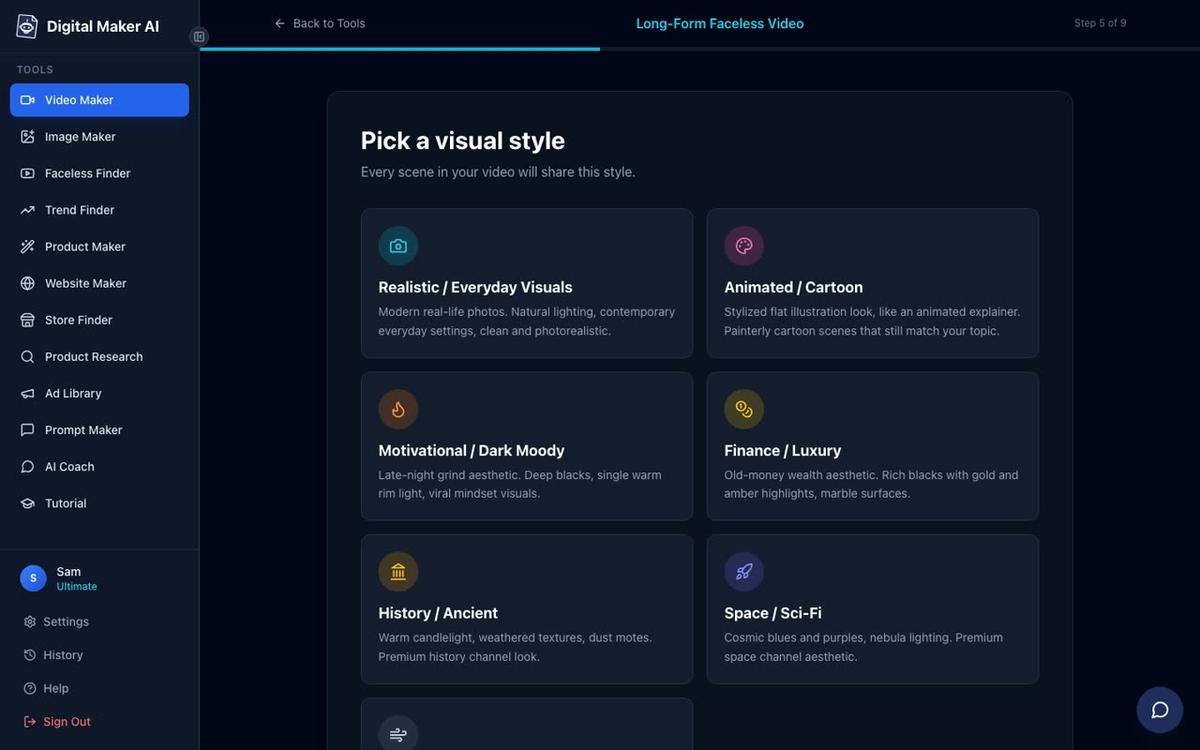
At step 5, pick your visual style. For a warm Italian farmhouse channel, Realistic or Everyday Visuals is the natural choice: it generates photorealistic scene images that feel grounded and domestic. For a Mughal history channel, History or Ancient gives a painterly, period-appropriate look. For a channel aimed at younger audiences or a more playful brand, Animated or Cartoon produces illustrated, cartoon-style still scenes.
Step 6: Pick Your Presenter and Layouts
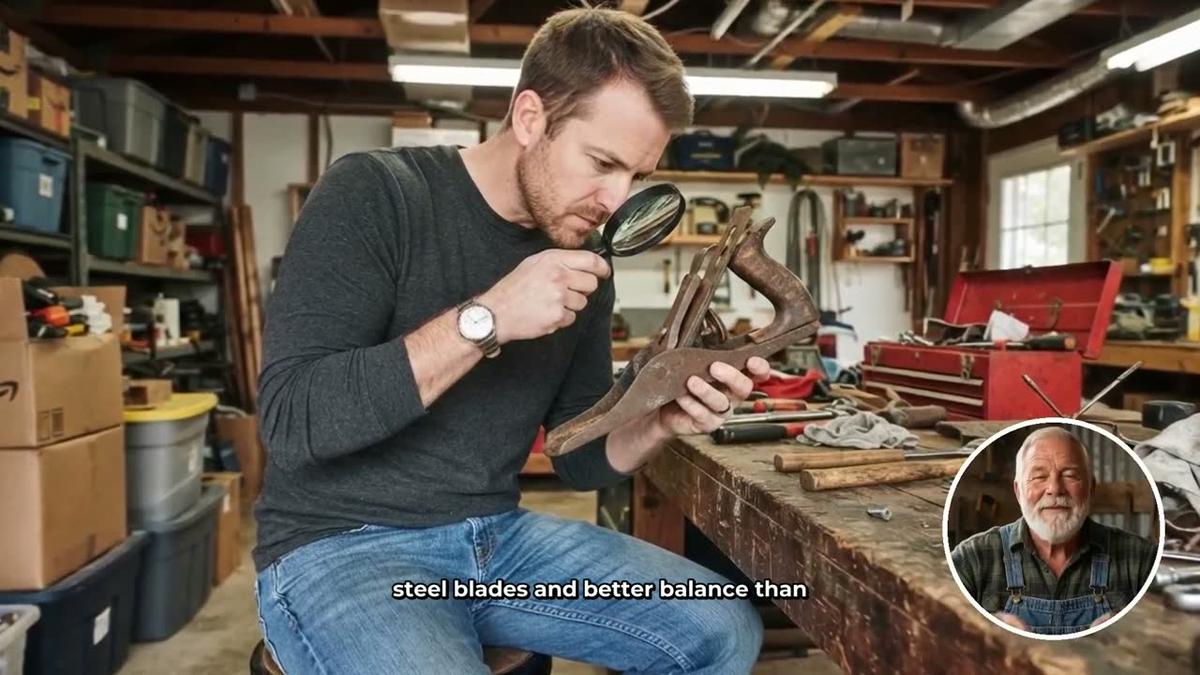
Later in the setup flow you will see your saved presenters listed. Select the one you created. You then tick which layouts you want the video to rotate through. There are three options: Full screen (the presenter fills the frame), Split screen (presenter on the left, the scene image on the right), and Corner circle (the scene fills the frame with the presenter in a small round window in the corner). You can tick one, two or all three, and the video rotates through your chosen layouts. A slider lets you set how much of the video the presenter appears, from as little as 5 percent up to the whole video, and markers on a timeline bar let you place them at the start, the middle, the end, or wherever makes sense for your format.

Step 7: Understand Avatar Time
AI Presenters run on a separate pool called avatar time, counted in seconds and distinct from your video minutes. Creating a presenter uses 30 seconds of avatar time. When you generate a video, only the seconds the presenter is actually visible on screen are counted against your avatar time pool. Premium plans start with 2 minutes of avatar time and Ultimate plans start with 5 minutes, with Ultimate also receiving 3 minutes every month. If you need more, Avatar Packs let you add time as a one-off purchase. See the pricing page for current pack options. For a cooking channel publishing five or more videos a week, the Ultra plan's monthly top-up combined with packs gives you the volume you need.
Step 8: Review and Generate
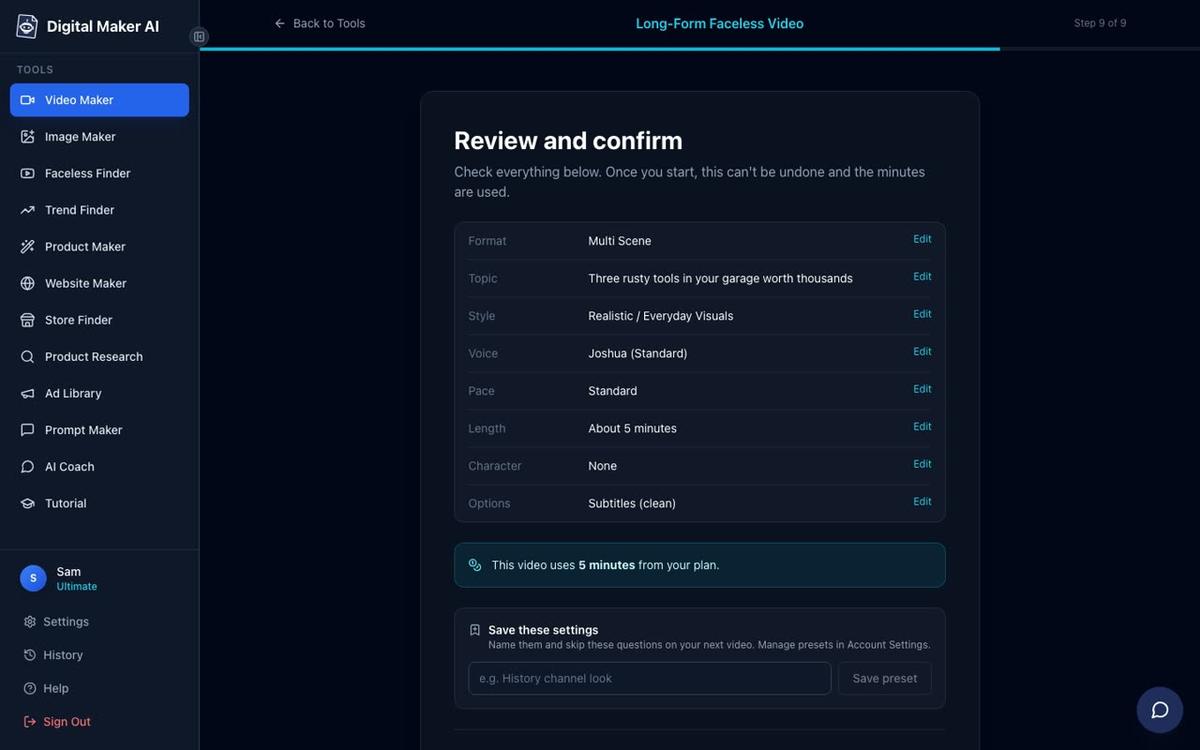
At step 9, you see a summary of every choice: format, topic, style, voice, pace, length, presenter settings and the number of minutes the video will use from your plan. Check everything here before pressing Generate Video. The platform writes the script, generates a unique AI scene image for every scene, records the narration and delivers a finished MP4, usually within a few minutes for a standard-length video.
Tips for Building a Consistent AI Avatar Cooking Channel
The channels that grow fastest in this space share a few operational habits worth copying from day one.
- Name your presenter and use that name in every video title. Bertha Cooks and Hana Yoshida both do this. The name becomes the brand, and returning viewers search for it directly.
- Batch your topics before you start filming. Write out 30 to 50 video topics before you generate a single video. This keeps your upload schedule consistent even when you are busy, and it lets you spot gaps or overlaps in your content plan early.
- Keep the visual style locked. Pick one style at step 5 and never change it. Viewers build a visual expectation of your channel, and consistency reinforces the brand every time a video appears in their feed.
- Use the Realistic or Everyday Visuals style for food content. Food videos perform best when the scenes look appetising and grounded. Photorealistic scene images of kitchens, ingredients and plated dishes are more likely to trigger a click than illustrated or abstract styles.
- Place the presenter at the start and end of each video. Use the timeline markers to put your host on screen for the opening hook and the closing call to action, with scene images carrying the middle. This keeps avatar time usage efficient while still building a recognisable host identity.
- Use the Faceless Finder to track what is working. Search for cooking channels in the Finder regularly to see which topics and niches are gaining momentum. The estimated view and revenue data gives you a useful benchmark for your own channel's progress.
More AI Avatar Channel Ideas for Cooking You Can Start Today
Beyond the six concepts above, there are several adjacent angles worth considering as you plan your ai avatar youtube channel ideas cooking strategy. A Parsi home cook covering the unique Irani-Indian fusion cuisine of Mumbai would have almost no competition. A channel dedicated to Italian regional bread, fronted by a retired Apulian baker, could own that micro-niche entirely. A South Indian street food avatar focused purely on Chennai snacks, tiffin culture and filter coffee rituals would tap into a passionate and underserved diaspora audience. The key in every case is the same: a named character, a specific cultural frame, and a topic narrow enough that every video reinforces the same brand promise.
If you want to go deeper on the technical side of building an AI presenter video, the guide on how to script and format a split screen AI presenter video covers the layout and scripting decisions in detail. And if you want to see exactly how a channel like Hana Yoshida was built from scratch, the walkthrough on creating an AI avatar for YouTube videos like Hana Yoshida is worth reading alongside this article.
Italian and Indian cooking are two of the richest, most searched and most emotionally resonant food niches on YouTube. The AI avatar channels that claim them first, with a strong named presenter and a consistent upload schedule, are positioned to build the kind of loyal audience that Bertha Cooks and Hana Yoshida have already demonstrated is very much within reach. The free course at Digital Maker AI walks you through every step of the channel-building process, from your first presenter to your first hundred videos, and it is a practical place to start if you are ready to move from idea to execution.
Alex Stevens: Alex Stevens writes for the Digital Maker AI team about faceless YouTube channels, AI presenters and AI video tools.