How to Create an AI Avatar for YouTube Videos Like Hana Yoshida
By Alex Stevens
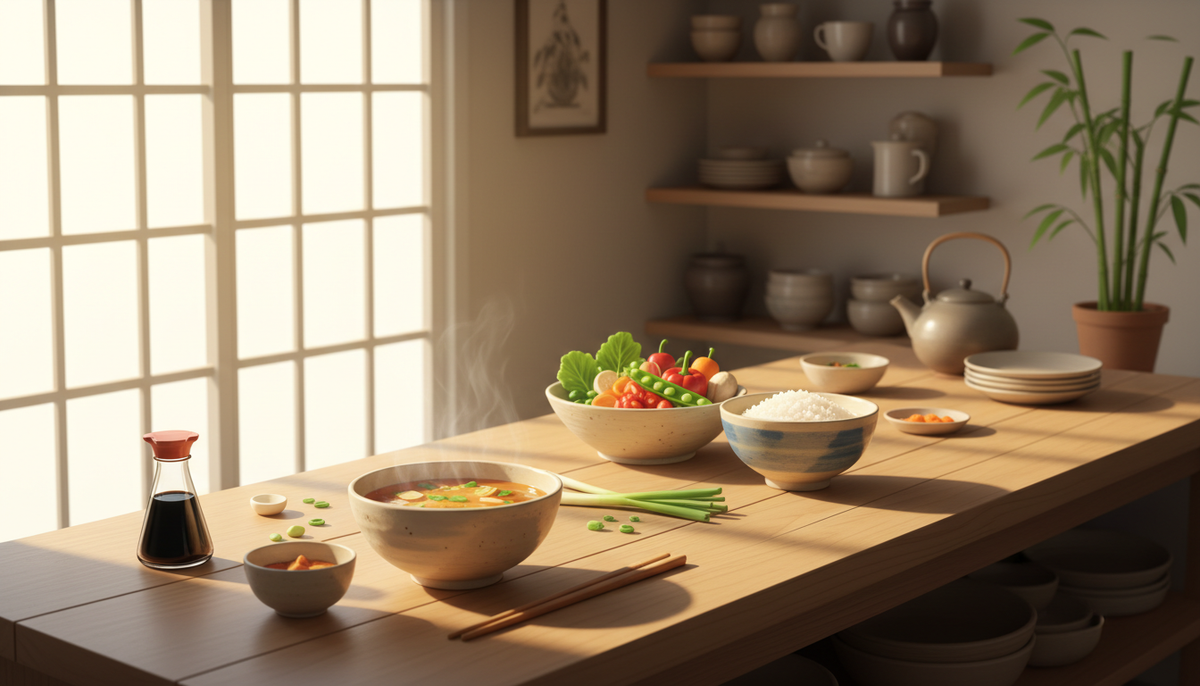
The Hana Yoshida AI avatar YouTube channel is one of the clearest examples of what a well-executed AI presenter channel looks like in a tight cooking niche. With 60,700 subscribers, around 54 videos and roughly 6 uploads a week, Hana Yoshida has built a channel centred on Japanese cooking and food tips, fronted entirely by an AI-generated host. According to estimates from Digital Maker AI's Faceless Finder tool, the channel pulls in an estimated 696,726 views a month and an estimated $4,300 to $6,400 a month in ad revenue. Those are Faceless Finder estimates based on recent views and typical ad rates for the niche, not the channel's real earnings, but they paint a compelling picture of what is possible in this space.
The Wider Japanese and Cultural Cooking AI Avatar Opportunity
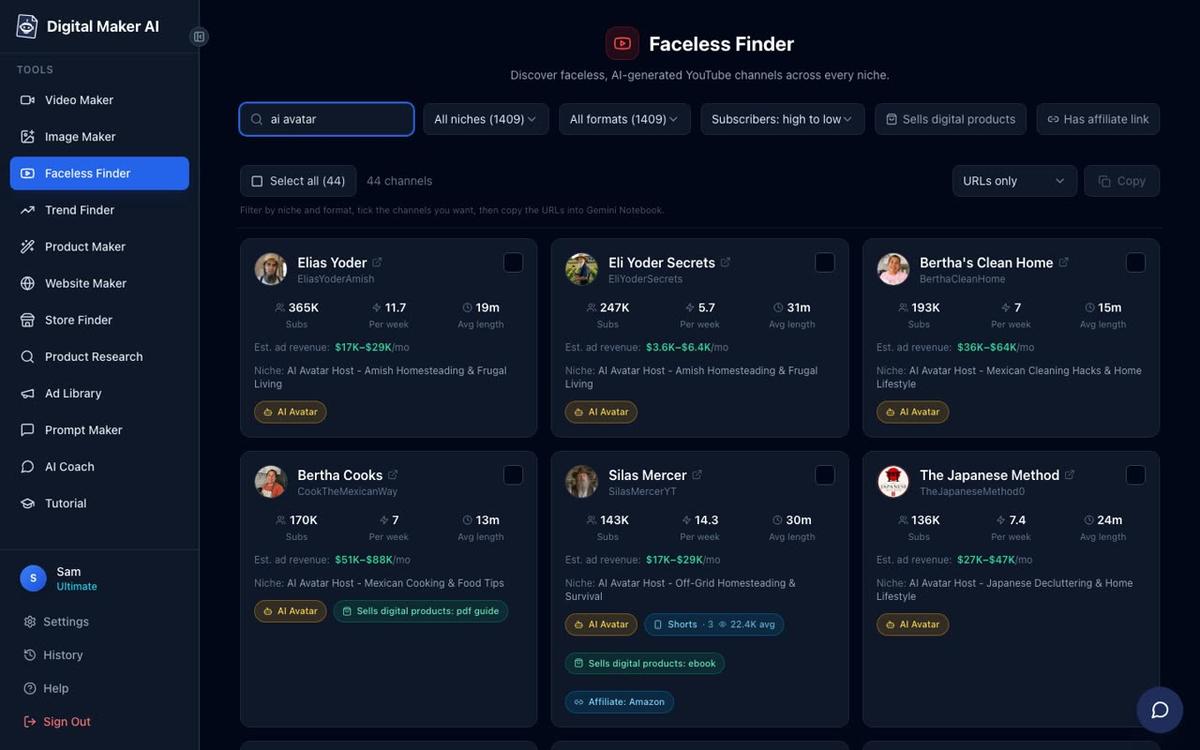
Hana Yoshida is not alone. The Faceless Finder shows a growing cluster of AI avatar channels built around cultural cooking and lifestyle niches, and the numbers are striking. Here are a few that sit alongside Hana Yoshida in the data:
- The Japanese Method: 145,000 subscribers, about 7 uploads a week, focused on Japanese decluttering and home lifestyle, with an estimated 3,625,000 views a month and estimated ad revenue of $28,000 to $43,000 a month.
- Bertha Cooks: 189,000 subscribers, about 7 uploads a week, covering Mexican cooking and food tips, with an estimated 4,586,999 views a month and estimated ad revenue of $28,000 to $42,000 a month.
- SuperTips: 247,000 subscribers, about 3 uploads a week, Amish-style home hacks and remedies, with an estimated 1,322,293 views a month and estimated ad revenue of $1,800 to $2,700 a month.
What these channels share is a recognisable formula: a strong AI-generated host persona with a clear cultural identity, a very tight niche, consistent daily or near-daily uploads, practical tips that viewers can act on immediately, and no real person on camera at any point. The host character does the heavy lifting. Viewers come back for the persona as much as the content.
The Japanese cooking niche in particular has strong audience loyalty and solid ad rates. Viewers searching for miso soup techniques, bento box ideas or fermented food guides tend to watch long and come back often, which keeps RPM healthy. A channel like Hana Yoshida is still relatively small, which means there is real room to enter this niche and grow.
How to Build Your Own Japanese Cooking AI Avatar Channel
The tool that makes channels like this possible is an AI avatar video generator with a built-in presenter system. Digital Maker AI's AI Presenters feature, available on Premium and Ultimate plans, lets you create a photoreal AI host from a written description, then drop that host into your videos across three different layouts. Here is how to do it from scratch.
Step 1: Create Your Presenter in Account Settings
After signing in on a Premium or Ultimate plan, open Account Settings and click the Presenters tab. You will see a New Presenter form with a text box asking who your presenter is. This is where you write a short description of your Japanese cooking host. You might write something like: "Hana is a warm Japanese grandmother in her seventies, wearing a traditional indigo apron, standing in a bright Japanese home kitchen with wooden shelves lined with ceramic jars." The more specific you are about the character and the setting, the more consistent the result. Once you press Create picture, the AI generates a photoreal image of your presenter. Check it, and if you are happy, press Save. You can create several presenters and reuse them across as many videos as you like.
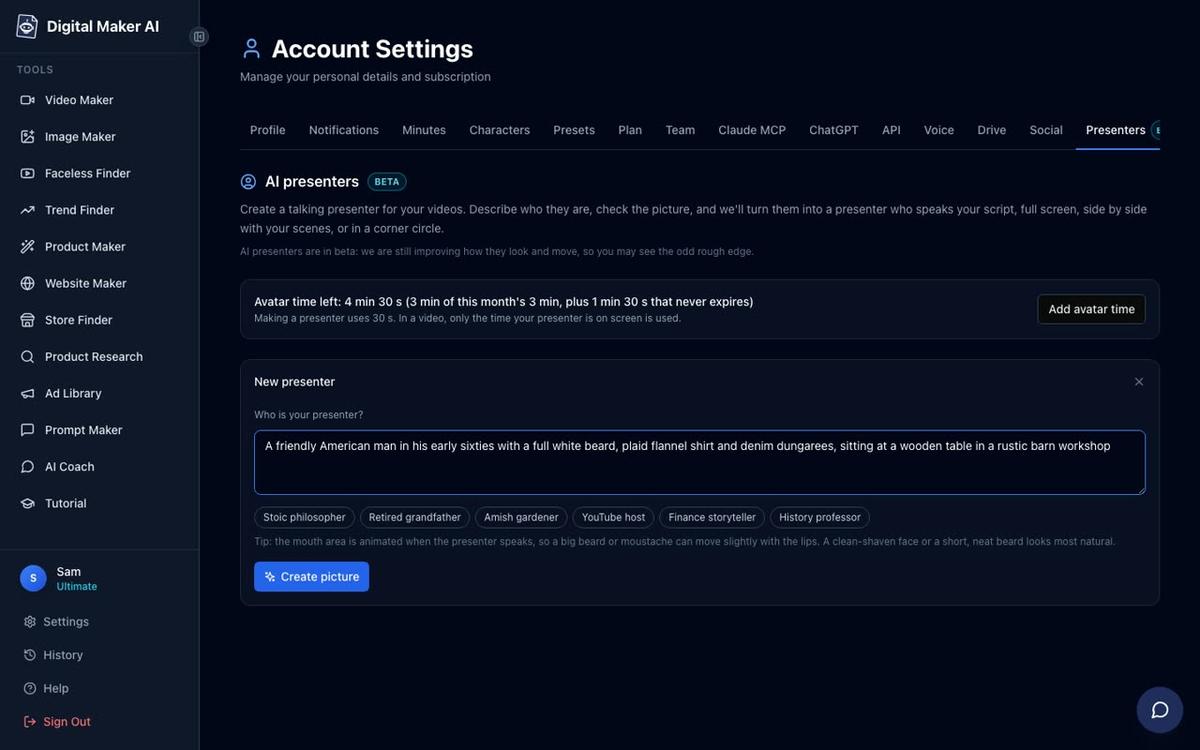
Making a presenter uses 30 seconds of avatar time, which is a separate pool from your video minutes. Premium plans start with 2 minutes of avatar time and Ultimate plans start with 5 minutes, with Ultimate also receiving 3 minutes of avatar time every month. If you need more, Avatar Packs let you top up at any point. See the pricing page for current pack options.
Step 2: Start a Long-Form Video in the Video Maker
From the left sidebar, click Video Maker, then choose the Long-Form Faceless Video option. The Video Maker walks you through nine steps.
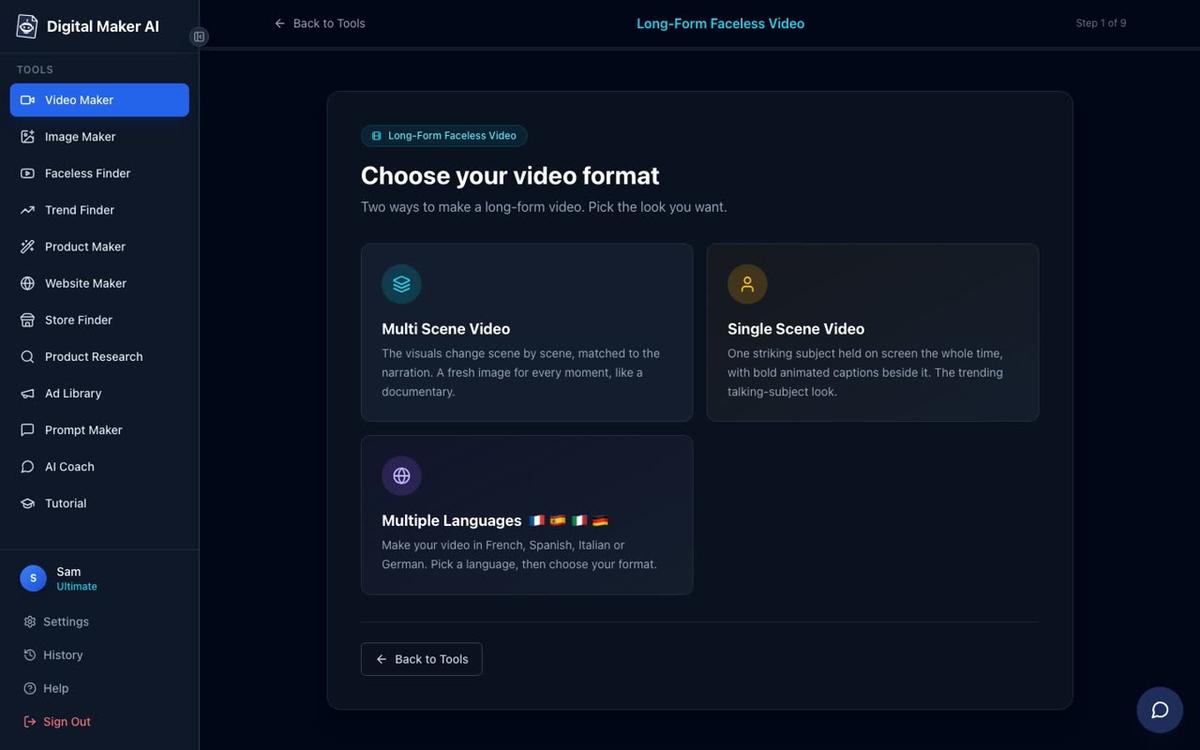
At Step 1, choose Multi Scene Video. The AI Presenters feature works on Multi Scene long-form videos only, so this is the format to pick. Each scene gets its own freshly generated AI image, which means your Japanese kitchen backgrounds, food close-ups and ingredient shots will all be unique to your video.
Step 3: Enter Your Topic
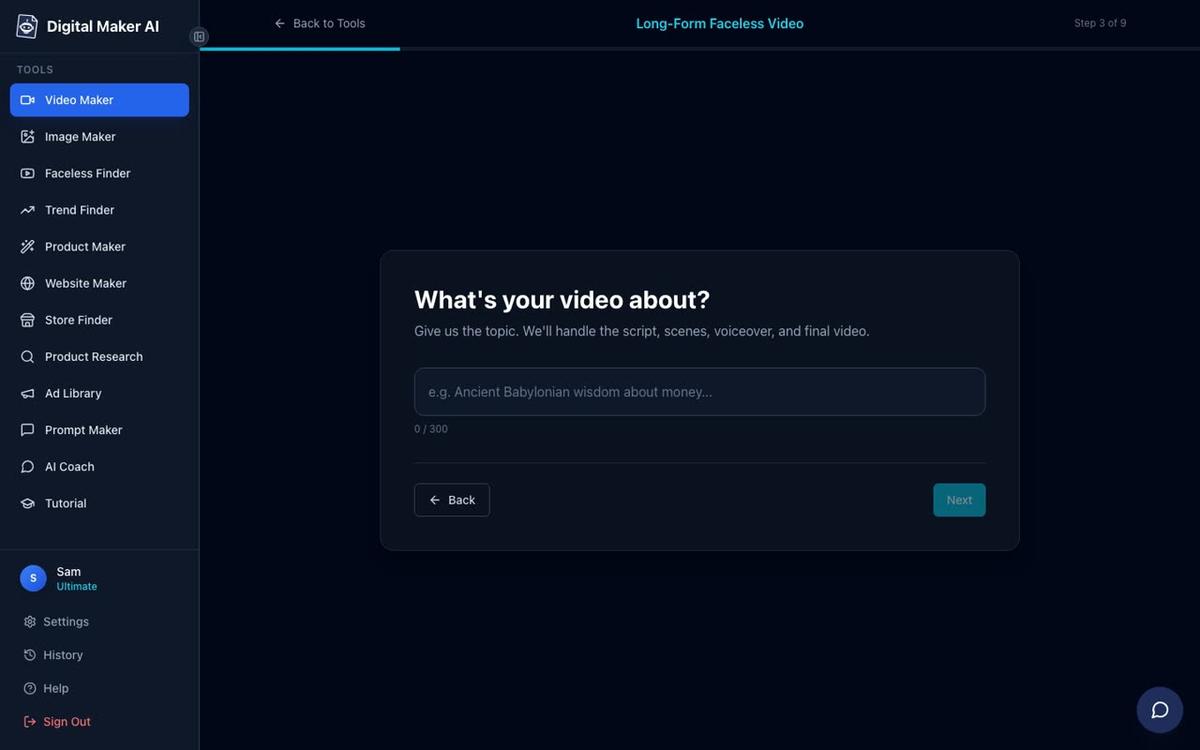
At Step 3, type your video topic. For a Japanese cooking channel, this might be "7 Japanese fermented foods that improve gut health" or "How to make authentic miso soup at home." The AI writes the full script, generates a scene image for every scene, and adds narration and captions. On paid plans you can also paste your own script if you prefer to write it yourself.
Step 4: Pick a Visual Style
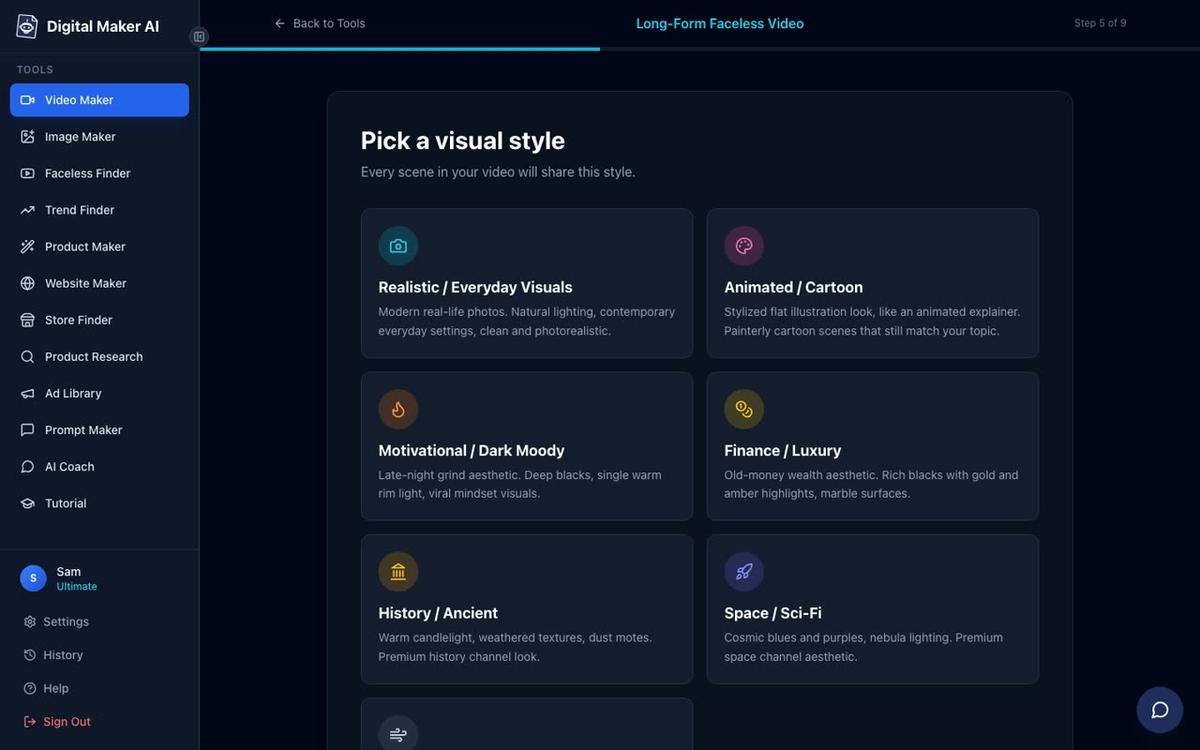
For a Japanese cooking channel, Realistic or Everyday Visuals is the natural choice. It produces photorealistic scene images that feel warm and grounded, which suits food and lifestyle content well. Every scene in the video will follow this style consistently.
Step 5: Set the Length, Voice and Pacing
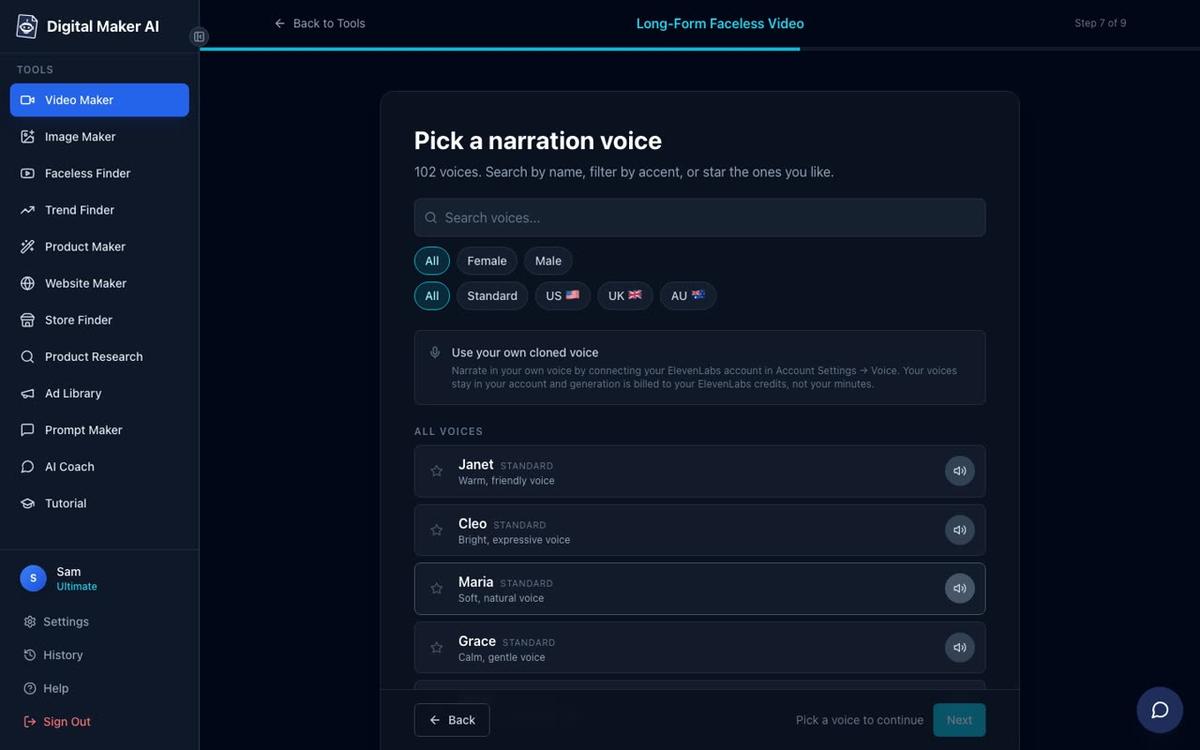
At Step 6 you choose the video length. At Step 7 you pick from over 100 built-in AI narration voices, with female, male, US, UK and Australian accents, and adjustable pace. For a Japanese cooking host, a calm, warm female voice with a measured pace tends to match the persona well. Premium and Ultimate users can also design a custom voice from a written description, or connect their own cloned ElevenLabs voice using their own ElevenLabs key in Account Settings. At Step 8 you set the pacing: Calm, Standard or Energetic.
Step 6: Add Your Presenter and Choose Layouts
This is the step that sets an AI avatar channel apart from a standard faceless channel. After picking your voice, you will see the presenter section. Select the Japanese cooking host you created in Account Settings. Then tick the layouts you want the video to rotate through. There are three options:
- Full screen: your presenter fills the entire frame, speaking directly to camera. This works well for introductions, key tips and calls to action.
- Split screen: the presenter appears on the left half of the frame while the scene image sits on the right. This is ideal for explaining a technique while the relevant visual stays visible.
- Corner circle: the scene image fills the frame and the presenter appears in a small round window in the corner. This keeps the food or ingredient front and centre while the host stays present.
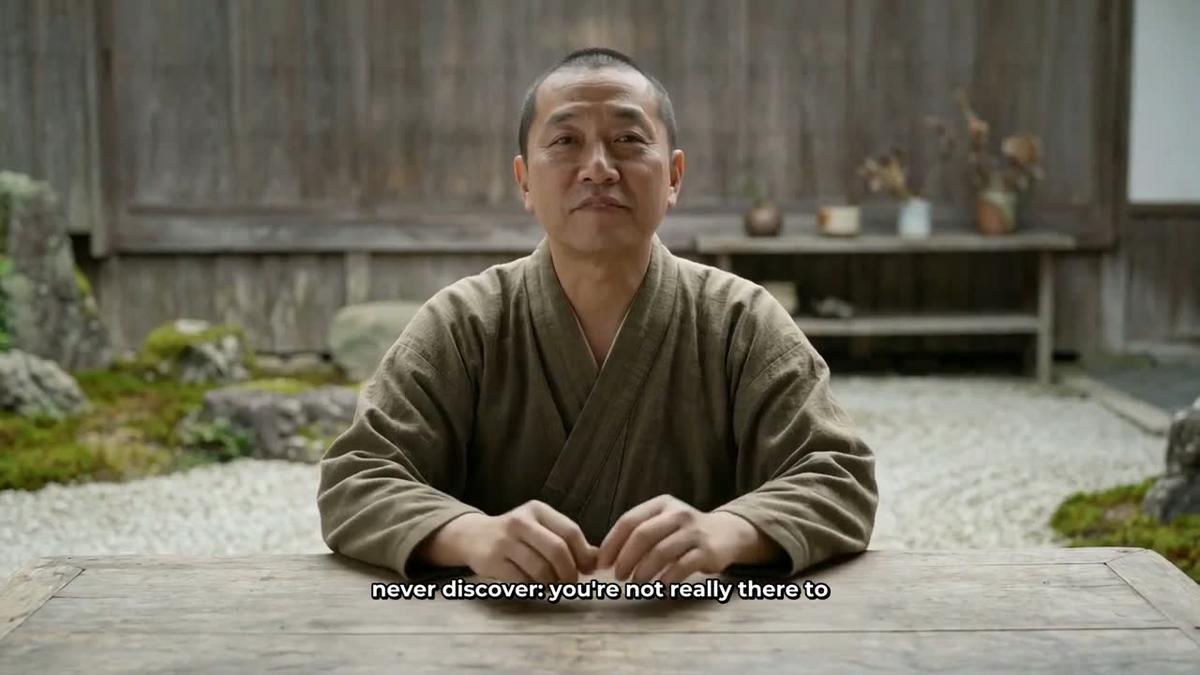
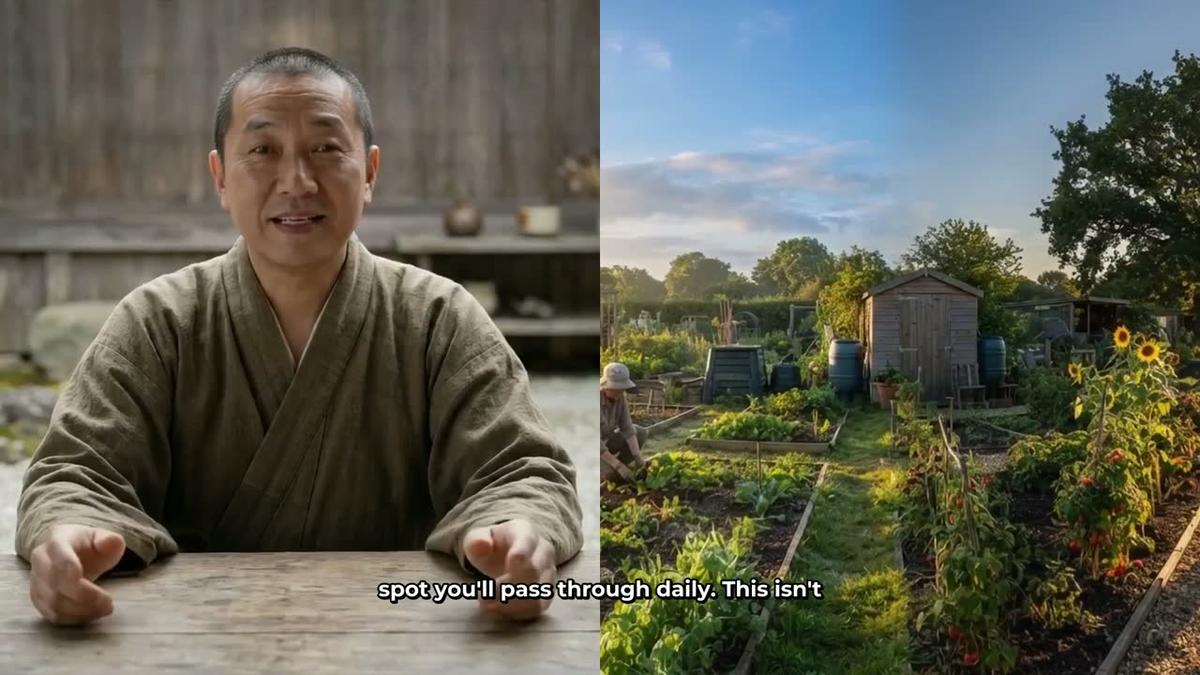
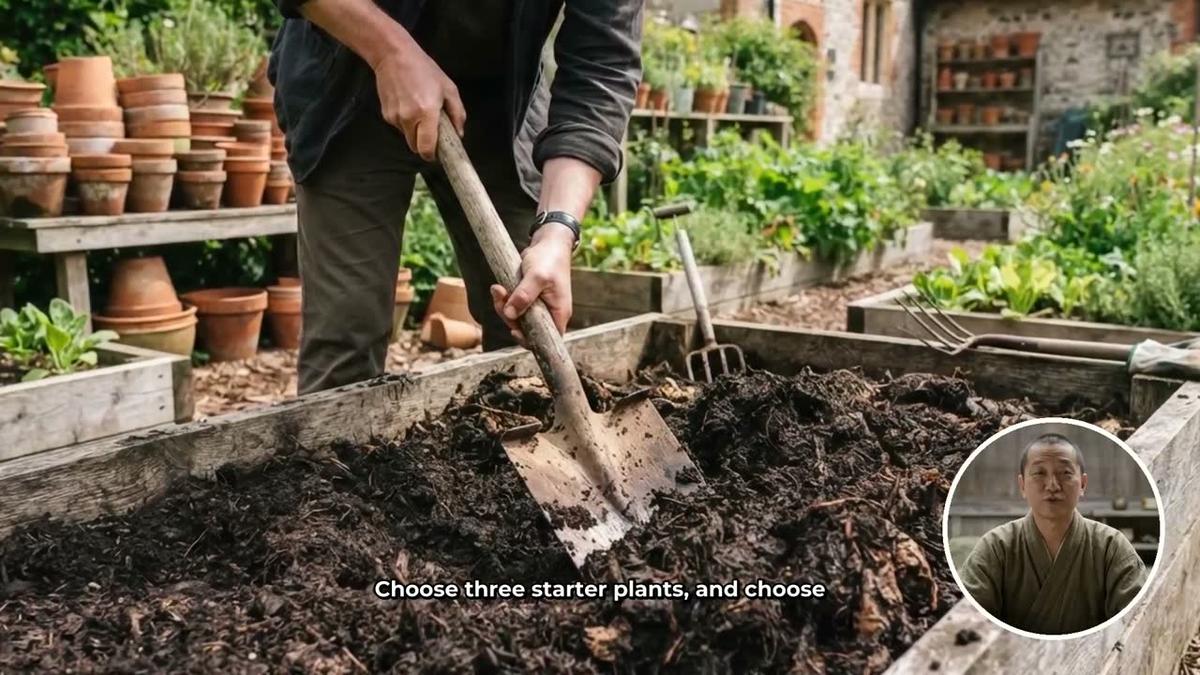
You can tick all three layouts and the video will rotate through them automatically. You can also tick just one or two if you prefer a more consistent look. A slider lets you set how much of the total video the presenter appears on screen, from as little as 5 percent up to the full video. Markers on a timeline bar let you place the presenter exactly where you want: for example at the start for the hook, in the middle for a key tip, and at the end for the call to subscribe. The rest of the video plays as normal AI-generated scene images. Only the seconds the presenter is actually on screen count against your avatar time pool, so you can be strategic about placement.
Step 7: Review and Generate
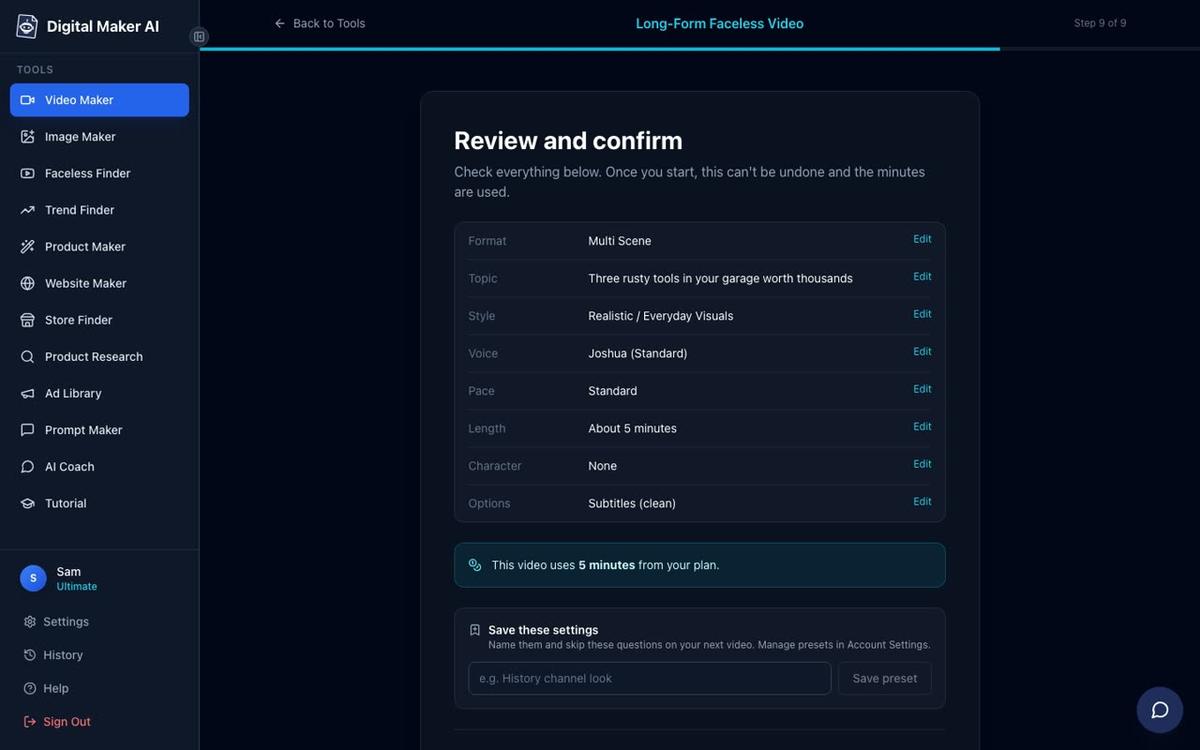
Step 9 shows you a full summary of your choices: format, topic, style, voice, pace, length, presenter and the number of minutes the video will draw from your monthly pool. Check everything here before you press Generate Video. Once you are happy, press the button and the platform writes the script, generates every scene image, records the narration, renders the presenter segments in your chosen layouts and returns a finished MP4 ready to upload to YouTube. After the video is made you can regenerate any scene image, swap in your own image or short clip, or edit the narration text, giving you fine control over the final result. For a deeper look at structuring presenter segments, the guide on how to script and format a split screen AI presenter video is worth reading alongside this one.
5 Video Topic Ideas for a Japanese Cooking AI Avatar Channel
One of the advantages of a tight niche like Japanese cooking is that the topic well is deep. Here are five video ideas that work well with an AI presenter format and suit the kind of audience that follows channels like the Hana Yoshida AI avatar YouTube channel:
- The 5 Japanese pantry staples that make every meal taste better: a practical list video with close-up scene images of miso, soy sauce, mirin, sake and dashi, with the presenter introducing each one in full screen and switching to split screen for the detail.
- How to make Japanese pickles at home with no special equipment: a step-by-step process video where the corner circle layout keeps the ingredient images front and centre while the host guides the viewer through each stage.
- Why Japanese people live longer: the diet secrets behind longevity: an educational video that blends food science with cultural storytelling, well suited to the full screen presenter layout for authority and warmth.
- 7 Japanese soups you can make in under 20 minutes: a listicle format that gives the algorithm a clear hook and gives viewers a reason to save the video for later.
- The Japanese way to meal prep for the whole week: a planning and organisation video that taps into the productivity audience as well as the cooking audience, broadening reach without leaving the niche.
Posting six videos a week at this kind of topic depth is entirely manageable when the AI is writing the scripts and generating the scenes. The presenter stays consistent across every video because you saved her once in Account Settings and reuse her from there.
Is the Japanese Cooking Niche Right for You?
The data from the Faceless Finder suggests that Japanese lifestyle and cooking content earns well relative to its view count, because the audience is engaged, the topics are evergreen and the ad rates in the food and health categories tend to be solid. Channels like The Japanese Method have already shown that a Japanese-themed AI avatar with a strong persona can scale to hundreds of thousands of subscribers. The cooking sub-niche is less crowded than the broader lifestyle space, which gives a new channel a real opportunity to establish itself with consistent uploads and a well-defined host character.
If you want to see how the AI avatar approach compares to other video creation tools before committing, the post on Argil vs Digital Maker AI: AI avatars or full video pipeline breaks down the key differences in plain terms.
The AI Presenters feature is available on Premium and Ultimate plans. You can explore plan options and avatar time packs at digitalmaker.ai/pricing, and you can try the platform on the Free plan with no card needed before upgrading. To see the full AI avatar video generator and start building your presenter, visit digitalmaker.ai/ai-avatar-video-generator.
If you are new to faceless video creation and want a structured starting point, the free course at Digital Maker AI walks you through the whole process from channel concept to first upload, including how to build a presenter that viewers will recognise and return to.
Alex Stevens: Alex Stevens writes for the Digital Maker AI team about faceless YouTube channels, AI presenters and AI video tools.