AI Avatar Channel Ideas for Mexican Home Cooking Videos
By Alex Stevens
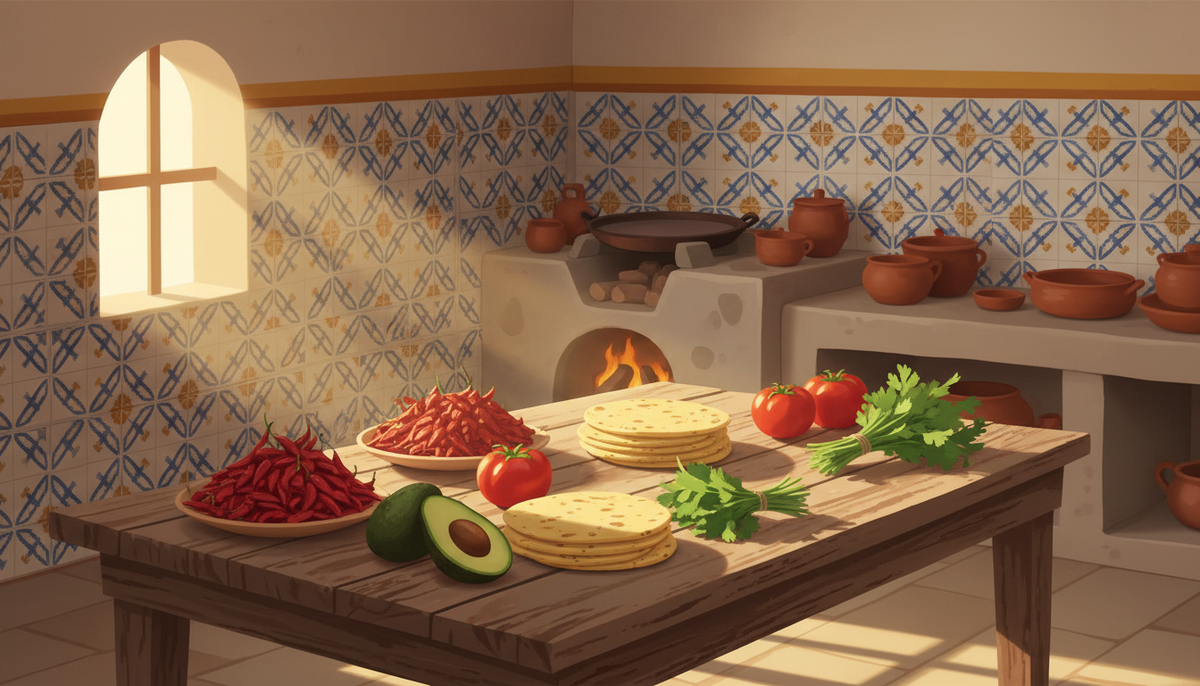
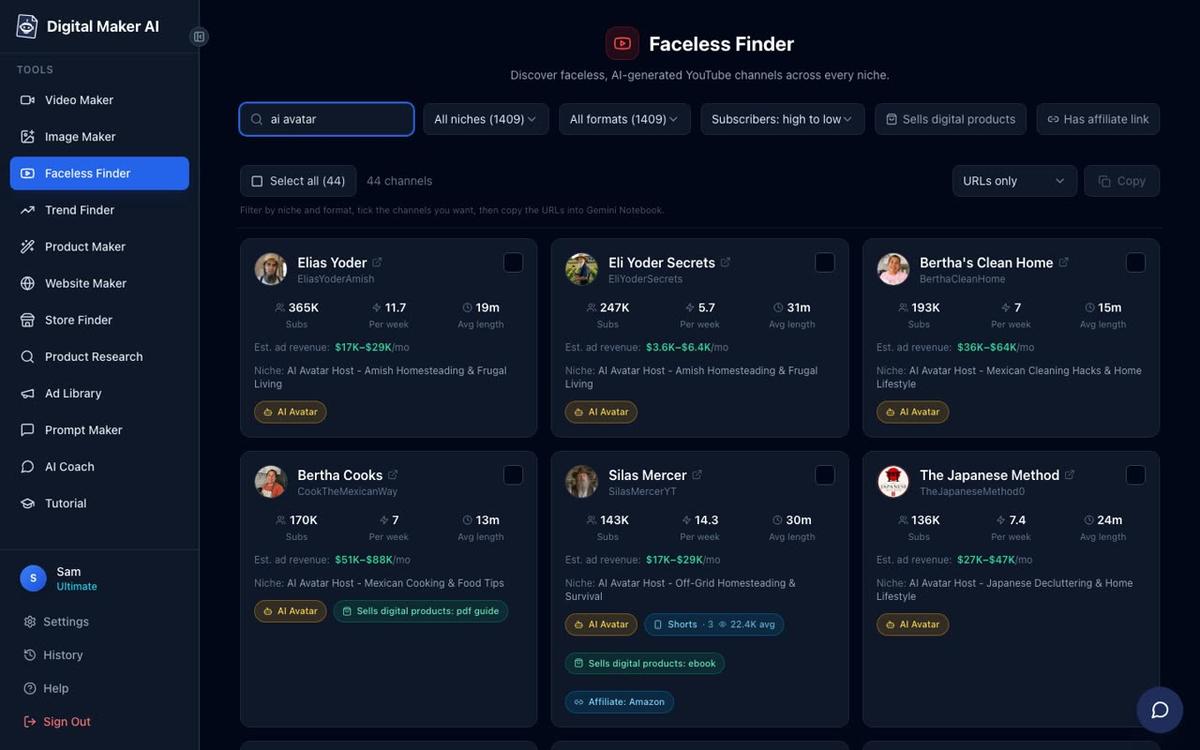
If you have been searching for ai avatar youtube channel ideas mexican cooking, the proof that this niche works at scale is already on YouTube. Bertha Cooks has built 189,000 subscribers and 52 videos, posting around seven times a week, with an estimated 4,586,999 views a month and estimated ad revenue of $28,000 to $42,000 a month according to Digital Maker AI's Faceless Finder. Bertha's House Hacks, a companion channel in the same Spanish-inflected home lifestyle family, has 114,000 subscribers and an estimated $17,000 to $26,000 a month. Neither channel puts a real person on camera. Both are fronted by a warm, relatable AI avatar persona, and both are growing fast. This guide shows you ten video topic ideas you can start with, then walks through exactly how to build your own Mexican home-cook AI presenter using Digital Maker AI's AI Presenters feature.
All subscriber counts, view estimates and ad revenue figures in this article are Digital Maker AI Faceless Finder estimates based on recent views and typical ad rates for the niche. They are not the channels' verified or reported earnings.
Why the Mexican Home Cooking Niche Works So Well for AI Avatar Channels
Look at what Bertha Cooks and its sister channels have in common with other successful AI avatar channels in the Faceless Finder. Bertha's Clean Home (202,000 subscribers, estimated 3,593,804 views a month, estimated $22,000 to $33,000 a month) uses the same warm grandmother persona in a Mexican home setting, just focused on cleaning rather than food. The formula is consistent across all of them: a tight, specific niche, a strong character persona, practical tips viewers can use the same day, and daily uploads.
Mexican home cooking fits that formula perfectly. The audience is enormous, the topics are evergreen, and the warmth of an abuela-style host is something viewers genuinely respond to. The persona does not need to be a real person. It just needs to feel consistent, trustworthy and knowledgeable. That is exactly what an AI presenter delivers.
10 AI Avatar YouTube Channel Ideas for Mexican Cooking
Here are ten specific video topics you could make in this niche today. Each one is the kind of practical, search-friendly title that performs well on YouTube, and each fits naturally into the warm home-cook persona.
- My abuela's secret for softer tortillas - the tip that every Mexican family passes down but nobody explains on camera.
- 5 Mexican pantry staples that cut your grocery bill in half - dried chillies, masa harina, lard, piloncillo and canned chipotles, and why they stretch further than their supermarket equivalents.
- The one pot rice dish every Mexican family knows - arroz rojo, the technique, the toasting step, and why most people get it wrong.
- How to make salsa verde in 10 minutes with 4 ingredients - tomatillos, serrano, garlic, onion, and the blender versus the molcajete debate.
- What I put in my beans so they never taste bland - epazote, lard, garlic and the low and slow method.
- 3 ways to use leftover tortillas so nothing goes to waste - chilaquiles, migas and totopos, all from the same stack.
- The Mexican spice blend I put on everything - a simple mix of cumin, oregano, garlic powder and dried chilli that works on chicken, fish, vegetables and soups.
- Why your guacamole turns brown and how to stop it - the lime juice myth, the pit myth, and what actually works.
- Tamales for beginners: the masa ratio nobody tells you - the fat-to-masa ratio, the spreading technique, and how to test if they are ready.
- 5 soups that cost almost nothing and feed a family of six - caldo de pollo, sopa de fideo, caldo tlalpeño, pozole rojo and menudo, with approximate costs per serving.
Every one of these topics is evergreen. Someone searches for softer tortillas or the right rice technique every single day. With a consistent AI presenter persona and seven uploads a week, a channel built around these ideas has a clear path to the kind of numbers Bertha Cooks is already showing.
How to Build Your Mexican Home-Cook AI Presenter in Digital Maker AI
The AI Presenters feature is available on Premium and Ultimate plans. Here is the full process from account setup to finished video, using only what the tool actually does.
Step 1: Create Your Presenter in Account Settings
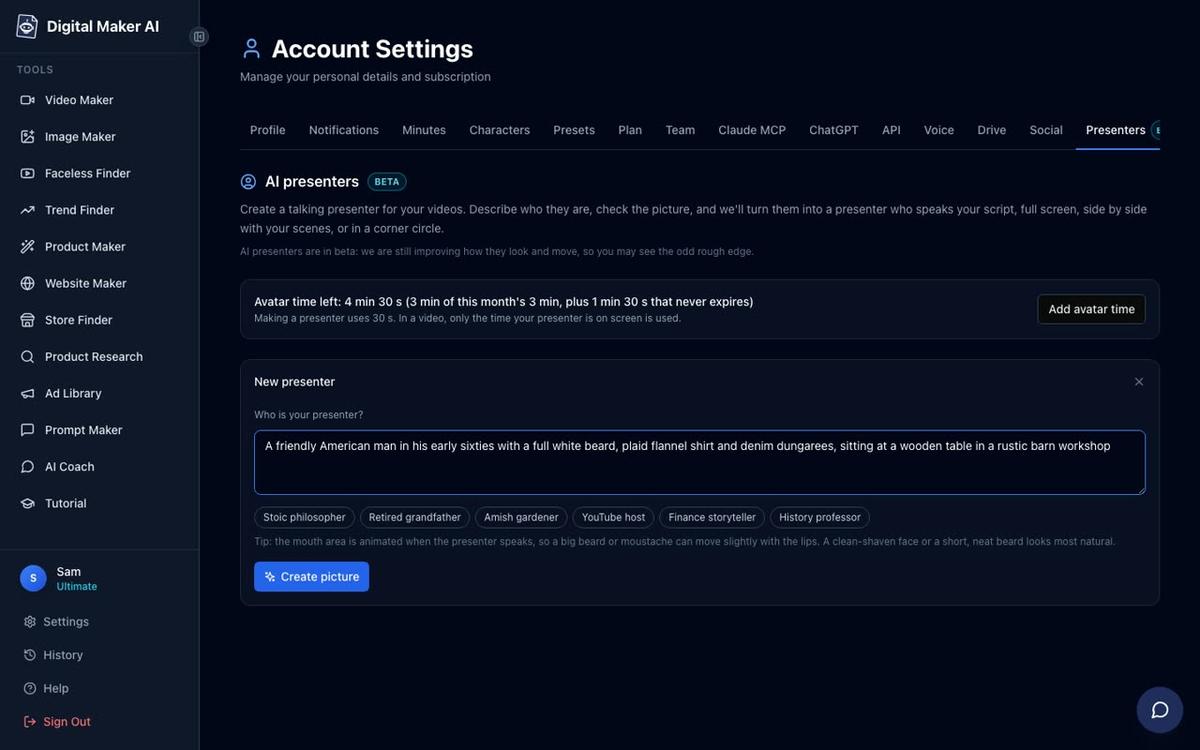
After signing in, open Account Settings and click the Presenters tab. You will see a form with a text box asking who your presenter is. Write a description in one or two sentences. For a Mexican home-cook channel, something like this works well: "A warm, middle-aged Mexican woman in her fifties wearing a bright floral apron, standing in a sunlit kitchen with hand-painted Talavera tiles on the wall and terracotta pots on the counter." Press Create picture and the AI generates a photoreal portrait. Check it, and if you are happy with it, save it. You can make several presenters and reuse them across every video you make.
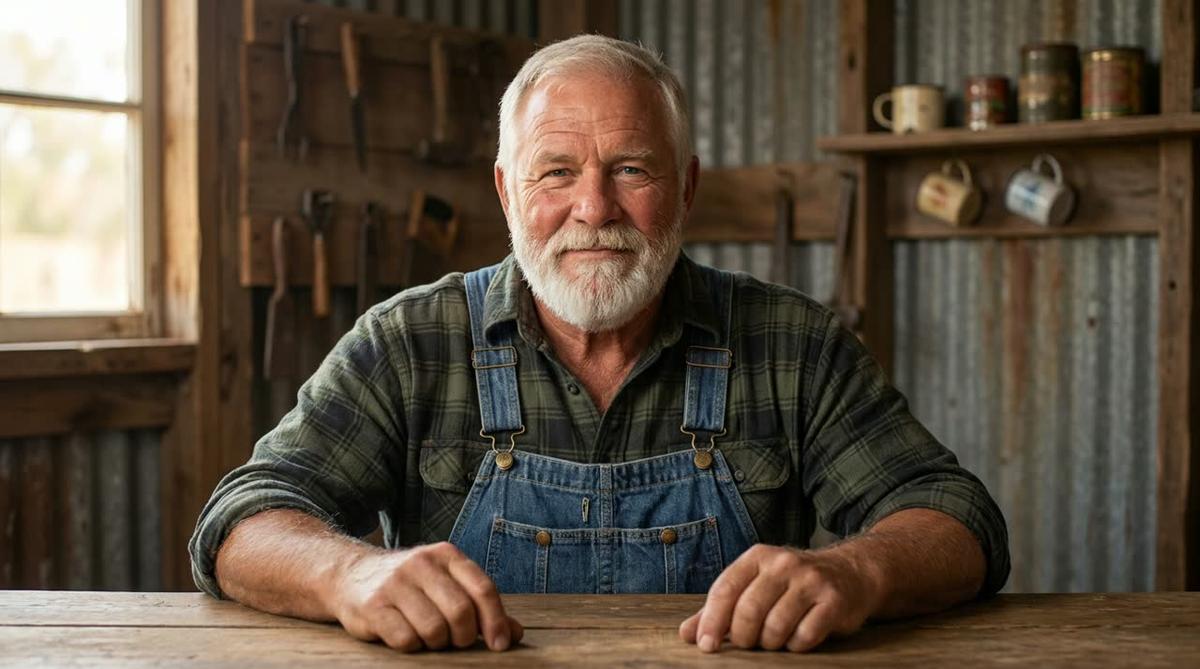
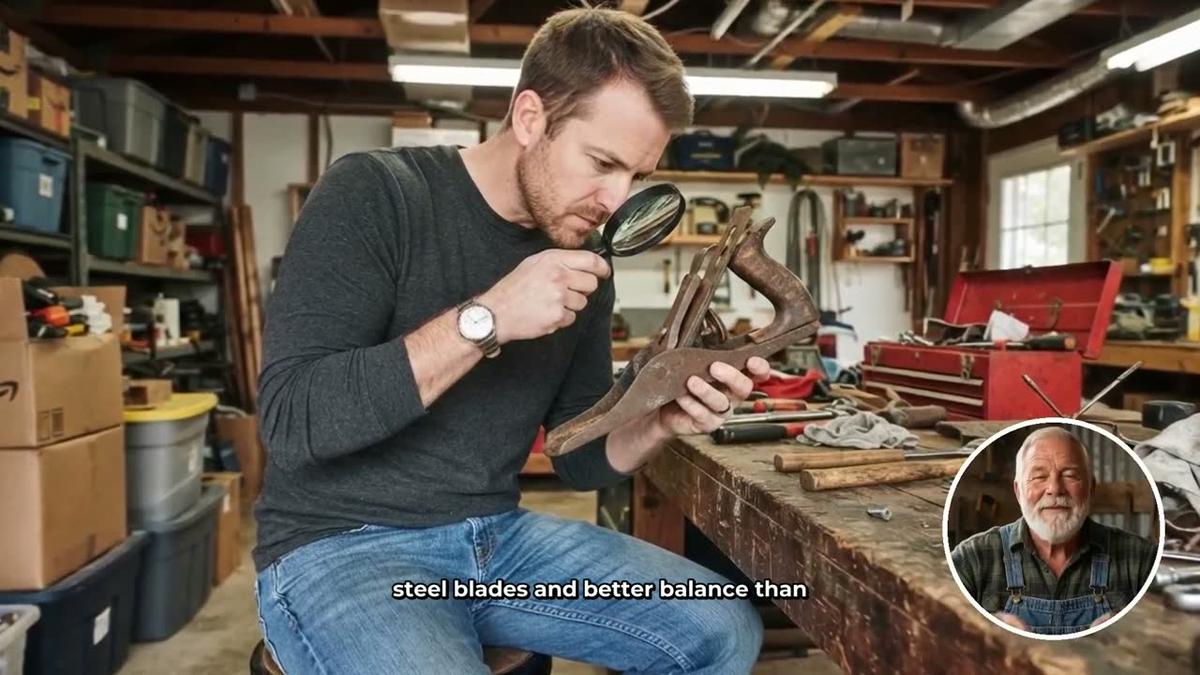
To give you a sense of what the tool produces, here is Cedric, a presenter built from a description of a bearded man in a plaid shirt and dungarees in a barn workshop. Your Mexican home-cook presenter will be built the same way, just from your own description.
Step 2: Start a Long-Form Video and Pick Your Presenter
Go to the Video Maker and start a new Long-Form Faceless Video. At step 1, choose Multi Scene as the format. AI Presenters run on Multi Scene landscape videos. Work through the topic step: type your video title, for example "My abuela's secret for softer tortillas", and the AI will write the full script and generate a scene image for every scene.
When you reach the presenter step, select the presenter you just saved. You will then see three layout options to tick: Full screen (the presenter fills the frame), Split screen (presenter on the left, scene on the right) and Corner circle (the scene fills the frame with the presenter in a round window in the corner). For a cooking channel, ticking both Split screen and Corner circle works well: Split screen feels like a tutorial, and Corner circle keeps the food imagery front and centre while the host stays visible.

Step 3: Set the Presenter Slider and Timeline Markers
A slider controls how much of the video the presenter appears on screen, from 5 percent up to the full video. For a Mexican cooking channel, setting the slider to around 30 percent keeps the food scenes prominent while giving the host enough time to build a recognisable face. You can also set markers on the timeline bar to control exactly where the presenter appears, for example at the opening, at a midpoint tip, and at the sign-off. The rest of the video plays as normal scene images.
Step 4: Choose Visual Style and Voice
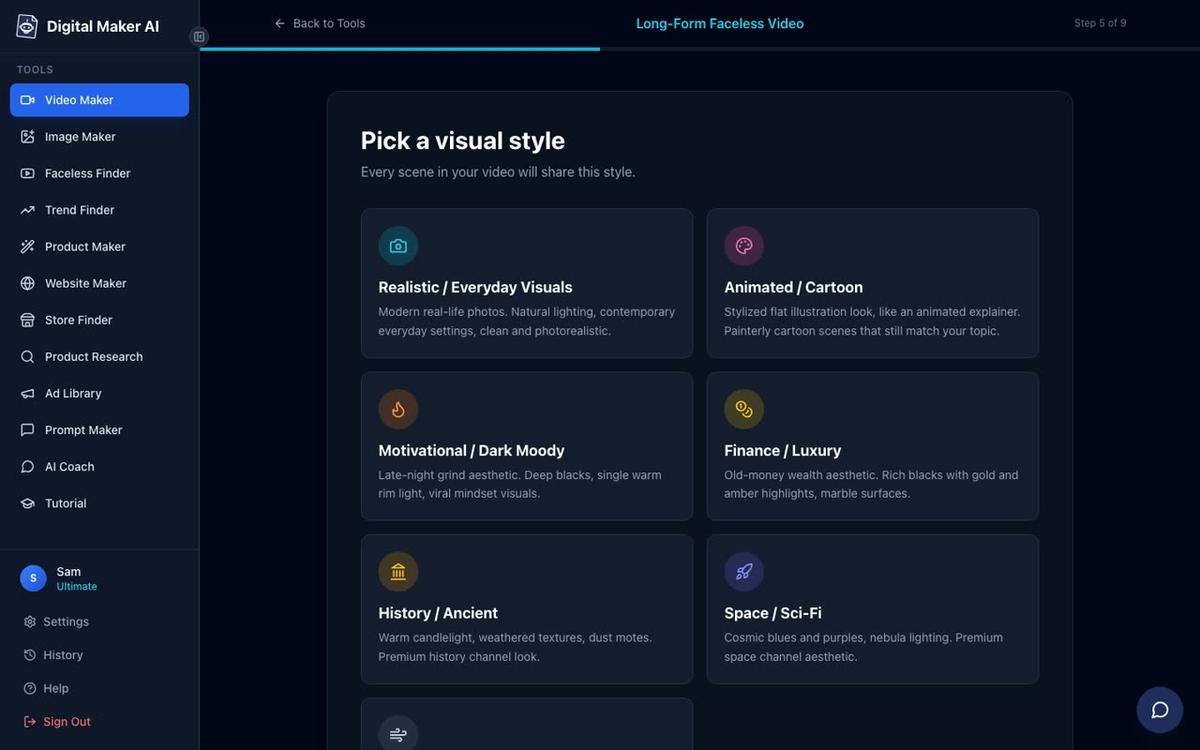
At the style step, pick Realistic (listed as Realistic or Everyday Visuals). This is the right choice for a cooking channel: the scene images look like real kitchens, real ingredients and real food, which matches the warmth of the persona.
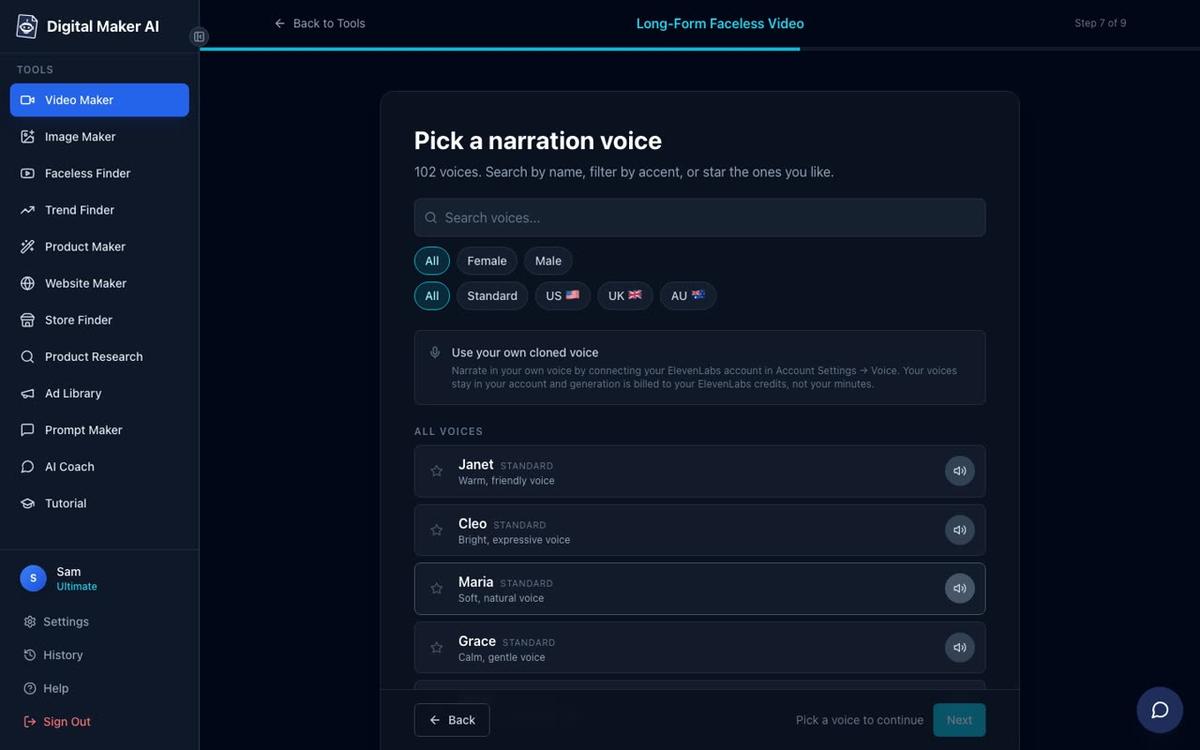
At the voice step, you have more than 100 built-in AI narration voices to choose from. Filter by Female and then by US or AU accent to find a warm, natural-sounding voice that fits the home-cook persona. The presenter speaks the same narration voice as the rest of the video, with captions burned into the lower third.
Step 5: Understand Avatar Time and Generate
AI Presenters use a separate pool called avatar time, counted in seconds and distinct from your regular video minutes. Creating a presenter costs 30 seconds of avatar time. When a video is generated, only the seconds the presenter is actually on screen are counted against your avatar time pool. Premium plans start with 2 minutes of avatar time and Ultimate plans start with 5 minutes, with Ultimate also receiving 3 minutes every month. If you need more, Avatar Packs are available as one-off purchases. See digitalmaker.ai/pricing for current Avatar Pack options.
Once everything is set, press Generate. Digital Maker AI writes the script, generates a unique scene image for every scene, records the narration, adds captions, and returns a finished landscape MP4 ready to upload to YouTube. After it is done, you can regenerate any scene image, swap in your own image, or edit the narration text before downloading.
AI Avatar YouTube Channel Ideas for Mexican Cooking: Building a Consistent Channel
The channels in the Faceless Finder that reach the highest estimated revenues share one habit: they upload almost every day. Bertha Cooks posts around seven videos a week across 52 videos. With the ten topic ideas above and a saved presenter you can drop into every new video, the workflow becomes repeatable. Type the topic, generate the video, download and upload. The presenter's face, voice and kitchen setting stay identical across every video, which is what builds audience recognition over time.
For deeper context on how the Bertha-style channel family operates and what drives those view numbers, the post How Bertha's Clean Home Style AI Avatar Channels Work and What They Earn covers the full picture. And if you want to see how the AI Presenters feature fits into the broader long-form video workflow, AI Presenter Plus Generated Scenes in One Tool: How It Works goes into more detail on combining the presenter with the scene generator.
You can also use Digital Maker AI's Faceless Finder to research the niche further before you start. Type "Mexican cooking" or "ai avatar" in the search box and browse channels by subscriber count, uploads per week and estimated ad revenue. It is available to every signed-in account, including Free, and it is one of the fastest ways to spot gaps in a niche that are not yet covered.
The AI avatar video generator page has more on how the presenter feature works end to end, including the layout options and avatar time explained in plain terms.
What Plan Do You Need?
AI Presenters are available on Premium and Ultimate plans. The Free plan lets you try the long-form video maker without a presenter to get a feel for the tool before upgrading. No card is needed to sign up. See digitalmaker.ai/pricing for current plan details and to compare what is included at each level.
Once you are on Premium or Ultimate, you can also connect Digital Maker AI to YouTube and post finished videos directly from the platform, now or on a schedule, after connecting your account once in Account Settings. That removes one more step from the daily upload workflow.
Start Your Mexican Cooking AI Avatar Channel Today
The evidence is in the Faceless Finder: a warm, consistent AI avatar persona in the Mexican home cooking niche can build a serious audience and serious estimated revenue without a real person ever appearing on camera. Bertha Cooks and its sister channels have shown the formula works. The ten video ideas above give you a ready-made content plan. And the step-by-step process in this guide gives you everything you need to build your presenter, set your layouts and generate your first video today.
If you want to go further and learn how to build a complete faceless YouTube channel from scratch, the Digital Maker AI free course covers the full strategy, from niche research to your first upload.
Alex Stevens: Alex Stevens writes for the Digital Maker AI team about faceless YouTube channels, AI presenters and AI video tools.