AI Avatar Channel Ideas for Amish Homesteading Videos
By Alex Stevens
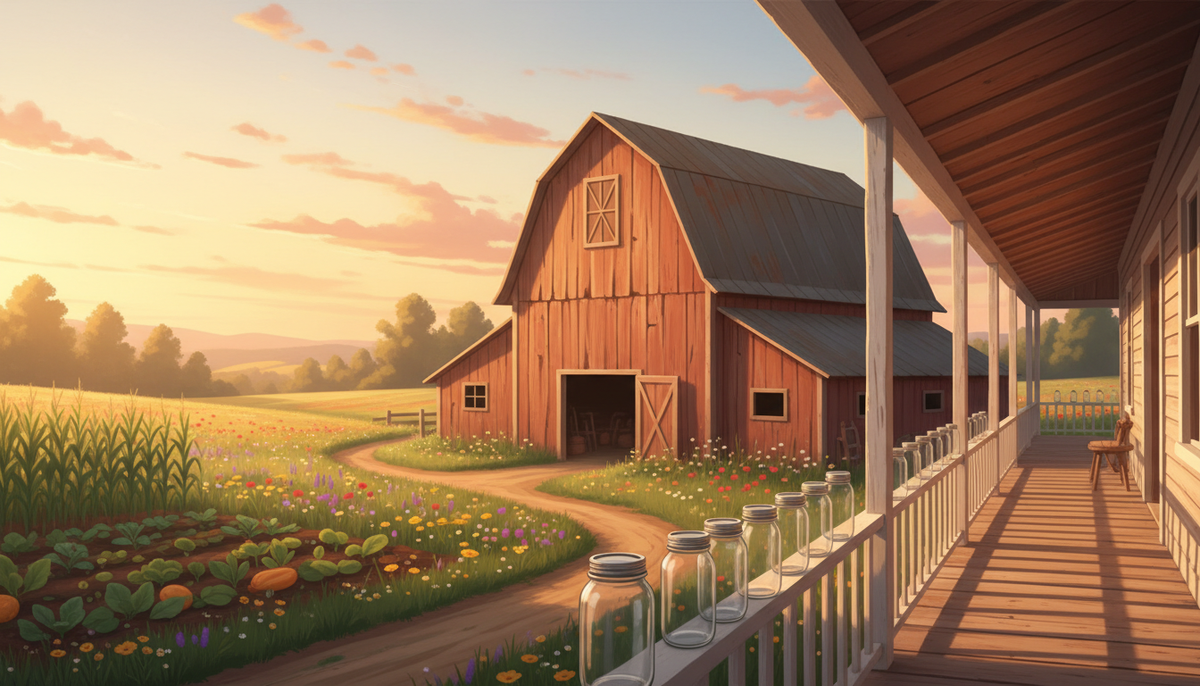
If you have been searching for ai avatar youtube channel ideas amish homesteading, the numbers from Digital Maker AI's Faceless Finder will stop you in your tracks. This is one of the most quietly profitable niches on YouTube right now, and the channels running it are entirely faceless, fronted by AI-generated presenters with no real person ever on camera. This guide walks you through what the top channels are earning, why the niche converts so well, ten specific video ideas you can start with today, and a step-by-step walkthrough for building your own Amish-style AI presenter inside Digital Maker AI.
What the Faceless Finder Shows for Amish Homesteading AI Avatar Channels
The Faceless Finder inside Digital Maker AI lets you search confirmed faceless YouTube channels by niche or name. When you type "AI avatar" into the search box, every result is a channel fronted by an AI-generated presenter. The figures below are Digital Maker AI Faceless Finder estimates based on recent views and typical ad rates for the niche; they are not the channels' real verified earnings.
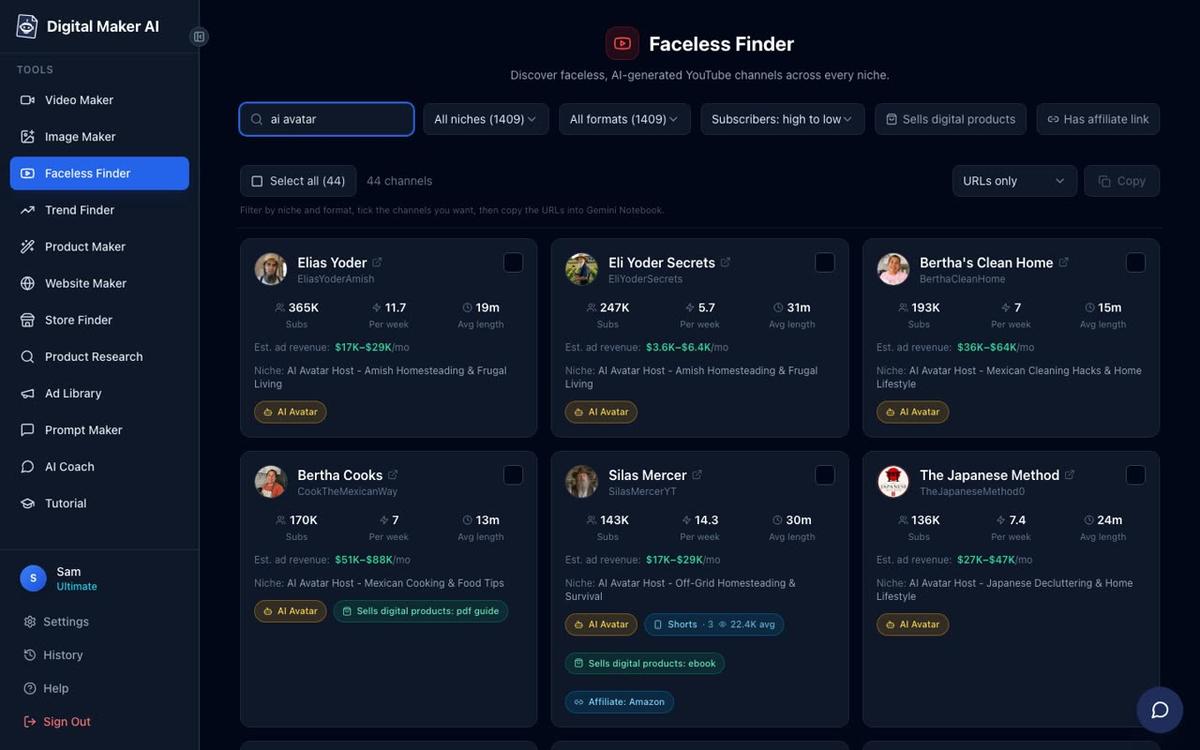
Here is what the Finder shows for the Amish homesteading cluster specifically:
- Elias Yoder: 367,000 subscribers, about 12 uploads a week, estimated 1.5 million views a month, estimated ad revenue $10,000 to $16,000 a month.
- Eli Yoder Secrets: 248,000 subscribers, about 6 uploads a week, estimated 402,000 views a month, estimated ad revenue $3,100 to $4,700 a month.
- SuperTips: 247,000 subscribers, about 3 uploads a week, estimated 1.3 million views a month, estimated ad revenue $1,800 to $2,700 a month.
- Esther Yoder: 67,000 subscribers, about 9 uploads a week, estimated 227,000 views a month, estimated ad revenue $1,400 to $2,100 a month.
What these channels share is a tight, consistent identity: a strong AI-generated persona (an elderly Amish farmer, a plain-living grandmother, a quiet craftsman), a clear niche, practical tips in every video, and no real person ever appearing on screen. The presenter does all the talking, and the format repeats reliably week after week. If you want a deeper look at how one of these channels was built, the post on how to create an AI avatar channel like Elias Yoder covers the strategy in detail.
Why the Amish Homesteading Niche Converts So Well
CPM rates in the frugal living, home remedies and food preservation space sit noticeably higher than in general lifestyle content. Advertisers in the home goods, health supplement, grocery and financial planning categories compete for this audience, and those are premium ad categories. The viewers skew older, which means higher disposable income and stronger purchase intent. They also tend to watch longer videos all the way through, which keeps watch time and ad impressions high.
The subject matter itself is a perfect fit for a faceless channel. Amish homesteading content is about ideas and knowledge, not about a personality. Viewers come for the tip, not the face behind it. A calm, authoritative AI presenter with a plain-living persona fits the content perfectly, and the niche has a near-endless supply of evergreen topics that people search for year after year.
10 Specific Video Topic Ideas for an Amish Homesteading AI Avatar Channel
These are the kinds of titles that perform well in the Finder's top channels. Each one targets a search term that gets consistent traffic and pairs naturally with an Amish-style presenter persona.
- How Amish families preserve food without a fridge (root cellars, salt curing, lacto-fermentation)
- Amish morning routines that cost absolutely nothing (the daily rhythm that keeps a homestead running)
- Old-order remedies for common ailments (herbal poultices, apple cider vinegar, elder flower tea)
- The Amish method for making bread last two weeks (sourdough starters and natural preservation)
- How to heat a home for almost nothing the Amish way (wood stoves, thermal mass, draft sealing)
- Amish garden secrets: how to grow more in less space (companion planting, hand tools, succession sowing)
- What Amish families do instead of going to the grocery store (seasonal eating, bulk buying, community trading)
- Five Amish cleaning solutions you can make for pennies (vinegar, baking soda, lye soap)
- How Amish communities build a barn in one day (the barn raising tradition and what it teaches about community)
- Amish candle-making and why it beats store-bought every time (tallow candles, beeswax, wicking methods)
Every one of these can be turned into a five-to-ten minute Multi Scene video with an AI presenter speaking directly to the viewer. The Realistic or Everyday Visuals style works best for this niche because it keeps the imagery grounded and farmstead-like rather than stylised.
Building an Amish-Style AI Presenter in Digital Maker AI: Step by Step
The AI presenter feature is available on Premium and Ultimate plans. It lets you create a photoreal AI host character from a written description, then place that presenter inside any Multi Scene long form video. Here is how to set one up from scratch.
Step 1: Create Your Presenter in Account Settings
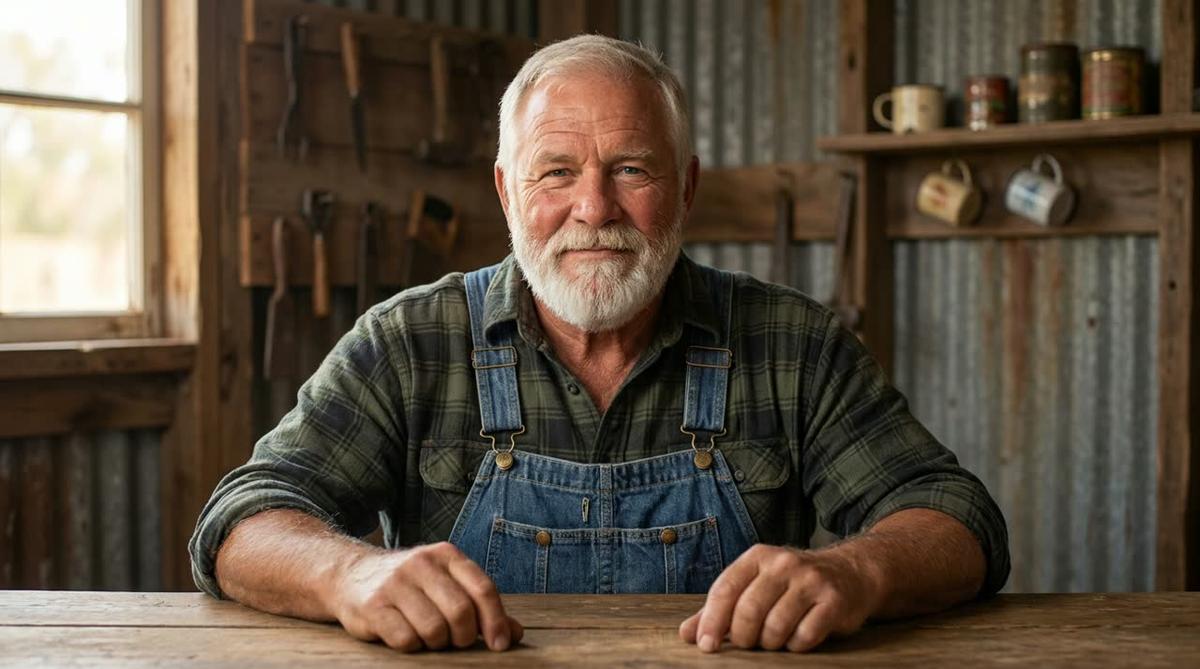
After signing in, open Account Settings and click the Presenters tab. You will see a form asking you to describe your presenter in a sentence or two. The description drives everything: the AI draws a photoreal portrait based on what you write. For an Amish homesteading channel, something like "a bearded man in his sixties wearing a plain plaid shirt and denim dungarees, sitting at a wooden workbench in a sunlit barn" gives the AI enough detail to create a convincing character. You can also use the quick picks on the form, one of which is labelled Amish gardener, to get a starting description you can then adjust.
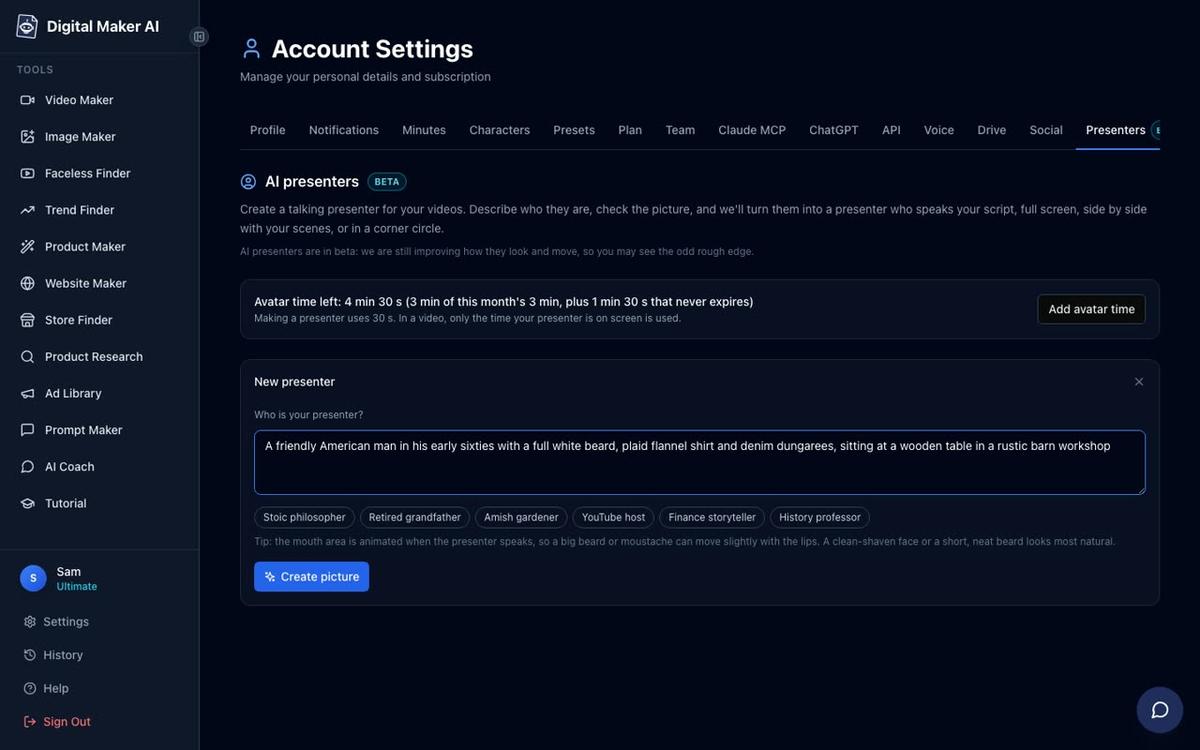
Once you are happy with the portrait, save it. You can save multiple presenters and switch between them across different videos. The portrait below is Cedric, built from a two-sentence description exactly like the one above.
Step 2: Start a Long Form Multi Scene Video
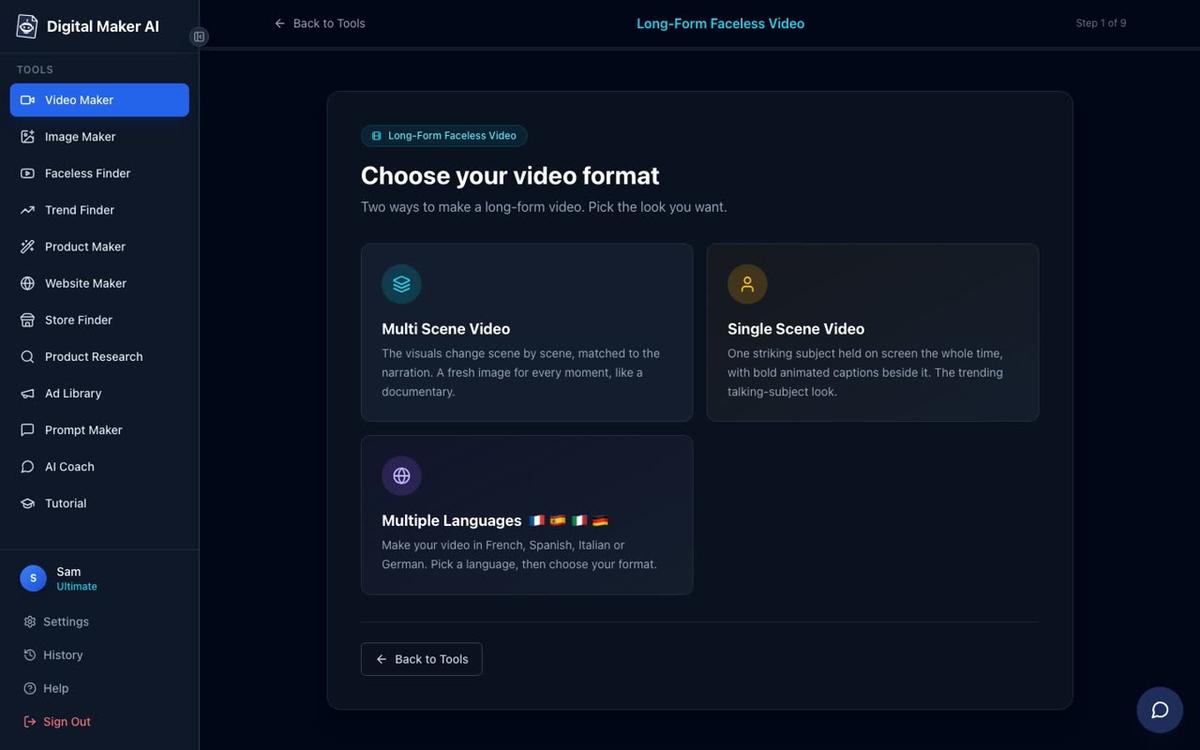
Go to the Video Maker and choose Long-Form Faceless Video. At step 1, select Multi Scene. This is the only format that supports AI presenters.
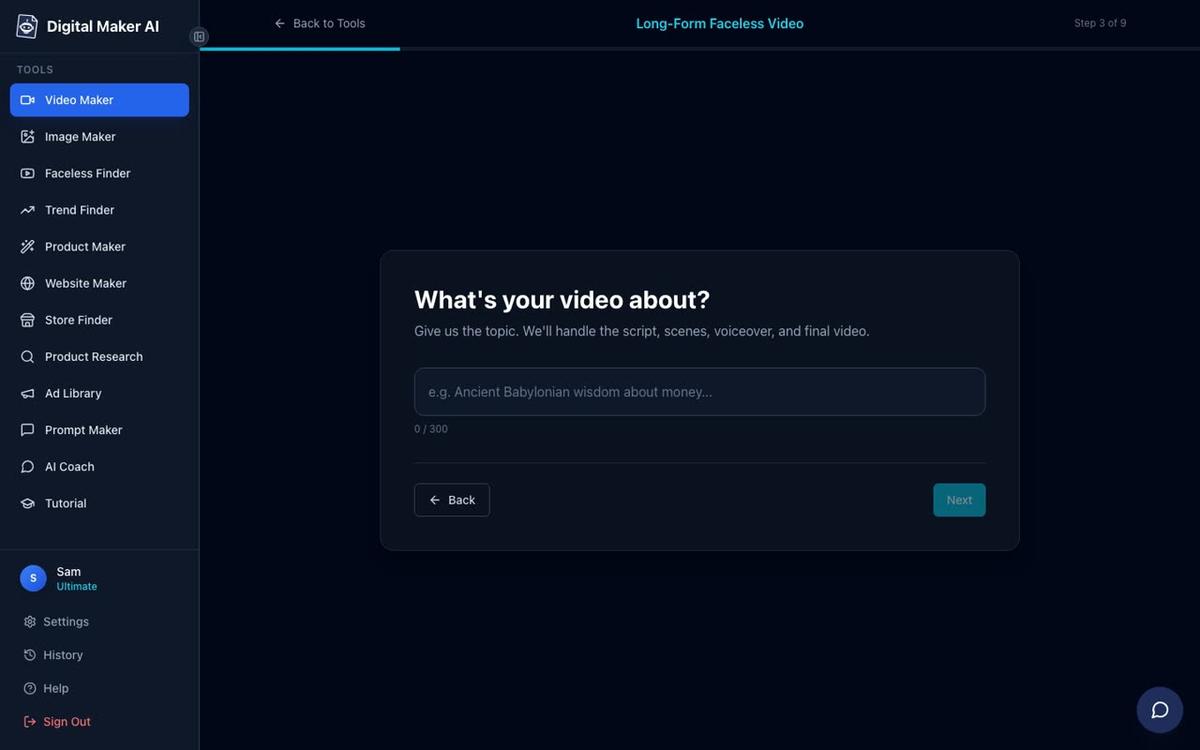
At step 3, type your video topic. Something like "How Amish families preserve food without a fridge" is all the AI needs. It writes the script, generates a scene image for every scene, adds narration and captions, and returns a ready-to-upload MP4.
Step 3: Pick a Visual Style
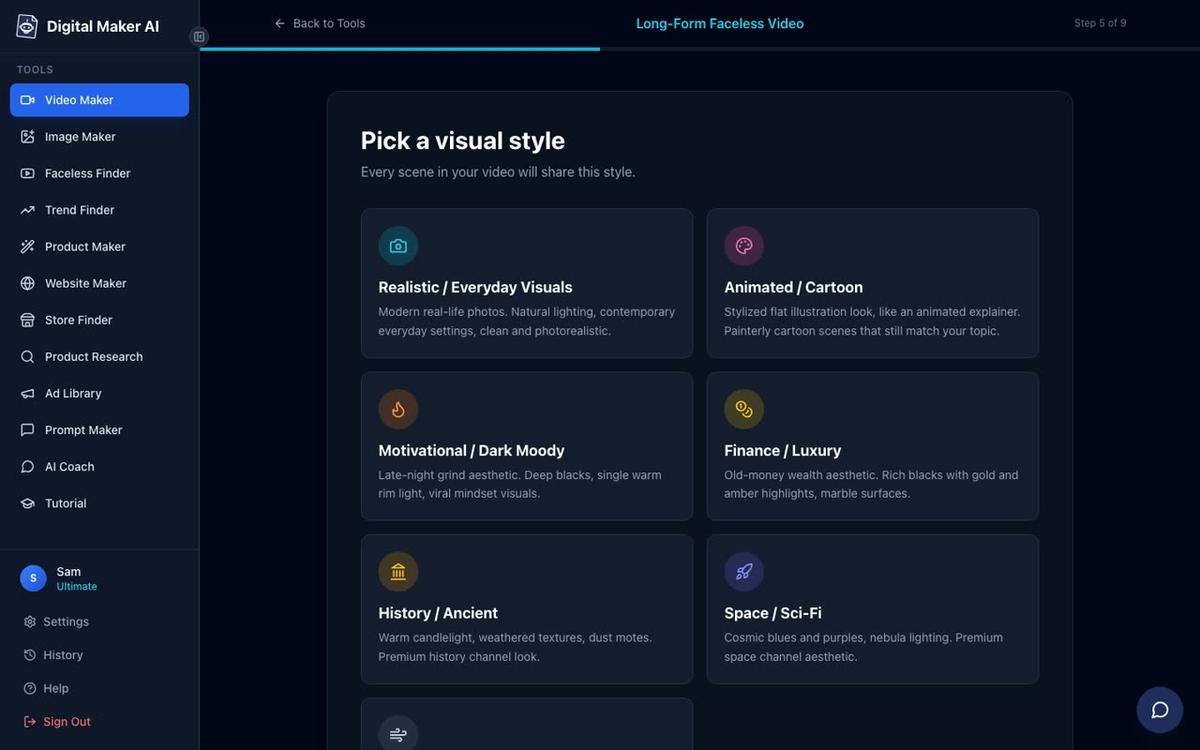
At step 5, choose your visual style. For an Amish homesteading channel, Realistic or Everyday Visuals is the natural fit. It generates grounded, photorealistic scenes that match the plain-living tone of the content.
Step 4: Pick a Voice and Set the Pacing
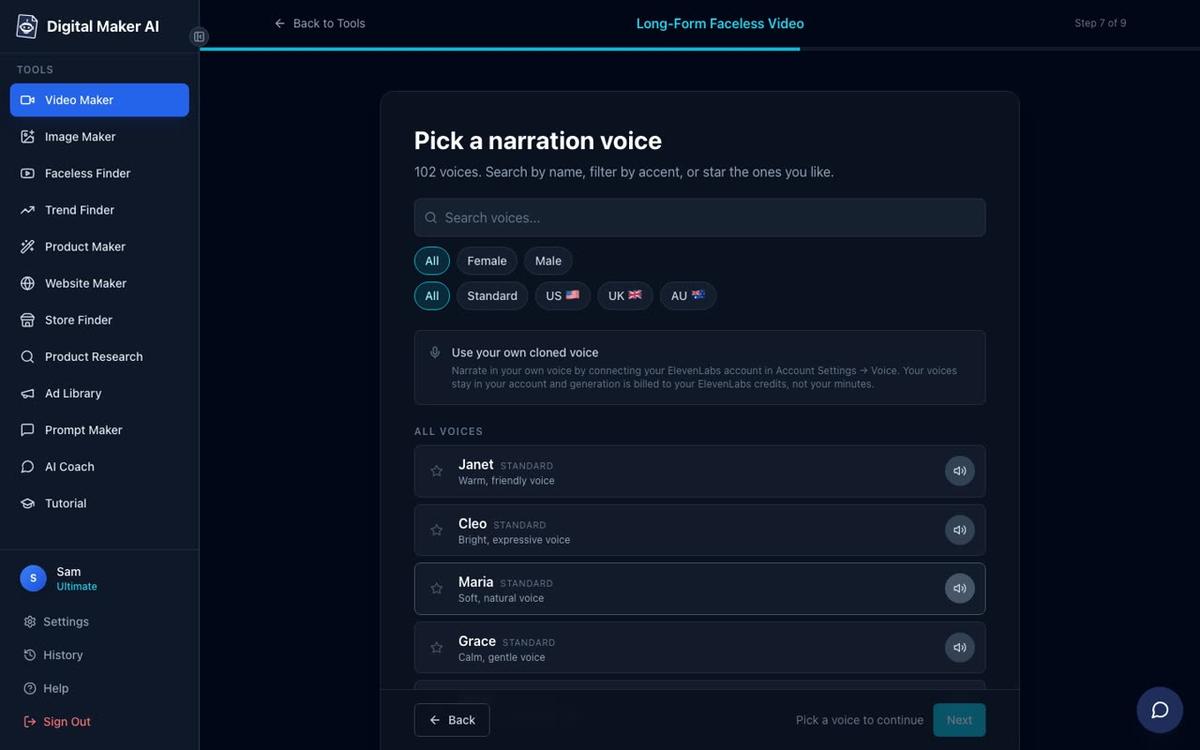
At step 7, choose from over 100 built-in AI narration voices. For an Amish homesteading persona, a calm male US voice with a measured pace works well. At step 8, set the pacing to Calm to match the unhurried, plain-living tone of the channel.
Step 5: Add the Presenter and Choose Layouts
Somewhere in the Video Maker flow (before you reach the review screen) you will see the option to add your saved presenter. Select Cedric (or whichever character you built), then tick one or more of the three layout options. You can use all three in the same video and the video rotates through them. A slider lets you set how much of the total video the presenter is on screen, from 5 percent up to the full runtime. Markers on a timeline bar let you place the presenter at the start, the middle, the end, or all three.
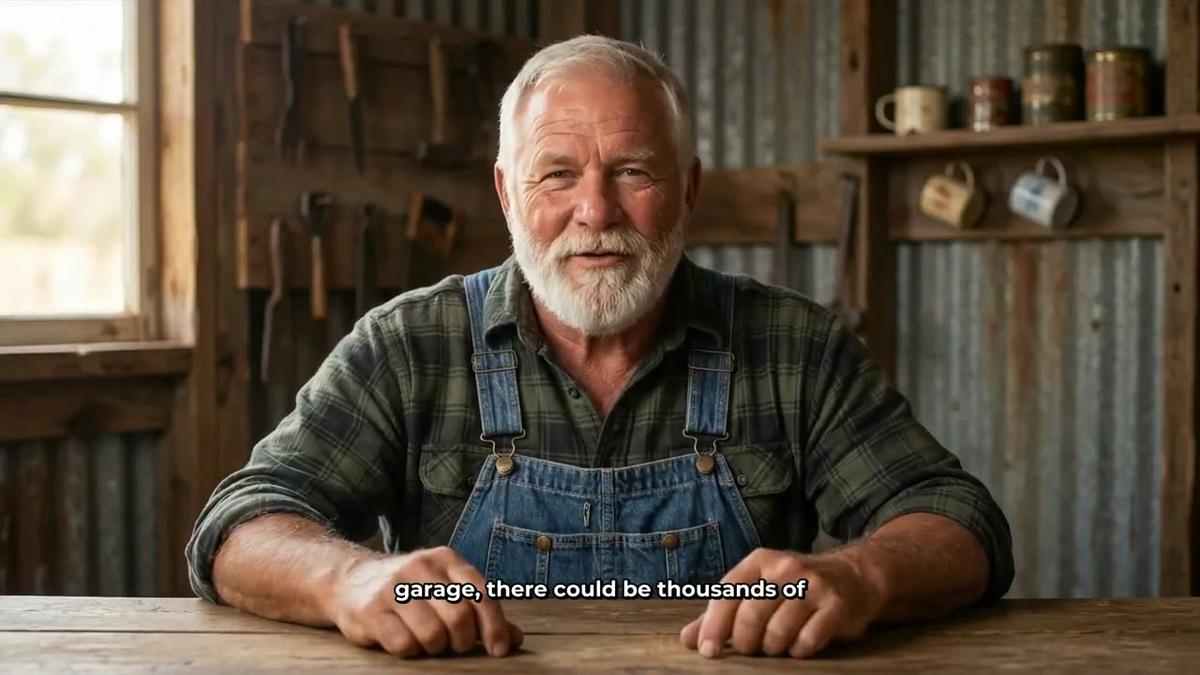
The Full screen layout puts the presenter front and centre, speaking directly to the viewer. This works well for an opening hook or a closing call to action.
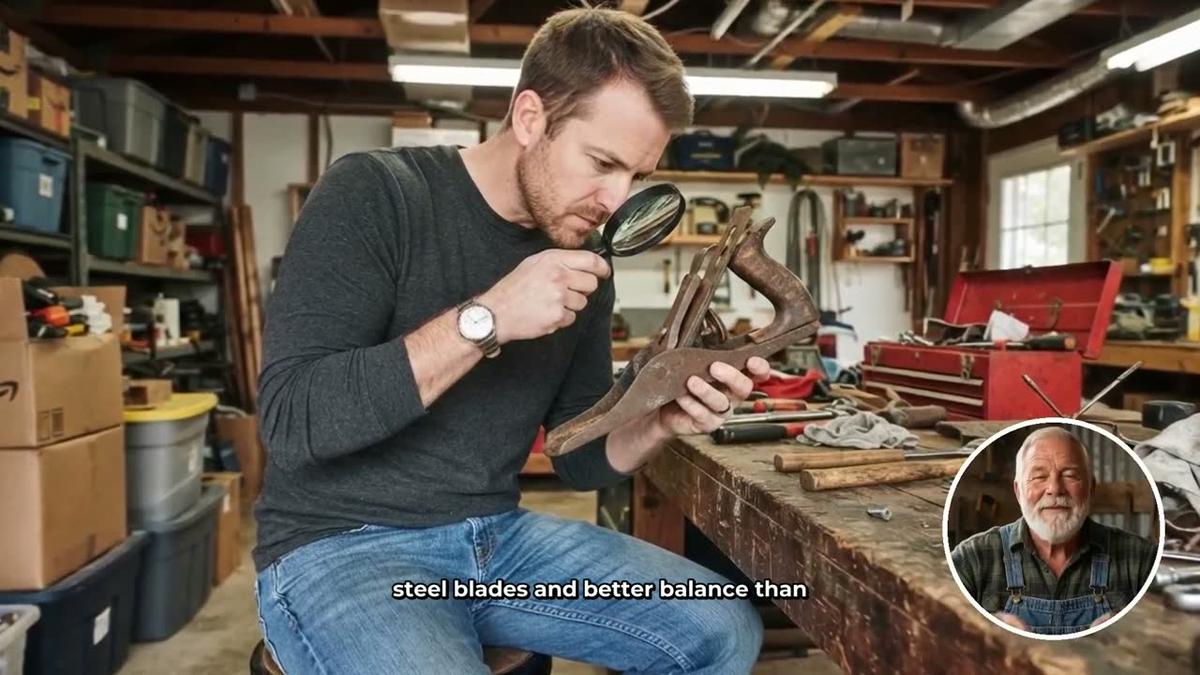
The Split screen layout places the presenter on the left and the generated scene image on the right. This is useful for sections where you want the viewer to see both the host and the visual being described, for example showing the presenter alongside a scene of mason jars on a shelf.

The Corner circle layout fills the frame with the scene image and places the presenter in a small round window in the corner. This keeps the visual content front and centre while still maintaining the presenter's presence throughout the video.
A Note on Avatar Time
Presenters run on avatar time, which is counted in seconds and is separate from your video minutes. Creating a new presenter uses 30 seconds of avatar time. When your video is generated, only the seconds the presenter is actually visible on screen are counted. Premium plans start with 2 minutes of avatar time and Ultimate plans with 5 minutes, plus 3 minutes added every month on Ultimate. If you need more, Avatar Packs let you add time as a one-off purchase. See the pricing page for current pack options.
Step 6: Review and Generate
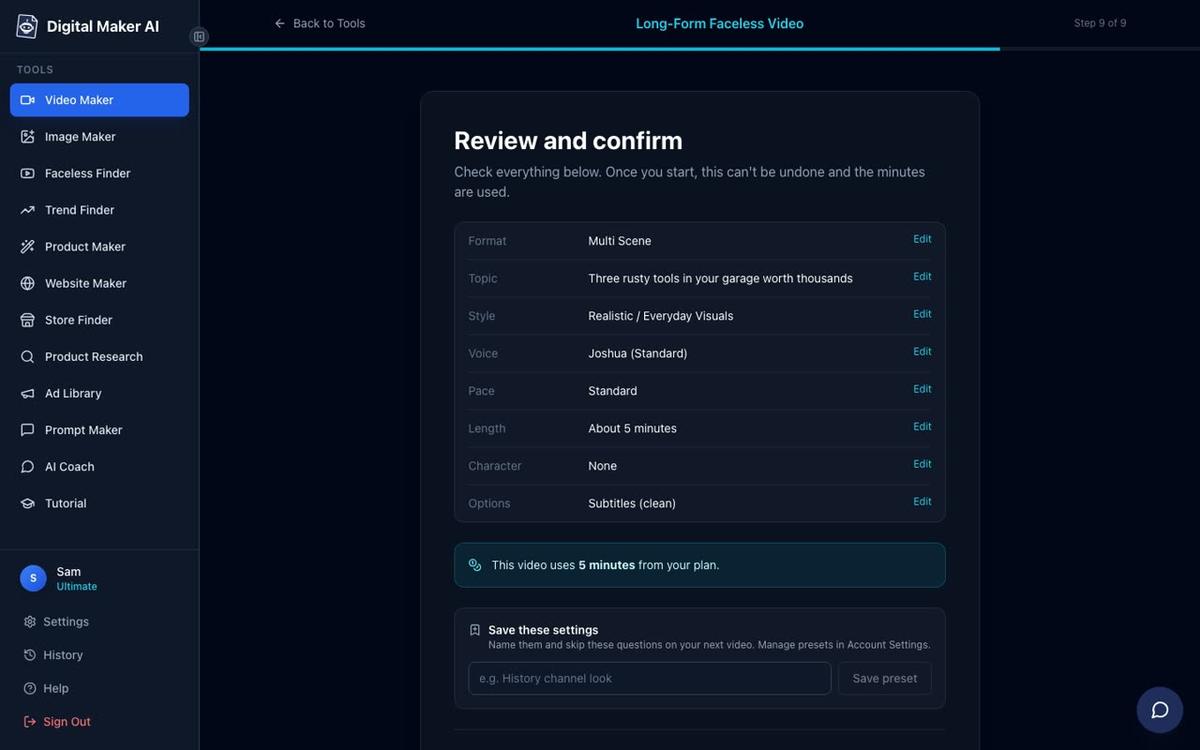
At step 9, the review screen shows every setting: format, topic, style, voice, pace, length, presenter choice, and the number of video minutes the video will use from your plan. Check everything, then press Generate Video. The AI writes the script, generates a unique scene image for every scene, records the narration, renders the presenter segments, and returns a finished MP4 ready to upload to YouTube.
Tips for Growing an Amish Homesteading AI Avatar Channel
The channels performing best in this niche follow a few consistent habits that you can apply from day one.
- Upload daily or near-daily. Elias Yoder posts around 12 videos a week. Even five a week builds a catalogue quickly, and YouTube rewards consistent upload schedules with more impressions.
- Keep your presenter consistent. The same face, the same setting and the same voice across every video builds audience recognition. Save your presenter once and reuse it across your entire catalogue.
- Lead with the search term in your title. Titles like "How Amish families do X" and "The Amish secret to Y" match the way this audience searches. Front-load the benefit.
- Use the Realistic visual style throughout. Farmstead imagery, root cellars, wooden shelves and cast iron pots all render well in the Realistic style and match viewer expectations for the niche.
- Mix presenter layouts. Using all three layouts (full screen, split screen, corner circle) in the same video keeps the pacing varied and holds attention longer than a single static format.
- Build a second presenter for variety. A female Amish homesteader for kitchen and preserving videos alongside a male presenter for garden and workshop videos gives you two distinct sub-channels under one account.
For more on the broader strategy behind this kind of channel, the guide to AI avatar channel ideas for off-grid and survival videos covers a closely related niche with similar audience demographics and CPM patterns.
More AI Avatar YouTube Channel Ideas in the Amish Homesteading Niche
Beyond the core food preservation and morning routine angle, there are several content clusters within the Amish homesteading world that remain relatively underserved on YouTube and carry strong search volume.
- Amish financial habits: debt-free living, cash-only systems, community saving circles.
- Plain-life parenting: raising children without screens, chores from age four, family meal traditions.
- Amish woodworking: hand tool techniques, furniture joinery, barn construction methods.
- Seasonal Amish cooking: what an Amish family eats in winter versus summer, bulk cooking days, canning seasons.
- Amish natural medicine: poultices, herbal tinctures, cold and flu remedies passed down through generations.
Each of these clusters can support its own playlist, and playlists drive watch time by auto-playing the next video. Building a channel around three or four tightly related clusters rather than one single topic gives you more surface area for search while keeping the audience cohesive.
Ready to build your first Amish homesteading AI presenter video? Start with the free Digital Maker AI course, which walks through the entire Video Maker and presenter setup from scratch, and you will have your first video ready to upload well before the end of the week.
Alex Stevens: Alex Stevens writes for the Digital Maker AI team about faceless YouTube channels, AI presenters and AI video tools.