Klap vs Digital Maker AI for Faceless YouTube Videos
By Alex Stevens
If you are starting a faceless YouTube channel from scratch, Digital Maker AI is the better pick, because it creates original videos from nothing: no camera, no footage, no existing content required. Klap wins on a different criterion entirely: turning long videos you have already recorded into short vertical clips for Shorts, Reels and TikTok. That single distinction is the thread running through this whole Klap vs Digital Maker AI comparison.
To judge these two tools fairly, the criterion used here is who can use each tool on day one, with no existing footage. That is the most common situation for someone building a faceless channel: they have a topic, a niche, maybe a script idea, but no video library to pull from. Under that criterion, the two tools are not really competing at all, they are solving different problems. What follows explains both products honestly so you can decide which problem is yours.
What Klap Does
Klap is a repurposing tool. You give it a long video, either by uploading a file or pasting a YouTube link, and its AI scans the content, picks the most engaging moments, cuts them into short vertical clips, reframes the picture to keep the active speaker in frame, adds captions, and gives each clip a virality score. The whole process takes a few minutes and can produce up to 30 clips from a single source video.
The features that make Klap genuinely useful are the active-speaker reframing (it tracks whoever is talking and keeps them centred in the 9:16 frame), the caption styles, and the built-in scheduler that lets you post clips directly to your channels. There is also AI dubbing in multiple languages on higher plans, and integrations with Zapier, Make and n8n for automation workflows.
What Klap does not do is create anything from scratch. If you have no existing footage, the tool has nothing to work with. It is built entirely around the assumption that you already have a long video, typically a talking-head recording, a podcast, a webinar or a stream.
Klap Pricing (as of November 2026)
Klap offers a free tier that lets you process one video and preview the clips, but downloading or posting them requires a paid plan. The company states that paid plans start at $29 a month on monthly billing, or $14.50 a month billed yearly for the Basic plan (100 clips a month). The Pro plan is $79 a month or $39.50 a month yearly (300 clips), and Pro+ is $189 a month or $94.50 a month yearly (1,000 clips). Check klap.app/pricing for the current figures, as these are confirmed as of November 2026.
Who should pick Klap: creators who already record long-form content, such as podcasters, streamers, interviewers or educators filming themselves on camera, and want to squeeze short-form clips out of it without manual editing. It is an excellent time-saver in that context.
What Digital Maker AI Does
Digital Maker AI is a creation tool, not a repurposing tool. It builds a complete faceless video from a topic or a script, with no camera, no microphone and no existing footage needed. You type a topic, choose a length, pick a visual style and a voice, and the platform writes the script, generates a unique AI image for every scene, adds narration and captions, and delivers a finished MP4 ready to upload to YouTube.
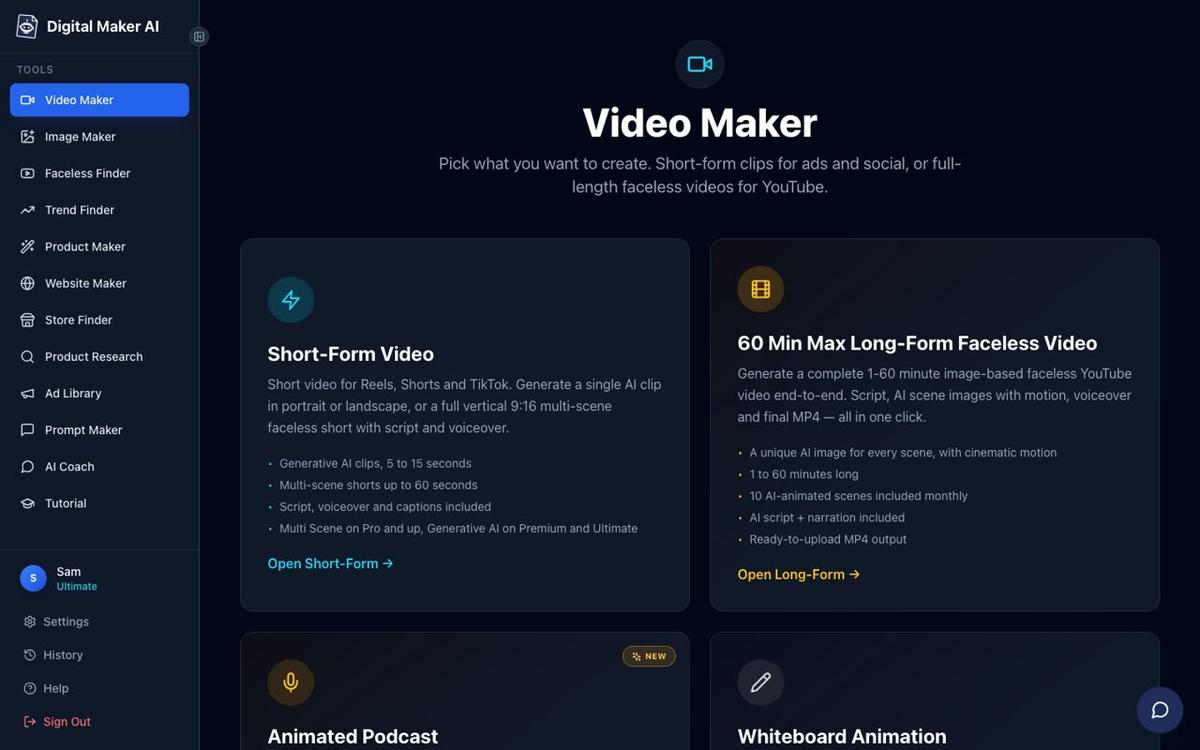
The long-form output is a landscape 16:9 video built for YouTube. Each scene uses a unique AI-generated still image held on screen while the narration plays, with optional slow zoom or pan motion effects and a choice of six caption styles. There are seven visual styles to choose from, including Realistic, Animated or Cartoon, Finance or Luxury, History or Ancient, and Space or Sci-Fi. Paid plans can generate scenes on any topic; the Free plan works from a curated library of popular niches such as history, true crime, psychology, space and personal finance.
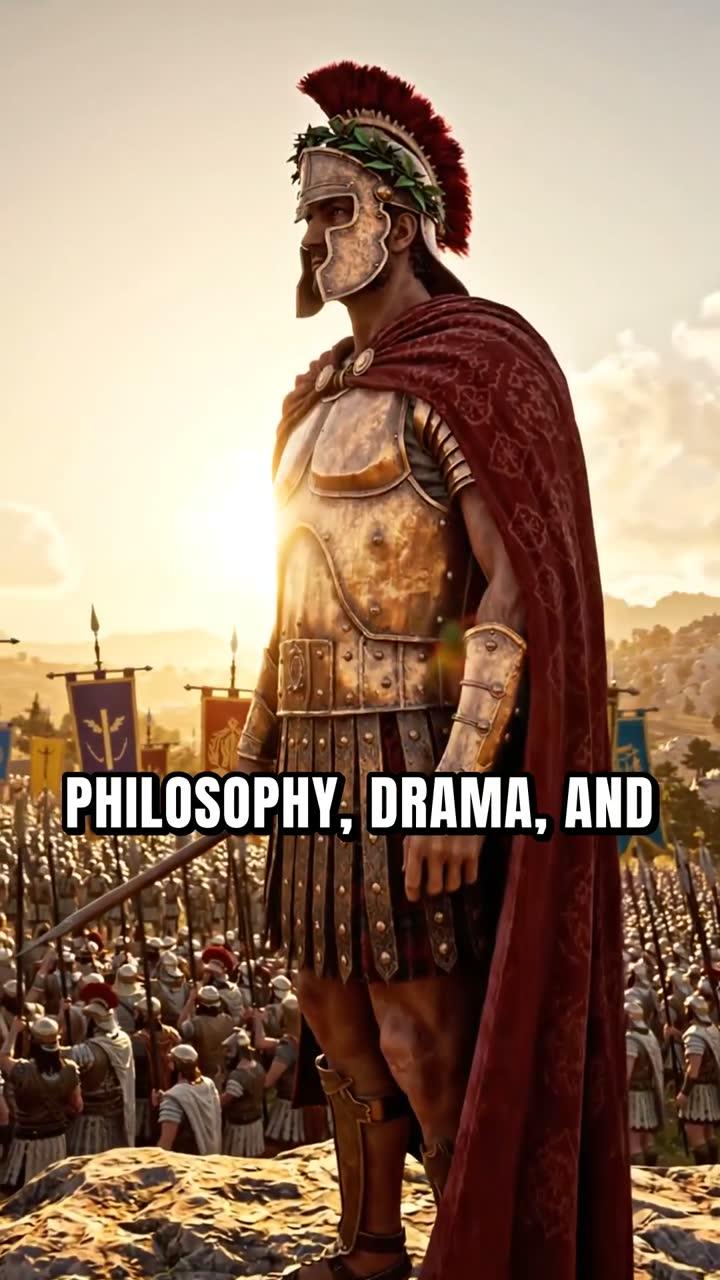
For Shorts, the platform's AI YouTube Shorts generator produces vertical 9:16 videos at 15, 30, 45 or 60 seconds, each with a new AI-generated scene image every few seconds, narration and bold captions. You can run a long-form channel and a Shorts channel from the same account without any source footage for either.
Beyond the core faceless video, the platform also includes an animated podcast format (two AI hosts in an animated studio, two different voices, captions and sound bars), an AI presenter feature for Premium and Ultimate users where a photoreal avatar speaks on screen in a finished landscape video, and a Drag and Drop Studio for creators who do have their own images or clips and want narration and captions added. There is also a 3D Animated Movie format that produces Pixar-style animated story films from public-domain tales or your own plot.
One honest limit to name: Digital Maker AI does not have a timeline editor with manual trimming and transitions, and it does not hold a stock footage library. The normal long-form video uses AI-generated still images per scene, not moving footage. Animated scenes (real moving AI clips added to chosen scenes) are available as an add-on on Premium and Ultimate, but they are not the default output.
The AI presenter feature is worth a closer look for anyone who wants a human face on their channel without appearing on camera themselves. On Premium and Ultimate plans, you describe your presenter in a sentence or two, the platform generates a photoreal picture of them, and you save them for reuse across every video. You then choose how much of the video they appear on screen and which layout to use.
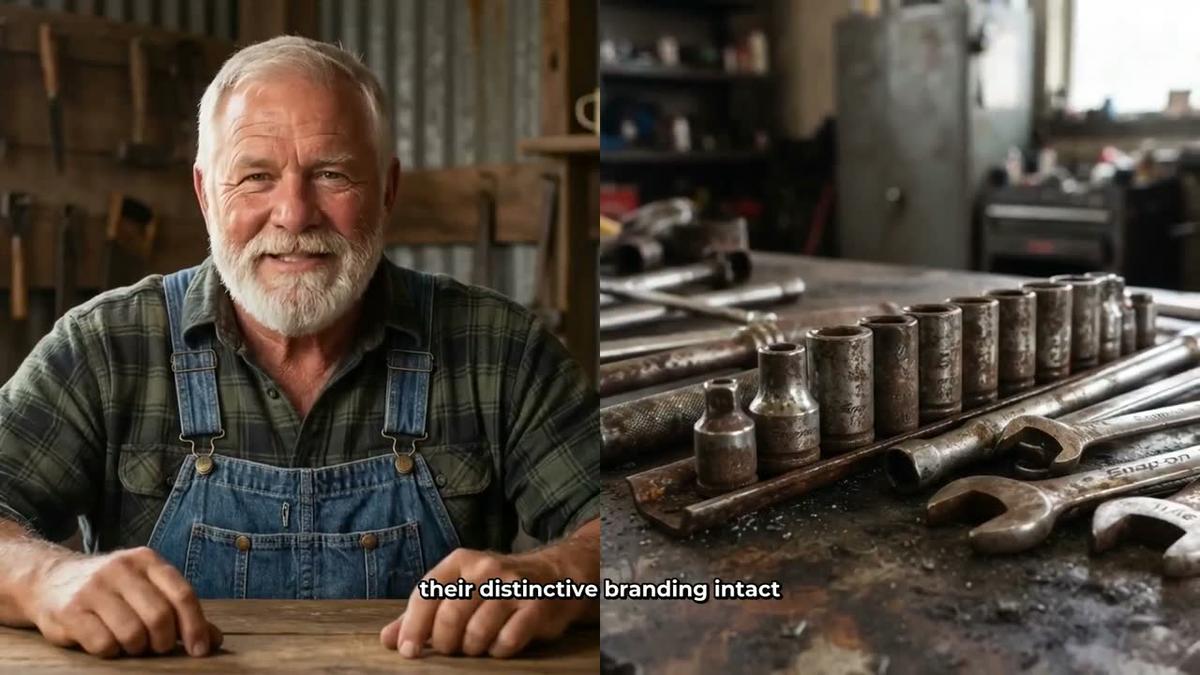
The three layout options are Full screen (the presenter fills the frame), Split screen (presenter on the left, scene on the right) and Corner circle (the scene with the presenter in a small round window). The video rotates through whichever layouts you tick, and a slider controls how much of the total runtime the presenter is visible. You can learn more about this on the AI avatar video generator page.
Digital Maker AI Pricing (as of November 2026)
The Free plan gives every new account five free videos, one of each type: one long-form faceless video (up to 8 minutes), one vertical Short, one drag and drop video from your own images, one drag and drop movie from your own clips, and one animated podcast. No credit card is needed. Free videos carry a small watermark and are English only, but commercial usage rights are included on every plan including Free.
Paid plans, as of November 2026 (see digitalmaker.ai/pricing for current rates): Pro is $29 a month or $249 a year, with 40 video minutes a month and a maximum of 10 minutes per long-form video. Premium is $59 a month or $479 a year, with 150 minutes a month and up to 30 minutes per video. Ultimate is $99 a month or $799 a year, with 300 minutes a month and up to 60 minutes per video. The AI presenter and animated podcast features are on Premium and Ultimate. Pro does not include the animated podcast.
Who should pick Digital Maker AI: anyone building a faceless YouTube channel from scratch with no existing footage, anyone who wants to produce both long-form videos and Shorts from a single platform, and anyone who wants an AI presenter or animated podcast format without filming themselves.
Klap vs Digital Maker AI: Recommendations by Use Case
Best for starting a faceless channel with no footage
Digital Maker AI. Klap requires a source video to process. If you have no footage, Klap cannot help you. Digital Maker AI starts from a topic or a script and builds the whole video for you.
Best for repurposing an existing long-form video into Shorts
Klap. If you have already recorded a 30-minute podcast or a talking-head YouTube video and want to pull 10 to 20 vertical clips from it automatically, Klap does that faster and with better speaker-tracking than any manual workflow. Digital Maker AI does not clip or repurpose existing footage in that way.
Best for long-form YouTube videos (10 to 60 minutes)
Digital Maker AI. Klap is a clipping tool and does not produce long-form content. Digital Maker AI's Premium and Ultimate plans support videos up to 30 and 60 minutes respectively, with full script generation, scene images, narration and captions. See the long-form video generator page for more detail on what those longer videos look like.
Best for creating Shorts from scratch
Digital Maker AI. Klap creates Shorts by clipping existing content. Digital Maker AI creates Shorts from a one-line topic, with no source video needed. Both are valid approaches, but they serve different starting points.
Best on a budget
Both have a free entry point. Klap's free tier lets you preview one video's worth of clips but requires a paid plan to download or post them. Digital Maker AI's Free plan gives you five complete finished videos you can download and use, with no card required. If you want to test the output before committing any money, Digital Maker AI's Free plan goes further.
Best for creators who record themselves on camera
Klap. If your workflow involves recording yourself talking and you want to distribute short clips across social platforms without manual editing, Klap is purpose-built for that. Digital Maker AI is not designed to process your own talking-head footage into clips.
The Core Difference in the Klap vs Digital Maker AI Debate
The comparison of Klap vs Digital Maker AI comes down to one question: do you have footage, or do you need to create it? Klap is a post-production tool for creators who already have content. Digital Maker AI is a production tool for creators who are starting from nothing. A faceless channel built on AI-generated scenes, narration and captions has no use for a clipping tool, because there is no long source video to clip from. Conversely, a podcaster who records 45 minutes of audio-visual content every week and wants a month's worth of Shorts from each episode does not need a video creation tool; they need a repurposing tool.
Where the two tools could theoretically sit in the same workflow is this: use Digital Maker AI to produce a long-form faceless video, then use Klap to clip that finished video into Shorts. That is a reasonable combination if you are on both platforms already. But for most faceless channel creators, especially those just starting out, the creation side is the gap that needs filling first. You can always repurpose later once you have a library of content.
If you are curious how Digital Maker AI compares to other repurposing and content tools, the comparisons with Quso AI and Vizard cover similar territory and are worth reading alongside this one.
The best way to see whether Digital Maker AI fits your workflow is to make a video on the Free plan, no card needed, and judge the output yourself. The free faceless channel course walks you through picking a niche, setting up your channel and making your first video, and it is a practical starting point whether you are brand new or switching from another tool.
Alex Stevens: Alex Stevens writes for the Digital Maker AI team about faceless YouTube channels, AI presenters and AI video tools.