Quso AI vs Digital Maker AI for Faceless YouTube Videos
By Alex Stevens
Quso AI vs Digital Maker AI: the short answer
If your goal is to generate brand-new, long-form faceless YouTube videos from a topic alone, Digital Maker AI is the stronger pick. That is the single criterion this comparison uses, and it is applied consistently throughout. Quso AI wins on repurposing footage you already have. If you upload a podcast, webinar or long YouTube video and need it turned into a week of short social clips quickly, Quso AI is purpose-built for that job and does it well. The two tools are solving different problems, and knowing which problem you have will decide this comparison for you before you read another paragraph.
The criterion here is end-to-end faceless YouTube video creation from a topic alone: type a subject, get a finished, ready-to-upload MP4 with a script, scene visuals, narration and captions. That is the workflow most new faceless channel creators need, and it is where the two tools diverge completely.
Quso AI: the best repurposing tool for existing footage
Quso AI (formerly Vidyo.ai, rebranded in 2024) is an AI-powered video repurposing platform. The company states that its core job is to turn one long-form upload, a podcast episode, a webinar recording or a YouTube video, into multiple short-form clips formatted for TikTok, Instagram Reels, YouTube Shorts and LinkedIn. Its IntelliClips feature scans the upload, identifies the most engaging moments and creates several clips automatically, each with animated captions and an option to reframe the speaker for vertical formats.
Beyond clipping, Quso AI adds caption localisation into 30-plus languages, AI dubbing into 29 languages, hashtag suggestions and social scheduling to seven platforms on its higher plans. The company also states that it generates written content from video transcripts, including show notes and social media posts, making it a genuine one-stop repurposing dashboard for creators who already produce long-form content elsewhere.
What Quso AI does not do: it cannot generate a video from scratch. There is no AI scriptwriter that writes a new piece of content on a topic you type in, no scene image generation, no AI narration for new videos, and no way to build a faceless YouTube video without first uploading existing footage. The company's own positioning confirms this: "Quso AI's output is only as strong as the source footage." There is also no AI presenter, no animated podcast feature and no recurring character system.
Quso AI pricing as of November 2026: Free plan at $0 per month (75 credits, 720p exports with a Quso watermark, TikTok publishing only); Lite at $29 per month (1080p, expanded credits); Essential at $39 per month (scheduling to seven platforms, advanced AI tools); Growth at $49 per month (unlimited scheduling, analytics, custom branding). Check quso.ai for the latest figures, as plans can change.
Who should pick Quso AI: podcasters, coaches and established YouTubers who already record long-form content and need a fast, reliable pipeline from one recording to multiple short social clips. If you have footage, Quso AI is excellent at making the most of it.
Digital Maker AI: end-to-end faceless video creation from a topic alone
Digital Maker AI takes a completely different approach. You type a topic, and the platform writes the script, generates a unique AI scene image for every scene, adds AI narration from more than 100 built-in voices, burns in captions and returns a finished landscape MP4 ready to upload to YouTube. No existing footage required. No editing skills required. This is the long-form faceless video generator workflow that Quso AI does not offer at all.
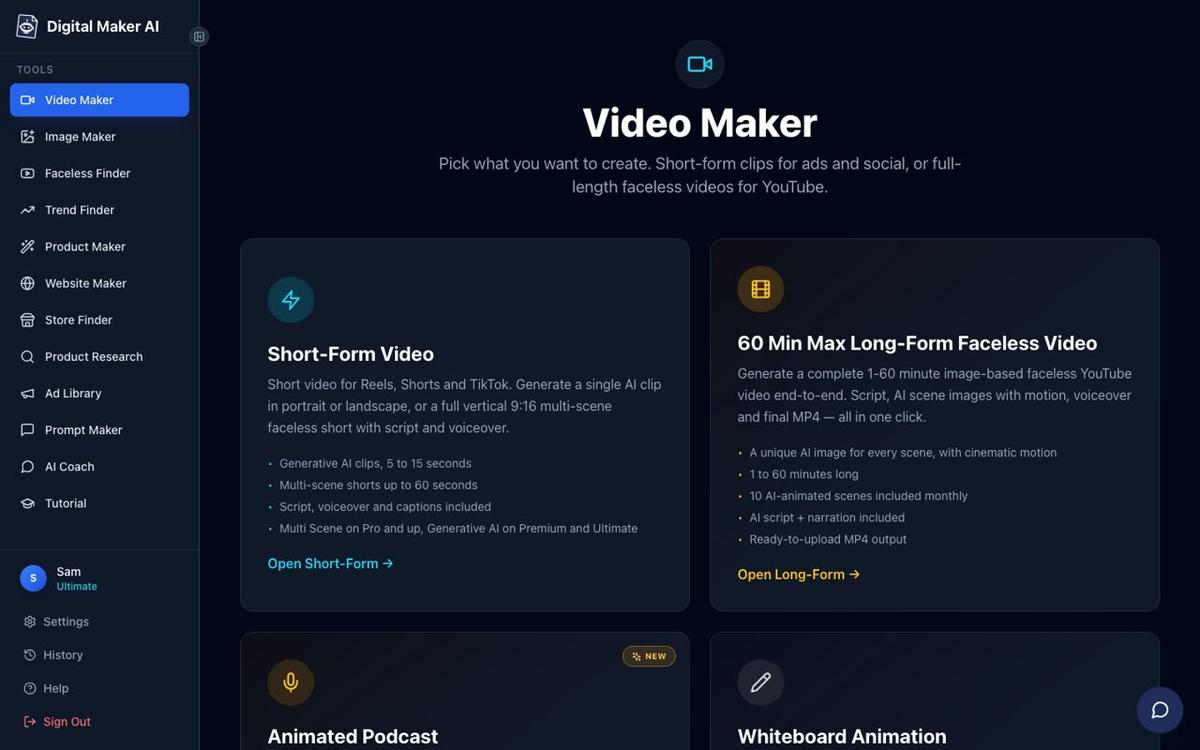
The Video Maker button in the left sidebar opens the choice screen shown above. From there you pick Long-Form Faceless Video, enter your topic, choose a visual style (seven options including Realistic, Animated or Cartoon, History or Ancient, Finance or Luxury and more), pick a voice and captions look, and press generate. On paid plans you can also paste your own script instead of using the AI-written one.
Four long-form formats are available on paid plans: Multi Scene (a new AI-generated image for every scene), Single Scene (one held subject with bold animated captions), Whiteboard Animation (marker-style sketches that appear line by line, available at the whiteboard animation generator) and Multiple Languages (French, Spanish, Italian and German). The free plan gives you one long-form video in Multi Scene with a small watermark, so you can test the full workflow before committing to a paid plan.
AI presenters are a feature Quso AI has no equivalent of. On Premium and Ultimate plans, you create a photoreal AI presenter by describing them in a sentence or two, and the platform generates their picture. In the Video Maker you choose one, three or all three layouts: Full screen, Split screen or Corner circle. A slider sets how much of the video the presenter appears, and markers on a timeline bar control where they show up. The presenter speaks the same narration as the rest of the video, with captions.

The split screen frame above shows what a finished presenter video looks like. This is a fully launched feature (live since October 2026), available on Premium and Ultimate. Presenter time runs on a separate avatar time allowance: Premium starts with 2 minutes and Ultimate with 5 minutes, plus 3 more every month. Avatar Packs let you add more time as a one-off purchase. See the AI presenter page for full details and current pack prices at digitalmaker.ai/pricing.
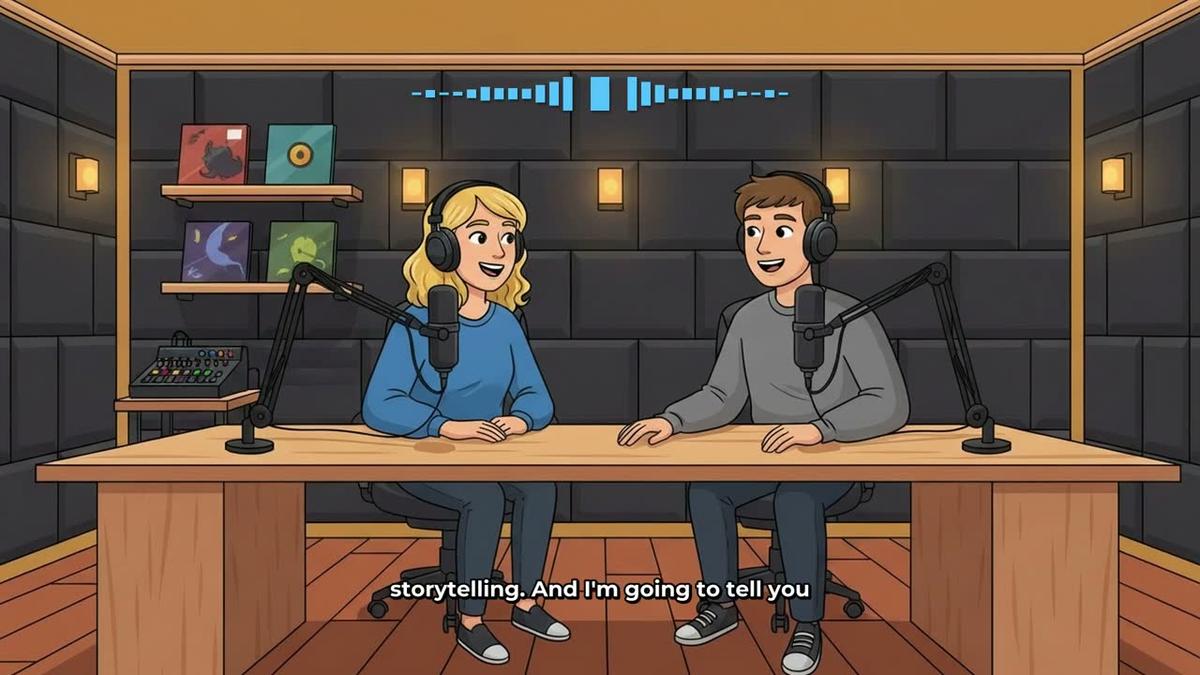
Animated podcasts are another format with no Quso AI equivalent. You type a topic, name two AI hosts, pick their voices and a studio, and Digital Maker AI writes and records a two-host conversation with animated sound bars, captions and a finished landscape video. Shows are saved so every new episode reuses the same hosts and studio. See the animated podcast generator for more.
Recurring characters (Premium and Ultimate) let you upload or build a character image, save it, and have the same character appear in every video. This is useful for channels that want a consistent visual identity without a live presenter. Quso AI has no equivalent of this. See the recurring character feature for how it works.
What Digital Maker AI does not do that Quso AI does: it does not scan existing footage and extract the best moments as short clips. There is no IntelliClips-style highlight detection, no AI dubbing of uploaded footage into other languages, and no social scheduling dashboard built around your existing recordings. If you already have a library of long videos and want to repurpose them into clips efficiently, Quso AI is the more focused tool for that specific job. Digital Maker AI also has no timeline editor for manual trimming and transitions.
Digital Maker AI pricing as of November 2026: Free (no card needed, five free videos); Pro at $29 per month or $249 per year; Premium at $59 per month or $479 per year; Ultimate at $99 per month or $799 per year. Full plan details and current prices are at digitalmaker.ai/pricing.
Quso AI vs Digital Maker AI: recommendations by use case
Best for starting a faceless YouTube channel from scratch: Digital Maker AI. You have no existing footage to repurpose, so Quso AI cannot help you at all. Digital Maker AI writes the script, generates every scene image, adds the narration and hands you a finished MP4. The Free plan lets you make one long-form video (up to 8 minutes) with no card required, so you can see the full output before spending anything.
Best for repurposing a podcast or webinar into social clips: Quso AI. Upload the recording and IntelliClips pulls out the highlights, reformats them for vertical and adds captions. It does this job faster and more precisely than any general-purpose video maker.
Best for long-form videos up to 60 minutes: Digital Maker AI on Ultimate. Videos up to 60 minutes in a single generation, with 300 minutes of video time per month. Quso AI has no long-form generation at all.
Best for channels that want an AI presenter on screen: Digital Maker AI Premium or Ultimate. Quso AI has no presenter feature. Digital Maker AI lets you create a photoreal presenter, choose Full screen, Split screen or Corner circle layouts, and control exactly how much of the video they appear in.
Best for an animated podcast channel: Digital Maker AI. Quso AI has no animated podcast feature. Digital Maker AI builds a two-host animated show from a topic alone, saves the show for future episodes, and can produce episodes up to 60 minutes on Ultimate.
Best on a budget for new creators: Digital Maker AI Free plan. Five free videos across five formats, commercial usage rights included, no card needed. Quso AI's free plan requires existing footage and only publishes to TikTok. For someone starting from zero, Digital Maker AI's free tier gives more usable output.
Best for posting to multiple social platforms from existing clips: Quso AI Essential or Growth. Scheduling to seven platforms from a single dashboard, with analytics and custom branding, is Quso AI's strongest feature and something Digital Maker AI does not replicate. Digital Maker AI's Premium and Ultimate plans can post finished videos directly to YouTube, TikTok and Instagram, but the scheduling dashboard and clip-extraction workflow are not part of what it does.
The honest verdict on quso ai vs digital maker ai
These two tools are not really competing for the same creator. Quso AI is a repurposing specialist: give it footage and it multiplies the value of that footage across platforms. Digital Maker AI is a generative video factory: give it a topic and it builds a complete faceless YouTube video with no footage required. The comparison only becomes a genuine choice if you are deciding where to put your budget and your channel strategy does not yet involve long-form recording. In that case, Digital Maker AI is the only option that can get your channel started from nothing. If you already record content and want to squeeze more reach from every episode, Quso AI earns its place in your stack.
For creators who want to go deeper on building a faceless channel, the free faceless video course at Digital Maker AI covers the full workflow from picking a niche to publishing your first video, and it costs nothing to access.
Alex Stevens: Alex Stevens writes for the Digital Maker AI team about faceless YouTube channels, AI presenters and AI video tools.