Vizard vs Digital Maker AI for Faceless YouTube Videos
By Alex Stevens
Vizard vs Digital Maker AI: the short answer
If you already have recorded footage and want to chop it into short social clips quickly, Vizard wins on that single task. If you want to type a topic and receive a finished, ready-to-upload YouTube video with no footage required, Digital Maker AI is the better fit. That is the criterion this comparison uses throughout: which tool gets a faceless YouTube video from idea to MP4 with the least friction and the fewest prerequisites?
To judge them fairly, the comparison looks at three things: what each tool actually requires you to bring to it, what it produces at the end, and how much it costs as of November 2026. Vizard genuinely excels at what it was built for, so this is not a lopsided verdict. The two tools just solve different problems, and picking the wrong one wastes time.
What Vizard does well
Vizard is a video clipping and repurposing tool. You upload a long recording, such as a podcast, webinar, interview or YouTube video, and Vizard's AI scans the transcript, identifies the most engaging moments, and extracts them as short clips ready for TikTok, Instagram Reels and YouTube Shorts. The company states that its AI clipping model was updated in 2026 to use a combination of proprietary and third-party AI models for better highlight detection.
The editing experience is genuinely smooth. Trimming works like editing a text document: you delete words in the transcript and the clip shortens to match. Auto-captions are added automatically, the video is resized to 9:16 for vertical platforms, and you can schedule posts to connected social accounts directly from the dashboard. For a marketer or podcaster who records content regularly and needs a fast way to squeeze more reach from each recording, Vizard handles that workflow well.
On pricing, Vizard operates on a freemium model (as of November 2026). The free tier includes around 60 upload minutes per month, a watermark on exports, 720p resolution and three days of storage. Paid plans, based on the Creator and Business tiers shown on third-party review sites as of November 2026, start from roughly $14.50 per month billed annually (around $29 per month billed monthly) for the Creator tier, rising to approximately $19.50 per month annually for Business, which adds team collaboration and brand kits. Always check Vizard's pricing page directly for current figures, as these are sourced from third-party reviews and may have changed.
Where Vizard stops is equally important to understand. It is built entirely around footage you already have. It cannot write a script from a blank prompt, generate scene images, produce AI narration from text, or deliver a finished YouTube video when you have no recording to start from. If you are building a faceless channel from scratch and you have no camera, no microphone and no pre-recorded content, Vizard has nothing to work with.
What Digital Maker AI does well
Digital Maker AI is built around the opposite starting point: you bring a topic, and the platform produces the video. The Video Maker handles the entire pipeline in one session: the AI writes the script, generates a unique still image for every scene, adds AI narration from more than 100 built-in voices, burns in captions and returns a ready-to-upload MP4. No footage, no microphone, no recording software needed.
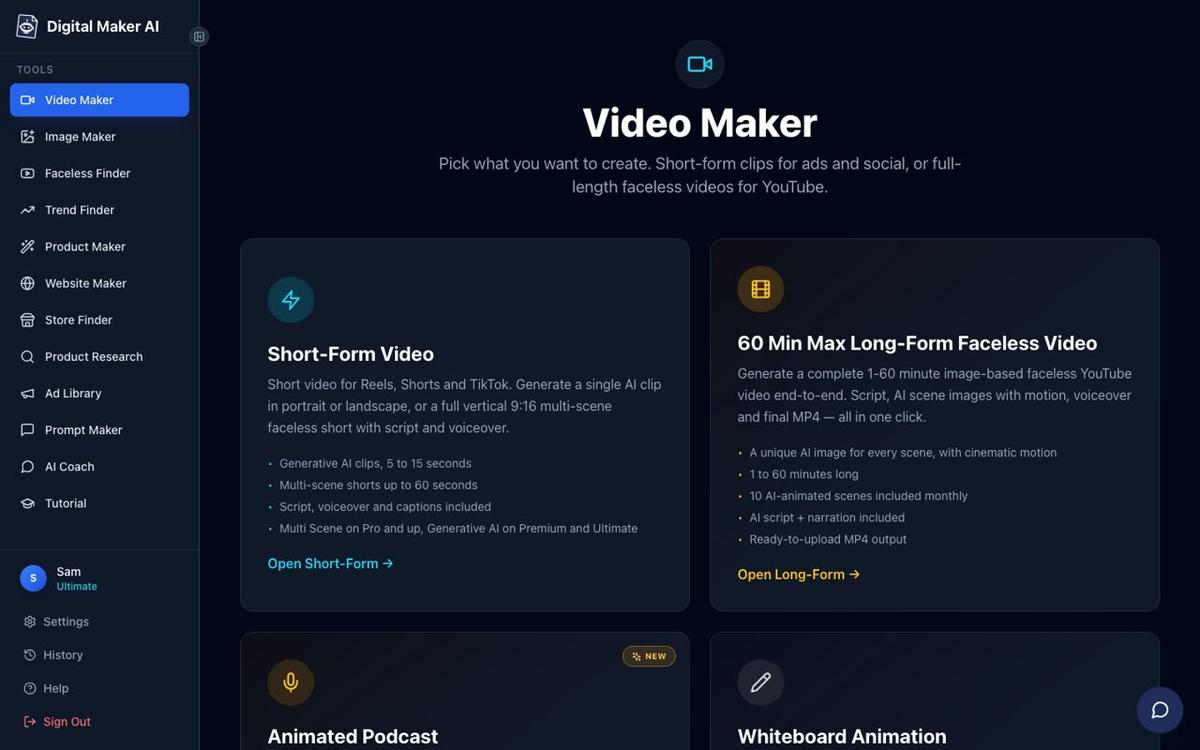
The long-form faceless video is the main product: a landscape 16:9 YouTube video with a new AI-generated scene image for every scene, optional slow zoom or pan motion effects and your choice of six caption styles. Seven visual styles cover everything from Realistic to Animated or Cartoon, Finance or Luxury, History or Ancient and Space or Sci-Fi. On Premium and Ultimate plans you can also add an AI presenter who speaks the narration on screen, in three layouts: full screen, split screen or a corner circle.
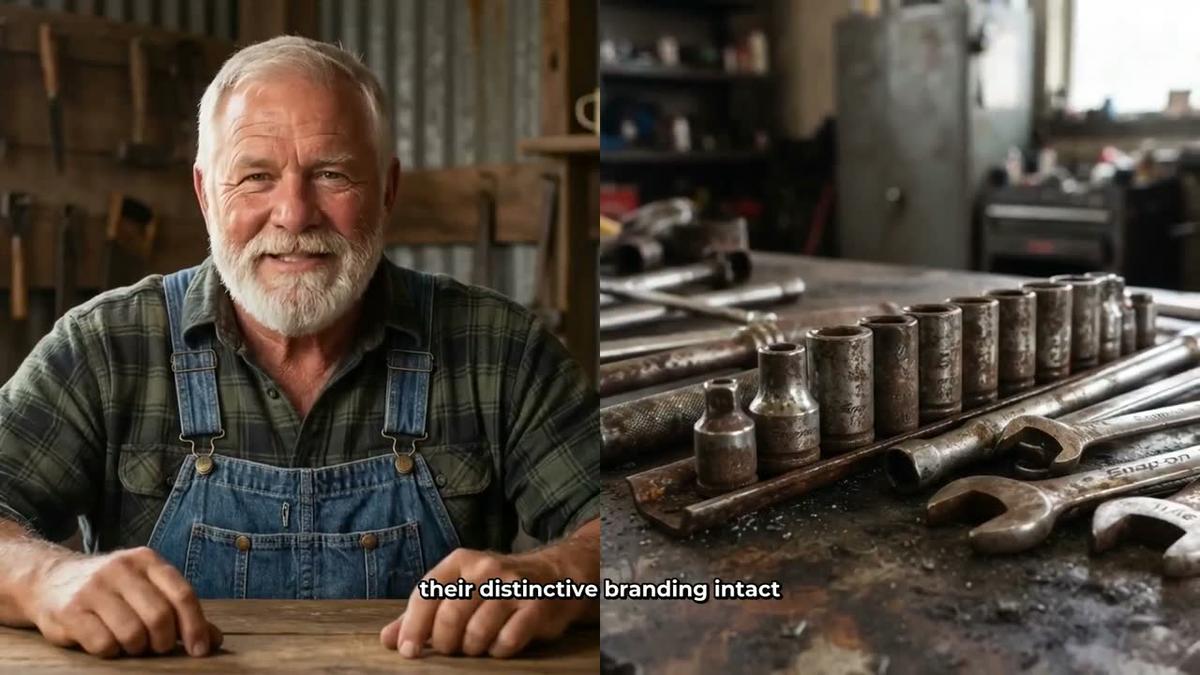
This is a finished output that Vizard cannot produce from a blank prompt. There is no source footage involved: the presenter, the scene images, the narration and the captions are all generated inside the platform. For a creator who wants a faceless YouTube channel without ever appearing on camera or recording audio, this is the core appeal.
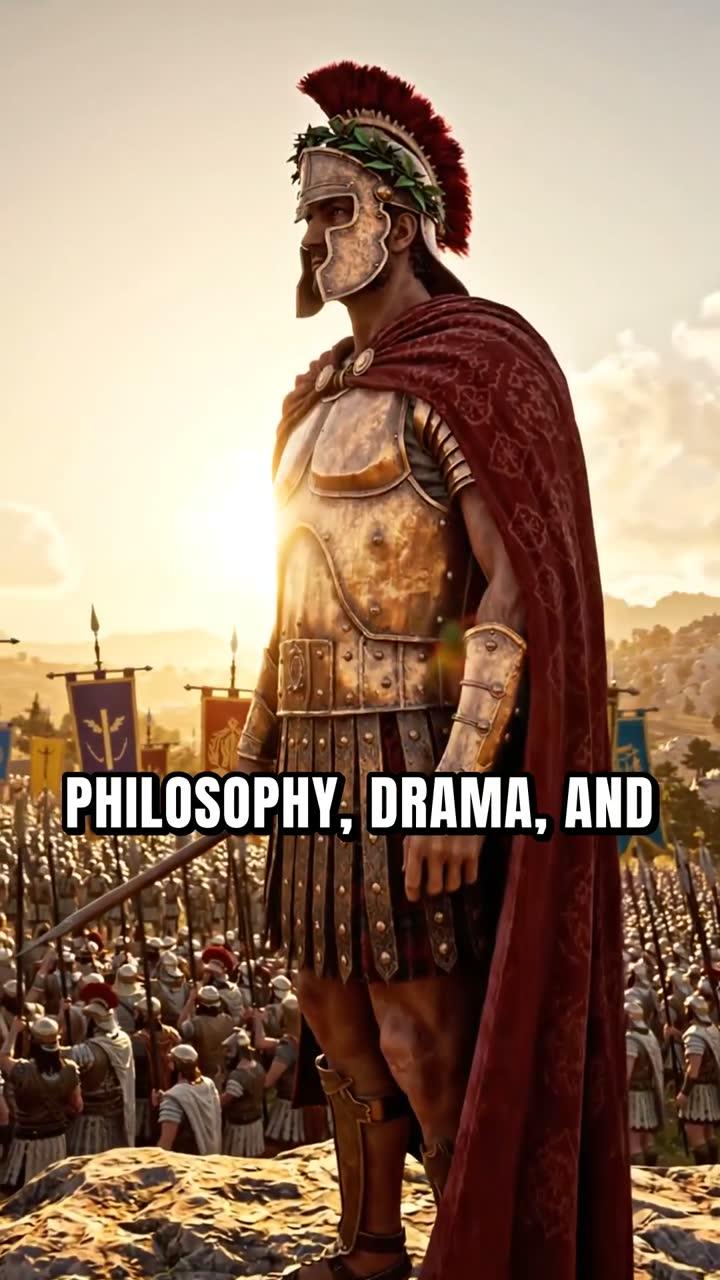
For short-form content, the Short-Form Video option produces a vertical 9:16 Multi Scene Short of 15 to 60 seconds, with a new AI-generated image every few seconds, narration and bold captions. Again, no source footage is needed.
One thing Digital Maker AI does not do is manual timeline editing. There is no drag-and-drop timeline with trimming and transitions. After a video is made you can regenerate any scene image, swap in your own image or a short clip, and edit the narration text, but you cannot trim individual clips or rearrange a sequence the way Vizard's editor allows. If that kind of hands-on editing is central to your workflow, Vizard's text-based trim tool is genuinely better for it.
On pricing, as of November 2026 (see digitalmaker.ai/pricing for current figures): the Free plan costs nothing and requires no card. It includes five free videos, one of each type: one long-form faceless video up to 8 minutes, one vertical Short (15 to 60 seconds), one drag-and-drop video from your own images, one drag-and-drop movie from your own clips and one animated podcast. Free videos carry a small watermark and are built from a ready-made image library in set topic areas. Commercial usage rights are included on every plan, including Free.
Paid plans are: Pro at $29 per month (or $249 per year), Premium at $59 per month (or $479 per year) and Ultimate at $99 per month (or $799 per year), all as of November 2026. Pro includes 40 video minutes per month and long-form videos up to 10 minutes. Premium gives 150 minutes, videos up to 30 minutes, AI presenters, animated podcasts and the ability to post directly to YouTube, TikTok and Instagram. Ultimate gives 300 minutes, videos up to 60 minutes and 3 free avatar minutes per month. You can check the full breakdown at digitalmaker.ai/pricing.
If you want to go even longer, the long-form video generator on Ultimate supports videos up to 60 minutes, which is well beyond anything a repurposing tool like Vizard is designed to produce from scratch.
Vizard vs Digital Maker AI: recommendations by use case
Best for repurposing existing recordings: Vizard. If you already record podcasts, webinars or interviews and want to turn them into short social clips with captions and a 9:16 crop, Vizard's transcript-based editor is fast and well-suited to the task. Digital Maker AI's Drag and Drop Studio can do something similar (upload your own clips and it adds narration and captions), but Vizard's auto-highlight detection is more focused on that specific workflow.
Best for building a faceless YouTube channel from scratch: Digital Maker AI. If you have no footage, no recording setup and just a list of video ideas, Digital Maker AI's end-to-end pipeline is the right tool. Type a topic, choose a style and voice, and the platform handles everything else. Vizard cannot start from a blank prompt.
Best for YouTube Shorts with no source footage: Digital Maker AI. The Multi Scene Short generates a new AI image every few seconds with narration and bold captions from a single line of text. Vizard's Shorts output requires you to upload a longer video first and clip down from it.
Best for a creator who wants an on-screen presenter without filming: Digital Maker AI (Premium or Ultimate). The AI presenter feature creates a photoreal avatar who speaks the narration in full screen, split screen or corner circle layouts. This is a type of output Vizard is not designed to produce. See the AI presenter video page for more on how it works.
Best for teams repurposing marketing content: Vizard's Business plan. The brand kit, team collaboration and multi-account social scheduling make it a practical choice for marketing teams working with recorded content. Digital Maker AI's social posting (Premium and Ultimate) covers YouTube, TikTok and Instagram but is aimed at individual creators rather than agency-style team workflows.
Best on a budget with no card required: Digital Maker AI Free. Five free videos across five formats, including one long-form video up to 8 minutes and one Short, with no card needed. Vizard's free tier is also genuinely usable for clipping, but it adds a watermark and limits storage to three days. For someone testing whether AI video creation works for their channel, Digital Maker AI's free plan gives more to evaluate.
For more comparisons in a similar vein, the Higgsfield vs Digital Maker AI article covers another tool that works with existing footage versus generating from scratch, which is a useful read alongside this one.
The bottom line on vizard vs digital maker ai
Both tools are good at what they were built for. Vizard is a strong clip-repurposing tool for creators who already have recordings and want a fast path to short social content. Digital Maker AI is an end-to-end faceless video generator for creators who want to go from a topic to a finished YouTube video with no footage, no camera and no recording equipment. The decision comes down to what you are starting with: existing footage or a blank idea. If it is the latter, the Free plan on Digital Maker AI lets you test the full pipeline at no cost.
If you are new to faceless video creation and want a structured starting point, the free faceless video course walks through the whole process from channel idea to first upload.
Alex Stevens: Alex Stevens writes for the Digital Maker AI team about faceless YouTube channels, AI presenters and AI video tools.