How to Start a Bible Stories Faceless YouTube Channel in 2027
By Alex Stevens
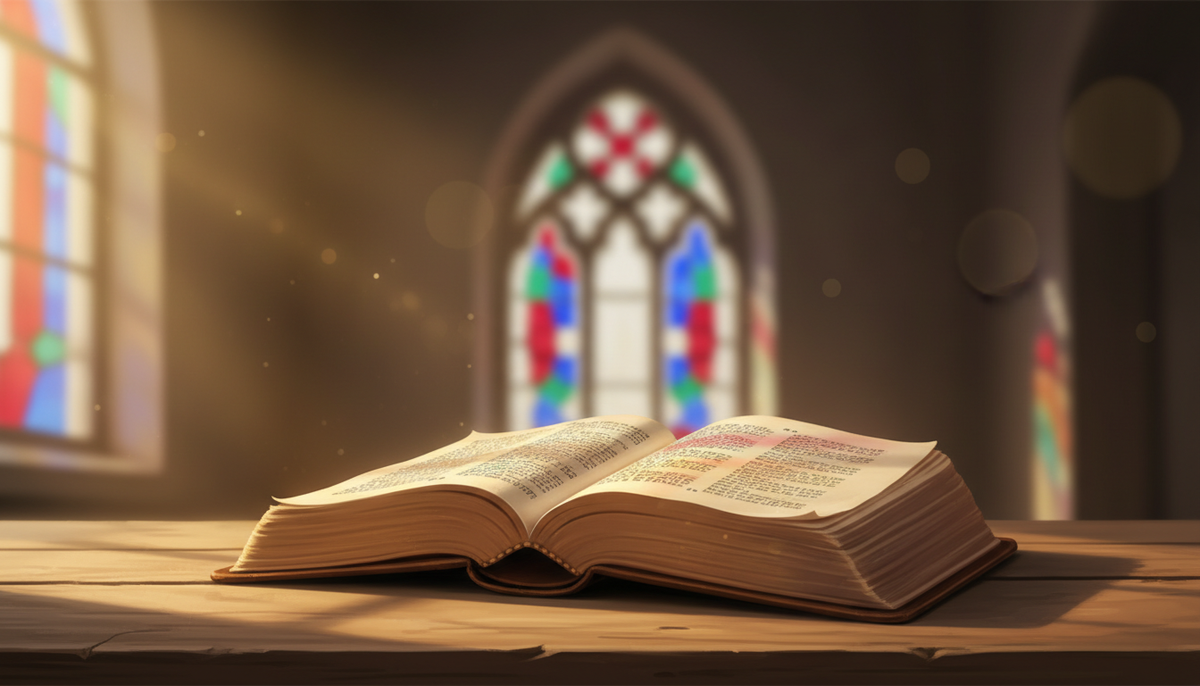
You can start a bible stories YouTube channel in 2027 without ever appearing on camera. A faceless channel uses AI-generated scene images, a narration voice and captions to tell the story, so your face, your location and your recording setup never matter. Digital Maker AI (digitalmaker.ai) is an AI video platform for faceless YouTube videos, AI presenter videos, animated podcasts, 3D animated films and digital products, and it has a ready-made "faith" topic area that makes this niche one of the most accessible places to start.
Key takeaways
- The faith niche on YouTube carries a high ad RPM (revenue per thousand views), often between $8 and $18, because advertisers pay a premium to reach engaged faith audiences.
- Faceless bible channels on the Faceless Finder show estimated monthly ad revenue ranging from roughly $400 to over $4,000, depending on upload frequency and subscriber count (these are Digital Maker AI estimates, not verified channel earnings).
- Digital Maker AI's free plan includes one free long-form faceless video up to 8 minutes, using a library of faith-topic images, with no credit card needed.
- The History or Ancient visual style and the Animated or Cartoon style are both well suited to bible storytelling on paid plans.
- A realistic first-month goal is four to eight videos published, one or two per week, using a consistent voice and visual style to build channel identity.
Why a bible stories faceless YouTube channel works in 2027
A faceless YouTube channel is a channel where the creator never appears on camera. AI-generated visuals, a voiceover and captions carry every video. The bible stories niche is one of the strongest fits for this format for three reasons.
First, the stories are already written. The Old Testament, the New Testament, the Psalms and the Proverbs give you hundreds of compelling narratives with drama, conflict, redemption and resolution built in. You are not inventing topics; you are retelling timeless ones.
Second, the audience is enormous and loyal. Faith-based content on YouTube attracts viewers who watch long videos, return every week and share content with their communities. That loyalty drives watch time, which YouTube rewards with more reach.
Third, the ad revenue potential is high. Faith and religion is one of the higher-RPM niches on YouTube. Advertisers targeting faith audiences pay more per thousand views than most entertainment niches, which means even a modest channel with 50,000 monthly views can generate meaningful ad income.
The Faceless Finder inside Digital Maker AI (available to every signed-in account, including Free) lists confirmed faceless channels with subscriber counts, upload frequency, average video length and estimated monthly ad revenue. Searching for faith or bible channels there shows channels with 80,000 to 400,000 subscribers posting estimated earnings of $600 to $4,500 a month. These are Digital Maker AI's own rough estimates based on recent views and typical ad rates for the niche, not the channels' real verified earnings. They are useful as a directional benchmark, not a guarantee.
The niche also pairs naturally with a history-focused faceless channel, since many bible stories sit at the intersection of faith and ancient history. A channel that covers both broadens its audience without losing focus.
What channels are already doing this? Real examples from the Faceless Finder
The Faceless Finder inside Digital Maker AI surfaces real, active faceless channels. Below are representative channel profiles from the faith and bible stories category, with estimated figures as shown in the tool. All revenue figures are Digital Maker AI estimates only.
| Channel type | Approx. subscribers | Uploads per week | Avg. video length | Est. monthly ad revenue |
|---|---|---|---|---|
| Old Testament stories, narrated | 95,000 | 3 | 12 min | $1,100 (estimate) |
| Parables and teachings, animated style | 210,000 | 4 | 8 min | $2,600 (estimate) |
| Psalms and Proverbs, motivational style | 55,000 | 2 | 6 min | $480 (estimate) |
| New Testament miracles, cinematic style | 340,000 | 5 | 15 min | $4,200 (estimate) |
The pattern across these channels is consistent: a clear visual style, a recognisable narration voice, a regular upload schedule and videos long enough to earn mid-roll ad placements (YouTube enables mid-rolls on videos over 8 minutes). All of that is achievable with AI tools from week one.
What video ideas work for a bible stories channel?
The best-performing bible stories videos tend to fall into a handful of formats. Here are ten ideas you can start with in 2027.
- Story retelling: "The Full Story of David and Goliath" or "What Really Happened to Jonah" told as a narrative with scene-by-scene visuals.
- Character deep dives: "Who Was Mary Magdalene?" or "The Life of Moses: From Prince to Prophet".
- Prophecy and fulfilment: "7 Old Testament Prophecies That Came True" or "What the Book of Revelation Actually Says".
- Wisdom and life lessons: "10 Proverbs That Will Change How You Think" or "What the Sermon on the Mount Means for Your Life Today".
- Mysteries and lesser-known stories: "The Nephilim: What the Bible Actually Says" or "5 Bible Stories You Were Never Taught in Sunday School".
- Comparison and context: "How Ancient Egypt Connects to the Book of Exodus" or "What Archaeology Has Found About the Exodus".
- Devotional shorts: 60-second vertical Shorts with one verse and a single powerful image, posted between long-form videos to grow the channel faster.
- Series: "The 12 Disciples: One Video Per Apostle" gives you 12 videos from a single concept and keeps viewers coming back.
- Holidays and seasons: Christmas and Easter videos spike in search every year. Plan them six weeks ahead.
- Reaction to current events: "What the Bible Says About [current topic]" taps into search trends while staying rooted in scripture.
Which Digital Maker AI format and style suit a bible stories channel?
Digital Maker AI's long-form faceless video maker produces a complete YouTube video end to end: the AI writes the script, generates a scene image for every scene, adds narration and captions, and returns a ready-to-upload MP4. For a bible stories channel, the choice of format and visual style matters more than almost anything else.
Best format: Multi Scene Video. Multi Scene generates a fresh AI image for every scene. For bible storytelling, that means each moment in the narrative gets its own visual. A scene describing the Red Sea parting gets a dramatic seascape; a scene about the Last Supper gets a candlelit table. This keeps viewers engaged far better than a single held image.
Best visual styles for this niche:
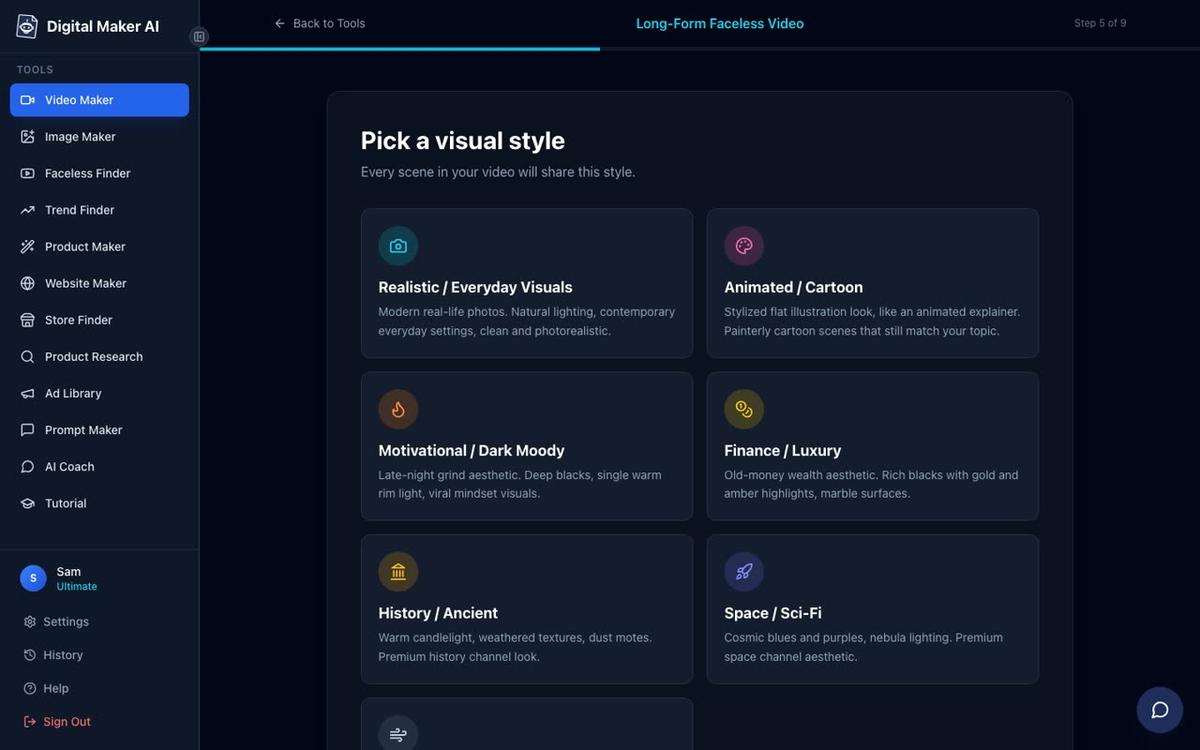
- History or Ancient is the natural fit. It generates scenes that look like ancient Middle Eastern settings, stone architecture, desert landscapes and period-accurate clothing. It is the style most viewers associate with serious bible content.
- Animated or Cartoon works well for children's bible stories or for a channel aimed at families. The scenes look illustrated and storybook-like, making them approachable for younger audiences. Note: this style produces illustrated still scenes, not moving cartoon animation.
- Motivational or Dark Moody suits Psalms, Proverbs and devotional content where atmosphere matters more than historical accuracy.
- Realistic or Everyday Visuals works for "what the Bible says about modern life" videos where the scenes are contemporary.
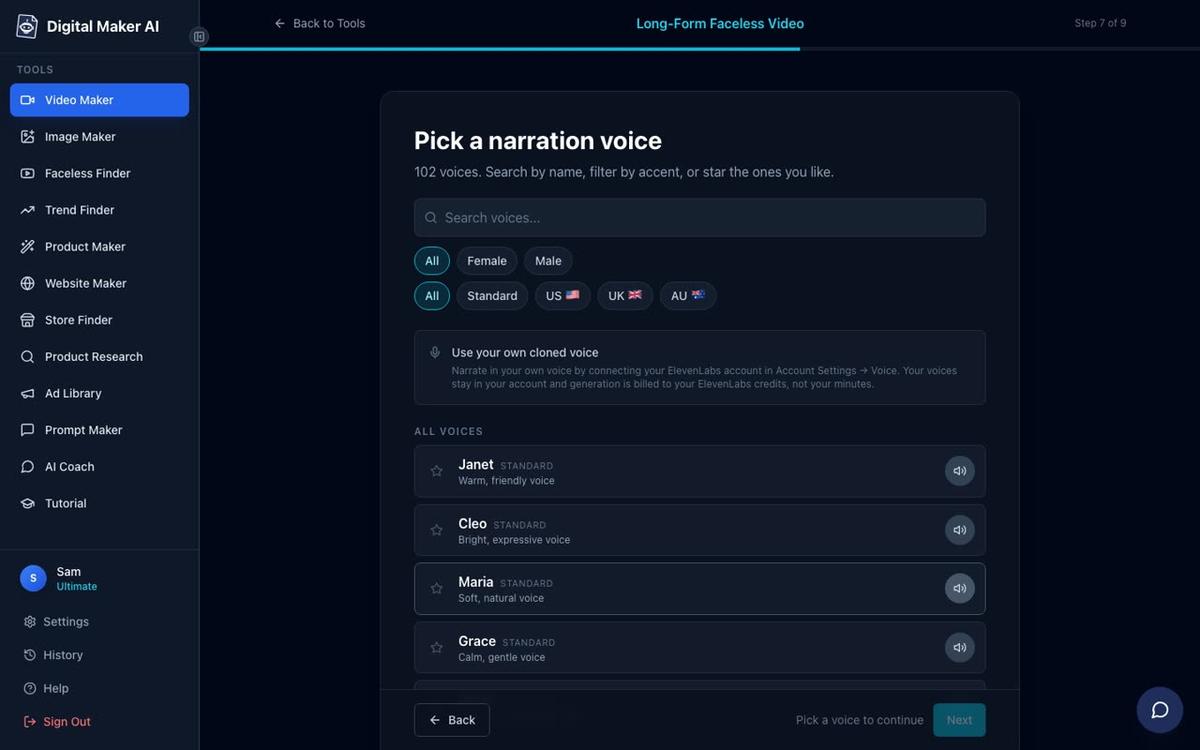
Best narration voice: Choose a warm, measured male or female voice with a US or UK accent. Digital Maker AI includes over 100 built-in narration voices. Listen to several before settling on one, then use the same voice on every video. Consistency builds a recognisable channel identity faster than any other single decision.
Captions: Use the YouTube Yellow or Bold Pop caption style. Faith audiences watch on mobile, often without sound, and bold captions keep them watching. Captions are burned into the lower third automatically.
Background music: Turn on the optional music library and pick a track in the "epic" or "ambient" mood. Soft background music under a biblical narration adds atmosphere without distracting from the story.
Step-by-step: how to start a bible stories YouTube channel with Digital Maker AI
- Create your free account. Go to digitalmaker.ai/faceless and sign up. No credit card is needed. The free plan gives you one free long-form video up to 8 minutes, one Short, one animated podcast, one drag-and-drop video and one drag-and-drop movie, each once.
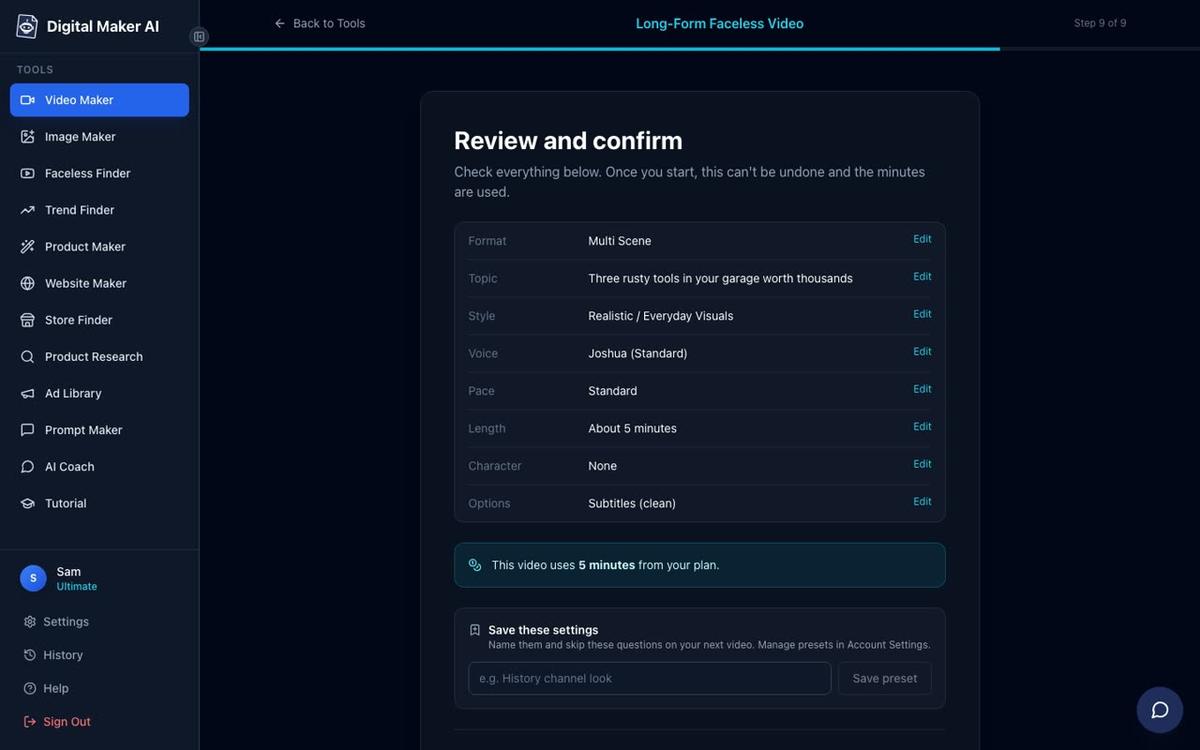
- Open the Video Maker. After signing in, press the "Video Maker" button in the left sidebar. This opens the free video screen. Select Long-Form Video and press Next at the bottom of the screen.
- Choose Multi Scene format. On the format screen, select Multi Scene Video. This gives every scene its own generated image.
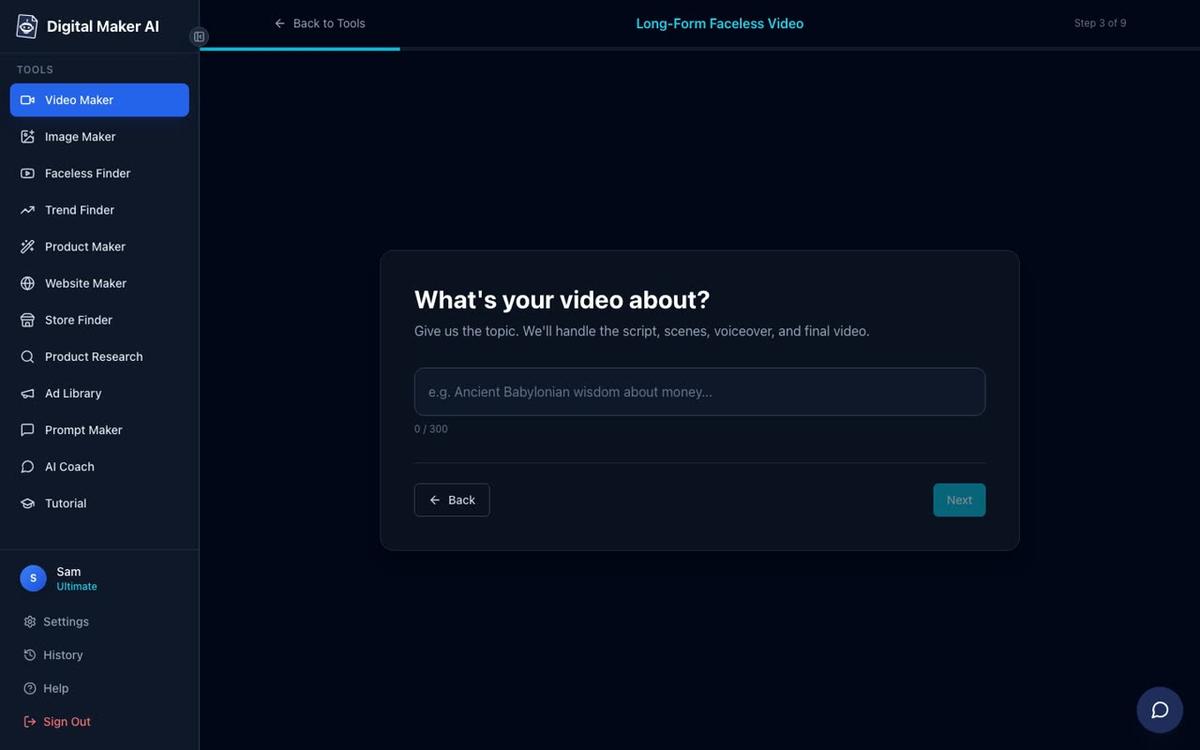
- Pick your topic. On the topic screen, type your first video idea in one line. For example: "The story of David and Goliath: how a shepherd boy defeated a giant". The AI writes the full script from that prompt. On the free plan, the library uses set topic areas including "faith", so your topic will be matched to that area for image generation.
- Choose your visual style. Select History or Ancient for a serious bible retelling, or Animated or Cartoon for a family-friendly approach. On the free plan, two styles are available: Realistic and Animated or Cartoon. The History or Ancient style and the other five styles are available on paid plans.
- Set the length. On the free plan, long-form videos go up to 8 minutes. Eight minutes is enough for a complete bible story retelling and qualifies for YouTube mid-roll ads once your channel is monetised.
- Pick a narration voice. Choose a voice that feels right for the tone of your channel. Use the same voice every time.
- Set pacing and generate. Choose Standard or Calm pacing for bible content. Press Generate Video. The platform writes the script, generates a scene image for every scene, records the narration and returns a finished MP4, usually in three to six minutes.
- Review and edit. After the video is made, you can regenerate any scene image (ten free regenerations per video), swap in your own image, or edit the narration text. There is no timeline editor; edits are scene by scene.
- Download and upload to YouTube. Download the MP4 and upload it to your YouTube channel. On paid plans (Premium and Ultimate), you can post directly to YouTube from the "Post to socials" button inside Digital Maker AI, now or on a schedule, after connecting your account once in settings.
Should you add an AI presenter to your bible channel?
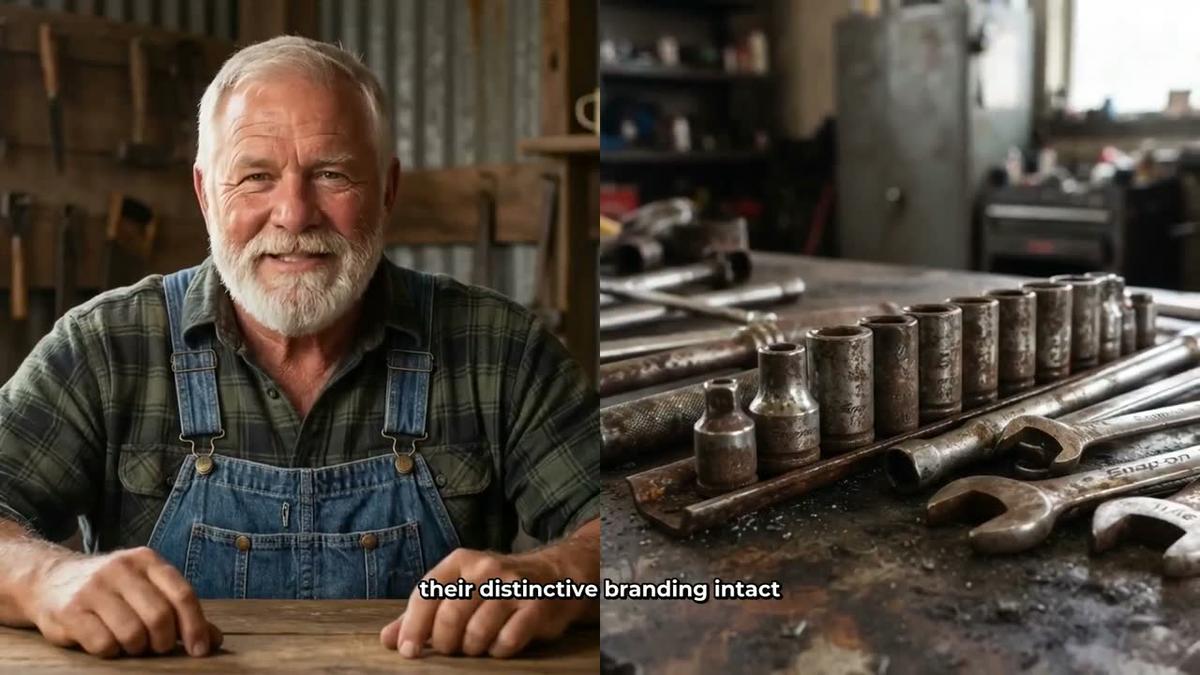
An AI presenter is a photoreal talking avatar who speaks the script on screen inside your video. You describe who the presenter is in a sentence or two, the AI creates a photoreal picture of them, and you save them for reuse across every video. You can choose Full screen (the presenter fills the frame), Split screen (presenter on the left, scene on the right) or Corner circle (scene fills the frame, presenter in a small round window). A slider controls how much of the video the presenter appears.
For a bible channel, an AI presenter adds a "host" feel without you ever being on camera. A presenter described as "a calm scholar in his fifties in a stone library with warm candlelight" immediately gives the channel a consistent visual identity. The presenter speaks the same narration voice as the rest of the video, with captions.
AI presenters are available on Premium and Ultimate plans. Avatar Packs let you add more presenter time as a one-off purchase; see digitalmaker.ai/pricing for current options. Learn more about AI presenter videos on the Digital Maker AI site.
Your first-month plan to start a bible stories YouTube channel in 2027
Here is a realistic four-week plan for someone starting from zero. It assumes you are on a paid plan with enough video minutes to publish weekly, though the free plan can cover week one.
| Week | Actions | Output |
|---|---|---|
| Week 1 | Create account, use Faceless Finder to study 5 competing channels, make your first video (David and Goliath or the story of Moses), set up YouTube channel with a banner and profile picture using Image Maker | 1 published video, channel live |
| Week 2 | Make a second long-form video on a different story, make one 60-second Short on a single verse or proverb, post both | 2 more videos published |
| Week 3 | Start a series (e.g. "The 12 Disciples"), publish episode 1 and 2, use AI Coach to generate title and description ideas for both | 2 series videos published |
| Week 4 | Review analytics, identify which video performed best, make two more videos in the same format, plan next month's content calendar | 2 more videos, content calendar ready |
By the end of month one you will have seven or eight videos live, a consistent visual identity and enough data to know which topics your audience responds to. The YouTube Partner Programme (the scheme that lets you earn ad revenue) requires 1,000 subscribers and 4,000 watch hours. With consistent uploads and strong titles, many channels in this niche reach that threshold within three to six months.
The AI Coach inside Digital Maker AI can help at every step. Open it from the left sidebar, type your channel concept, and ask it for title ideas, video hooks, descriptions and tags. Pro accounts and above get live Faceless Finder lookups inside the chat, so you can ask "show me the top bible story channels" and get real channel data without leaving the conversation. Learn more at digitalmaker.ai/ai-coach.
Common mistakes to avoid when starting a bible stories channel
- Inconsistent visual style. Switching between History or Ancient one week and Space or Sci-Fi the next confuses viewers. Pick one style and keep it for at least the first 20 videos.
- Titles that are too vague. "Bible Stories" is not a title. "The Shocking Truth About Samson and Delilah" is. Specific, curiosity-driven titles get clicks.
- Ignoring the 8-minute threshold. Videos under 8 minutes cannot carry mid-roll ads. Aim for 9 to 15 minutes per video once you are monetised.
- No upload schedule. The algorithm rewards channels that post on a predictable schedule. Two videos a week is ideal; one a week is enough to grow.
- Skipping thumbnails. Thumbnails drive clicks more than titles on a new channel. Use Digital Maker AI's Image Maker to create thumbnails with a consistent colour scheme and style for every video.
- Starting too broad. "Bible stories" is a category, not a niche. "Old Testament stories for adults" or "Bible mysteries explained" is a niche. The narrower your focus, the faster you build a loyal audience.
Frequently asked questions
Do I need any video editing skills to start a bible stories YouTube channel?
No. Digital Maker AI handles the script, scene images, narration and captions automatically. After the video is generated you can swap out individual scenes or edit narration text, but there is no timeline editor and no manual editing required. The finished MP4 is ready to upload.
Can I use the free plan to make my first bible stories video?
Yes. The free plan includes one long-form faceless video up to 8 minutes, using a library of faith-topic images. No credit card is needed. The free video carries a small Digital Maker AI watermark, which is removed if you upgrade later. Paid plans generate fresh images on any topic and remove the watermark.
How long should bible stories videos be on YouTube?
Aim for 8 to 15 minutes. Eight minutes is the minimum for YouTube mid-roll ads, which significantly increase revenue per video. Fifteen minutes gives enough time to tell a complete story with context, which improves watch time and average view duration, both key ranking signals.
Is the bible stories niche too competitive for a new channel in 2027?
It is competitive at the broad level, but sub-niches like "lesser-known Old Testament stories", "Bible mysteries" or "Proverbs for daily life" have far less competition and very loyal audiences. Use the Faceless Finder inside Digital Maker AI to identify gaps by looking at what the top channels are not covering.
Can I make bible story videos in languages other than English?
Yes, on Premium and Ultimate plans. The Multiple Languages format supports French, Spanish, Italian and German, using the Multi Scene format. This opens the channel to much larger global faith audiences with very little extra work. See how to do it in this guide on making a faceless video in another language.
What is the best visual style for children's bible stories?
The Animated or Cartoon style is the best fit for children's content. It produces illustrated, storybook-like scenes that are immediately appealing to younger viewers and their parents. For older audiences or a more serious tone, the History or Ancient style is more appropriate. You can also explore AI cartoon video options on Digital Maker AI.
The bible stories niche is one of the most rewarding places to start a faceless YouTube channel in 2027: the content is timeless, the audience is loyal and the ad revenue potential is strong. Whether you start on the free plan today or commit to a paid plan from day one, the most important thing is to publish your first video. Start at digitalmaker.ai/free-course for a step-by-step walkthrough of everything from setting up your channel to publishing your first AI-generated video.
Alex Stevens: Alex Stevens writes for the Digital Maker AI team about faceless YouTube channels, AI presenters and AI video tools.