How to Start a History Faceless YouTube Channel in 2027
By Alex Stevens
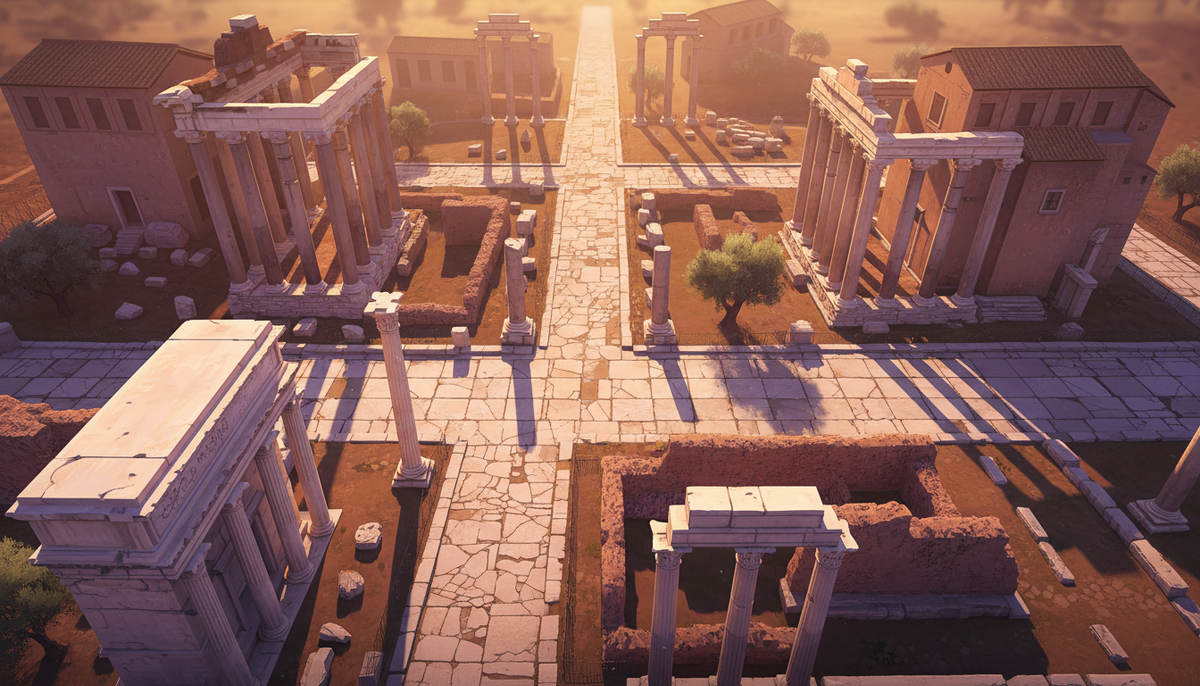
To start a history YouTube channel in 2027, you do not need a camera, a history degree or a video editing suite. Pick a specific historical sub-niche, plan ten video topics, then use an AI video tool to generate scripts, scene images, narration and captions automatically. Digital Maker AI (digitalmaker.ai) is an AI video platform for faceless YouTube videos, AI presenter videos, animated podcasts, 3D animated films and digital products, and it includes a ready-made History and Ancient visual style built for this exact niche.
Key takeaways
- A faceless history channel requires no on-camera presenter: AI narration and AI-generated scene images carry every video.
- The history niche is one of the top-earning faceless niches, with estimated ad revenue in the range of $3 to $8 per thousand views (RPM varies by sub-topic and audience location).
- Digital Maker AI's free plan lets you make one long-form faceless video up to 8 minutes at no cost, using the History or Ancient Egypt topic areas in its image library.
- The History and Ancient visual style in the Video Maker generates cinematic, aged scene images automatically matched to your script.
- A realistic first-month plan is four videos in weeks one and two, then two Shorts per week to grow reach, all made inside one tool.
Why a history faceless YouTube channel works in 2027
A faceless YouTube channel is a channel where the creator never appears on camera. AI-generated or library visuals and a voiceover carry the video. History is one of the strongest niches for this format because the content is evergreen (a video about the fall of Rome is as relevant in three years as it is today), the audience is global and well-educated, and advertisers in the books, education and travel categories pay above-average rates.
History content also has a natural script structure: setup, conflict, resolution. That maps perfectly onto a multi-scene AI video where each scene image advances the story. You do not need to invent anything. The events already happened. Your job is to find the most compelling angle and tell it clearly.
The niche splits into dozens of profitable sub-niches: ancient civilisations, forgotten empires, military history, royal scandals, lost cities, historical mysteries and true historical crime. Picking one sub-niche and owning it is far more effective than covering all of history at once.
What do real history faceless channels earn? (Faceless Finder estimates)
The Faceless Finder inside Digital Maker AI lists confirmed faceless YouTube channels by niche, showing subscriber counts, upload frequency, average video length and an estimated monthly ad revenue. The estimates are Digital Maker AI's own rough figures based on recent view counts and typical ad rates for the niche. They are not the channels' real earnings, and actual revenue depends on many factors including audience location and advertiser demand at the time.
With that caveat in mind, here is what the Faceless Finder shows for history-style channels as of November 2026:
| Channel style | Typical subscribers | Uploads per week | Avg video length | Est. monthly ad revenue |
|---|---|---|---|---|
| Ancient civilisations (faceless) | 400k to 900k | 2 to 3 | 12 to 18 min | $2,000 to $6,000 |
| Military history (faceless) | 200k to 600k | 2 to 4 | 10 to 20 min | $1,500 to $5,000 |
| Historical mysteries (faceless) | 150k to 500k | 1 to 3 | 8 to 15 min | $800 to $3,500 |
| Royal and political history (faceless) | 100k to 400k | 1 to 2 | 10 to 20 min | $600 to $2,500 |
These are estimates only. New channels will earn far less until they reach the YouTube Partner Programme threshold (currently 1,000 subscribers and 4,000 watch hours), but the ceiling for an established history channel is genuinely high compared with many other faceless niches.
How to start a history YouTube channel: step-by-step for 2027
- Choose your sub-niche. Do not start a channel called "World History." Start one called "Lost Cities of the Ancient World" or "Forgotten Battles That Changed Europe." Narrow niches grow faster because the algorithm knows exactly who to show your videos to, and viewers subscribe because they know what they are getting.
- Name your channel and set up the basics. Pick a name that says what the channel is about. Create a YouTube channel, upload a banner (Digital Maker AI's Image Maker generates channel banners), and write a channel description that includes your sub-niche keyword. You do not need a face or a logo to start.
- Plan your first ten video topics. Write ten titles before you make a single video. This forces you to think about whether your sub-niche has enough depth. Good history titles follow a pattern: "The [Event] That [Consequence]" or "Why [Civilisation] Really [Fell/Rose/Vanished]." Use the AI Coach inside Digital Maker AI to generate title ideas and check whether a topic is trending.
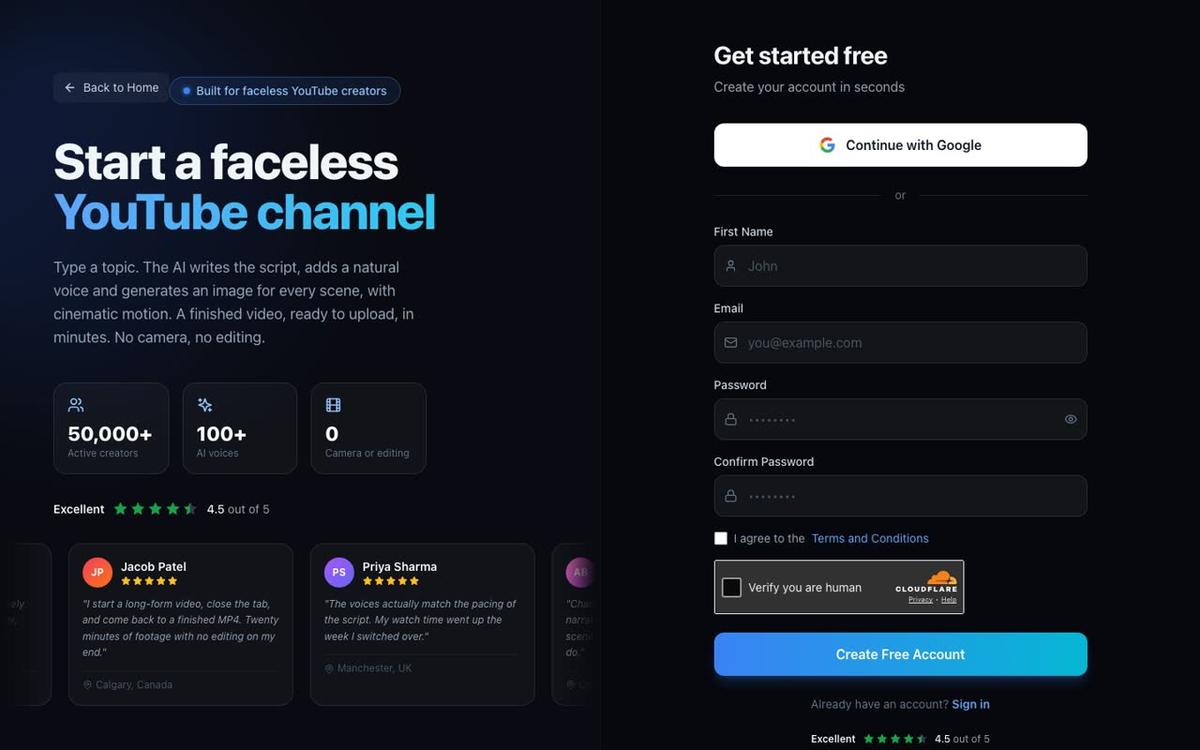
- Create your free Digital Maker AI account. Go to digitalmaker.ai/faceless and sign up. No card is needed. The free plan gives you five free videos to try the platform, including one long-form faceless video up to 8 minutes.
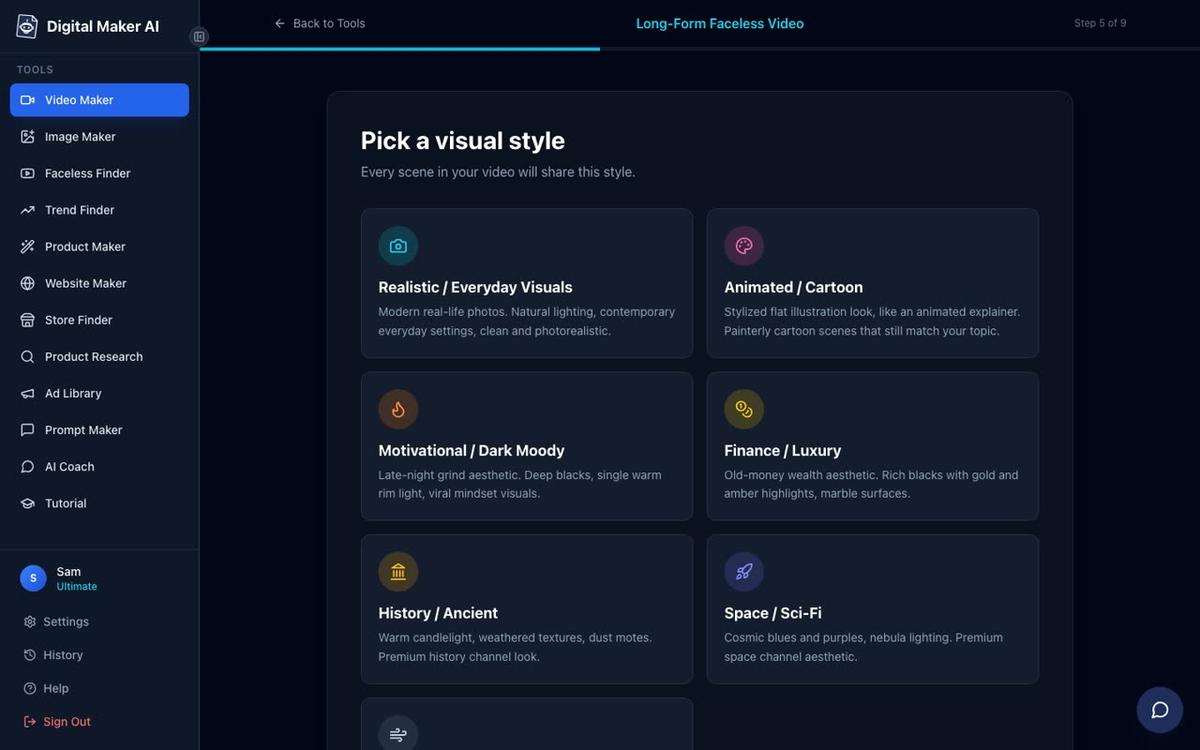
- Make your first video in the Video Maker. After signing in, press the Video Maker button in the left sidebar. This opens the free video screen. Pick Long-Form Faceless Video and press Next.
- Pick the History or Ancient visual style. In step 5 of the video maker, choose the History and Ancient style card. Every scene image in the video will be generated in a cinematic, aged look that suits historical content immediately.
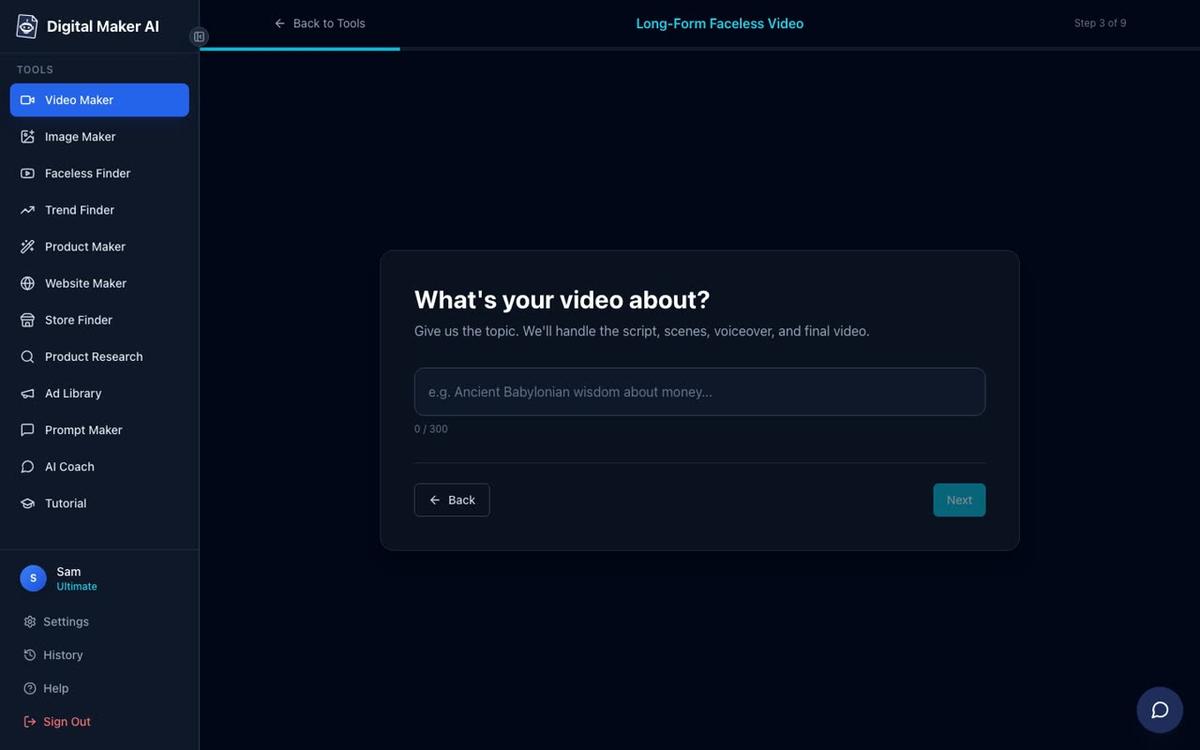
- Let the AI write the script, or paste your own. On the free plan, type your topic (for example "The last days of the Roman Empire") and the AI writes the full script. On paid plans you can paste your own researched script instead.
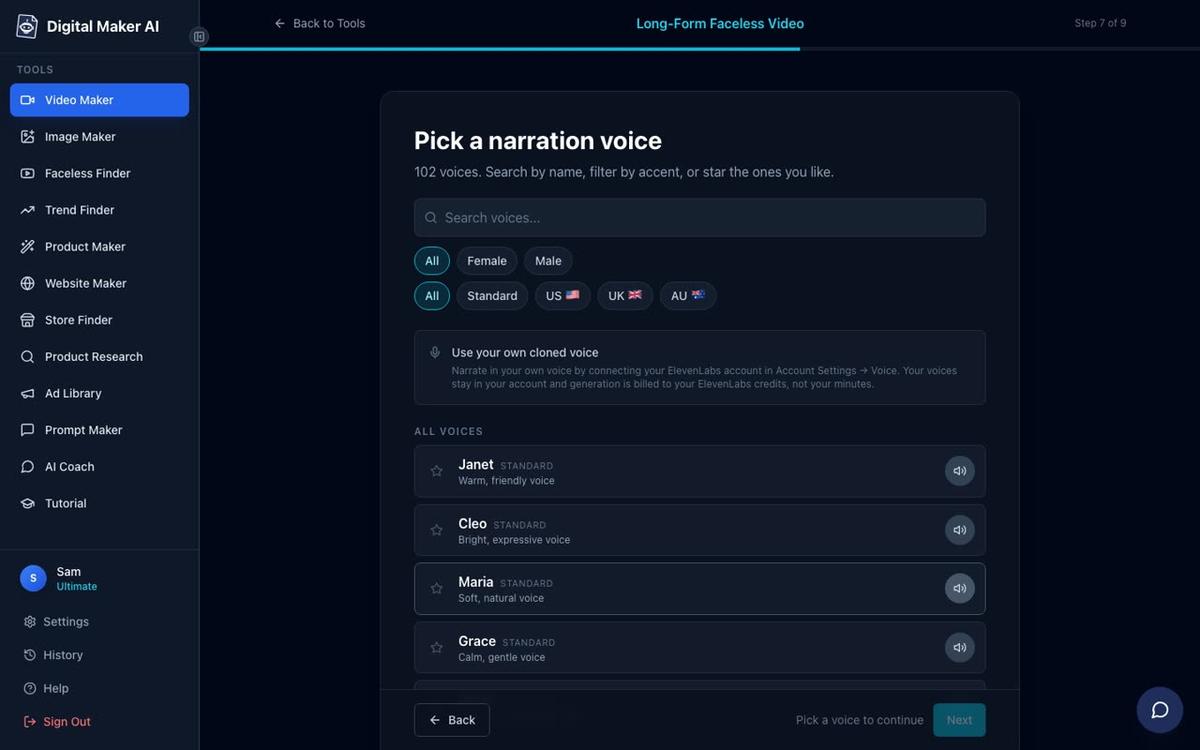
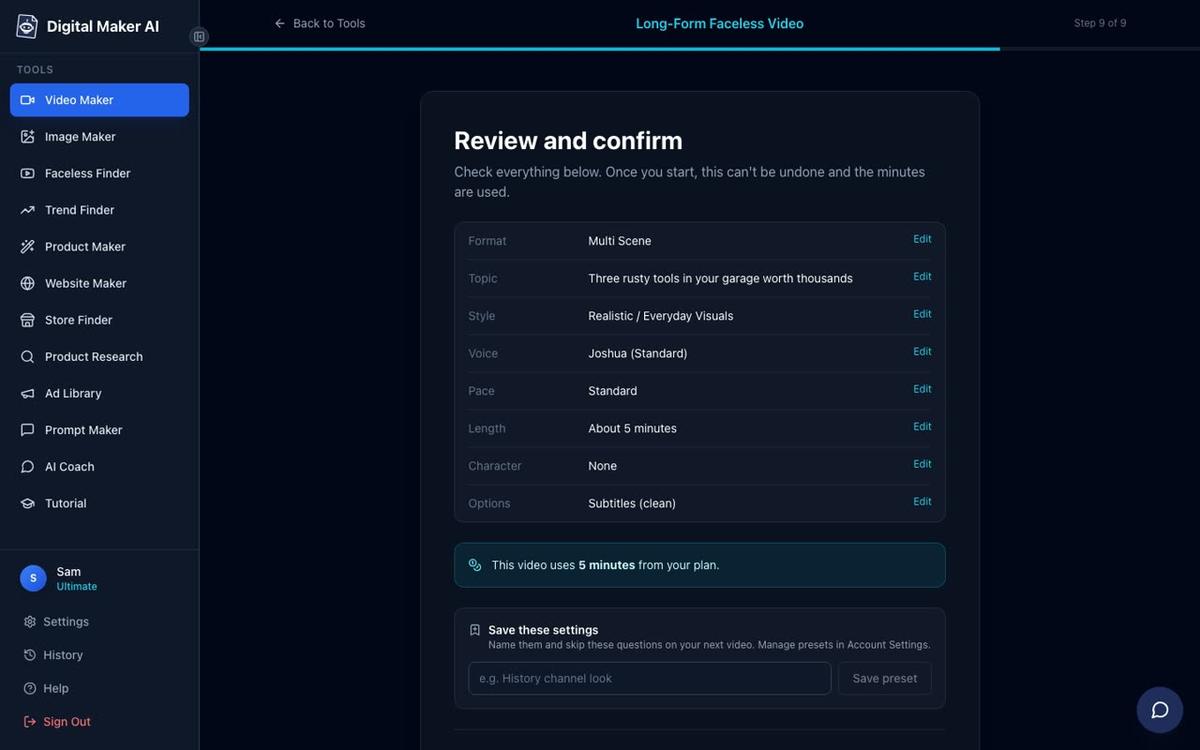
- Pick a voice, set the length and generate. Choose from more than 100 built-in narration voices. For history content, a measured UK or US male voice tends to perform well, though the choice is yours. Set the length, check the review screen, and press Generate Video. The platform writes the script, generates a unique scene image for every scene, adds narration and captions, and returns a ready-to-upload MP4.
- Upload to YouTube and write a strong description. Download the finished MP4 and upload it to YouTube. Write a description that includes your target keyword in the first two lines. Add timestamps if the video is over ten minutes long.
Which Digital Maker AI format suits a history channel best?
The main format for a history channel is the long-form faceless video. History audiences expect depth. A five to fifteen minute video gives the story room to breathe, and longer videos earn more ad revenue per view. The Multi Scene format is the right choice: it generates a fresh AI scene image for every scene, so a video about ancient Egypt gets images of pyramids, pharaohs and desert landscapes matched to each moment in the script, not a single image held for the whole video.
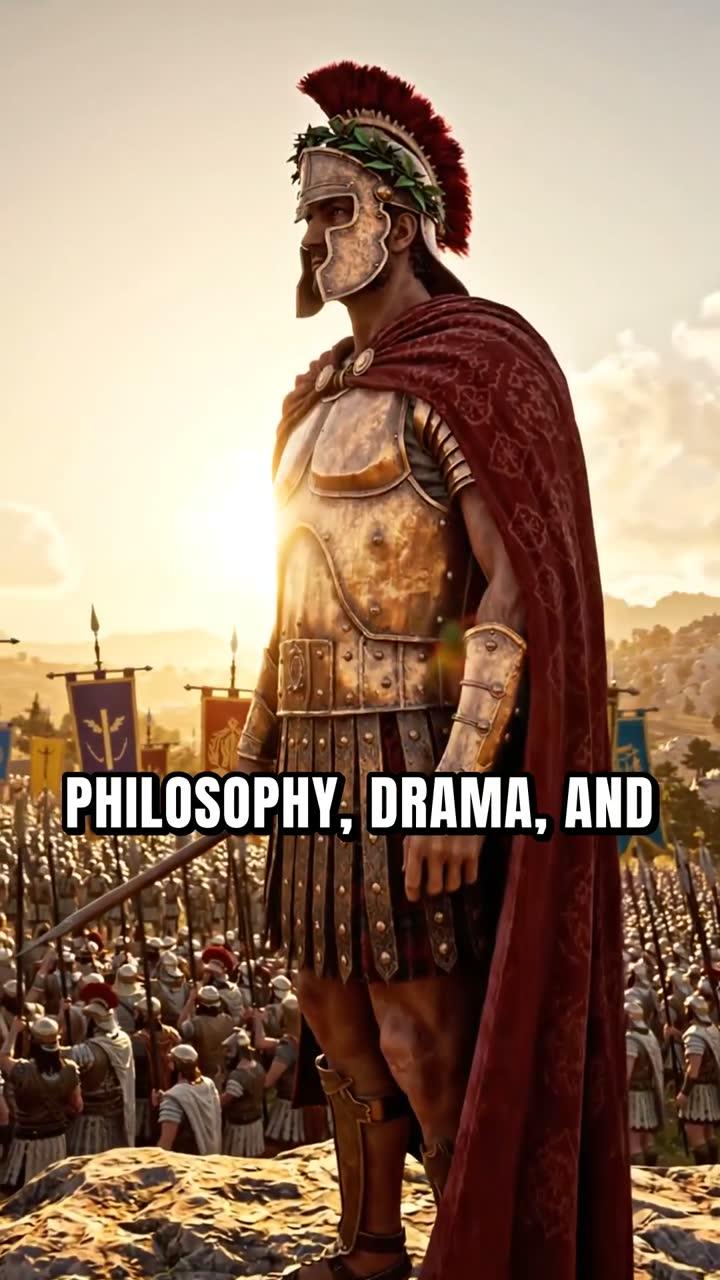
The History and Ancient visual style is one of seven styles available in the video maker. It produces images with a cinematic, antiqued look: stone textures, dramatic lighting and period-accurate details. You do not need to prompt each image individually. The AI reads the script and generates the right image for each scene automatically.
For a history channel, optional features worth considering on paid plans include:
- Slow zoom and pan motion effects on scene images, which give a documentary feel similar to the Ken Burns effect used in historical documentaries.
- Film grain look, which adds an aged, cinematic texture to every scene.
- Bold Pop or YouTube Yellow captions, which keep viewers watching on mobile where many history viewers consume content.
- Background music from the built-in library. A dramatic orchestral or ambient track under a history narration lifts the production value significantly.
- AI presenter (Premium and Ultimate plans): add a photoreal AI presenter who appears on screen for part of the video, in a full-screen, split-screen or corner-circle layout. This turns a standard faceless video into an AI presenter video, which can increase viewer trust and watch time.
20 video ideas for a history faceless channel in 2027
Here are twenty proven-format titles you can adapt to your sub-niche. Each one works as a standalone video and as part of a series:
- The Real Reason the Roman Empire Collapsed
- 5 Ancient Civilisations That Vanished Without Explanation
- What Life Was Really Like as a Roman Soldier
- The Lost City of Pompeii: What They Never Taught You in School
- Why Cleopatra Was the Most Powerful Ruler of Her Age
- The Viking Raid That Changed Medieval Europe Forever
- How the Black Death Reshaped the World in Three Years
- The Forgotten Empire That Once Ruled Half the World
- Ancient Egyptian Secrets Modern Science Is Only Now Confirming
- The Battle of Thermopylae: What Really Happened
- Why the Mongol Empire Was the Largest in Human History
- The Real Story Behind the Trojan War
- 5 Historical Mysteries That Have Never Been Solved
- The Ancient Roman Technology That Was Lost for 1,500 Years
- How Alexander the Great Built an Empire by Age 30
- The Civilisation That Invented Writing, Mathematics and Beer
- What the Ancient Greeks Actually Believed About the Afterlife
- The Medieval Plague Doctor: Truth vs Myth
- How the Silk Road Connected the Ancient World
- The Real Story of the Library of Alexandria
Each of these topics has a built-in story arc, a clear hook and broad search appeal. Type any one of them into the Digital Maker AI Video Maker as your topic and the AI will write a full script, generate matching scene images in the History and Ancient style, add narration and return a finished MP4.
Your first-month plan: how to start a history YouTube channel from zero
This plan assumes you are starting from scratch with no existing audience and using Digital Maker AI's free plan to test the format, then upgrading once you know it works for you. Check digitalmaker.ai/pricing for the current plan options as of November 2026.
| Week | Action | Output |
|---|---|---|
| Week 1 | Set up channel, make your first free video (8 min, History style), upload it | 1 long-form video live on YouTube |
| Week 1 | Use Image Maker to create a channel banner and thumbnail template | Branded channel page |
| Week 2 | Upgrade to a paid plan if you are happy with the output; make 2 more long-form videos | 3 videos total, consistent style |
| Week 3 | Make 2 long-form videos and 2 vertical Shorts from the same topics | 5 long-form, 2 Shorts |
| Week 4 | Review watch time data, double down on the best-performing topic angle; make 2 more videos | 7 long-form, 2 Shorts |
By the end of month one you will have seven long-form videos and two Shorts, a consistent visual style, and real data on which topics your audience responds to. Most history channels that grow quickly post two to three times a week and stay tightly focused on one sub-niche for the first six months.
Adding Shorts to grow your history channel faster
YouTube Shorts are one of the fastest ways to grow a new channel. A 30 to 60 second vertical clip on a history fact or cliffhanger can reach hundreds of thousands of people who would never find a long-form video. The good news is that you can make a Short from the same topic as a long-form video in a few minutes.
In the Video Maker, pick Short-Form Video, choose Multi Scene Short, set the length to 30 or 60 seconds and type a punchy one-line topic such as "The one mistake that ended the Roman Empire." The platform generates a vertical 9:16 clip with bold captions and narration. Learn more about making faceless YouTube Shorts with AI if you want to build a Shorts strategy alongside your main channel.
Common mistakes to avoid when starting a history channel
- Covering too broad a topic. "World History" is not a niche. "The Roman Empire" is better. "Forgotten Roman Emperors" is better still. The narrower the niche, the faster the algorithm learns who to show your videos to.
- Skipping the hook. The first 30 seconds of a history video must give the viewer a reason to stay. Start with the most surprising fact or the highest-stakes moment, not with background context.
- Inconsistent upload schedule. YouTube rewards channels that upload regularly. Two videos a week on a consistent day outperforms five videos one week and none the next.
- Ignoring thumbnails. A history video competes with polished channels that have been running for years. A strong thumbnail with a clear image and minimal text makes a significant difference to click-through rate. Use the Image Maker in Digital Maker AI to generate thumbnails in a consistent style.
- Giving up after five videos. Most history channels see slow growth for the first three to four months. The channels that succeed are the ones that treat the first twenty videos as practice and keep publishing.
For a broader look at how to build a faceless channel from scratch, the guide on the best way to start YouTube automation for beginners in 2027 covers the full setup process across all niches.
Frequently asked questions
Do I need to be a historian to start a history YouTube channel?
No. Most successful history channels are run by enthusiasts, not academics. You do need to fact-check your scripts carefully, cite credible sources in your video descriptions, and correct any errors quickly. The AI writes a starting script, but you should review it before publishing.
How long does it take to make a history video with AI?
In Digital Maker AI, a 10-minute history video takes roughly 5 to 10 minutes to set up (topic, style, voice, length) and 3 to 8 minutes to generate. The finished MP4 is ready to upload without any editing. Total time from idea to upload is typically under 30 minutes.
Can I use the videos commercially, including for monetisation?
Yes. Commercial usage rights are included on every Digital Maker AI plan, including the free plan. You can upload the videos to YouTube, monetise them through the YouTube Partner Programme and keep the revenue.
What is the best video length for a history YouTube channel?
Videos between 10 and 20 minutes tend to perform best for history content. They are long enough to earn meaningful ad revenue per view, short enough to hold attention, and they qualify for mid-roll ads once your channel is monetised. Shorts (under 60 seconds) work well for growth alongside the main long-form content.
Can I add an AI presenter to my history videos?
Yes, on Premium and Ultimate plans. You create a presenter in Account Settings, describe who they are in a sentence or two, and the AI generates a photoreal image of them. In the Video Maker you choose how much of the video they appear on screen and which layout to use: full screen, split screen or corner circle. See the AI presenter video page for more detail.
How do I get my history videos in front of more people?
Focus on search-optimised titles and descriptions for long-form videos, and use Shorts to reach new viewers through the Shorts feed. Posting consistently, responding to comments in the first hour after publishing, and building playlists around your sub-niche all help the algorithm surface your content to the right audience.
The fastest way to go from idea to published history video is to start with the free plan, make your first video today and see what the output looks like for your niche. The free faceless YouTube channel course at digitalmaker.ai walks through the full process from channel setup to first upload, including how to use the Video Maker, the Faceless Finder and the AI Coach to build a channel that grows.
Alex Stevens: Alex Stevens writes for the Digital Maker AI team about faceless YouTube channels, AI presenters and AI video tools.