How to Use Hermes Agent to Run a Faceless YouTube Channel in 2027
By Alex Stevens
You can run a hermes agent faceless YouTube channel end to end in 2027 by connecting Hermes Agent to Digital Maker AI (digitalmaker.ai), an AI video platform for faceless YouTube videos, AI presenter videos, animated podcasts, 3D animated films and digital products. Once connected, you type a request in the Hermes chat and Digital Maker AI makes the video on your own account, using your own minutes, and drops it in your library. Setup takes about two minutes.
Key takeaways
- Connecting Hermes Agent to Digital Maker AI takes one key from Account Settings and one message sent to Hermes, with an optional
/reload-mcpcommand if needed. - Making any video through Hermes Agent (long form, Shorts, whiteboard, AI presenter, animated podcast, 3D film) needs a Premium or Ultimate plan on Digital Maker AI.
- Pro plan users can request thumbnails, character creation and channel research through Hermes Agent, but not videos.
- Every video uses your normal Digital Maker AI video minutes, and Digital Maker AI emails you when a long video is ready, then sends a link back in the chat.
- Because Hermes Agent runs on Telegram, you can ask for a new faceless video from your phone, anywhere.
What does connecting Hermes Agent to Digital Maker AI actually mean?
Hermes Agent is an AI agent that runs on its own server and is accessible through a web dashboard or Telegram. It supports MCP (Model Context Protocol), a standard that lets an AI agent plug into external tools and use them as if they were built in. When you connect Digital Maker AI as an MCP server, Hermes gains the full set of Digital Maker AI tools: making videos, generating thumbnails, researching channels, posting to YouTube and more.
The important thing to understand is that the connection does not create a separate account or a separate pool of minutes. Every video Hermes makes is made on your Digital Maker AI account, uses your monthly video minutes, and appears in your library. Hermes is simply a smarter way to ask for things. You describe what you want in plain language and Hermes handles the options, confirms the cost in minutes before it starts, and returns the finished video link when it is done. Nothing is posted automatically: posting to YouTube, TikTok or Instagram only happens when you tell Hermes to post and confirm it.
Because Hermes runs on Telegram as well as its web dashboard, this setup also means you can commission a new faceless video from your phone while you are away from your desk. That is a genuine advantage for solo creators running a channel alongside a day job.
How to set up the hermes agent faceless YouTube channel connection
The full setup lives on the API tab in Digital Maker AI Account Settings. Open Account Settings from Settings at the bottom of the left sidebar, never from a top right menu.
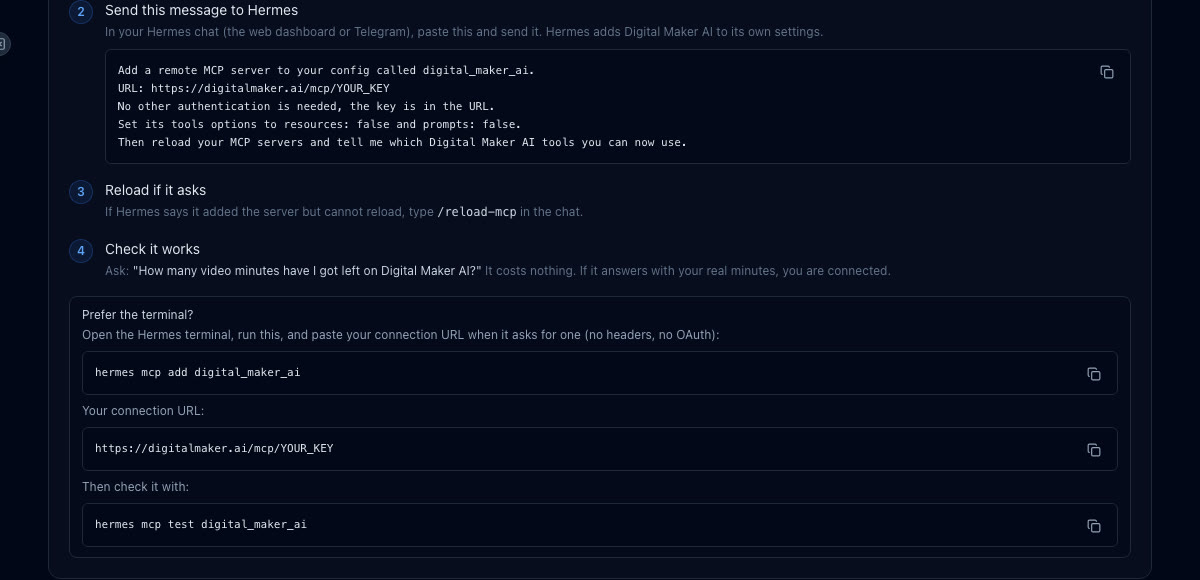
- Create your key. In Digital Maker AI, open Account Settings and click the API tab. Under "What are you connecting?" choose Hermes Agent and click Create key. The screen fills in a ready-made connection URL in the format
digitalmaker.ai/mcp/YOUR_KEYand a ready-made message to send to Hermes. - Send the message to Hermes. Open the Hermes chat (web dashboard or Telegram), paste the ready-made message from that screen and send it. The message tells Hermes to add a remote MCP server called
digital_maker_aiusing that URL, with no extra authentication, and then reload and list the available tools. - Fix a reload error if it appears. If Hermes says it added the server but cannot reload, type
/reload-mcpin the chat and send it. That forces it to pick up the new server. - Test the connection. Ask Hermes: "How many video minutes have I got left on Digital Maker AI?" This costs nothing. A real answer with a number confirms the connection is live.
If you prefer the terminal, run hermes mcp add digital_maker_ai, paste the URL when prompted (no headers, no OAuth needed), and then run hermes mcp test digital_maker_ai to confirm.
For a full walkthrough and the setup page, visit digitalmaker.ai/hermes.
What can each plan do through Hermes Agent?
Plan access through Hermes Agent works like this: making any video (long form, Shorts, whiteboard, cartoon, AI presenter, animated podcast or 3D film) needs Premium or Ultimate. Pro users can request thumbnails and images, create characters (using them inside videos needs Premium), and run channel and trend research. Free accounts can check the account status and save to Google Drive only; the five free videos and the Faceless Finder are used on the website, not through the agent. Maximum video length through the agent is 30 minutes on Premium and 60 minutes on Ultimate.
| Task in Hermes Agent | Free | Pro | Premium | Ultimate |
|---|---|---|---|---|
| Check minutes remaining | Yes | Yes | Yes | Yes |
| Save to Google Drive | Yes | Yes | Yes | Yes |
| Thumbnails and images | No | Yes | Yes | Yes |
| Create a recurring character | No | Yes | Yes | Yes |
| Channel and trend research | No | Yes | Yes | Yes |
| Make any video or podcast | No | No | Yes (up to 30 min) | Yes (up to 60 min) |
| Post to YouTube, TikTok, Instagram | No | No | Yes | Yes |
See the full plan details at digitalmaker.ai/pricing.
How to make a faceless long form video through Hermes Agent in 2027
A faceless YouTube channel is a channel where the creator never appears on camera; AI visuals and a voiceover carry the video. Long form faceless videos are the core of Digital Maker AI's long form video maker: the platform writes the script, generates a unique still image for every scene, adds AI narration and captions, and returns a ready-to-upload MP4.
To request one through Hermes, try something like:
"Make me a 10 minute faceless YouTube video about the fall of the Roman Empire, in the History or Ancient visual style, with a male UK narrator, YouTube Yellow captions and background music."
Hermes will show you a card with what it plans to make, the length, style, voice, captions, music and the minute cost. Nothing starts until you confirm. The video takes a few minutes to build; Digital Maker AI emails you when it is ready, and Hermes returns the link in the chat. The finished video appears in your Digital Maker AI library.

How to make a whiteboard animation through Hermes Agent
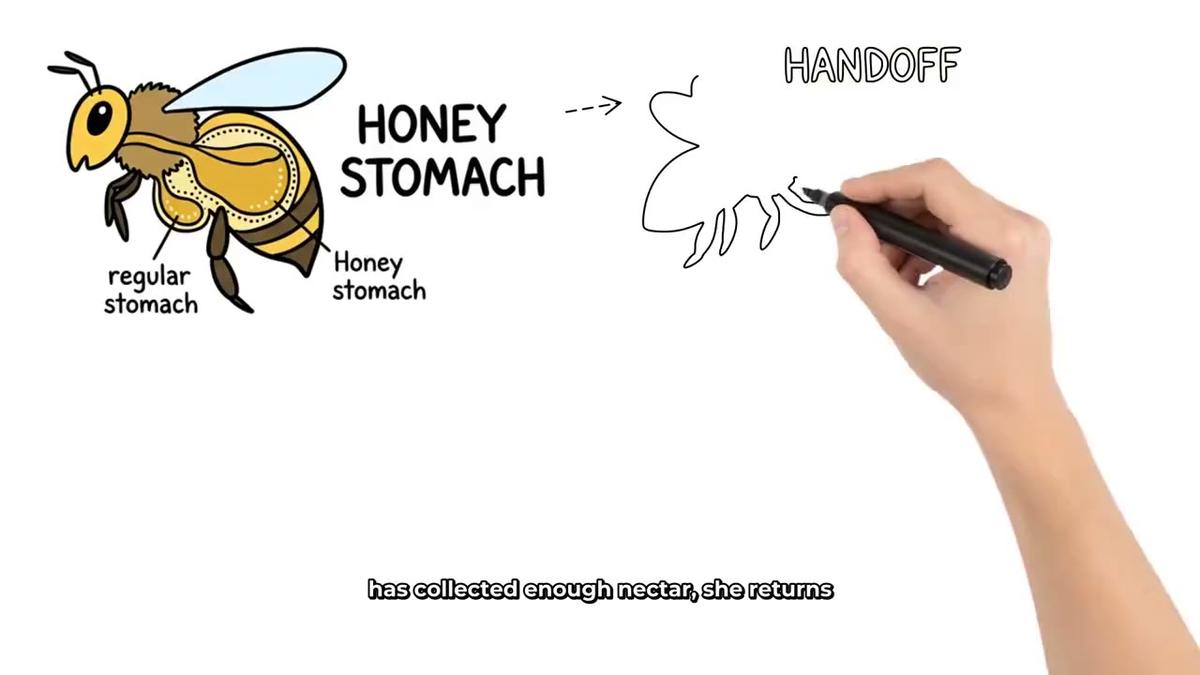
Whiteboard animation is a format where marker sketches appear line by line on screen as the narration plays. It works well for educational channels, explainer content and how-to niches. You can request one like this:
"Make a whiteboard animation about how the immune system works, 12 minutes long, with a light on-screen hand, Story Boards style, female US narrator and Bold Pop captions."
Hermes confirms the plan and minute cost before starting. Whiteboard is available on Premium and Ultimate through the agent, up to 30 minutes on Premium and 60 on Ultimate. There is no recurring character or AI presenter on whiteboard videos. See more about the whiteboard animation format on the Digital Maker AI site.
How to add an AI presenter to your faceless channel through Hermes Agent
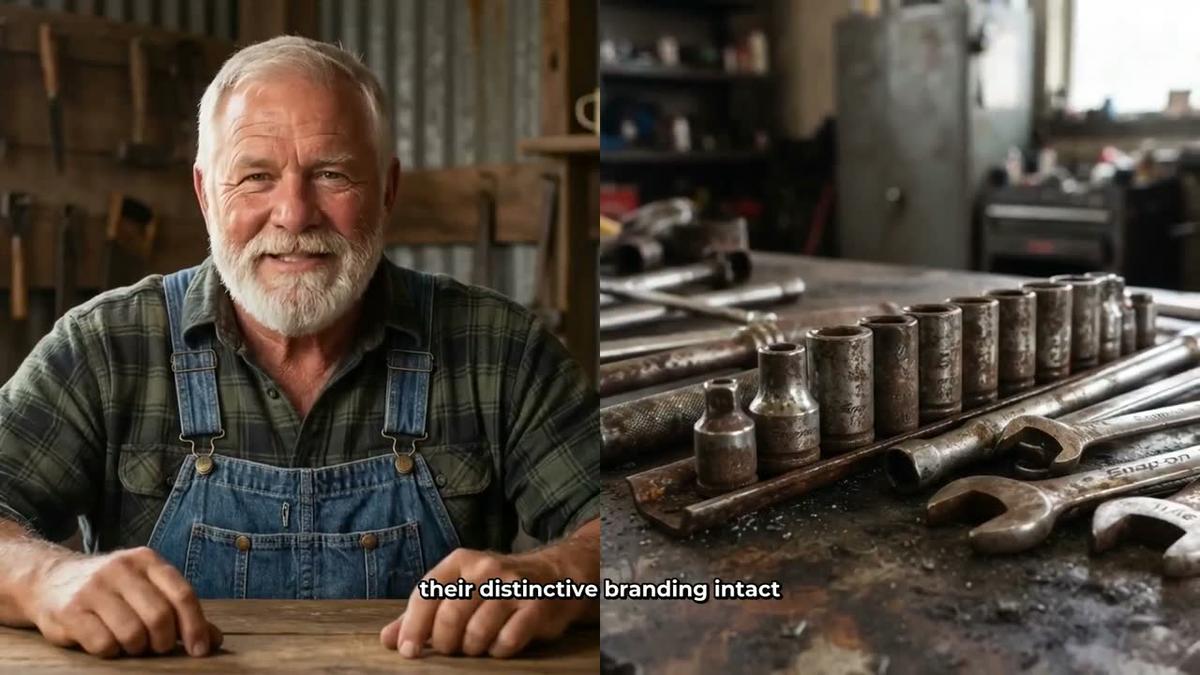
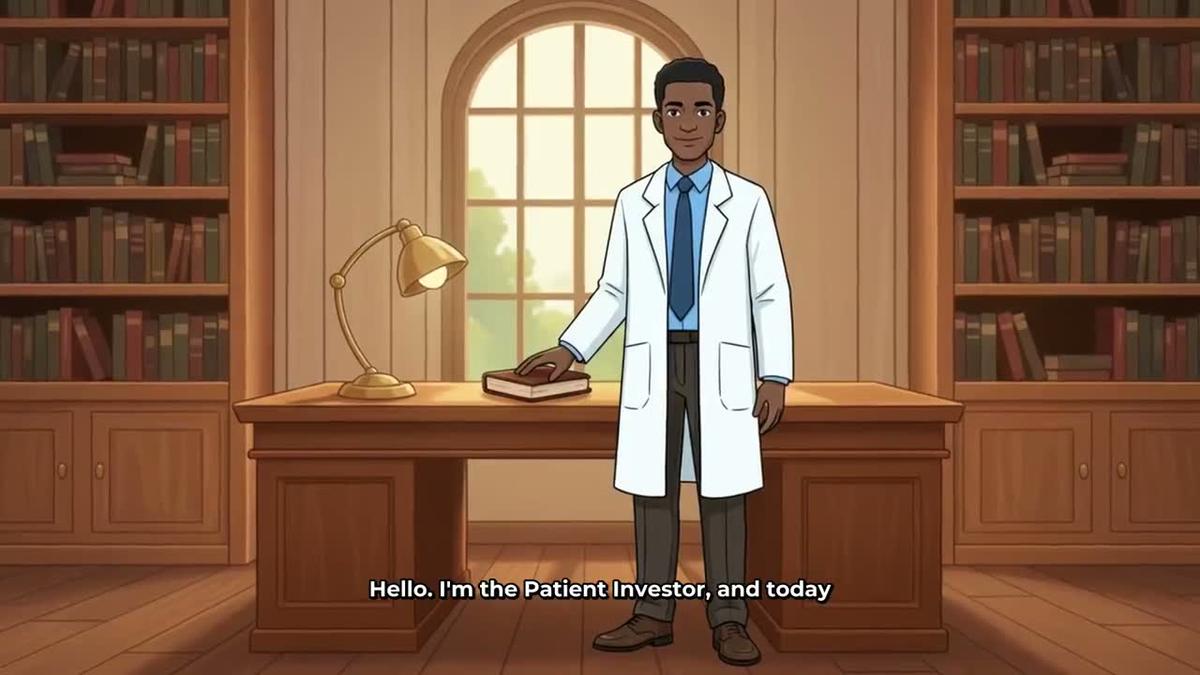
AI presenter videos put a photoreal talking avatar on screen alongside your scene images. This is fully launched on Digital Maker AI as of November 2026 and available on Premium and Ultimate. You can create a presenter through Hermes Agent by describing the person and their setting in a sentence or two, and the platform generates a photoreal image of them. Once saved, you can reuse that presenter across every video.
To request a video with a presenter:
"Make a 7 minute video about investing for beginners using my saved presenter Marcus, with Split screen layout for the first half and Corner circle for the rest, Finance or Luxury visual style, Clean captions."
The presenter speaks the same narration as the rest of the video. Presenter time is counted in avatar seconds, separate from your video minutes. Avatar Packs add more avatar time and you can find the details at digitalmaker.ai/pricing. Learn more about the AI presenter video format on Digital Maker AI.
How to build a recurring cartoon character series through Hermes Agent
A recurring character is a consistent illustrated figure who appears in the scenes of every video, giving your channel a recognisable personality. You can create one through Hermes Agent by describing the character, and Digital Maker AI saves it so the same character appears across future videos. This needs Premium or Ultimate to use in videos.
Example request:
"Create a recurring character called Professor Orion: an elderly astronomer with a white beard, round glasses and a navy cardigan, standing in an observatory. Then make an 8 minute video about black holes in the Space or Sci Fi style with him in every scene."
The recurring character format is one of the most effective ways to build channel identity without showing your face. Up to 10 characters can be saved on Premium and Ultimate.
How to make a 3D animated film through Hermes Agent
3D animated films are a fully launched format on Digital Maker AI, live since late October 2026. Every shot is a moving 3D clip, making these genuinely different from the standard Multi Scene still-image format. They are paid with 3D minutes, not your regular video minutes. You can choose from 233 public-domain library stories (fairy tales, fables, myths, Bible stories, classic adventures and more) or write your own plot.
To request one through Hermes:
"Make a 3D animated film of the story of Andromeda and Perseus, Kids adventure look, a female Storyteller narrator, Bold Pop captions and orchestral music."
Hermes shows you the cast and options before starting. Ultimate includes 2 free 3D minutes a month; Pro films up to 10 minutes and Premium and Ultimate up to 30 minutes. For 3D Pack pricing, see the 3D animated film page.
How to make an animated podcast through Hermes Agent
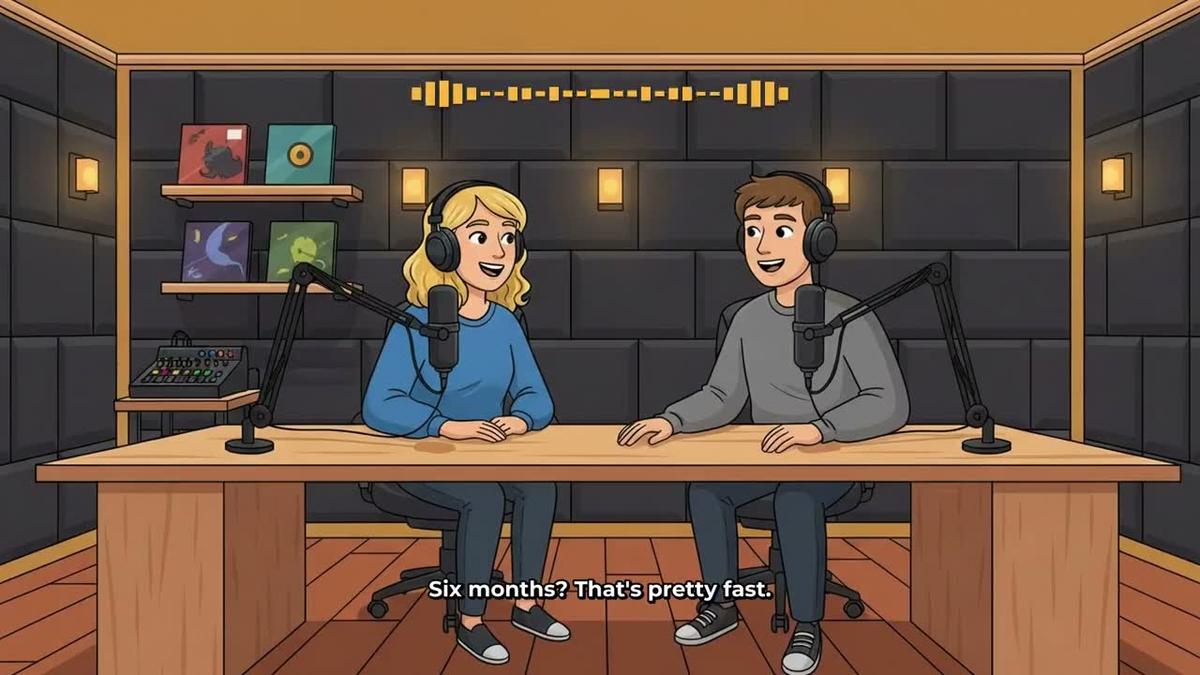
An animated podcast puts two AI hosts in an animated studio scene, talking through a topic in two different voices with captions and animated sound bars. Shows are saved so every new episode reuses the same hosts, voices and studio automatically.
Example request:
"Make a new episode of my Psychology Unlocked podcast, 20 minutes long, topic: why humans are terrible at predicting their own happiness, conversational tone."
Long episodes are written and recorded in sections, so a 30 to 60 minute episode can take 45 to 90 minutes to build. Digital Maker AI emails you when it is ready. Animated podcasts are available on Premium and Ultimate through the agent; Pro does not include them.
How to make YouTube Shorts through Hermes Agent
Shorts are vertical 9:16 videos of 15, 30, 45 or 60 seconds, with a new scene image every few seconds, narration and bold captions. Each Short costs a flat one minute from your pool, regardless of length. They are a fast way to build a second content stream on your channel or to repurpose a topic from a longer video.
Example request:
"Make a 30 second Short about the deepest point in the ocean, Animated or Cartoon style, bold captions."
Learn more about the Shorts format on Digital Maker AI. Shorts need Premium or Ultimate when requested through Hermes Agent.
How to research channels, make thumbnails and post through Hermes Agent
Running a hermes agent faceless YouTube channel is not only about making videos. The research and publishing side matters just as much, and Hermes can handle both.
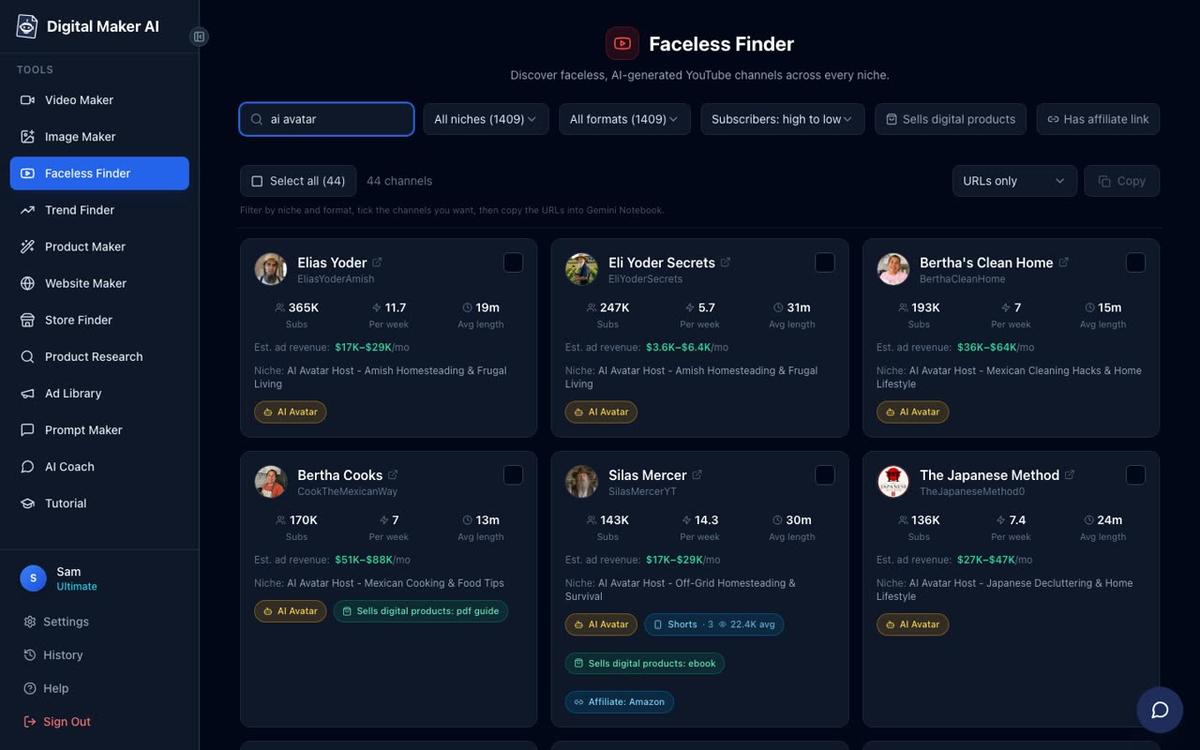
Channel research (Pro and above): Ask Hermes to run a Faceless Finder lookup for your niche. It returns real channels with subscriber counts, uploads per week, average video length and estimated monthly ad revenue. You can also ask it to filter by AI avatar channels specifically. This is useful for spotting gaps before you commit to a niche.
"Search the Faceless Finder for faceless channels in the psychology niche and show me the top results by estimated revenue."
Thumbnails (Pro and above): Ask Hermes to generate a YouTube thumbnail for a specific video title and niche. Digital Maker AI's Image Maker handles this and returns the image to your library.
"Make a YouTube thumbnail for a video called 'The Roman Empire's Darkest Secret', History or Ancient style, no text in the image."
Posting (Premium and Ultimate): Once a video is in your library, ask Hermes to post it. You must confirm before anything goes live. Posts are labelled as AI generated.
"Post my latest Roman Empire video to YouTube now with the title 'The Roman Empire's Darkest Secret', description 'A deep dive into the events that shook Rome', and the tags history, Rome, ancient history."
For more on auto-publishing from Digital Maker AI, see the video posting page.
Tips for running your 2027 faceless channel through Hermes Agent
- Batch your requests. Because Hermes can be accessed from Telegram, you can queue up several video requests on a Sunday evening from your phone and come back to a full week of content in your library by Monday morning.
- Always check the confirmation card. Hermes shows you exactly what it will make and how many minutes it will cost before it starts. Read it before pressing confirm, especially for long videos close to your monthly limit.
- Use channel research before picking a niche. Ask Hermes to pull Faceless Finder data for three or four niches before you commit. Estimated revenue figures are rough guides, not guarantees, but they help you compare niches quickly.
- Keep a saved presenter for your main format. If you plan to use AI presenter videos, create your presenter once in Account Settings and reuse it across every video. Hermes can reference it by name in future requests.
- Track your minutes. Ask Hermes "How many video minutes have I got left?" at any point. It costs nothing and helps you plan the rest of the month.
- Combine formats. Run a long form faceless video as your main upload, a Short from the same topic as a teaser, and an animated podcast episode as a companion piece. Three pieces of content from one research session.
If you also use Claude or ChatGPT, the same Digital Maker AI tools are available there. See how to use Claude to make faceless YouTube videos or compare the approaches in the Hermes Agent cartoon YouTube series guide.
Frequently asked questions
Does Hermes Agent use my Digital Maker AI minutes when it makes a video?
Yes. Every video Hermes makes is built on your Digital Maker AI account and uses your normal monthly video minutes. Hermes always shows you the minute cost before starting and nothing is deducted until you confirm. Minutes are not refunded once a video is made.
Can I use Hermes Agent on a free Digital Maker AI account?
Free accounts can connect Hermes Agent and use it to check their account status and save files to Google Drive. Making videos, Shorts, podcasts or thumbnails through Hermes requires a paid plan: videos and podcasts need Premium or Ultimate, thumbnails and channel research need Pro or above.
Can I post directly to YouTube from Hermes Agent?
Yes, on Premium and Ultimate. Connect your YouTube account once in Account Settings, then ask Hermes to post a finished video. Hermes shows a confirmation before posting. Nothing goes live automatically, and posts are labelled as AI generated.
Is the Hermes Agent connection secure?
The connection uses a unique key you create in your Digital Maker AI Account Settings. The key is tied to your account. You can revoke or regenerate it from the API tab at any time.
Can Hermes Agent make a video in French, Spanish or German?
Yes, if you are on Premium or Ultimate. The Multiple Languages format (French, Spanish, Italian, German) is available on Multi Scene long form videos. Ask Hermes to make the video in your chosen language and it will use that format, up to 10 minutes on Premium and 15 minutes on Ultimate in those languages.
How long does it take for a video to be ready after I ask Hermes Agent?
Short videos of a few minutes are typically ready in a few minutes. Longer videos and animated podcasts take more time: a 30 to 60 minute podcast can take 45 to 90 minutes to build. Digital Maker AI sends you an email when the video is ready, and Hermes returns the link in the chat.
The fastest way to get started is to sign up for a free Digital Maker AI account and explore the platform before connecting Hermes. You can build your first faceless video in the Video Maker, get a feel for the formats and visual styles, and then connect Hermes Agent when you are ready to run the whole workflow from chat. Head to the free course for a step-by-step walkthrough of building a faceless channel from scratch with AI.
Alex Stevens: Alex Stevens writes for the Digital Maker AI team about faceless YouTube channels, AI presenters and AI video tools.