How to Make a Cartoon YouTube Series With Hermes Agent
By Alex Stevens
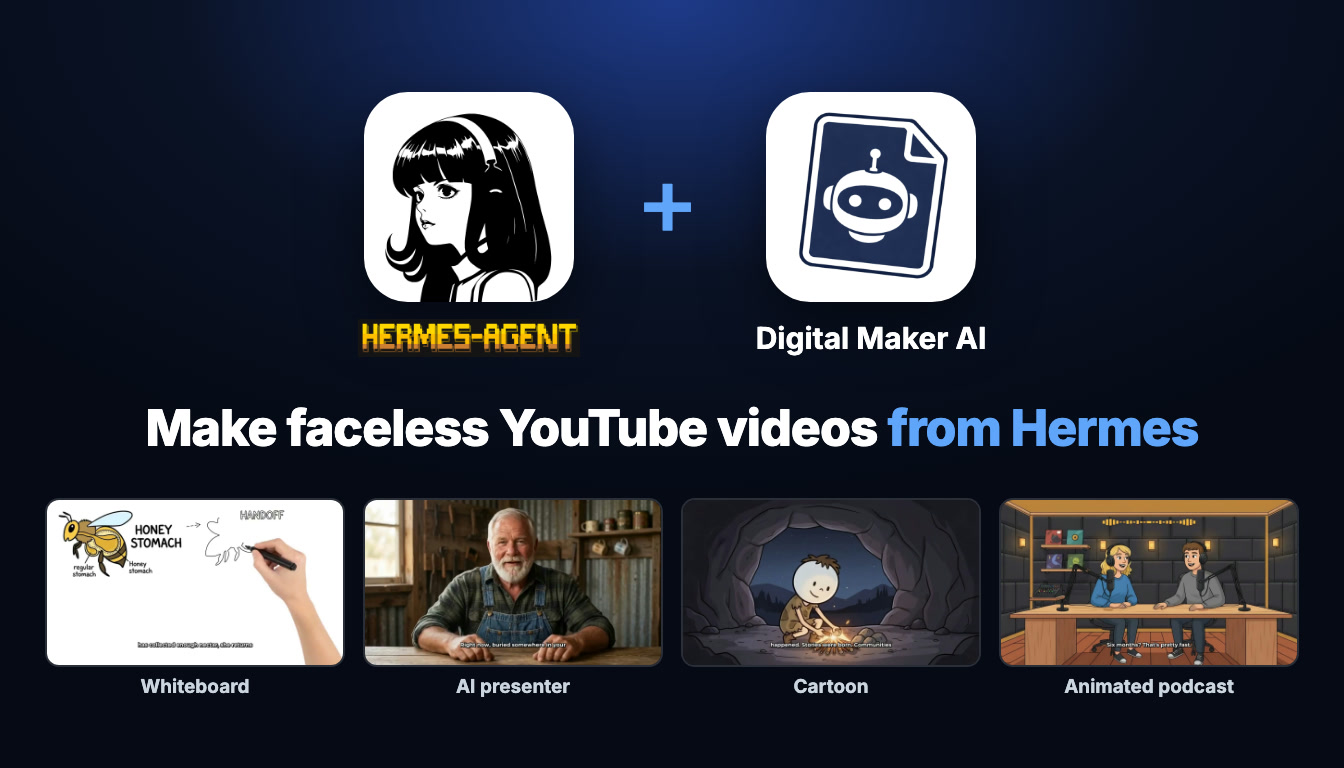
What You Will Be Able to Do
By the end of this guide you will know how to connect Digital Maker AI to Hermes Agent, build a recurring cartoon character who appears in every episode of your series, and produce a complete multi-episode hermes agent cartoon youtube videos workflow, all from a chat window or your phone. You will also know how to research cartoon channels, generate a thumbnail and post a finished episode straight to YouTube without touching the Video Maker dashboard.
What "Connecting" Actually Means
Hermes Agent is an AI agent platform that supports remote MCP (Model Context Protocol) servers. Connecting it to Digital Maker AI means Hermes gets access to all of Digital Maker AI's production tools through that protocol: the video maker, the image maker, the Faceless Finder, posting to socials and more. Nothing is processed on Hermes's own servers. Every video is made on your own Digital Maker AI account, uses your own plan's monthly video minutes, and is saved to your Digital Maker AI library. Hermes is simply the chat interface you use to give the instructions.
This matters for a cartoon series because it means your recurring character, your saved videos and your posting history all live in one place: your Digital Maker AI account. You can switch between the dashboard and Hermes at any time without losing anything.
Because Hermes can run over Telegram, you can also ask for a new episode from your phone while you are away from your desk, and Digital Maker AI will email you when it is ready.
Setting Up Hermes Agent With Digital Maker AI
The setup takes about two minutes. Open Digital Maker AI, then open Account Settings from the Settings link at the bottom of the left sidebar. Click the API tab. Under "What are you connecting?" choose Hermes Agent and click Create key. The page fills in a connection URL in the format digitalmaker.ai/mcp/YOUR_KEY and generates a ready-made message for you to send to Hermes.
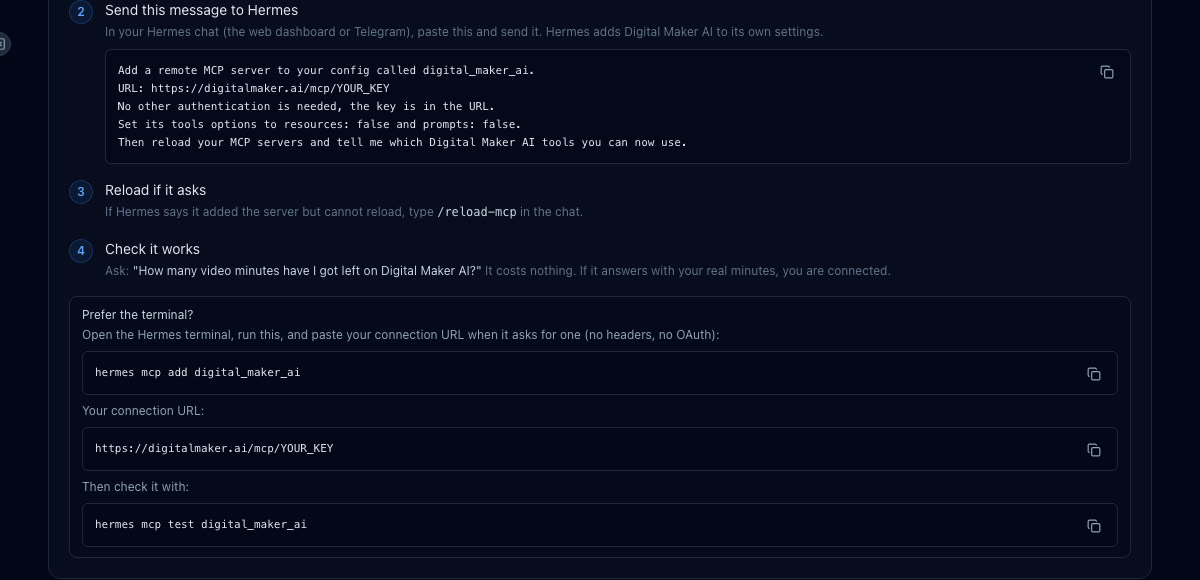
Now go to your Hermes chat, whether that is the web dashboard or the Telegram bot. Paste the ready-made message and send it. It tells Hermes to add a remote MCP server called digital_maker_ai using that URL, with no extra authentication needed. Hermes adds it to its own config and reloads its tools. If Hermes tells you it added the server but cannot reload, type /reload-mcp in the chat and send it.
To confirm everything is working, ask Hermes: "How many video minutes have I got left on Digital Maker AI?" This costs nothing and a real answer back means the connection is live. You are ready to make videos.
If you prefer the terminal, you can also run hermes mcp add digital_maker_ai, paste the URL when asked, choose no headers and no OAuth, then run hermes mcp test digital_maker_ai to confirm it.
A quick note on plans: making any video through Hermes, including cartoon videos, Shorts, whiteboard videos, AI presenter videos and animated podcasts, needs a Premium or Ultimate plan. Pro gets thumbnails, character images and channel research through the connector. Free accounts can check their account details and save to Google Drive through Hermes, but the five free videos are used on the website. You can see all plan options at digitalmaker.ai/pricing.
Understanding the Animated or Cartoon Style
Before diving into the series workflow, it is worth being clear about what the Animated or Cartoon visual style actually produces. It creates illustrated, cartoon-looking still scenes, one unique image per scene, each held on screen while the narration plays. This is not moving cartoon animation in the traditional sense. Think of it as a beautifully illustrated storybook brought to life with narration, optional slow zoom or pan motion effects, and captions burned into the lower third. The result looks like a high-quality illustrated YouTube video, which is exactly the style that works well for educational and storytelling channels.
If you want real moving footage in specific scenes, the animated scenes add-on can turn chosen still scenes into short AI-generated moving clips after your video is made. Premium includes five animated scenes a month and Ultimate includes ten, with packs available if you need more. This is the only way to add genuine motion to a long-form cartoon video.
Building a Recurring Character for Your Cartoon Series
A recurring character is what turns a collection of individual videos into a real series. Viewers recognise the same illustrated figure in every episode, which builds familiarity and encourages them to subscribe. On Premium and Ultimate you can save up to ten characters to your account and reuse them across every video you make.
To create a character, ask Hermes something like: "Create a cartoon character called the Patient Investor: a cheerful man in his forties in a white coat, standing in a warm library full of books and charts, Animated style." Hermes will use Digital Maker AI's Image Maker to draw the character, show you the result and ask you to confirm before saving it. Once saved, you can call it by name in every future video request and the same illustrated figure will be drawn into the scenes.
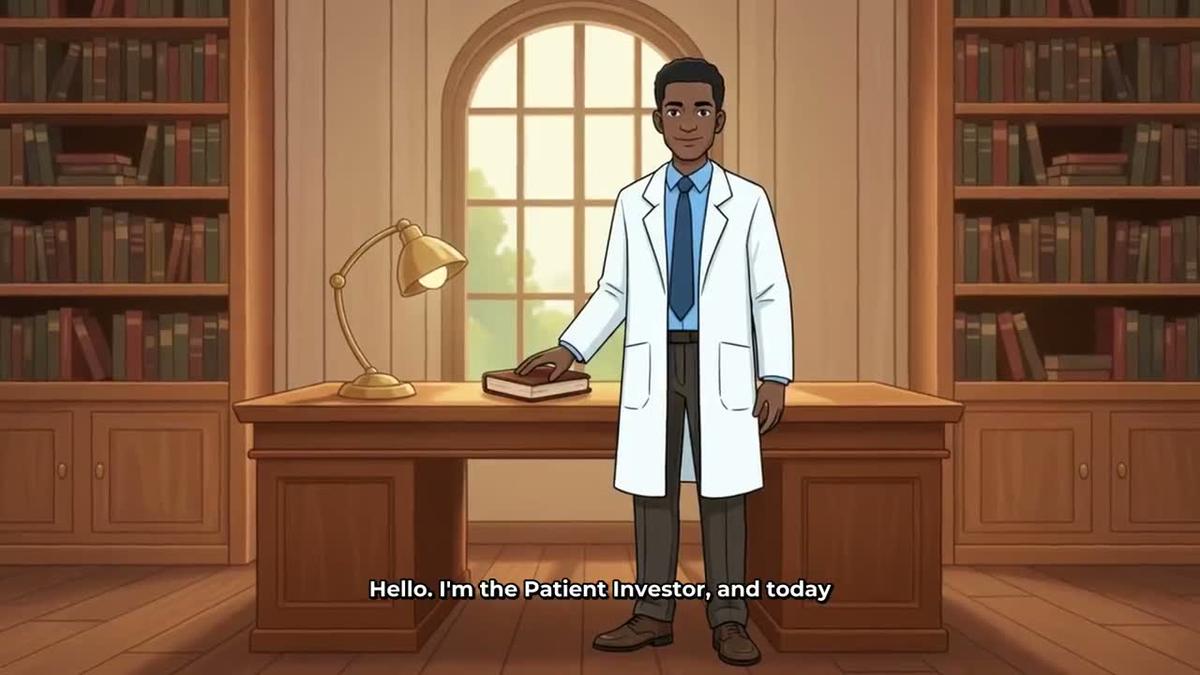
You can also upload your own character image if you have already designed one elsewhere. Either way, once the character is saved to your account it is available through Hermes any time you ask for a new episode. Creating a character through the connector costs nothing extra, but using the character inside videos needs Premium or Ultimate. For more on how consistent characters work across a series, see the recurring character video guide.
Planning and Making a Multi-Episode Cartoon Series With Hermes
One of the best things about using Hermes for hermes agent cartoon youtube videos is that you can plan an entire series in a single conversation. Ask Hermes to outline a six-episode series, then make each episode one by one, all without opening the Video Maker dashboard.
A good opening message might be: "Plan a 6-episode cartoon series about the history of money for a YouTube channel. Each episode should be 5 to 7 minutes, Animated style, using my Patient Investor character. Give me the episode titles and a one-line description of each." Hermes will return a full series plan you can edit or approve.
Then, to make the first episode, say something like: "Make a 6-minute cartoon video about the history of chocolate using my Patient Investor character, Animated style, Bold Pop captions, no music." Before spending any of your video minutes, Hermes will show you a confirmation card with the details: length, style, character, voice and estimated minute cost. Nothing starts until you confirm. The video then takes a few minutes to build, and Digital Maker AI will email you when it is ready. You will find the finished MP4 in your Digital Maker AI library.
After the video comes back, you can refine it without remaking the whole thing. To add music after the fact, just tell Hermes: "Add background music with a fun upbeat mood to my last video." You can also ask Hermes to regenerate a specific scene image, swap in a different voice, or edit the narration text on any scene. There is no timeline editor, but these targeted edits cover most of what you will want to change.
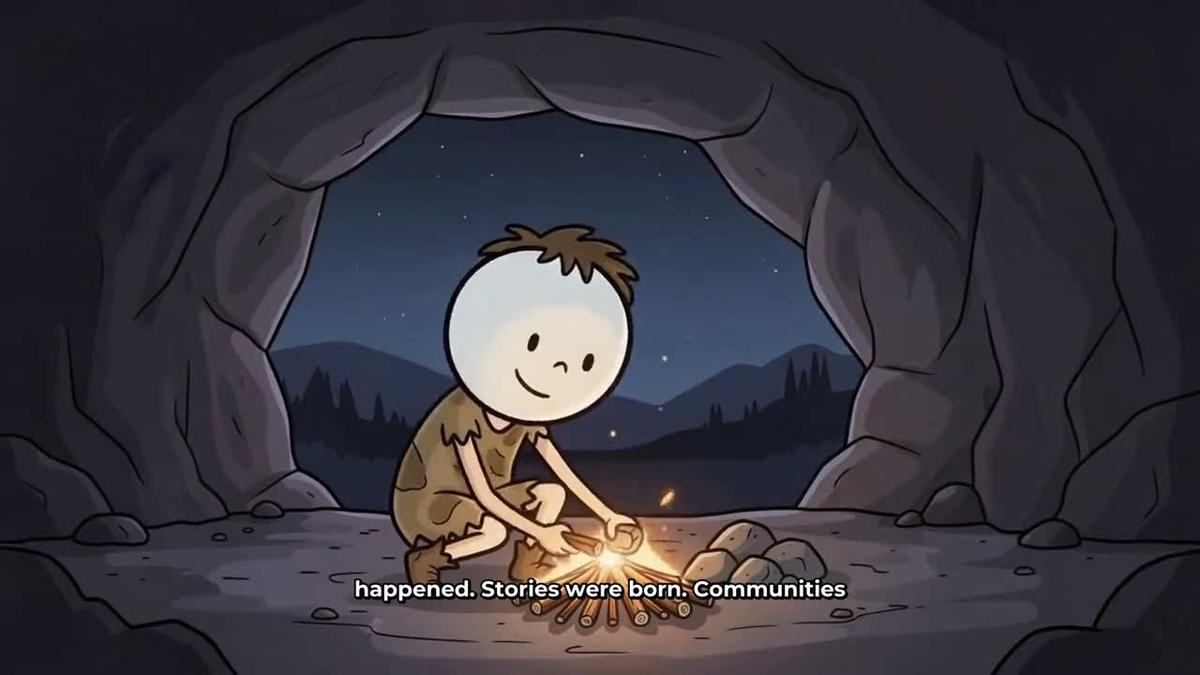
For a different series tone, the same workflow applies. A history channel built around a caveman character might use requests like: "Make a 5-minute cartoon video about the discovery of fire using my Caveman character, Animated style, Clean captions, upbeat music." The character appears in the illustrated scenes throughout, giving every episode a consistent look.
Premium allows videos up to 30 minutes through the connector, and Ultimate up to 60 minutes, so longer documentary-style episodes are possible too. All videos use your normal monthly minutes pool.
Researching Cartoon Channels, Generating Thumbnails and Posting
Hermes can do more than just make videos. Once your episode is ready, a typical finishing workflow covers three more steps: research, thumbnail and posting.
Research: Before you commit to a niche or character style, ask Hermes to look up what is already working. Try: "Use the Faceless Finder to show me the top cartoon or animated faceless YouTube channels in the personal finance niche." The Faceless Finder returns real confirmed channels with their subscriber counts, uploads per week, average video length and an estimated monthly ad revenue figure. That estimate is Digital Maker AI's own rough calculation based on recent views and typical ad rates, not the channel's actual earnings, so treat it as a directional guide rather than a fact.
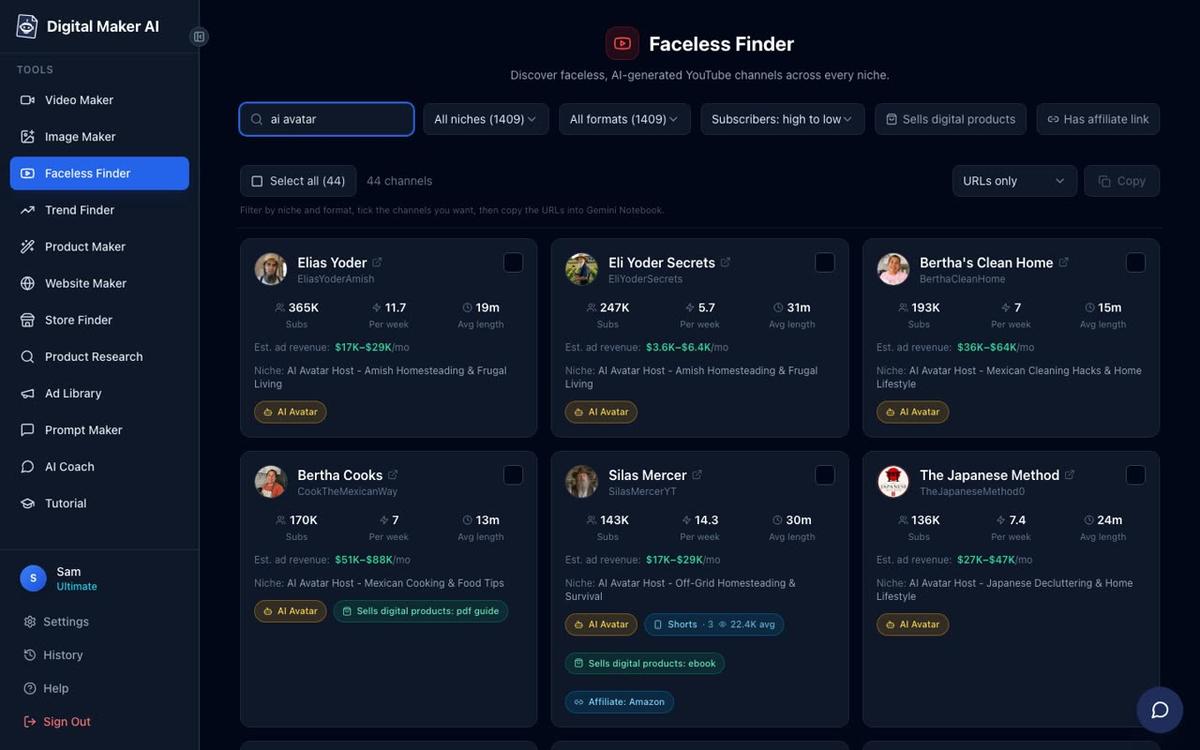
You can also search for AI avatar channels specifically by asking Hermes to search "AI avatar" in the Faceless Finder. Every channel with an AI-generated presenter is marked with an AI Avatar label, which is useful if you want to model your series on that format rather than a purely illustrated style. Channel research through the connector is available on Pro, Premium and Ultimate.
Thumbnail: Ask Hermes to generate a thumbnail for the episode: "Make a YouTube thumbnail for my chocolate history episode: the Patient Investor character holding a bar of chocolate, bold text area at the top, Animated style." Hermes uses the Image Maker to produce it, and you can download it straight from your library. Thumbnail generation is available on Pro and above through the connector.
Posting: On Premium and Ultimate, you can post the finished video to YouTube directly from Hermes. Once you have connected your YouTube account in Account Settings, just say: "Post my chocolate history video to YouTube with the title 'The Surprising History of Chocolate' and schedule it for tomorrow at 9am." Hermes will confirm the details before anything goes live. Posts are labelled as AI generated. Nothing posts automatically; it only goes when you confirm. You can also post to TikTok and Instagram the same way. For more on the auto-publishing workflow, see the guide to posting AI videos to YouTube, TikTok and Instagram.
Tips for Running a Cartoon Series With Hermes Agent
- Name your characters clearly. Give each recurring character a distinctive name when you save it, like "Patient Investor" or "Professor Caveman", so you can call it by name in every request without ambiguity.
- Keep a series prompt. Write a short brief for your series, including the character name, the tone, the caption style and the music mood, and paste it at the start of each new Hermes session. This keeps every episode consistent even across different conversations.
- Use animated scenes selectively. After a video is made, ask Hermes to animate one or two key scenes, such as the opening or a dramatic moment, rather than every scene. This keeps costs down while adding real motion where it counts most.
- Batch your research separately. Use the Faceless Finder at the start of a new series rather than episode by episode. One good research session gives you niche data, competitor benchmarks and content gaps you can plan around for months.
- Check your minutes before a long session. Ask "How many video minutes have I got left on Digital Maker AI?" before making a batch of episodes so you know what you have available. It is free to ask and takes a second.
- Use Telegram for on-the-go episodes. Because Hermes runs on Telegram, you can kick off a new episode from your phone, get the email confirmation when it is done, and have it ready to post by the time you are back at your desk.
If you are curious how the same cartoon series workflow looks inside ChatGPT instead of Hermes, the post on how to make a cartoon YouTube series with ChatGPT covers that approach in detail. And if you want to explore running your whole faceless channel from your phone with Hermes, the guide on running a faceless channel from your phone with Hermes Agent goes deeper on the full workflow.
The AI cartoon video generator page on Digital Maker AI shows more examples of the Animated style in action, and the Hermes Agent setup page has the latest connection steps if anything changes. To get the most out of your cartoon series and learn how to grow a faceless channel from scratch, the free faceless channel course is a great place to start.
Alex Stevens: Alex Stevens writes for the Digital Maker AI team about faceless YouTube channels, AI presenters and AI video tools.