How to Create an AI Avatar for YouTube Videos Like Natural Life Hacks
By Alex Stevens
Why the Natural Life Hacks AI Avatar YouTube Channel Model Is Worth Copying
If you have been researching faceless YouTube channels and stumbled across the Natural Life Hacks AI avatar YouTube channel format, you are looking at one of the most consistent earners in the health and nutrition niche. Natural Life Hacks has built an audience of 556,000 subscribers with around 5 uploads a week, and according to Digital Maker AI's Faceless Finder tool, the channel pulls in an estimated 834,000 views a month and an estimated ad revenue of $5,000 to $7,500 a month. Every figure from the Faceless Finder is a rough estimate based on recent views and typical ad rates for the niche, not the channel's confirmed earnings, but the pattern is hard to ignore.
The channel works because it pairs a consistent AI-generated host persona with tight, practical health content that viewers return to again and again. No studio. No on-camera presenter. Just a recognisable face, a warm voice and genuinely useful tips delivered on a daily schedule. This guide shows you exactly how to build your own version of that channel using Digital Maker AI's AI Presenters feature, available on Premium and Ultimate plans.
Other AI Avatar Channels Proving the Natural Life Hacks Model Works
Natural Life Hacks is not alone. The Faceless Finder lists dozens of channels built on the same idea: an AI-generated host with a strong persona, a tight niche, frequent uploads and practical advice. Here are four more from the health, wellness and lifestyle space that show how well this format scales:
- Wes Tucker: 41,200 subscribers, about 7 uploads a week in the life hacks and home security niche, with an estimated $5,600 to $8,300 a month in ad revenue despite a smaller audience than Natural Life Hacks.
- Bertha's Clean Home: 202,000 subscribers, about 7 uploads a week, an estimated 3,593,804 views a month and an estimated $22,000 to $33,000 a month in ad revenue. A grandmother-style AI host in a Mexican home setting has turned cleaning tips into one of the highest-earning faceless formats on the platform.
- Hana Yoshida: 60,700 subscribers, about 6 uploads a week covering Japanese cooking and food tips, with an estimated $4,300 to $6,400 a month in ad revenue.
- Inside Japan Living: 32,800 subscribers, about 5 uploads a week covering Japanese lifestyle habits and wellness tips, with an estimated $4,300 to $6,500 a month in ad revenue.
What these channels share is a formula: an AI host with a distinctive persona (a grandmother, a monk, a Japanese wellness expert), a niche narrow enough to attract loyal viewers, daily or near-daily uploads, and practical tips that answer real questions. No real person ever appears on camera.
Step 1: Sign Up and Research Your Niche in the Faceless Finder
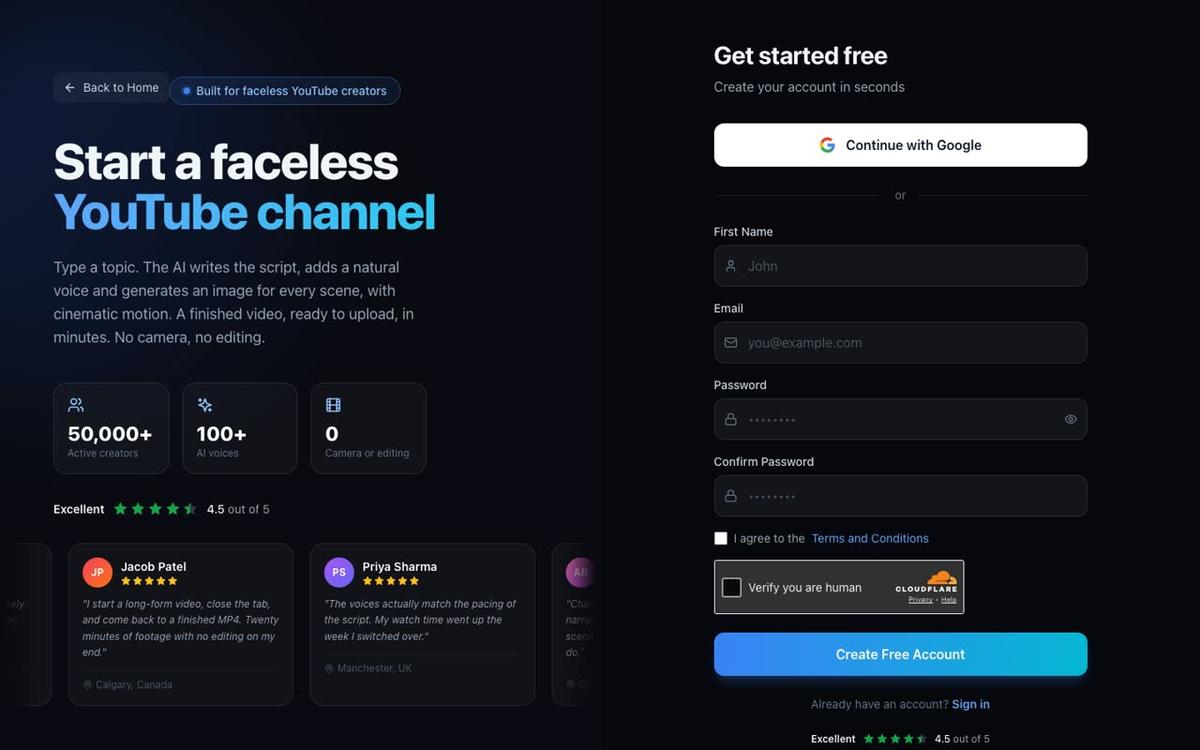
Start by creating an account. Head to digitalmaker.ai/faceless, click Get started free and sign up with Google or an email and password. A Free account is enough to explore the platform and the Faceless Finder before you upgrade.
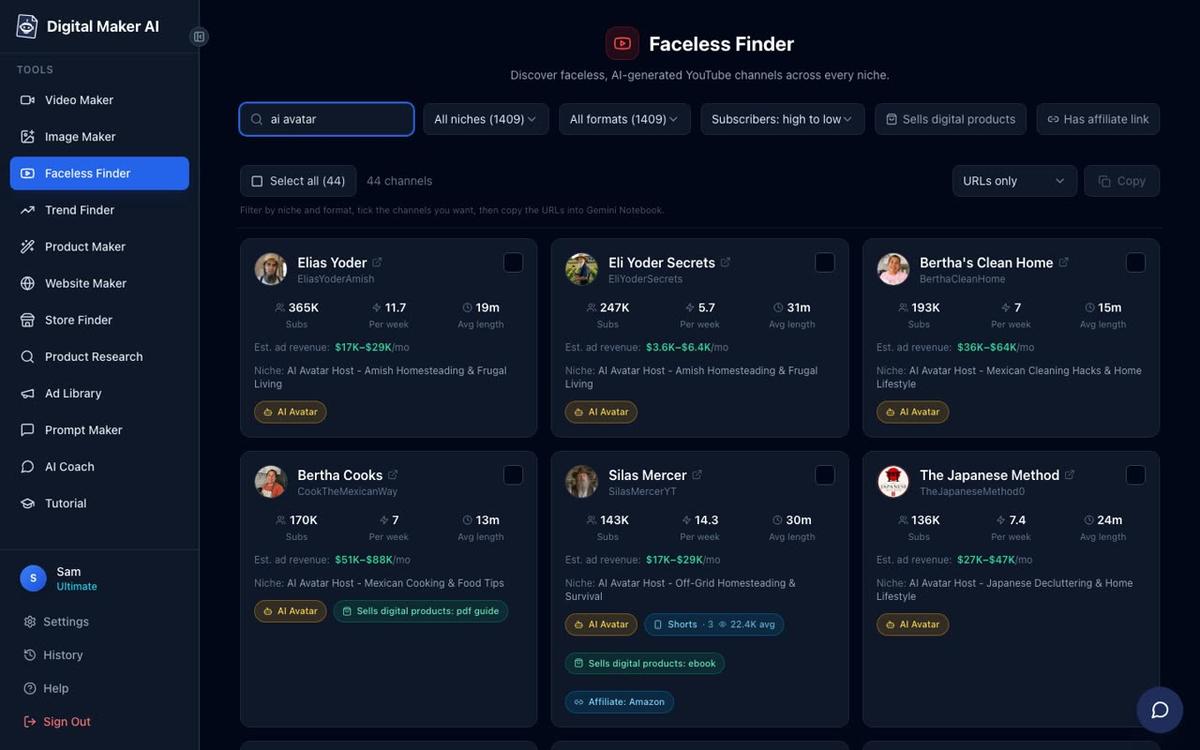
Once you are signed in, open the Faceless Finder from the left sidebar. Type ai avatar in the search box to filter for channels fronted by an AI-generated presenter. Browse the results by niche, upload frequency and estimated ad revenue range. For a health and nutrition channel modelled on Natural Life Hacks, look at how the top performers structure their content: short, specific titles, a consistent host persona, and a posting schedule of five or more videos a week. Note the average video length too. Most of these channels sit between 8 and 12 minutes per video, which keeps viewers watching long enough to earn solid CPM rates in the health niche.
Step 2: Choose Your Presenter Persona
The persona is the heart of the channel. Natural Life Hacks works because the host feels like someone you trust with health advice: warm, knowledgeable, approachable. Before you build anything, decide who your presenter is. For a health and nutrition channel you might go with a calm female nutritionist in a clean kitchen, a warm grandmother figure sharing herbal remedies, or a wellness coach in a bright studio. The more specific and consistent the character, the faster viewers form a habit of watching.
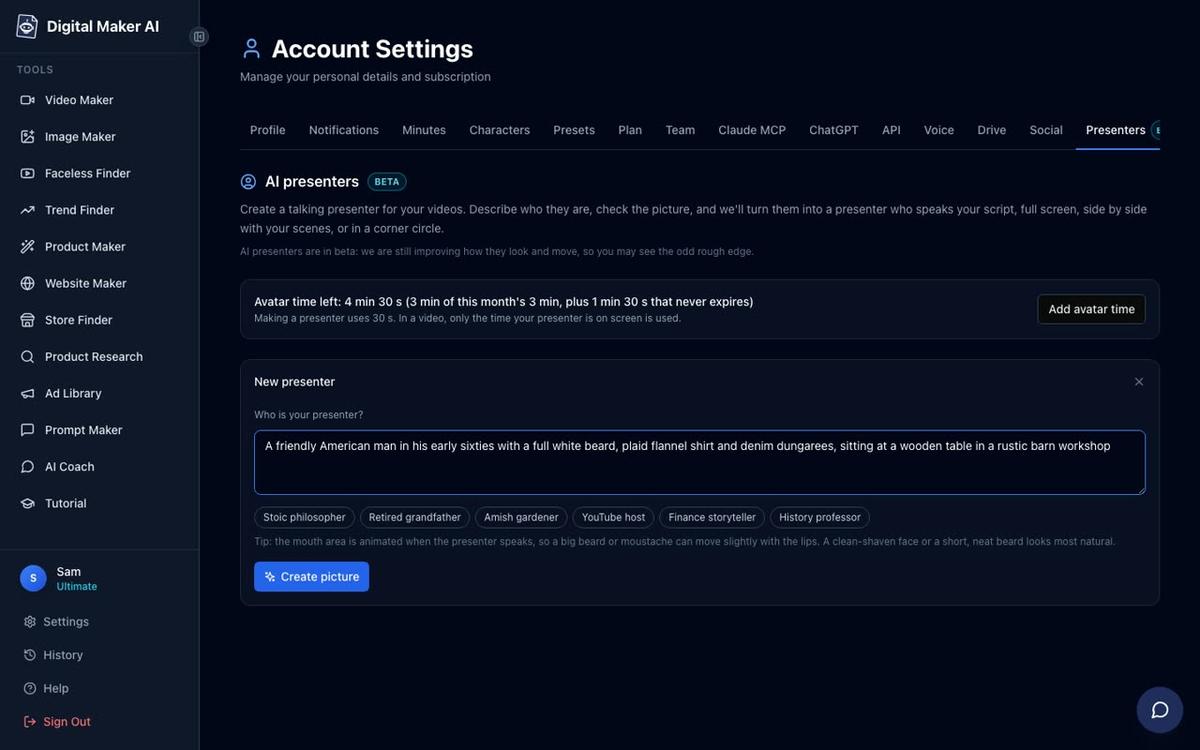
Once you are on a Premium or Ultimate plan, open Account Settings and click the Presenters tab. You will see a form asking you to describe your presenter in a sentence or two. For a Natural Life Hacks-style channel, something like: "A warm, knowledgeable woman in her forties with a calm smile, wearing a light linen top, standing in a clean modern kitchen with fresh herbs and natural light" works well. Click Create picture and the platform generates a photoreal image of your presenter. If the first result is not quite right, generate again until you have a face you are happy with, then save it. You can create several presenters and reuse them across videos.
Step 3: Start a Multi Scene Long-Form Video in the Video Maker
Go to the Video Maker from the left sidebar and select the Long-Form Faceless Video option. At Step 1, choose Multi Scene Video. AI Presenters are only available on Multi Scene long-form videos, so this is the format you need. If you want to learn more about what the AI avatar video generator can do across different formats, that page has a full overview.
At Step 3, type your video topic into the topic box. Keep it specific: instead of "healthy eating", try "5 foods that reduce inflammation overnight" or "the Japanese habit that keeps blood pressure low". The AI writes the full script, generates a scene image for every scene, adds narration and captions, and returns a finished MP4. On paid plans you can also paste your own script if you prefer to write it yourself.
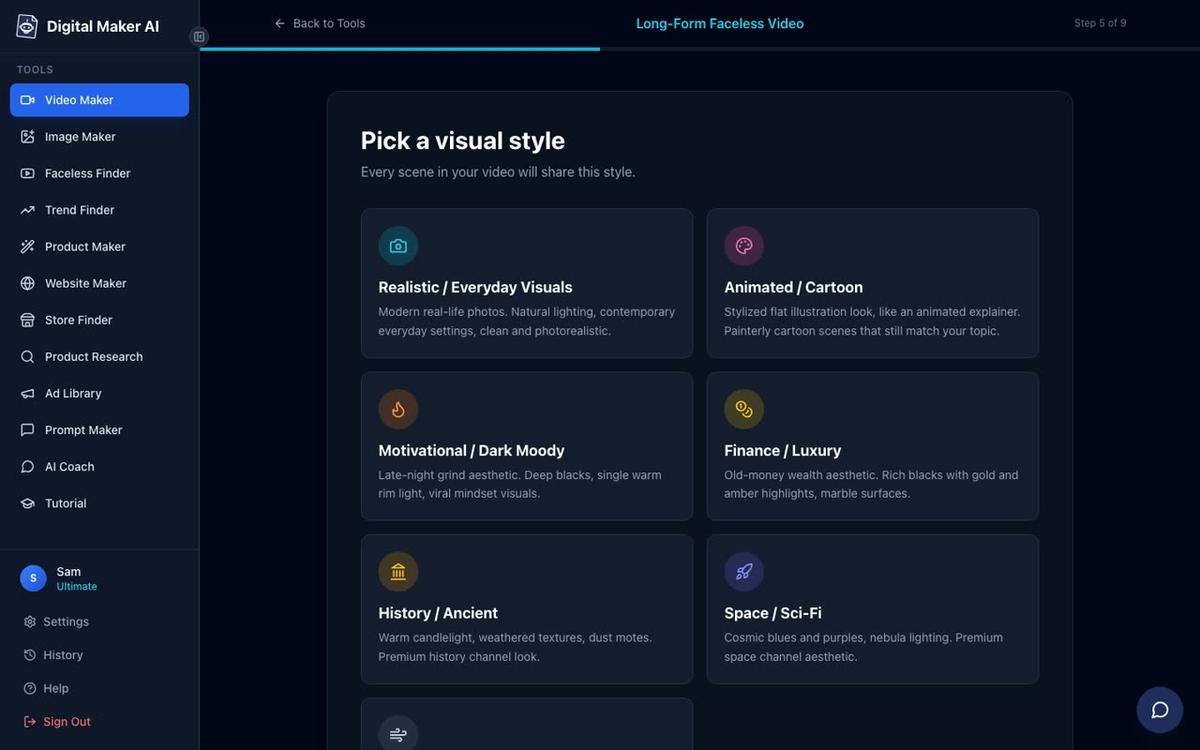
At Step 5, select Realistic / Everyday Visuals. For a health and nutrition channel this style generates clean, photorealistic images of food, kitchens, herbs, supplements and wellness settings that match the look of Natural Life Hacks and similar channels.
Step 4: Set the Length, Voice and Pacing
At Step 6, set the video length to between 8 and 10 minutes. This sits in the sweet spot for health content: long enough to earn strong watch time and ad revenue, short enough to keep viewers to the end. Premium plan users can go up to 30 minutes per video, and Ultimate up to 60 minutes.
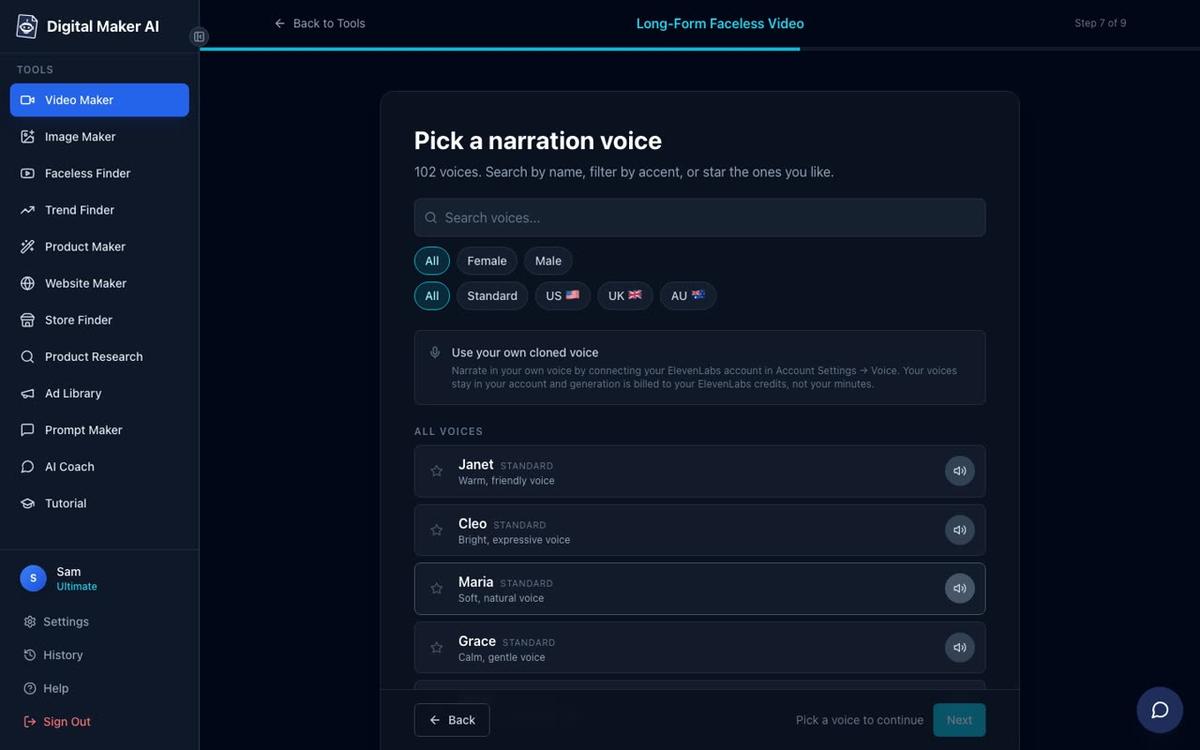
At Step 7, choose a calm female US voice from the 102 built-in options. Filter by Female, US and Standard to find voices that suit a warm, trustworthy health presenter. Pick one and preview it before moving on. At Step 8, set the pacing to Standard. A calm or standard pace works best for health content where the viewer needs time to absorb the information.
Step 5: Add Your Presenter and Choose the Layouts
This is where the Natural Life Hacks-style channel really comes to life. After setting your voice and pacing, you will reach the presenter options. Select the presenter you saved in Account Settings. You will then see three layout options to tick: Full screen, Split screen and Corner circle. Tick all three. The video will rotate through these layouts automatically, keeping the visual experience varied and engaging throughout the video.
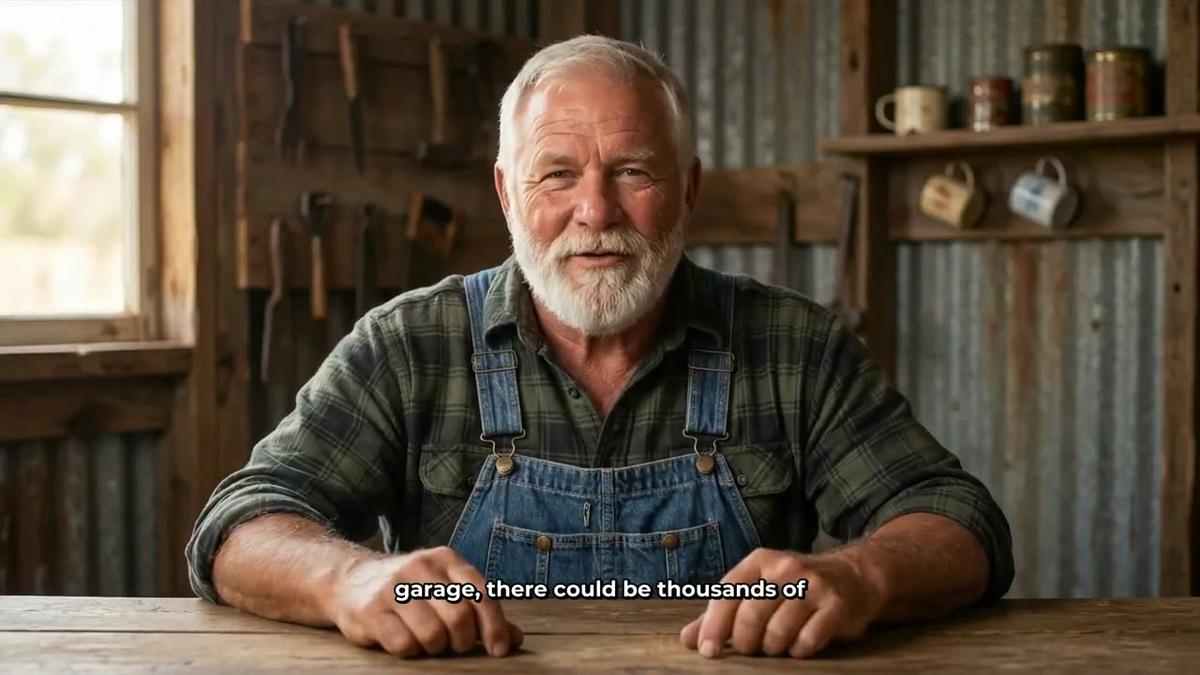


Use the on-screen slider to set how much of the video the presenter appears on screen. For a Natural Life Hacks-style channel, setting this to around 30 to 40 percent gives you a good balance: the presenter appears frequently enough to build viewer recognition and trust, while the scene images carry the visual weight of the content. You can also use the timeline markers to place the presenter at the start, middle and end of the video, which is a common pattern in high-performing AI avatar channels.
Step 6: Review and Generate
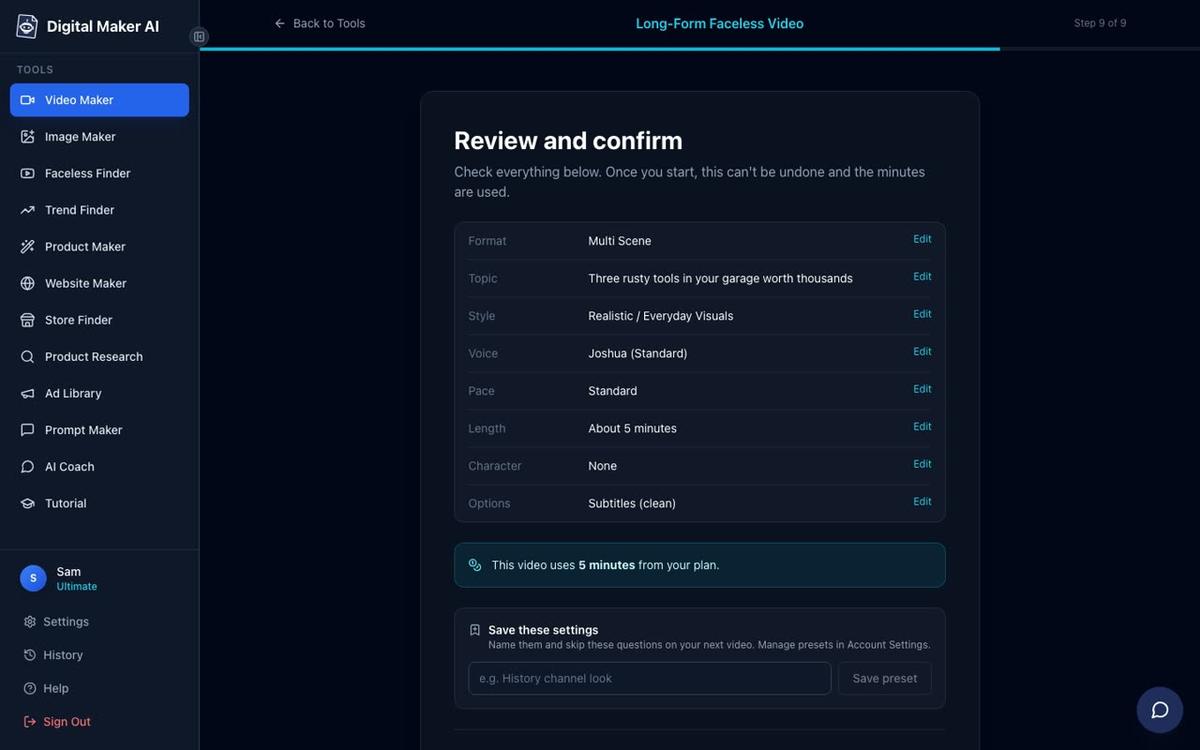
At Step 9, review everything before you generate. You will see a summary listing your format, topic, style, voice, pace, length and the number of video minutes the video will use from your monthly pool. Check the presenter is listed under Options. When you are satisfied, press Generate Video. The platform writes the script, generates a unique scene image for every scene, records the narration in your chosen voice, adds captions and assembles the final MP4. Most videos in the 8 to 10 minute range are ready in under ten minutes.
Once the video is ready you can regenerate any individual scene image (up to 10 free regenerations per video), swap in your own image or a short clip, or edit the narration text. Premium and Ultimate users can also post the finished video straight to YouTube from the platform without downloading it first.
Understanding Avatar Time for Your Natural Life Hacks AI Avatar YouTube Channel
AI Presenters run on a separate credit called avatar time, measured in seconds and kept apart from your regular video minutes. Creating a new presenter picture uses 30 seconds of avatar time. When you generate a video, the platform only uses the seconds your presenter is actually visible on screen. So if you set the presenter to appear for 35 percent of an 8-minute video, you use roughly 168 seconds of avatar time for that video.
Premium plans start with 2 minutes of avatar time and Ultimate plans start with 5 minutes, with Ultimate also receiving 3 minutes every month. When you need more, Avatar Packs let you top up with a one-off purchase and the time does not expire while you are subscribed. See the pricing page for full plan details and Avatar Pack options. For a channel posting five videos a week at 30 to 40 percent presenter coverage, planning your avatar time alongside your video minutes is an important part of managing your production schedule.
Tips for Building a Consistent Health and Nutrition Channel
The channels that perform like Natural Life Hacks do a few things consistently that are worth copying from day one:
- Pick a persona and stick to it. Save your presenter once and use the same character in every video. Viewers recognise the face and associate it with the channel, which builds the kind of trust that drives subscriptions.
- Batch your topics. Use the Faceless Finder to research what health and nutrition topics are performing well, then plan 20 or 30 video titles at once. This makes it much easier to maintain a five-videos-a-week schedule.
- Keep titles specific. "7 herbs that lower blood sugar naturally" outperforms "healthy herbs" every time in this niche. Specificity drives clicks and watch time.
- Use the Realistic style for health content. Photorealistic images of food, kitchens and wellness settings look more credible than illustrated styles for health and nutrition topics.
- Review your best-performing videos. After a few weeks, check which topics earned the most views and build more content in those directions. The Faceless Finder can help you spot patterns across the wider niche too.
If you are interested in other AI avatar channel formats beyond health and nutrition, the post on how AI Presenter plus generated scenes work together in one tool goes deeper into the mechanics of the feature across different niches.
Start Building Your Own Natural Life Hacks AI Avatar YouTube Channel Today
The Natural Life Hacks AI avatar YouTube channel format is proven, the niche is strong and the tools to replicate it are available right now. A Premium or Ultimate plan on Digital Maker AI gives you everything you need: the AI Presenter feature, Multi Scene long-form video generation, a Realistic visual style, 100-plus narration voices, direct posting to YouTube and the Faceless Finder to research your niche before you film a single frame. The free account lets you explore the platform and the Finder before you commit to a plan.
If you want a structured introduction to building a faceless channel from scratch, the free faceless YouTube channel course walks through the full process from niche research to your first upload, and it costs nothing to get started.
Alex Stevens: Alex Stevens writes for the Digital Maker AI team about faceless YouTube channels, AI presenters and AI video tools.