How The Japanese Method Style AI Avatar Channels Work and What They Earn
By Alex Stevens

The AI Avatar YouTube Channel Niche Earning the Most Per View
If you have spent any time searching YouTube for decluttering tips, minimal living ideas or Japanese home organisation methods, you have almost certainly landed on a channel fronted by a calm, softly spoken woman who never quite looks like a real person filmed on camera. That is not an accident. The Japanese home and decluttering niche is one of the highest-earning corners of the ai avatar youtube channel world, and the numbers coming out of it are striking. According to estimates from the Faceless Finder inside Digital Maker AI, these channels are pulling in far more per thousand views than most faceless channels in other niches, and the reason comes down to audience, format and aesthetic in roughly equal measure.
This guide breaks down exactly how these channels work, why the niche pays so well, and how you can build your own Japanese-style AI presenter channel from scratch using Digital Maker AI's AI Presenters feature.
What the Numbers Look Like for Japanese-Style AI Avatar Channels
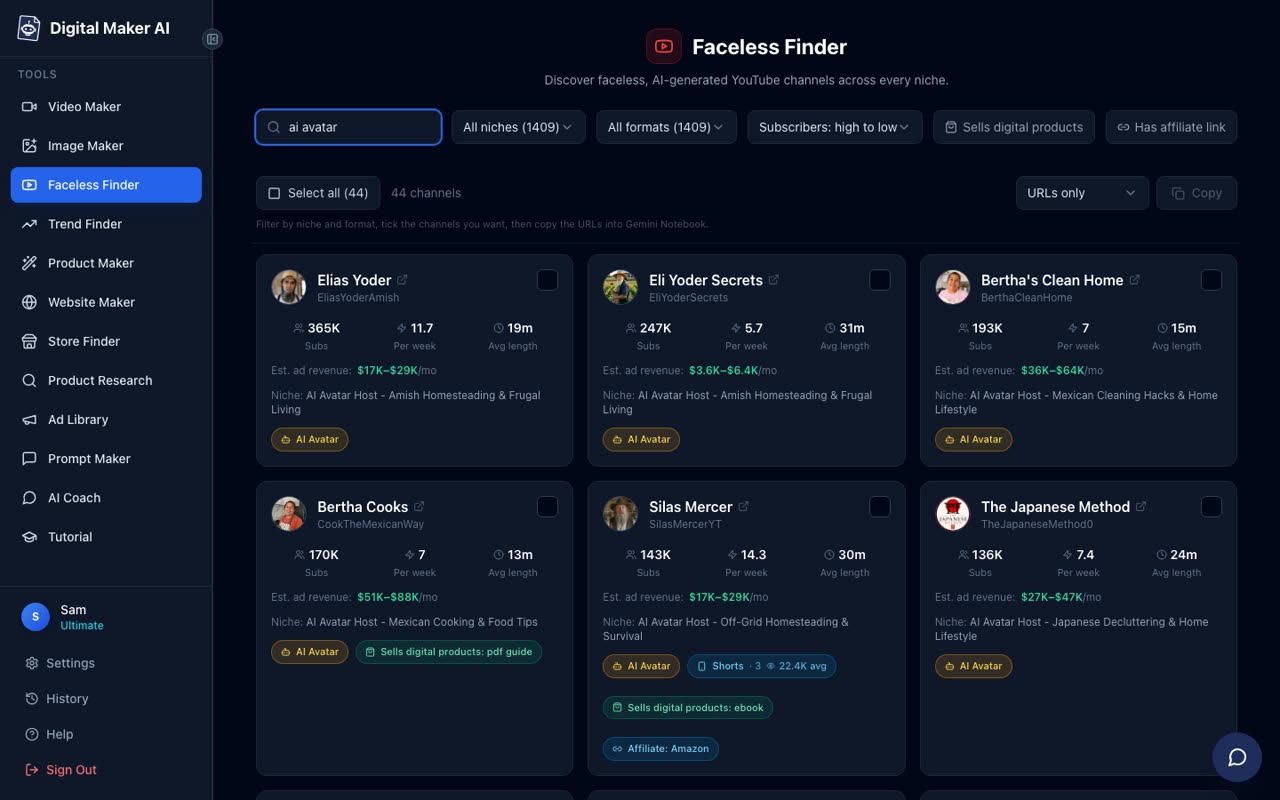
The Faceless Finder inside Digital Maker AI tracks confirmed AI avatar YouTube channels across dozens of niches, labelling each with an "AI Avatar" tag and showing estimated monthly ad revenue based on recent views and typical ad rates. All figures below are Digital Maker AI Faceless Finder estimates, not the channels' real earnings.
The Japanese Method sits at 136,000 subscribers with around 7 uploads a week and an estimated 3,350,000 views a month. The Finder puts its estimated ad revenue at $27,000 to $47,000 a month. That is an extraordinary figure for a channel that posts methodical home organisation content with a calm AI presenter at its centre.
Hana Yoshida covers Japanese cooking and food tips. With 56,400 subscribers and an estimated 1,128,367 views a month, the Finder estimates ad revenue of $9,000 to $16,000 a month. That is a strong CPM for a channel at that subscriber level, which tells you a great deal about who is watching.
The Japanese Kitchen has 21,100 subscribers and posts around 7 videos a week. Estimated views sit at 495,000 a month and estimated ad revenue runs from $4,000 to $6,900 a month. Notably, that is a better revenue-per-subscriber ratio than many much larger channels in lower-CPM niches.
Maya Sato focuses on Japanese home and cleaning lifestyle. At 14,300 subscribers and an estimated 484,644 views a month, the Finder puts her estimated earnings at $3,900 to $6,800 a month. For a channel that is still growing, those are impressive early numbers.
Why This Niche Works So Well for an AI Avatar YouTube Channel
Four things combine to make the Japanese home and decluttering niche unusually profitable for AI avatar channels.
- High female audience CPM. The core audience for home organisation, decluttering and Japanese lifestyle content skews heavily toward women aged 25 to 54. Advertisers in home goods, personal care, subscription boxes and wellness products pay premium rates to reach this demographic. A channel in this niche can earn two to three times the CPM of a general-interest channel at the same view count.
- Methodical how-to formats drive watch time. Videos structured as step-by-step methods, for example "the five-step Japanese method for a calm bedroom" or "how to fold clothes the Konmari way," keep viewers watching to the end. High average view duration signals quality to the algorithm and pushes videos into recommendations.
- Calm authority is easy to sustain with an AI presenter. A softly spoken, unhurried presenter who never has a bad day, never stumbles over words and always looks composed is, in practice, easier to produce with an AI avatar than with a real person on camera. The persona fits the niche perfectly.
- Minimal visual style matches the content. Clean, uncluttered scene images in white kitchens, pale wood interiors and raked garden settings reinforce the message. The visual aesthetic and the topic are the same thing, which makes every frame feel on-brand without extra effort.
How to Build Your Own Japanese-Style AI Avatar YouTube Channel
The AI Presenters feature in Digital Maker AI is available on Premium and Ultimate plans and is currently in beta. It lets you build a photoreal AI presenter, save them to your account, and drop them into any landscape Multi Scene long form video. Here is the full process from sign-up to finished video.
Step 1: Create Your Presenter in Account Settings
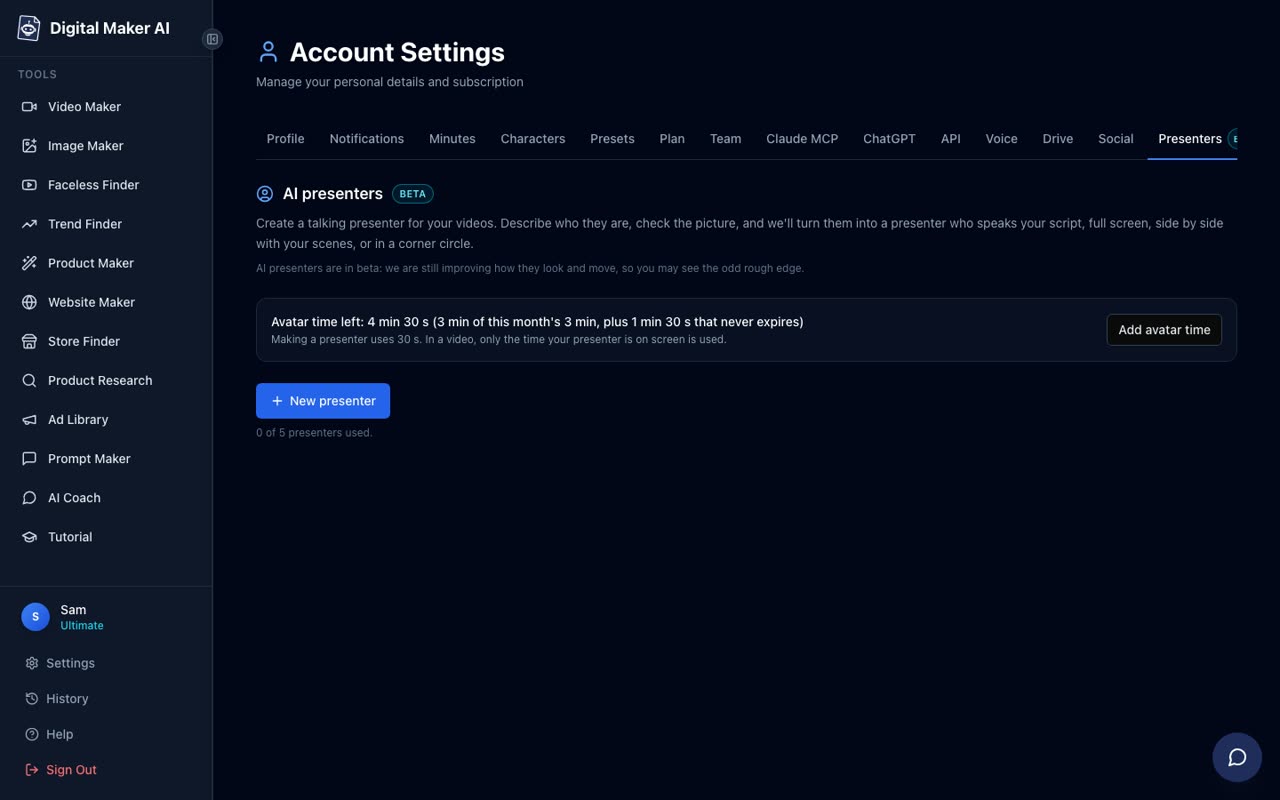
After signing in on a Premium or Ultimate plan, go to Account Settings and open the Presenters tab. You will see your current avatar time balance, an Add avatar time button and a New presenter button. Press New presenter to open the creation form.
In the description box, write one or two sentences describing who your presenter is and where they are. For a Japanese home lifestyle channel, something like: "A calm Japanese woman in her forties in a minimal white kitchen with pale wood surfaces and soft natural light, wearing a simple linen apron." You can also try: "A serene woman in a traditional Japanese home setting, sitting at a low wooden table with a small ceramic tea bowl, soft diffused light through shoji screens." The more specific and visual your description, the closer the result will be to what you picture. Press Create picture, check the image the AI generates, and save it. You can create several presenters and switch between them across different videos.
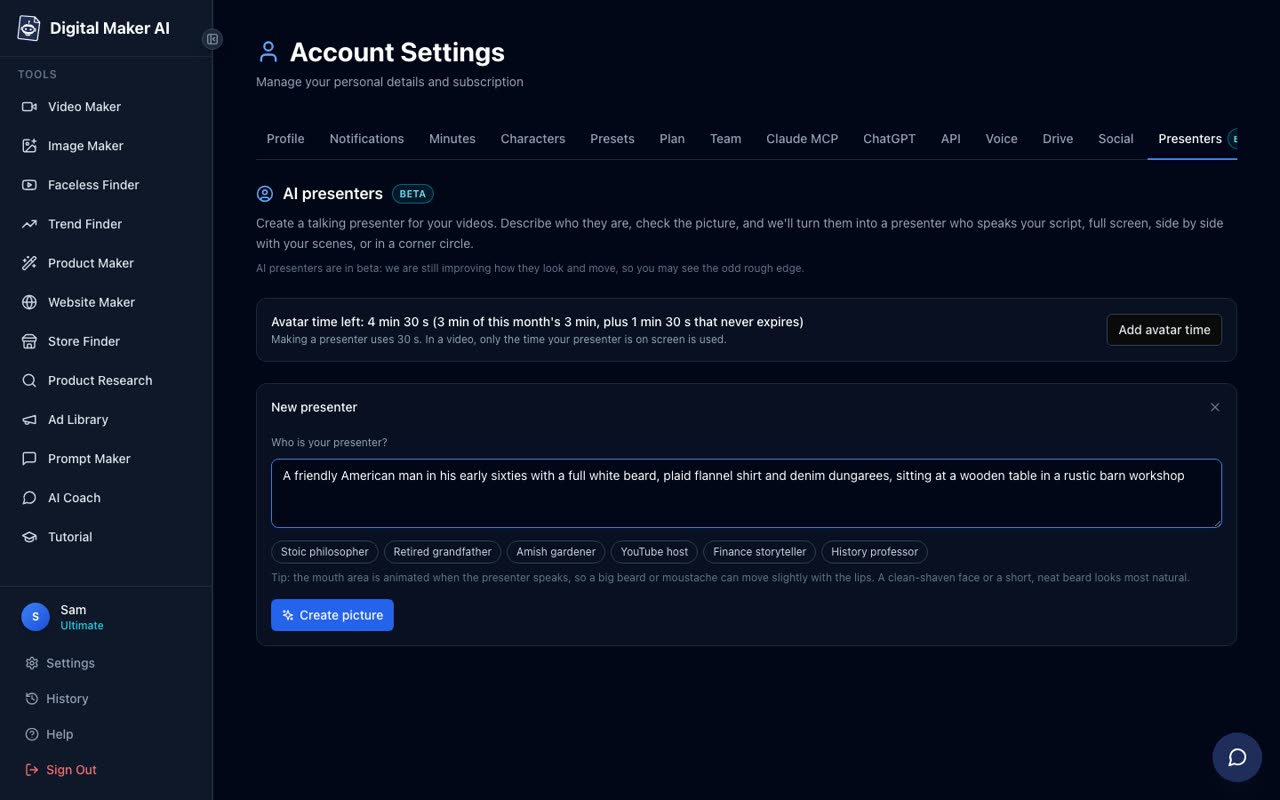
Creating a presenter uses 30 seconds of avatar time. Each Premium and Ultimate account starts with 1 minute 30 seconds of avatar time. The video then uses only the seconds the presenter is actually on screen, so a video where the presenter appears for 40 seconds of a 10-minute video costs 40 seconds of avatar time. Avatar Packs let you add more time as a one-off purchase; see the pricing page for current pack options. Avatar time does not expire while you are subscribed.
Step 2: Start a Multi Scene Long Form Video
From the dashboard, press Start a video and choose Long-Form Faceless Video. At Step 1, select Multi Scene Video. AI Presenters only work on landscape Multi Scene videos, so this is the format to pick for a Japanese lifestyle channel.
Step 3: Pick Your Presenter and Set the Layouts
After entering your topic, you will reach the presenter step. Select the presenter you just saved. You then tick one, some or all three of the layout options:
- Full screen: the presenter fills the entire frame while speaking. This works well for introductions and conclusions, where a direct address feels natural.
- Split screen: the presenter sits on the left half of the screen while the scene image appears on the right. This keeps the visual content visible while the presenter explains it.
- Corner circle: the scene fills the full frame and the presenter appears in a small round window in the corner. This is the least intrusive layout and works well for detailed how-to sequences where the scene needs to breathe.
The video rotates through whichever layouts you have ticked. A slider sets how much of the total video the presenter is on screen, from 5 percent up to the full video. Markers on a timeline bar let you choose where the presenter appears, for example at the start and end only, or at the start, middle and end. The rest of the video plays as normal scene images.
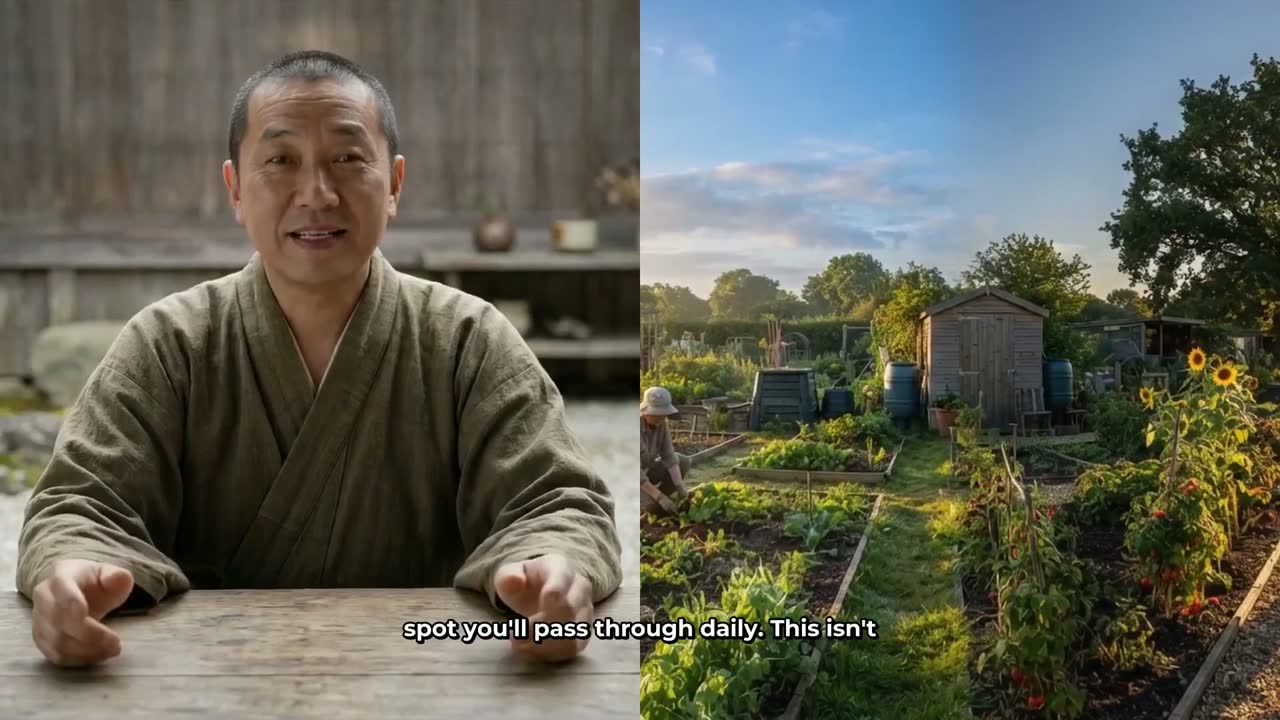

For a Japanese home channel, the Monk Gardener's calm, unhurried aesthetic is the closest visual match in the example presenter library. The corner circle layout works particularly well over scenes of folded laundry, organised shelves or a clean countertop, because the scene itself carries the message and the presenter adds warmth without dominating the frame.
Step 4: Choose the Minimalist or Clean Visual Style
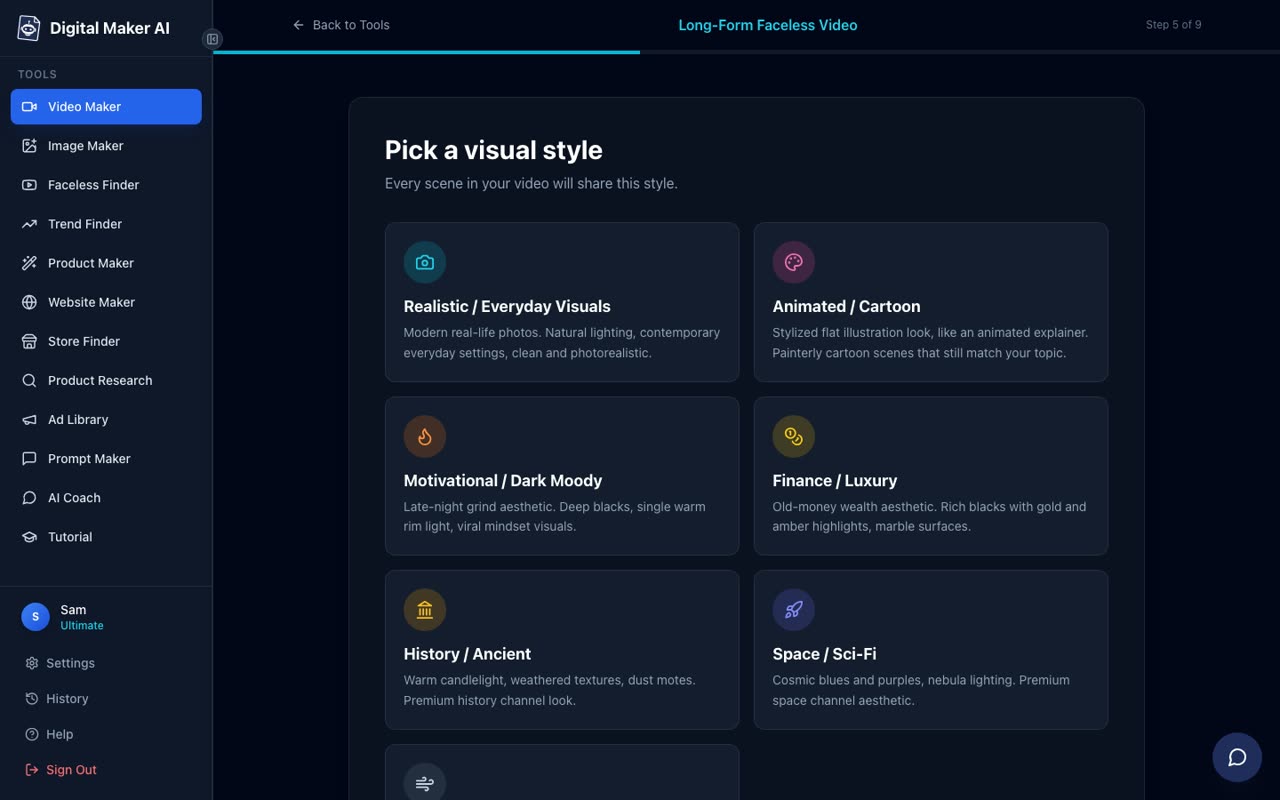
At Step 5 of the video maker, you choose a visual style that applies to every scene image in the video. For a Japanese home and decluttering channel, select Minimalist or Clean. This style generates pale, uncluttered scene images with clean lines and neutral tones that match the calm authority the niche is built on. You could also try Realistic or Everyday Visuals if you want warmer, more photographic scenes, but Minimalist or Clean is the stronger brand fit.
Step 5: Choose a Calm Voice and Slow Pacing
At Step 7, choose a female voice from the 102 available options. Filter by Female and listen to a few previews. For this niche, a voice with a gentle, measured quality works best. At Step 8, set the pacing to Calm. The slower delivery matches the unhurried tone these channels are known for and gives viewers time to absorb the instructions, which improves watch time.
Step 6: Review and Generate
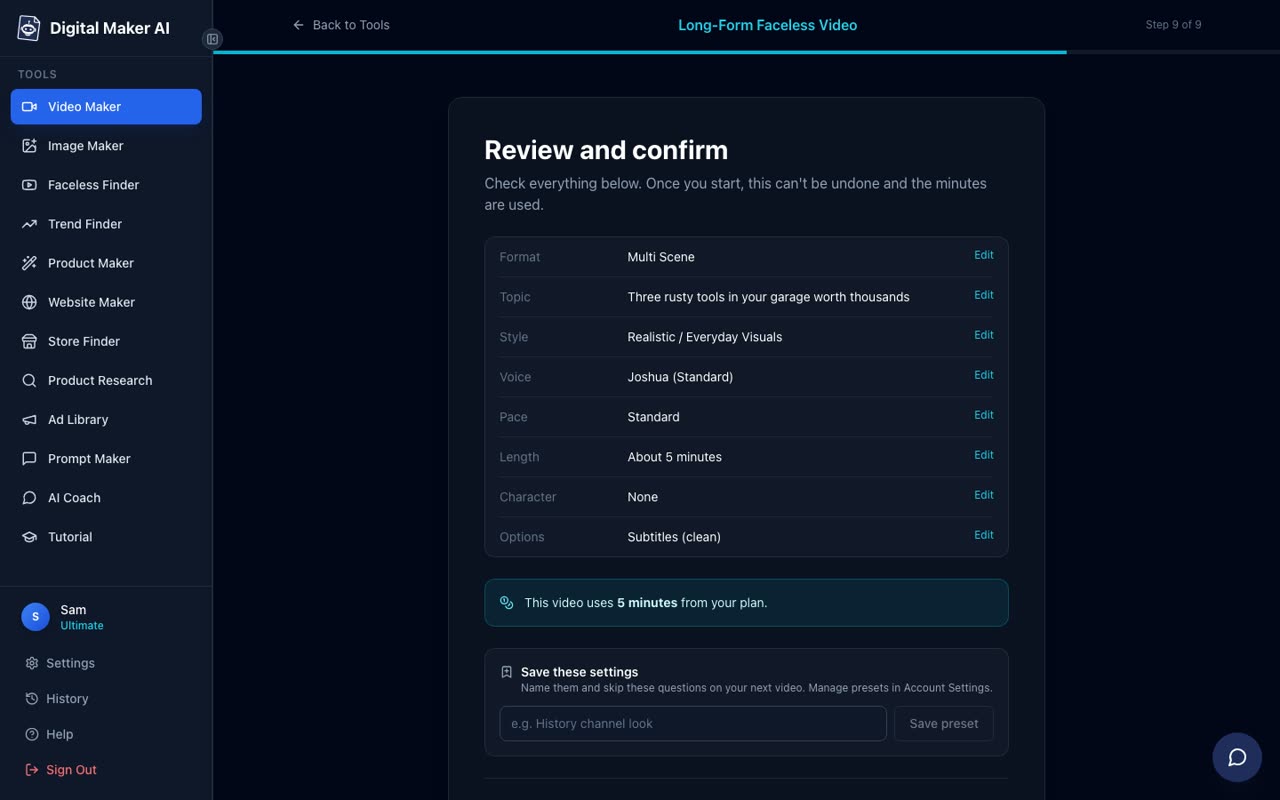
Step 9 shows a full summary of your settings: format, topic, style, voice, pace, length, presenter and the number of video minutes the video will use from your plan. Check everything, then press Generate Video. The video is usually ready within a few minutes.
Topic Ideas That Work for a Japanese-Style AI Avatar YouTube Channel
The channels performing best in this niche share a formula: a numbered method, a specific room or object, and a calm promise. Here are topic structures that consistently drive watch time in this niche:
- The Japanese method for a clutter-free bedroom in one afternoon
- Why Japanese kitchens stay clean without effort (and how to copy it)
- The five-item rule: how Japanese minimalists decide what to keep
- Japanese folding techniques that double your wardrobe space
- Morning cleaning routines from a traditional Japanese home
- How to organise a small bathroom the Japanese way
- The Japanese concept of ma: using empty space in your home
Each of these gives the AI a clear, structured brief to write a script from, and each maps naturally to a set of clean, minimal scene images. Posting consistently at around 5 to 7 videos a week, as the top channels in this niche do, is what drives the view counts that make the revenue estimates possible.
What to Expect as the Channel Grows
The channels listed above did not reach their current earnings overnight. The Japanese Method has 94 videos published. Maya Sato has 85. The pattern across every successful ai avatar youtube channel in this niche is the same: a consistent persona, a tight topic focus and a high upload cadence sustained over several months. The AI presenter handles the on-camera work, which means the bottleneck is topic research and video generation time rather than filming schedules or presenter availability.
If you want to explore other AI avatar channel formats before committing to a niche, the AI avatar channel ideas guide for garage and car repair videos shows how a completely different persona and niche follows the same underlying structure. The persona changes, the formula stays the same.
Getting Started Today
You can sign up for a free account at digitalmaker.ai/faceless and explore the Faceless Finder to see which AI avatar channels are growing fastest in any niche right now. AI Presenters are available on Premium and Ultimate plans. To see what each plan includes and the current pricing, visit digitalmaker.ai/pricing. The feature is in beta as of October 2026, which means it is live and working but continuing to improve.
The free course at digitalmaker.ai/free-course walks through the full process of building a faceless channel from niche selection to your first upload, including how to use the presenter tools to build a consistent on-screen identity that keeps viewers coming back.
Alex Stevens: Alex Stevens writes for the Digital Maker AI team about faceless YouTube channels, AI presenters and AI video tools.