How to Create an AI Avatar for YouTube Videos Like Frugal Japan
By Alex Stevens
Why the Frugal Japan AI Avatar YouTube Channel Niche Is Booming
The frugal Japan AI avatar YouTube channel niche is one of the most quietly powerful corners of faceless video right now. Channels built around Japanese frugal cooking, grocery habits and minimalist home living are pulling in millions of views a month, and several of them are fronted entirely by an AI-generated presenter rather than a real person on camera. If you have been looking for a niche that combines high ad rates, a loyal audience and a strong visual identity you can build without ever going on camera, this guide walks you through exactly how to do it.
The data below comes from the Faceless Finder inside Digital Maker AI. Every subscriber count, view estimate and ad revenue figure is the Finder's own rough estimate based on recent views and typical ad rates for the niche. They are not verified channel earnings, and real income will vary.
The Channels Proving the Frugal Japan AI Avatar YouTube Channel Formula Works
Type "AI avatar" into the Faceless Finder search box and a long list of channels appears, each carrying an amber AI Avatar label. Among them, three Japanese-themed channels stand out as strong proof of concept for this niche.
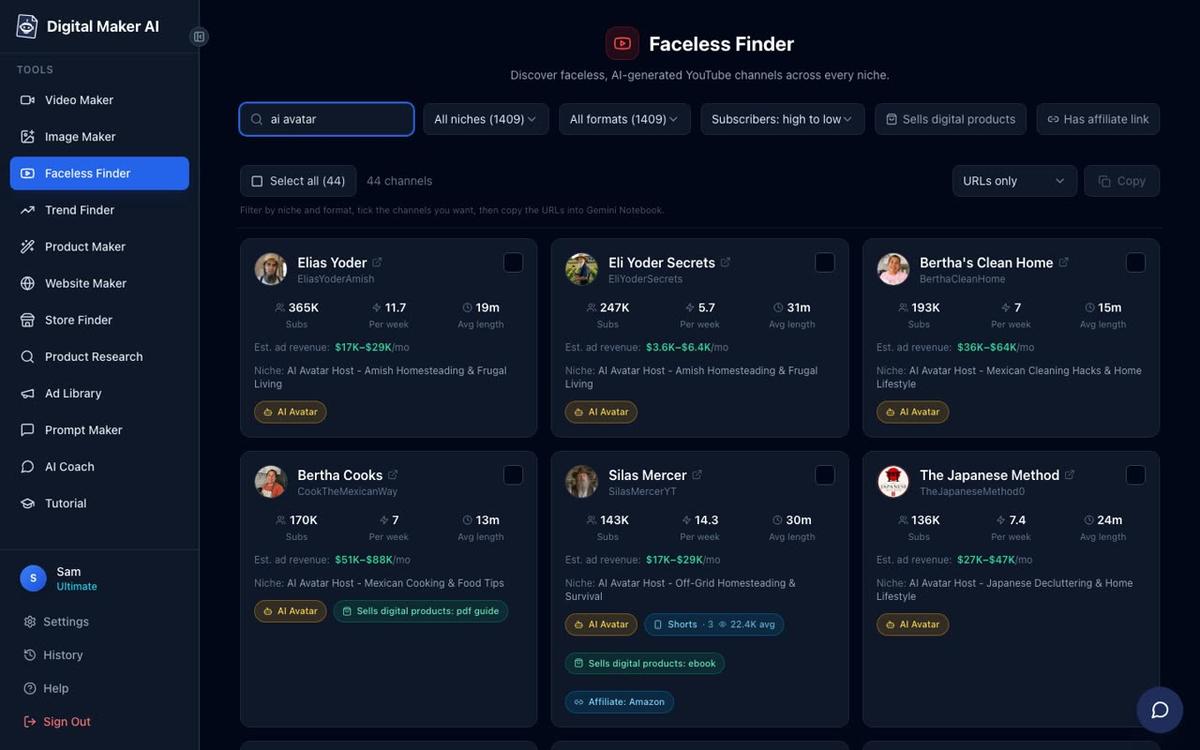
Frugal Japan has 44,400 subscribers and 72 videos, uploads around seven times a week, and the Finder estimates it pulls in roughly 2,030,107 views a month with ad revenue in the $16,000 to $24,000 range. That is a remarkable figure for a channel that size, driven by a high CPM audience interested in personal finance and frugal living.
The Japanese Method sits at 152,000 subscribers with an estimated 3,625,000 monthly views and ad revenue between $28,000 and $43,000 a month, according to the Finder. Its niche is Japanese decluttering and home lifestyle, which attracts a similarly high-value audience.
Hana Yoshida focuses on Japanese cooking and food tips with 60,700 subscribers, an estimated 696,726 monthly views and $4,300 to $6,400 a month in estimated ad revenue. You can read a dedicated walkthrough in the post How to Create an AI Avatar for YouTube Videos Like Hana Yoshida if you want a companion example.
What these channels share is a tight formula: a distinctive AI presenter with a strong persona, a specific cultural niche, practical tips viewers can use the same day, and a consistent upload schedule. No real person ever appears on camera. The presenter does all the talking, and the scenes behind them reinforce the aesthetic of a calm, ordered Japanese lifestyle.
Step 1: Create Your Account and Open the Presenters Tab
AI Presenters are available on the Premium and Ultimate plans. Once you are signed in, go to Account Settings and click the Presenters tab. This is where you build and save the character who will front your channel.
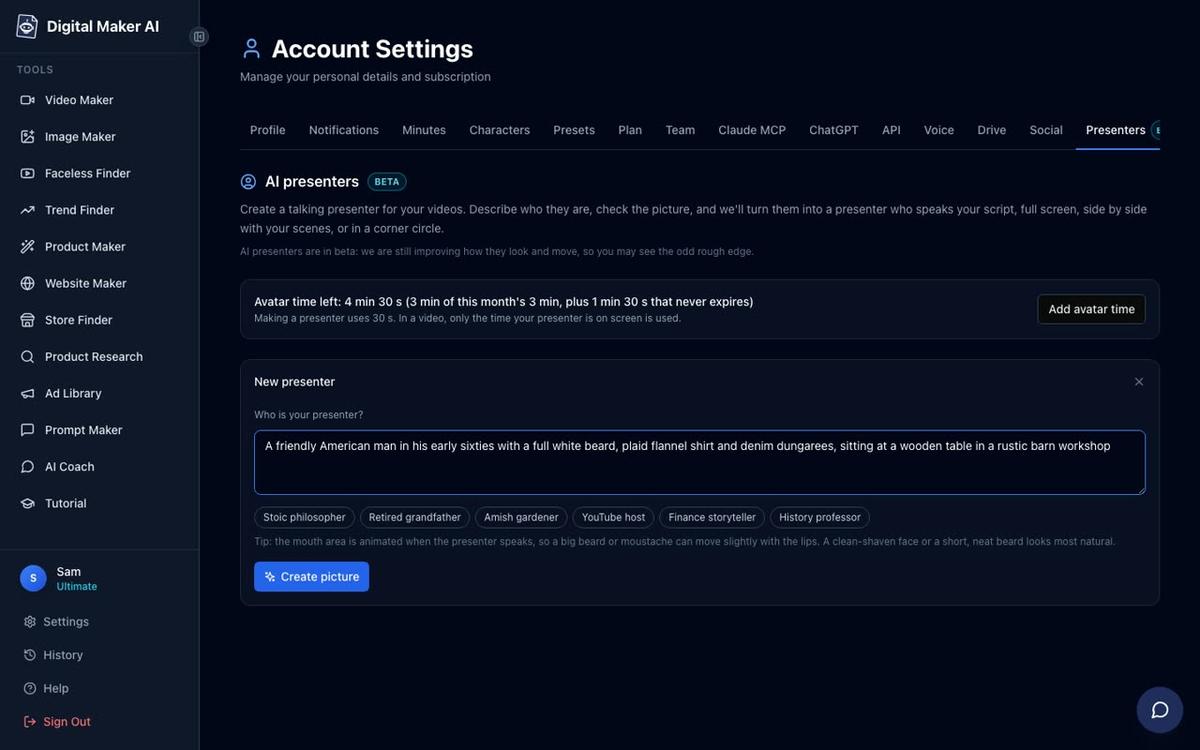
In the Who is your presenter box, write a description of your character and their setting. For a Frugal Japan-style channel, something like: "A calm woman in her forties with dark hair, wearing a simple linen apron, standing in a minimalist Japanese kitchen with wooden shelves and ceramic jars." Two sentences is plenty. Hit Create picture and the AI generates a photoreal image of your presenter. Check it, and if you are happy, save it. You can make several presenters and reuse them across every video you produce.
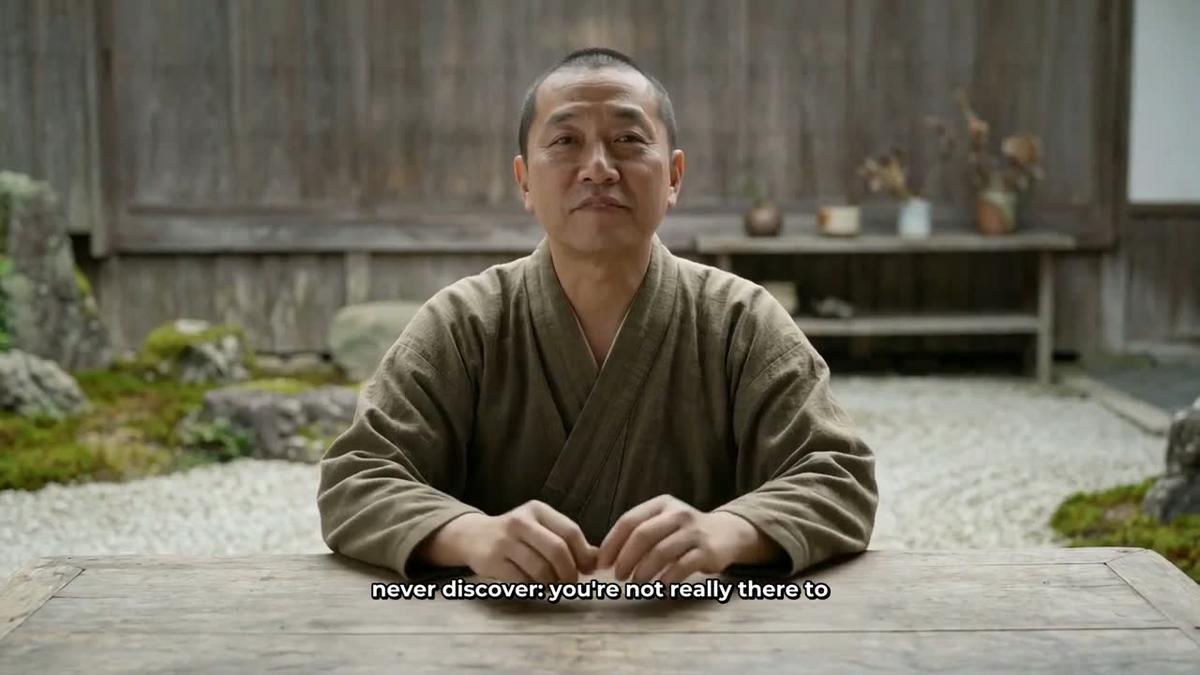
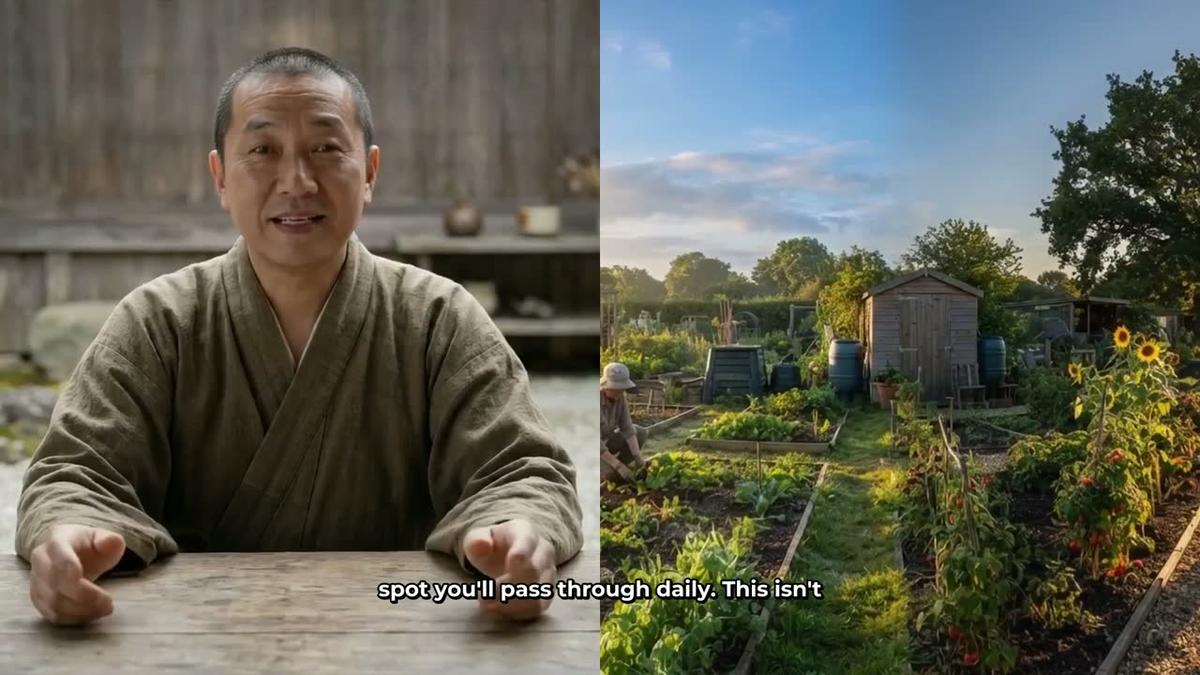
The Monk Gardener below is a good example of the kind of calm, culturally specific character that works well in this niche. The same principle applies to a Japanese kitchen host: a clear persona, a recognisable setting, a face the audience will come to know.

Step 2: Start a Multi Scene Long Form Video and Pick Your Presenter
From the dashboard, press Start a video, choose Long-Form Faceless Video, and at Step 1 select Multi Scene. AI Presenters work on Multi Scene landscape videos only. At the presenter selection step, choose the character you just saved.
You will then see three layout options. Tick one, two or all three:
- Full screen: the presenter fills the entire frame, speaking directly to the viewer.
- Split screen: the presenter appears on the left half and the scene image appears on the right. This works well when you want to show a dish, a product or a kitchen technique alongside your host.
- Corner circle: the scene fills the frame and the presenter appears in a small round window in the corner, keeping the visual content front and centre.
When you tick more than one layout, the video rotates through them automatically. A slider lets you set how much of the total video the presenter is on screen, from as little as 5 percent up to the full length. Markers on a timeline bar let you place the presenter at specific moments, for example at the opening, at a key tip midway through, and again at the close.
Step 3: Write Your Topic and Choose the Minimalist Visual Style
At Step 3, type your video topic into the topic box. For a Frugal Japan channel, a strong starting topic might be: "5 Japanese frugal grocery habits that save money every week." The AI writes the full script, generates a scene image for every scene, adds narration and captions, and returns a ready-to-upload MP4. On paid plans you can also paste your own script if you prefer to write it yourself.
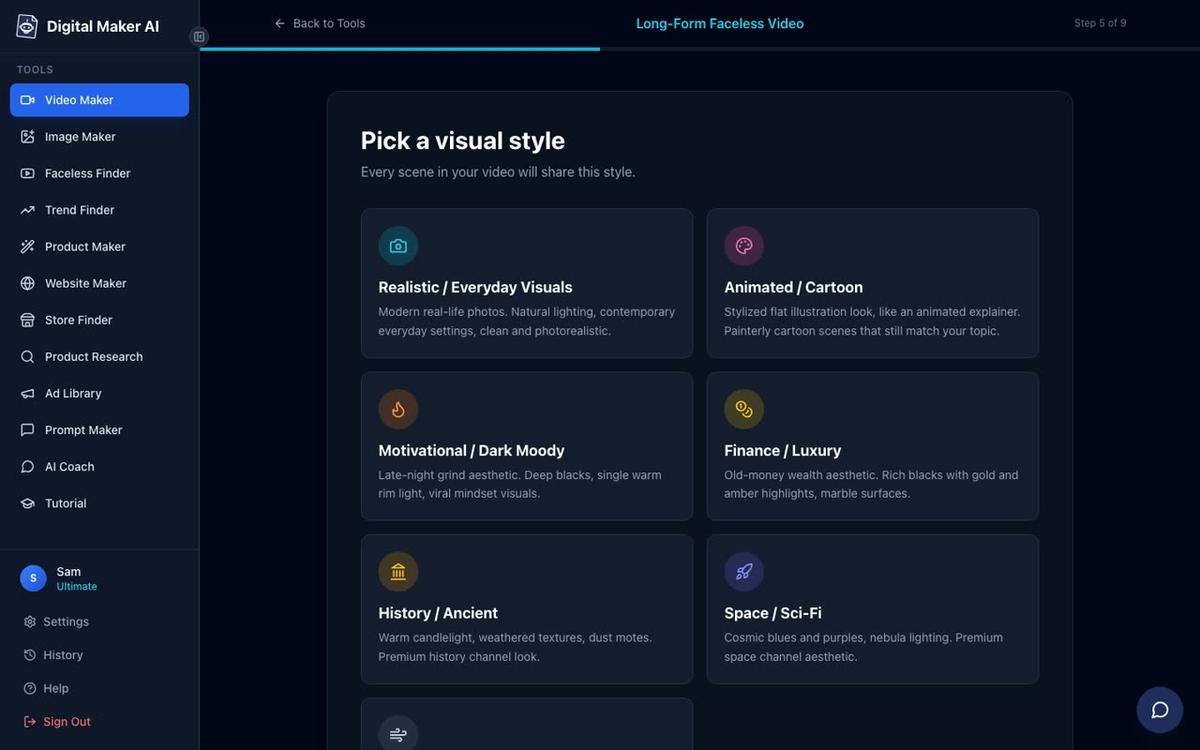
At Step 5, pick your visual style. For a Japanese kitchen and lifestyle channel, Minimalist or Clean is the natural fit. It produces calm, uncluttered scene images that match the aesthetic of channels like Frugal Japan and The Japanese Method perfectly. You could also try Realistic or Everyday Visuals if you want a warmer, more photographic look.
Step 4: Pick a Soft Female Voice and Set the Pacing
At Step 7, choose from more than 100 built-in AI narration voices. Filter by Female and browse the US and UK options to find a calm, clear voice that suits the tone of a Japanese lifestyle channel. The presenter speaks the same voice as the rest of the video, so the character feels consistent from first word to last. Premium and Ultimate users can also design a custom voice from a written description using Voice Design, which gives you even more control over the tone and warmth of the narration.
At Step 8, set the pacing to Calm. This matches the measured, unhurried delivery that works well for frugal living and cooking content, where viewers want to absorb each point rather than rush through it.
Understanding Avatar Time
The AI Presenter feature runs on avatar time, which is counted in seconds and is separate from your regular video minutes. Creating a new presenter picture uses 30 seconds of avatar time. When you generate a video, only the seconds the presenter is actually visible on screen are counted. Premium plans start with 2 minutes of avatar time and Ultimate plans with 5 minutes, with Ultimate also receiving 3 minutes every month. If you need more, Avatar Packs let you add time as a one-off purchase. See the full details at digitalmaker.ai/pricing.
Step 5: Review and Generate
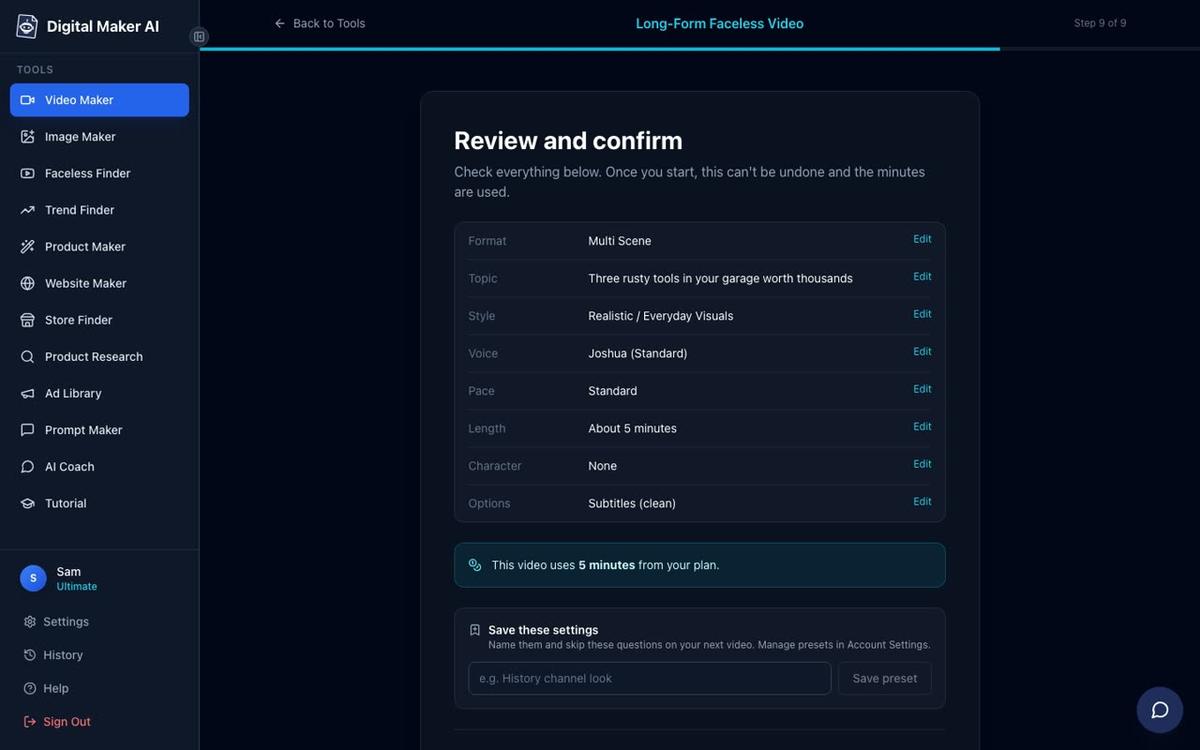
At Step 9, the review screen shows your full setup: format, topic, style, voice, pace, length and the number of minutes the video will use from your monthly pool. Check everything here before pressing Generate Video. You can also save the settings as a preset so that future videos for the same channel start from the same configuration.
Once the video is ready you can regenerate any scene image you are not happy with (up to 10 free regenerations per video), swap in your own image or a short clip, or edit the narration text. Premium and Ultimate users can also post the finished video straight to YouTube from the Post to socials button, now or on a schedule, after connecting their account once in Account Settings. This makes it straightforward to maintain the daily upload cadence that channels like Frugal Japan use to build momentum. Learn more about the full AI presenter video generator and what it can produce.
Topic Ideas for Your Frugal Japan AI Avatar YouTube Channel
Consistency of topic is as important as consistency of presenter. The channels that perform best in this niche stay tightly focused. Here are ten topic directions that fit the frugal Japan format well:
- Japanese grocery habits that cut your weekly food bill in half
- How to cook a full week of meals from one bag of rice
- The Japanese pantry staples that replace expensive sauces
- Why Japanese kitchens waste almost nothing (and how to copy it)
- 5 Japanese meal prep habits that save time and money
- The cheapest protein sources used in traditional Japanese cooking
- How to make dashi stock from scratch for almost nothing
- Japanese fridge organisation tips that reduce food waste
- The frugal Japanese approach to seasonal eating
- How Japanese convenience store meals can teach you to cook cheaper at home
Each of these is specific enough to rank in search and broad enough to sustain a series. A channel that posts seven videos a week on topics like these, fronted by a calm, consistent AI presenter in a minimalist kitchen, is following the exact pattern the Faceless Finder data suggests is working right now.
What Makes This Niche Work So Well for AI Avatar Channels
The frugal Japan and Japanese lifestyle niche has several structural advantages for a faceless AI presenter channel. The audience skews toward people interested in personal finance and intentional living, which means high CPM ad rates. The content is practical and repeatable: there is always another recipe, another grocery tip, another habit to cover. The aesthetic is calm and uncluttered, which suits the Minimalist or Clean visual style in Digital Maker AI perfectly. And the presenter persona, a knowledgeable, unhurried Japanese home cook or lifestyle guide, is exactly the kind of strong character that builds a loyal returning audience.
Channels like The Japanese Method and Frugal Japan are not outliers. They are the result of a tight niche, a distinctive presenter, a consistent visual style and a high upload frequency. All of those elements are now things you can build and maintain with AI tools, without a camera, a studio or a production team.
If you want to explore more channel ideas in adjacent cooking niches, the post on AI avatar channel ideas for Italian and Indian cooking videos covers a similar approach in two other high-performing food niches.
Ready to build your own frugal Japan AI avatar YouTube channel? Start with the free course at Digital Maker AI, which walks you through creating your first faceless video and setting up a channel from scratch, step by step.
Alex Stevens: Alex Stevens writes for the Digital Maker AI team about faceless YouTube channels, AI presenters and AI video tools.