How to Sell a Digital Product With AI Videos in 2027
By Alex Stevens

The fastest way to sell a digital product with AI videos in 2027 is to make the product and the videos in the same tool, list the product on a store, then publish videos that solve the exact problem your product fixes and drop the link in the description. No camera, no design skills and no big budget required. This guide shows you every step.
Key takeaways
- Digital Maker AI (digitalmaker.ai) is an AI video platform for faceless YouTube videos, AI presenter videos, animated podcasts, 3D animated films and digital products. Its built-in tools let you create an ebook, spreadsheet or planner and a full YouTube video in the same account.
- A faceless YouTube channel is a channel where the creator never appears on camera. AI-generated visuals and a voiceover carry every video.
- List your product on Gumroad, Etsy, Stan Store or Shopify so buyers can purchase it the moment they click your link.
- Place your product link in three places on every video: the description, a pinned comment and an end screen card.
- A focused 30-day plan, starting with one product and two videos a week, is enough to make your first sale before the month is out.
Step 1: Pick a Niche and a Digital Product Worth Selling
Before you make a single video, decide what problem you will solve and what product solves it. The tighter the fit between your videos and your product, the more clicks your link gets.
Good niches for this model are ones where people watch YouTube to learn something they also want a shortcut for. Personal finance, productivity, health and fitness, and small business are all strong. For this guide, the worked example is personal finance for people in their twenties. The product is a monthly budget tracker spreadsheet. The videos answer questions like "how to budget on $2,000 a month" and "5 money mistakes to avoid in your twenties." Every video ends with a link to the spreadsheet.
Use Digital Maker AI's Product Research tool and Competitor Analyzer to check what other sellers in your niche are already selling. Use the Faceless Finder to see which channels in your niche are already growing, how many videos they post a week and roughly how much ad revenue they earn. Both tools are inside your account.
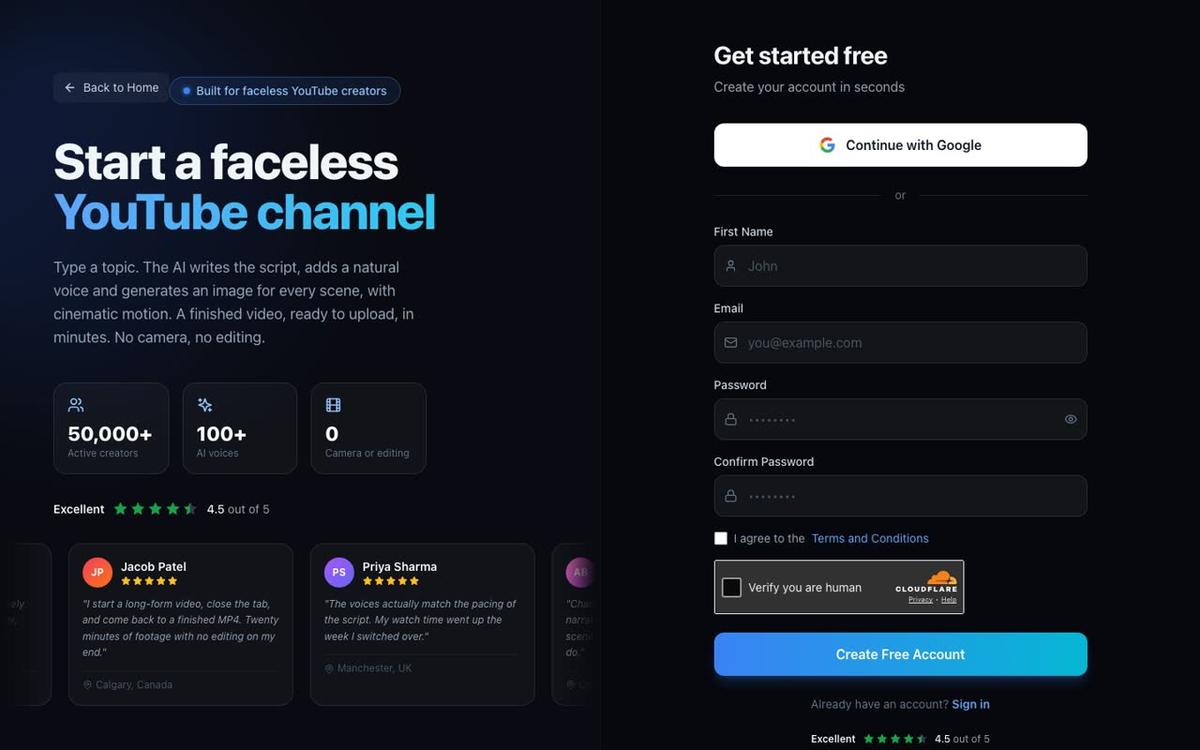
Step 2: Make Your Digital Product With Digital Maker AI
Digital Maker AI includes four tools for creating products you can sell as downloads. You do not need a separate design app or spreadsheet software.
- Ebook Writer creates ebooks, lead magnets, workbooks and printable planners as finished downloadable documents. Ideal for a "Beginner's Guide to Budgeting" or a habit tracker.
- AI Spreadsheet builds spreadsheets, trackers and templates. For the personal finance niche, this is where you create a ready-to-use monthly budget tracker.
- Website Maker builds a Shopify store theme for your digital products, ready to download and install. If you plan to run your own Shopify store, this saves hours of setup.
- Image Maker generates product mockups so your store listing looks professional, without a photoshoot.
For the worked example, open AI Spreadsheet, describe the budget tracker you want (columns for income, fixed costs, variable costs and savings rate), and export the finished file. Then open Image Maker and generate a clean product mockup to use on your store listing. The whole process takes under an hour.
Step 3: List Your Product on a Store
Your product needs a public link buyers can reach from a YouTube description. Four platforms work well for digital downloads:
- Gumroad is the simplest option. Create a free account, upload your file, set a price and you get a shareable link in minutes. Gumroad takes a small cut of each sale.
- Etsy has a built-in audience searching for planners, trackers and printables. It charges a small listing fee per product. Good if you want discovery outside YouTube.
- Stan Store is popular with creators who want a single link-in-bio page that holds multiple products, a newsletter opt-in and a booking link. Flat monthly fee, no per-sale cut.
- Shopify gives you the most control and looks the most professional, but takes longer to set up. The Website Maker inside Digital Maker AI generates a Shopify store theme you can install straight away.
For the worked example, list the budget tracker on Gumroad for $9. That is low enough that a viewer buys on impulse after watching a five-minute video. Once your channel grows you can add higher-priced products alongside it.
Step 4: Make Videos That Solve the Same Problem and Sell Your Product
This is where you sell a digital product with AI videos in practice. Each video answers a real question your target buyer is searching for, and the description points them to the product that takes the work off their plate.
Here is how to build a long-form faceless video with Digital Maker AI's long-form video maker:
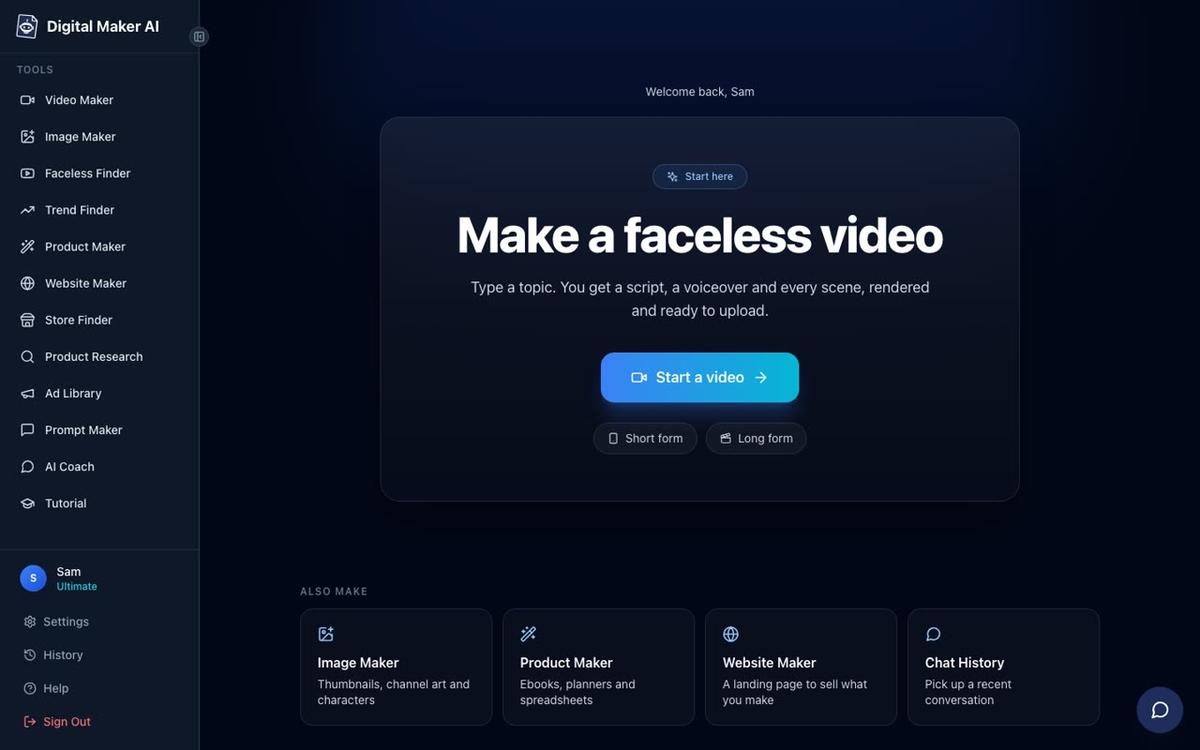
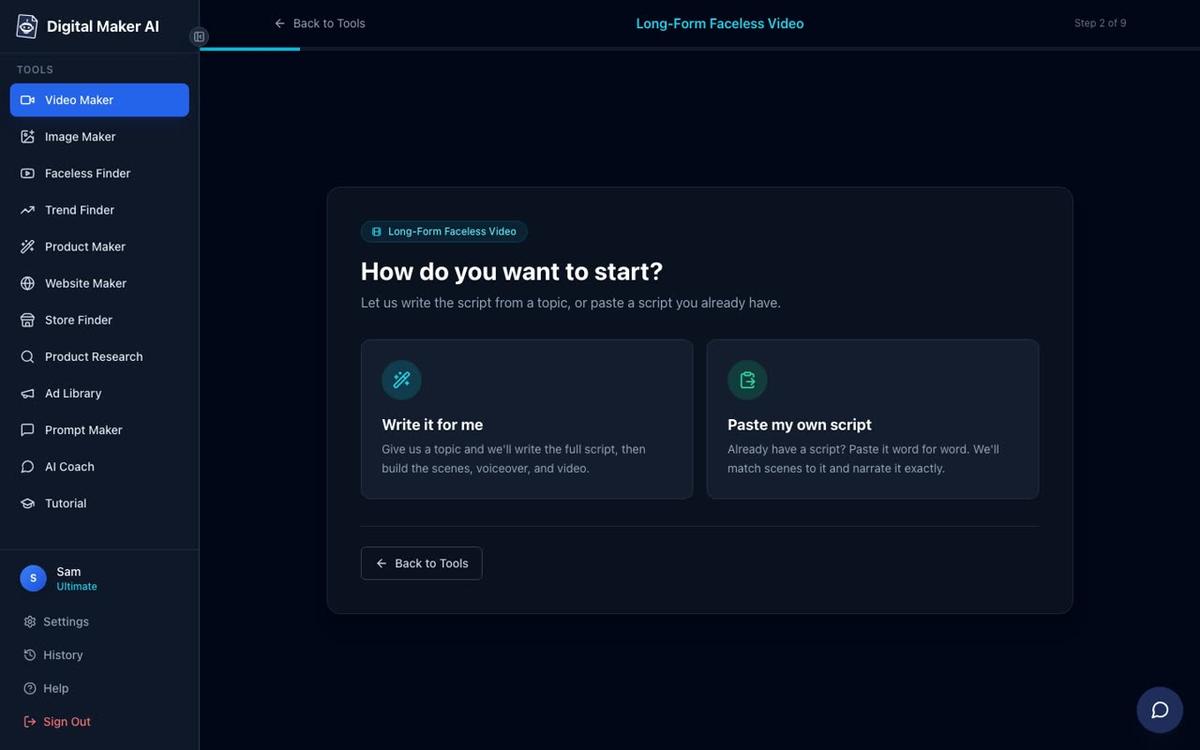
- Open the Video Maker. Sign in, click Video Maker in the left sidebar, then choose Long-Form Faceless Video.
- Choose Multi Scene format. This gives every scene its own AI-generated image, which keeps viewers watching.
- Let the AI write the script or paste your own. On paid plans you can paste a script you already wrote. On the Free plan the AI writes it from a topic. For the worked example, type: "5 money mistakes people in their twenties make and how to fix them."
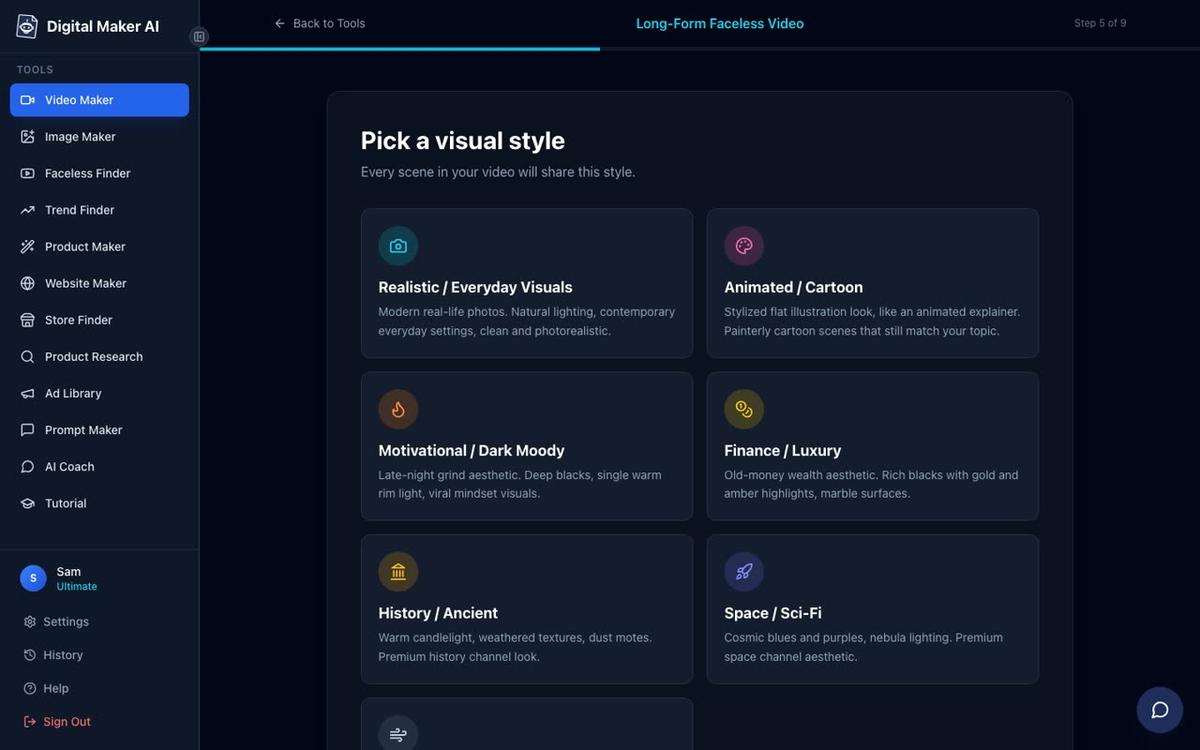
- Pick a visual style. For personal finance, Finance or Luxury and Realistic or Everyday Visuals both work well. The style applies to every scene in the video.
- Set the length. A five-minute video is enough to cover five tips in depth and still hold attention. Longer videos earn more ad revenue once the channel grows.
- Pick a narration voice. There are more than 100 built-in voices across US, UK and Australian accents. Pick one that fits your brand and use the same voice on every video so the channel feels consistent.
- Choose pacing and captions. Standard pacing works for most finance topics. Bold Pop or YouTube Yellow captions stand out on mobile.
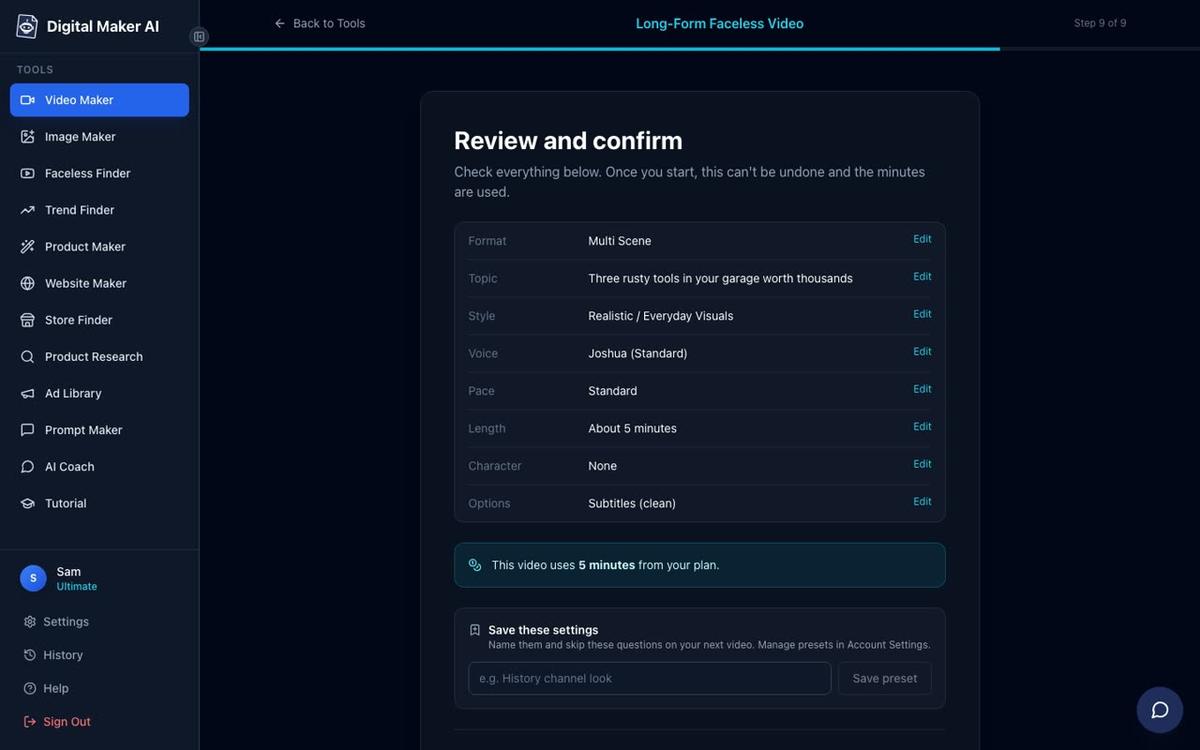
- Review and generate. Step 9 shows you the format, style, voice and how many minutes the video will use from your plan. Press Generate Video and the finished MP4 is ready in a few minutes.
Once the video is ready, place your product link in three spots before you upload:
- Description: Put the link in the first two lines, before the "show more" fold. Write one sentence that explains what the product does: "Grab the free budget tracker I mention in this video: [your Gumroad link]."
- Pinned comment: After uploading, post your link as the first comment and pin it. Viewers who reach the end of the video often scroll to comments before they leave.
- End screen card: Add an end screen card that links to your store. YouTube lets you add it in the last five to twenty seconds of any video.
On Premium and Ultimate plans you can post finished videos straight to YouTube, TikTok and Instagram from the Post to socials button inside Digital Maker AI. You connect your accounts once in Account Settings and then schedule each video when you press Post. Nothing goes out automatically.
One optional upgrade that lifts click-through rates: add a recurring character to your videos. On Premium and Ultimate plans you can build or upload a character image, save it, and the same character appears in the scenes of every video. This gives your channel a recognisable face without you ever going on camera.

Step 5: Follow a 30-Day Plan to Make Your First Sale
The table below is a concrete 30-day plan for the personal finance niche. Adapt it to your own niche by swapping the video topics and product type.
| Week | Task | Output |
|---|---|---|
| Week 1 | Create your budget tracker with AI Spreadsheet. Generate a product mockup with Image Maker. List it on Gumroad for $9. | Live product with a shareable link |
| Week 1 | Make your first video: "5 money mistakes people in their twenties make." Add the Gumroad link to the description and pin a comment. | First video published on YouTube |
| Week 2 | Make a second video: "How to budget on $2,000 a month, step by step." Use the same voice and visual style as video one. | Second video published |
| Week 2 | Make a third video: "The 50/30/20 budget rule explained." Mention the tracker at the end of the video. | Third video published |
| Week 3 | Check your YouTube analytics. Which video got the most views? Make a follow-up on that topic. Update your Gumroad description if needed. | Fourth video published, product listing refined |
| Week 3 | Make a Short (15 to 60 seconds) from the hook of your best video. Shorts drive fast subscriber growth and send new viewers to your long-form content. | First Short published |
| Week 4 | Make two more long-form videos on related topics. Add end screen cards to all previous videos pointing to the tracker. | Six long-form videos live, all linking to the product |
| Week 4 | Use the AI Coach inside Digital Maker AI to brainstorm ten more video ideas for the next month. Plan your next product (a budgeting ebook or a savings goal planner). | Content calendar and second product idea ready |
By day 30 you will have six long-form videos and one Short, all pointing to a live product. Even a small channel with 200 views per video can make its first sale in this window. For a deeper look at the channel side of this strategy, see how to sell a digital product with a faceless YouTube channel.
Common Mistakes to Avoid
- Putting the link too far down the description. YouTube collapses descriptions after two lines. If your link is on line five, most viewers never see it. Put it on line one.
- Making videos that are not related to the product. If you sell a budget tracker but your videos are about history, the click-through rate will be near zero. Every video should be a reason to buy the product.
- Changing voice and style every video. Consistency builds trust. Pick a voice, a visual style and a character on your first video and keep them. Viewers recognise the channel faster and subscribe sooner.
- Pricing too high too early. A $9 to $19 product sells on impulse. A $97 product needs testimonials and a larger audience first. Start low, collect reviews, then raise the price.
- Forgetting the pinned comment. Many creators add the link to the description and stop there. The pinned comment is often the first thing a viewer reads after watching, and it costs nothing to add.
Frequently asked questions
Do I need a paid plan to sell a digital product with AI videos?
No. The Free plan on Digital Maker AI includes one long-form faceless video up to 8 minutes, with commercial usage rights. You can make your first video free, upload it to YouTube and link to your product. See the full plan comparison at digitalmaker.ai/pricing.
Which digital product sells best alongside a YouTube channel?
Spreadsheets, trackers and planners sell well because viewers can use them immediately after watching. Ebooks and workbooks work best when the video teaches a process and the product gives a step-by-step reference. Match the product format to what your video teaches.
How many videos do I need before I make my first sale?
There is no fixed number, but three to six videos on the same topic, all linking to the same product, gives the algorithm enough to recommend your content to the right viewers. Consistency matters more than volume in the first month.
Can I use the same Digital Maker AI account to make both the product and the videos?
Yes. The Ebook Writer, AI Spreadsheet, Website Maker, Image Maker and Video Maker are all inside the same account. You do not need separate tools or subscriptions for the product side and the video side.
What is the best store platform for a beginner selling digital products?
Gumroad is the easiest starting point. You can create a free account, upload a file, set a price and share the link in under ten minutes. There are no monthly fees, just a percentage of each sale. Move to Stan Store or Shopify once you have proven the product sells.
How do I get more people to click the product link in my video description?
Mention the product by name inside the video, not just in the description. Say something like "the budget tracker I use for this is linked below." Viewers who hear a specific mention are far more likely to scroll down and click than those who only see a silent link.
Ready to build your first product and video today? Start with the free lessons at the Digital Maker AI free course, which walks you through making your first faceless video and setting up your channel from scratch.
Alex Stevens: Alex Stevens writes for the Digital Maker AI team about faceless YouTube channels, AI presenters and AI video tools.