AI Avatar Channel Ideas for Appalachian Stories and Nostalgia
By Alex Stevens
If you have been searching for ai avatar youtube channel ideas appalachian nostalgia, you have landed in one of the most wide-open gaps in the entire faceless video space. Channels built around Amish homesteading, off-grid living and frugal rural life are already pulling in serious ad revenue, and the Appalachian storytelling and nostalgia recipe niche sits right next door with almost no AI avatar competition yet. This guide walks through three concrete channel concepts, more than 30 video title ideas and a full step-by-step for building your own AI presenter inside Digital Maker AI.
What the Neighbouring Niches Are Already Earning
Before pitching a niche, it helps to see what is already working nearby. The Faceless Finder inside Digital Maker AI tracks confirmed faceless and AI avatar channels with subscriber counts, upload frequency and estimated monthly ad revenue. Every figure below is Digital Maker AI's own rough estimate based on recent views and typical ad rates for the niche, not the channel's real earnings.
Elias Yoder, an AI avatar host covering Amish homesteading and frugal living, has grown to 367,000 subscribers and the Finder estimates between $10,000 and $16,000 a month in ad revenue. Silas Mercer, an off-grid homesteading and survival avatar channel at 145,000 subscribers, is estimated at $14,000 to $21,000 a month. Even a smaller channel like Esther Yoder, an Amish kitchen and homesteading avatar at 67,000 subscribers, is estimated at $1,400 to $2,100 a month.
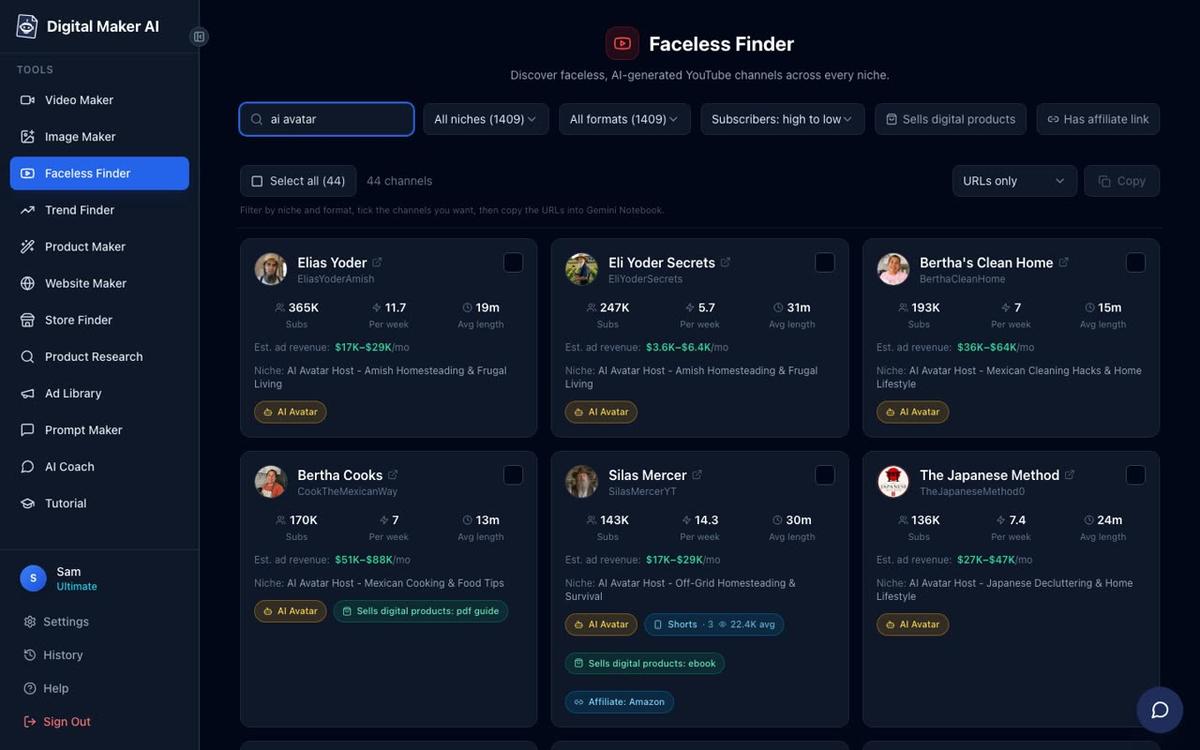
What these channels share is a tight formula: a strong AI-generated host persona (an elderly farmer, a grandmother, a craftsman), a clear niche, frequent uploads and practical tips that older US viewers genuinely search for. No real person ever appears on camera. The host is entirely AI-generated, the narration is AI, and the scenes are AI-generated images. The Appalachian storytelling and nostalgia recipe space has the same ingredients: high CPM audiences (older US viewers, Southern lifestyle fans, food nostalgia seekers), a powerful emotional hook and almost no AI avatar channels claiming the territory yet.
Three AI Avatar YouTube Channel Ideas for Appalachian Nostalgia
Each concept below is built around a distinct presenter persona, a clear content angle and a realistic upload schedule. For each one, you will find specific video title ideas you can use from day one.
Concept 1: The Appalachian Grandmother (Mountain Folk Stories and Remedies)
This channel centres on a warm older woman who grew up deep in the mountains. She shares folk stories passed down through generations, old-time remedies her grandmother taught her and the quiet wisdom of mountain life. The tone is unhurried, intimate and rooted in place. This persona speaks directly to the nostalgia that older US viewers search for constantly, and the folk remedy angle adds a health and wellness CPM boost on top of the storytelling.
Video title ideas for this concept:
- The Old Appalachian Remedy My Granny Used Every Winter
- Why Mountain Folk Never Wasted a Walnut Shell
- The Forgotten Art of Reading Weather Signs in the Holler
- Granny's Poultice: the Mountain Cure Nobody Talks About Anymore
- Stories from the Smokies: the Night the Lights Went Out on Clinch Mountain
- What Every Appalachian Child Was Taught Before Starting School
- The Root Cellar Secrets My Mother Never Wrote Down
- Old Mountain Superstitions That Actually Made Sense
- Why Appalachian Grandmothers Kept a Jar of Bacon Grease by the Stove
- The Herb Garden Every Mountain Homestead Used to Have
- How My Family Survived Three Winters on One Pantry
- Lost Appalachian Sayings and What They Really Meant
Concept 2: The Nostalgia Recipe Host (Depression-Era and 1950s American Dishes)
This channel is hosted by a friendly, knowledgeable figure who recreates Depression-era and 1950s American dishes, explaining the history behind each one. Food nostalgia is one of the highest-performing YouTube niches for older US audiences, and the historical angle adds depth that keeps viewers watching to the end. Every video is a recipe plus a story, which doubles the searchable keywords per upload.
Video title ideas for this concept:
- The Depression-Era Soup That Fed a Family of Eight for Pennies
- Why Every 1950s American Kitchen Had a Jell-O Mold on the Table
- My Grandmother's Dried Apple Stack Cake: the Recipe She Memorised
- Cornbread and Pot Liquor: the Appalachian Meal That Saved Lives
- The Forgotten Art of Making Cracklin Bread from Scratch
- What People Really Ate in Rural America During the Great Depression
- Pinto Beans and Fatback: the Mountain Staple Still Worth Making Today
- Old-Fashioned Chess Pie: the Recipe That Travelled Across the Mountains
- How Appalachian Cooks Stretched a Chicken Into Three Meals
- The 1940s Icebox Cake Nobody Makes Anymore (But Should)
- Shucky Beans: the Appalachian Preservation Method Older Than Canning
- Why Leather Britches Were on Every Mountain Porch in October
Concept 3: The Porch Storyteller (Personal Memory and Homestead Tips)
This format blends personal memory with practical homestead advice, as if an older man is sitting on the front porch talking you through both a story and a skill in the same video. The porch setting is immediately recognisable and emotionally resonant for anyone with Southern or rural roots. Mixing memoir with practical tips means the channel pulls from two strong search intents at once: nostalgia and how-to.
Video title ideas for this concept:
- The Summer We Built a Smokehouse with No Power Tools
- How My Daddy Kept the Farm Running Through the Drought of '52
- What the Old-Timers Knew About Keeping a Garden Without Chemicals
- Splitting Wood the Right Way: What I Learned at Twelve Years Old
- The Night We Canned 200 Jars and What Almost Went Wrong
- Why the Front Porch Was the Most Important Room in the House
- How to Read a Farmer's Almanac the Way My Grandfather Did
- The Fence Post Method That Has Lasted Fifty Years on Our Land
- Stories from the Holler: the Spring That Never Ran Dry
- How Appalachian Families Stored Food Before the Refrigerator Arrived
- The Skill Every Mountain Child Learned Before They Could Drive
- What I Miss Most About the Way We Used to Live Up on the Ridge
Building Your Appalachian AI Presenter in Digital Maker AI
Creating a presenter for any of these channel concepts takes only a few minutes. You need a Premium or Ultimate plan to use AI presenters. Once you are signed in, open Account Settings and click the Presenters tab. You will see a form asking you to describe who your presenter is and where they are sitting.
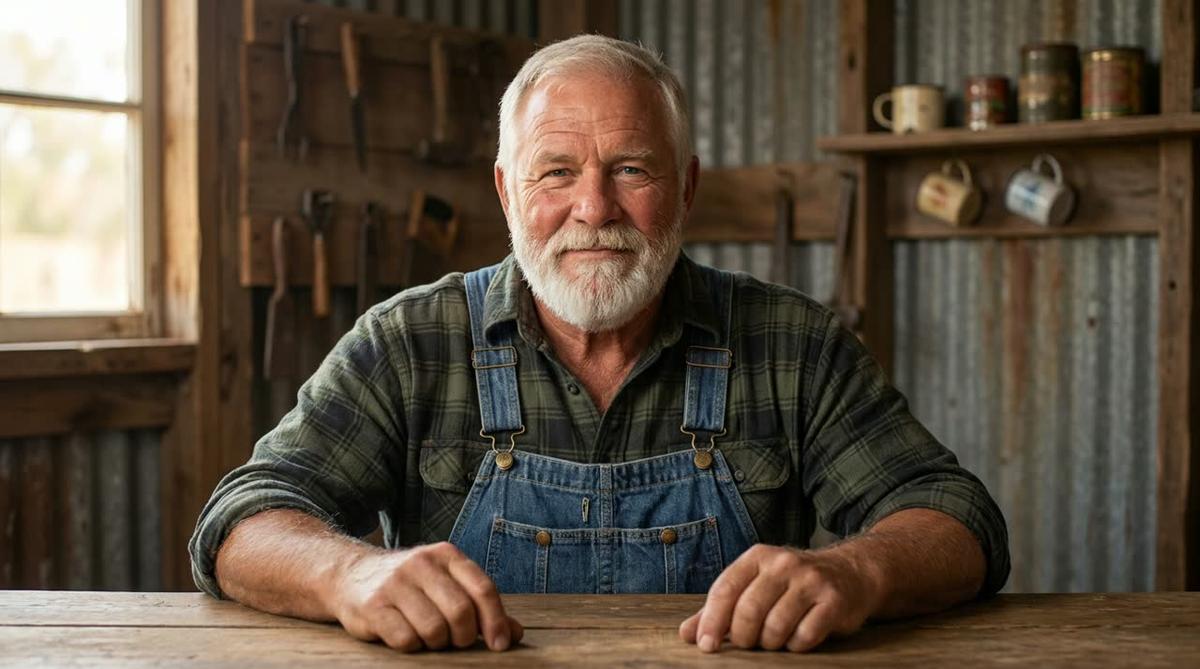
For the Appalachian grandmother concept, you might type something like: "A warm woman in her late sixties wearing a flour-dusted apron, sitting at a kitchen table beside a wood-burning stove, with mason jars and dried herbs on the shelves behind her." For the porch storyteller, try: "A weathered man in his seventies in denim overalls and a faded flannel shirt, sitting in a rocking chair on a wooden porch with misty mountain ridges in the background." Press Create picture and the AI draws a photoreal image of your presenter.
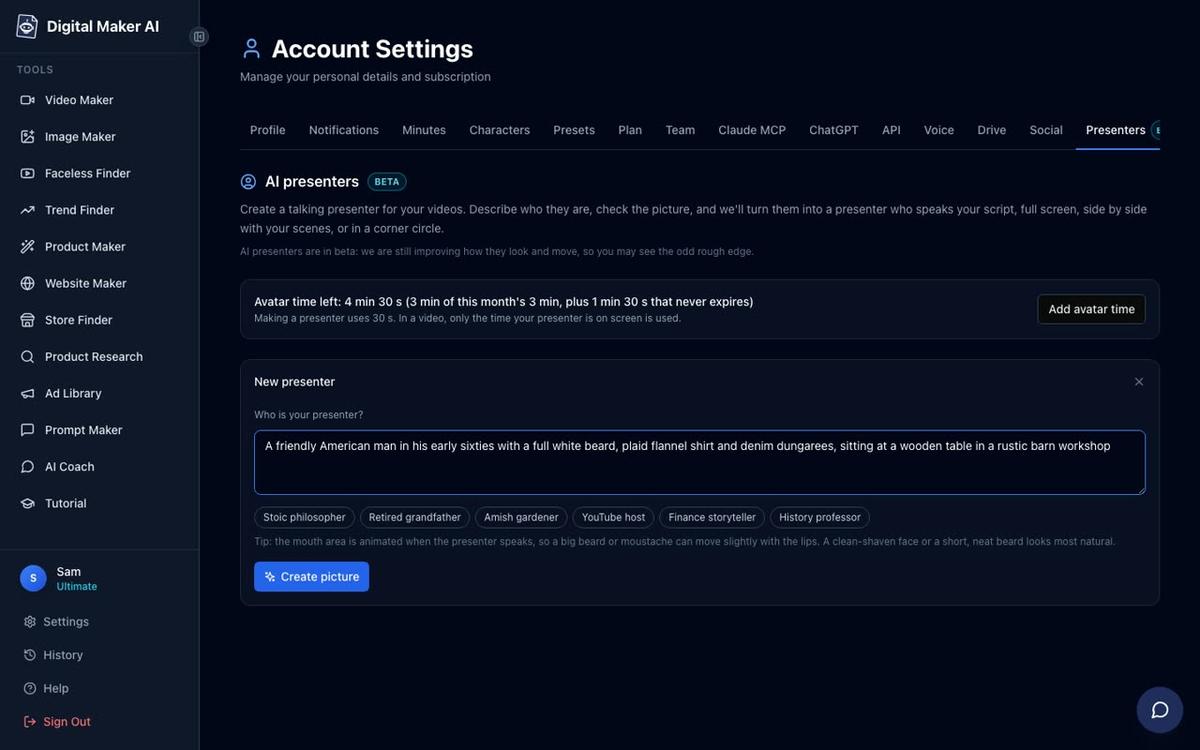
Check the picture. If it captures the right warmth and setting, save it. You can create several presenters and reuse them across every video you make. The result is a consistent, recognisable face for your channel, without any real person ever appearing on camera.
Picking Your Topic and Style for an Appalachian Nostalgia Video
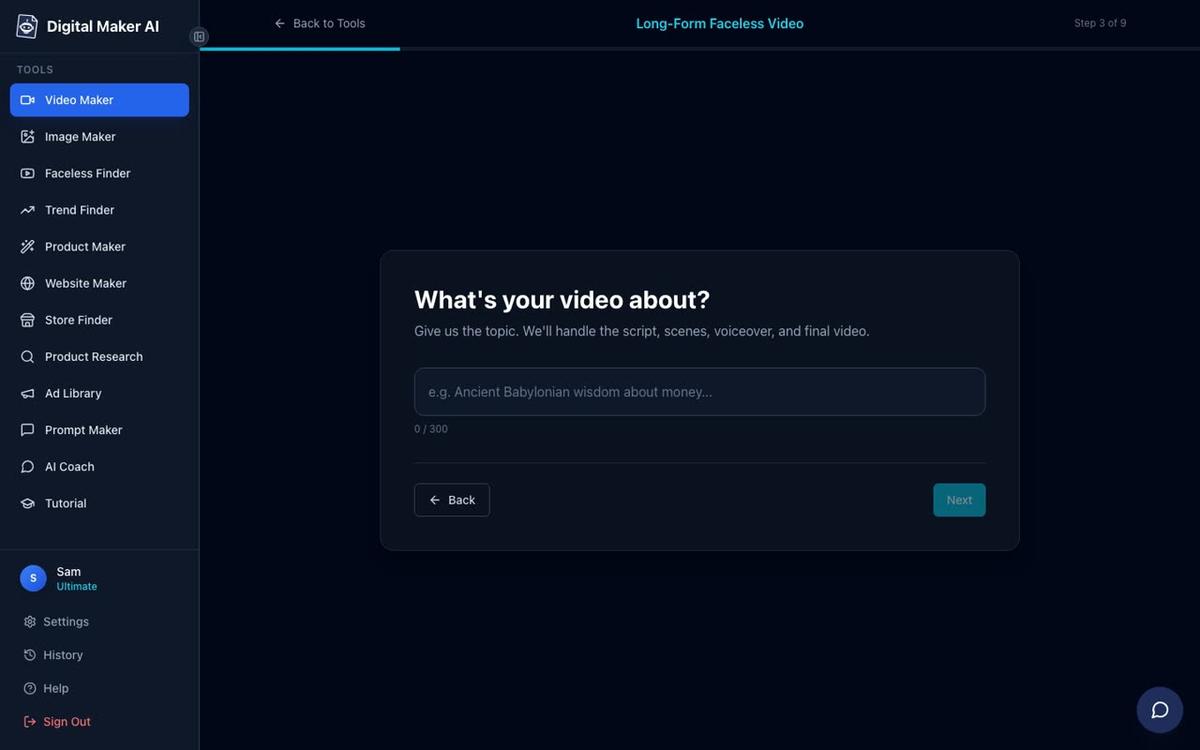
Once your presenter is saved, go to the Video Maker and start a new Multi Scene long form video. Work through the steps: choose Multi Scene at step one, then at step three type your video topic. Keep it specific. Instead of "Appalachian cooking," try "The Depression-era dried apple stack cake Appalachian grandmothers made for every celebration." The more specific the topic, the tighter the script the AI writes.
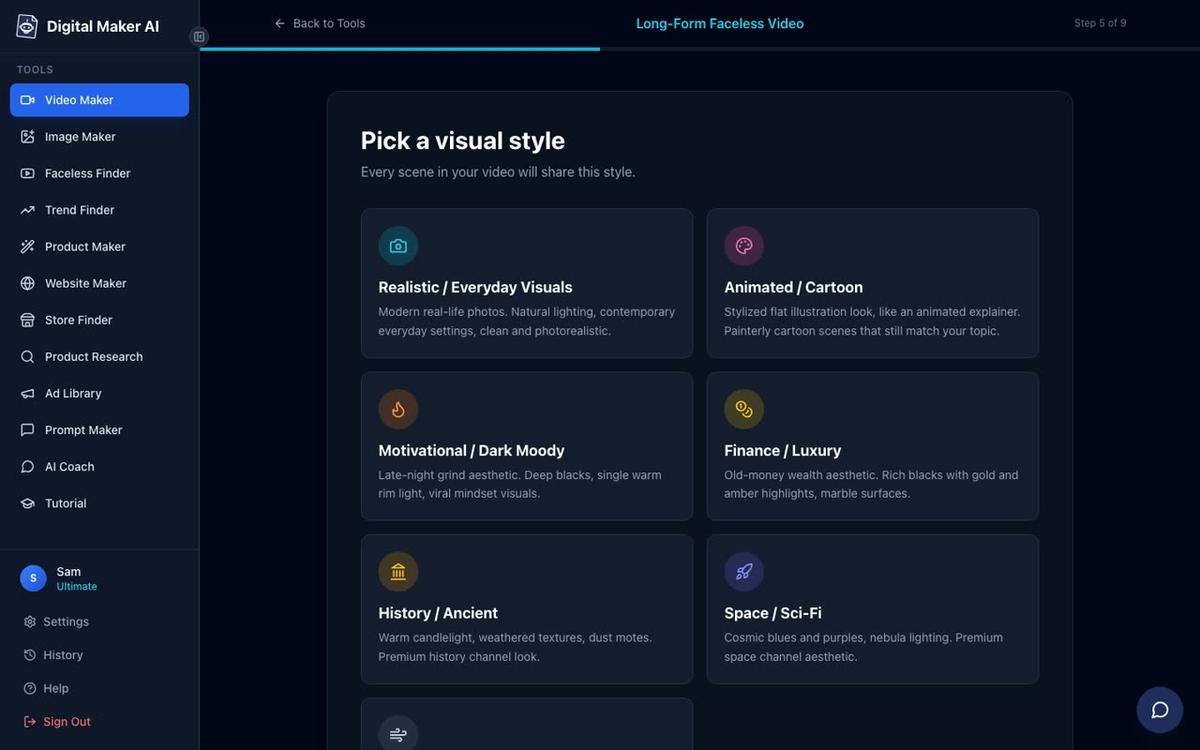
At step five, pick your visual style. For Appalachian storytelling and nostalgia recipes, Realistic is the natural choice. It generates photorealistic scene images that match the warmth and authenticity of the niche. Every scene in the video will share that style, so the channel looks consistent from the very first upload.
Placing Your AI Presenter on Screen: the Three Layouts
After choosing your topic, style, voice and length, you will reach the presenter step. Select the presenter you saved and then tick one or more of the three layout options. You can use all three in the same video and Digital Maker AI will rotate through them.
Full screen puts the presenter in the frame for the full width of the video, speaking directly to the viewer. This works well for the opening hook and the closing call to action, where a face builds trust fast.
Split screen places the presenter on the left half of the frame with the scene image on the right. This is ideal for recipe steps or homestead how-to moments, where the viewer benefits from seeing both the host and the visual at the same time. You can see how this looks in a finished video below.

Corner circle keeps the full scene image on screen while the presenter appears in a small round window in the corner. This is perfect for the storytelling sections of a video, where the landscape or kitchen scene should dominate but the host's face still keeps the connection with the viewer.
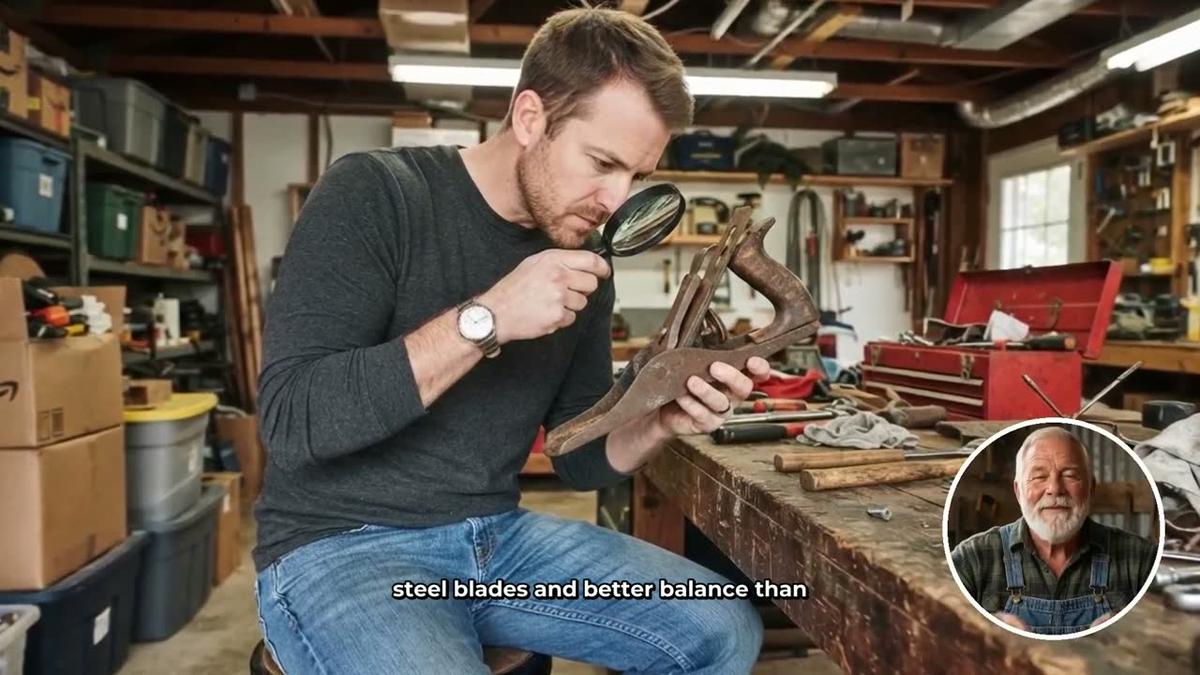
A slider controls how much of the video the presenter appears on screen, from as little as five percent up to the full video. Markers on a timeline bar let you place them at the start, the middle, the end or any combination. The rest of the video plays as normal scene images with narration and captions.
Understanding Avatar Time
Presenter videos use a separate pool called avatar time, counted in seconds and distinct from your regular video minutes. Creating a new presenter uses 30 seconds of avatar time. When a video is generated, only the seconds the presenter is actually visible count against your pool. Premium plans start with 2 minutes of avatar time and Ultimate plans start with 5 minutes, with Ultimate also receiving 3 minutes every month. If you need more, Avatar Packs let you add time as a one-off purchase. See the pricing page for current pack options. For a deeper look at the AI avatar video generator and everything it can do, that page covers the full feature set.
Why the Appalachian Nostalgia Niche Has Such Strong CPM
The channels earning the most in the adjacent rural niche share a common audience profile: older US viewers, predominantly female, with strong interest in Southern lifestyle, home cooking and traditional skills. This audience demographic commands some of the highest CPM rates on YouTube because advertisers in food, health, home goods and financial services actively target them. Appalachian storytelling and nostalgia recipes reach exactly that audience, and the emotional pull of memory and heritage keeps watch time high, which feeds the algorithm further.
There is also a practical search advantage. Terms like "old Appalachian remedies," "Depression-era recipes," "mountain folk stories" and "1950s American cooking" are searched consistently year-round. They are not trend-dependent. A video titled "The Depression-Era Soup That Fed a Family of Eight for Pennies" will be as searchable in three years as it is today. That evergreen quality is exactly what a faceless channel needs to compound views over time without constant reinvention.
If you want to see how other creators have approached adjacent niches with AI avatars, the guide on AI avatar channel ideas for Italian and Indian cooking videos shows the same framework applied to food-focused channels, and the post on how to script and format a split screen AI presenter video goes deep on structuring the kind of storytelling videos that work best in this niche.
Start Your Appalachian AI Avatar Channel Today
The gap in the Appalachian storytelling and nostalgia recipe space is real and it will not stay open for long. The channels earning in the neighbouring rural niches prove that an AI avatar with a strong persona, a tight niche and a consistent upload schedule can build a substantial audience without a single frame of real footage or a real person on camera. With the presenter tools in Digital Maker AI, you can have your grandmother, your porch storyteller or your nostalgia recipe host built, styled and generating videos within the hour.
If you are new to faceless channels and want a structured introduction to the whole process, the free Digital Maker AI course covers everything from picking a niche to publishing your first video, and it costs nothing to get started.
Alex Stevens: Alex Stevens writes for the Digital Maker AI team about faceless YouTube channels, AI presenters and AI video tools.