Steve AI vs Digital Maker AI for Animated Faceless Video
By Alex Stevens
The Short Answer: Which Steve AI Alternative Wins for Faceless YouTube Video?
If your main goal is publishing complete, narrated, scene-by-scene faceless videos to YouTube, Digital Maker AI is the stronger pick. The single criterion here is end-to-end YouTube readiness: how close does the tool get you to a finished, uploadable MP4 without needing a separate editor? On that measure, Digital Maker AI edges ahead. Steve AI wins on breadth of visual styles and its large stock-footage library, and it is worth considering if you want live-action stock clips baked into your videos from day one.
To judge them fairly, we looked at four things: what the finished video actually contains, how much manual work remains after the tool finishes, pricing transparency, and how well each fits the faceless YouTube workflow specifically. Neither tool was tested on paid tiers, so feature claims from each vendor are attributed as such. Pricing for both tools was verified from public sources in September 2026.
Steve AI: Best for Multi-Style Speed and Stock Footage
Steve AI is a text-to-video platform that converts scripts, blog post URLs, audio files and PDFs into video drafts. The company states that the platform handles scene pacing, visual selection, voiceover generation and music automatically, with most standard-length videos finishing in under a minute. It supports several distinct output styles in one place: animated cartoon, live-action stock footage, and generative AI video, which makes it flexible if your content calendar mixes explainer-style animation with news-style footage.
The platform pulls from what the company describes as millions of premium royalty-free media assets for background footage and music, so creators who want recognisable stock clips in their videos will find Steve AI a natural fit. It also offers a blog-to-video tool, a voice-to-video tool and a video ad maker, making it more of a general-purpose video suite than a dedicated faceless channel builder.
Pricing (as of September 2026): Based on data from G2 (last updated April 2026) and the Filmora review, Steve AI offers a Starter plan at around $29 per month, a Pro plan at around $59 per month, a Generative AI plan at around $129 per month, and an Enterprise tier on request. A free plan exists with 200 credits and 120 seconds of video creation. Pricing details and exact limits should be confirmed at Steve AI's pricing page before purchasing, as figures vary across review sites.
Who should pick Steve AI: Creators who want live-action stock footage woven into their videos, marketers building video ads, or teams who need to convert blog content into video drafts quickly. It is also a good fit if you want a single tool that spans animated, live and generative styles without committing to one aesthetic.
Honest limits: Steve AI is built around templates and stock assets. The generated scenes are not unique images created fresh for your script. On lower plans, videos carry a watermark, and the company states that commercial and reselling rights are reserved for higher tiers. If you want every scene to be a one-of-a-kind AI-generated image matched to your exact narration, Steve AI's template approach will feel limiting.
Digital Maker AI: Best Steve AI Alternative for Dedicated Faceless YouTube Channels
Digital Maker AI's Video Maker is built specifically around the faceless YouTube format. You give it a topic or paste your own script (on paid plans), choose a visual style, pick a narrator voice and caption look, and it returns a complete MP4 with a unique AI-generated scene image for every scene, narration burned in and captions along the lower third. There is no stock footage library, and that is the point: every image is generated fresh from your script, so two videos on the same topic will never look identical.
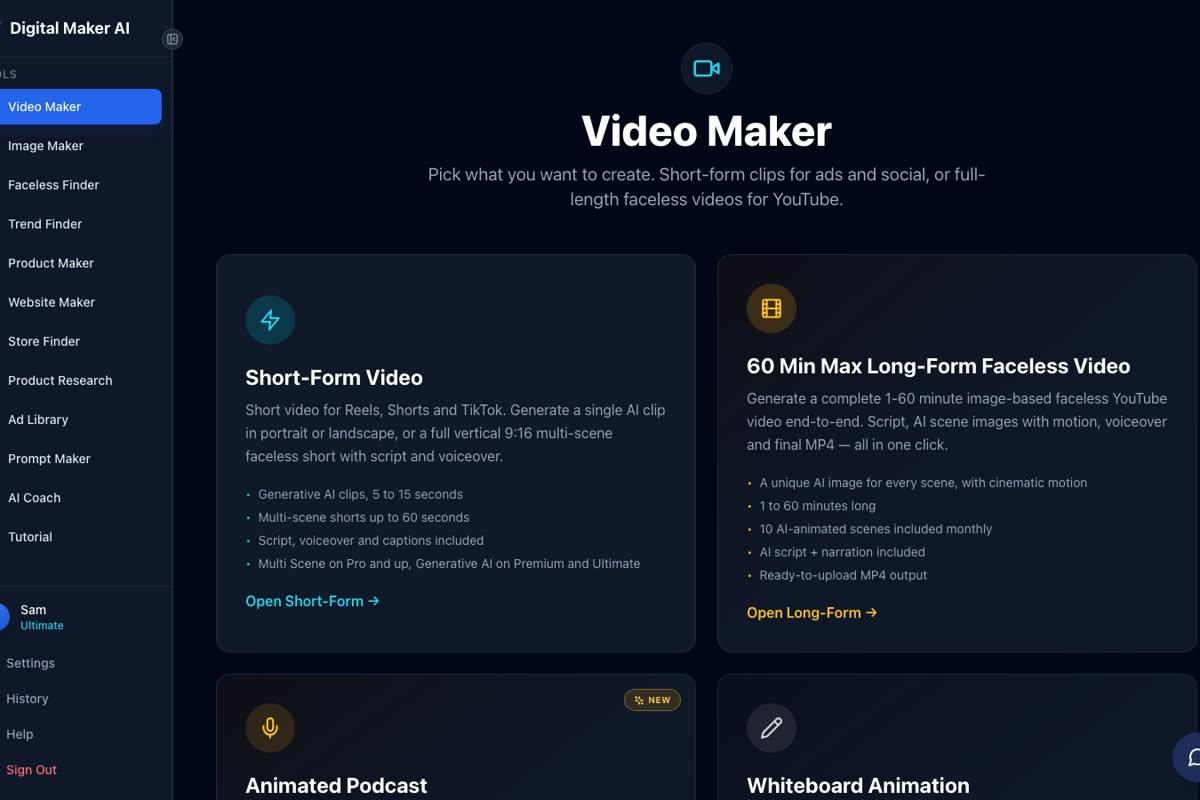
Seven visual styles cover the main faceless niches: Realistic or Everyday Visuals, Animated or Cartoon, Motivational or Dark Moody, Finance or Luxury, History or Ancient, Space or Sci Fi, and Minimalist or Clean. The Animated or Cartoon style produces illustrated, cartoon-looking still scenes rather than moving cartoon animation. Six caption looks let you match the aesthetic of the biggest channels in your niche. After a video is made, you can regenerate any scene image (ten free regenerations per video), swap in your own image or a short clip, or edit the narration text without remaking the whole video.
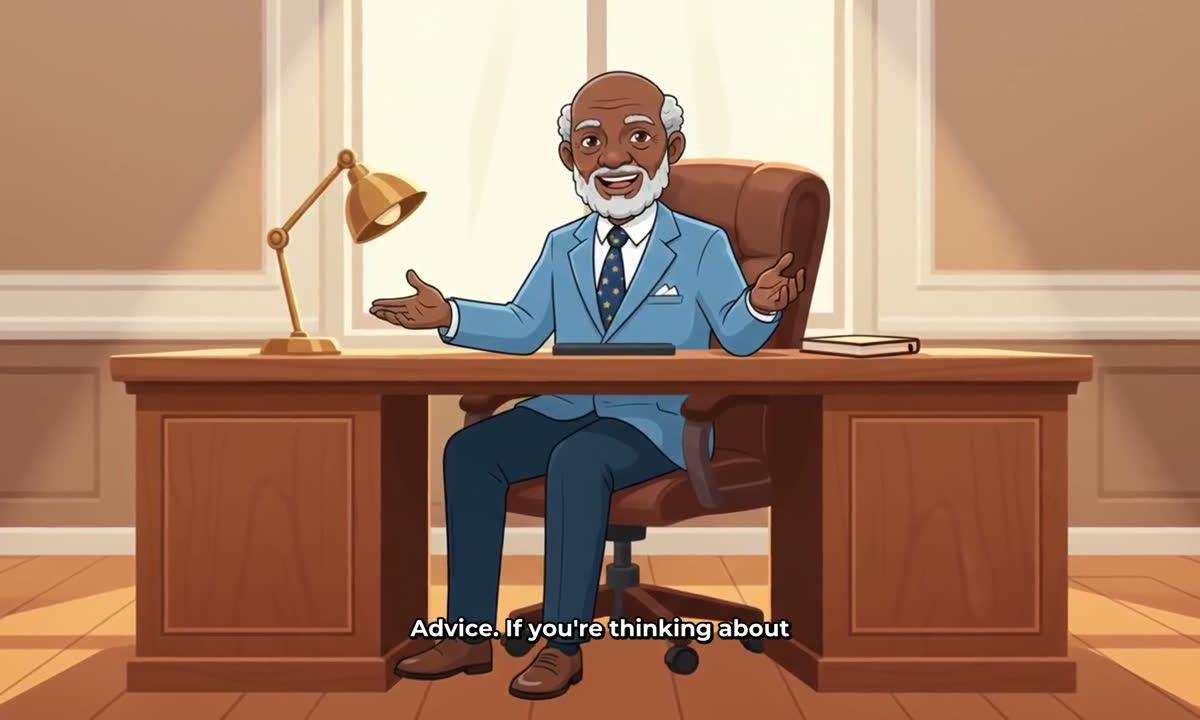
One feature Steve AI does not offer for faceless channels is a recurring character. On Premium and Ultimate plans, you can upload or build a character image, save up to ten of them, and the same character is drawn into the scenes of every video you make. This is a practical way to build a consistent visual identity across a channel without ever appearing on camera yourself.
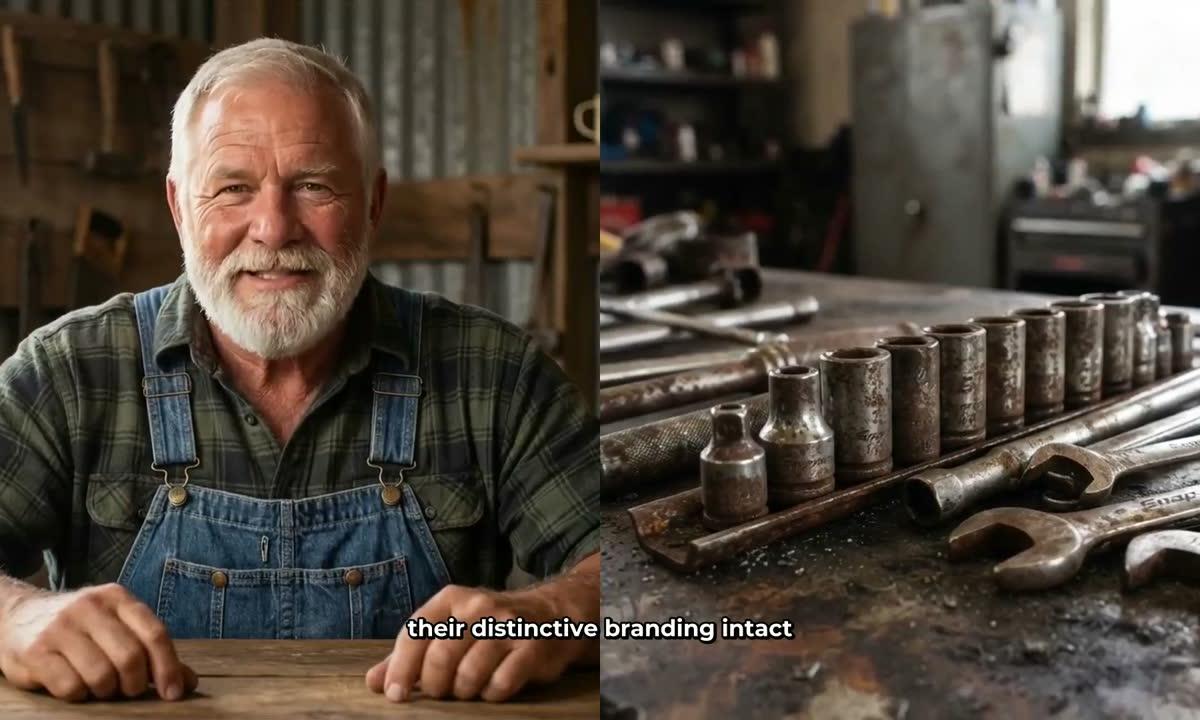
For creators on Premium and Ultimate plans, Digital Maker AI also includes AI Presenters (live since October 2026, currently in Beta). You describe a presenter and their setting, the platform draws a photoreal picture of them, and that presenter can appear in your video in three layouts: Full screen (the presenter fills the frame), Split screen (presenter on the left, scene on the right), or Corner circle (scene fills the frame, presenter in a small round window). A slider controls how much of the video the presenter appears in, and timeline markers set exactly where they show up.

Digital Maker AI does not have a stock footage library, a timeline editor with manual trimming, or a blog-to-video converter. If you want to pull live-action stock clips into your videos, this is not the tool for that. The animated scenes add-on can turn individual scenes into real moving AI clips, but the core long-form video is built from AI-generated still images with optional zoom or pan motion, not stock footage.
Pricing (as of September 2026): A Free plan lets you make one video of each type (long-form, Short, drag-and-drop and podcast) with no card required, each watermarked. Paid plans start at Pro ($29 per month, 40 video minutes a month, up to 10 minutes per video), then Premium ($59 per month, 150 minutes, up to 30 minutes per video), then Ultimate ($99 per month, 300 minutes, up to 60 minutes per video). Annual billing reduces costs significantly. Full details are at digitalmaker.ai/pricing.
Who should pick Digital Maker AI: Creators building a dedicated faceless YouTube channel who want unique AI-generated visuals, a consistent recurring character, and a workflow that goes from topic to finished MP4 without any external editor. Also a strong pick for anyone who wants to add an AI presenter to their faceless videos or run an animated podcast alongside their main channel.
Steve AI Alternatives by Use Case
Best for faceless YouTube long-form videos
Digital Maker AI. The end-to-end workflow, unique per-scene images, recurring characters and AI presenters are all designed around the faceless YouTube format. Steve AI's template and stock-footage approach produces faster first drafts but less visually distinctive output over time.
Best for live-action stock footage style videos
Steve AI. Its large royalty-free media library and multi-style support (animated, live, generative) make it the better choice if you want footage-based videos rather than purely AI-generated imagery. Digital Maker AI does not offer a stock footage library.
Best on a budget
Both tools start at $29 per month on their entry paid plans (as of September 2026). The key difference is what you get at that price. Digital Maker AI's Pro plan gives you 40 video minutes a month with unique AI-generated scenes and commercial rights on every plan including Free. Steve AI's Starter plan includes 100 minutes of AI video per month, but generative AI features are reserved for the $129 per month Generative AI plan. If you want fully generative, unique scene images, Digital Maker AI's Pro plan delivers that at the $29 level.
Best for animated podcasts
Digital Maker AI is the clear pick here. Its Animated Podcast feature puts two AI hosts in an animated studio, with two different voices, sound bars and captions. Episodes up to 30 minutes on Premium and up to 60 minutes on Ultimate. Steve AI does not offer a dedicated animated podcast format.
Best for vertical Shorts
Digital Maker AI's Short-Form Video tool produces vertical 9:16 Multi Scene Shorts at 15, 30, 45 or 60 seconds, with a new AI-generated image every few seconds, narration and bold captions, for a flat one minute of your monthly pool. If you are building a short-form presence alongside a main channel, this keeps everything in one place. For a broader look at what other tools offer in this space, the 10 best AI tools for automated YouTube channels covers more options.
Best for researching faceless channel niches
Digital Maker AI includes a Faceless Finder tool, open to every signed-in account including Free, that lists confirmed faceless YouTube channels by niche, showing subscribers, uploads per week, average video length and an estimated monthly ad revenue. It also flags AI avatar channels with a label, so you can search specifically for channels fronted by AI presenters. Steve AI does not offer a channel research tool.
Which Steve AI Alternative Should You Choose?
If you are switching away from Steve AI because you want more distinctive, unique visuals and a workflow built around the faceless YouTube format, Digital Maker AI is the most direct replacement. The free plan lets you make one video of each type with no card needed, so you can see the output quality before committing. If you want live-action stock footage in your videos and need a broad multi-style tool, Steve AI remains a solid option in that lane. For creators exploring all the steve ai alternatives on the market, the honest answer is that the best tool depends on whether you want stock-footage speed or AI-generated originality. For faceless YouTube specifically, originality compounds over time: channels built on unique visuals are harder to copy and easier to brand.
To go deeper on building a faceless channel from scratch, the free faceless video course at Digital Maker AI walks through the full workflow, from picking a niche to publishing your first video, at no cost.
Alex Stevens: Alex Stevens writes for the Digital Maker AI team about faceless YouTube channels, AI presenters and AI video tools.