Easiest Way to Make a 3D Animated Story Video in 2027
By Alex Stevens
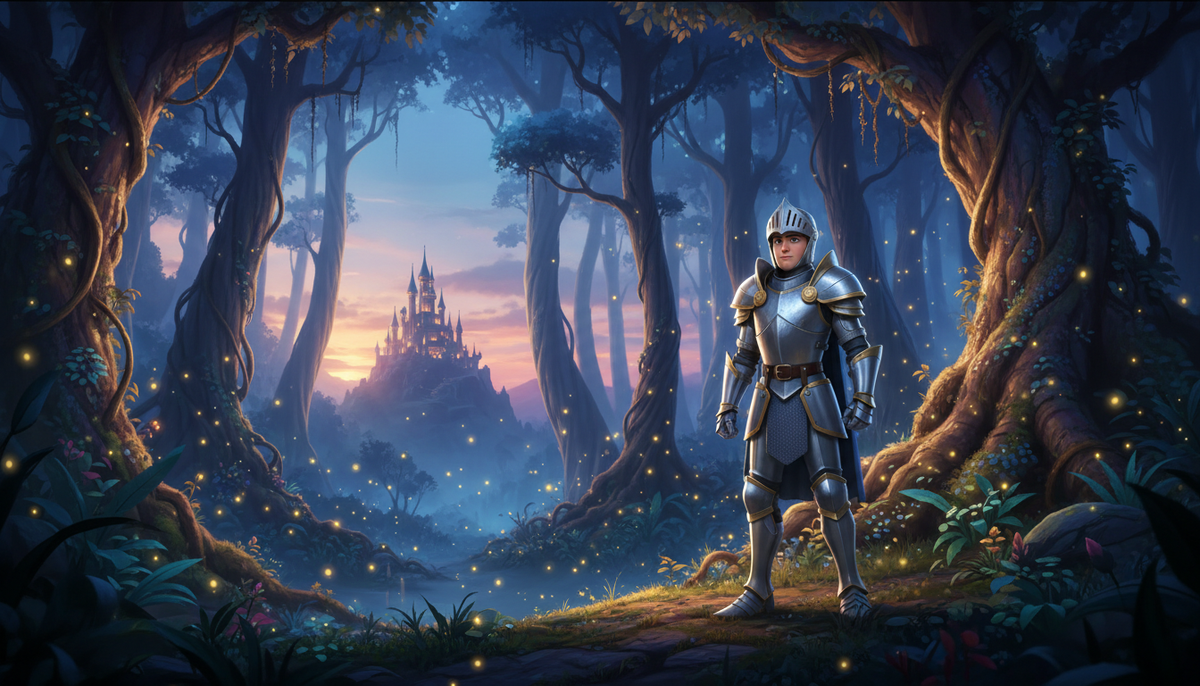
The easiest way to make a 3D animated video in 2027 is to use a purpose-built AI story film tool that handles every step for you: the script, the characters, the shots and the movement. Digital Maker AI (digitalmaker.ai) is an AI video platform for faceless YouTube videos, AI presenter videos, animated podcasts, 3D animated films and digital products. Its 3D Animated Movie format turns a story idea into a fully animated Pixar-style film where every single shot moves, with narration and captions, in a handful of steps.
Key takeaways
- The 3D Animated Movie format in Digital Maker AI produces a story film where every shot is a moving 3D clip, not a still image.
- You choose from 233 public-domain library stories or write your own plot, then cast and style each character as a 3D reference sheet.
- Films are paid with 3D minutes, which are separate from regular video minutes and available on Pro, Premium and Ultimate plans.
- Ultimate includes 2 free 3D minutes a month; all plans can top up with 3D Packs from the 3D animation page.
- After the film is ready, you can fix any shot individually without remaking the whole film.
What is the 3D Animated Movie format and why is it different?
Most AI video tools produce a sequence of still images with a voiceover over the top. The 3D Animated Movie format is different: every shot is a real moving 3D clip, rendered in a Pixar-style look, with characters, environments and camera movement built into each scene. The result is a story film, not a slideshow. It is the AI 3D animation generator inside Digital Maker AI, and it has been live since late October 2026.
The format is designed specifically for storytelling. You are not making a factual explainer or a talking-head video. You are making a short film with a cast, a plot, a look and a narrator. That distinction matters when you are planning your content for 2027, because story films sit in a different category on YouTube from regular faceless videos and tend to attract a family and children's audience as well as fans of classic tales.
What stories can you make a 3D animated film from?
Digital Maker AI gives you a library of 233 public-domain stories to choose from. The categories cover fairy tales, fables, classic adventures, Bible stories, myths and legends, classic drama, nursery rhymes and bedtime tales. All of these are out of copyright, so you can publish them freely on YouTube without any licensing concern.
If none of the library stories fits what you want, you can write your own plot instead. Type a summary of your story and the platform builds the script and storyboard from your idea. This is the route to take if you want original characters or a setting that does not exist in the library.
One special case worth knowing: nursery rhymes are handled differently. Instead of a narrated film, they are made as sung films with a music style and a singer voice, so the output feels like a proper children's music video rather than a story read aloud.
Step-by-step: the easiest way to make a 3D animated video in 2027
Here is the full process from a blank screen to a finished film. Each step is inside the Video Maker in your Digital Maker AI account.
- Create your account. Go to digitalmaker.ai/faceless and sign up. The Free plan does not include 3D films, so you will need a Pro, Premium or Ultimate plan. Check the current plan options at digitalmaker.ai/pricing.
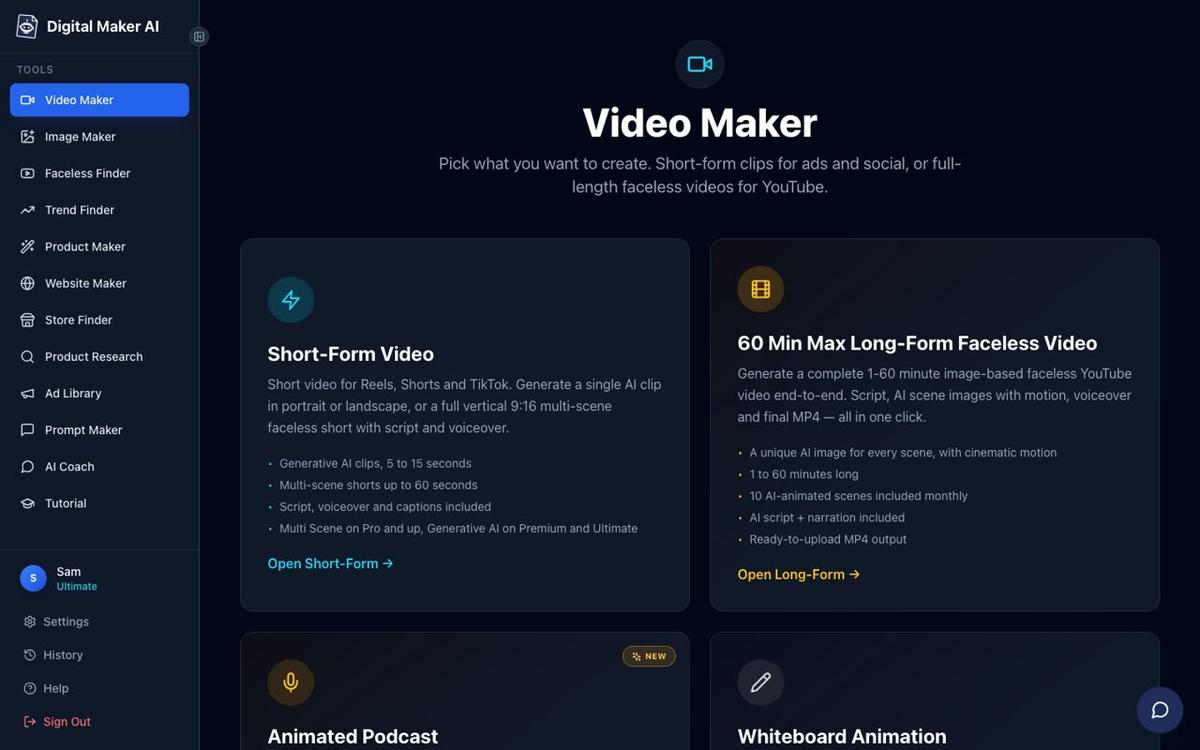
- Open the Video Maker. After signing in, click Video Maker in the left sidebar. The 3D Animated Movie option appears alongside the other video types on this screen.
- Pick your story. Browse the 233 library stories by category, or choose to write your own plot. If you pick a library story, the platform already knows the characters and structure. If you write your own, type a short summary of the plot and the characters.
- Meet your cast. The platform shows you the cast of 3D characters for the story. For each character you can create a 3D reference sheet, which locks in how that character looks across every shot. You can also turn your own photo into a 3D character if you want a personalised version of yourself or someone else in the film.
- Choose a look. Pick one of four visual styles: Nursery (soft and gentle, ideal for very young children), Kids Adventure (bright and energetic), Epic and Faith (grand and cinematic, suited to Bible stories and myths), or Cinematic Drama (darker and more serious, for classic drama and adventure). Every shot in the film shares this look.
- Pick your narrator. There are 30 dedicated Storyteller voices made specifically for 3D films. You can also pick any built-in voice from the wider library, or use your own voice if you want to narrate it yourself.
- Set captions and music. Choose a caption style and add background music from the library. Both are optional but captions help with watch time on YouTube.
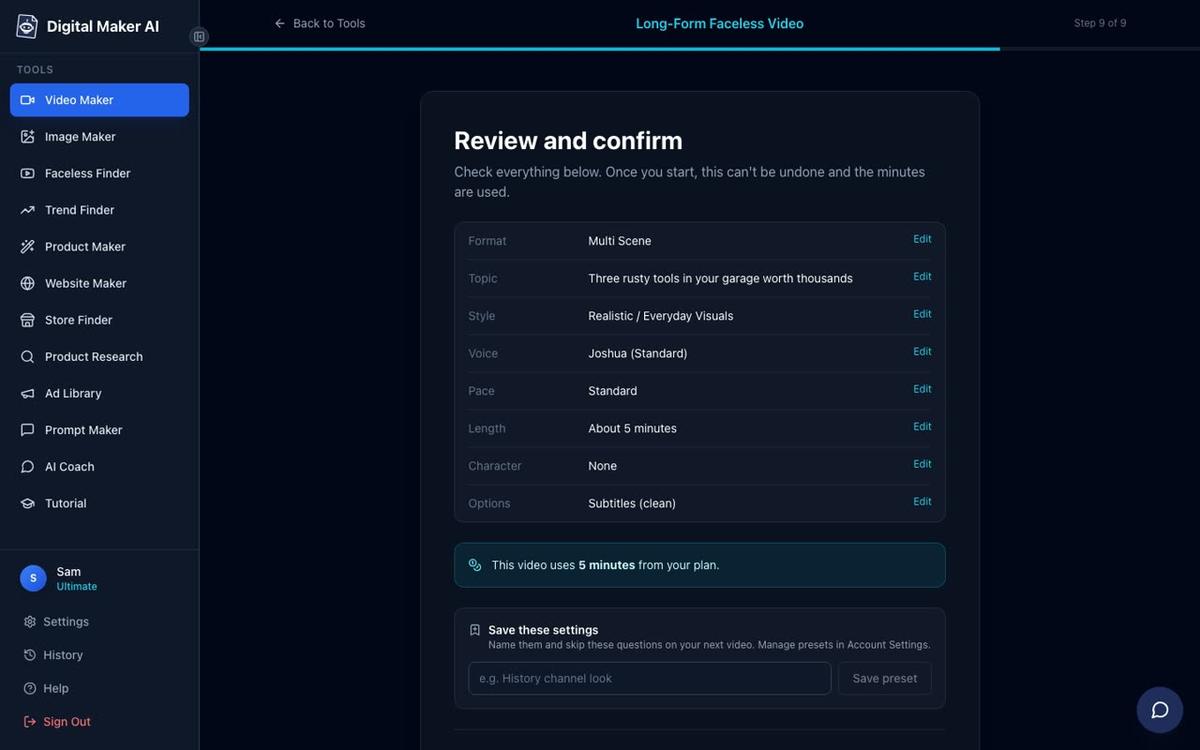
- Review and confirm. The platform shows you the storyboard: the shots, the characters in each one and the narration. Check everything, confirm the 3D minutes the film will use, and press Generate.
How do 3D minutes work and which plans include them?
3D films are paid with 3D minutes, which are completely separate from the regular video minutes used for faceless videos and Shorts. One 3D minute covers one minute of finished film. This matters for your planning: making a ten-minute fairy tale uses ten 3D minutes, not ten of your monthly video minutes.
Here is a summary of what each plan includes for 3D films, as of November 2026:
| Plan | 3D films available | Max film length | Free 3D minutes included |
|---|---|---|---|
| Free | No | N/A | 0 |
| Pro | Yes | 10 minutes | 0 (top up with 3D Packs) |
| Premium | Yes | 30 minutes | 0 (top up with 3D Packs) |
| Ultimate | Yes | 30 minutes | 2 free 3D minutes every month |
All plans with 3D access can buy additional 3D minutes through 3D Packs. See the current pack options and pricing at digitalmaker.ai/ai-3d-animation-generator. Never buy more minutes than you need for a specific film: minutes used to generate a film are not refunded once the video is made.
What happens after the film is generated?
Once your film is ready, you are not locked in to the first result. Digital Maker AI lets you fix the film shot by shot without remaking the whole thing. For any shot you are not happy with, you can redo the movement, fix one specific element, or regenerate the scene entirely. This is important because AI animation is not perfect: a character's hand might look odd in one shot, or a background detail might not match the style. The shot-by-shot fix system means you can correct those small mistakes without wasting 3D minutes on the whole film again.
You can also change the captions and music after the film is finished and update the film with the new settings. When you are happy with the result, download the MP4 and upload it to YouTube. Premium and Ultimate accounts can also post directly to YouTube, TikTok and Instagram from the Post to socials button inside the platform.
Can you make a 3D animated film by chatting to an AI assistant?
Yes. If you prefer to work conversationally rather than clicking through steps, the AI Coach inside Digital Maker AI can make the same 3D film for you. Open the AI Coach from the left sidebar, describe the story you want, name the characters, choose the look and length, and the coach walks you through the same choices before showing you a review card. Nothing starts until you press Make it. This route needs a Premium or Ultimate plan and uses Expert mode in the AI Coach.
You can also connect Digital Maker AI to external AI tools. Once connected, Claude by Anthropic, ChatGPT by OpenAI, Gemini and Grok can all make a 3D animated film for you by asking. The connection takes about a minute to set up in Account Settings. See the AI Coach page for more on making videos by chatting inside the platform.
Practical tips for your first 3D animated story film in 2027
These are the things that make the biggest difference on a first film:
- Start with a short story. A three to five minute film uses fewer 3D minutes and gives you a chance to learn the shot-fix workflow before you commit to a longer project. Fables and nursery rhymes are ideal for a first attempt because they have simple plots and small casts.
- Create character reference sheets for every main character. The reference sheet locks in the character's appearance. Without it, the same character can look slightly different from shot to shot. Take the extra minute to create one for each named character before you generate.
- Match the look to the story. Nursery rhymes suit the Nursery look. Bible stories and myths suit Epic and Faith. Using the wrong look makes the film feel tonally off even if every shot is technically fine.
- Use a Storyteller voice. The 30 dedicated Storyteller voices are tuned for pacing and tone in a story film. A standard narration voice can sound flat over 3D animated footage. Try a Storyteller voice first and only switch to a standard voice if you have a specific reason.
- Plan your 3D minutes before you start. Check how many 3D minutes you have in your account before you begin. A ten-minute film needs ten 3D minutes. If you are on Ultimate, your two free monthly minutes will cover a short film. For anything longer, top up first so the generation does not stop partway through.
- Fix shots before you download. Watch the whole film in the platform before downloading. Use the shot-fix tools to correct any issues. Once you download and share the video, you cannot edit it without remaking it.
What other animated video formats does Digital Maker AI offer?
The 3D Animated Movie is a story film format. If you want a different kind of animated content, Digital Maker AI has several other options worth knowing about:
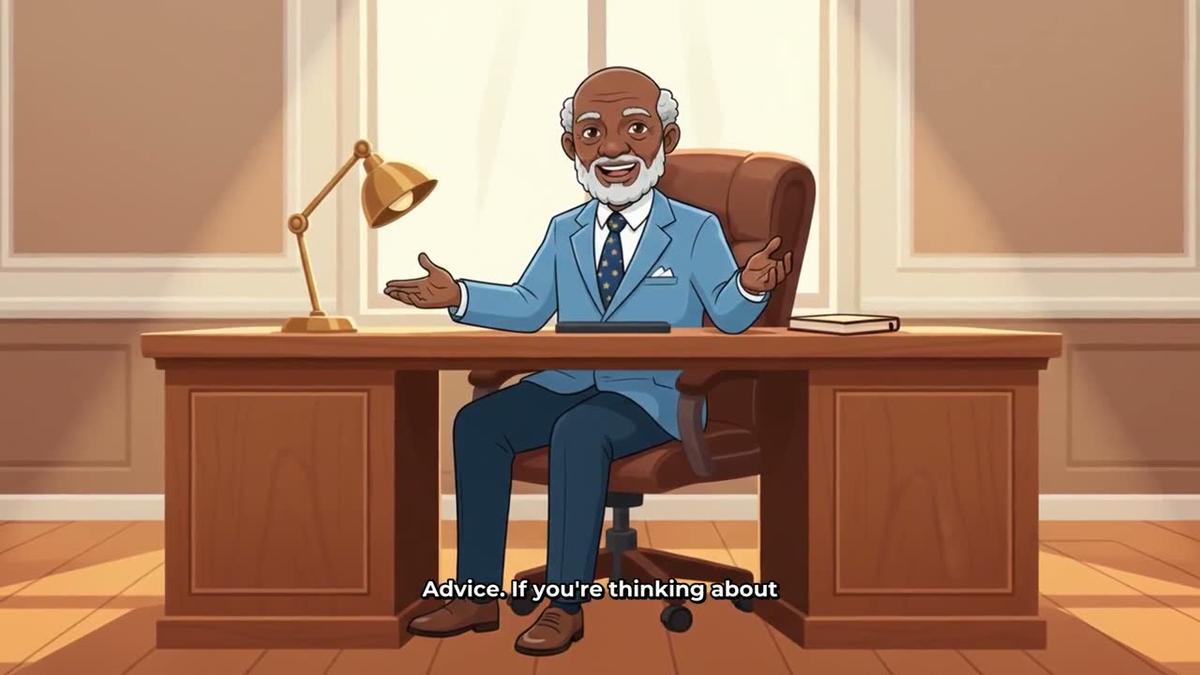
- The Animated or Cartoon visual style on the Long-Form Faceless Video produces illustrated, cartoon-looking still scenes with narration. It is not moving animation, but it gives a cartoon aesthetic to any topic-based video.
- The Animated Podcast puts two AI cartoon hosts in an animated studio, talking through a topic in two voices with sound bars and captions. See the animated podcast generator for details.
- Animated scenes let you take individual scenes from a finished long-form video and turn them into real moving AI clips. This is separate from the 3D format and works on any Multi Scene video. See the animated scenes page for how it works.
- The Whiteboard Animation format produces marker-sketch style explainer videos where the illustrations appear line by line. See the whiteboard animation generator if that style suits your channel.
Each format is built for a different use case. The 3D Animated Movie is the only one that produces a fully animated story film where every shot moves from start to finish.
Common mistakes to avoid when making 3D animated films
A few things trip up first-time users of the 3D format:
- Confusing 3D minutes with video minutes. They are separate pools. Running out of video minutes does not affect your 3D minutes, and vice versa. Check both balances in your account before starting.
- Skipping the character reference step. It feels optional but it is not if you want a consistent look. Characters without a reference sheet can drift in appearance between shots.
- Choosing the wrong look for the audience. The Cinematic Drama look is striking but it is too dark and intense for a children's bedtime story. Match the look to the audience first, the story second.
- Expecting perfection on the first render. AI animation has small imperfections. The shot-fix system exists precisely because of this. Budget time to review and fix before you download.
- Starting with a 30-minute film. Long films use a lot of 3D minutes and take longer to review. Start short, learn the tools, then scale up.
Frequently asked questions
Can I make a 3D animated video for free with Digital Maker AI?
No. The 3D Animated Movie format requires a Pro, Premium or Ultimate plan. Free accounts cannot access it. You can sign up for a free account to explore the platform, then upgrade to start making 3D films. See current plan options at digitalmaker.ai/pricing.
How long does it take to generate a 3D animated film?
Generation time depends on the length and complexity of the film. A short three to five minute film typically takes several minutes to render. Longer films take more time. You will receive a notification when your film is ready, so you do not need to wait at the screen.
Can I use my own story idea instead of a library story?
Yes. You can write your own plot instead of choosing from the 233 public-domain library stories. Type a summary of your story and characters and the platform builds the script and storyboard from your idea. This works on all plans that include 3D film access.
What is the difference between the four visual looks?
Nursery is soft and gentle for very young children. Kids Adventure is bright and energetic for older children. Epic and Faith is grand and cinematic, suited to Bible stories and myths. Cinematic Drama is darker and more serious, designed for classic adventure and drama stories. Every shot in the film shares whichever look you choose.
Can I add an AI presenter to a 3D animated film?
No. The AI presenter feature works with landscape Multi Scene long-form faceless videos on Premium and Ultimate plans. It is not available on the 3D Animated Movie format. The 3D format has its own narrator and cast of animated characters instead.
What happens if I am unhappy with a shot after the film is generated?
You can fix any shot individually without remaking the whole film. Options include redoing the movement, fixing one specific element, or regenerating the scene entirely. Small imperfections are normal in AI animation and the shot-fix tools are designed to handle them one at a time.
If you are ready to go further with AI video in 2027, the free Digital Maker AI course covers the full platform from your first video to publishing and growing a channel, with no cost and no card required.
Alex Stevens: Alex Stevens writes for the Digital Maker AI team about faceless YouTube channels, AI presenters and AI video tools.