ChatGPT + Digital Maker AI: Make an Animated Podcast by Asking
By Alex Stevens
What You Will Be Able to Do
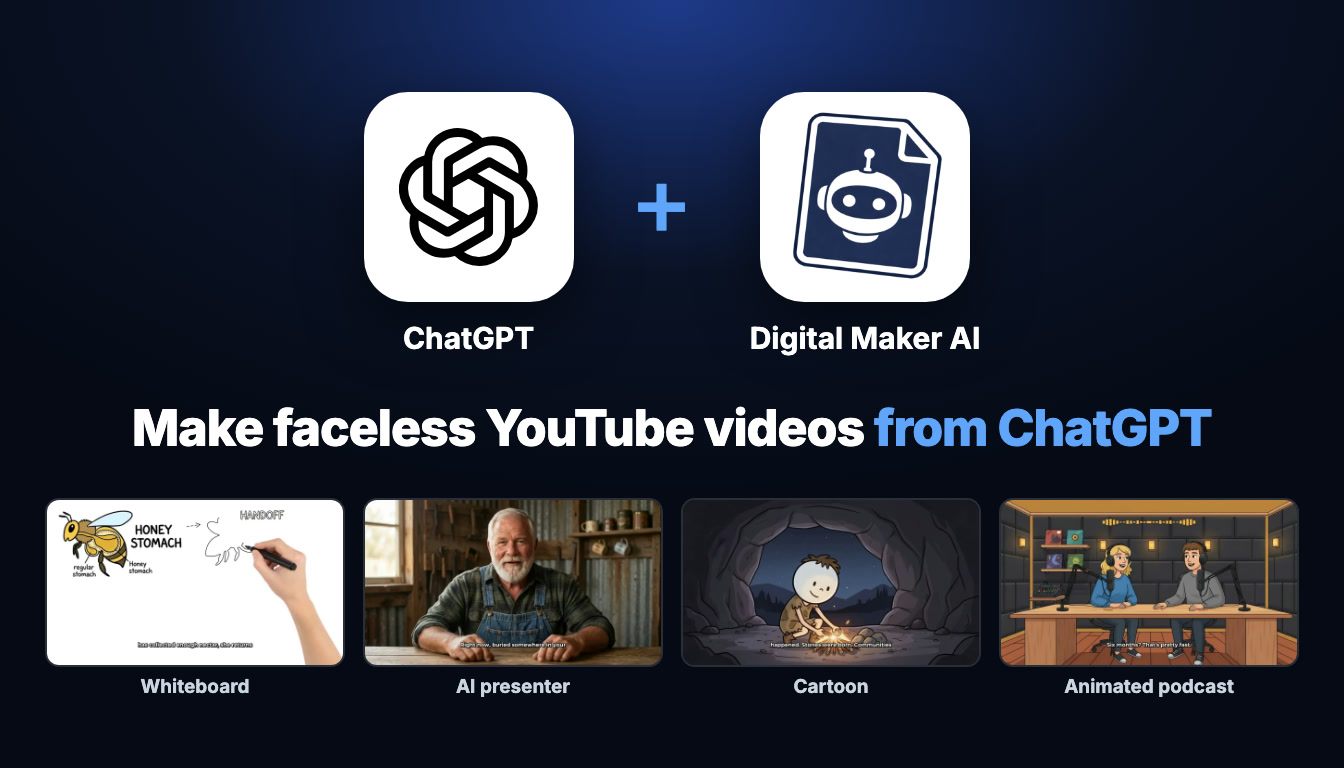
By the end of this guide you will know how to make an animated podcast with ChatGPT by typing a single sentence. You will connect Digital Maker AI to ChatGPT once, then build an entire podcast show from inside the chat window: researching a niche, naming and styling two AI hosts, ordering the first episode and growing the series episode by episode. You will also see quick examples for every other format the connection supports, from faceless long-form videos to vertical Shorts and AI presenter videos, so you have a full picture of what the setup unlocks.
What Connecting ChatGPT to Digital Maker AI Actually Means
When you connect the two tools, ChatGPT receives Digital Maker AI's full set of creative tools through an MCP plugin. Think of it as giving ChatGPT a new set of hands: it can reach into your Digital Maker AI account and build things on your behalf. Every podcast episode, every video and every image it makes is built on your own Digital Maker AI account, using your plan and your monthly minutes, exactly as if you had clicked through the website yourself.
The most useful part for podcasters is that shows are saved to your library. Once you set up a show with two hosts, their voices and a studio, every new episode you order through ChatGPT reuses exactly the same cast and set. You never have to describe Maya and Dex again; you just ask for the next episode. The same principle applies to recurring characters in video series and to AI presenters you have created in your account.
One important detail: making any video or podcast through ChatGPT needs a Premium or Ultimate plan on Digital Maker AI. Pro gets thumbnails, images and channel research through the connection. Free accounts can check their account status and save to Google Drive, but the five free videos and the Faceless Finder are used on the website directly. Everything runs on your normal monthly minutes, and the app always confirms the minute cost before it starts building anything.
How to Set Up the ChatGPT Plugin (Step by Step)
The setup takes about five minutes and you only do it once. Here is exactly what to do, following the steps shown in the ChatGPT tab of Account Settings.
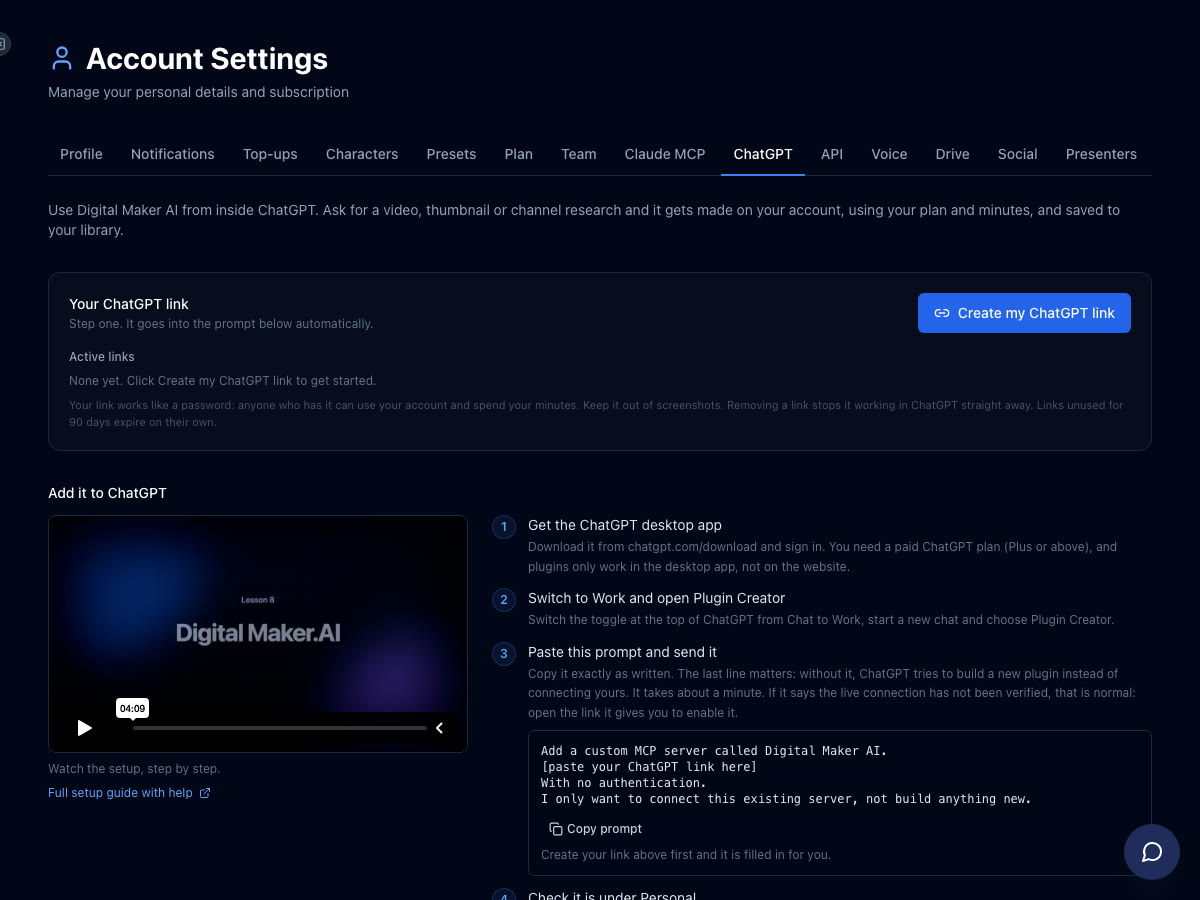
- Get the ChatGPT desktop app. Download it from chatgpt.com/download and sign in. Plugins only work in the desktop app, not on the ChatGPT website. You need a paid ChatGPT plan (Plus or above).
- Create your ChatGPT link. In Digital Maker AI open Account Settings from the Settings option at the bottom of the left sidebar. Go to the ChatGPT tab and click Create my ChatGPT link. This generates your personal link and fills it into a ready-made prompt you will paste in the next step.
- Switch ChatGPT to Work mode. In the ChatGPT desktop app, toggle the switch at the top from Chat to Work, then start a new chat and choose Plugin Creator.
- Paste the prompt and send it. The prompt tells ChatGPT to add a custom MCP server called Digital Maker AI using your link, with no authentication, and only to connect it rather than build anything new. If ChatGPT says the live connection has not been verified, open the link it provides to enable it.
- Check the plugin is listed. Confirm that Digital Maker AI appears under Plugins, Personal in ChatGPT.
- Start a Work chat and tag Digital Maker AI. Open a new Work chat, type @ and click Digital Maker AI from the list so it becomes a blue tag. Now every message in that chat goes to your account. You are ready to ask.
That is the full setup. From this point on, every request you type in a tagged Work chat can build a video, launch a podcast or research a niche, all without leaving ChatGPT. You can read the full setup guide on the Digital Maker AI ChatGPT page.
How to Make an Animated Podcast with ChatGPT: Building Cold Case Files
The animated podcast is the centrepiece of this guide and the best example of what the ChatGPT connection can do end to end. Here is how a complete show comes together, from niche research to a second episode, all from the chat window.
Step 1: Research the Niche
Before naming your show, ask ChatGPT to use the Faceless Finder to understand the landscape. Type something like this in your tagged Work chat:
"Search faceless channels in the true crime niche and tell me which topics get the most views."
The Faceless Finder is a searchable database of confirmed faceless YouTube channels. ChatGPT can pull back channel cards showing subscribers, uploads per week, average video length and estimated monthly ad revenue for channels in the niche, giving you a real sense of what is working before you commit to a topic. Note that the revenue figures are Digital Maker AI's own estimates based on recent views and typical ad rates, not the channels' actual earnings.
Step 2: Name the Show and Style the Hosts
Once you have a niche you like, ask ChatGPT to create the show and both hosts in one go:
"Create an animated podcast called Cold Case Files with two hosts: Maya, a calm true crime journalist, and Dex, a sceptical ex-detective. Give Maya a US female voice and Dex a UK male voice."
Digital Maker AI saves the show to your library with those host names, personalities, voices and a studio scene. You can also specify a studio style at this stage, for example a dark moody broadcast desk or a bright daytime news set. The animated podcast uses built-in AI voices only; there is no voice cloning on the podcast format.
Step 3: Order the First Episode
With the show saved, ask for the first episode:
"Make episode one of Cold Case Files about the disappearance of DB Cooper, 20 minutes long, investigative tone."
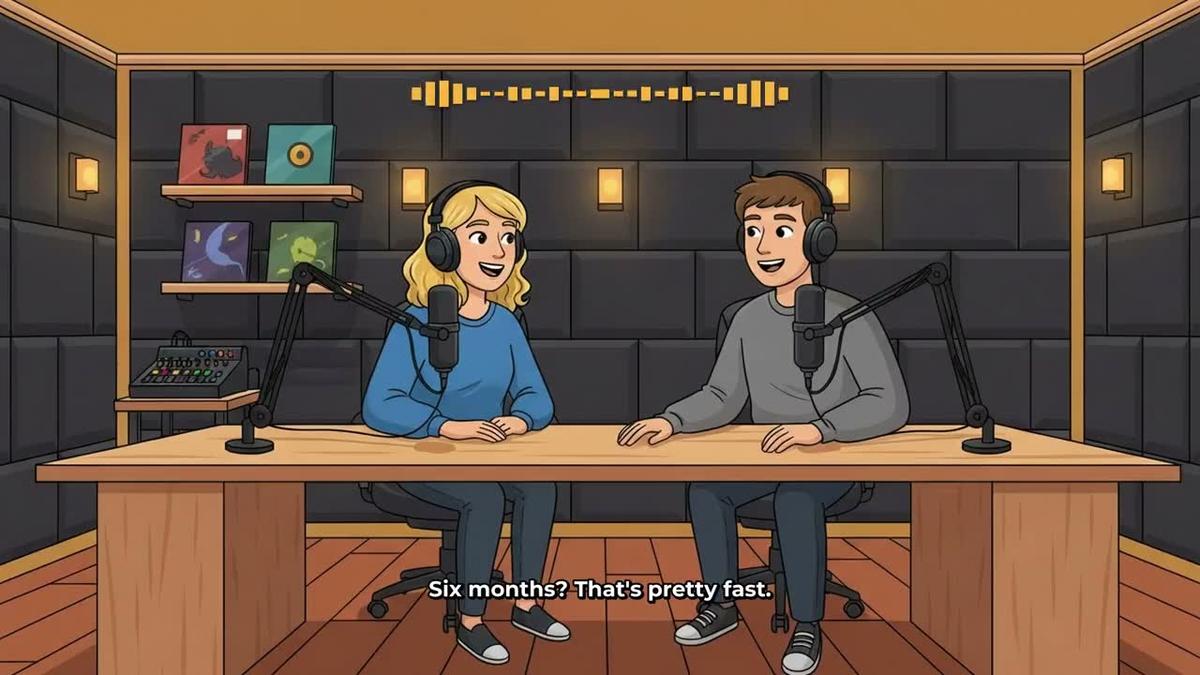
ChatGPT confirms the minute cost, then Digital Maker AI gets to work. Long episodes are written and recorded in sections, so a 20-minute episode can take 45 minutes or more to build. You will get an email when it is ready. What comes back is a finished landscape video: two cartoon hosts at a studio desk with headphones, animated sound bars lighting up as each host speaks, captions throughout, saved to your library and ready to download or post.
Episode length limits depend on your plan: Premium supports episodes up to 30 minutes and Ultimate up to 60 minutes. Pro does not include the animated podcast. You can check the animated podcast generator page for the full details on what each plan covers.
Step 4: Order More Episodes, Reusing the Same Show
This is where the saved-show feature becomes genuinely powerful. For episode two, you do not need to describe Maya, Dex, their voices or the studio again. Just ask:
"Make episode two of Cold Case Files about the Zodiac Cipher, same hosts and studio."
Digital Maker AI pulls the saved show from your library and builds the new episode with the exact same cast and set. Over time you build a consistent series that looks and sounds the same every week, without any manual setup between episodes. The whole catalogue lives in your library, ready to download or post.
Every Other Format You Can Ask For
The ChatGPT connection is not limited to podcasts. Here is a quick tour of every other format, with a real example request for each, so you can see the full range of what a single tagged Work chat can do.
Faceless Long-Form Video
The core product on Digital Maker AI is a landscape 16:9 faceless video built for YouTube. The AI writes the script, generates a unique scene image for every scene, adds narration and captions, and returns a finished MP4. Ask something like:
"Make a 10-minute faceless video about the fall of the Roman Empire in a realistic visual style with a US male voice."
You get a complete, ready-to-upload video. Maximum length is 30 minutes on Premium and 60 on Ultimate. See the long-form video generator page for more on what the format can do.

Whiteboard Animation
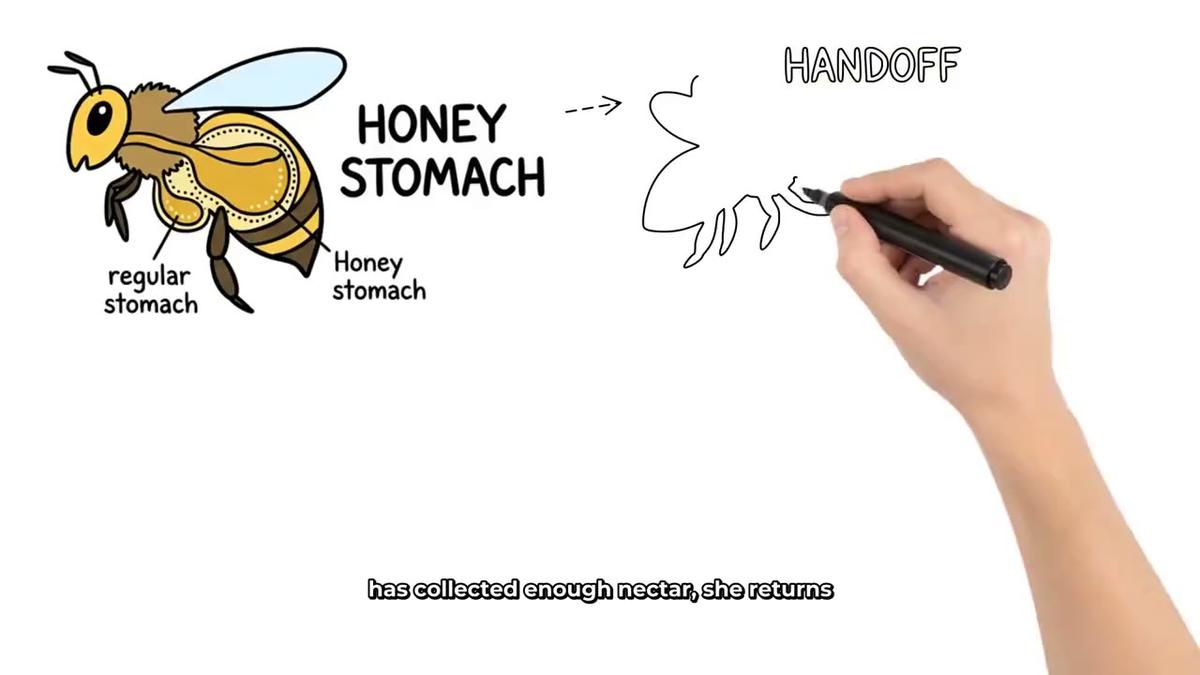
Whiteboard sketches draw themselves on screen as the narration plays, giving the feel of a live explanation. Ask:
"Make a whiteboard animation about how the human immune system works, 8 minutes long, educational tone."
You can choose a drawing hand style (none, light, brown or dark). Whiteboard is available on Premium and Ultimate. Find out more on the whiteboard animation page.
AI Avatar Presenter Video
If you want a talking presenter on screen, you can ask ChatGPT to draw one and use them in a video. First ask it to create a presenter:
"Create an AI presenter: a confident woman in her 30s in a blazer, sitting at a glass desk in a modern office."
Then order a video with that presenter in the split-screen layout. The presenter speaks the narration while the scene images appear alongside them. AI presenters need Premium or Ultimate. See the AI avatar video page for layout options and plan details.
Cartoon Style Video with a Recurring Character
You can build a cartoon video series with the same illustrated character in every scene. Ask:
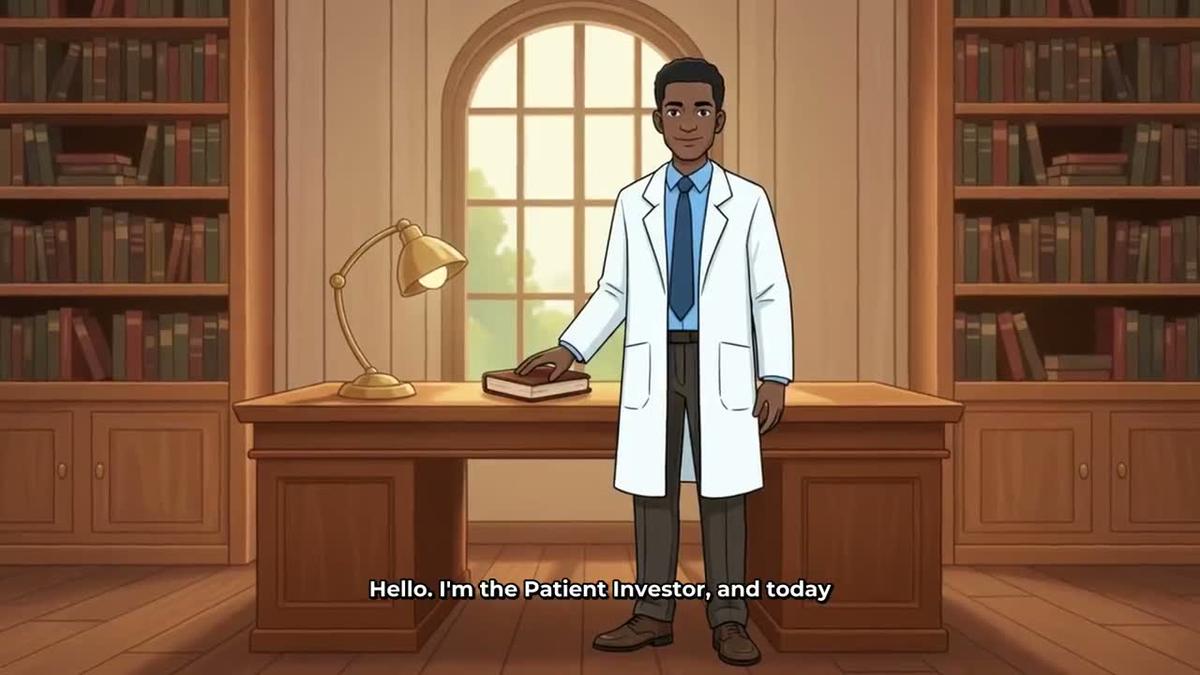
"Make a cartoon style video about ancient Egyptian gods, 6 minutes, with a recurring character: an illustrated archaeologist named Dr Nile who appears in every scene."
Digital Maker AI saves the character so every future video in the series looks consistent. More on this on the cartoon video page.
Vertical Short
For YouTube Shorts, TikTok or Instagram Reels, ask:
"Make a 30-second vertical Short about three habits that improve focus, bold captions, animated style."
Shorts are 9:16, 15 to 60 seconds, and cost a flat one minute from your pool. See the Shorts generator page for more.
Research, Thumbnails and Posting Through ChatGPT
The ChatGPT connection is not just for making videos. Here is what else you can ask for in the same Work chat.
Channel Research (Pro, Premium and Ultimate)
Ask ChatGPT to search the Faceless Finder by niche, channel name or style. For example:
"Search for AI avatar channels in the personal finance niche and show me their estimated revenue."
The Faceless Finder returns subscribers, uploads per week, average video length and estimated monthly ad revenue for each channel. It is a useful starting point for deciding on a niche or benchmarking your own channel against others in the space.
Thumbnails (Pro, Premium and Ultimate)
Ask for a YouTube thumbnail from a description:
"Make a YouTube thumbnail for a video about the disappearance of DB Cooper: dark background, bold text area, dramatic lighting, true crime style."
The Image Maker generates the thumbnail and returns it to your library.
Posting to YouTube, TikTok and Instagram (Premium and Ultimate)
Once a video is in your library, ask ChatGPT to post it:
"Post the Cold Case Files episode one video to YouTube with the title 'The DB Cooper Mystery' and schedule it for tomorrow at 9am."
You need to connect your social accounts once in Account Settings first. Nothing posts automatically; the video goes live when you confirm the post. Posts are labelled as AI generated. This works for YouTube, TikTok and Instagram. Read more about auto-publishing to YouTube, TikTok and Instagram.
Tips for Getting the Best Results
- Always tag Digital Maker AI at the start of a Work chat. Type @ and click the tag before your first request. If the tag is missing, ChatGPT will answer from its own knowledge rather than reaching into your account.
- Be specific about length and tone. The more detail you give, the closer the first result is to what you want. Saying "20 minutes, investigative tone" produces a very different episode from "10 minutes, conversational tone".
- Save your show before ordering the first episode. If you ask for the show and the first episode in one message, Digital Maker AI handles it. But creating the show first and confirming it is saved gives you a clean library entry to reference in every future episode request.
- Check your minutes before a long build. Ask "How many minutes do I have left this month?" and ChatGPT will report your remaining pool. A 30-minute podcast uses 30 minutes, so it is worth checking before you commit.
- Long episodes take time. A 30 to 60 minute episode is built in sections and can take 45 to 90 minutes to complete. Digital Maker AI emails you when it is ready, so you do not need to wait at your desk.
- Use the Faceless Finder before every new series. Researching what is already working in a niche before you launch takes one message and can save weeks of guessing.
Ready to Start Your Show?
Connecting ChatGPT to Digital Maker AI turns a chat window into a full podcast and video production suite. You research the niche, name the hosts, order the first episode and grow the series, all without switching tabs. The show is saved, the hosts carry over, and every new episode is one sentence away. If you want to go deeper on what Digital Maker AI can do across all its formats, the free course covers everything from your first faceless video to running a full channel from a chat window.
Alex Stevens: Alex Stevens writes for the Digital Maker AI team about faceless YouTube channels, AI presenters and AI video tools.