How Silas Mercer Style AI Avatar Channels Work and What They Earn
By Alex Stevens
What Is a Silas Mercer AI Avatar Channel and Why Is the Niche Booming?
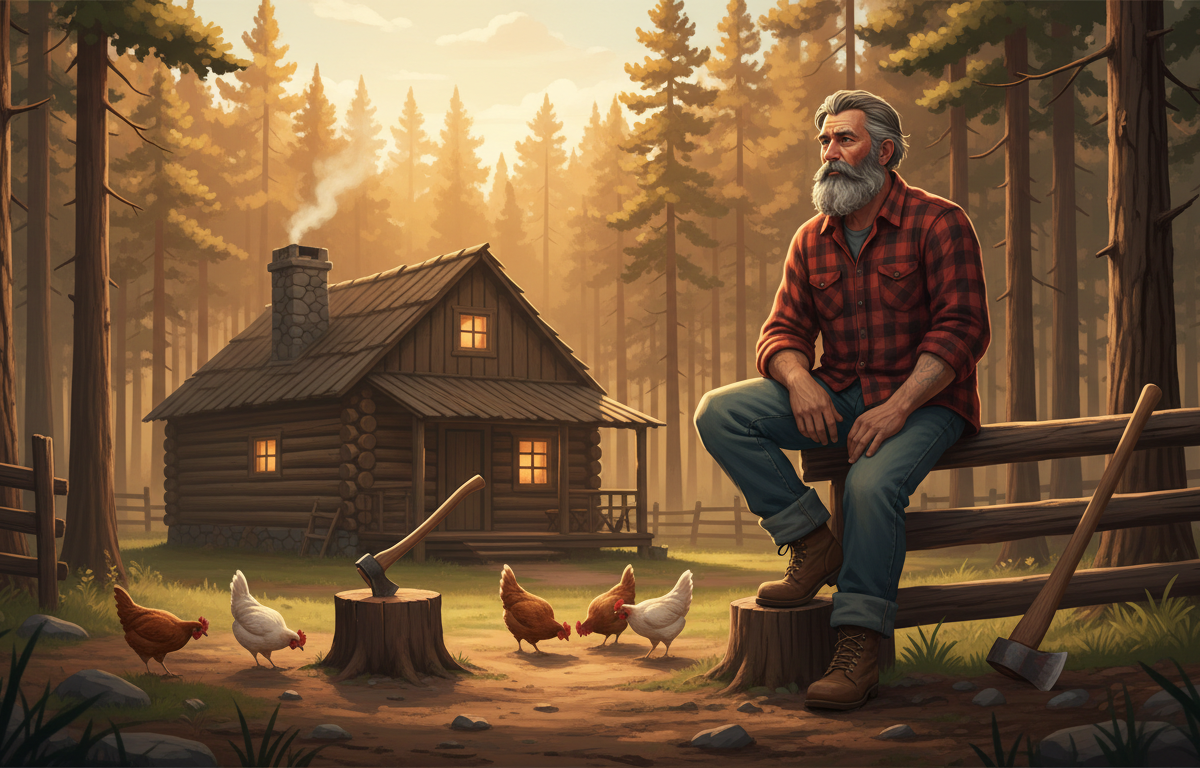
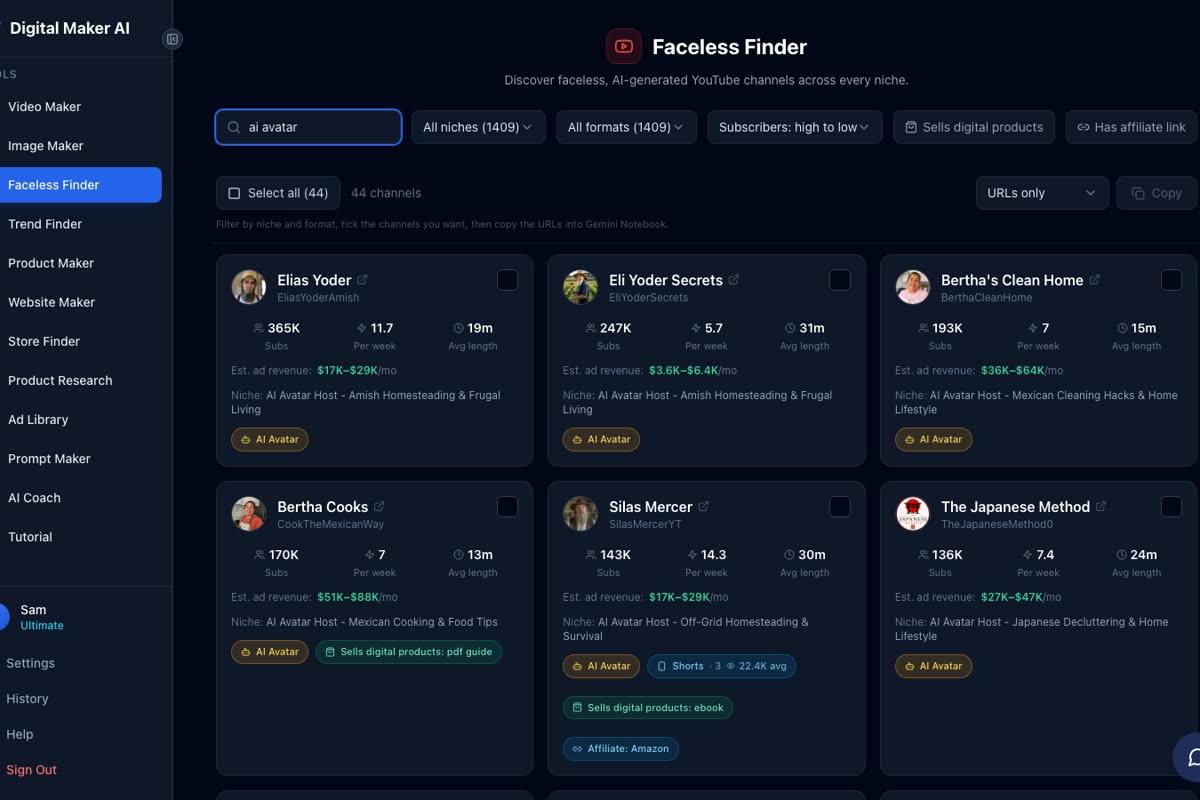
If you have searched YouTube for off-grid living tips lately, you have almost certainly landed on a Silas Mercer AI avatar channel. Silas Mercer has grown to 143,000 subscribers and posts around 14 videos a week, covering everything from root cellar construction to emergency food storage. According to the Digital Maker AI Faceless Finder, which produces its own rough estimates from recent views and typical ad rates for each niche, the channel pulls an estimated $17,000 to $29,000 a month in ad revenue. No real person ever appears on camera. The host is a fully AI-generated presenter with a rugged, weathered look, and the entire operation runs on a repeatable content formula that anyone can replicate.
This article breaks down exactly how that formula works, looks at three other channels running the same playbook, and then walks you through building your own off-grid AI avatar presenter step by step using Digital Maker AI.
The Off-Grid Avatar Formula: Four Channels Running It Right Now
The survival and homesteading niche on YouTube has a reliable set of ingredients: a trustworthy male persona who looks like he has actually lived off the land, urgent hooks built around practical tips ("Never store water in these containers"), and a publishing pace that keeps the algorithm fed. All four channels below use an AI-generated presenter to deliver that formula. Every revenue figure below is a Digital Maker AI Faceless Finder estimate, not the channels' real earnings.
- Silas Mercer: 143,000 subscribers, approximately 14 uploads a week, estimated $17,000 to $29,000 a month. The main channel, focused on off-grid homesteading and survival skills.
- Silas Mercer Farmstead: 53,100 subscribers, approximately 15 uploads a week, estimated $5,100 to $8,900 a month. A companion channel leaning into gardening and small-scale farming.
- Ray Sutter: 27,700 subscribers, approximately 7 uploads a week, estimated $5,500 to $9,600 a month. A newer entrant in the same survival niche with strong early traction.
- Sam Garrett: 26,000 subscribers, approximately 3 uploads a week, estimated $4,100 to $7,200 a month. Proof that even a lower upload frequency can build a solid revenue base when the niche CPM is strong.
What do all four have in common? A tight, specific niche. A consistent AI-generated host character who looks and sounds the part. Short, punchy video titles built around survival urgency. And a publishing cadence that keeps new content appearing in front of subscribers every few days, or in Silas Mercer's case, twice a day. None of these channels require a real person to sit in front of a camera, write a script by hand, or record a voiceover. The content pipeline is almost entirely automated.
Why the Survival and Homesteading Niche Commands a Strong CPM
CPM, the amount advertisers pay per thousand views, varies dramatically by niche. Survival and off-grid content attracts advertisers selling emergency food supplies, water filtration gear, generator equipment, seed vaults, and prepper tools. These are high-consideration purchases with healthy margins, which means advertisers bid more for the ad slots. That is why a channel like Silas Mercer can sit in the same estimated revenue bracket as much larger general-interest channels: the viewers are exactly who the advertisers want to reach, and they pay accordingly.
High upload frequency amplifies this further. At 14 videos a week, Silas Mercer is publishing twice a day. Each new video is another entry point from search, another suggested video in the sidebar, and another piece of content that can go on earning ad revenue for months or years. The AI avatar format makes that pace achievable because there is no filming, no editing of raw footage, and no presenter scheduling to manage.
You can discover channels like these yourself using the Faceless Finder, which is open to every signed-in account including Free. Type "AI avatar" in the search box and it filters down to only the channels fronted by AI-generated presenters, complete with subscriber counts, upload frequency, average video length and estimated monthly ad revenue.
Building Your Own Silas Mercer Style AI Avatar Channel: Step by Step
Digital Maker AI's AI Presenters feature (currently in Beta, available on Premium and Ultimate plans only) lets you create a photoreal AI host character from a short text description, then drop that presenter into your long-form Multi Scene videos in three different layouts. Here is the full process from sign-up to finished video.
Step 1: Create Your Account and Open the Presenters Tab
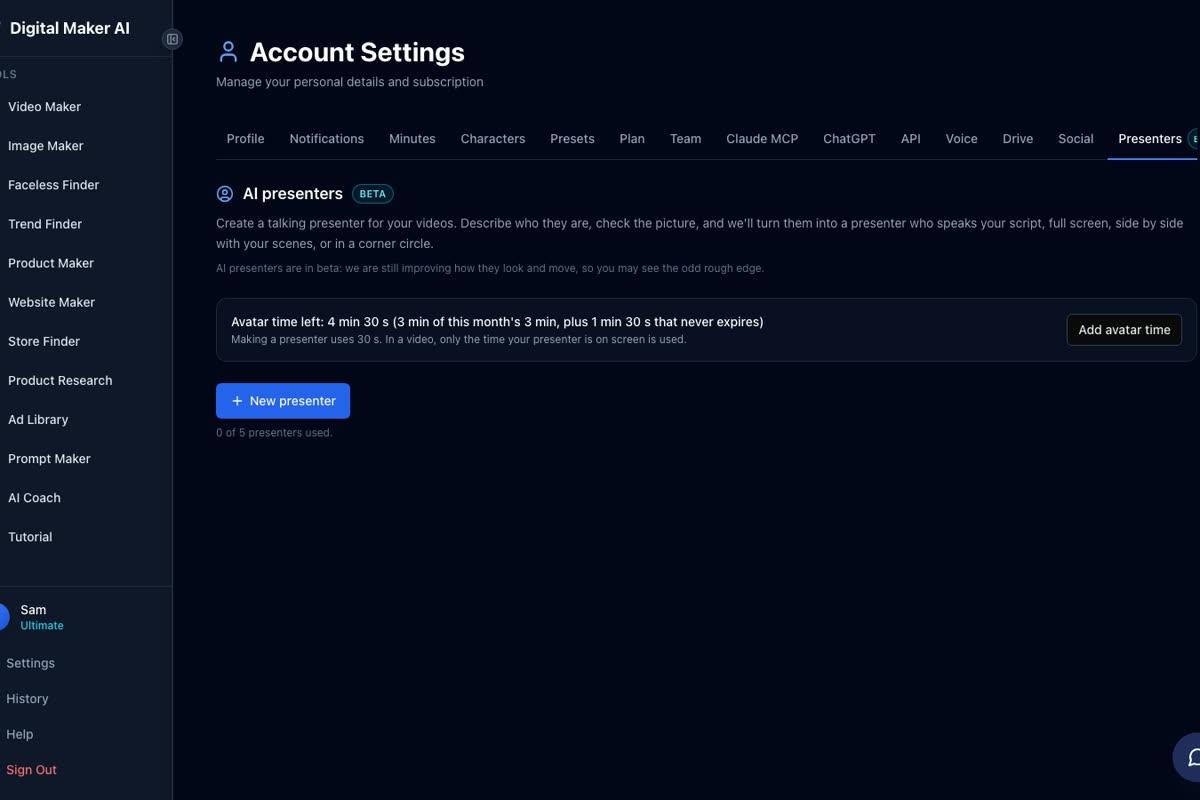
Head to digitalmaker.ai/faceless and create a free account. AI Presenters require a Premium or Ultimate plan, so once you are in, upgrade from the pricing page. Then go to Account Settings and click the Presenters tab. This is where all your presenter characters live, and where your avatar time balance is shown.
Step 2: Describe Your Off-Grid Presenter
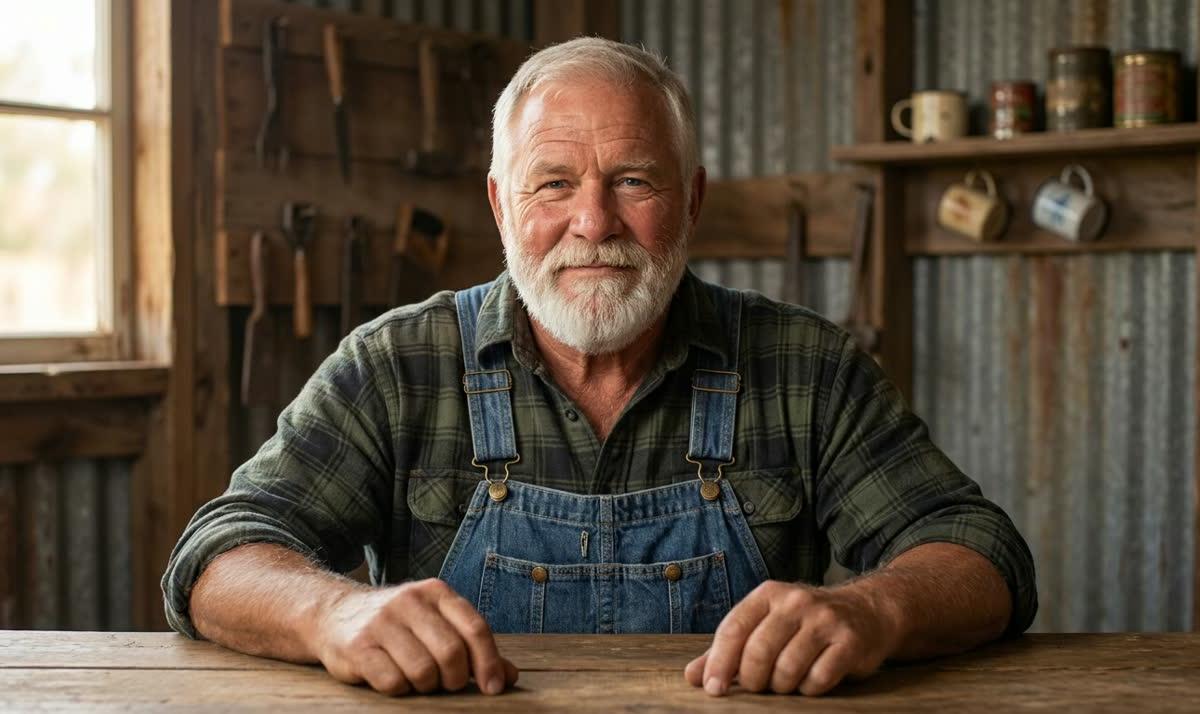
Click New Presenter and you will see a text box asking who your presenter is and what their setting looks like. This is where you build your Silas Mercer equivalent. Write something like: "A weathered man in his late fifties with a grey beard, wearing a plaid flannel shirt and worn denim dungarees, sitting at a rough wooden workbench in a barn, with mason jars of seeds and hand tools visible behind him." The AI generates a photoreal portrait from that description. Check it, and if you are happy, save it. Creating a presenter uses 30 seconds of avatar time.
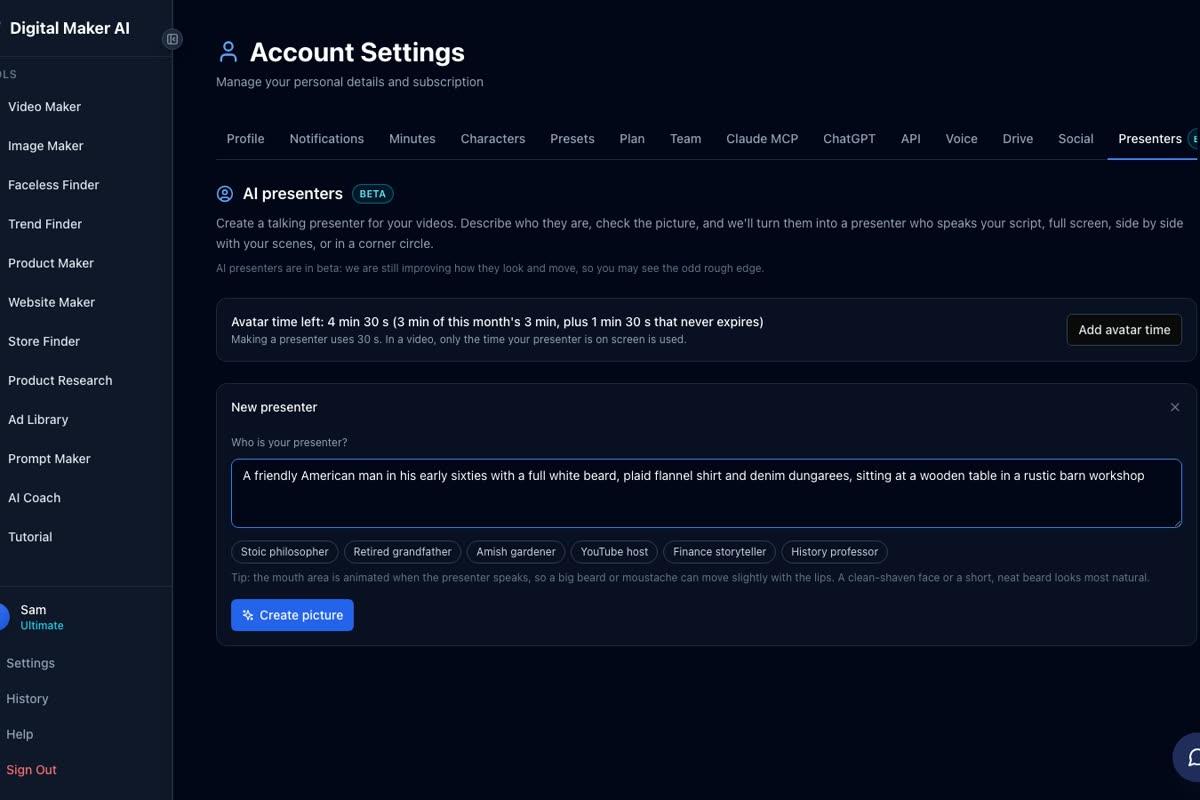
The presenter below, Cedric, was made from a two-sentence description exactly like the one above. He is the closest built-in analogue to the off-grid persona: a bearded man in his sixties in a plaid shirt and denim dungarees, at a barn workbench. This is the kind of character that fits naturally into a survival or homesteading channel.
Step 3: Start a Multi Scene Long-Form Video
Go to the Video Maker and choose Long-Form Faceless Video. At step 1, select Multi Scene, since AI Presenters only work in landscape Multi Scene videos. At step 3, type your survival topic, for example "How to build a root cellar for long-term food storage" or "The five water purification mistakes preppers make." The AI writes the full script, generates a scene image for every scene, adds narration and captions, and returns a finished MP4.
Step 4: Pick Your Presenter and Set the Layouts
During the video setup you will see an option to add a presenter. Select the character you saved in step 2. You then tick which of the three layouts you want the video to rotate through:
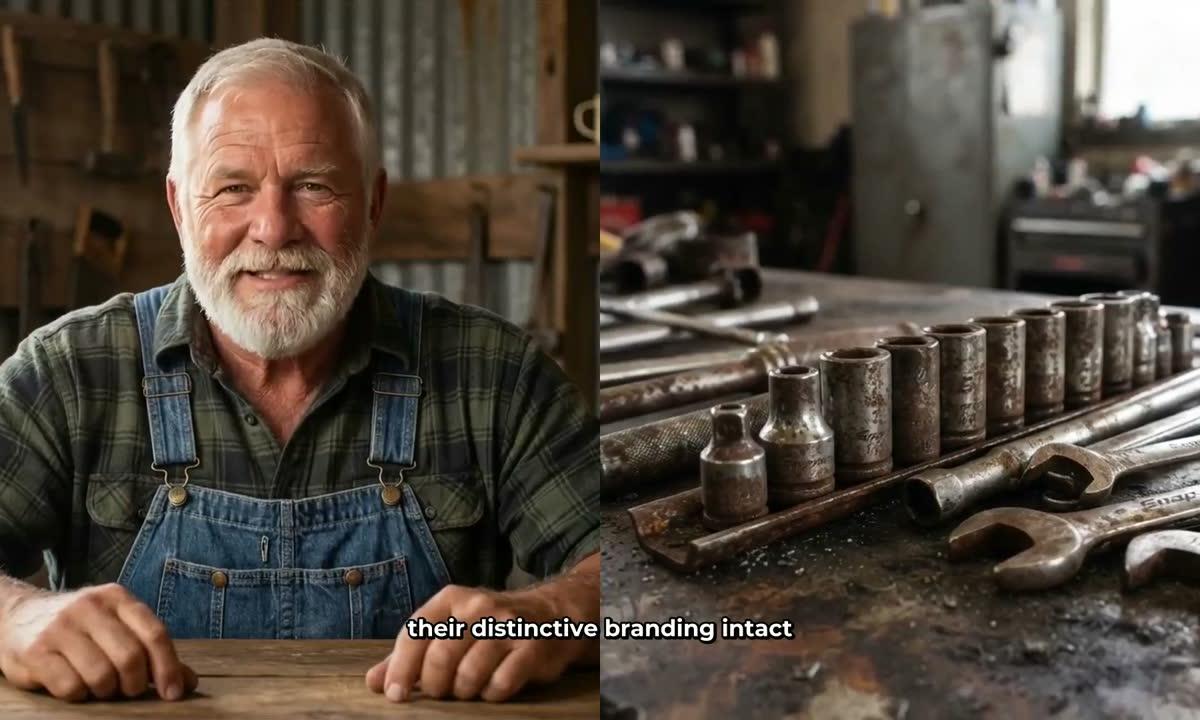
- Full screen: the presenter fills the entire frame, speaking directly to the viewer. Strong for opening hooks and calls to action.
- Split screen: the presenter appears on the left half of the frame, with the scene image on the right. Good for explaining something visual, like a diagram or a process.
- Corner circle: the scene image fills the frame and the presenter appears in a small round window in the corner, like a news anchor overlay. Works well for scenic or atmospheric shots.
You can tick one, two or all three. The video rotates through whichever layouts you select.

Step 5: Set the Avatar Time Slider and Timeline Markers
A slider controls how much of the video the presenter is actually on screen, from as little as 5 percent up to the full runtime. Timeline markers let you pin where the presenter appears: you might want them at the start to hook viewers, again in the middle to re-engage, and at the end with a call to subscribe. The rest of the video plays as normal scene images with narration. Only the seconds the presenter is on screen count against your avatar time balance.
Avatar time is a separate credit pool from your regular video minutes. Both Premium and Ultimate plans start with 1 minute 30 seconds of avatar time, and Ultimate also receives 3 minutes of avatar time every month. If you need more, Avatar Packs are available as one-off purchases. See digitalmaker.ai/pricing for current pack sizes and costs. Pack time does not expire while you stay subscribed.
Step 6: Choose Your Voice, Style and Pacing
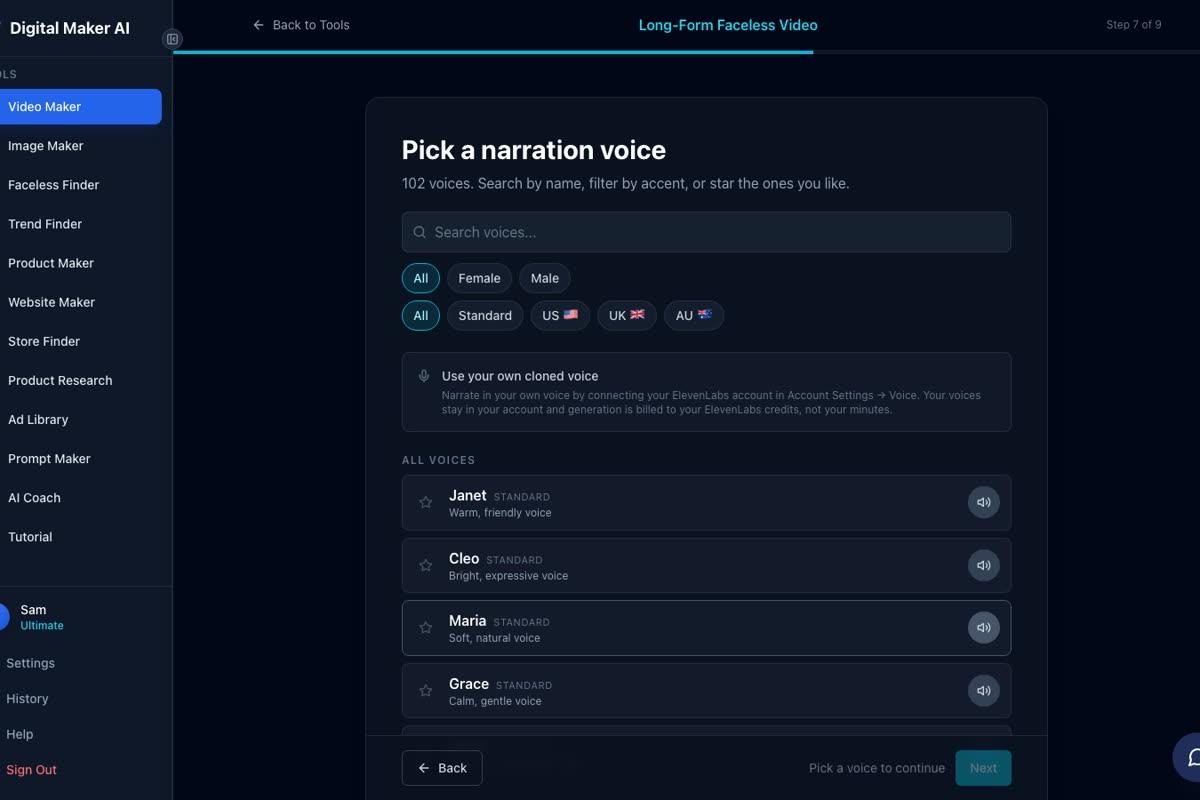
The presenter speaks the same narration voice as the rest of the video, so pick a male voice that matches the rugged outdoorsman persona. There are 102 voices to choose from, filterable by gender and accent. Premium and Ultimate users can also connect their own cloned ElevenLabs voice for a truly unique sound. For visual style, Realistic or Everyday Visuals is the right pick for a survival channel: it keeps the scene images grounded and credible rather than illustrated or stylised.
Step 7: Review, Generate and Post
The final step shows a summary of every setting, including how many minutes the video will use from your monthly pool. Press Generate Video and the platform handles the rest. Premium and Ultimate users can post the finished video straight to YouTube from the Post to Socials button, scheduled for whatever time they choose, without leaving Digital Maker AI. At Silas Mercer's pace of 14 videos a week, that scheduling feature is not a luxury, it is essential.
What Makes the Silas Mercer AI Avatar Channel Formula Replicable
The reason channels like Silas Mercer, Ray Sutter and Sam Garrett are worth studying is that their success is not accidental. It comes from a repeatable system: a specific persona that viewers trust, a niche with high advertiser demand, a hook format that creates urgency, and a publishing pace that the AI handles without burning out a human creator. The persona does not have to be a survival expert. You could build a grandmother who shares old-fashioned cleaning hacks, a Japanese decluttering guide, or an Amish farmer, and the same formula applies. For more inspiration on how other avatar niches work, see the guide on how to create an AI avatar for YouTube videos like Bertha Cooks, or the breakdown of how The Japanese Method style AI avatar channels work.
The AI Presenters feature in Digital Maker AI is currently in Beta and available on Premium and Ultimate plans only. It is built for landscape Multi Scene long-form videos. Every presenter you create is saved in your account and reusable across as many videos as you like, so the investment in building the right character pays off across your entire channel.
If you are ready to explore the niche, start with the Faceless Finder to see which survival and homesteading channels are already performing well, then build your presenter and make your first video. The free course at digitalmaker.ai/free-course walks through the whole process from channel concept to first upload, and it is a useful companion to everything covered here.
Alex Stevens: Alex Stevens writes for the Digital Maker AI team about faceless YouTube channels, AI presenters and AI video tools.