How Bertha's Clean Home Style AI Avatar Channels Work and What They Earn
By Alex Stevens
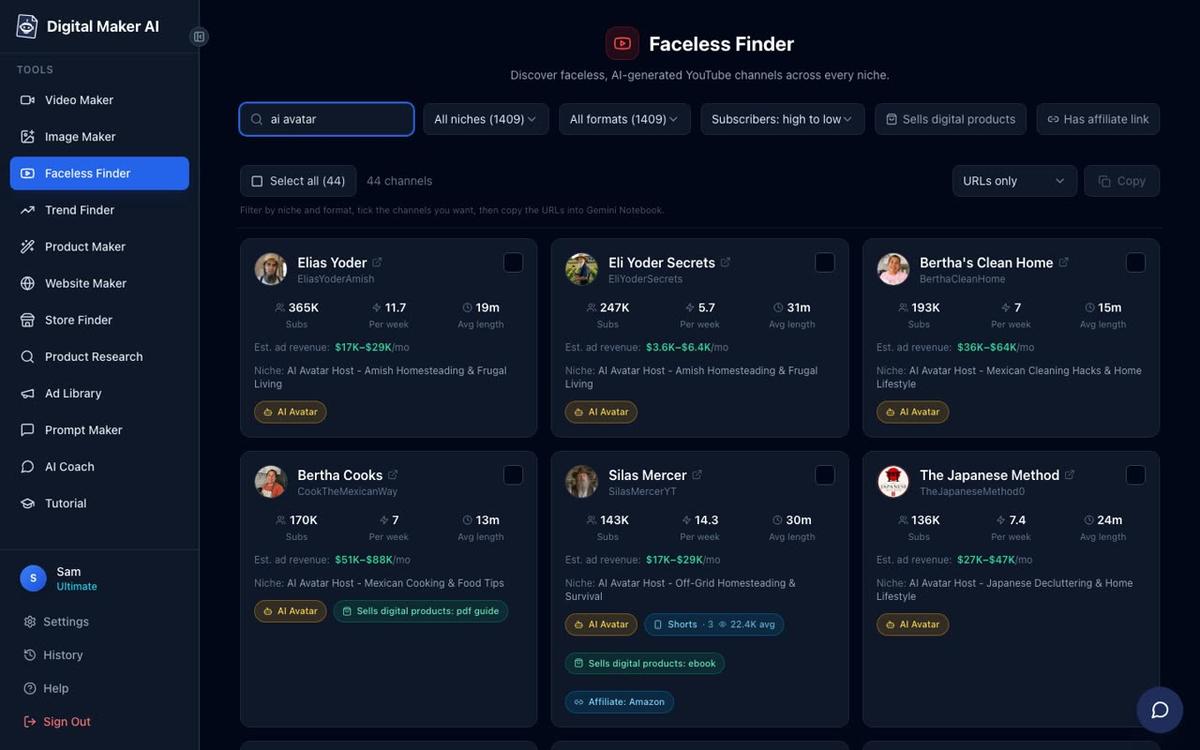
If you have ever searched for faceless YouTube channels that punch well above their weight, the Bertha's Clean Home AI avatar channel cluster is one of the most jaw-dropping examples on the platform right now. According to the Digital Maker AI Faceless Finder (the figures below are the Finder's own rough estimates from recent views and typical ad rates, not the channels' verified earnings), Bertha's Clean Home pulls an estimated $22,000 to $33,000 a month in ad revenue with just 202,000 subscribers, while its sister channel Bertha Cooks is estimated at $28,000 to $42,000 a month with only 189,000 subscribers. No real person appears on camera. No studio. No production crew. What drives those numbers is a formula you can replicate today, and this guide walks through exactly how.
The Bertha's Clean Home AI Avatar Channel Cluster and What the Numbers Show
The Bertha channels are not a single channel. They are a tightly coordinated cluster built around one warm, named persona applied across different home-lifestyle niches. All figures below are Digital Maker AI Faceless Finder estimates, not verified earnings.
- Bertha's Clean Home: 202,000 subscribers, 62 videos, about 7 uploads a week, estimated 3,593,804 views a month, estimated ad revenue $22,000 to $33,000 a month.
- Bertha Cooks: 189,000 subscribers, 52 videos, about 7 uploads a week, estimated 4,586,999 views a month, estimated ad revenue $28,000 to $42,000 a month.
- Bertha's Garden Hacks: 136,000 subscribers, 47 videos, about 7 uploads a week, estimated 4,113,855 views a month, estimated ad revenue $25,000 to $38,000 a month.
- Bertha's House Hacks: 114,000 subscribers, 48 videos, about 7 uploads a week, estimated 2,850,000 views a month, estimated ad revenue $17,000 to $26,000 a month.
For comparison, Wes Tucker, an AI avatar channel in the life hacks and home security niche with 41,200 subscribers and about 7 uploads a week, is estimated at $5,600 to $8,300 a month. That is a solid result, but the Bertha cluster's estimated revenue per subscriber is in a different league entirely. The difference is not the upload cadence (both post around 7 a week) or the production format. It is the niche, the persona and the cultural specificity.
Why the Formula Works: Persona, Niche and Cadence
Every channel in the Bertha cluster runs on the same three-part engine. Understanding each part is the key to replicating it.
A warm, named AI avatar host. "Bertha" is not a brand name or a logo. She is a character: a Mexican grandmother figure whose name appears in every channel title and every thumbnail. Viewers feel they know her. That parasocial familiarity drives return visits, longer watch times and higher ad rates, because audiences who come back regularly watch more ads. The AI avatar format means the character is consistent across hundreds of videos without a real person ever needing to appear on screen.
A tight cultural niche. Mexican home lifestyle, cooking, cleaning, gardening and house hacks are not generic categories. They speak directly to a specific audience with strong cultural identity and high purchasing intent. Advertisers pay a premium to reach that audience, which is why the estimated CPM (cost per thousand views) for these channels sits well above the YouTube average. Contrast this with a generic "home hacks" channel: the audience is wider but the ad rates are lower and the content is harder to differentiate.
Daily upload cadence. Seven videos a week means the algorithm sees the channel as a reliable publisher. Each new video gives the channel another chance to surface in search and suggested feeds. With 62 videos on Bertha's Clean Home achieving an estimated 3.5 million views a month, the average video is pulling roughly 57,000 views. At that rate, every upload is doing real revenue work.
Short, personal titles and thumbnails. Titles like "Bertha's trick for a spotless oven" feel like a tip from a friend, not a keyword-stuffed article. The thumbnail puts the named character front and centre. Both choices reinforce the persona and improve click-through rate.
How to Build Your Own Bertha's Clean Home Style AI Avatar Channel
You do not need a camera, a studio or a real person. Digital Maker AI's AI Presenters feature, available on Premium and Ultimate plans, lets you design a photoreal AI host character, attach them to any long-form video and choose exactly how much of the video they appear on screen. Here is the step-by-step process.
Step 1: Create Your Presenter in Account Settings
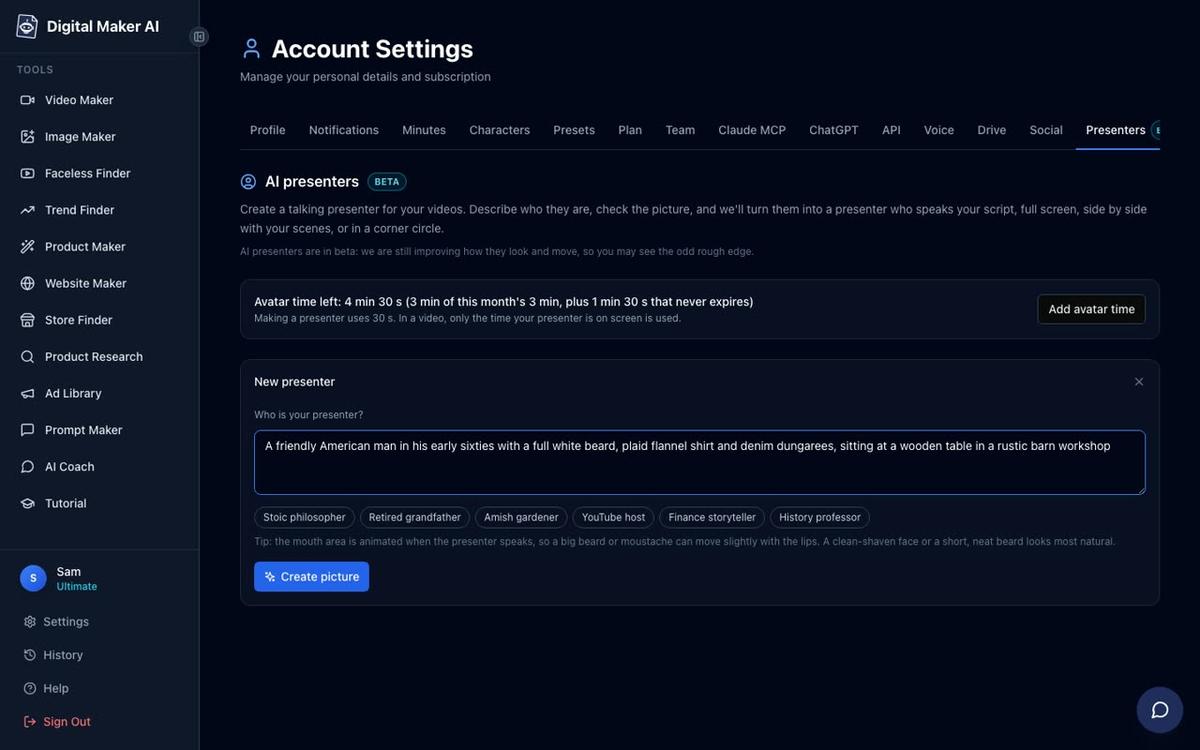
Sign in on a Premium or Ultimate plan, open Account Settings and go to the Presenters tab. You will see a form with a text box and a set of quick-pick suggestions. Write a two-sentence description of your host: who they are, what they look like and where they are sitting. For a Bertha-style channel you might write something like: "A warm Mexican grandmother in her sixties, with silver hair pinned up and a floral apron, sitting at a bright kitchen table with colourful tiles behind her." Press Create picture and the AI generates a photoreal portrait. Check it, save it and your presenter is ready to reuse across every video you make.
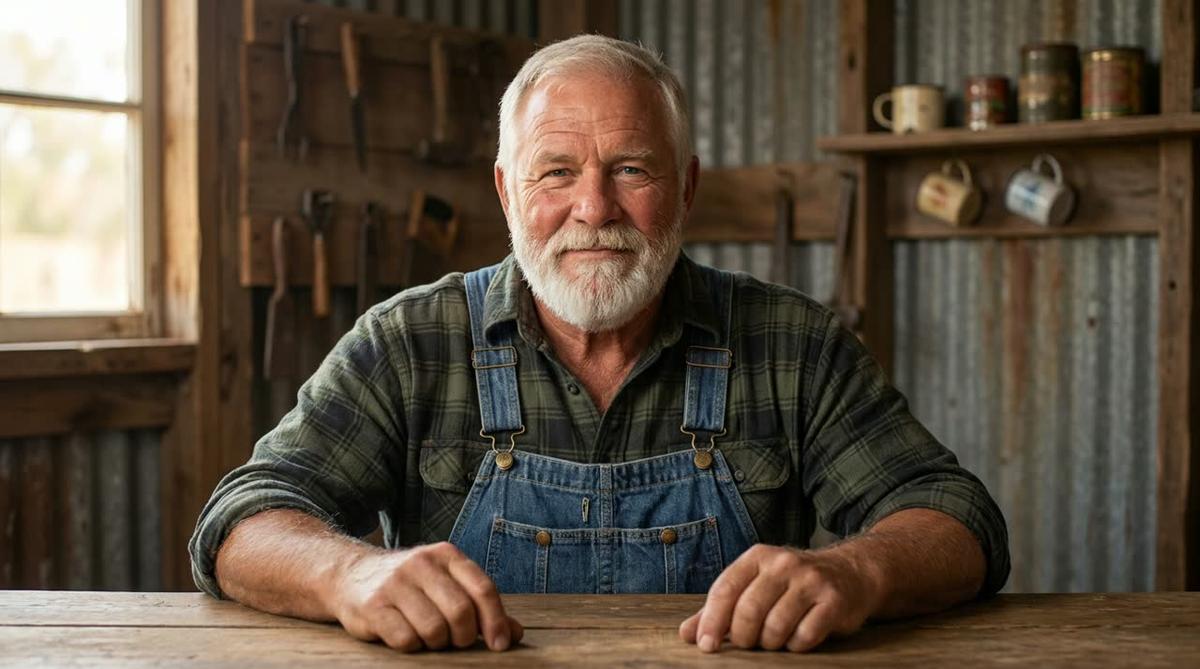
To give you a sense of the quality, here are two example presenters created this way. Cedric is a bearded man in his sixties in a plaid shirt and denim dungarees, built from a two-sentence description. The Monk Gardener is a calm figure in plain robes in a temple garden, created the same way.

Step 2: Start a Multi Scene Long-Form Video
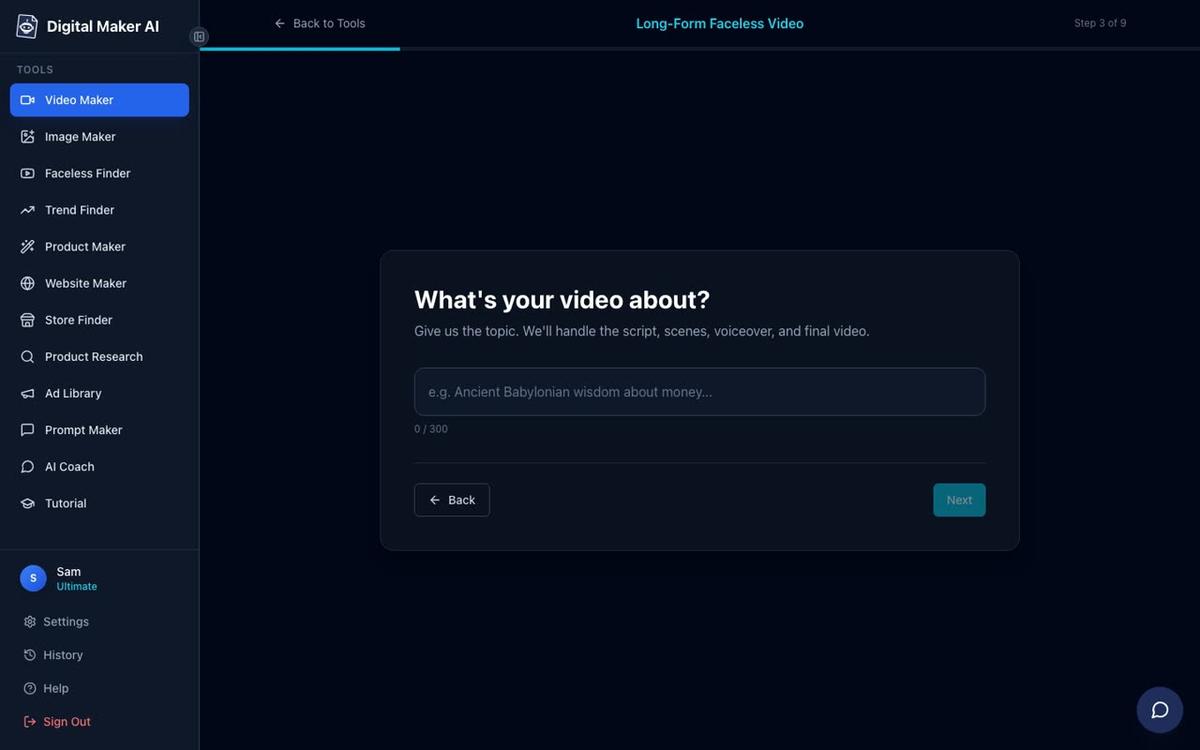
Go to the Video Maker and choose Long-Form Faceless Video, then select the Multi Scene format. This is the only format that supports AI Presenters. At step 3, type your video topic in one line: something like "Bertha's secret for cleaning grout without scrubbing" or "5 Mexican kitchen tricks for a spotless home." The AI writes the full script, generates a unique scene image for every scene, records the narration and returns a finished MP4.
Step 3: Choose Your Visual Style
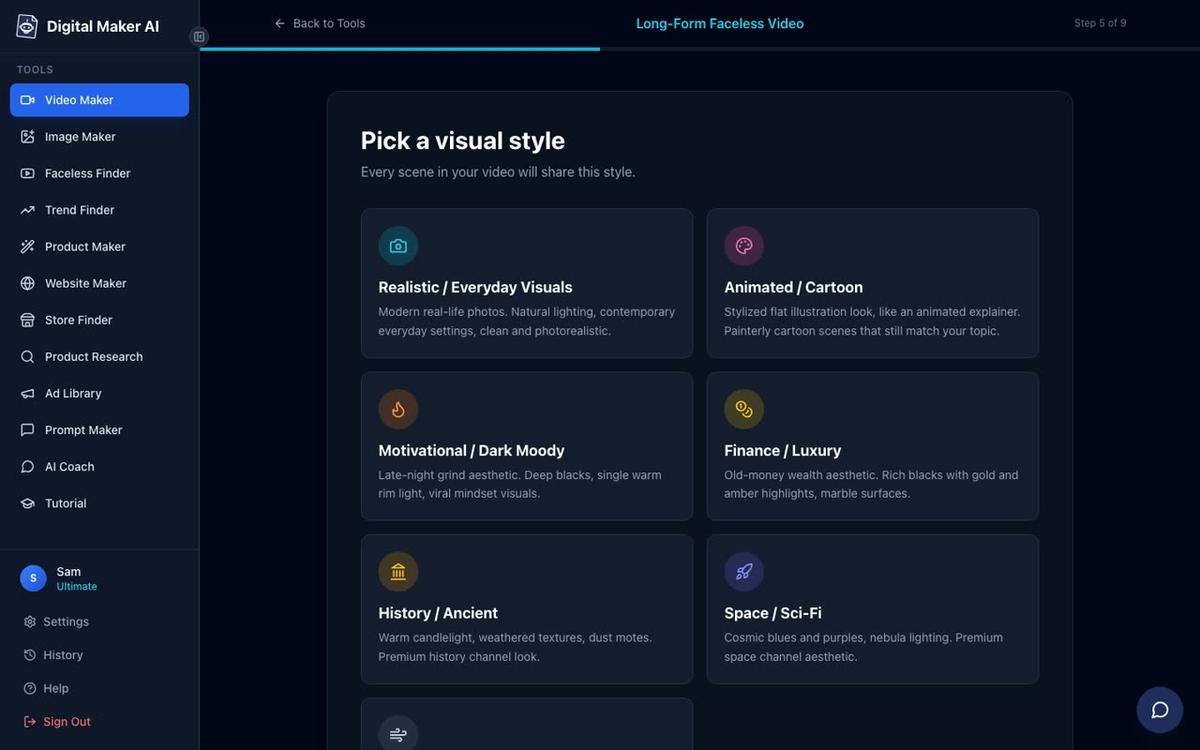
At step 5, pick Realistic / Everyday Visuals for a Bertha-style channel. This keeps every scene image looking warm and domestic, matching the tone of a home lifestyle channel. If you are building a cooking channel, the same style gives you rich food photography aesthetics without any real filming.
Step 4: Set the Length
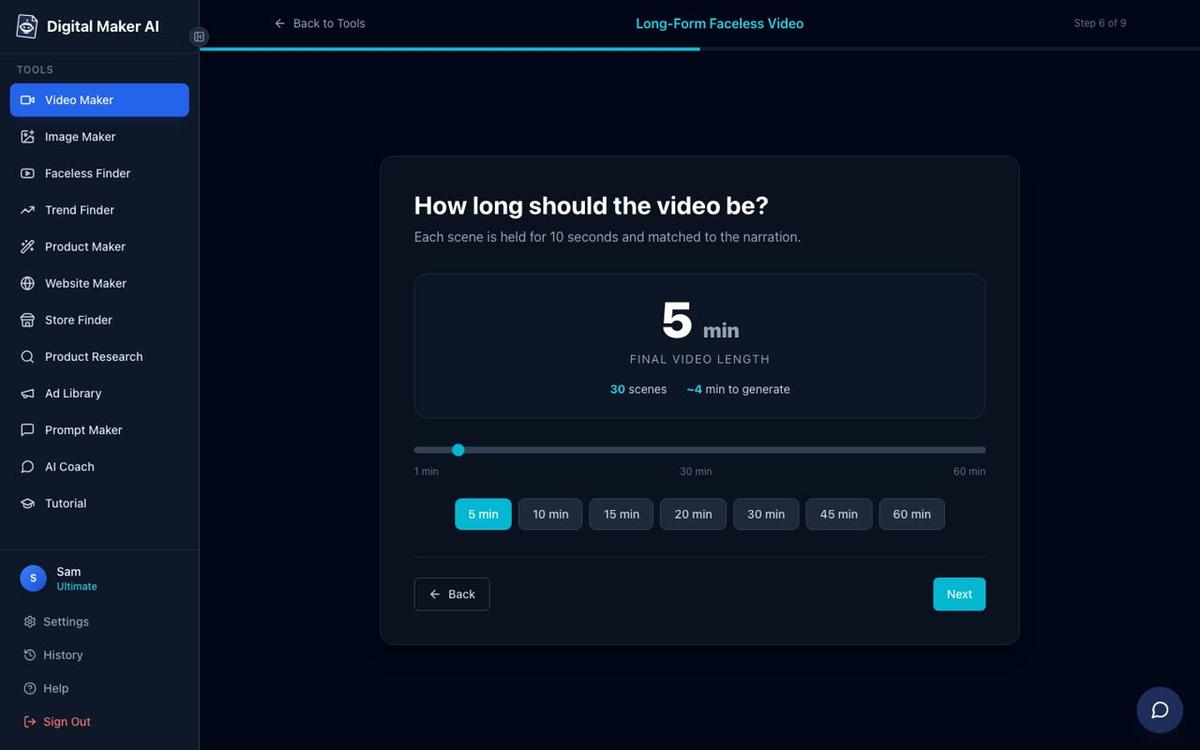
At step 6, use the length slider to set your video duration. The Bertha channels run videos in the 5 to 10 minute range, which is long enough to earn meaningful ad revenue but short enough to hold attention on a practical tips format. Premium supports up to 30 minutes per video and Ultimate up to 60 minutes, so you have room to grow.
Step 5: Pick a Voice That Fits the Persona
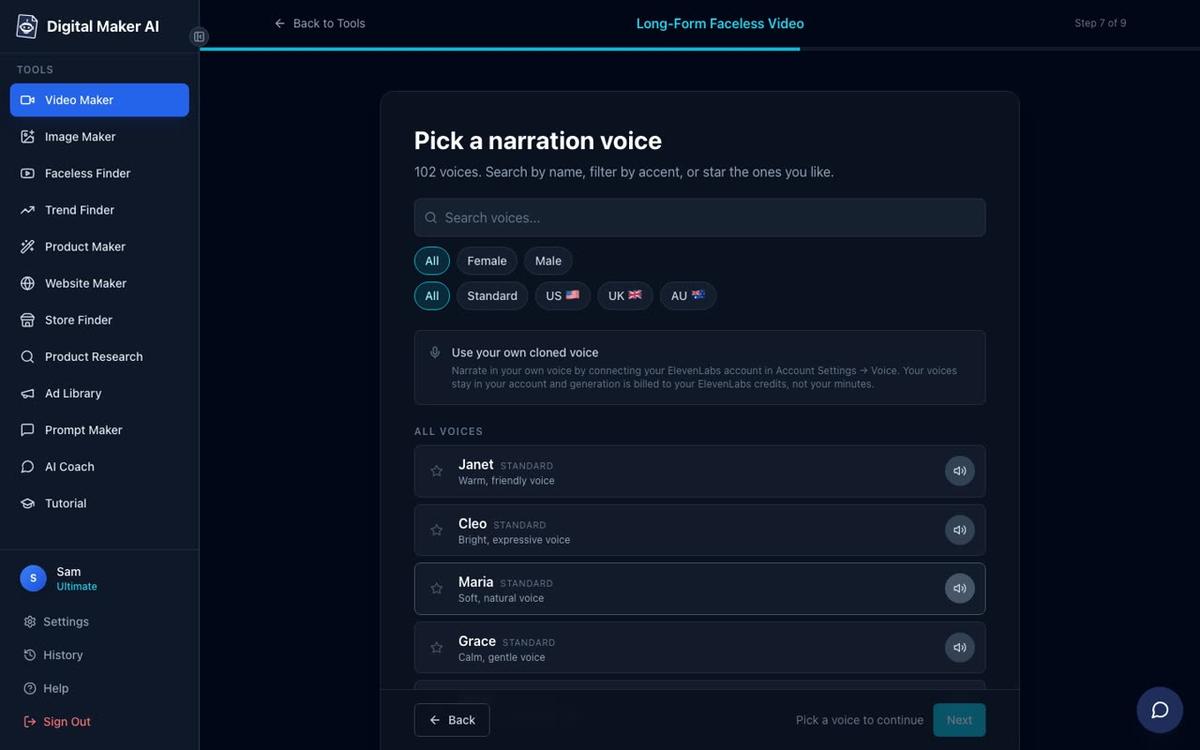
At step 7, choose from more than 100 built-in narration voices. For a warm Mexican home lifestyle channel, look for a female US or neutral accent voice with a calm, conversational pace. Premium and Ultimate users can also design a custom voice from a written description using Voice Design, keeping the voice consistent across every video without needing an external account. This is what locks in the persona at an audio level, the same way the avatar locks it in visually.
Step 6: Review and Generate
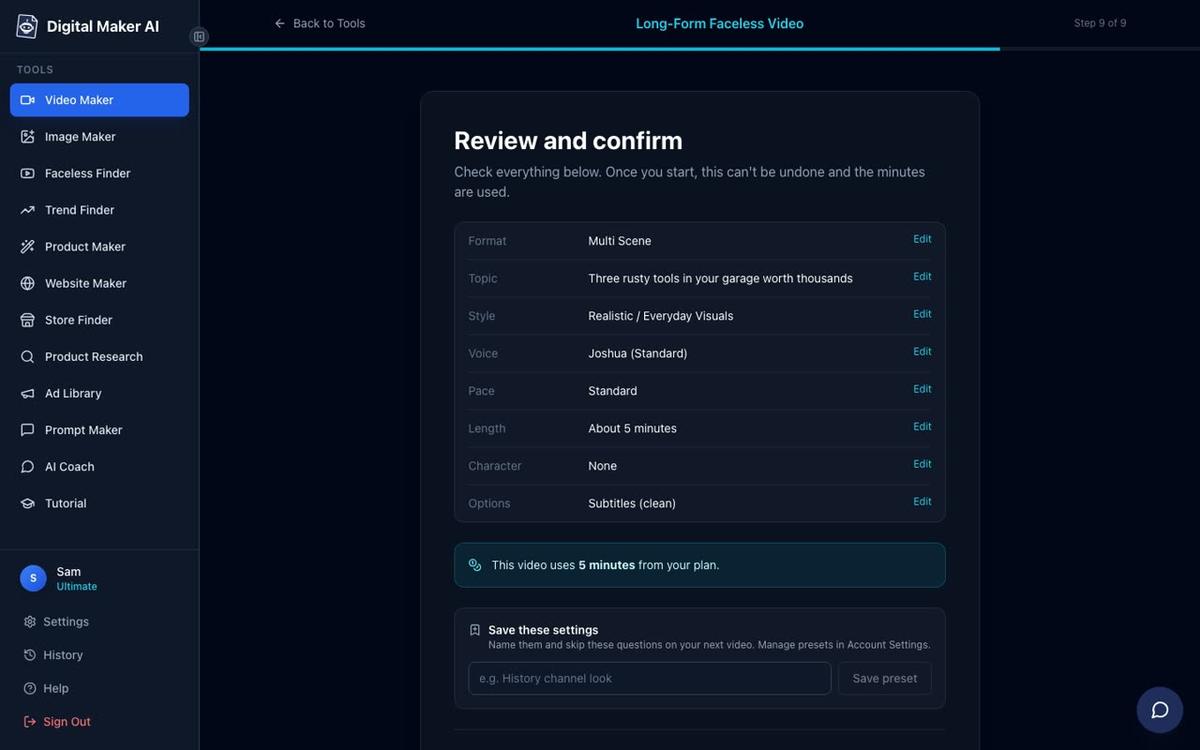
Step 9 shows you a full summary: format, topic, style, voice, pace, length and how many minutes the video will draw from your monthly pool. Check everything, then press Generate Video. The video is usually ready in 3 to 6 minutes. After it is made you can regenerate any individual scene image (10 free regenerations per video), swap in your own image, or edit the narration text.
The Three Presenter Layouts and How to Use Them
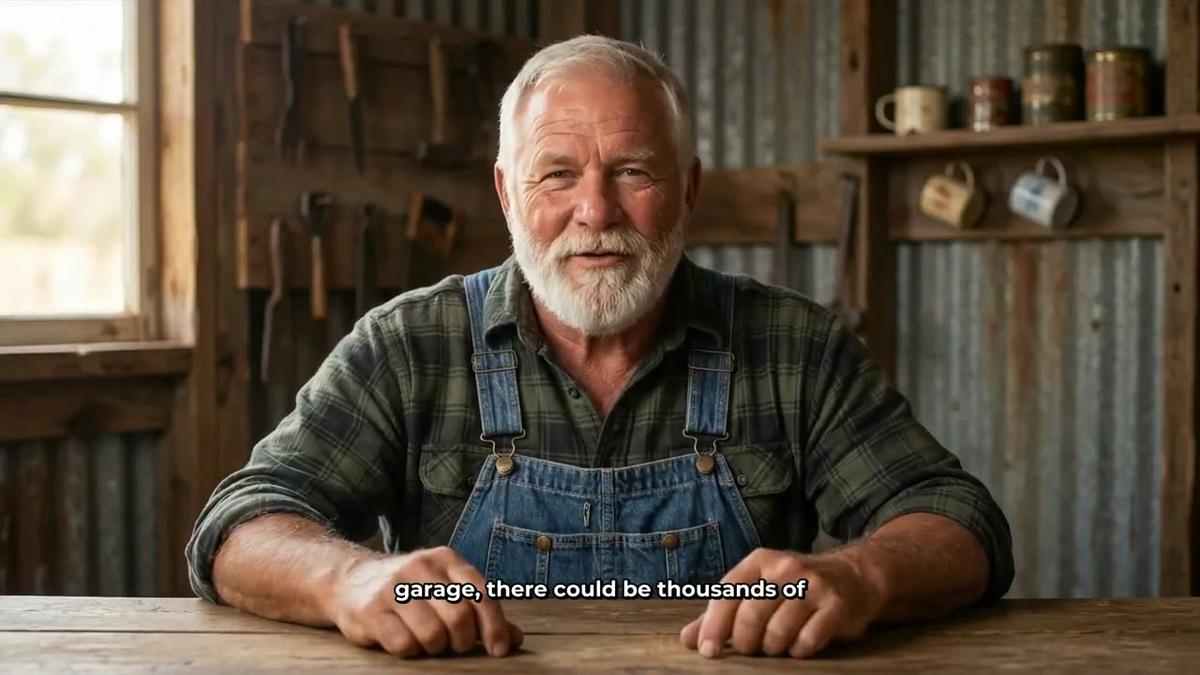
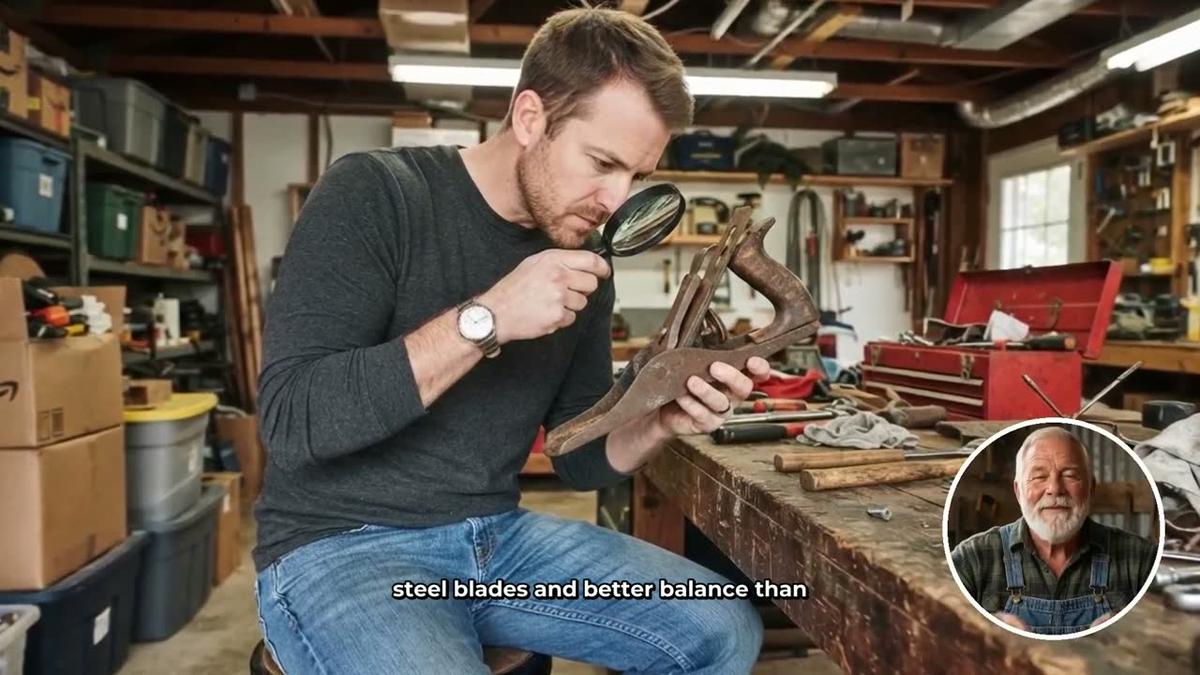
When you add your presenter to a video you tick one, some or all of three layout options. The video rotates through whichever layouts you select, and a slider controls what percentage of the video the presenter appears on screen. You can also set markers on a timeline bar to control exactly where the presenter shows up, for example at the opening and closing of each video to reinforce the persona, with the middle given over to scene images.
Full screen puts the presenter front and centre for the full width of the frame, with captions along the bottom. This is the strongest layout for establishing the character at the start of a video, exactly the way the Bertha channels lead with the host's face in the thumbnail and the opening seconds.
Split screen places the presenter on the left half of the frame and the scene image on the right. This is useful for tutorial-style content where you want the viewer to see both the host and the thing being described at the same time, ideal for cleaning hacks or cooking tips where the visual context matters.

Corner circle keeps the full scene image visible while the presenter appears in a small round window in the corner of the frame. This is the most subtle layout and works well for the body of a video where the scene content should dominate, with the host present as a familiar face rather than the main visual.
Understanding Avatar Time
AI Presenters run on a separate pool called avatar time, counted in seconds and distinct from your regular video minutes. Creating a new presenter portrait uses 30 seconds of avatar time. When you add a presenter to a video, only the seconds the presenter is actually on screen are counted against your avatar time pool. Premium plans start with 2 minutes of avatar time and Ultimate plans with 5 minutes, with Ultimate also receiving 3 minutes every month. If you need more, Avatar Packs let you add time as a one-off purchase without it expiring while you are subscribed. See the pricing page for current Avatar Pack options. For a practical walkthrough of how presenters and generated scenes work together in one video, the guide on AI Presenter plus generated scenes in one tool is worth reading alongside this one.
Applying the Bertha's Clean Home AI Avatar Channel Formula to Your Own Niche
The Bertha cluster succeeds because it combines cultural specificity with volume. Here is how to apply the same logic to a niche you know:
- Name your host and make the name part of the channel. "Bertha's Clean Home" works because the name is in the channel title, the thumbnail and the title of every video. Pick a name that fits the persona and use it everywhere.
- Go narrow on the cultural or lifestyle angle. Mexican home lifestyle is specific. Japanese decluttering, Amish homesteading and off-grid survival are all specific. Generic "home hacks" is not. The tighter the niche, the higher the ad rates and the more loyal the audience.
- Commit to daily uploads from the start. Seven videos a week is achievable with AI video tools because you are not filming, editing or recording voiceover manually. Set a production schedule and stick to it.
- Keep titles personal and practical. "Bertha's trick for X" outperforms "5 ways to do X" in this format because it reinforces the persona. Make the title sound like advice from a friend, not a listicle.
- Build a cluster, not just one channel. The Bertha operator did not stop at one channel. Once the formula worked for cleaning, they applied it to cooking, gardening and house hacks. Each channel builds its own audience while cross-pollinating with the others.
If you want to explore more AI avatar channel ideas beyond the home lifestyle niche, the post on how to create an AI avatar for YouTube videos like Bertha Cooks covers the cooking channel side of this cluster in more detail. You can also find the full list of AI avatar channels, including the Bertha cluster and channels like Wes Tucker, by opening the Faceless Finder inside your Digital Maker AI account and typing "AI avatar" in the search box.
The AI Presenters feature that makes all of this possible is available on Premium and Ultimate plans at digitalmaker.ai/ai-avatar-video-generator. It is a fully launched feature, live since October 2026, and it is the closest thing available to replicating the named-host formula that makes the Bertha channels so effective, without a camera, a studio or a real person on screen.
Ready to build your own AI avatar channel? Start with the free course at digitalmaker.ai/free-course, which walks through the full channel-building process from persona creation to your first upload.
Alex Stevens: Alex Stevens writes for the Digital Maker AI team about faceless YouTube channels, AI presenters and AI video tools.