How to Use OpenClaw to Make Faceless YouTube Videos in 2027
By Alex Stevens
You can use OpenClaw to make faceless YouTube videos in 2027 by connecting it to Digital Maker AI (digitalmaker.ai) through a one-minute MCP setup. Once connected, you type a request in plain language and OpenClaw calls Digital Maker AI's tools to build a complete faceless video, whiteboard animation, AI presenter video, animated podcast, 3D film or Short on your account, using your own minutes, then delivers a link straight back in the chat. This guide covers the full setup and shows you exactly what to ask for every format.
Key takeaways
- OpenClaw connects to Digital Maker AI via MCP in Account Settings under the API tab; setup takes about one minute.
- Every video is made on your Digital Maker AI account and uses your monthly video minutes; it lands in your library and Digital Maker AI emails you when it is ready.
- Making any video through OpenClaw needs a Premium or Ultimate plan; Pro gets thumbnails, character creation and channel research; Free gets account checks and Google Drive saves only.
- You can make long form faceless videos up to 30 minutes on Premium and up to 60 minutes on Ultimate through the connector.
- OpenClaw confirms the minute cost before it starts anything; nothing runs until you say yes.
What does connecting OpenClaw to Digital Maker AI actually mean?
OpenClaw is an AI agent that supports the Model Context Protocol (MCP), an open standard that lets an AI agent call external tools on your behalf. When you connect Digital Maker AI to OpenClaw, the agent gains access to Digital Maker AI's full Video Maker toolset. That means you can type a plain-language request like "make me a ten-minute history video about the fall of Constantinople" and OpenClaw handles the rest: it calls the right Digital Maker AI tools, passes your choices and returns the finished video link when the job is done.
A few things worth knowing before you start:
- Your account, your minutes. Every video is made on your own Digital Maker AI account. Your monthly video minutes are what power it; the connector does not add extra minutes or bypass any plan limit.
- Your library. Finished videos appear in your Digital Maker AI library exactly as if you had used the Video Maker on the website. You get a link in the chat and an email from Digital Maker AI when the video is ready.
- Confirmation before spending. OpenClaw shows you what it plans to make and the minute cost before anything starts. Nothing runs until you confirm.
- Videos take time. A long-form video can take several minutes to build. OpenClaw will not sit and wait; Digital Maker AI emails you when it is ready and the link is in your library.
How to set up OpenClaw for openclaw faceless youtube videos: step by step
- Open Account Settings in Digital Maker AI. Sign in at digitalmaker.ai, then click Settings at the bottom of the left sidebar to open Account Settings.
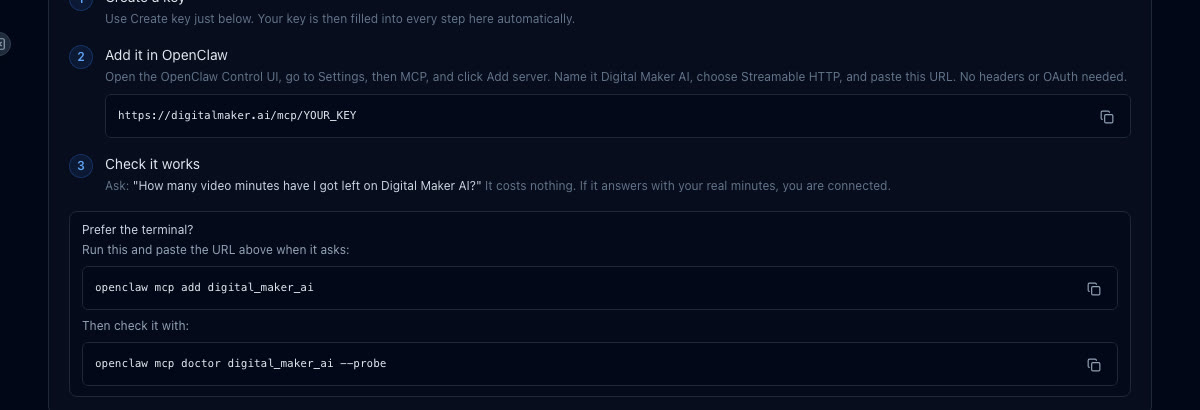
- Go to the API tab. Inside Account Settings, click the API tab. Under "What are you connecting?" choose OpenClaw and click Create key. Digital Maker AI builds your connection URL automatically. It looks like digitalmaker.ai/mcp/YOUR_KEY in plain text. Copy it.
- Add Digital Maker AI as a server in OpenClaw. Open the OpenClaw Control UI, go to Settings, then MCP, and click Add server. Name it Digital Maker AI, choose Streamable HTTP as the type, and paste the connection URL. No headers or OAuth are needed.
- Test the connection. Ask OpenClaw: "How many video minutes have I got left on Digital Maker AI?" This costs nothing and confirms the tools are live.
Prefer the terminal? Run openclaw mcp add digital_maker_ai, paste the URL when prompted, then run openclaw mcp doctor digital_maker_ai --probe to verify.
Full setup details are on the Digital Maker AI OpenClaw setup page.
Which plan do you need to make videos through OpenClaw?
The plan rules through OpenClaw are specific, so it is worth knowing them before you start:
| Plan | What you can do through OpenClaw |
|---|---|
| Free | Check account status, save to Google Drive only |
| Pro | Thumbnails and images, create characters (using them in videos needs Premium), channel and trend research |
| Premium | All video formats (long form up to 30 min), Shorts, whiteboard, AI presenter, animated podcast, 3D film, posting to YouTube, TikTok and Instagram |
| Ultimate | Everything in Premium, long form up to 60 min, more avatar time and animated scenes per month |
See the full plan comparison at digitalmaker.ai/pricing.
How to make a faceless long form video through OpenClaw in 2027
A faceless YouTube channel is a channel where the creator never appears on camera; AI visuals and a voiceover carry the video. Long form faceless videos are the core product here: Digital Maker AI writes the script, generates a scene image for every scene, adds narration and captions, and returns a ready-to-upload MP4.
Try this request in OpenClaw:
"Make me a 12-minute Multi Scene faceless video about the psychology of procrastination, in the Minimalist or Clean style, with a calm male UK accent, YouTube Yellow captions and background music."
OpenClaw will show you a confirmation card with the topic, length, style, voice and minute cost. Press yes and Digital Maker AI starts building. You will get an email when the video is ready and the link will be in your library. On Premium the maximum length through the connector is 30 minutes; on Ultimate it is 60 minutes.

For a full breakdown of what long form faceless videos can do, see the AI long form video generator page.
How to make a whiteboard animation video through OpenClaw
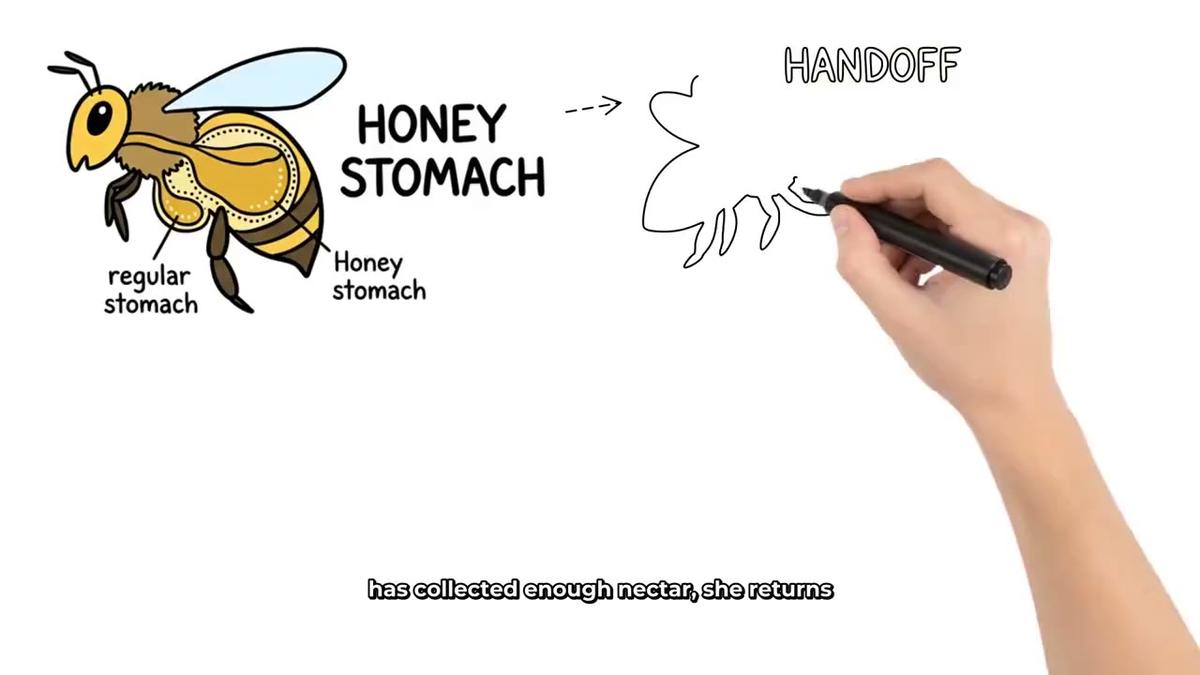
Whiteboard animation is a format where marker sketches appear on screen line by line as the narration plays. It is available on Premium and Ultimate.
Example request:
"Make a 15-minute whiteboard video explaining how compound interest works, in the Story Boards style, with a light hand, a clear female US voice and Bold Pop captions."
OpenClaw will confirm the length (up to 30 minutes on Premium, up to 60 on Ultimate), the style and the minute cost. Note that whiteboard videos do not support recurring characters or AI presenters. See the whiteboard animation generator for more on the format.
How to make an AI presenter video through OpenClaw
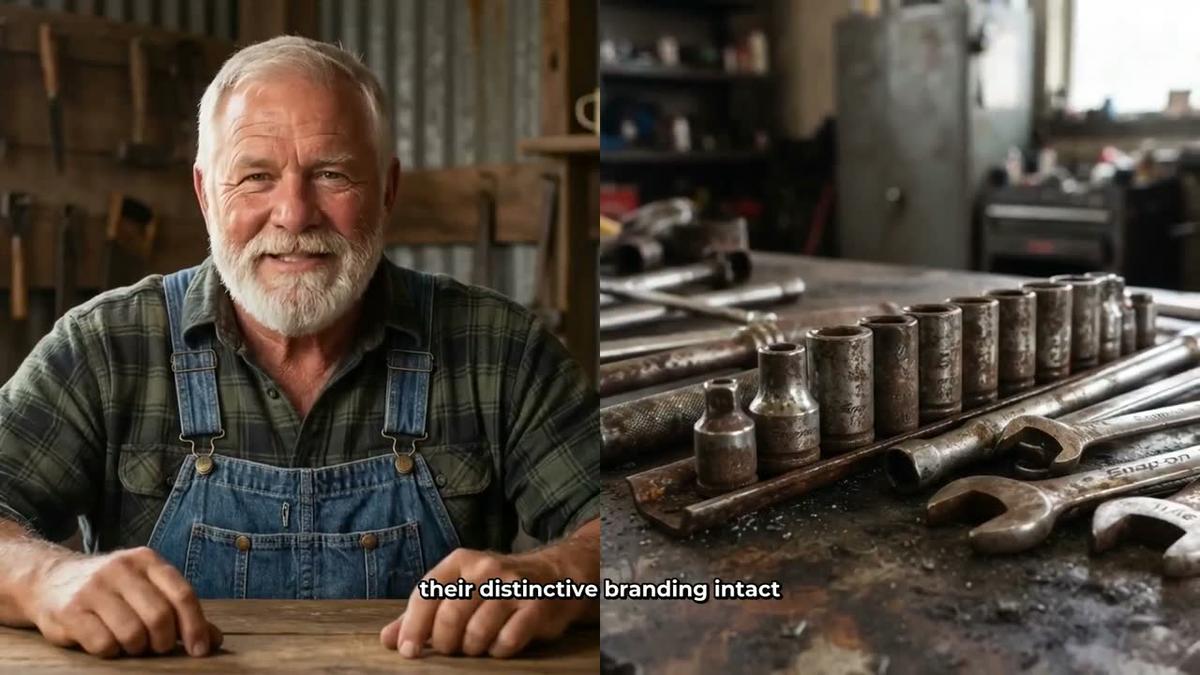
An AI presenter is a photoreal talking avatar who appears on screen inside a landscape Multi Scene video, speaking the narration. This is a fully launched feature on Premium and Ultimate, live since October 2026.
First, create a presenter. You can do this in Account Settings under the Presenters tab: describe who the presenter is and their setting in a sentence or two, and Digital Maker AI generates a photoreal image of them. Or ask OpenClaw:
"Create a new AI presenter: a woman in her forties with short natural hair, wearing a blazer, sitting at a clean modern desk with a city view behind her."
Then make a video with the presenter:
"Make a 10-minute Multi Scene video about the future of remote work using my presenter Sarah, with Split screen and Corner circle layouts, the presenter on screen for about 30 percent of the video, Finance or Luxury style and Clean captions."
The video rotates through the layouts you pick: Full screen (presenter fills the frame), Split screen (presenter on the left, scene on the right) or Corner circle (scene with a round presenter window in the corner). Learn more on the AI avatar video generator page.
How to make a recurring cartoon character video through OpenClaw
A recurring character is a consistent illustrated figure who appears in the scenes of every video you make, giving your channel a recognisable face without you ever appearing on camera. This works on Premium and Ultimate for Multi Scene videos (not on Whiteboard).
Example request:
"Create a recurring character: a friendly cartoon owl in a professor's gown and glasses, holding a scroll. Then make a 10-minute Multi Scene video about ancient Greek philosophy using that character, in the Animated or Cartoon style, with a warm male voice and Boxed captions."
OpenClaw will create the character first, confirm it, then build the video with the character appearing in the scenes. You can save up to ten characters in your account and reuse them across videos. See the recurring character video generator for more.
How to make a 3D animated film through OpenClaw
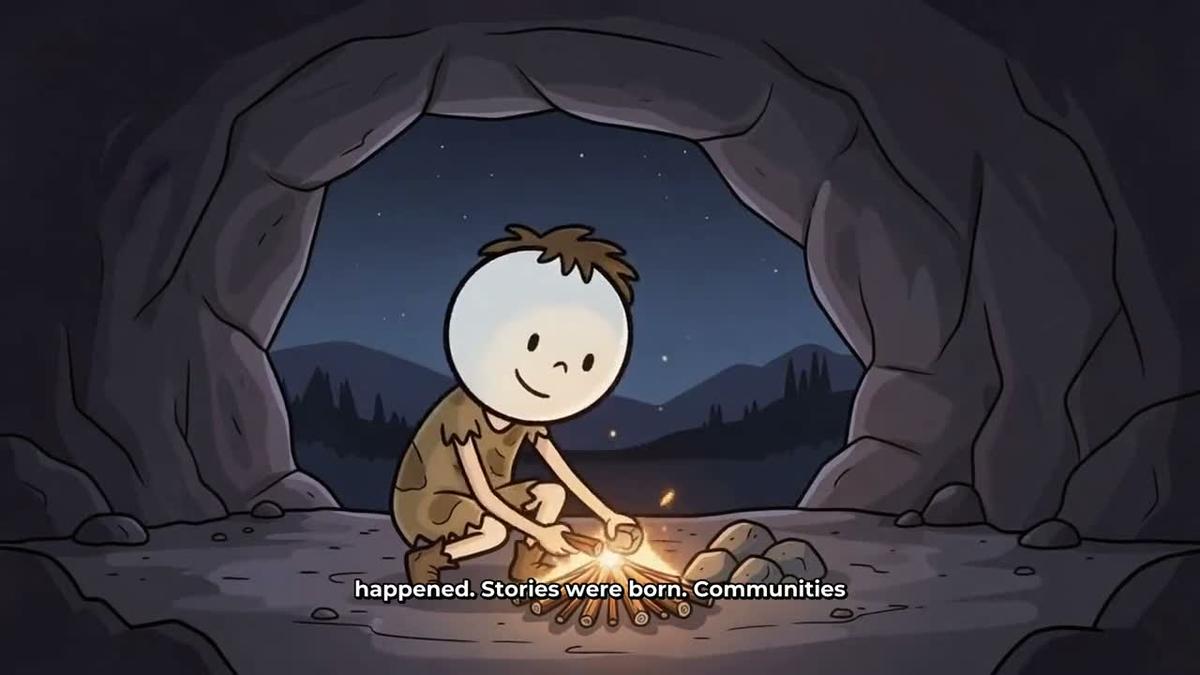
The 3D Animated Movie format produces a fully animated Pixar-style story film: every shot is a moving 3D clip, with narration and captions. It has been live since late October 2026 and is paid with 3D minutes, which are separate from your regular video minutes.
Example request:
"Make a 3D animated film of the story of Aladdin, in the Kids adventure look, with a female storyteller voice, Bold Pop captions and a light orchestral music track. Keep it under 10 minutes."
OpenClaw will confirm the story, cast, look, narrator and 3D minute cost before starting. You can choose from 233 public-domain library stories (fairy tales, fables, classic adventures, Bible stories, myths and legends and more) or write your own plot. After the film is ready, individual shots can be fixed if the AI animation is not quite right. See the 3D animation generator page for pack pricing and details.
How to make an animated podcast through OpenClaw
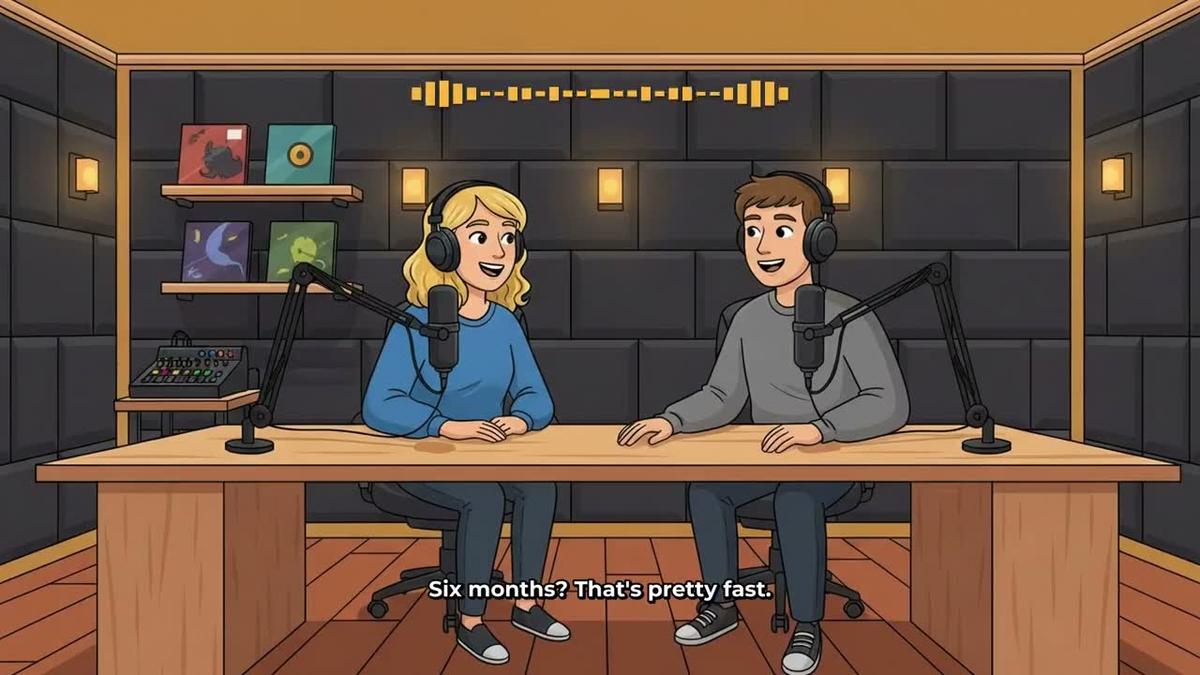
An animated podcast features two AI hosts in an animated studio scene talking through a topic in two different voices, with captions and animated sound bars. Shows are saved so every new episode reuses the same hosts, voices and studio.
Example request:
"Start an animated podcast called True Crime Weekly. Host 1 is Marcus, a calm deep male voice. Host 2 is Priya, a sharp British female voice. Use Studio 3. Make the first episode about the disappearance of the Roanoke Colony, 20 minutes long, in a curious and investigative tone."
OpenClaw will confirm the setup and minute cost. Episodes up to 30 minutes are available on Premium and up to 60 minutes on Ultimate. Long episodes are written and recorded in sections, so a 30 to 60 minute episode can take 45 to 90 minutes to build and Digital Maker AI emails you when it is ready. Find out more at the animated podcast generator page.
How to make Shorts through OpenClaw
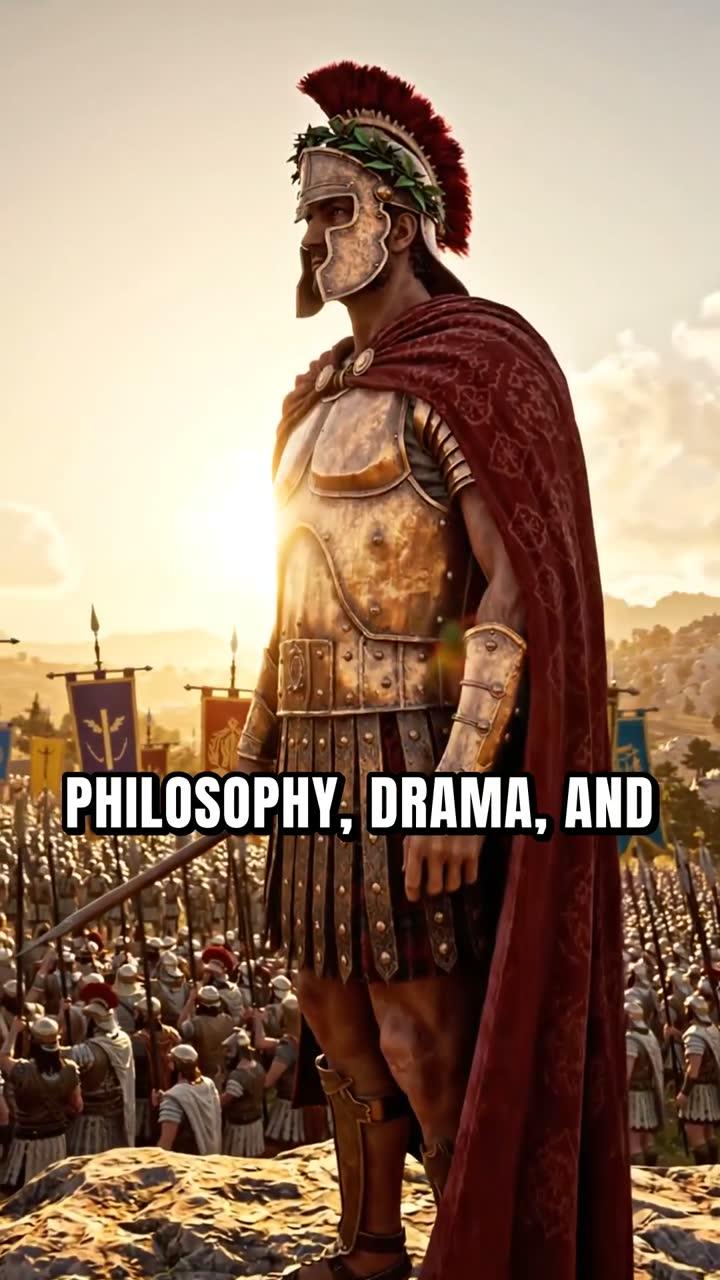
A Multi Scene Short is a vertical 9:16 video, 15 to 60 seconds long, with a new image every few seconds, narration and bold captions. It costs a flat one video minute from your pool.
Example request:
"Make a 30-second vertical Short about three signs you are more intelligent than you think, in the Motivational or Dark Moody style, with a fast-paced female US voice and Bold Pop captions."
Shorts through OpenClaw need Pro, Premium or Ultimate. See the YouTube Shorts generator for more on the format.
Research, thumbnails and posting through OpenClaw
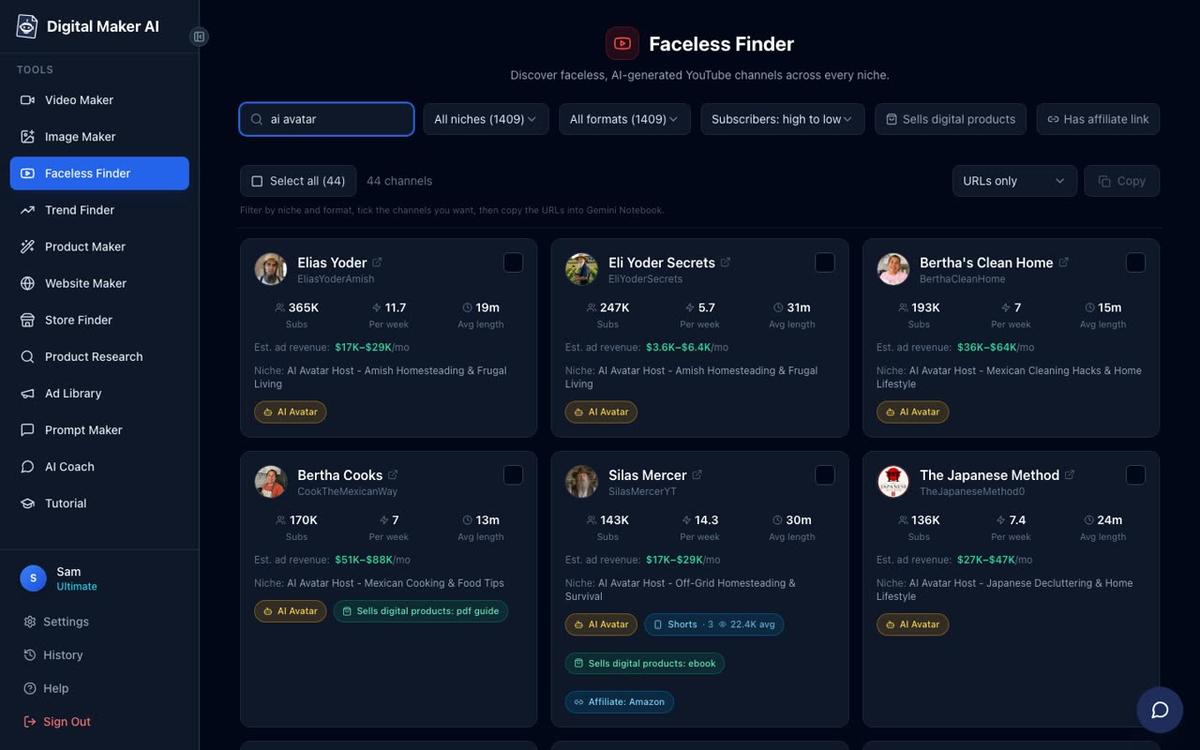
Channel research (Pro and above). The Faceless Finder is a searchable list of confirmed faceless YouTube channels showing subscribers, uploads per week, average video length and an estimated monthly ad revenue. Through OpenClaw you can ask:
"Search the Faceless Finder for faceless channels in the personal finance niche with more than 50,000 subscribers."
You can also search for AI avatar channels specifically:
"Show me channels in the Faceless Finder labelled AI Avatar."
The revenue figures are Digital Maker AI's own rough estimates from recent views and typical ad rates, not real earnings data.
Thumbnails (Pro and above). Ask OpenClaw to generate a YouTube thumbnail for any video:
"Make a YouTube thumbnail for a video called '7 Stoic Habits That Will Change Your Life', in a dark moody style with a gold and black colour scheme."
Posting (Premium and Ultimate). Once you have connected your YouTube, TikTok and Instagram accounts once in Account Settings, you can post or schedule straight from OpenClaw:
"Post my latest Digital Maker AI video to YouTube now with the title '7 Stoic Habits That Will Change Your Life', a description about stoic philosophy for modern life, and the tags stoicism, self improvement, mindset."
Posts are labelled as AI generated. Nothing posts automatically; OpenClaw asks you to confirm before anything goes live. Learn more about posting to YouTube, TikTok and Instagram.
Tips for getting the best results with openclaw faceless youtube videos
- Be specific in your requests. The more detail you give (length, style, voice accent, caption look, music mood), the closer the first result will be to what you want. OpenClaw passes your choices directly to Digital Maker AI.
- Always confirm the minute cost. OpenClaw shows a card before it starts. Check the length and cost match what you intended before pressing yes, because minutes are not refunded once a video is made.
- Use channel research before you make videos. Ask OpenClaw to search the Faceless Finder for channels in your niche first. Seeing what is already working saves you from making videos in a saturated topic with no clear angle.
- Build your presenter once, reuse it everywhere. Create your AI presenter in Account Settings or through OpenClaw once, then reference it by name in every future video request. You can save several and switch between them.
- Batch your Shorts. Shorts cost just one minute each. Ask OpenClaw to make three or four Shorts in one session from different angles on the same topic, then schedule them across the week using the posting feature.
- Check remaining minutes before long sessions. Ask "How many video minutes have I got left on Digital Maker AI?" before starting a batch. It costs nothing and prevents surprises mid-session.
If you use other AI agents, the same Digital Maker AI tools are available through Hermes Agent and through Claude, ChatGPT, Gemini and Grok. The setup is slightly different for each but the video requests work the same way. You can also read the companion guide on running a faceless YouTube channel from Hermes Agent for a week-by-week workflow that translates directly to OpenClaw.
Frequently asked questions
Do I need a paid OpenClaw plan to connect Digital Maker AI?
OpenClaw's custom MCP connectors are available on OpenClaw's paid plans. Check openclaw.ai for their current plan details. On the Digital Maker AI side, making videos through the connector needs a Premium or Ultimate plan; Pro gets thumbnails and research; Free gets account checks only.
Will OpenClaw post videos to YouTube automatically without me pressing anything?
No. OpenClaw always asks you to confirm before posting. You can schedule a post for a future time, but nothing goes live until you approve it. Posts are labelled as AI generated on every platform.
Can I use my own script when making a video through OpenClaw?
Yes, on paid Digital Maker AI plans. Paste your script into the OpenClaw request and specify that you want to use it rather than the AI-written version. The free plan does not support pasted scripts, but you will not be making videos through OpenClaw on Free anyway.
What happens if a video takes too long to build?
Long videos and animated podcasts can take anywhere from a few minutes to over an hour to build. Digital Maker AI emails you when the video is ready and the link appears in your library. OpenClaw does not wait in the background; you simply check your email or your library when you are ready.
Can I make whiteboard videos with an AI presenter through OpenClaw?
No. AI presenters work on landscape Multi Scene videos only. Whiteboard animation is a separate format and does not support presenters or recurring characters, whether you make it through OpenClaw or directly in the Video Maker.
Is there a way to try Digital Maker AI before paying?
Yes. Digital Maker AI has a free plan with no card needed. Free accounts get five free videos (one of each type) on the website, including one long form video up to 8 minutes and one animated podcast up to 8 minutes. The free plan does not include video making through OpenClaw, but it lets you explore the platform and see the quality before upgrading.
Ready to put OpenClaw and Digital Maker AI to work on your channel? Start with the free plan to see the video quality, then connect OpenClaw once you are on Premium or Ultimate and you will have a complete faceless video studio you can run from a single chat window. The free faceless YouTube course at Digital Maker AI covers niche selection, channel setup and your first video ideas, and it pairs well with everything in this guide.
Alex Stevens: Alex Stevens writes for the Digital Maker AI team about faceless YouTube channels, AI presenters and AI video tools.