Munch vs Digital Maker AI for Faceless YouTube Videos
By Alex Stevens
The quick answer on Munch vs Digital Maker AI
If you already have long recorded videos and want to clip them into short social posts quickly, Munch is the stronger pick on that single criterion. If you have no footage at all and want to build a complete faceless YouTube video from a topic alone, Digital Maker AI wins clearly, because it creates everything from scratch. That is the core question behind the Munch vs Digital Maker AI debate, and this article judges both tools against it.
To score each tool, one criterion was applied consistently: which product gets a creator from zero to a finished, ready-to-upload YouTube video with the least friction? Pricing, output quality, format range and who each tool is actually built for were all considered. Where Munch genuinely leads, that is stated plainly. Where Digital Maker AI leads, specific reasons are given rather than enthusiasm.
What Munch does well (and where it stops)
Munch is a repurposing tool. Its entire job is to take a long video you have already recorded and extract the moments most likely to perform on social media. The company states that its AI automatically identifies viral moments, crops them to a 9:16 vertical ratio, adds captions and optimises each clip for YouTube Shorts, TikTok and Instagram. That is a genuine time saver if you produce talking-head content, podcasts, webinars or long interviews and want to squeeze more reach out of every recording.
The features that make Munch useful in that lane include smart clip detection with virality scoring, auto-generated captions in English, platform-specific aspect ratio cropping, and direct export to multiple social channels. For a creator who records themselves regularly, those tools can turn a single one-hour session into a week's worth of short content without manual trimming.
Pricing for Munch (as of November 2026) sits at around $38 per month on the Essential plan billed annually, rising to around $60 per month for Premium and around $118 per month for the Studio tier, based on figures published on third-party review sites. Munch does offer a free tier, but multiple sources note that it only lets you work with sample projects: you cannot upload your own footage without a paid plan, so it functions as a demo rather than a working free account. Check getmunch.com for current pricing, as plans have changed more than once in 2026.
The hard limit is this: Munch cannot create a video from a blank page. If you have no footage, Munch has nothing to work with. You still need to film, record or source the original long video yourself before the tool can do anything. For faceless YouTube creators who have never hit record, that is a complete blocker.
What Digital Maker AI adds for faceless video creators
Digital Maker AI is built for the opposite starting point. You type a topic, and the platform writes the script, generates a unique AI image for every scene, adds narration from more than 100 built-in voices, burns in captions and delivers a finished MP4 ready to upload to YouTube. No camera, no microphone, no existing footage required.
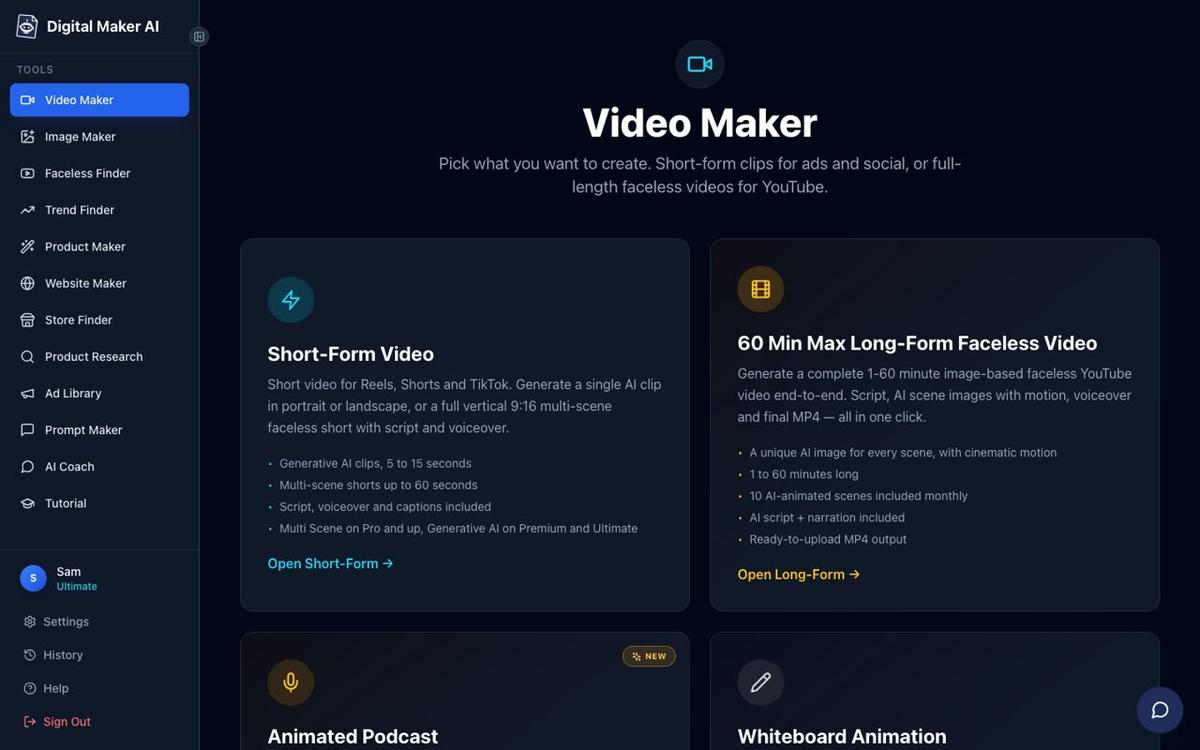
The Video Maker is the starting point. After signing in, the left sidebar shows a Video Maker button. Clicking it opens a set of choice cards: Short-Form Video, Long-Form Faceless Video, Animated Podcast and the Drag and Drop Studio. For a faceless YouTube channel, the Long-Form card is the main one. You pick a topic area, a visual style (seven options including Realistic, Animated or Cartoon, History or Ancient, Space or Sci-Fi and more), a caption style, a narration voice and a length, then press Next. The platform handles everything else.
The free plan is the way to try this without a card. Free accounts get five free videos, one of each type: one long-form faceless video up to eight minutes, one vertical Short between 15 and 60 seconds, one drag-and-drop video from your own images, one drag-and-drop movie from your own clips and one animated podcast up to eight minutes. Commercial usage rights are included on every plan, including Free. Free videos carry a small watermark; upgrading later removes it from that video.
On paid plans (Pro at $29 per month, Premium at $59 per month and Ultimate at $99 per month, as of November 2026, see digitalmaker.ai/pricing for current details) the platform unlocks longer videos, fresh AI-generated scene images on any topic, pasted scripts, recurring characters and direct posting to YouTube, TikTok and Instagram. The long-form video generator supports videos up to 10 minutes on Pro, 30 minutes on Premium and 60 minutes on Ultimate.
AI Presenters and formats Munch cannot produce
One area where the Munch vs Digital Maker AI comparison becomes very one-sided is AI Presenters. Munch clips footage that already exists. Digital Maker AI can place a talking AI presenter inside a landscape video, speaking the script on screen, in three different layouts: Full screen (the presenter fills the frame), Split screen (presenter on the left, the scene on the right) or Corner circle (the scene fills the frame with the presenter in a small round window in the corner).
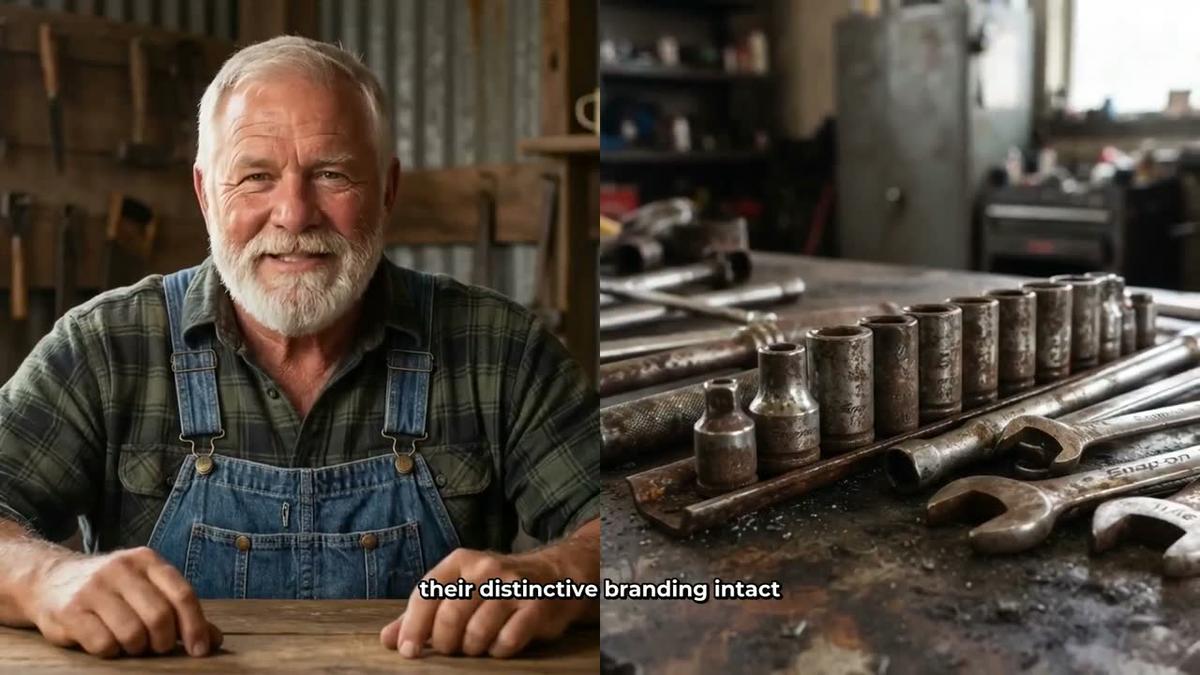
You create a presenter in Account Settings by describing who they are and their setting in a sentence or two. The AI generates a photoreal picture of them, you check it and save it. From then on that presenter appears in your videos whenever you choose. A slider controls how much of the video they are on screen, and markers on a timeline bar set exactly where they appear. The presenter speaks the same narration voice as the rest of the video, with captions. This is a fully launched feature on Premium and Ultimate plans, available to use right now. You can learn more on the AI avatar video generator page.
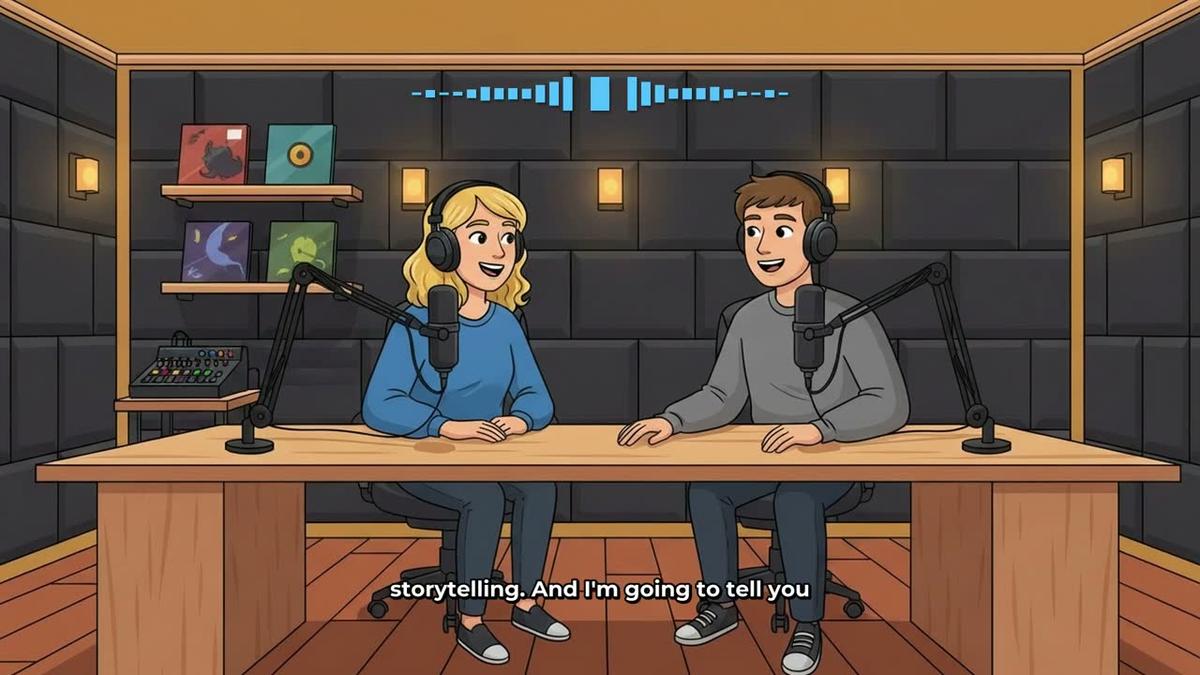
Digital Maker AI also produces animated podcasts with two AI hosts talking through a topic in an animated studio, with sound bars and captions. Munch has no equivalent of either format, because both require content to be generated from scratch rather than clipped from existing footage.
Where Digital Maker AI falls short compared to Munch
Honesty matters here. Digital Maker AI does not have a timeline editor with manual trimming and transitions. If you want to cut specific moments from a long recording and fine-tune exactly where each clip starts and ends, Munch gives you far more manual control over that process. Digital Maker AI also does not include a stock footage library or b-roll clips. The normal Multi Scene video uses AI-generated still images held on screen, not moving footage (animated scenes are available as an add-on, but the core product is still images with narration).
If you are a podcaster, interviewer or video blogger who records hours of content each week and needs a fast pipeline to clip it into Shorts and Reels, Munch is the more purpose-built tool for that workflow. Digital Maker AI does offer a Drag and Drop Studio where you can cut your own clips into a movie with captions, but it is not a repurposing tool in the way Munch is.
Recommendations by use case
- Best for faceless YouTube from scratch: Digital Maker AI. You have no footage and need a complete video from a topic alone. The free plan gives you five videos to test it with no card required.
- Best for repurposing existing recordings: Munch. You record regularly and want smart clips, captions and multi-platform export from your existing long videos. Munch is built exactly for this.
- Best for AI Presenter videos: Digital Maker AI. Munch cannot generate a talking AI avatar. Digital Maker AI's presenter feature on Premium and Ultimate puts a photoreal host on screen in three layout options.
- Best for vertical Shorts from a topic: Digital Maker AI. The Shorts generator produces a 15 to 60 second vertical video with narration and bold captions from a one-line topic, at a flat one minute of your monthly pool.
- Best on a budget to start: Digital Maker AI. The free plan gives you five real, usable videos with no card needed. Munch's free tier only shows sample projects and requires a paid plan to upload your own footage.
- Best for recurring characters across videos: Digital Maker AI. You can upload or build a character image, save up to ten, and the same character appears in every video. Munch has no equivalent feature.
- Best for long-form YouTube content up to 60 minutes: Digital Maker AI. The Ultimate plan supports videos up to 60 minutes long, all generated from a topic with no source footage needed.
If you are already running a comparison of repurposing tools, the related articles on Klap vs Digital Maker AI and Vizard vs Digital Maker AI cover similar ground and are worth reading alongside this one, since Klap and Vizard sit in the same repurposing category as Munch.
The bottom line on Munch vs Digital Maker AI
These two tools solve different problems. Munch is a smart repurposing tool for creators who already have footage and want to extract short clips efficiently. Digital Maker AI is a creation tool for people who want to build a faceless YouTube channel without ever hitting record. If your question is how to get more out of videos you have already made, Munch earns its place. If your question is how to start a faceless channel from a blank page today, Digital Maker AI is the answer. Start with the free plan, make your first five videos and see how the output looks before spending anything. You can sign up and explore the free course at digitalmaker.ai/free-course.
Alex Stevens: Alex Stevens writes for the Digital Maker AI team about faceless YouTube channels, AI presenters and AI video tools.