Higgsfield vs Digital Maker AI for Faceless YouTube Videos
By Alex Stevens
Higgsfield vs Digital Maker AI: the quick answer
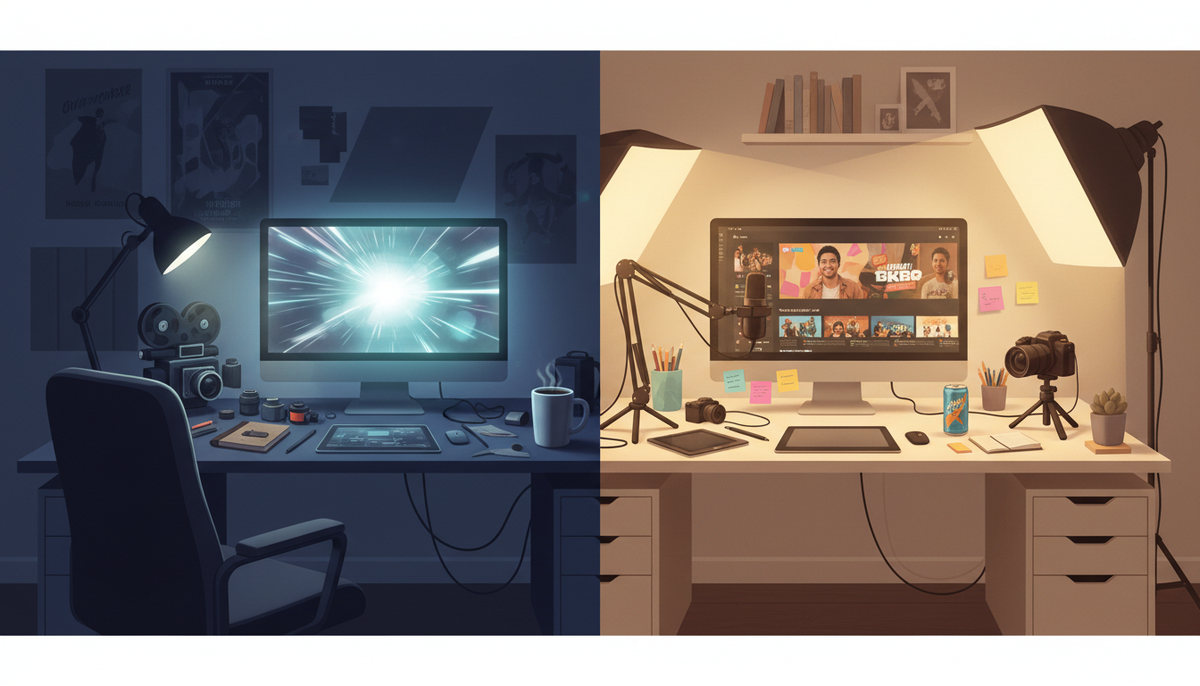
If your goal is a complete, ready-to-upload faceless YouTube video, Digital Maker AI is the stronger choice for the higgsfield vs digital maker ai question, because it handles every step from script to exported MP4 without you touching a timeline. If your goal is raw cinematic motion clips that you will cut yourself in a separate editor, Higgsfield is a serious contender. That single distinction, finished video versus raw clip, is the criterion used throughout this comparison.
To judge them fairly, the comparison looks at what each tool actually outputs, who has to do the remaining work, what the entry cost is, and where each one genuinely falls short.
Higgsfield: cinematic motion clips and a growing Explainer tool
Higgsfield is a multi-model AI video platform built around cinematic motion control. The company states that it aggregates more than 35 AI video models, including Veo 3.1, Kling 3.0 and Seedance 2.5, under one subscription and wraps them in more than 70 camera movement presets. The core workflow is: drop in a text prompt or an image, pick a camera move (dolly, whip pan, aerial push, and so on), choose a model, and generate a clip. Seedance 2.5 clips can run up to 30 seconds; most other models produce 5 to 10 second shots. The output is a single moving clip, not a finished video.
Higgsfield also offers a separate product called Higgsfield Explainer. The company describes it as a tool that turns a script or topic into a narrated 2D animated video up to 10 minutes long, with one consistent voice and burned-in subtitles, available in 16:9 or 9:16. It is a meaningful step toward long-form output, though the visual style is 2D animated only, and the narration voice options are more limited than a dedicated voiceover pipeline.
Higgsfield pricing as of October 2026 (higgsfield.ai/pricing): Free ($0, no credits included), Starter ($19 per month, 270 credits), Plus ($59 per month or $47 per month billed annually, 1,200 credits), Ultra ($129 per month or $99 per month billed annually, 3,000 credits). Credits are consumed per generation and the rate varies by model, so heavier models like Veo 3.1 cost more credits per clip than lighter ones.
Who should pick Higgsfield: editors and filmmakers who want high-quality generative motion footage to cut into their own productions. It is also a strong fit for social media teams who need short cinematic clips for ads or reels and are comfortable assembling the final video themselves. If you want to experiment with the latest generative video models in one place, Higgsfield delivers that well.
What Higgsfield does not do (for the core clip tool): it does not write a script, generate a scene-by-scene image library, add background music from a built-in library, or return a finished MP4 with narration and captions ready to post to YouTube. The Explainer tool moves closer to that, but it is 2D animated only and does not offer the range of visual styles, voice options or post-production controls that a dedicated faceless video pipeline provides.
Digital Maker AI: an end-to-end faceless video pipeline
Digital Maker AI is built around one outcome: a complete faceless YouTube video that is ready to upload. The Video Maker writes the script (or accepts a pasted script on paid plans), generates a unique AI image for every scene, adds AI narration from a library of more than 100 voices, burns in captions and returns a finished 16:9 MP4. There is no timeline editor to learn and no separate assembly step.
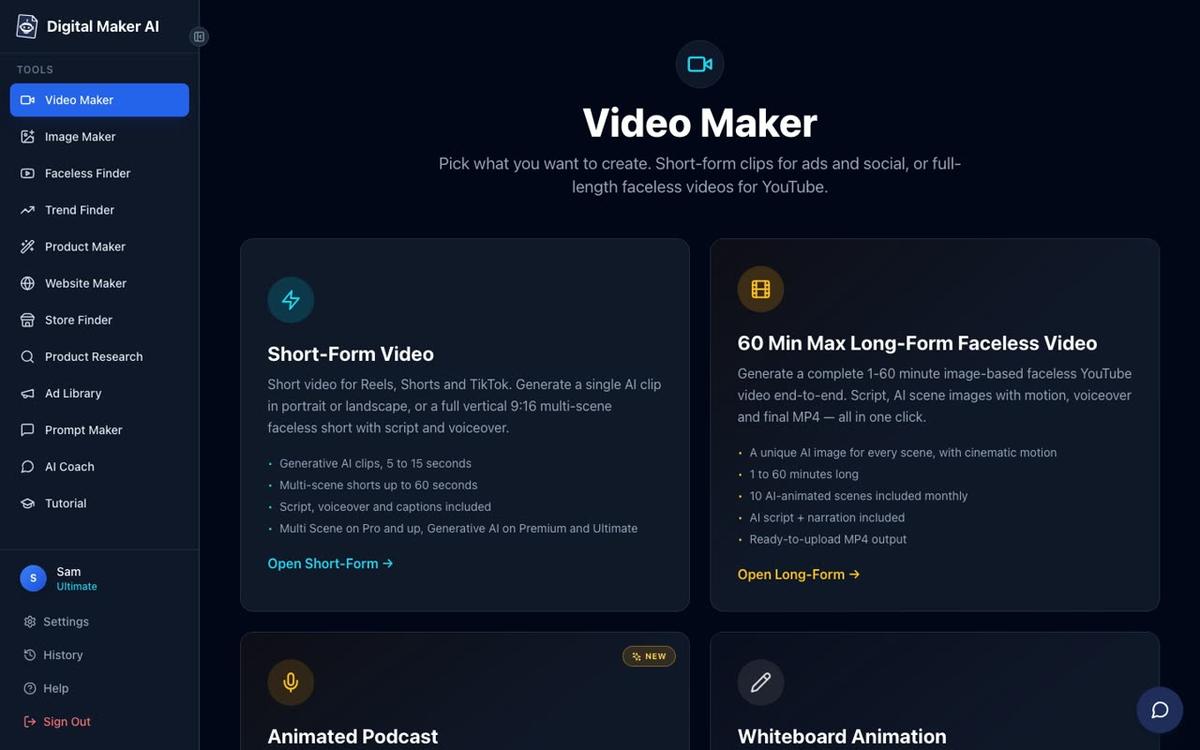
The long-form video builder supports seven visual styles, including Realistic, Animated or Cartoon, History or Ancient, Space or Sci-Fi and Finance or Luxury, so the look can match the niche without any external design work. Six caption styles are burned into the lower third. Optional slow zoom and pan motion effects and an optional film grain look add visual energy to each still scene without requiring real moving footage.
For creators who want actual moving footage inside a long-form video, the Animated Scenes add-on is the answer. Under any finished video, the "Animate scenes" button turns chosen still scenes into real AI-generated motion clips. Premium plans include five animated scenes per month and Ultimate includes ten, with additional packs available. This is the place where Higgsfield-style moving footage fits into a long-form video workflow, and it is worth naming clearly: if you want both a complete narrated video and real motion in specific scenes, you can have both inside Digital Maker AI.

Premium and Ultimate plans also unlock AI presenter videos, fully launched as of October 2026. The user describes a presenter in a sentence or two, the platform draws a photoreal image of them, and that presenter appears on screen speaking the narration in Full screen, Split screen or Corner circle layouts. The amount of screen time the presenter takes is adjustable with a slider, so the video can open with the presenter, cut to scenes, and return to them at the end. This is a meaningful step beyond what Higgsfield's Explainer offers for channel branding.
One honest limit: Digital Maker AI does not have a timeline editor. You cannot manually trim clips, add transitions or rearrange scenes in a drag-and-drop interface. If that level of editorial control is what you need, a traditional editor or a clip-first platform like Higgsfield is the more appropriate choice. You can swap in your own image or a short clip for any scene after the video is made, and you can regenerate any scene image (ten free regenerations per video), but there is no frame-level trimming.
Digital Maker AI pricing as of October 2026 (see digitalmaker.ai/pricing for the current figures): Pro is $29 per month ($249 per year, 40 video minutes per month, up to 10-minute videos), Premium is $59 per month ($479 per year, 150 minutes, up to 30-minute videos), Ultimate is $99 per month ($799 per year, 300 minutes, up to 60-minute videos). There is no time-limited free trial.
Who should pick Digital Maker AI: creators who want to publish faceless YouTube videos consistently without learning video editing. The platform suits anyone building a channel on topics like history, finance, psychology, true crime or motivation, where the goal is a polished, narrated video that goes straight from idea to upload.
Starting free: how each tool handles the entry point
Higgsfield's Free plan includes no credits, meaning you cannot generate any clips without paying. The company states that paid plans start from $19 per month.
Digital Maker AI's Free plan requires no credit card and includes five free videos, one of each type: one long-form faceless video up to 8 minutes, one vertical Short, one drag-and-drop video from your own images, one drag-and-drop movie from your own clips, and one animated podcast. Free videos carry a small watermark and are limited to English, two visual styles and standard voices, but commercial usage rights are included on every plan including Free. To get started, sign in, click "Video Maker" in the left sidebar, pick the video type and press Next.
For a creator who wants to see a finished faceless YouTube video before spending anything, the Digital Maker AI Free plan is a lower-risk entry point than Higgsfield's credit-based model.
Higgsfield vs Digital Maker AI: recommendations by use case
- Best for a complete faceless YouTube video with no editing: Digital Maker AI. Script, scenes, voiceover, captions and MP4 in one pass.
- Best for short cinematic motion clips to cut yourself: Higgsfield. Multiple state-of-the-art models, precise camera control, and clip quality that suits ad production and film-style content.
- Best for adding real motion to a long-form video: Digital Maker AI's Animated Scenes add-on. Build the full narrated video first, then animate the scenes that need movement.
- Best for 2D animated explainer videos: Higgsfield Explainer is a capable option. Digital Maker AI's Animated or Cartoon visual style produces illustrated still scenes with narration, which suits a different aesthetic.
- Best on a budget with no upfront cost: Digital Maker AI Free plan. Five complete videos, no card needed, commercial rights included.
- Best for an AI presenter on a faceless channel: Digital Maker AI. Higgsfield does not offer an equivalent end-to-end presenter video pipeline for long-form YouTube content.
- Best for creators who already edit in a timeline: Higgsfield. If you have a post-production workflow and just need better generative footage to drop into it, Higgsfield's model library and camera presets are well suited to that job.

The bottom line on higgsfield vs digital maker ai
Higgsfield and Digital Maker AI are solving different problems. Higgsfield gives editors and filmmakers access to the best generative video models in one place, with the camera control and clip quality that serious production work demands. Digital Maker AI gives faceless YouTube creators a complete pipeline that starts with a topic and ends with a video file, with no editing software required. The two tools are not really competing for the same creator. The question is which job you are trying to do: assembling footage, or publishing a channel.
If you want to see how the long-form faceless video pipeline works in practice, the free course at digitalmaker.ai/free-course walks through the full process from channel idea to first upload, and it costs nothing to start.
Alex Stevens: Alex Stevens writes for the Digital Maker AI team about faceless YouTube channels, AI presenters and AI video tools.