AI Avatar Channel Ideas for Garage and Car Repair Videos
Why the Garage and Car Repair Niche Is Perfect for AI Avatar YouTube Channel Ideas
If you have been looking for ai avatar youtube channel ideas in the garage and car repair niche, the good news is that real channels are already proving the model works. According to the Digital Maker AI Faceless Finder, Otis Granger has built 29,900 subscribers and an estimated 919,183 views a month, with an estimated ad revenue of $7,400 to $13,000 a month. Wei Mechanic sits at 8,690 subscribers with an estimated $3,000 to $5,200 a month. These are Digital Maker AI Faceless Finder estimates based on recent views and typical ad rates for the niche, not the channels' real earnings. But the direction of travel is clear: an AI avatar mechanic character, a tight niche, and consistent uploads are a proven combination.
To see the wider picture, look at adjacent channels. Silas Mercer (143,000 subscribers, an estimated $17,000 to $29,000 a month) and Wes Tucker (35,700 subscribers, an estimated $2,200 to $7,500 a month) operate in the homesteading and life hacks space, but they share every structural quality with the car repair channels: a strong AI avatar persona, a practical tip format, and no real person on camera. All figures are Digital Maker AI Faceless Finder estimates.
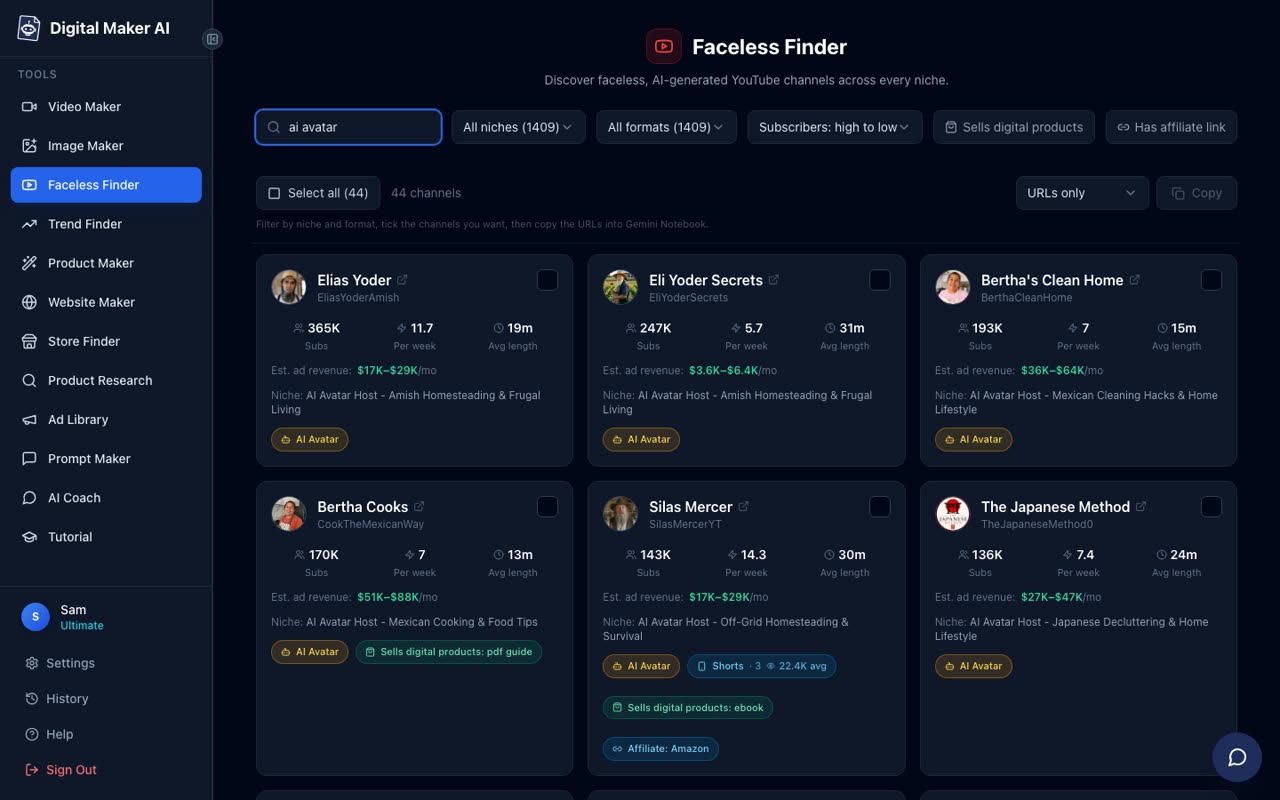
What do all these channels have in common? Each one features an AI-generated host character with a strong, believable persona: an elderly farmer, a grandmother, a mechanic, a monk. The persona is tight, the topic is specific, uploads are consistent, and the practical tip format keeps viewers watching. No real person ever appears on camera. That is exactly the format that suits a garage and car repair channel, and the CPM (cost per thousand views) in the auto and DIY category is among the highest on YouTube, meaning every view earns more than it would in a lower-value niche.
Why an AI Presenter Works So Well for Car Repair Content
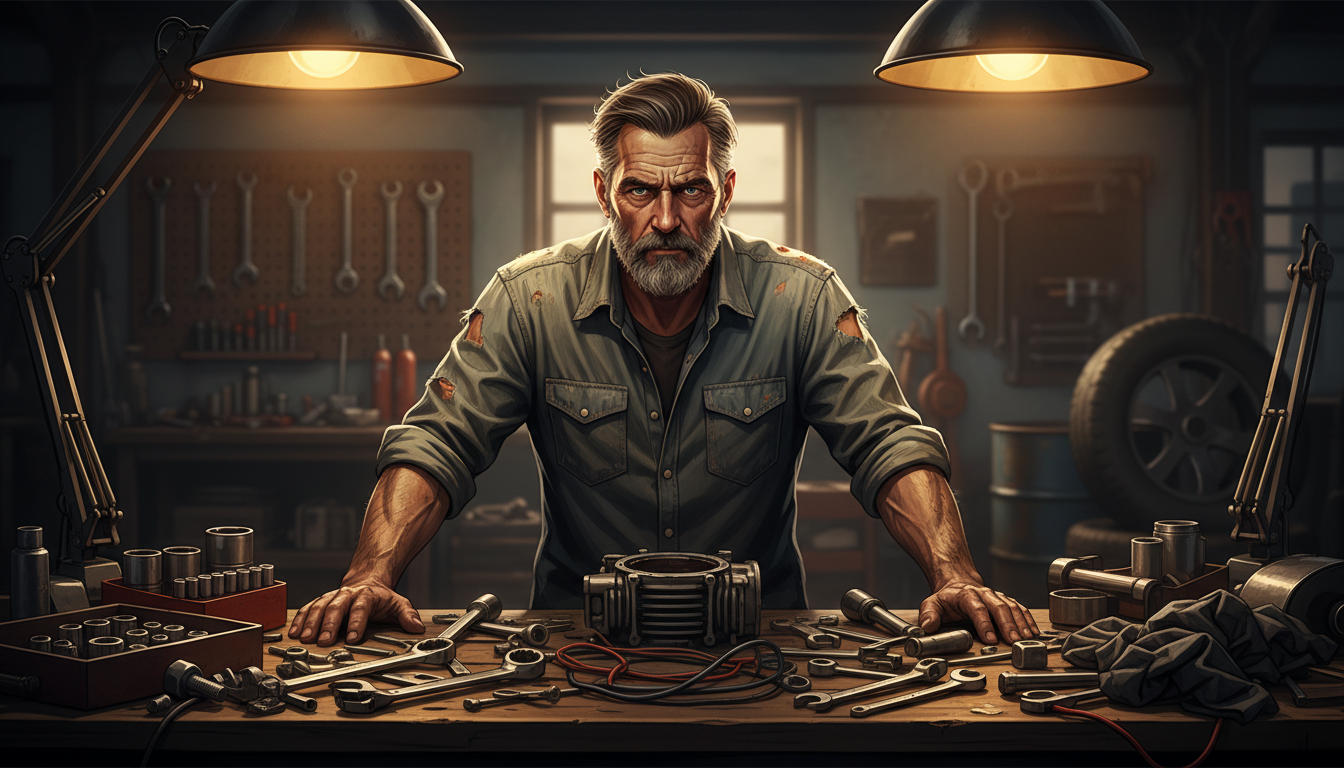
Car repair viewers are not looking for entertainment. They have a problem, they want a confident expert to walk them through the fix, and they want to trust that person. An AI avatar mechanic with a weathered face, a workshop behind him and a calm, authoritative voice delivers exactly that, without the creator ever needing to appear on screen, own a garage or get their hands dirty.
The high CPM in the auto niche is another reason this format is worth pursuing. Advertisers in the automotive and DIY categories pay well because their customers spend money. A channel that earns an estimated $7,400 to $13,000 a month at under 30,000 subscribers, like Otis Granger according to the Faceless Finder, is a result of high CPM as much as high views. That combination makes this one of the most efficient niches for a faceless AI avatar channel.
Building Your Mechanic Presenter in Digital Maker AI
Digital Maker AI launched AI Presenters in October 2026 as a Beta feature available on Premium and Ultimate plans. The process of creating your mechanic character takes only a few minutes and starts in Account Settings.
Sign in to your Premium or Ultimate account, open Account Settings and click the Presenters tab. You will see your avatar time balance, an Add avatar time button and a New Presenter button. Click New Presenter and type a description of your character in one or two sentences. For a garage and car repair channel, something like this works well: "A weathered mechanic in his fifties in a worn denim shirt, sitting at a garage workbench covered in tools, with an oil-stained rag tucked into his pocket and a confident, no-nonsense expression." The AI draws a photoreal picture of that character. Check it, and if it looks right, save it. You can create several presenters and reuse them across as many videos as you like.
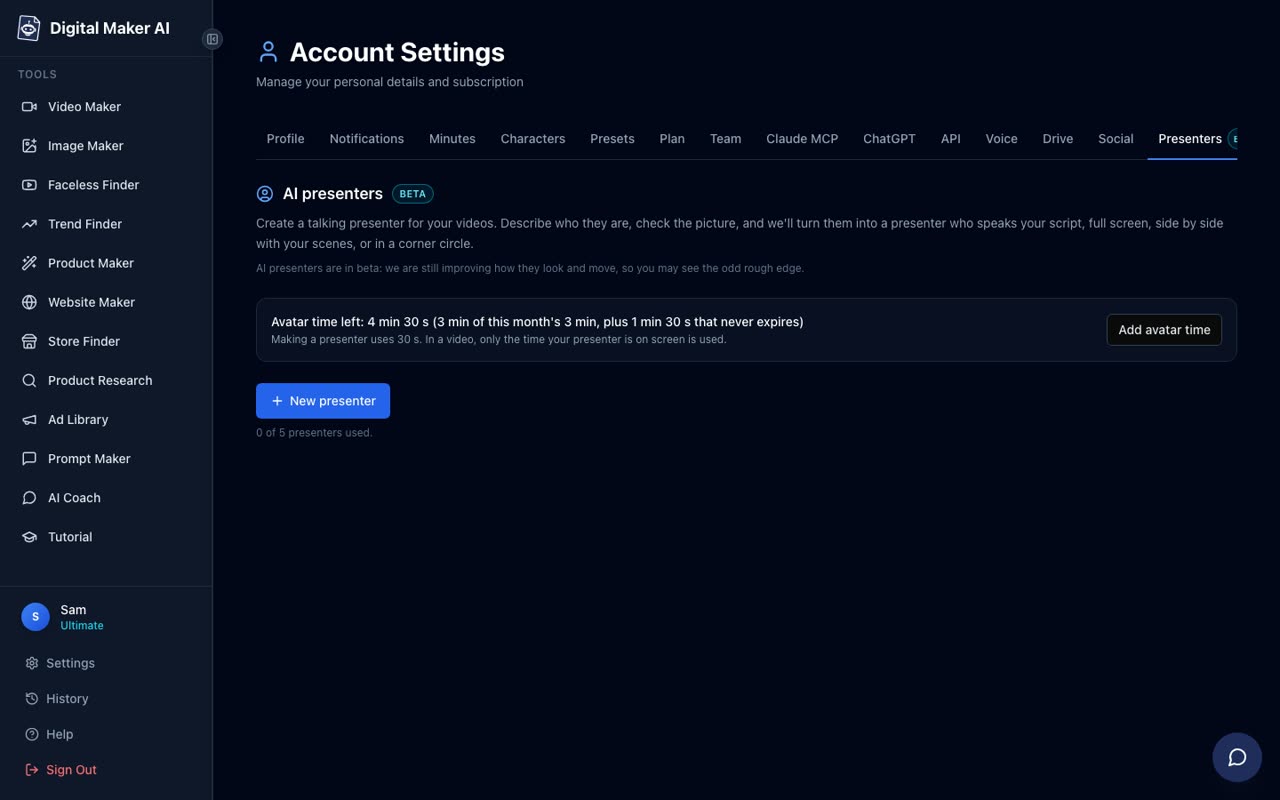
A quick note on avatar time: creating a presenter uses 30 seconds of avatar time. Each video then uses only the seconds the presenter is actually on screen. Premium and Ultimate accounts both start with 1 minute 30 seconds of avatar time, and Ultimate also receives 3 minutes of avatar time every month. Avatar Packs let you add more as a one-off purchase. See digitalmaker.ai/pricing for the current pack options. Because Presenters are in Beta, the feature is for landscape Multi Scene long form videos only.
Choosing the Right Layout for Garage and Car Repair Videos
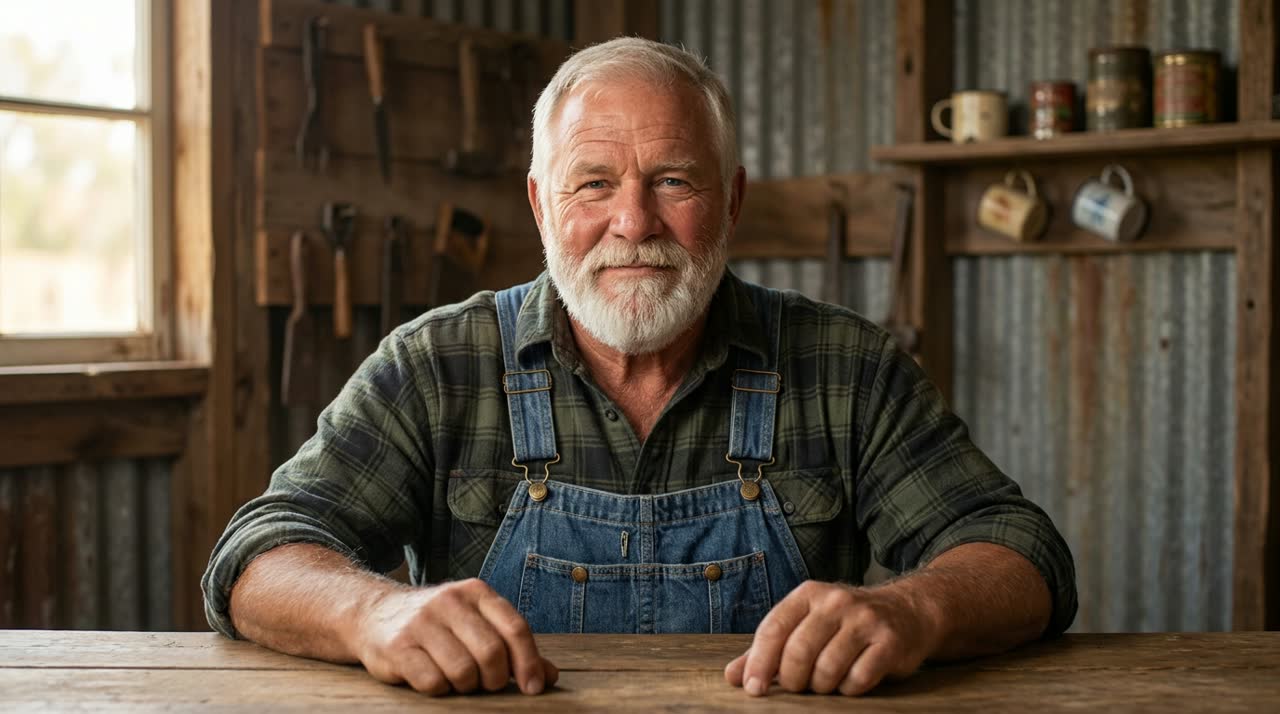
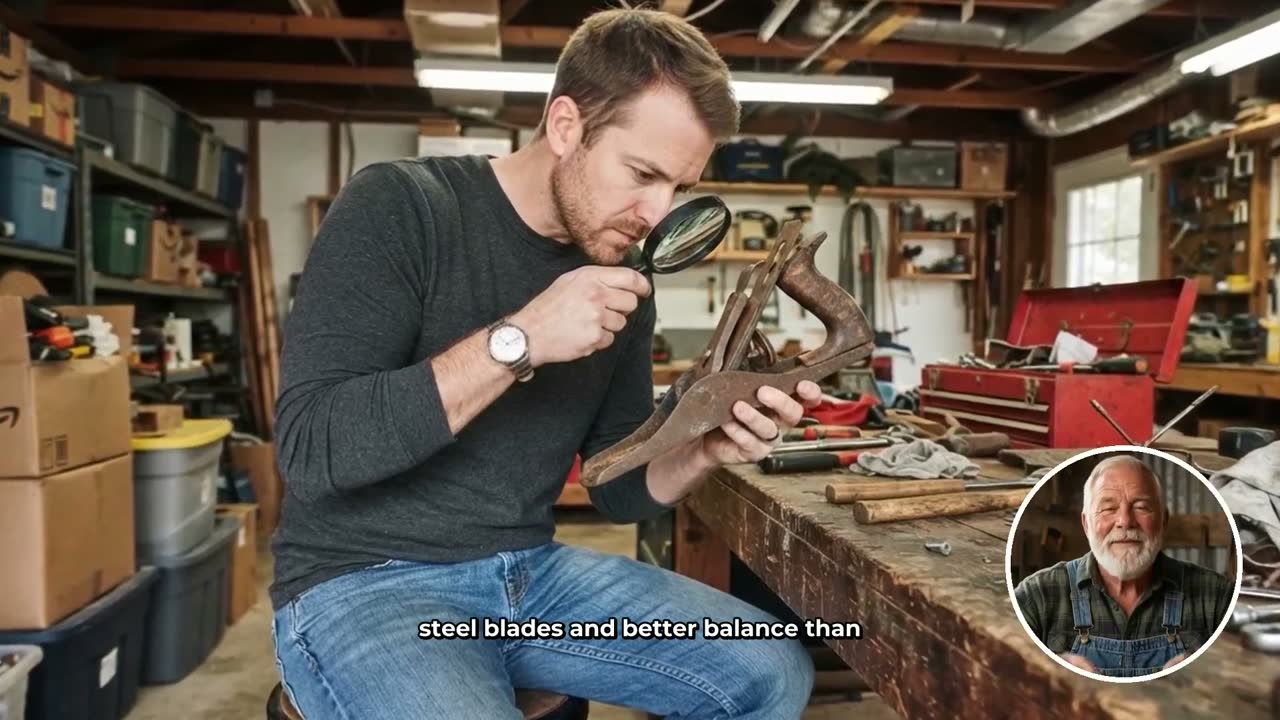
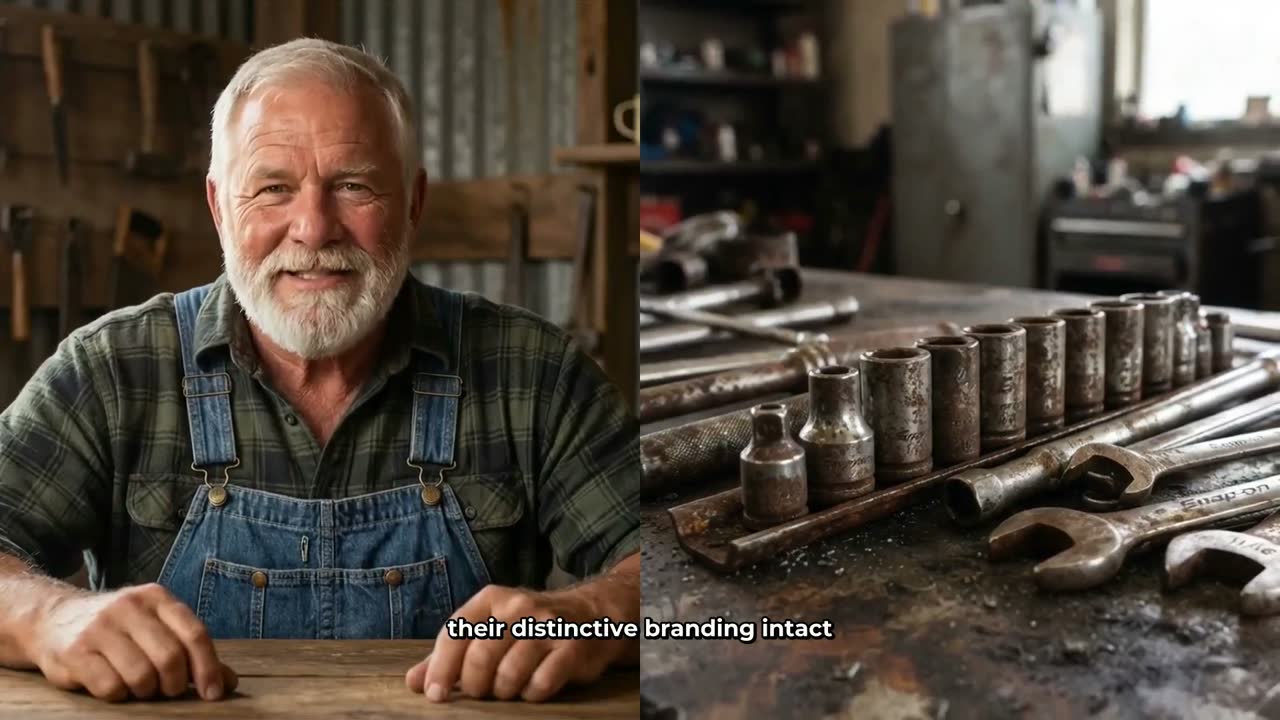
Once your presenter is saved, you choose how they appear in each video. There are three layout options and you can tick any combination: Full screen (the presenter fills the frame), Split screen (presenter on the left, the scene on the right) and Corner circle (the scene fills the frame with the presenter in a small round window in the corner). The video rotates through whichever layouts you have ticked.
For a garage and car repair channel, the Corner circle layout is particularly effective. The scene image shows the actual car, the component being repaired or the tool being used, while the mechanic presenter commentates from the corner. The viewer gets the visual context of the repair job and the trust of a confident expert speaking directly to them at the same time.
The Split screen layout works well for step-by-step explainer videos, where you want the viewer to see a diagram or a scene of the specific part on one side and the presenter walking through the instructions on the other. For a video like "How to Replace Your Brake Pads at Home," this format makes the structure feel clear and professional.
A slider in the Video Maker controls how much of the video the presenter is on screen, from as little as 5 percent up to the full video. Markers on a timeline bar let you set exactly where the presenter appears: for example, at the start to introduce the topic, in the middle to explain the key step, and at the end to summarise. The rest of the video plays as normal AI-generated scene images.
Five Video Title Ideas for Your AI Avatar Garage and Car Repair Channel
Good title ideas are the foundation of a successful channel. These five are built around the search intent of real car owners who want practical answers, which is exactly what an AI avatar mechanic channel should deliver:
- Why Your Check Engine Light Keeps Coming Back On (diagnostic explainer, high search volume, high frustration topic)
- The Real Reason Your Car Pulls to One Side When Braking (safety topic, strong emotional hook, practical fix)
- How to Tell If Your Alternator Is Dying Before It Leaves You Stranded (preventative maintenance, strong urgency)
- 5 Things Mechanics Check First on a Car That Won't Start (list format, high click-through, works as a series)
- How to Replace Your Cabin Air Filter in Under 10 Minutes (beginner-friendly, quick win, encourages return viewers)
Each of these titles answers a real question a car owner has typed into Google or YouTube. The AI avatar mechanic format suits them perfectly: the viewer wants a knowledgeable voice to walk them through the answer, not a personality. That is exactly what a well-built presenter delivers.
Making Your First Video: A Step-by-Step Walkthrough
Here is how to go from a blank screen to a finished car repair video using the Long-Form Video Maker on a Premium or Ultimate plan.
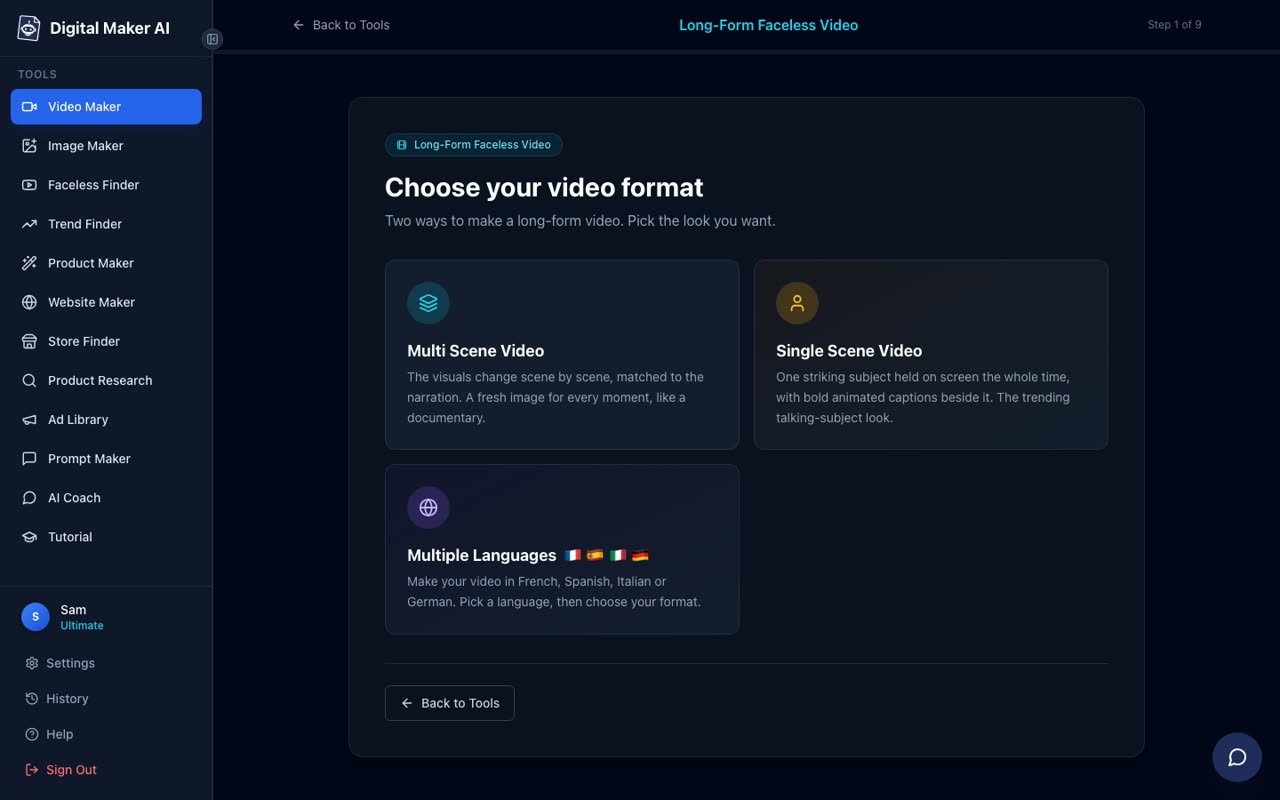
- Sign in and open the Video Maker. From the dashboard, click the Video Maker button in the left sidebar. Choose Long-Form Video.
- Select Multi Scene and your settings. At Step 1, choose Multi Scene Video. This is the only format that supports AI Presenters. Pick the Realistic or Everyday Visuals style for a garage and car repair channel: it produces the most credible, photorealistic scene images for engine bays, tools and workshop environments.
- Enter your topic or paste your script. Type your video topic, for example "Why your check engine light keeps coming back on," or paste a script you have already written. On Premium and Ultimate the AI can write the full script for you, or you can paste your own.
- Add your presenter. On the presenter step, select the mechanic character you saved in Account Settings. Tick the Corner circle and Split screen layouts. Set the slider to place the presenter at the start, at the key explainer scene in the middle and at the end. This keeps avatar time usage efficient while giving the video a strong hosted feel.
- Choose your voice and captions. Pick a male voice with a steady, authoritative pace. Select Bold Pop or YouTube Yellow captions for strong on-screen readability.
- Generate and review. Click Generate. When the video is ready, review each scene. You get 10 free scene regenerations per video, so if any scene image does not look right for a garage setting, regenerate it. You can also swap in your own image for any scene.
- Post or download. On Premium and Ultimate, use the Post to socials button to publish directly to YouTube, either immediately or on a schedule. You press Post: nothing goes out automatically. On Pro, download the MP4 and upload it yourself.
Premium accounts get up to 30 minutes per video and 150 minutes of video pool a month. Ultimate gets up to 60 minutes per video and 300 minutes a month. For a garage and car repair channel where most videos run between 8 and 15 minutes, Premium gives you a comfortable production cadence. Check the full plan details at digitalmaker.ai/pricing.
Researching the Niche Before You Start
Before you commit to a specific angle within the garage and car repair niche, it is worth spending 10 minutes in the Faceless Finder. Type "ai avatar" in the search box to filter for channels fronted by AI presenters. You can see which car repair and adjacent channels are uploading most consistently, what their estimated view counts look like and what topics appear to be working. This kind of research saves weeks of guesswork and helps you position your channel in a gap rather than directly against an established channel.
You can also use the Prompt Builder inside Digital Maker AI to generate a batch of title and hook ideas for your chosen angle, then feed the strongest ones into the Long-Form Video Maker one by one. A channel that uploads three videos a week with strong, search-driven titles and a consistent AI avatar presenter is the exact formula that channels like Otis Granger and Wei Mechanic are using, according to the Faceless Finder data.
Start Your AI Avatar Garage Channel Today
The garage and car repair niche is one of the strongest available for ai avatar youtube channel ideas: high CPM, a viewer base that trusts an expert character, and a proven format already working for channels like Otis Granger and Wei Mechanic. With AI Presenters on Digital Maker AI, you can build a believable mechanic character, choose the right layouts for your content style, and produce a complete, ready-to-upload video without ever appearing on camera yourself. If you want to see how the whole system fits together before you commit to a plan, the free course at digitalmaker.ai/free-course walks through the full process from channel idea to first published video.