How to Make a German YouTube Video With AI in 10 Minutes
By Alex Stevens

By the end of this guide you will have a complete, ready-to-upload German-language YouTube video, and you will not have spoken a single word of German to make it. Digital Maker AI writes the script, records the narration and generates every scene image entirely in German, so you can publish into one of the most valuable language markets on YouTube without being a native speaker. Here is exactly how to make a German YouTube video with AI, from sign-up to finished MP4, in around ten minutes.
Why German YouTube Is Worth Your Attention
German is the most widely spoken native language in the European Union, with around 100 million native speakers across Germany, Austria and Switzerland. That audience is large, engaged and, crucially for creators, underserved. Most faceless AI channels publish in English, which means the German-language side of YouTube has far less competition for the same topics.
CPM rates (the amount advertisers pay per thousand views) in the German-speaking market are consistently among the highest on the platform. Finance, history, psychology and true crime channels in German regularly attract premium ad spend from European brands. If you are already making English videos, adding a German version of the same topic can effectively double your revenue from one piece of content.
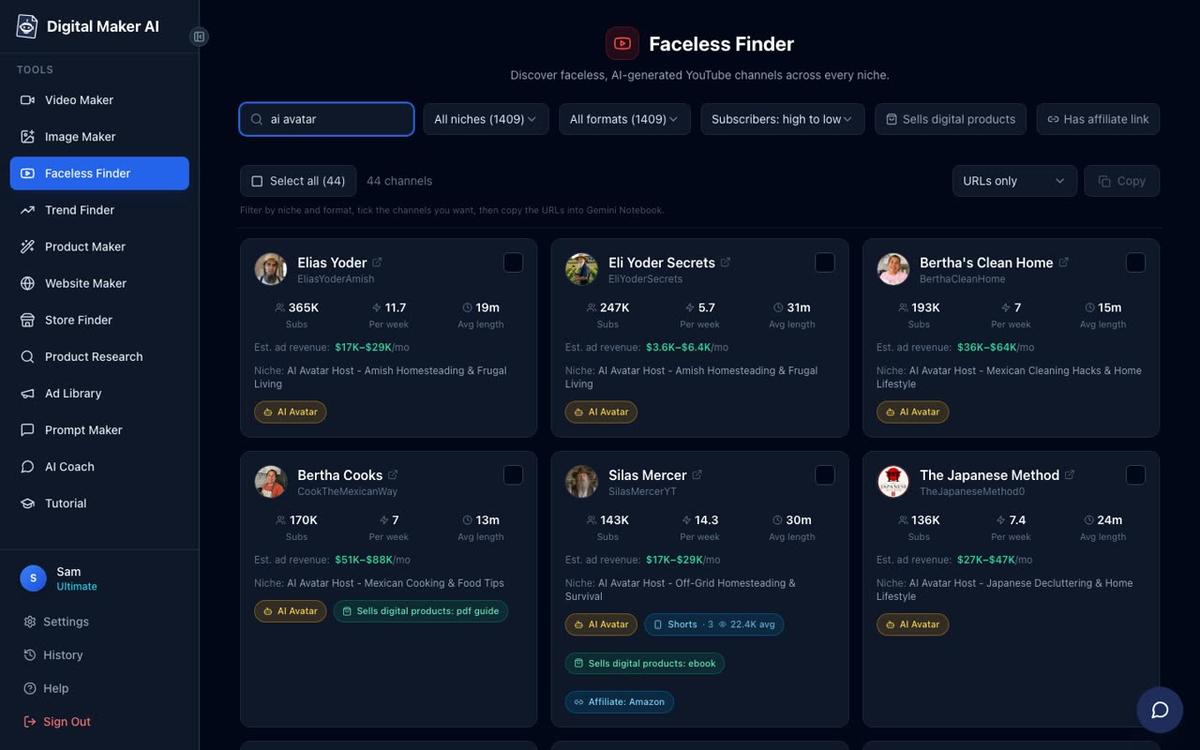
The Faceless Finder inside Digital Maker AI is a great place to see what is already working. Search by niche to find confirmed faceless channels, see their estimated monthly ad revenue and check how often they upload. It gives you a real picture of the opportunity before you spend a minute making a video.
What You Need Before You Start
The Multiple Languages format, which powers the German video option, is available on the Premium and Ultimate plans. It uses Multi Scene only, meaning every scene gets its own freshly generated AI image. If you are on a Free account you can explore the dashboard and try the other free video types, but you will need to upgrade to access Multiple Languages. Check the pricing page to see which plan fits your needs.
Other than that, you need nothing special: no microphone, no camera, no script and no knowledge of German. The AI handles all of it.
Step 1: Sign Up and Open the Video Maker
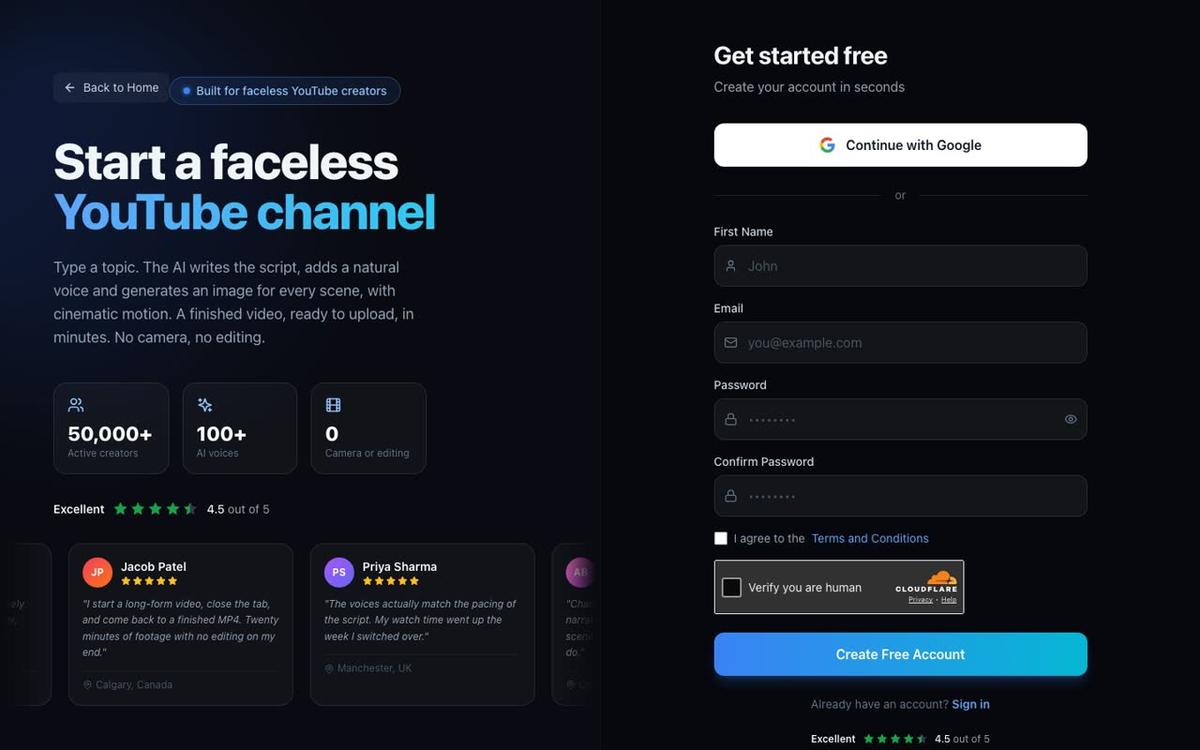
Go to digitalmaker.ai/faceless and create your account. You can sign up with Google or with an email and password. No credit card is needed to create an account.
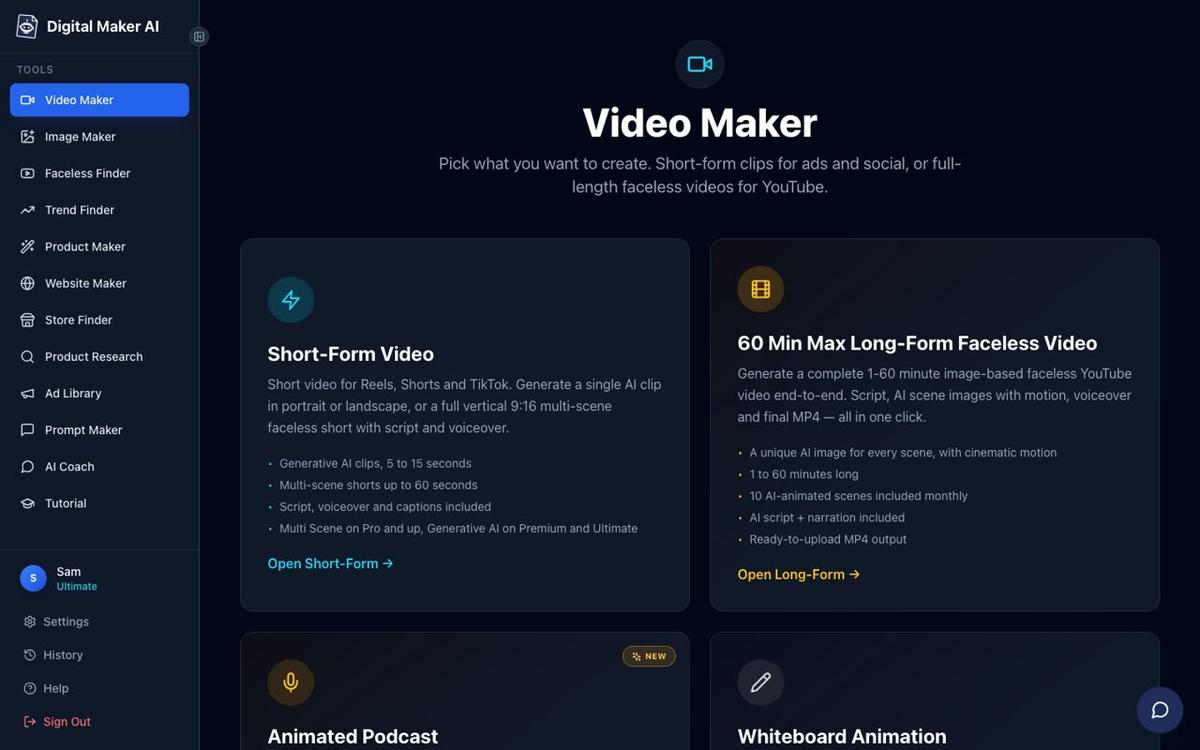
Once you are inside, click Video Maker in the left sidebar. On the next screen choose Long-Form Faceless Video. This is the format that produces a complete landscape YouTube video, end to end, with a script, AI scene images, narration and captions all baked into a single MP4.
Step 2: Choose the Multiple Languages Format (How to Make a German YouTube Video With AI)
The first screen inside the long-form maker asks you to pick a format. You will see cards for Multi Scene Video, Single Scene Video and Multiple Languages. Click the Multiple Languages card. On the next prompt, select German as your language.
That single choice tells the AI to write the entire script in German, record the narration in a German-accented voice and generate scene images that match a German-language topic. You do not need to translate anything yourself.
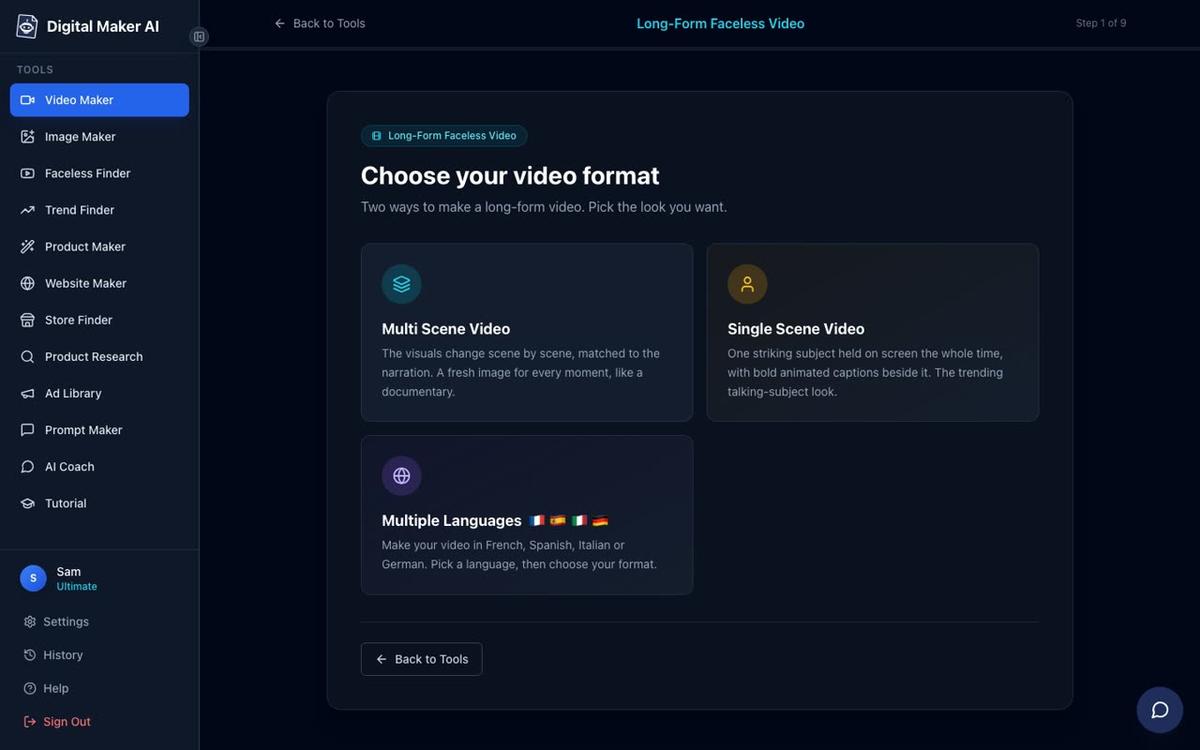
Tip: Multiple Languages also supports French, Spanish and Italian if you ever want to expand into those markets. Each language is a separate video, so you can make four versions of the same topic and publish them to four different channels.
Step 3: Type Your Topic
The next screen asks what your video is about. Type a one-line topic in English. The AI translates the concept and writes the full German script from there, so you do not need to type in German.
Two topic ideas that perform especially well in the German-speaking market:
- Money and finance: "Why most Germans never build real wealth, and what the wealthy do differently" performs well because personal finance content is both high CPM and emotionally resonant in the DACH region (Germany, Austria, Switzerland).
- History: "The forgotten secrets of the Holy Roman Empire" works because German audiences have a strong appetite for European history content, and the topic generates striking AI scene images in the History or Ancient style.
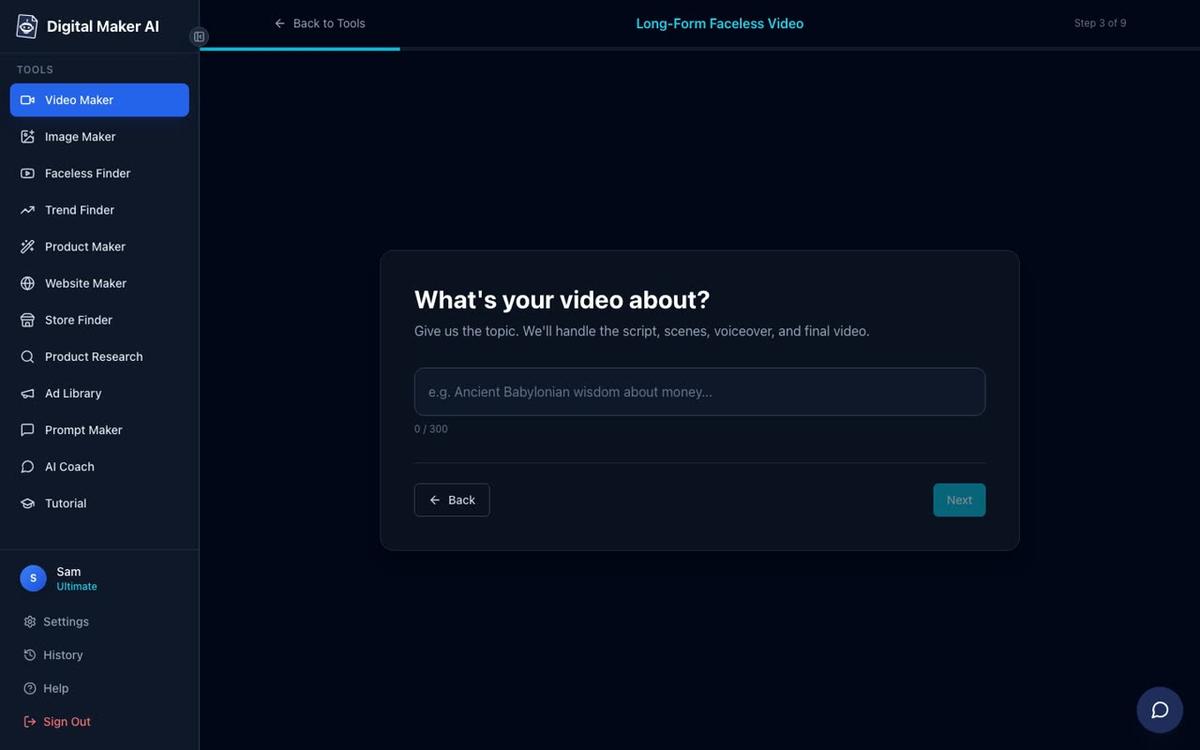
Tip: Keep the topic specific. "Why the Roman Empire collapsed" will produce a better, more focused script than "Roman history". The AI responds well to a clear angle or question.
Step 4: Pick a Visual Style
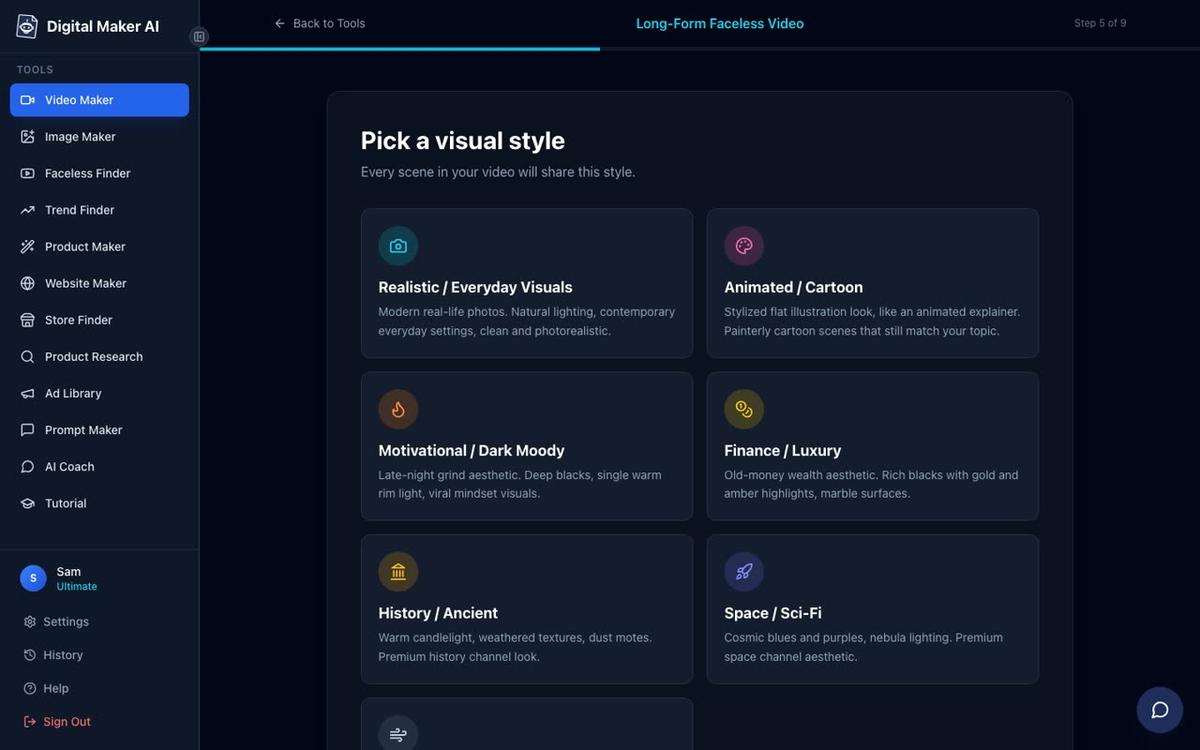
Choose the look of your scene images. There are seven styles to pick from. For a German history video, History or Ancient is the natural fit: it generates painterly, dramatic images that match the subject. For a finance video, Finance or Luxury produces clean, aspirational visuals. The Animated or Cartoon style gives illustrated, cartoon-looking still scenes and works well for lighter educational content.
Every scene in the finished video will share the style you pick here, so the video looks consistent from start to finish.
Step 5: Choose a Voice
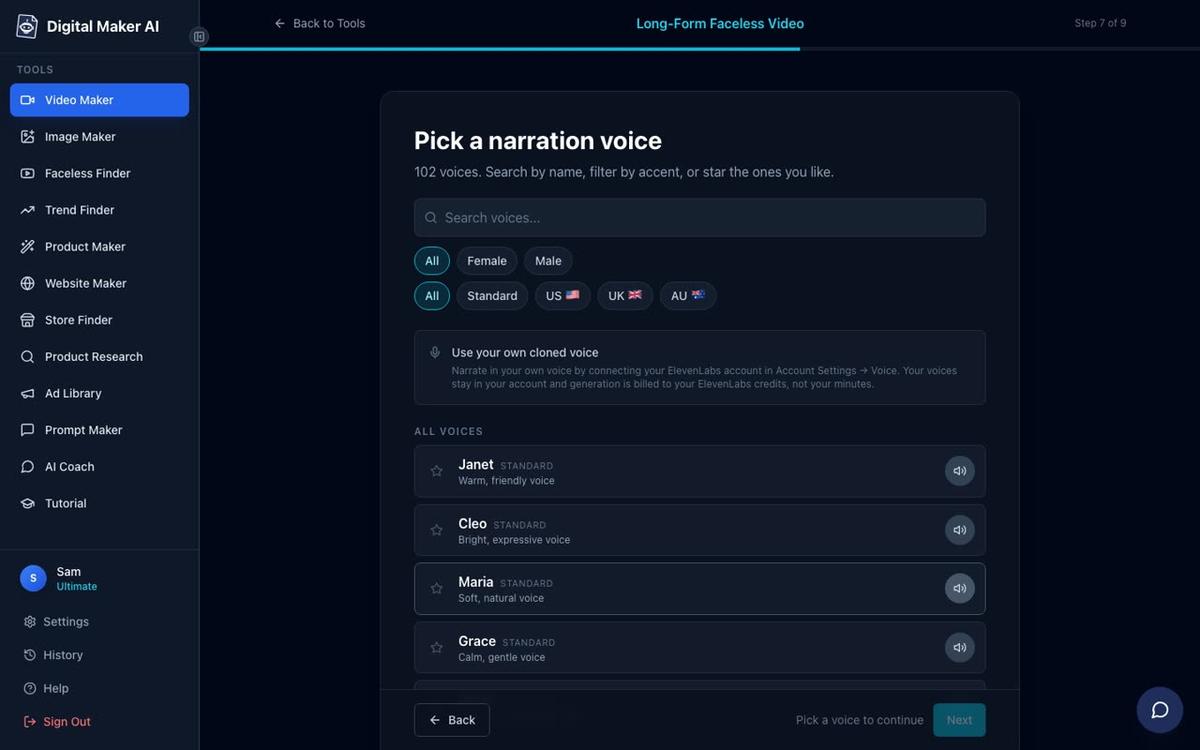
The voice step shows more than 100 built-in AI narration voices. For a German-language video the platform automatically surfaces voices that suit the language. You can filter by male or female and preview each one before committing. Pick the voice that sounds most natural for your topic: a calm, measured voice works well for history, while a slightly warmer, more conversational voice suits finance content.
Tip: For Multiple Languages videos the length is up to 10 minutes on Premium and up to 15 minutes on Ultimate. A 5 to 8 minute video is a good starting length: long enough to earn meaningful watch time, short enough to generate quickly while you are still learning the tool.
Step 6: Review and Generate
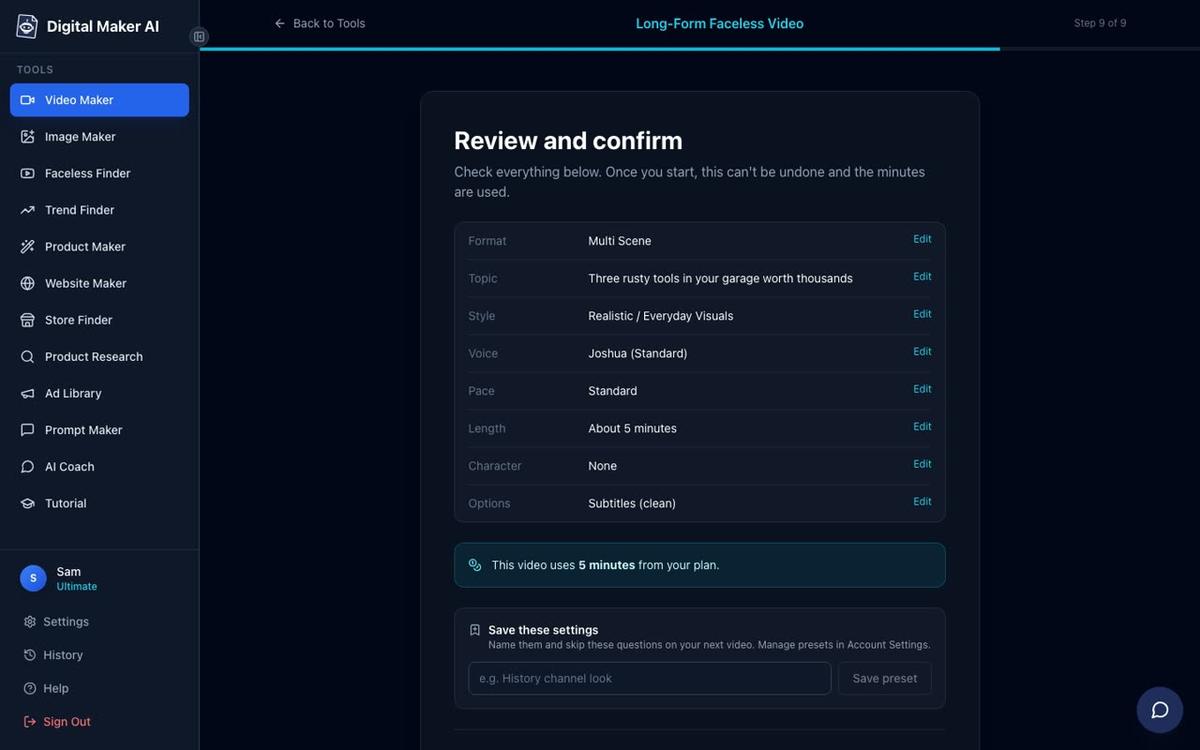
The final screen shows a summary of every choice you have made: format, language, topic, style, voice, pace and length. It also tells you exactly how many minutes the video will use from your monthly pool. Check everything looks right, then press Generate Video.
The AI now writes a full German script from your topic, generates a unique image for every scene, records the narration in the voice you chose and assembles the final MP4 with captions burned in. A typical 5 minute video takes around 3 to 6 minutes to build. When it is ready you will see the finished video in your account and can download the MP4 straight away.
What the AI Does (So You Do Not Have To)
This is the part that surprises most first-time users. You did not write a word of German, yet the finished video has a full, grammatically correct German script, a natural-sounding German narration and captions in German burned into the lower third of every scene. The AI handles the entire language layer, which means:
- You do not need to speak, read or write German.
- You do not need to hire a translator or voice actor.
- You can publish a German video the same day you decide to start a German channel.
After the video is made you can regenerate any scene image you are not happy with (10 free regenerations per video), edit the narration text for any scene, or swap in a different voice. There is no timeline editor to learn: every change is made scene by scene through the video review screen.
If you want to go deeper into making long-form AI videos for YouTube, the platform supports videos up to 30 minutes on Premium and up to 60 minutes on Ultimate, across all formats including Multiple Languages (up to 10 minutes on Premium and 15 on Ultimate).
Using the Faceless Finder to Spy on German Channels
Before you commit to a niche, use the Faceless Finder to see what German-language faceless channels are already doing. The Faceless Finder is available to every signed-in account, including Free. Search by niche, for example "history" or "finance", and filter or browse to find channels that publish in German. Each card shows subscribers, uploads per week, average video length and an estimated monthly ad revenue figure.
That estimated revenue number is Digital Maker AI's own rough calculation based on recent views and typical ad rates for the niche. It is not the channel's actual earnings, but it gives you a useful sense of the ceiling for a niche before you invest time in it. If a German history channel with 80,000 subscribers is estimated to earn several thousand dollars a month, that tells you the niche has real monetisation potential.
You can also check what topics those channels cover most often and how long their videos tend to be. That research takes five minutes and can save you weeks of publishing in the wrong direction. For more on finding the right niche before you start, the post on making a YouTube video in another language with AI covers the French, Spanish and Italian options alongside German.
Common Mistakes to Avoid
- Picking a topic that is too broad. "German history" will produce a vague, unfocused script. "The night the Berlin Wall fell: what really happened in the final hours" gives the AI a clear angle and produces a much stronger video.
- Skipping the voice preview. Always listen to a few seconds of the voice before you confirm. A voice that sounds great on a US English finance video can feel wrong on a German history piece. Take 60 seconds to audition a few options.
- Forgetting to check the review screen. The review screen at Step 9 shows the exact minute cost before anything is generated. Make sure the length and style are what you intended before pressing Generate Video, because minutes are used once the video is made.
- Publishing without watching the whole video. The AI is very good, but always watch the finished video before uploading. You can regenerate any scene image or edit any narration line directly in the review screen after generation.
- Ignoring the title and thumbnail. The video itself is in German, but your YouTube title, description and thumbnail need to be optimised for German search terms too. Use the AI Coach inside your account to generate a German YouTube title, description and tags from your topic in seconds.
What to Do Next
Once your first German video is live, the fastest way to grow is consistency. Aim for one new German video a week. Because you are not recording anything yourself, the bottleneck is simply deciding on a topic and pressing Generate. The Faceless Finder can suggest which topics are trending in your niche, and the AI Coach can generate a week's worth of video ideas from a single prompt.
If you want to expand further, consider building a full faceless channel strategy: a consistent visual style, a recurring topic area and a posting schedule. The free course at Digital Maker AI walks you through exactly that, from choosing a channel name to publishing your first ten videos.
You might also explore the faceless video about a true story guide for ideas on narrative-driven content that works especially well in German, where audiences have a strong appetite for historical storytelling and real-event documentaries.
Ready to publish your first German YouTube video today? The free course at Digital Maker AI covers everything from picking a niche to growing a faceless channel, and it is a great next step once your first video is live.
Alex Stevens: Alex Stevens writes for the Digital Maker AI team about faceless YouTube channels, AI presenters and AI video tools.