How to Make a Faceless YouTube Video About a True Story
By Alex Stevens
By the end of this guide you will know exactly how to make a faceless YouTube video about a true story, from picking a topic all the way to downloading a finished MP4, and you will not need a camera, a microphone or any editing software to do it. Whether you want to cover true crime, a forgotten historical event or a real-life mystery, the same simple process applies. Let's walk through it step by step.
Step 1: Research the Niche Before You Commit to a Topic
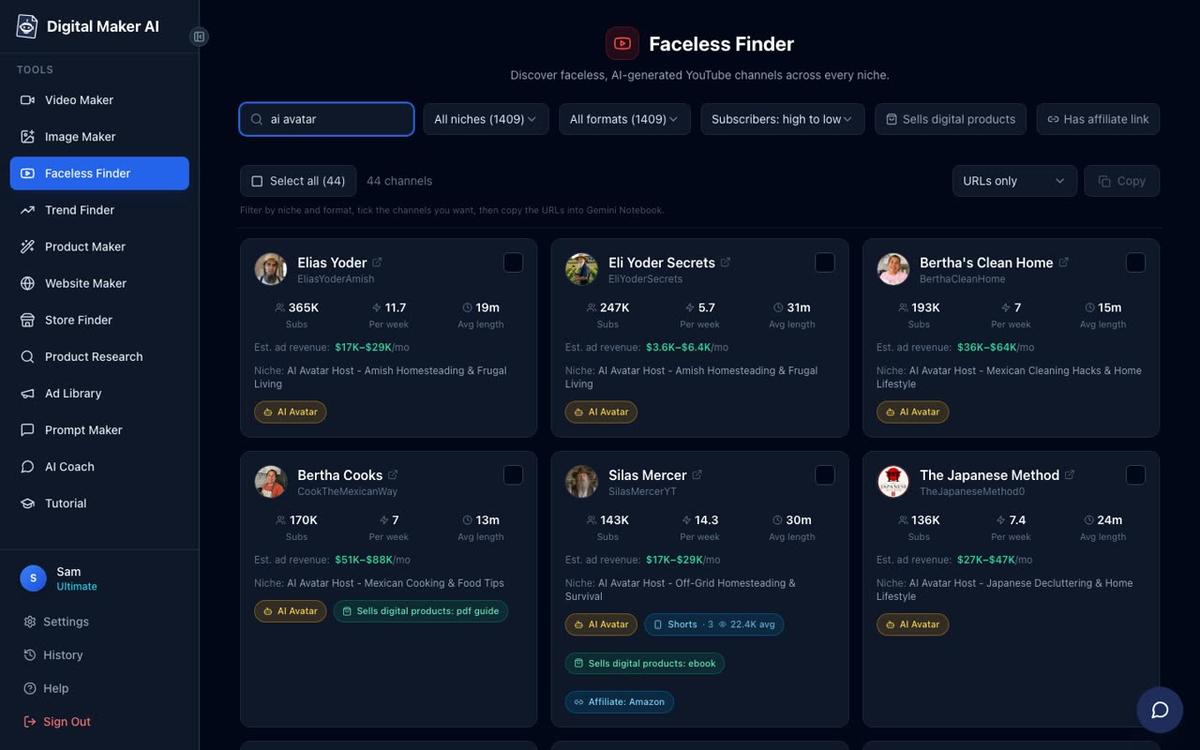
Before you write a single word, spend ten minutes looking at what already works. Digital Maker AI includes a tool called the Faceless Finder, which is a searchable list of real faceless YouTube channels showing their subscriber count, how many videos they upload each week, their average video length and an estimated monthly ad revenue. It is open to every signed-in account, including the free one.
Search for terms like "true crime", "history" or "mystery" to see which channels are growing. Pay attention to average video length: most successful channels in this space run between ten and twenty minutes per video. You can also type "AI avatar" in the search box to filter for channels fronted by an AI presenter, which gives you a sense of what a more personal-feeling faceless channel looks like.
Use what you find to narrow your niche. A channel about unsolved Victorian murders is more specific than a channel about "history", and specific channels tend to grow faster because YouTube knows exactly who to recommend them to.
A note on topic choice: stick to well-documented public-domain events, historical cases where the facts are on the public record, or stories where every claim you make is sourced. Avoid making accusations about living private individuals. True crime channels that focus on old cases, historical mysteries or events from court records are on solid ground. If you are unsure, a quick check of a reputable source such as Encyclopaedia Britannica can confirm whether an event is well-documented enough to cover safely.
Step 2: Sign In and Open the Video Maker
Create a free account at digitalmaker.ai/faceless. No credit card is needed. Once you are signed in, click Video Maker in the left sidebar. You will see cards for Short-Form Video, Long-Form Faceless Video, Animated Podcast and the Drag and Drop Studio.
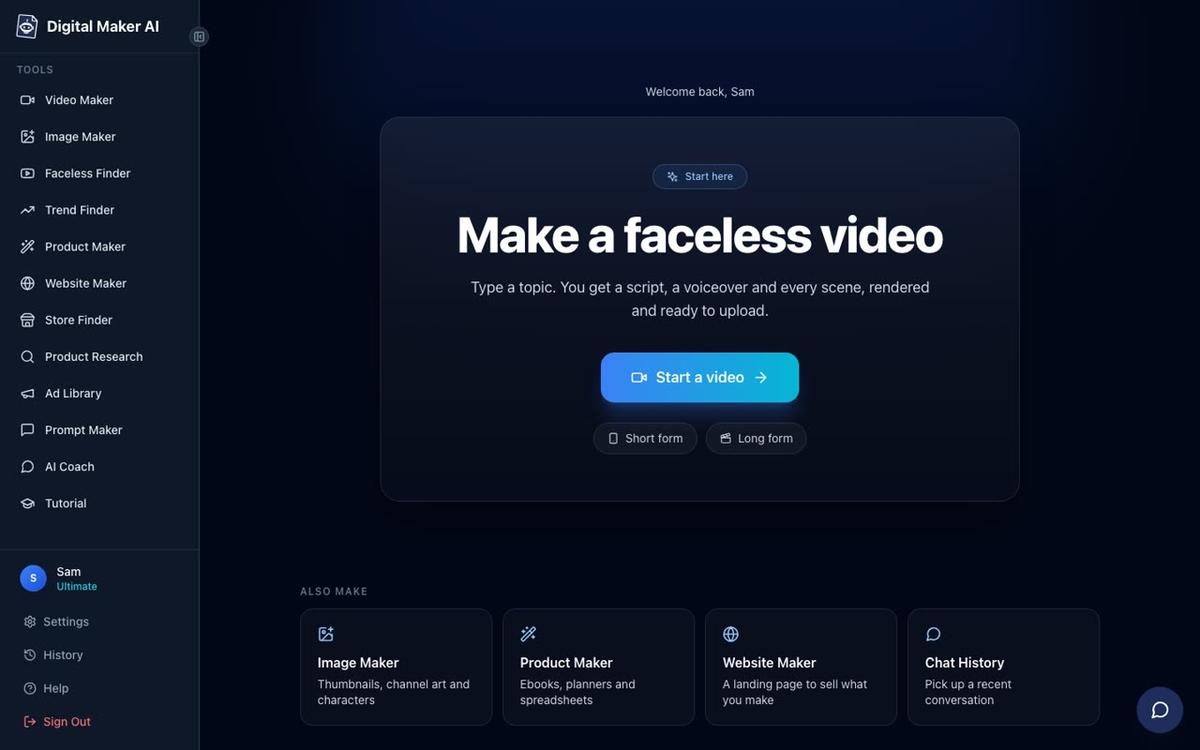
For a true story YouTube video you want Long-Form Faceless Video. Click it. The free plan gives you one free long-form video up to eight minutes. Paid plans let you go longer: up to ten minutes on Pro, thirty on Premium and sixty on Ultimate. For a ten to fifteen minute video you will need at least a Pro plan. Check the pricing page to see which plan fits your budget.
Step 3: Choose Multi Scene Format
The first screen asks you to pick a format. Choose Multi Scene. This creates a new AI-generated scene image for every section of your script, which is exactly what true story channels look like: a series of atmospheric, cinematic stills that change as the narration moves through the story. Single Scene holds one image for the whole video, which works for some styles but feels flat for storytelling.
Step 4: Let the AI Write the Script (or Paste Your Own)
The next screen asks how you want to start. You have two options: Write it for me, where you give the AI a topic and it writes the full script, or Paste my own script, which is available on paid plans.
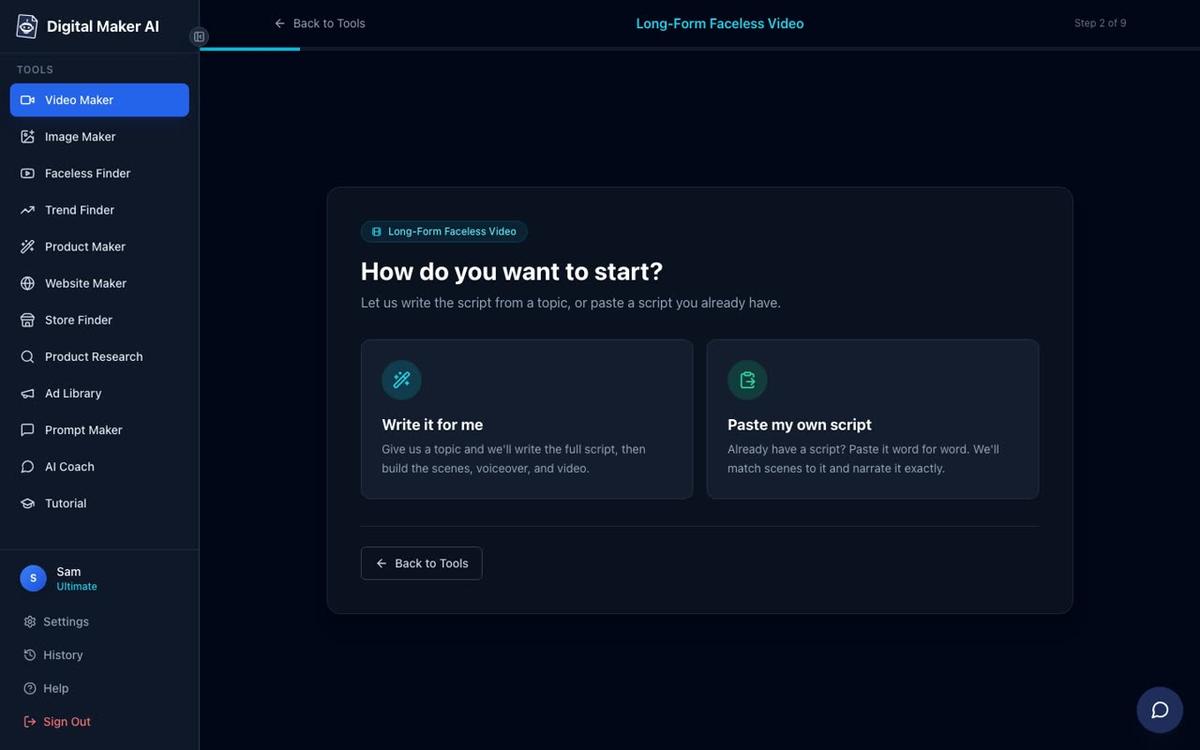
For your first video, Write it for me is the fastest route. The AI will structure the story with an opening hook, a chronological or thematic middle section and a closing thought, all in a narration style that suits YouTube. If you have already researched the case and want to use your own words, paste your script on a paid plan and the AI will still handle every other step.
Tip: if you choose "Write it for me" and want more control over the facts, you can edit the generated script before the video is built. The tool shows you the script at the review stage and you can adjust any line.
Step 5: Enter Your True Story Topic
Type your topic into the topic box. Be specific. Instead of "a murder mystery", try something like "The disappearance of the Roanoke Colony in 1590 and the theories historians still debate today." The more detail you give, the more focused the script will be.
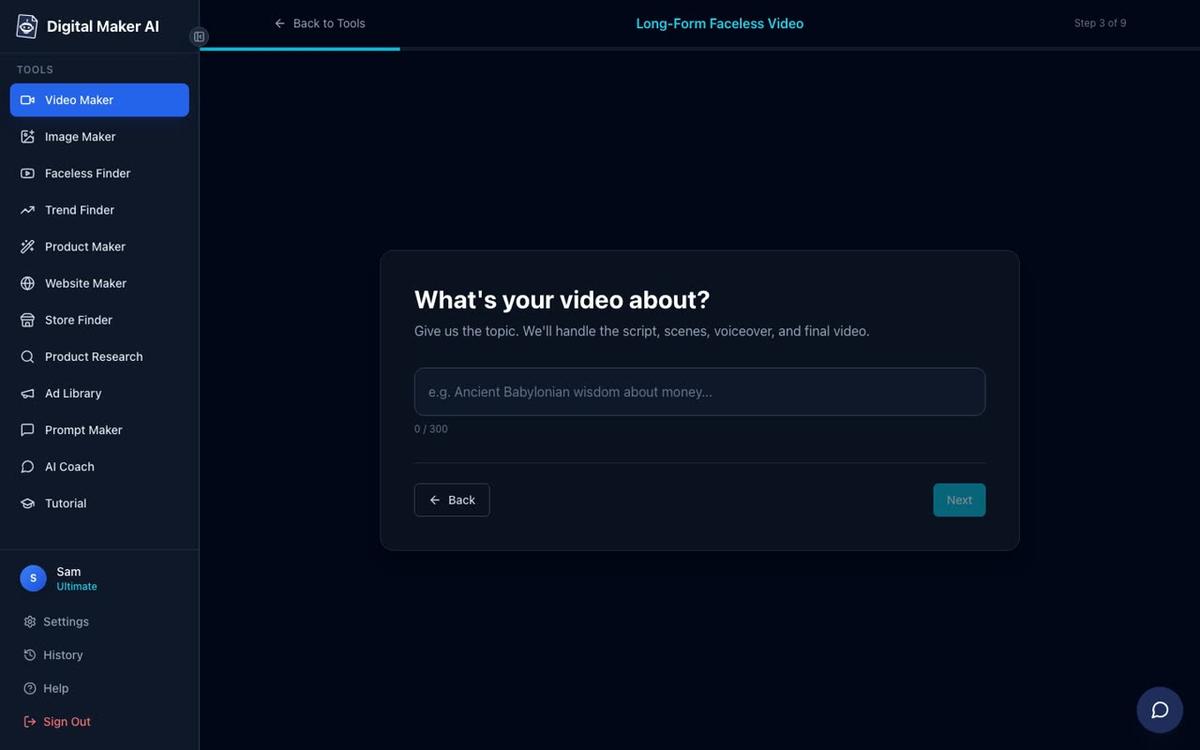
The topic box allows up to 300 characters. Use them. Mention the time period, the location and the angle you want to take. The free plan draws from a set library of topic areas that includes history, ancient Egypt, the Roman Empire, true crime and mysteries, so your topic should fit within one of those areas on a free account. Paid plans generate fresh scene images for any topic you type.
Step 6: Pick a Visual Style That Fits the Mood
This is one of the most important choices for a true story channel. The style you pick applies to every scene image in the video, so it sets the entire atmosphere.
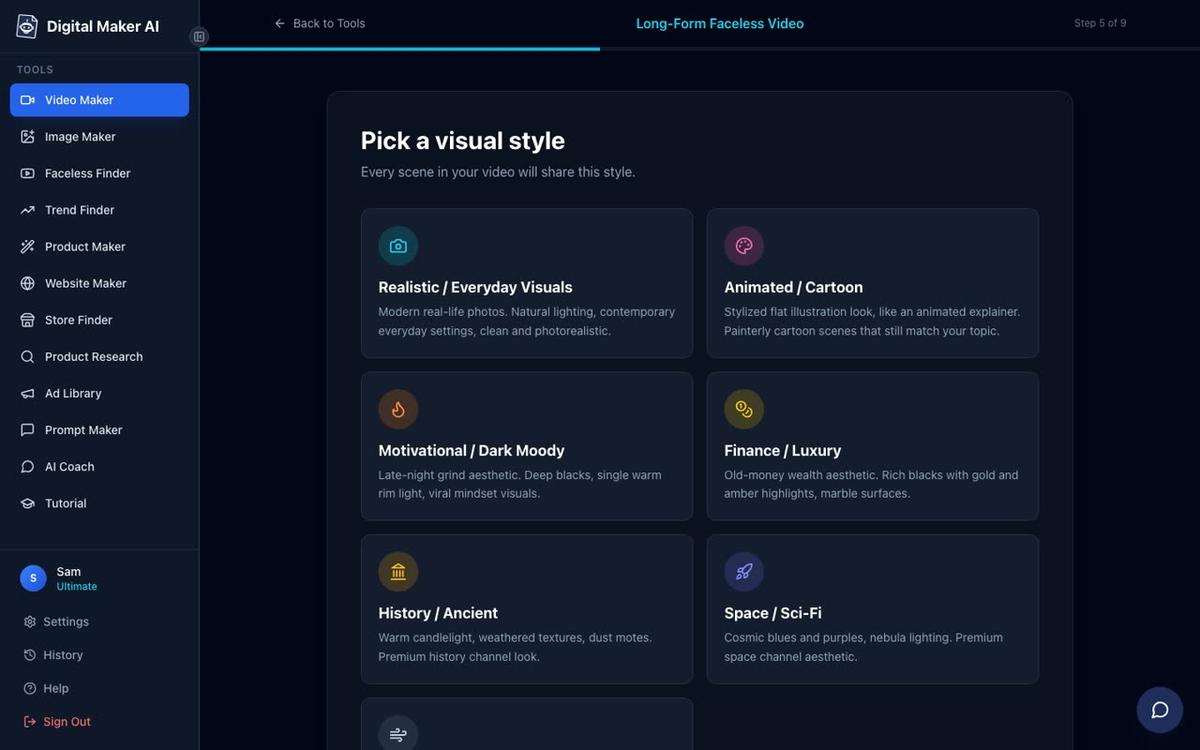
Here is how the main styles work for true story content:
- History or Ancient: the best fit for documented historical events, ancient civilisations, wars and empires. Scene images look like oil paintings, aged illustrations or cinematic period reconstructions. If your channel covers events from the distant past, this is the natural choice.
- Motivational or Dark Moody: high contrast, dramatic lighting, deep shadows. This style works brilliantly for suspenseful stories, unsolved crimes and psychological mysteries where you want the viewer to feel tension. Many successful true crime channels use exactly this kind of visual palette.
- Realistic or Everyday Visuals: photorealistic scenes that feel contemporary. Good for modern true crime, recent events or stories set in everyday locations like suburban homes, courtrooms or city streets.
- Space or Sci-Fi: worth considering if your true story involves unexplained phenomena, UFO cases or anything with a speculative angle.
For most beginners starting a true crime or historical mystery channel, start with History or Ancient for older stories and Motivational or Dark Moody for anything suspenseful or modern. You can always make a second video in a different style and see which one your audience responds to.
Step 7: Set the Video Length
True story YouTube videos perform best at ten to fifteen minutes. That length is long enough to tell a complete story with proper build-up and detail, and it qualifies for mid-roll ads once your channel is monetised, which matters a lot for ad revenue.
Use the length slider to set your target. The screen shows you how many scenes the video will contain and roughly how long it will take to generate. A fifteen-minute video typically produces around ninety scenes, each held on screen for about ten seconds while the narration plays. Remember: the free plan caps at eight minutes, Pro at ten, Premium at thirty and Ultimate at sixty. For a ten to fifteen minute true story video, a Pro plan or above gives you the room you need.
Step 8: Choose a Voice That Fits the Story
The narration voice is the personality of your channel. Digital Maker AI offers more than 100 built-in voices across male and female options, with US, UK and Australian accents, and an adjustable pace.
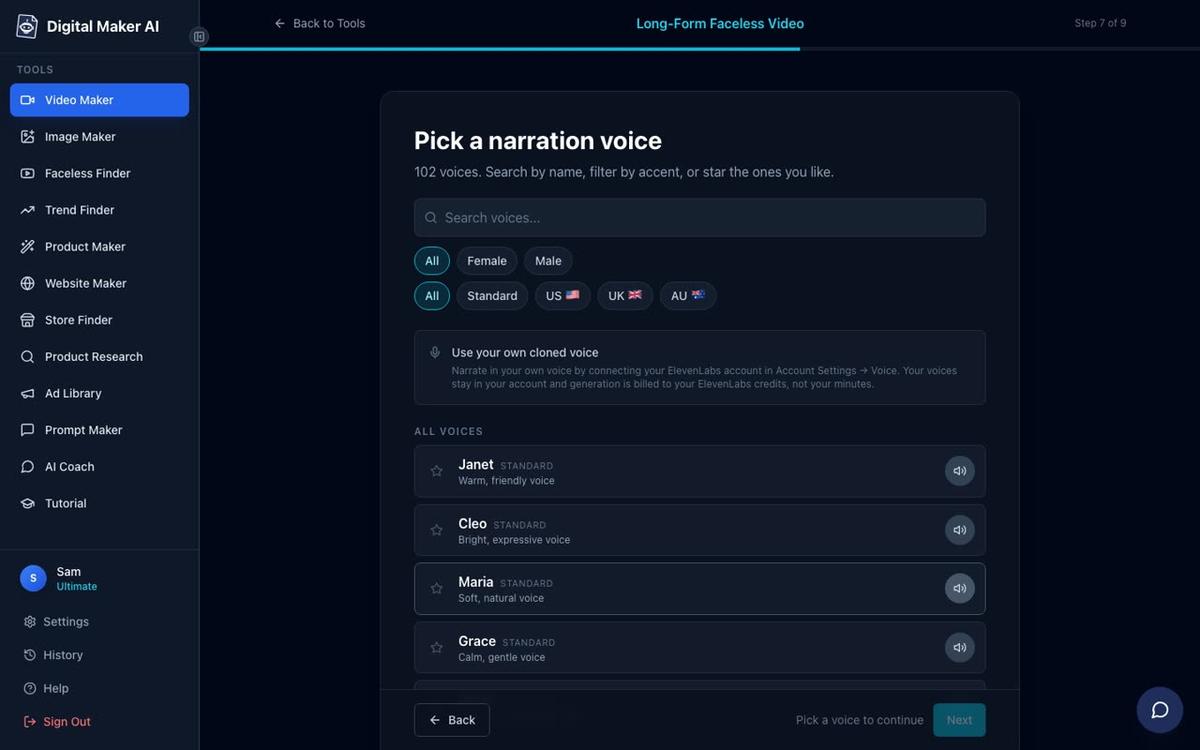
For true crime and historical mysteries, a calm, measured male or female voice with a slight British accent tends to feel authoritative and documentary-like. Preview several voices before deciding. The pace setting also matters: a slightly slower pace adds gravitas and gives viewers time to absorb facts. You can always regenerate the narration with a different voice after the video is built if the first choice does not feel right.
Premium and Ultimate users can also design a completely custom voice from a written description, which is a powerful way to build a consistent channel identity that nobody else has.
Step 9: Review and Generate
The final screen shows a summary of every choice you have made: format, topic, style, voice, pace, length and how many minutes the video will use from your monthly pool. Check everything, then press Generate Video.
The platform writes the script (if you chose "Write it for me"), generates a unique scene image for every scene, records the narration, adds captions and assembles the finished MP4. This typically takes three to six minutes for a shorter video and a little longer for ten to fifteen minutes. You will get a notification when it is ready.
Once the video is done, you can regenerate any scene image you are not happy with (ten free regenerations per video), swap in your own image, or edit any line of narration text. There is no timeline editor to wrestle with: everything is handled through simple point-and-click controls.
If you want to go even deeper with your long-form faceless video workflow, the platform also lets you add optional background music from a built-in library, choose a caption style (YouTube Yellow and Bold Pop both work well for true crime) and apply a subtle film grain look that makes scenes feel more cinematic.
Common Mistakes to Avoid
- Picking a topic that is too broad. "The history of crime" is not a video topic. "The real story behind the 1910 Crippen murder case" is. Specific topics produce focused scripts and better scene images.
- Choosing the wrong visual style. A bright, clean Minimalist style looks jarring on a true crime story. Match the style to the mood of the content every time.
- Making the video too short. Eight minutes might feel safe for a first attempt, but ten to fifteen minutes is where true story channels build watch time and ad revenue. Push yourself to use the full length your plan allows.
- Skipping the Faceless Finder. Five minutes of research before you start can save you from picking a niche that is already saturated or one that gets very few views. Use it on every new topic idea.
- Not reviewing the script. The AI writes a strong draft, but it does not know the specific details of your chosen case the way you do. Read through the script at the review stage and correct any facts that need adjusting before you generate.
What to Do After Your First Video
Download the MP4 and upload it to YouTube. Write a title that includes the name of the event or case, the year if it is historical, and a hook word like "unsolved", "true story" or "what really happened". Use the description to summarise the story in two or three sentences and add relevant tags. Post it as unlisted first, watch it all the way through on your phone, and only make it public once you are happy with how it looks and sounds.
For your second video, try a different visual style or a different type of story in the same niche. True story channels grow fastest when they post consistently, so aim for one video a week and let the analytics tell you which topics your audience wants more of. You might also find it useful to read about making faceless YouTube videos with an AI assistant to speed up your research and scripting workflow even further.
Ready to make your first true story video? The free course at Digital Maker AI walks you through building and growing a faceless YouTube channel from scratch, with practical lessons you can apply from day one.
Alex Stevens: Alex Stevens writes for the Digital Maker AI team about faceless YouTube channels, AI presenters and AI video tools.