Easiest Way to Make AI Movies in 2027
By Alex Stevens
The easiest way to make AI movies in 2027 is to type a one-line idea into Digital Maker AI (digitalmaker.ai), let the platform write the outline and script, review it, then generate a finished film with narration and captions. No editing software, no camera and no filmmaking experience needed. This guide walks you through two clear routes so you leave with a finished movie today.
Key takeaways
- Digital Maker AI's built-in movie path takes a single idea and returns a finished 16:9 film or a 9:16 mini movie for Reels and TikTok, complete with narration and captions.
- The Drag and Drop Studio lets you cut your own clips into a finished movie with captions added automatically, with no timeline editor needed.
- A second route uses Google Flow with ready Agent Instructions and a master prompt from Digital Maker AI, so Gemini writes the script and Digital Maker AI builds the film.
- Free accounts get one Drag and Drop movie (up to 8 minutes, watermarked) to try the workflow before committing to a paid plan.
- 3D Animated Films (live since October 2026) produce fully animated, Pixar-style moving clips from a story idea, paid with 3D minutes rather than video minutes.
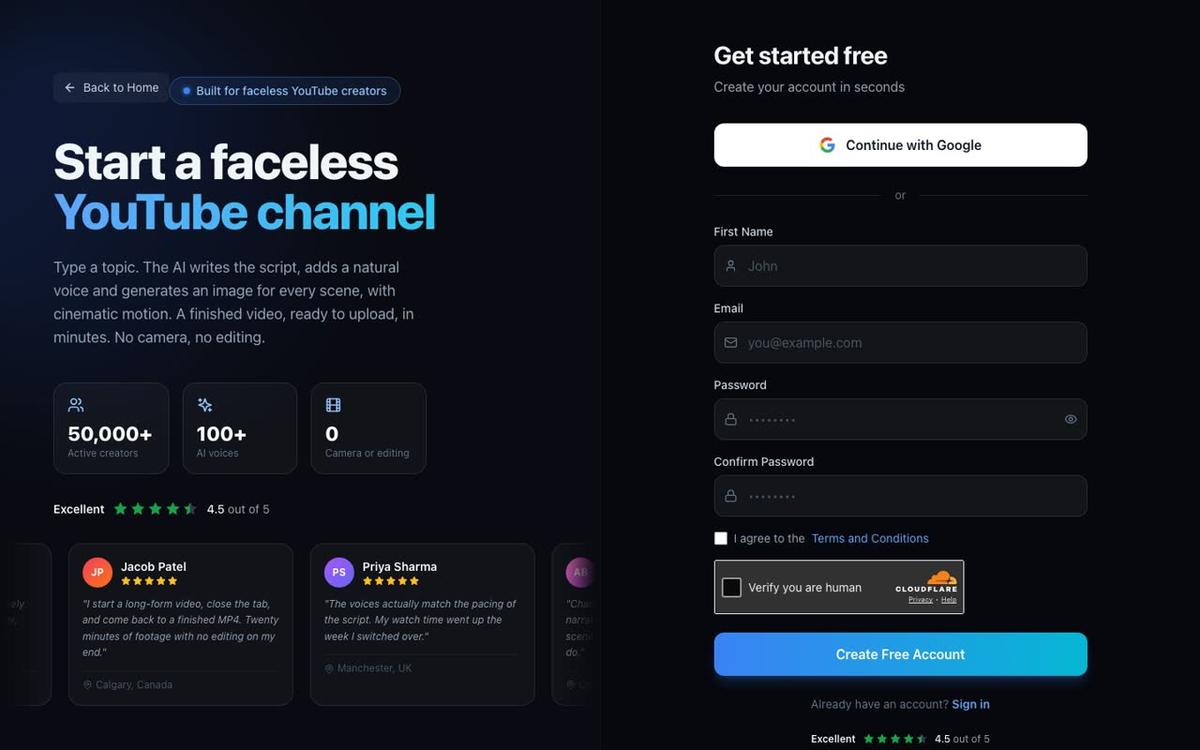
Step 1: Create a free account and open the Video Maker
Go to digitalmaker.ai/faceless and sign up with Google or an email address. No card is needed for the free account. Once you are inside, look at the left sidebar and press the Video Maker button. That opens the screen where all video and movie types live.
Step 2: Choose the movie path that suits you
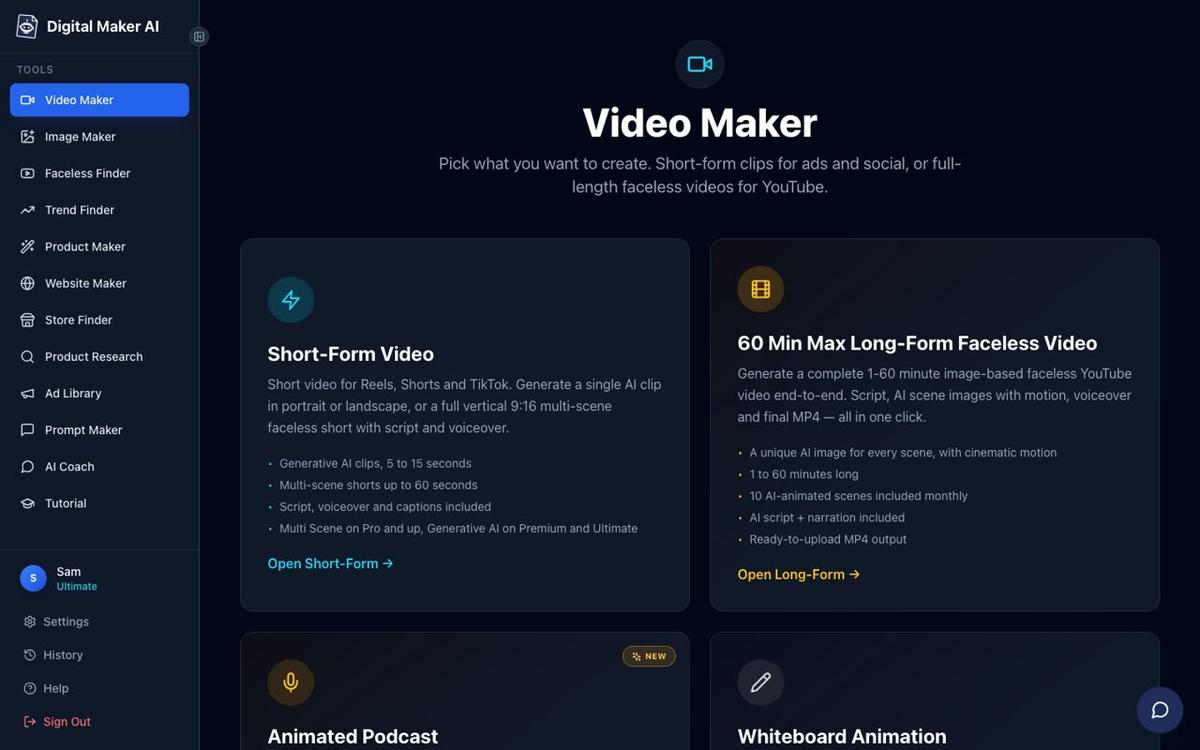
Digital Maker AI offers three ways to make a movie. Pick the one that matches what you already have.
| Route | Best for | What you bring | Format |
|---|---|---|---|
| Long-Form Faceless Video | A full AI-written film on any topic | A one-line idea | 16:9 landscape |
| Drag and Drop: Clips to Movie | Turning your own footage into a film | Your own video clips | 16:9 landscape |
| Short-Form Video (9:16) | A mini movie for Reels or TikTok | A one-line idea | 9:16 vertical |
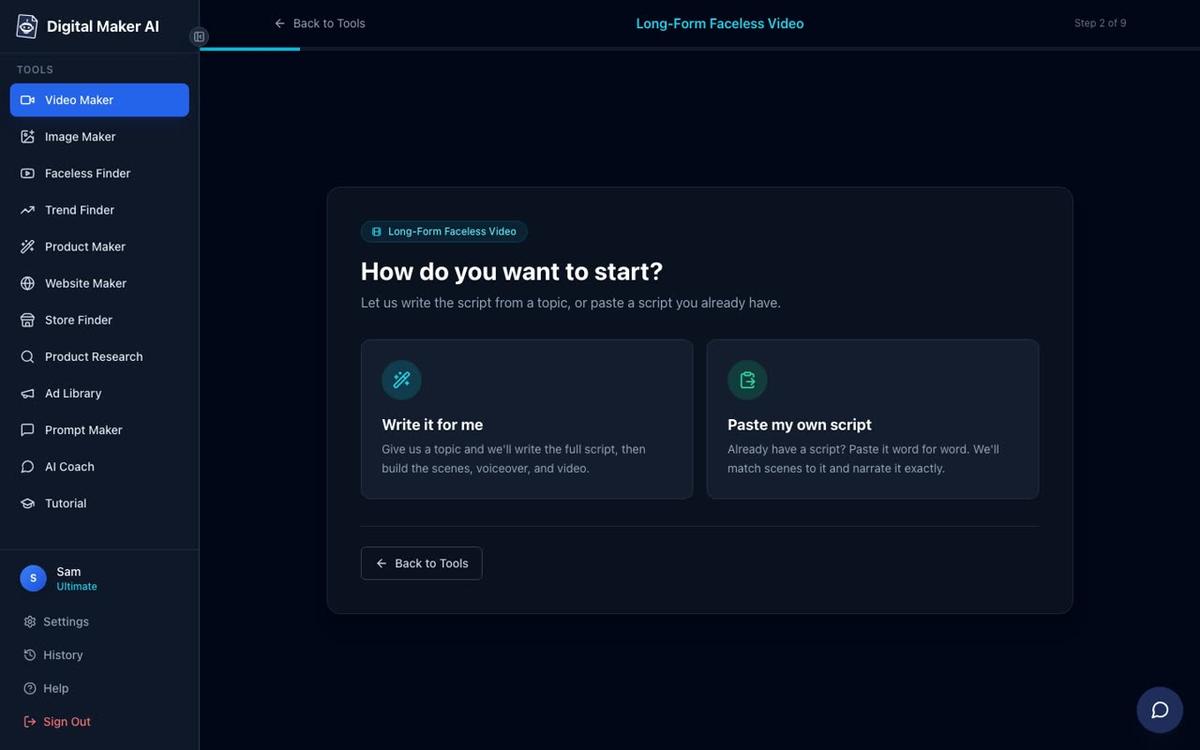
Step 3: Give the AI your idea and let it write the outline
This is where the easiest way to make AI movies becomes clear. You do not need to write a script. Select Long-Form Faceless Video, choose Multi Scene as the format, and on the next screen press Write it for me. Then type your idea in one line, for example: "A short film about a lone lighthouse keeper who discovers a message in a bottle that changes everything." The AI writes the full outline and script for you. If you already have a script, paid plans let you paste it in instead.
Step 4: Review the outline, then decide: one film or a series
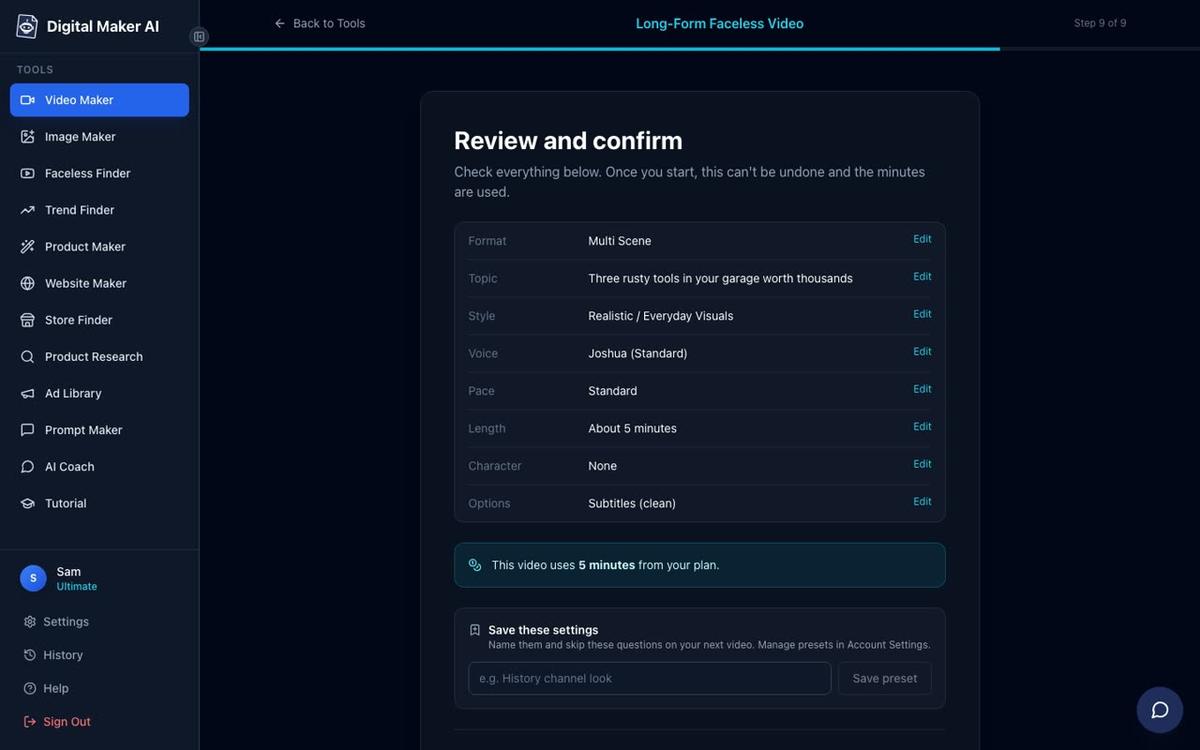
Before anything is generated, Digital Maker AI shows you a review screen. You see the format, topic, visual style, voice, length and how many minutes the video will use from your plan. This is your chance to adjust anything. If you are planning a series, this is also the moment to decide: generate this as a standalone film, or save the settings as a preset and come back to make Episode 2 and Episode 3 with the same voice, style and character. Paid plans let you save a recurring character so the same face appears in every episode.
Step 5: Make a 9:16 mini movie for Reels and TikTok
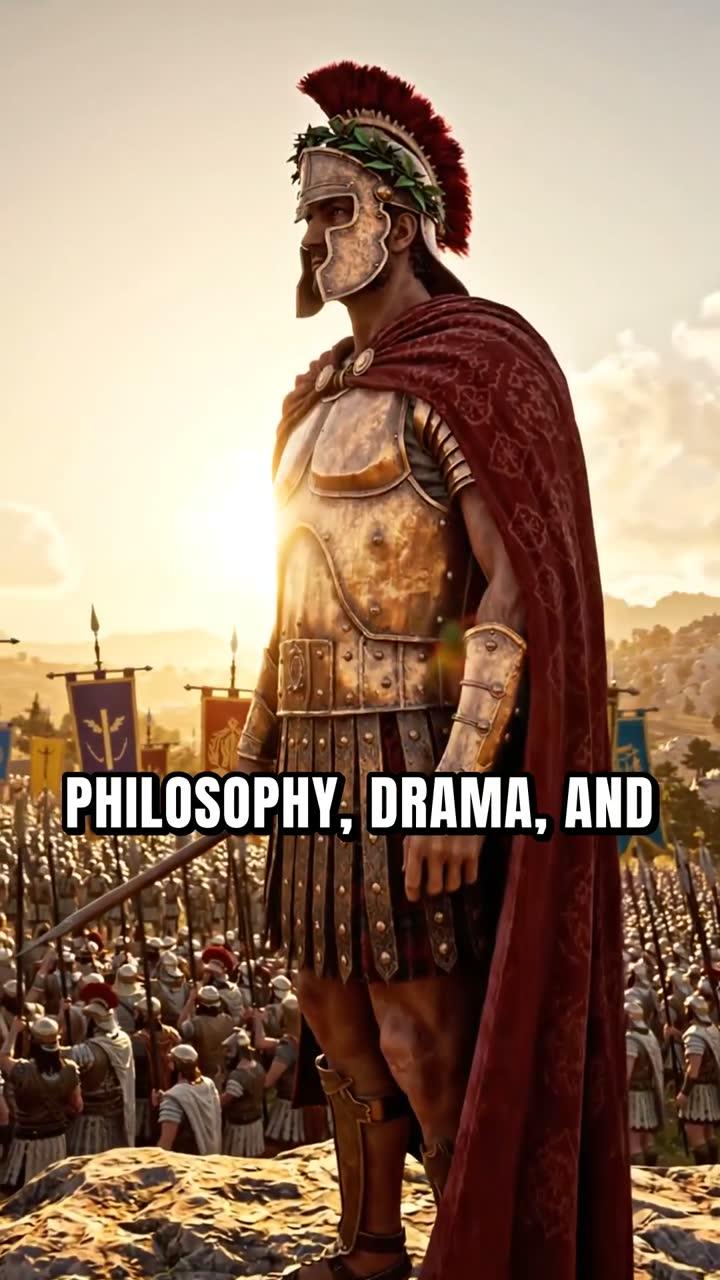
A vertical mini movie for Reels and TikTok follows exactly the same path but starts from Short-Form Video in the Video Maker. Pick a length of 15, 30, 45 or 60 seconds, type your one-line idea, choose a visual style and a voice, and the platform generates a vertical 9:16 film with bold captions burned in. It costs a flat one minute from your plan pool. This is the fastest route if you want a mini movie ready to post the same day.
How to use the Google Flow route with ready Agent Instructions
Google Flow is Google's AI agent builder, and you can connect it to Digital Maker AI so that Gemini writes the script and the platform builds the film, all from one conversation. Here is how to set it up:
- Connect Digital Maker AI to Gemini. Inside your Digital Maker AI account, open Account Settings and go to the AI Connector tab. Press the Gemini card and follow the short instructions: go to gemini.google.com on a computer with your personal Google account, open Connectors, press the plus sign for a Custom connector, and paste in the link shown on the card. The whole process takes about two minutes.
- Get the master prompt and Agent Instructions from Digital Maker AI. Digital Maker AI provides ready-made Agent Instructions and a master prompt in the Gemini connector setup screen. Copy them exactly. These tell Google Flow what Digital Maker AI can do and how to ask it.
- Open Google Flow and paste the Agent Instructions. In Google Flow, create a new agent and paste the Agent Instructions into the system prompt field. This gives the agent the full list of what Digital Maker AI can make.
- Type your movie idea in plain words. Tell the agent your idea: "Make a five-minute cinematic short film about a botanist who finds a plant that can predict the future. Use the History or Ancient visual style and a calm male voice." The agent uses the master prompt to write the script, then passes it to Digital Maker AI to generate the scenes, narration and captions.
- Review the plan before anything starts. Before any minutes are used, Digital Maker AI shows a confirmation card inside the conversation. Check the length, style and voice, then confirm. The finished MP4 appears in your Digital Maker AI account when it is ready.
This route is useful if you prefer to write and refine the script inside a chat before committing to the final film. You can ask Gemini to rewrite the opening, change the tone or add a plot twist, then press confirm only when you are happy. Learn more about connecting Digital Maker AI to Gemini at digitalmaker.ai/gemini.
How to turn your own clips into a finished movie with the Drag and Drop Studio
If you already have footage, the Drag and Drop Studio's Clips to Movie path is the quickest route. You upload your own video clips, Digital Maker AI cuts them into one film and adds captions automatically. No timeline editor, no manual trimming. Free accounts get one Clips to Movie video up to 8 minutes (with a small watermark). Paid plans get more movies per month and remove the watermark.
This path works well for travel films, event highlights or any project where you supply the footage and want the platform to handle the assembly, captions and finishing. For a polished result, record your clips in the same aspect ratio (16:9 for a landscape film) and keep each clip between 5 and 30 seconds so the cuts feel natural.
What about 3D Animated Movies?
If you want a fully animated, Pixar-style story film, Digital Maker AI's 3D Animated Film feature (live since late October 2026) is a separate path inside the Video Maker. Every shot is a moving 3D clip rather than a still image. You pick one of 233 public-domain library stories (fairy tales, fables, myths and legends, Bible stories) or write your own plot, choose the characters and a visual look (Nursery, Kids Adventure, Epic and Faith or Cinematic Drama), pick a narrator voice and captions, then generate. Nursery rhymes are made as sung films with a music style and singer.
3D films are paid with 3D minutes, which are separate from the regular video minutes used by other video types. Free accounts cannot make 3D films. Pro plans can make films up to 10 minutes; Premium and Ultimate can go up to 30 minutes. Ultimate includes 2 free 3D minutes a month. See the pricing page for current plan details and 3D Pack options.
What to do next: three practical tips for 2027
- Start with the free movie. Free accounts get one Drag and Drop Clips to Movie video (up to 8 minutes, watermarked). Use it to learn the interface before choosing a paid plan.
- Save a preset after your first film. On the review screen (Step 9), tick the Save preset box. Every episode after the first reuses the same voice, style and character in seconds.
- Use the AI Coach to plan your series. The AI Coach inside Digital Maker AI can suggest episode ideas, write hooks and titles, and even make the next video directly in the chat on Premium and Ultimate plans.
Common mistakes when making AI movies
- Writing a vague topic. "A film about nature" gives the AI too little to work with. "A five-minute film about a forest ranger who discovers an ancient tree that locals believe is alive" gives it a story, a character and a conflict.
- Ignoring the review screen. The review screen at Step 9 shows exactly how many minutes the video will use. Check it before pressing Generate so you are not surprised by a longer video than planned.
- Expecting moving footage on a standard long-form video. The regular Multi Scene path uses a unique AI-generated still image for each scene with optional slow zoom or pan effects. Real moving footage on long-form videos comes from the Animated Scenes add-on or the 3D Animated Film path, which are separate features.
- Skipping the episode preset. If you plan a series, save the preset on the first film. Rebuilding settings from scratch each time leads to inconsistent voices and styles across episodes.
Frequently asked questions
Can I make an AI movie for free in 2027?
Yes. Free accounts on Digital Maker AI get one Drag and Drop Clips to Movie video (up to 8 minutes) and one vertical Short (15 to 60 seconds) at no cost, both with a small watermark. No card is needed to sign up. 3D Animated Films require a paid plan.
What is the difference between a Long-Form Faceless Video and a 3D Animated Film?
A Long-Form Faceless Video uses AI-generated still images held on screen while narration plays, with optional slow zoom or pan effects. A 3D Animated Film uses fully moving 3D clips for every shot, like an animated feature film. They use different minute pools and have different plan limits.
Can I make a series of AI movies and keep the same characters?
Yes, on Premium and Ultimate plans. Upload or create a recurring character, save it, and the same character appears in every video you make. Save a preset on the review screen to reuse the same voice, style and settings for each new episode.
How long does it take to generate an AI movie?
A five-minute Multi Scene video with 30 scenes typically takes 3 to 6 minutes to generate. A 3D Animated Film takes longer because every shot is a moving clip. A 30-minute Animated Podcast episode can take 45 to 90 minutes; Digital Maker AI sends an email when it is ready.
Do I need to know how to edit video to make an AI movie?
No. Digital Maker AI handles the script, scene images, narration, captions and the final MP4 export. There is no timeline editor to learn. After the video is ready you can regenerate any scene, swap in your own image, or edit the narration text, but none of those steps are required.
Can I post my AI movie straight to YouTube or TikTok from Digital Maker AI?
Premium and Ultimate plans can post a finished video directly to YouTube, TikTok and Instagram from the Post to socials button, either immediately or on a schedule. Free and Pro users download the MP4 and upload it themselves. Posts are labelled as AI generated and nothing posts automatically without you pressing Post.
Ready to make your first AI movie? Start with the free account at Digital Maker AI's free course, which walks you through the whole process from idea to finished film, step by step, at no cost.
Alex Stevens: Alex Stevens writes for the Digital Maker AI team about faceless YouTube channels, AI presenters and AI video tools.