How to Use Claude MCP to Make a Whiteboard Animation in 2027
By Alex Stevens
You can use Claude MCP whiteboard animation to produce a finished, narrated whiteboard video on any topic by typing a single request in Claude by Anthropic. Connect Digital Maker AI (digitalmaker.ai) to Claude as a custom connector, ask for a whiteboard video, and Claude handles the script, the marker-style sketches and the voiceover, returning a ready-to-upload MP4 in your Digital Maker AI library. The whole connector setup takes about one minute.
Key takeaways
- Claude MCP whiteboard animation works by connecting Digital Maker AI to Claude as a custom connector in Account Settings under the Claude MCP tab.
- Whiteboard Animation is a Premium or Ultimate format; making any video through Claude needs Premium or Ultimate.
- Whiteboard sketches appear line by line on screen as the narration plays, in either the Story Boards or classic style, with an optional on-screen hand.
- Videos are made on your own Digital Maker AI account and land in your library; Digital Maker AI emails you when the video is ready.
- Pro gets thumbnails, character creation and channel research through the connector; video production needs Premium or Ultimate.
What does connecting Claude to Digital Maker AI actually mean?
MCP stands for Model Context Protocol, an open standard that lets an AI assistant like Claude reach outside its chat window and call tools from a connected service. When you add Digital Maker AI as a custom connector in Claude, Claude gains access to the full Digital Maker AI toolset: it can make videos, generate thumbnails, research faceless channels, post to YouTube and more, all from a plain-English request you type in the chat.
A few things worth knowing before you start:
- Videos are made on your Digital Maker AI account, not inside Claude itself. Claude sends the instructions; Digital Maker AI does the rendering.
- Every video uses your normal monthly video minutes from your Digital Maker AI plan.
- Finished videos land in your Digital Maker AI library and you get an email when they are ready. Claude does not notify you directly.
- Claude always confirms the minute cost before it starts anything. It will never begin a video unless you ask directly and confirm.
- Making any video through Claude (whiteboard, faceless, presenter, podcast or 3D film) needs a Premium or Ultimate plan on Digital Maker AI.
For a deeper look at everything you can make through the Claude connector, see the guide on how to use Claude to make faceless YouTube videos (MCP guide for 2027).
How to set up the Claude MCP connector in 2027 (about one minute)
The setup lives entirely in Digital Maker AI Account Settings. You do not need to visit any third-party site or install anything extra.
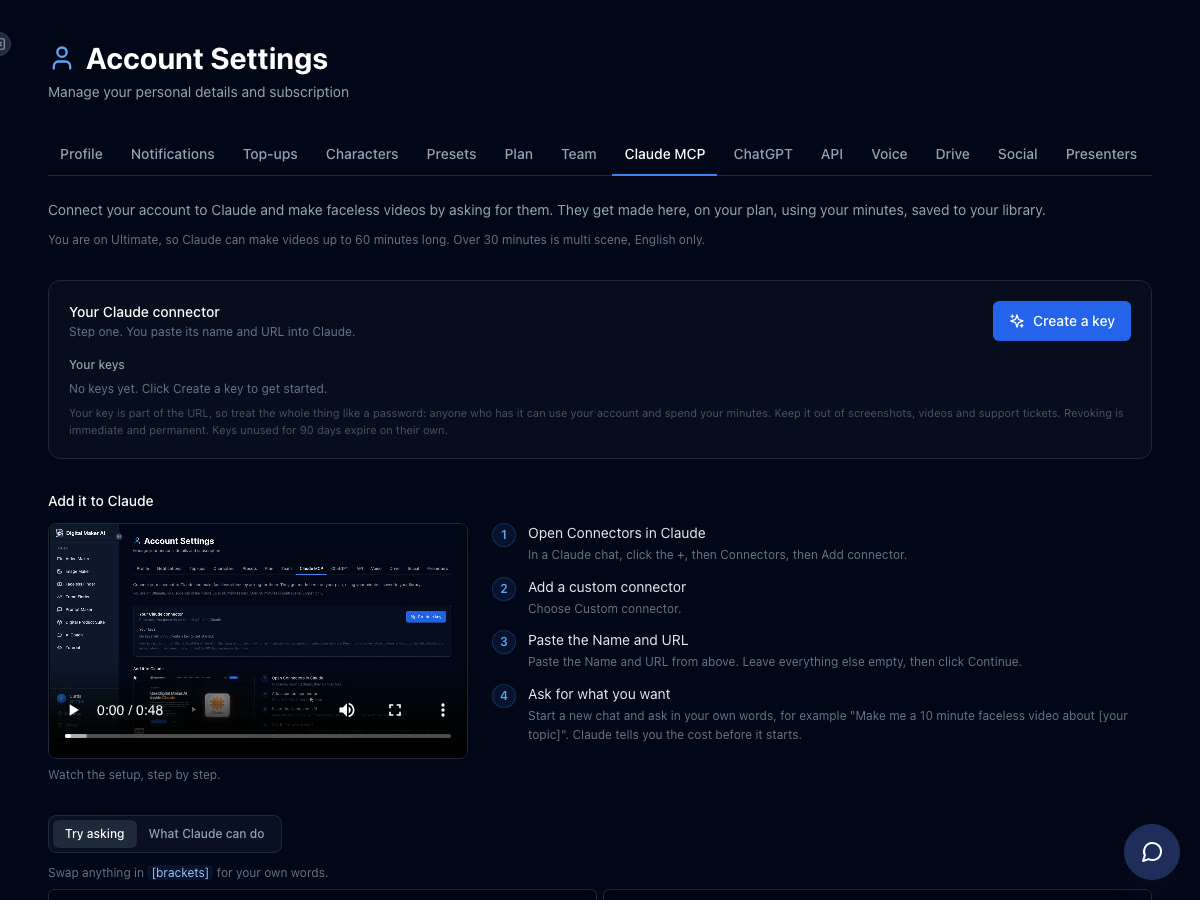
- Open Account Settings. In Digital Maker AI, click Settings at the bottom of the left sidebar, then open Account Settings.
- Go to the Claude MCP tab. Click the Claude MCP tab and then click Create a key. You will see a Name and a URL (something like digitalmaker.ai/mcp/YOUR_KEY). Keep this tab open.
- Add the connector in Claude. In a Claude chat, click the + icon, choose Connectors, then Add connector, then Custom connector.
- Paste the Name and URL. Paste the Name and URL from Digital Maker AI into the matching fields in Claude, leave everything else empty, and click Continue.
- Start a new chat and ask. Open a fresh Claude chat and ask in your own words. Claude will confirm what it is about to make and the minute cost before anything starts.
That is the full setup. From this point on, every new Claude chat has access to Digital Maker AI's tools automatically.
How to make a whiteboard animation with Claude MCP in 2027
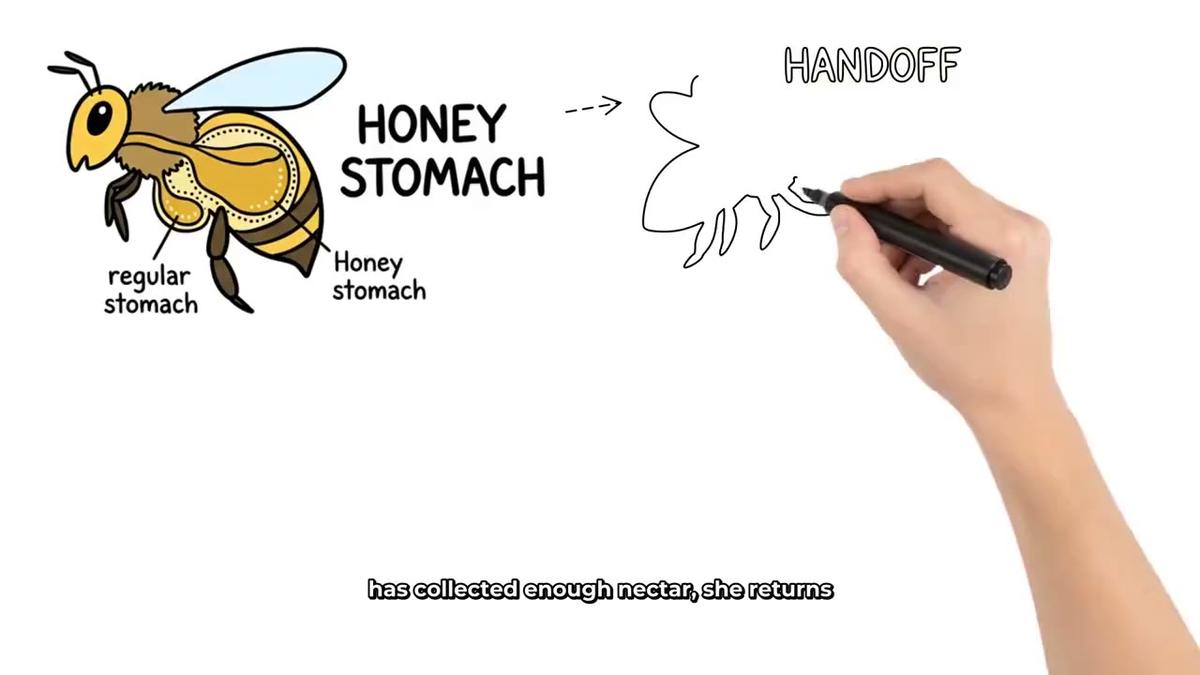
Whiteboard Animation is one of the four long-form video formats in Digital Maker AI's whiteboard animation maker. Each scene is a marker-style sketch that appears line by line on screen as the narration plays, in either the Story Boards style (illustrated, coloured panels) or the classic black-and-white style. You can choose an optional on-screen hand (none, light, brown or dark) and pick from more than 100 narration voices. There is no timeline editor to wrestle with; Digital Maker AI handles every scene.
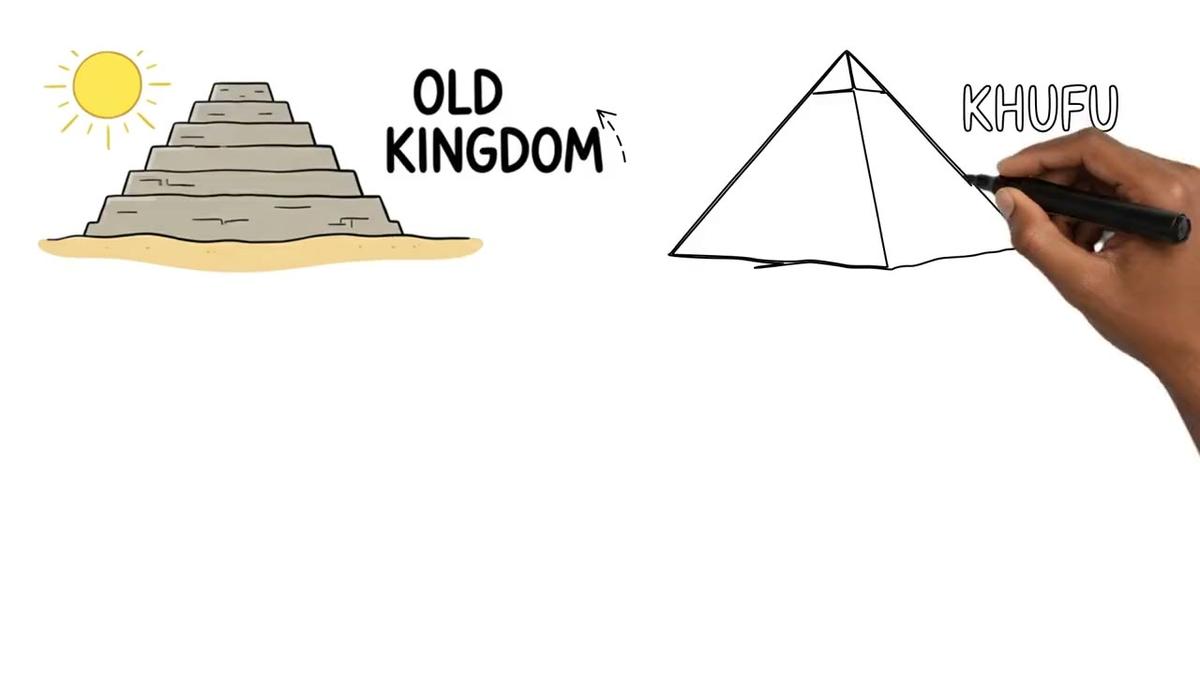
To make a whiteboard video through Claude, try a request like this:
"Make me a 10 minute whiteboard animation about how compound interest works, in the Story Boards style, with a light hand, a calm male voice and no background music."
Claude will show you a card with the details: format, length, style, voice and the minute cost. Press confirm and Digital Maker AI starts building. You will get an email when it is ready, and the MP4 will be waiting in your library.
Plan requirements and length limits for whiteboard through Claude:
| Plan | Whiteboard available? | Max length (standard) | Max length (designed or ElevenLabs voice) |
|---|---|---|---|
| Free | No | - | - |
| Pro | No | - | - |
| Premium | Yes | Up to 30 minutes | Up to 10 minutes |
| Ultimate | Yes | Up to 60 minutes | Up to 10 minutes |
Note that Whiteboard Animation does not support recurring characters, AI presenters or animated scenes. It is a standalone format built for clean, educational-style content. See the pricing page for current plan details (as of November 2026).
What else can you ask Claude to make for your channel?
Once the connector is live, Claude can make every other video format in Digital Maker AI too. Here are example requests for each format, along with the plan each one needs.
Faceless long-form video (Multi Scene)
"Make me a 15 minute faceless YouTube video about the fall of the Roman Empire, in the History or Ancient visual style, with a deep male British voice and YouTube Yellow captions."
Returns a complete landscape MP4 with a unique AI-generated scene image for every section, narration and burned-in captions. Needs Premium or Ultimate through Claude.

AI presenter video
"Make me a 10 minute video about stoicism with my presenter Marcus, using the Split screen layout for the first half and Corner circle for the rest."
A talking AI avatar speaks the narration on screen inside a Multi Scene video. You create the presenter once in Account Settings under the Presenters tab, and Claude can reuse them across every video. Presenter time is counted in avatar seconds, separate from video minutes. Needs Premium or Ultimate. Learn more about AI presenter videos.
Recurring cartoon character video
"Make me a 12 minute video about personal finance with my cartoon character the Budget Fox, in the Animated or Cartoon visual style."
Upload or build a character image in Digital Maker AI, save it, and Claude can place the same character across every scene of the video. Needs Premium or Ultimate. See the recurring character video maker for details.
3D animated film
"Make me a 10 minute 3D animated film of the story of Cinderella, in the Kids Adventure look, with a warm female narrator and soft background music."
Every shot is a moving 3D clip in a Pixar-style story film. Paid with 3D minutes (separate from video minutes), not video minutes. Pro films up to 10 minutes; Premium and Ultimate up to 30 minutes. Ultimate includes 2 free 3D minutes a month. See the 3D animated film maker for pack details.
Animated podcast
"Make me a 20 minute animated podcast episode about the psychology of habit formation, with hosts Jess and Marcus, in a curious and upbeat tone."
Two AI hosts in an animated studio talk through the topic in different voices, with captions and animated sound bars. Shows are saved so every new episode reuses the same hosts and studio. Needs Premium or Ultimate through Claude. Explore the animated podcast maker.
YouTube Short
"Make me a 30 second vertical Short about the top three habits of successful people, with bold captions and an energetic female voice."
A 9:16 Multi Scene Short with a new image every few seconds, narration and bold captions. Costs one flat video minute from your pool. Needs Premium or Ultimate through Claude. See the Shorts maker.
Research, thumbnails and posting through Claude MCP
Making videos is only part of what the connector can do. Here is what else you can ask Claude to handle, and which plan each task needs.
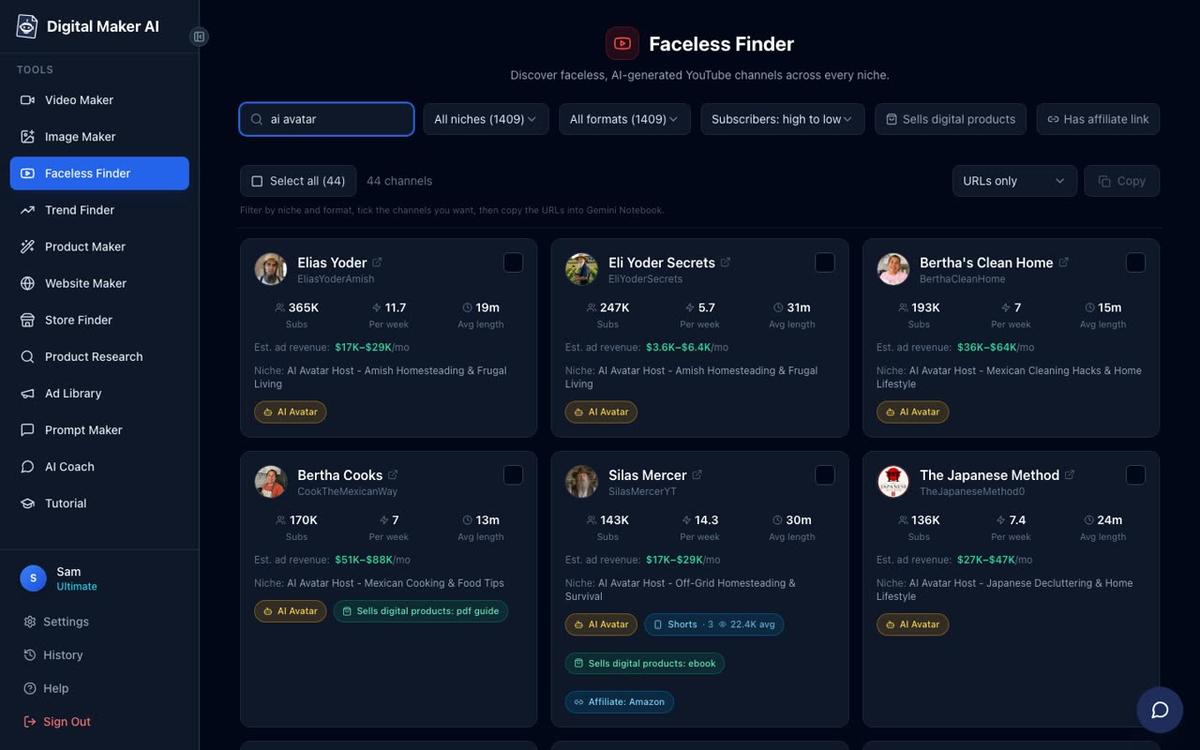
- Channel research (Pro, Premium, Ultimate): "Find me the top faceless channels in the personal finance niche and show me their subscriber counts, upload frequency and estimated monthly revenue." Claude pulls live data from the Faceless Finder, which shows subscribers, uploads per week, average video length and an estimated monthly ad revenue figure (Digital Maker AI's own rough estimate from recent views and typical ad rates, not the channel's real earnings).
- Thumbnails (Pro, Premium, Ultimate): "Make me a YouTube thumbnail for a video called 'How Compound Interest Makes You Rich', in a Finance or Luxury style." Returns a finished thumbnail image.
- Posting (Premium, Ultimate): "Post my latest video to YouTube now, titled 'How Compound Interest Makes You Rich', with this description and these tags." Posts to YouTube, TikTok or Instagram once you confirm. Nothing posts automatically. Posts are labelled AI generated. Connect your social accounts once in Account Settings before asking Claude to post.
- Account check (all plans including Free): "How many video minutes do I have left this month?" Claude can check your remaining minutes and list your available options at any time.
Tips for getting the best results from Claude MCP whiteboard animation in 2027
- Be specific about length and style upfront. Telling Claude the exact length (for example "8 minutes"), the whiteboard style (Story Boards or classic) and the hand colour in your first message means the confirmation card is right first time and you avoid re-asking.
- Ask for a script preview first. You can ask Claude to write the script and show it to you before making the video. Review it, ask for changes, then say "now make the whiteboard video with that script." This uses no video minutes until you confirm.
- Use the AI Coach for topic research. The Digital Maker AI AI Coach (inside your account) can suggest whiteboard video ideas, check whether a topic is trending and write hooks before you move to Claude to produce the video.
- Regenerate scenes you are not happy with. After the video is ready, you get 10 free scene regenerations per video inside Digital Maker AI. You can also swap in your own image for any scene, or edit the narration text for a scene.
- Keep an eye on your minutes. Ask Claude "how many minutes do I have left?" before starting a long video. Premium gives 150 minutes a month and Ultimate 300 minutes a month (as of November 2026).
- Research AI avatar channels for whiteboard inspiration. In the Faceless Finder, type "AI avatar" to filter channels fronted by AI presenters and see what topics and lengths are working. Whiteboard channels in niches like education, finance and history often perform well with 8 to 15 minute videos.
Frequently asked questions
Does Claude MCP whiteboard animation work on a free Digital Maker AI account?
No. Making any video through the Claude connector, including whiteboard animations, needs a Premium or Ultimate plan on Digital Maker AI. Free accounts can use the connector to check their account status and save to Google Drive, but video production is not available on Free or Pro through the connector.
How long does it take for a whiteboard video to be ready after I ask Claude?
Build time varies with length. A short whiteboard video (under 5 minutes) is typically ready within a few minutes. Longer videos take more time. Digital Maker AI emails you when the video is ready, and the finished MP4 appears in your library. Claude does not notify you directly.
Can I use my own script for a whiteboard animation made through Claude?
Yes. On Premium or Ultimate you can paste your own script when asking Claude to make the video. Just include the script text in your message, for example: "Make me a whiteboard animation using this script: [paste here]." Claude will confirm the details before starting.
Can I add an AI presenter or a recurring character to a whiteboard video?
No. Whiteboard Animation does not support AI presenters or recurring characters. Those features are available on Multi Scene long-form videos. If you want a presenter or a recurring character, ask Claude to make a Multi Scene video instead.
What is the difference between Story Boards and classic whiteboard style?
Both styles show marker-style sketches appearing line by line as the narration plays. Story Boards uses illustrated, coloured panels for a more visual feel. The classic style uses black-and-white line sketches for a traditional whiteboard look. Both are available on Premium and Ultimate, and both can include an optional on-screen hand.
Can I use a language other than English for a whiteboard animation through Claude?
Whiteboard animations in French, Spanish, Italian or German are available up to 10 minutes on Premium and up to 15 minutes on Ultimate. Ask Claude for the language you want and it will confirm whether it is within your plan's limits before starting.
Ready to start making whiteboard animations and faceless videos by simply asking? Sign up for free and work through the Digital Maker AI free course to get your first video live as quickly as possible.
Alex Stevens: Alex Stevens writes for the Digital Maker AI team about faceless YouTube channels, AI presenters and AI video tools.