Speechify vs Digital Maker AI: Audio Tool or Full Video?
By Alex Stevens
Speechify vs Digital Maker AI: the short answer
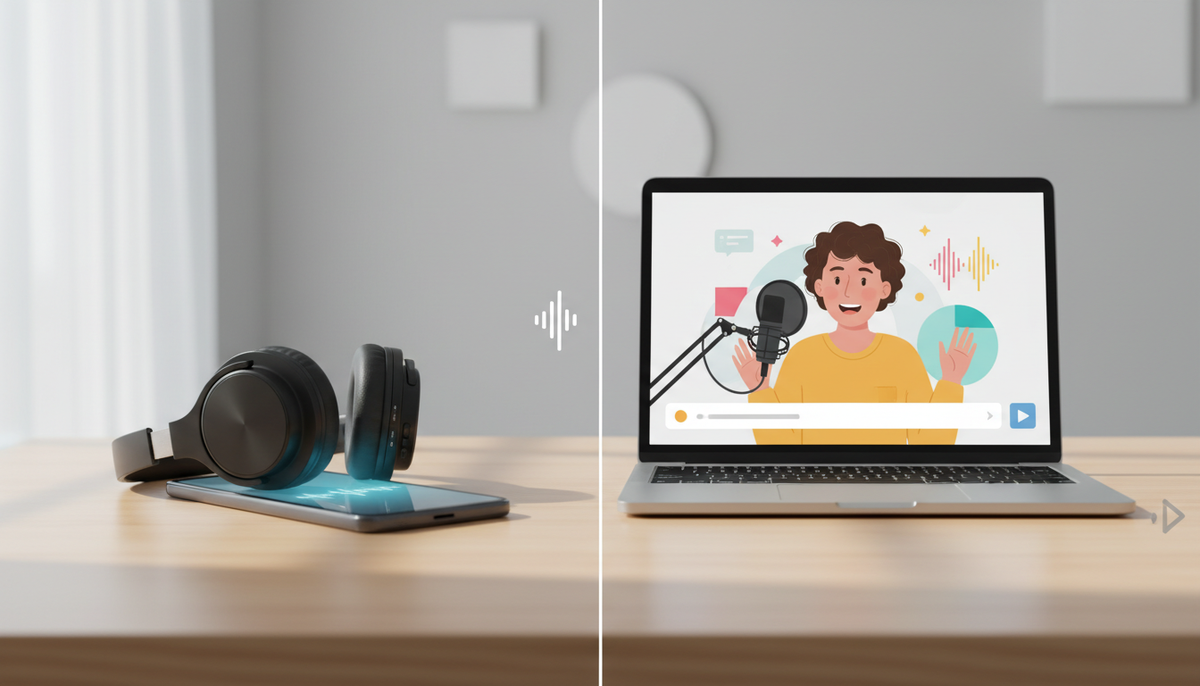
If you are comparing Speechify vs Digital Maker AI because you want to make YouTube videos, Digital Maker AI is the better fit: it takes a topic all the way to a finished, uploadable MP4 with AI scene images, burned-in captions, narration and optional AI presenters. Speechify wins on a different criterion: listening to and absorbing written content on the go. Both tools use AI voices, but they are built for completely different jobs, and understanding that gap will save you a lot of time.
The search intent behind speechify vs digital maker ai is almost always the same: someone discovered Speechify while looking for a voiceover tool, loved the voice quality, and is now wondering whether it can finish the job and produce a YouTube-ready video. The honest answer is that it cannot, at least not on its own. This article explains exactly where each tool starts and stops, and which one to use depending on what you actually need.
To judge them, we used one criterion: how far does the tool take you toward a finished, publishable video, starting from a blank page? That is the most practical question for anyone building a faceless YouTube channel.
Speechify: the best text-to-speech reading app
Speechify started as a tool to help people listen to documents, articles and books rather than read them, and it is still excellent at that core job. The company states that its Premium plan offers more than 1,000 natural-sounding AI voices across 60 or more languages, with adjustable playback speed up to 5x. You can scan a physical document with your phone, paste a URL, upload a PDF, or drop in a Google Doc, and Speechify will read it back to you in a voice that sounds genuinely human.
Speechify also has a separate product called Speechify Studio, aimed at creators who need professional voiceovers for existing video projects. The Studio tier lets you generate a voiceover track, clone a voice, and add dubbing to video you have already recorded. It is a strong choice if you are a video editor who simply needs a high-quality narration layer to drop into your editing software.
Where Speechify genuinely wins:
- Voice quality and naturalness across a very large voice library
- Listening to long-form content (books, articles, research papers) on a phone while commuting
- Generating a standalone voiceover audio file to use in your own editing workflow
- Voice cloning for dubbing existing video content
- Speed and simplicity: paste text, pick a voice, get an audio file
Where Speechify stops short for YouTube video creation:
- It does not generate scene images. You bring your own visuals.
- It does not produce an MP4 video file with images, narration and captions combined and ready to upload.
- It has no AI presenter or avatar who appears on screen.
- Captions are not burned into a finished video output from the core Speechify app.
- There is no script-to-video pipeline: you still need a separate video editor to assemble everything.
Pricing (as of November 2026): Speechify Premium costs $29 per month on monthly billing, or $139 per year (roughly $11.58 per month) on annual billing. Speechify Studio is priced separately, with plans in the $100 to $300 per year range according to the company's pricing page. Always check speechify.com/pricing for the latest figures.
Who should pick Speechify: Anyone who wants to listen to written content rather than read it, or a video editor who already has their footage and just needs a polished voiceover track to add in post-production.
Digital Maker AI: a complete faceless video pipeline
Digital Maker AI is built around a single question: what if you could go from a topic idea to a finished, YouTube-ready MP4 without touching a video editor? The answer is a pipeline that writes the script, generates a unique AI scene image for every scene, adds narration from over 100 built-in voices, burns in captions and returns a landscape 16:9 MP4 you can upload directly to YouTube.
That pipeline is what separates it from a voice tool like Speechify. You are not assembling pieces; the finished video is the output.
What Digital Maker AI adds that Speechify does not
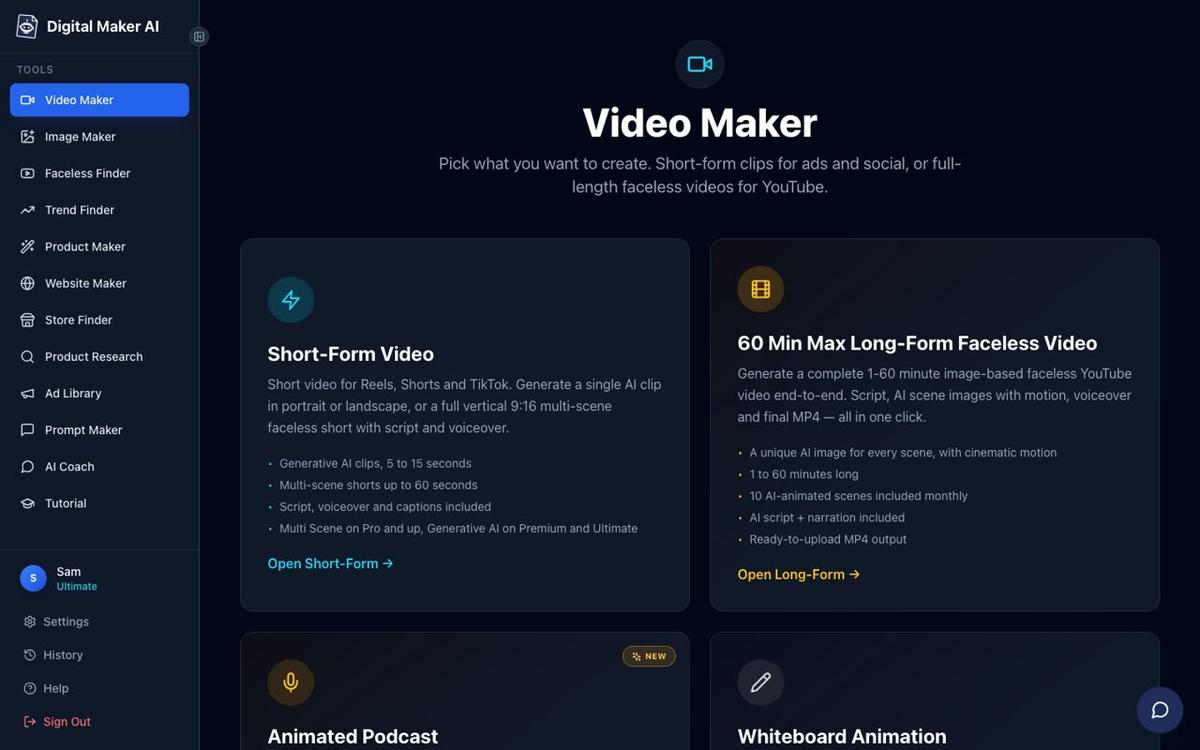
The clearest way to understand the difference is to walk through what happens after you type a topic into each tool. In Speechify, you get an audio file. In Digital Maker AI, you get a complete video. Here is what the pipeline includes:
- AI script writing: The platform writes the full narration script. On paid plans you can also paste your own.
- AI scene images: Every scene gets its own freshly generated image, in one of seven visual styles including Realistic, Animated or Cartoon, Finance or Luxury, and History or Ancient.
- Narration: More than 100 built-in voices with US, UK and Australian accents. Premium and Ultimate users can also design a custom voice from a written description, or connect their own ElevenLabs account.
- Burned-in captions: Six caption styles (Clean, Boxed, YouTube Yellow, Bold Pop, Minimal, or none) are baked into the lower third of the video automatically.
- Background music: An optional music library to add mood and energy.
- MP4 output: The finished file is ready to upload to YouTube, no editing software needed.
- Direct posting: Premium and Ultimate users can post the finished video straight to YouTube, TikTok and Instagram from a single button, now or on a schedule.
One thing Digital Maker AI does not offer that Speechify does: a dedicated listening app for consuming long-form written content on your phone. If you want to listen to a PDF or a web article while you walk, Speechify is still the right tool.
AI Presenters: the feature that changes the comparison most
The biggest distance between the two tools opens up when you look at AI presenter videos. Digital Maker AI lets you create a photoreal AI presenter who appears on screen inside your faceless video, speaking the narration directly to camera. Speechify has no equivalent feature.
Here is how it works. You go to Account Settings, open the Presenters tab, write a sentence or two describing who the presenter is and their setting, and the platform draws a photoreal picture of them. Save the presenter and you can reuse them across every video you make. This is available on Premium and Ultimate plans.
When you build a video, you pick your presenter and choose from three layouts that the video rotates through:
- Full screen: The presenter fills the entire frame, speaking directly to camera.
- Split screen: The presenter appears on the left half of the screen while the relevant scene image sits on the right.
- Corner circle: The scene fills the frame and the presenter appears in a small round window in the corner, like a news broadcast.



A slider controls how much of the video the presenter appears, and markers on a timeline bar let you set exactly when they are on screen, for example at the start and end only, or throughout. The presenter speaks the same narration voice as the rest of the video, with captions included. Presenter time is counted in avatar seconds, separate from your video minutes pool. Premium plans start with 2 minutes of avatar time and Ultimate with 5 minutes, with more available through Avatar Packs. See digitalmaker.ai/pricing for full details.
AI Presenters launched in October 2026 and are a fully live, production-ready feature on Premium and Ultimate plans.
Animated podcasts and other formats
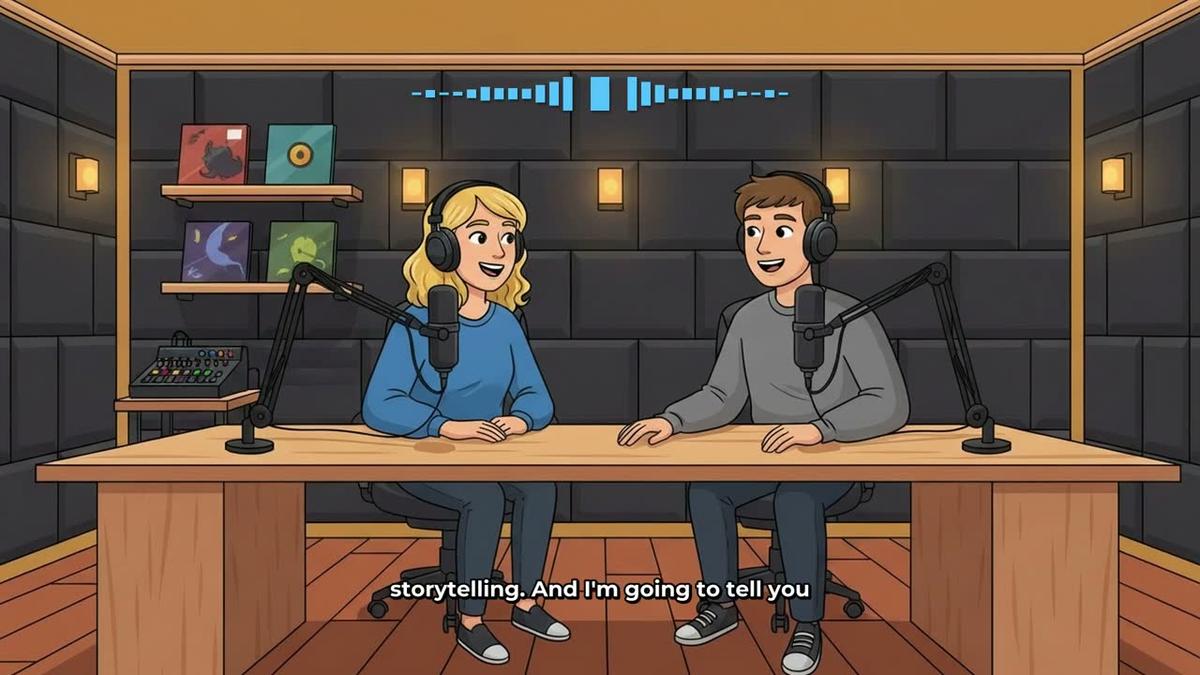
Beyond the main faceless video pipeline, Digital Maker AI includes an animated podcast format that Speechify does not match. You type a topic, name two AI hosts, pick their voices and a studio, and the platform produces a finished landscape video with two cartoon hosts talking through the subject, animated sound bars, and burned-in captions. Shows are saved so every new episode reuses the same hosts and studio automatically.
Plans and pricing as of November 2026
Digital Maker AI has a permanent Free plan with no credit card required. Free accounts get five free videos, one of each type, including one long-form faceless video up to 8 minutes, one animated podcast up to 8 minutes, and one vertical Short. Free videos carry a small watermark. Commercial usage rights are included on every plan.
Paid plans, all as of November 2026 (check digitalmaker.ai/pricing for the latest):
- Pro: $29 per month ($249 per year), 40 video minutes a month, videos up to 10 minutes each.
- Premium: $59 per month ($479 per year), 150 video minutes a month, videos up to 30 minutes, AI Presenters, animated podcasts up to 30 minutes, direct social posting.
- Ultimate: $99 per month ($799 per year), 300 video minutes a month, videos up to 60 minutes, AI Presenters, animated podcasts up to 60 minutes, direct social posting.
Compared to Speechify Premium at $29 per month, Digital Maker AI Pro sits at the same price point but delivers a finished video rather than an audio file. If you want AI Presenters and direct YouTube posting, Premium at $59 per month is the relevant comparison to Speechify Studio.
Recommendations by use case
Best for listening to written content on the go: Speechify. It is purpose-built for this and does it better than any video tool.
Best for faceless YouTube videos from scratch: Digital Maker AI. It handles the script, images, narration, captions and MP4 in one pipeline, with no separate editing step.
Best for adding a voiceover to footage you already have: Speechify Studio is a strong option here, as is Digital Maker AI's Drag and Drop Studio, which lets you upload your own images or clips and adds narration, captions and motion.
Best for YouTube videos with a presenter on screen: Digital Maker AI, which is the only tool in this comparison that generates a photoreal AI presenter and embeds them inside the video across three layout options.
Best for animated podcast content: Digital Maker AI. Speechify does not offer an animated two-host podcast format.
Best on a budget: Both tools have free tiers. Digital Maker AI's Free plan gives you five complete videos with no card needed, which is a practical way to test the full pipeline before committing. Speechify's free plan gives you 10 basic voices for listening.
Best for creators who already use Speechify and want to go further: Use Speechify for your personal reading habit and Digital Maker AI for your channel. They serve different workflows and there is no reason you cannot use both. If you are curious how other creators are building faceless channels with AI presenters, the Faceless Finder inside Digital Maker AI lets you search for AI avatar channels by niche and see estimated ad revenue, which is a useful research starting point.
If you have already read comparisons like ElevenLabs vs Digital Maker AI or Murf AI vs Digital Maker AI, the pattern is the same: voice tools do one thing extremely well, but they stop at the audio layer. A full video pipeline takes you the rest of the way.
The fastest way to see the difference for yourself is to start a free account and make your first video. No card, no trial timer, just five free videos to try every format. The free course walks you through the whole process, from picking a niche to publishing your first video, in plain steps you can follow today.
Alex Stevens: Alex Stevens writes for the Digital Maker AI team about faceless YouTube channels, AI presenters and AI video tools.