ElevenLabs vs Digital Maker AI: Voice Tool or Full Video?
By Alex Stevens
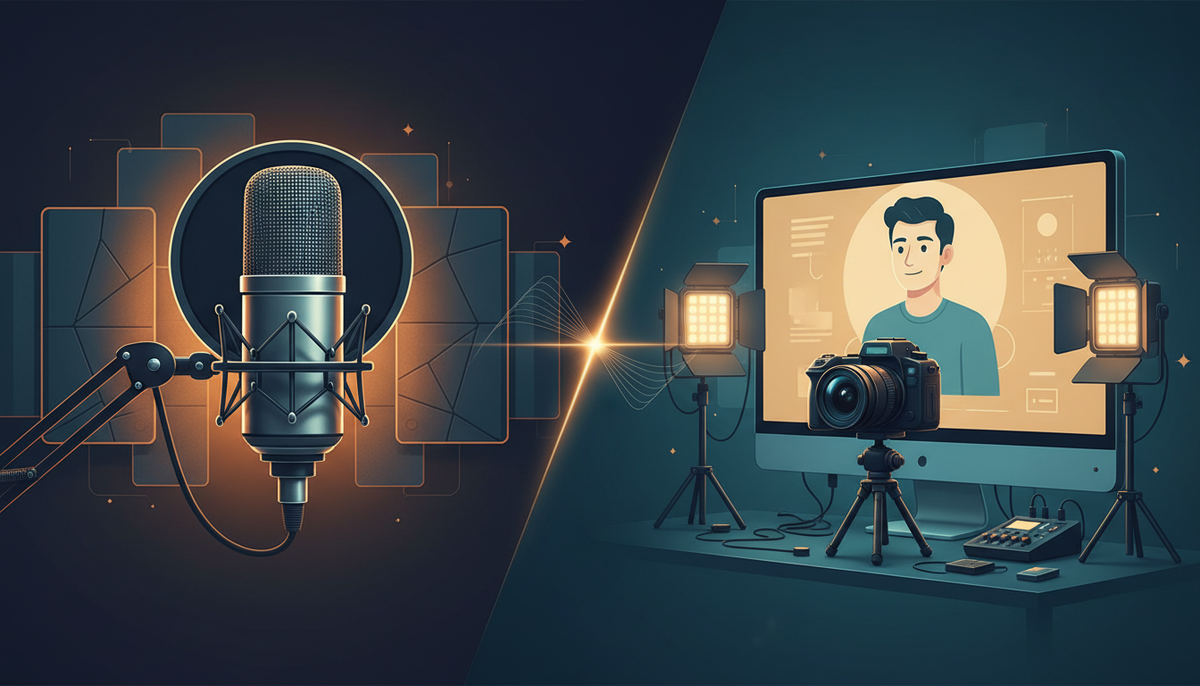
ElevenLabs vs Digital Maker AI: the short answer
If your goal is a finished, ready-to-upload YouTube video, Digital Maker AI wins on completeness. If your goal is the most realistic, flexible AI voice layer you can bolt onto any workflow, ElevenLabs wins on voice quality and API depth. The keyword elevenlabs vs digital maker ai captures a real question that faceless creators face every week: do I need a voice tool, a video tool, or both? This article answers that by looking at each product on one criterion: how much of a finished YouTube video does it actually produce?
To judge them fairly, we looked at what each platform outputs at the end of a session. Does it hand you an MP4 with scenes, narration, captions and music? Or does it hand you an audio file that you still need to pair with visuals? That single question shapes everything below.
ElevenLabs: world-class voice, growing video layer
ElevenLabs built its reputation on voice quality, and that reputation is deserved. The company states that its Eleven v4 model is its "most emotive, high quality speech synthesis model," with support for 90-plus languages and exceptional voice cloning. Instant Voice Cloning lets you upload a short audio sample and generate a clone in minutes. Professional Voice Cloning goes deeper, producing a more stable, high-fidelity replica for ongoing use. The API is developer-friendly, well-documented and widely integrated, which is why so many video tools (including Digital Maker AI) let you plug in your own ElevenLabs key.
In September 2026 ElevenLabs launched Studio 4.0, an AI-native timeline editor that generates video clips, images, voice, music and sound effects inside a single project and lets you export the result. The company also added avatar functionality in 2026, enabling voice-led talking videos. These are meaningful additions, and they do close some of the gap with dedicated video platforms.
Where ElevenLabs still differs from a purpose-built YouTube video pipeline is in the starting point and the workflow. It does not write a YouTube script for you, generate a full sequence of scene images matched to that script, burn in styled captions automatically or hand you a structured long-form video with background music in one click. Studio 4.0 is a timeline editor: you assemble the pieces. That is powerful for producers who want fine control, but it is a different job from pressing a button and getting a 10-minute faceless video on ancient Rome.
ElevenLabs pricing (as of November 2026): Free ($0, around 10,000 credits per month), Starter ($6 per month), Creator ($22 per month), Pro ($99 per month), Scale ($299 per month), and Business ($990 per month). Pricing is credit-based, with roughly 1,000 credits equalling about one minute of text-to-speech audio. See the ElevenLabs pricing page for current credit allocations and feature limits by tier.
Who should pick ElevenLabs: developers integrating voice into apps, podcasters who want a cloned voice for their show, video editors who already have their visuals and just need premium narration, and anyone building multilingual content at API scale.
Digital Maker AI: script to MP4 in one pipeline, with AI Presenters on top
Digital Maker AI is built around a different promise: you type a topic, and it returns a finished YouTube video. The platform writes the script, generates a unique AI scene image for every scene, records the narration from a library of more than 100 built-in voices, burns in styled captions and delivers a ready-to-upload MP4, all without you touching a timeline editor. That end-to-end pipeline is what separates it from a voice tool.
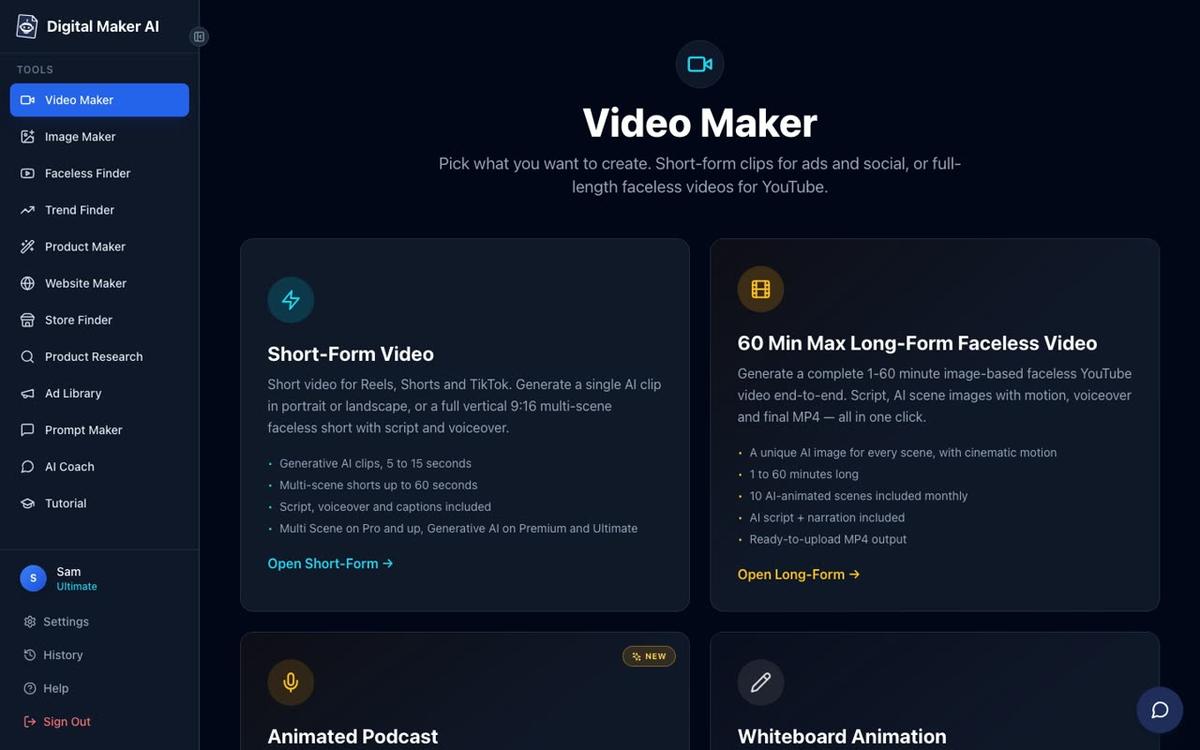
The long-form video builder (landscape 16:9, up to 60 minutes on the Ultimate plan) supports seven visual styles, six caption looks and optional background music. Paid plans generate every scene image fresh on any topic, so your history video on the Roman Empire looks nothing like anyone else's. You can also paste your own script on paid plans, and after the video is made you can regenerate any scene, swap in your own image or clip, or edit the narration text. There is no manual timeline editor, which is a deliberate trade-off: the pipeline is fast precisely because it is automated.
The ElevenLabs connection matters here. On Premium and Ultimate plans, users can add their own ElevenLabs API key in Account Settings, and the narration for English Multi Scene videos will then use their ElevenLabs voice and their ElevenLabs credits. That means you do not have to choose between the two platforms: you can use ElevenLabs for the voice layer and Digital Maker AI for everything else. Voice Design (Premium and Ultimate) also lets you describe a voice in writing and generate a custom one, without needing an ElevenLabs account at all.
ElevenLabs vs Digital Maker AI: the AI Presenters difference
The clearest gap between the two platforms in November 2026 is the AI Presenters feature, available on Digital Maker AI's Premium and Ultimate plans. ElevenLabs has added avatar functionality in 2026, but it is described by reviewers as "voice-led talking video," meaning the avatar is a vehicle for the voice. Digital Maker AI's presenters are integrated into the full faceless video pipeline in a way that is worth explaining in detail, because it is genuinely different from anything a standalone voice tool offers.
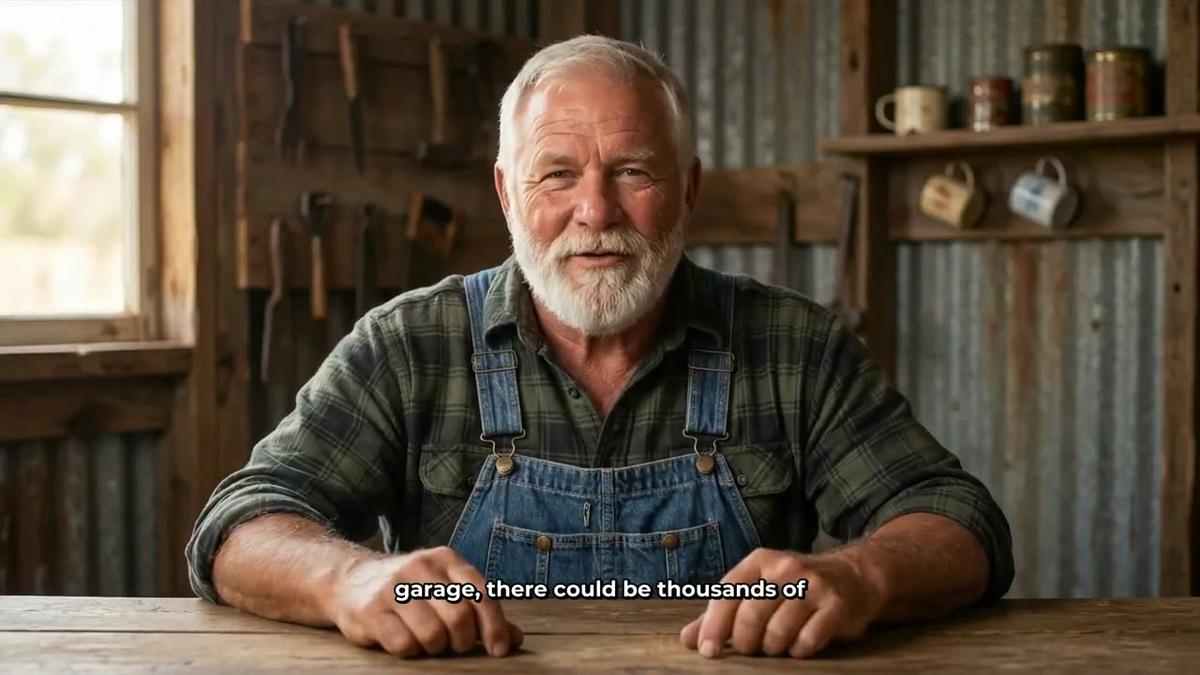
You create a presenter in Account Settings under the Presenters tab. You write a sentence or two describing who the presenter is and their setting, the AI generates a photoreal picture of them, and you save it. You can build several and reuse them across videos. When you make a video, you pick the presenter and choose one or more of three layouts: Full screen (the presenter fills the frame), Split screen (presenter on the left, the scene image on the right) or Corner circle (the scene fills the frame with the presenter in a small round window). A slider controls how much of the video the presenter appears in, and markers on a timeline bar let you place them at the start, the end or throughout.

The presenter speaks the same narration voice as the rest of the video, with captions. The rest of the video is the normal AI scene images, so you get a full faceless video with a human face added exactly where you want one. You can see the full screen version below, where the presenter takes over the frame entirely while the narration plays.
Presenters run on avatar time, counted separately from video minutes. Premium starts with 2 minutes of avatar time and Ultimate with 5 minutes, with 3 additional minutes every month on Ultimate. Avatar Packs let you buy more as one-off purchases. For a full breakdown of what is included on each plan, see the Digital Maker AI pricing page. If you want to explore the presenter feature in more detail, the AI avatar video generator page shows it in action.
Digital Maker AI pricing (as of November 2026): Free (no card needed, five free videos to try the platform), Pro ($29 per month or $249 per year), Premium ($59 per month or $479 per year), Ultimate ($99 per month or $799 per year). AI Presenters are on Premium and Ultimate only. See digitalmaker.ai/pricing for the full breakdown.
Who should pick Digital Maker AI: faceless YouTube creators who want a full video without editing, channel builders who want an AI presenter face on their content, and anyone who wants to scale output without hiring a video editor or voice actor.
What Digital Maker AI does not do
Honest comparisons need honest limits. Digital Maker AI does not have a stock footage library, a green screen tool or a manual timeline editor for trimming and transitions. The normal Multi Scene video uses still images, not moving footage (animated scenes are an add-on, and generative AI clips are a separate short-form feature). Presenters are only available on English Multi Scene long-form videos on Premium and Ultimate plans: they are not available on Shorts, Single Scene, Whiteboard or non-English videos. If you need a deeply customisable audio production environment with fine control over every clip and transition, ElevenLabs Studio 4.0 gives you more manual control than Digital Maker AI's pipeline does.
Recommendations by use case
- Best for voice quality and API integration: ElevenLabs. If you are building an app, a podcast or a dubbing workflow where voice realism is the primary requirement, ElevenLabs is the stronger tool. Its voice cloning and multilingual output are industry-leading.
- Best for faceless YouTube videos end to end: Digital Maker AI. From script to MP4 in one session, with scene images, captions, music and a choice of more than 100 voices, it is built specifically for this workflow.
- Best for adding an AI presenter to YouTube content: Digital Maker AI. ElevenLabs has added avatar features, but Digital Maker AI's presenters are integrated into a full video pipeline with three layout options, avatar time controls and the ability to bring your own ElevenLabs voice.
- Best on a budget: Digital Maker AI's Free plan gives you five complete videos (no card needed) to test the pipeline before spending anything. ElevenLabs' Free plan is excellent for voice testing but does not produce a finished YouTube video.
- Best if you want both: use them together. Add your ElevenLabs API key in Digital Maker AI's Account Settings (Premium or Ultimate) and the narration for your English Multi Scene videos uses your ElevenLabs voice. You get ElevenLabs voice quality inside a Digital Maker AI video pipeline.
If you are researching similar comparisons, the article on Murf AI vs Digital Maker AI covers the same voice-tool-versus-video-pipeline question from a different angle and is worth reading alongside this one.
The bottom line on elevenlabs vs digital maker ai
ElevenLabs is the right choice when voice is the product. Digital Maker AI is the right choice when the product is a finished YouTube video. For most faceless channel builders, that means Digital Maker AI handles the pipeline and, if you want the very best voice quality, you connect your ElevenLabs key and get both. The AI Presenters feature is the one capability that has no direct equivalent in ElevenLabs today: a photoreal presenter woven into a full faceless video, with three layout options and no video editing required.
The best way to test this for yourself is to start on the Free plan and make a video today. No card needed, no time limit. When you are ready to go further, the free faceless YouTube course walks you through building a channel from scratch with AI video tools.
Alex Stevens: Alex Stevens writes for the Digital Maker AI team about faceless YouTube channels, AI presenters and AI video tools.