DeepBrain AI vs Digital Maker AI: Talking Head or Full Video?
By Alex Stevens
The Short Answer: It Depends on What You Want to Walk Away With
If your search for DeepBrain AI alternatives started because you want a finished, upload-ready YouTube video rather than a standalone talking-head clip, Digital Maker AI is the stronger fit. The single criterion here is output completeness: what does the tool actually hand you when you press generate? DeepBrain AI hands you a presenter video. Digital Maker AI hands you a complete faceless YouTube video, with the presenter already inside it.
That distinction sounds small until you try to build a YouTube channel. A talking-head clip still needs scenes, narration, captions, background music and an export pipeline before it becomes a video your audience can watch. This comparison judges both tools on that single question: how much of that pipeline does the tool handle for you?
DeepBrain AI (AI Studios): Best-in-Class Talking Head Output
DeepBrain AI, sold under the name AI Studios, is one of the most polished avatar video platforms available. The company states that its avatars deliver photorealistic lip-sync across more than 80 languages, and the output quality for a presenter-to-camera clip is genuinely impressive. You paste a script, choose an avatar from a library of pre-built options or create a custom digital twin, and the platform renders a video of that presenter speaking your words.
The built-in editor handles basic trimming and transitions, and the platform supports voice cloning, multilingual dubbing and automatic translation. For enterprise teams producing compliance training, product walkthroughs or multilingual explainers at scale, DeepBrain AI is a serious tool. One review notes that "a consistent, updatable presenter across your entire training library is the core value here," which sums up the use case well.
Where it runs into friction for YouTube creators is that the output is primarily a presenter clip. The avatar-led format requires you to bring your own scene visuals, structure and publishing workflow. The platform does not write your script from a topic, generate a unique scene image for every paragraph, burn in captions automatically or post directly to YouTube on a schedule.
Pricing (as of October 2026): DeepBrain AI operates on a credit model. Based on third-party pricing sources, a Starter plan runs around $30 per month for a limited number of rendered minutes, a Pro tier runs around $89 per month for more credits, and custom Enterprise pricing is available for larger teams. Custom digital twin avatars are reported to start at $1,000 per character. Pricing changes frequently, so check DeepBrain AI's pricing page directly for the latest figures. The credit-per-minute model means revision cycles eat into your monthly allowance quickly.
Who should pick DeepBrain AI: Enterprise or corporate teams who need a photorealistic human presenter speaking in multiple languages, and who already have a video editing workflow to wrap around the output. It is not designed to be a one-click YouTube video factory.
Digital Maker AI: AI Presenter Inside a Complete YouTube Video
Digital Maker AI approaches the same goal from the opposite direction. Instead of starting with a presenter and asking you to build a video around it, it starts with a complete faceless YouTube video and lets you add a presenter inside it. The AI writes the script from your topic, generates a unique scene image for every scene, adds narration from more than 100 built-in voices, burns captions into the lower third, and returns a finished MP4 ready to upload. The presenter is one optional layer on top of all of that.
The AI presenter feature is available on Premium and Ultimate plans. You create your presenter in Account Settings under the Presenters tab: write a sentence or two describing who the presenter is and their setting, the platform draws a photoreal picture of them, and you save it. From that point, the same presenter can appear in every video you make. You are not locked into a library of generic faces.
When you build a video, you choose the presenter and pick from three layouts:
- Full screen: the presenter fills the entire frame, speaking directly to camera with captions along the bottom.
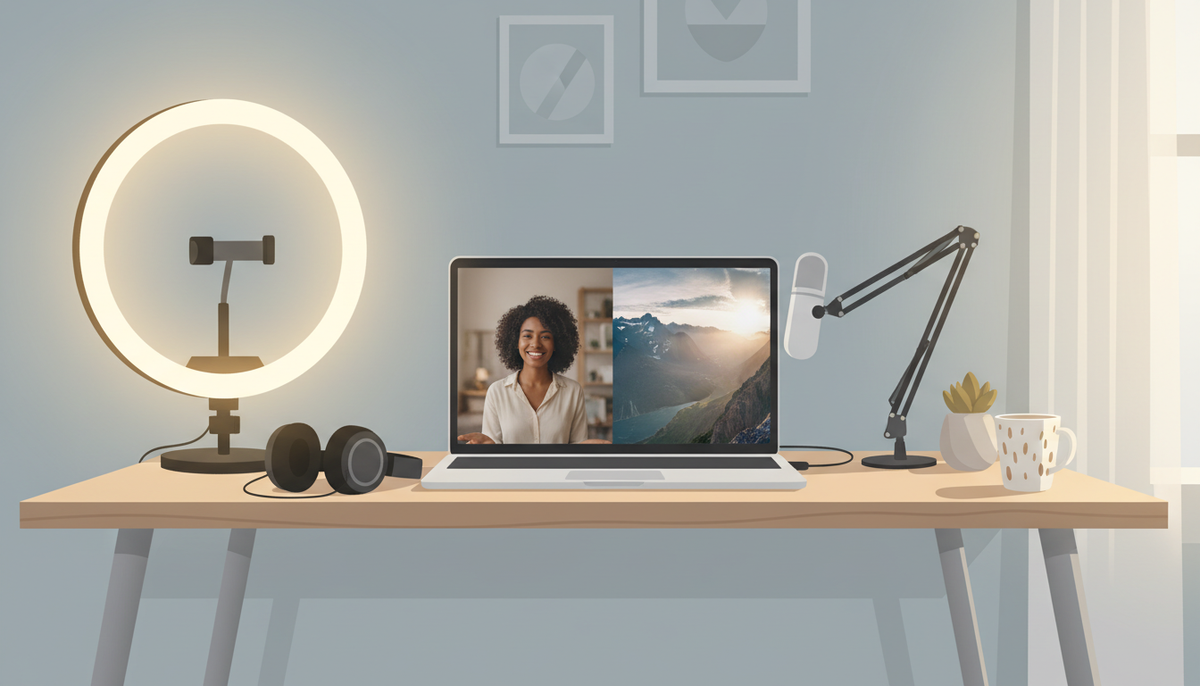
- Split screen: the presenter sits on the left half of the frame while the scene image fills the right half.
- Corner circle: the scene fills the frame and the presenter appears in a small round window in the corner.
You can tick one layout, two or all three, and the video rotates through whichever you selected. A slider controls how much of the video the presenter is on screen, from as little as 5 percent up to the whole video, and markers on a timeline bar set exactly where they appear.



Presenter time is tracked separately from video minutes, in a unit called avatar time, counted in seconds. Creating a presenter uses 30 seconds of avatar time. A video uses only the seconds the presenter is actually on screen. Premium plans start with 2 minutes of avatar time and Ultimate plans start with 5 minutes, with Ultimate also receiving 3 minutes of avatar time every month. Avatar Packs let you add more as one-off purchases. See the Digital Maker AI pricing page for current Avatar Pack costs.
One honest limit worth naming: Digital Maker AI does not offer a timeline editor with manual trimming. You can regenerate any scene image, swap in your own image or clip, and edit the narration text after a video is made, but there is no frame-by-frame editing interface. If you need that level of manual control, a tool like DeepBrain AI's editor or a dedicated video editor would serve you better.
Pricing (as of October 2026): Plans are Free (no card needed, five one-off free videos to try the platform), Pro at $29 a month ($249 a year), Premium at $59 a month ($479 a year) and Ultimate at $99 a month ($799 a year). AI presenters are on Premium and Ultimate only. Full details and current pricing at digitalmaker.ai/pricing.
Who should pick Digital Maker AI: Solo creators and small teams who want to publish faceless YouTube videos consistently, with an optional on-screen presenter, without needing a separate editing workflow. The platform handles everything from script to finished MP4.
Recommendations by Use Case
Best for Corporate Training and Enterprise Multilingual Video
DeepBrain AI wins here. If your goal is a polished human presenter speaking the same script in Spanish, German and Japanese for an internal training library, DeepBrain's multilingual avatar engine and voice cloning are built exactly for that. Digital Maker AI supports French, Spanish, Italian and German on Premium and Ultimate, but its core strength is English-language YouTube content, not enterprise multilingual production at scale.
Best for Faceless YouTube Channels (the Most Common Use Case for DeepBrain AI Alternatives)
Digital Maker AI wins clearly. It generates a script, creates a unique scene image for every paragraph, adds narration from more than 100 voices, burns in captions and returns a ready-to-upload MP4. Premium and Ultimate users can post directly to YouTube, TikTok and Instagram from inside the platform on a schedule. There is no equivalent end-to-end pipeline in DeepBrain AI. If you searched for deepbrain ai alternatives because you want to run a YouTube channel without appearing on camera, Digital Maker AI is the more complete tool.
Best for Channels That Want a Recognisable On-Screen Presenter
This one depends on your budget. DeepBrain AI's custom digital twin avatars are highly realistic but start at a reported $1,000 per character. Digital Maker AI lets you create a custom AI presenter from a text description at no extra cost beyond the plan, and the same presenter reappears across every video you make. For creators who want a consistent face on their channel without a four-figure upfront cost, Digital Maker AI's presenter feature is the more accessible route.
Best on a Budget
Digital Maker AI's Free plan lets you try the platform with no credit card, including one free long-form faceless video. The Pro plan at $29 a month (as of October 2026) gives you 40 video minutes a month and videos up to 10 minutes long. DeepBrain AI's entry point, based on available third-party data, starts around $30 a month for a limited number of rendered minutes on a credit model where revisions cost you. For anyone just starting out, Digital Maker AI's Free plan is the lower-risk first step.
Best for Seeing What Faceless YouTube Channels Actually Earn
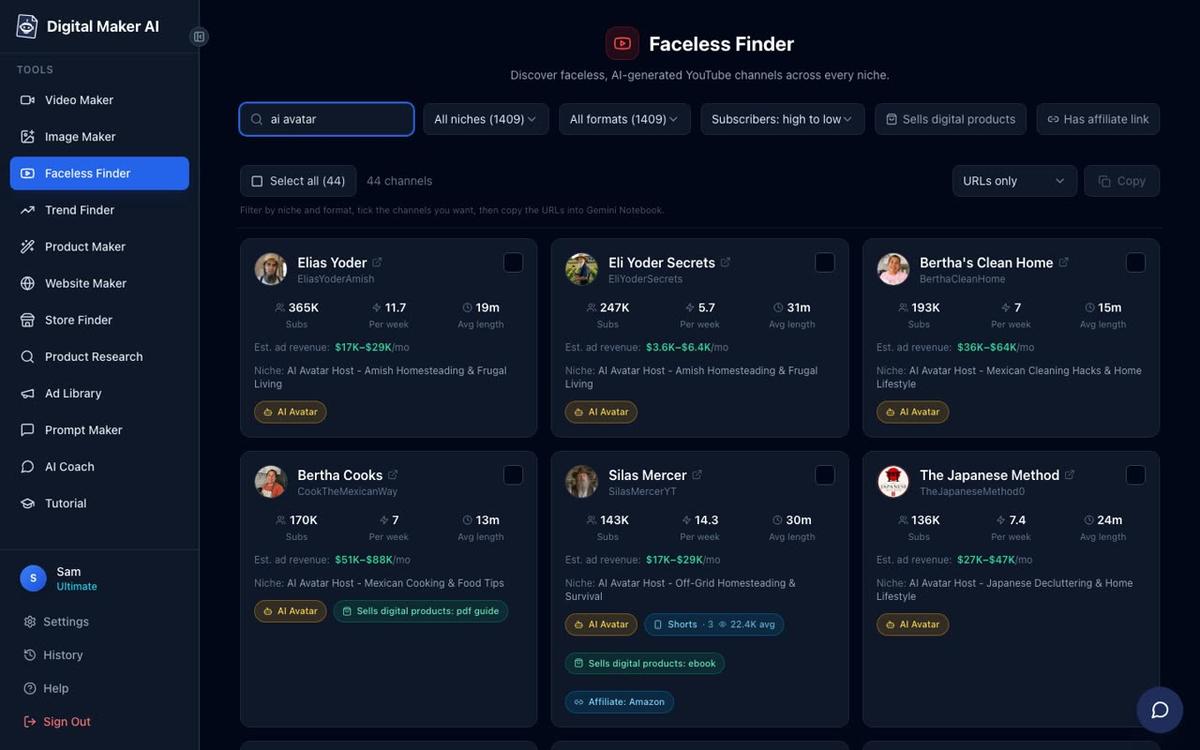
Digital Maker AI includes a tool called Faceless Finder, which lists confirmed faceless YouTube channels by niche, showing subscribers, upload frequency, average video length and an estimated monthly ad revenue. It also flags channels fronted by an AI presenter with an "AI Avatar" label. There is nothing equivalent in DeepBrain AI.
The Bottom Line
DeepBrain AI is a strong enterprise avatar studio. It produces high-quality talking-head clips in many languages and is a genuine solution for corporate video teams. But it is not designed to be a YouTube channel engine. If you are searching for deepbrain ai alternatives because you want to go from a topic idea to a finished, captioned, narrated, upload-ready YouTube video, including an optional on-screen presenter, Digital Maker AI covers that whole pipeline in one place. You can also compare how Digital Maker AI stacks up against other avatar tools in the Colossyan vs Digital Maker AI comparison or the Elai vs Digital Maker AI review for more context.
The best way to see the difference is to try it yourself. Start with the free course at digitalmaker.ai/free-course to understand how the platform works before you commit to a plan.
Alex Stevens: Alex Stevens writes for the Digital Maker AI team about faceless YouTube channels, AI presenters and AI video tools.