How to Make Faceless YouTube Shorts in 2027
By Alex Stevens
To make faceless YouTube Shorts in 2027, you write a topic, pick a length between 15 and 60 seconds, choose a visual style and voice, and let an AI tool build the vertical 9:16 video for you: script, scene images, narration and bold captions included. Digital Maker AI (digitalmaker.ai) is an AI video platform for faceless YouTube videos, AI presenter videos, animated podcasts, 3D animated films and digital products. Its Short-Form Video maker produces a finished vertical Short for a flat one minute of your plan's video pool, no matter how long the Short is. That makes it one of the fastest ways to learn how to make faceless YouTube Shorts without appearing on camera.
Key takeaways
- A faceless YouTube Short is a vertical 9:16 video of 15 to 60 seconds where the creator never appears on camera; AI visuals, narration and captions carry the content.
- Digital Maker AI's Short-Form Video maker costs a flat one minute of your monthly pool per Short, regardless of the Short's actual length.
- Free accounts get one free Short (15 to 60 seconds, watermarked) with no card required, using a ready-made image library in set topic areas.
- Premium and Ultimate accounts can post finished Shorts directly to YouTube, TikTok and Instagram from the platform, now or on a schedule.
- Shorts on a faceless channel can drive viewers to your long-form videos, growing your channel from both ends at once.
What is a faceless YouTube Short and why does it matter in 2027?
A faceless YouTube Short is a vertical video of 60 seconds or less where the creator never appears on camera. AI-generated still images, a voiceover and burned-in captions do all the work. In 2027, Short-form content on YouTube, TikTok and Instagram Reels has become one of the fastest routes to an audience for new creators, because the algorithm surfaces Shorts to people who have never heard of your channel. A strong Short can pull thousands of new viewers into your long-form content overnight.
The practical barrier used to be production time. Shooting, editing and captioning even a 30-second clip took hours. AI Short generators have cut that to minutes, which is why faceless Short-form channels are growing faster than almost any other format heading into 2027.
Step 1: Create your free account
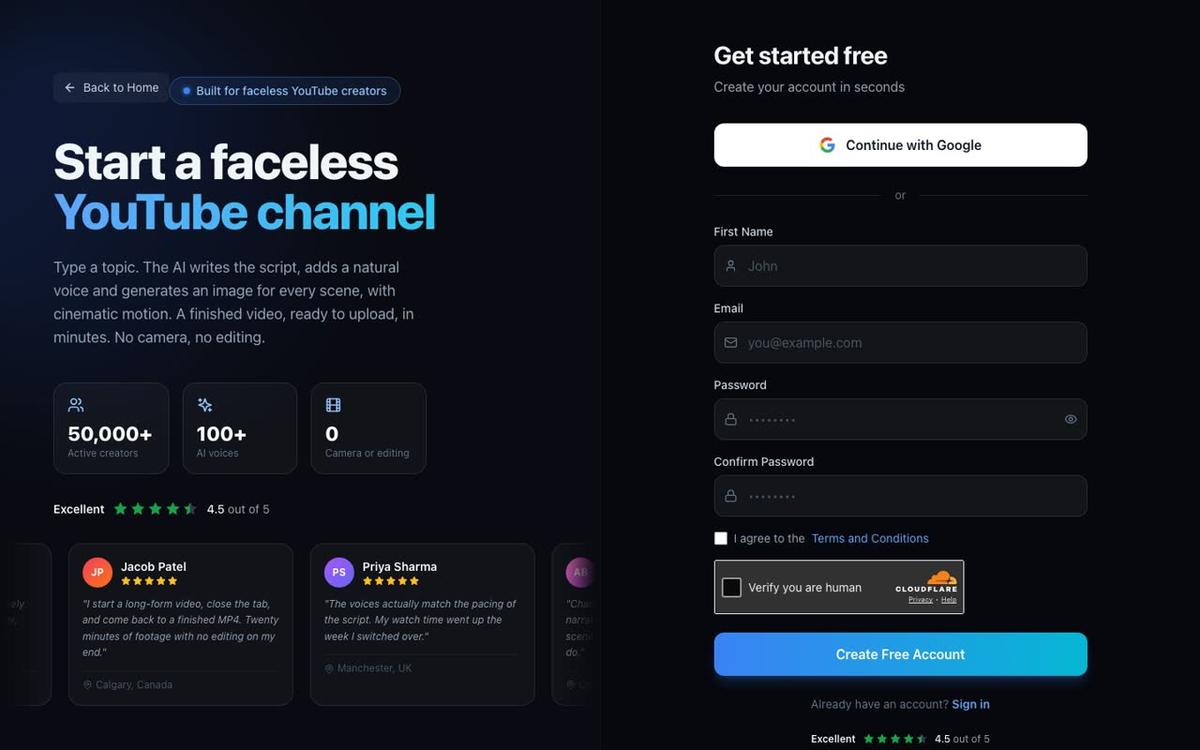
Go to digitalmaker.ai/faceless and press Get started free. You can sign up with Google or with an email and password. No credit card is needed. Free accounts include one free Short (15 to 60 seconds, watermarked) along with four other free video types, so you can test the whole flow before deciding on a paid plan.
Step 2: Open the Video Maker and choose Short-Form
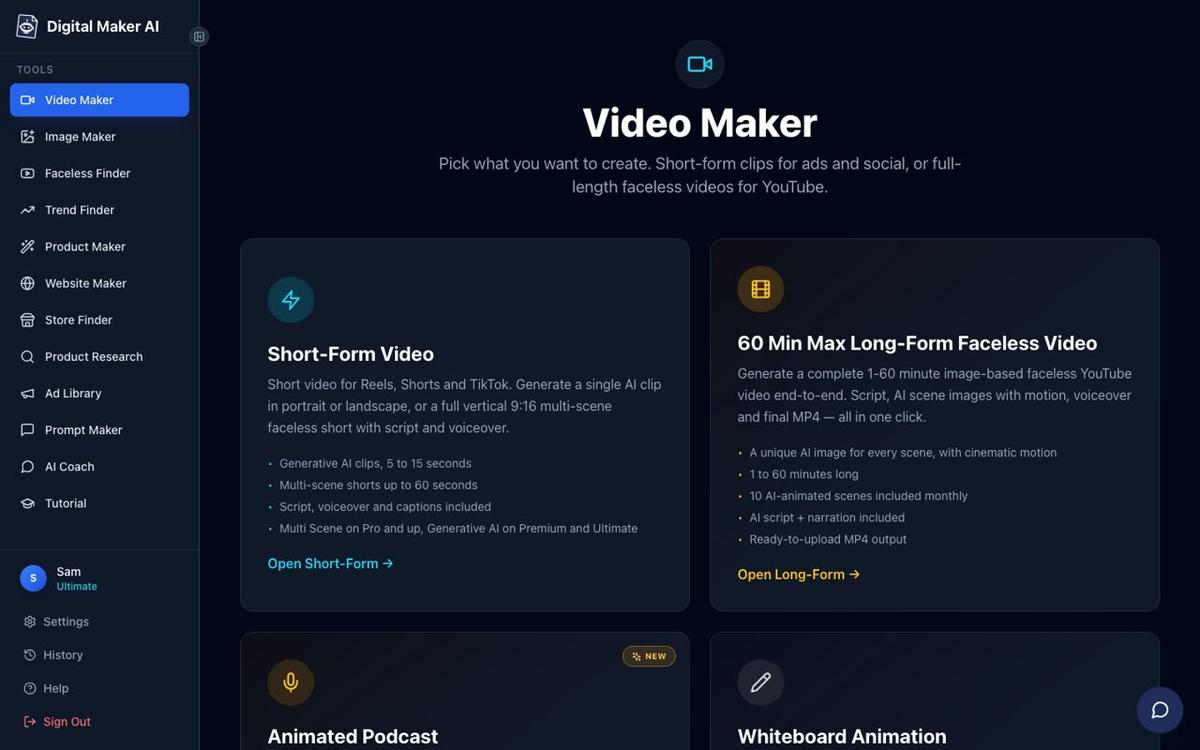
After signing in, find the Video Maker button in the left sidebar. This opens the free video screen. You will see cards for Short-Form Video and Long-Form Faceless Video, with the Animated Podcast and Drag and Drop Studio further down. Press the Short-Form Video card, then press Next at the bottom of the screen.
Step 3: Pick your length, topic and visual style
The Short-Form Video maker asks you to choose a length: 15, 30, 45 or 60 seconds. Shorter is almost always better for your first few Shorts. A 30-second video with one clear idea performs better than a 60-second video that tries to cover three. Next, type your topic in one line. Free accounts pick from a ready-made image library in set topic areas: money and personal finance, business and side hustles, motivation, stoicism, law of attraction, history, ancient Egypt, the Roman Empire, true crime and mysteries, psychology, space, the deep sea, health and fitness and faith. Paid plans generate every scene image fresh, on any topic you type.
Then choose a visual style. Two styles are available on the Free plan: Realistic and Animated or Cartoon. Paid plans unlock five more, including Finance or Luxury, History or Ancient, and Space or Sci-Fi. The Animated or Cartoon style produces illustrated, cartoon-looking still scenes, not moving cartoon animation.
Step 4: Choose a voice and set the pace
Digital Maker AI includes more than 100 built-in AI narration voices, with male and female options and US, UK and Australian accents. Free accounts use the standard voice set. You can also adjust the pace: Calm, Standard or Energetic. For Shorts, Energetic tends to hold attention better, especially on TikTok and Reels where viewers scroll fast. Premium and Ultimate accounts can also design a custom voice from a written description, with no ElevenLabs account needed.
Step 5: Add captions and generate your Short
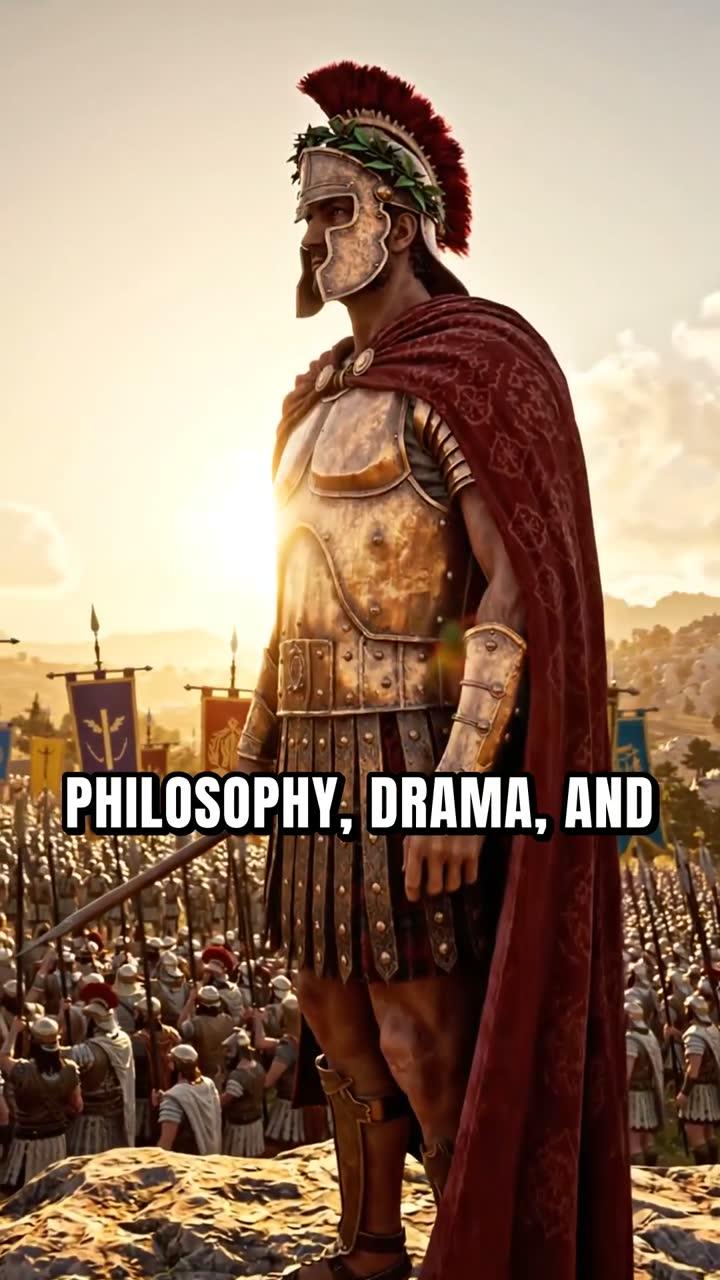
Captions are essential for Shorts. Most people watch vertical video without sound, especially on TikTok and Instagram. Digital Maker AI burns captions into the lower third of the video automatically. The Bold Pop caption style works particularly well for Shorts because the large, high-contrast text is readable even on a small phone screen. Other options include Clean, Boxed, YouTube Yellow and Minimal. Once you are happy with your choices, press Generate. The platform writes the script, generates a scene image for every few seconds of video, records the narration and returns a ready-to-upload vertical MP4.
How much does a Short cost from your video pool?
Every Short on a paid plan costs a flat one minute from your monthly video pool, no matter whether the Short is 15 seconds or 60 seconds long. This is different from long-form videos, which use one minute of pool per minute of video. The table below shows how many Shorts you could make each month on each plan, as of November 2026.
| Plan | Monthly video pool | Max Shorts per month (at 1 min each) | Long-form max length |
|---|---|---|---|
| Free | 1 free Short (once) | 1 | 8 minutes (once, free) |
| Pro | 40 minutes | Up to 40 | 10 minutes |
| Premium | 150 minutes | Up to 150 | 30 minutes |
| Ultimate | 300 minutes | Up to 300 | 60 minutes |
See the full plan details at digitalmaker.ai/pricing. Because each Short only costs one minute of pool, a Pro plan gives you enough room to post a Short every single day with pool to spare for long-form videos too.
How to post your Short to YouTube, TikTok and Instagram
Once your Short is ready, how you post it depends on your plan. Free and Pro accounts download the MP4 and upload it manually to each platform. Premium and Ultimate accounts can post directly from Digital Maker AI using the Post to socials button. Connect your YouTube, TikTok and Instagram accounts once in Account Settings, then press Post whenever a video is ready. You can post immediately or schedule it for a specific time. Nothing posts automatically; every post needs you to press the button. Posts are labelled as AI generated. Learn more about posting AI videos to YouTube, TikTok and Instagram from inside the platform.
Practical tip for 2027: post the same Short to all three platforms on the same day. The algorithm on each platform treats it as a new piece of content, so you get three chances at reach from a single video that took under a minute to make.
How do Shorts feed a long-form faceless channel in 2027?
Shorts are not just a standalone format. They are one of the most effective ways to grow a long-form YouTube channel without paid advertising. Here is how the two formats work together:
- Shorts introduce your niche to new viewers. A 30-second clip about "5 facts about ancient Rome" can reach people who have never searched for your channel. If they like it, they subscribe and then watch your longer videos.
- Long-form videos convert subscribers into fans. A 10 to 20 minute deep-dive on the same topic gives subscribers a reason to stay and builds watch time, which feeds the YouTube Partner Programme (the monetisation scheme that pays creators based on ad revenue).
- Shorts can tease long-form content directly. End your Short with a line like "the full story is on the channel" and pin a comment linking to the long video. This is a simple, repeatable traffic loop.
- Consistency is easier when each Short costs one minute. You can batch ten Shorts in ten minutes of pool and schedule them across two weeks, keeping the algorithm happy while you focus on longer content.
If you want to see how other creators are running this strategy, the Faceless Finder inside Digital Maker AI lets you search confirmed faceless YouTube channels by niche, see their upload frequency, average video length and estimated monthly ad revenue. It is open to every signed-in account, including Free.
What to do next: building a Short-form habit for 2027
The creators who will grow fastest with faceless Shorts in 2027 are not the ones who make the most polished video. They are the ones who post consistently. Here is a simple first-week plan:
- Pick one niche. Choose a topic area from the list (history, psychology, true crime, space and so on) and commit to it for at least 30 days. Niche channels grow faster than general ones because the algorithm learns who to show your content to.
- Make your free Short. Use the free account to make one Short and see the full output: script, scenes, narration and captions. This takes about two minutes of your time.
- Upgrade if the output fits your niche. If the topic areas available on the Free plan match your niche, a paid plan unlocks custom topics, more visual styles and direct posting. Check digitalmaker.ai/pricing for current plan details.
- Batch your Shorts weekly. Set aside 30 minutes once a week to make five or six Shorts. Schedule them to post one per day. This keeps you consistent without daily effort.
- Link every Short to a long-form video. Once you have a long-form video on the channel, pin a comment on every related Short pointing viewers to it. This is the simplest way to convert Short viewers into long-form subscribers.
For a deeper look at how faceless channels make money once they have an audience, read our guide on how to make money with a faceless YouTube channel in 2027. And if you want to start a channel from scratch with no budget, how to start a faceless YouTube channel with no money in 2027 walks through every step.
You can also make and post Shorts by chatting with the Digital Maker AI Coach, the built-in AI assistant that handles the whole flow from a conversation: pick the topic, style, voice and length, review a summary card, press Make it, and the Short is built and ready to post. Expert mode (Premium and Ultimate) handles posting too.
The AI YouTube Shorts generator page has more detail on the Short-Form Video maker, including the full list of visual styles and caption options available on each plan.
Frequently asked questions
Can I make faceless YouTube Shorts for free with Digital Maker AI?
Yes. Free accounts get one free Short (15 to 60 seconds, watermarked) with no credit card required. It uses a ready-made image library in set topic areas such as history, psychology and true crime. Upgrading to a paid plan removes the watermark from future Shorts and unlocks custom topics and more visual styles.
How long does it take to make a faceless Short with AI in 2027?
The setup takes about two minutes: type a topic, pick a length, choose a style and voice, then press Generate. The platform then writes the script, generates scene images, records the narration and returns the finished vertical MP4, usually in under two minutes for a 60-second Short.
Do faceless YouTube Shorts need captions?
Yes, practically speaking. Most viewers on TikTok and Instagram watch without sound, and YouTube's own data shows captions improve watch time. Digital Maker AI burns captions automatically into the lower third of every Short. The Bold Pop style is the most readable on small screens.
Can I post the same Short to YouTube, TikTok and Instagram?
Yes. The vertical 9:16 format works on all three platforms. Premium and Ultimate accounts can post to all three from the Post to socials button in one go, now or on a schedule. Free and Pro accounts download the MP4 and upload it to each platform manually.
Do faceless Shorts count against the same video pool as long-form videos?
Yes, but each Short costs only a flat one minute of pool regardless of its length, from 15 seconds up to 60 seconds. A long-form video uses one minute of pool per minute of video. So on a Pro plan with 40 minutes of pool, you could make 40 Shorts, or a mix of Shorts and longer videos.
What topics work best for faceless YouTube Shorts in 2027?
High-retention topics with a clear hook in the first two seconds perform best: surprising history facts, psychology insights, true crime mysteries, space discoveries and personal finance tips. These niches also have strong long-form audiences, so Shorts can funnel viewers directly into longer videos on the same channel.
Ready to make your first faceless Short? Start with the free account, test the full output, then use the Digital Maker AI free course to learn how to grow a faceless channel from zero, from your first Short all the way to your first monetised long-form video.
Alex Stevens: Alex Stevens writes for the Digital Maker AI team about faceless YouTube channels, AI presenters and AI video tools.