How to Make an AI Mini Movie for TikTok and Reels in 2027
By Alex Stevens
You can make an AI mini movie for TikTok and Reels in 2027 without a camera, a crew or any editing software. The two clearest routes are the AI Movie path inside Digital Maker AI (digitalmaker.ai), which takes a one-line idea and returns a finished vertical or landscape film with narration and captions, and the Google Flow route, where you bring your own master prompt and script, generate clips, then assemble them in the Drag and Drop Studio.
Key takeaways
- Digital Maker AI's AI Movie feature produces a 9:16 vertical film or a 16:9 landscape film ready for TikTok, Reels or YouTube from a single idea.
- You can write the outline yourself or let the AI write it for you, then review it before anything is generated.
- You can release it as a one-off film or as Episode 1 of a series, with each new episode continuing the same story.
- The Google Flow route pairs a master prompt and script from Digital Maker AI with Flow's clip generation, then the Drag and Drop Studio stitches the clips into a finished movie with voice and captions.
- Free accounts on Digital Maker AI can try one Drag and Drop movie from their own clips (up to 8 minutes, watermarked) with no card needed.
What is an AI mini movie and why does it work on TikTok in 2027?
An AI mini movie is a short narrative film, usually 60 seconds to five minutes long, where every frame, every line of dialogue and every sound is produced by AI tools rather than a traditional camera or voice actor. On TikTok and Instagram Reels, short story-driven clips consistently outperform talking-head content because the algorithm rewards watch time, and a cliffhanger ending at 90 seconds pulls viewers into a series. In 2027, the tools to make these films have become fast enough that a solo creator can go from idea to posted video in an afternoon.
How to make an AI mini movie for TikTok using Digital Maker AI's AI Movie path
Digital Maker AI (digitalmaker.ai) is an AI video platform for faceless YouTube videos, AI presenter videos, animated podcasts, 3D animated films and digital products. Its AI Movie path is built for exactly this use case: you start with a one-line idea, choose your format, review the outline, then get a finished film. Here is the full process.
- Create a free account. Go to digitalmaker.ai/faceless and sign up with Google or an email address. No card is needed. Free accounts get one Drag and Drop movie from their own clips (up to 8 minutes, watermarked) to try the process before committing to a paid plan.
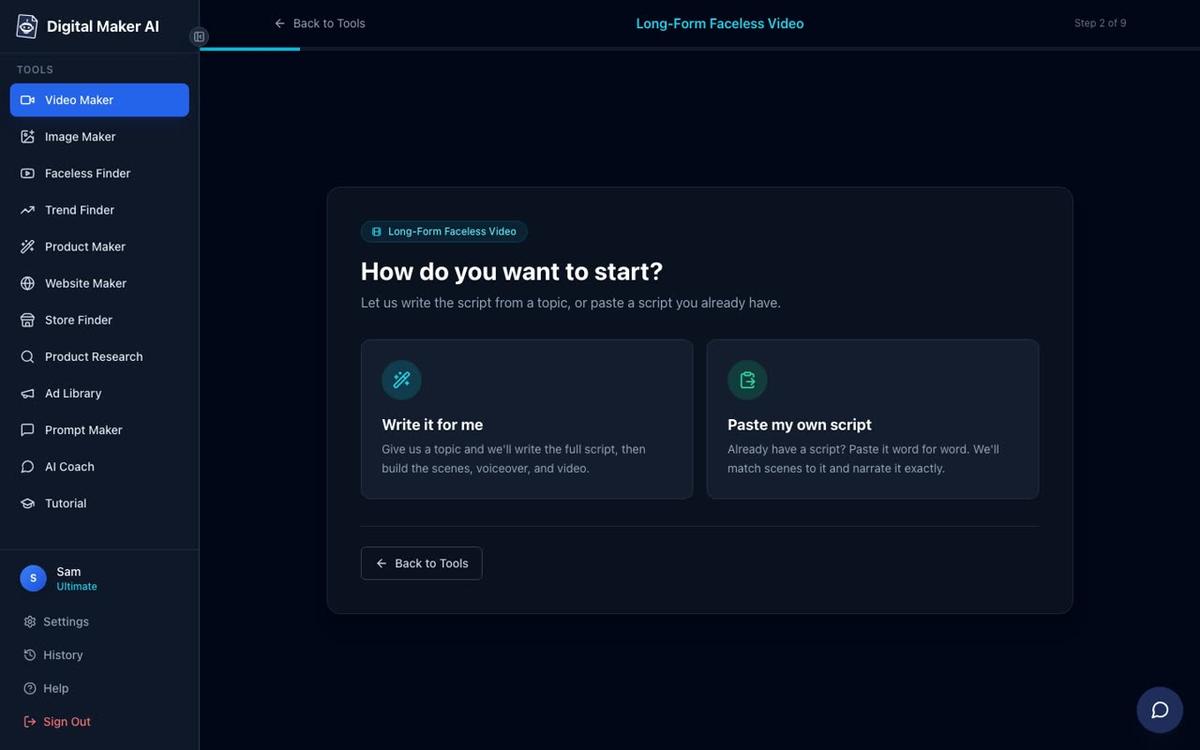
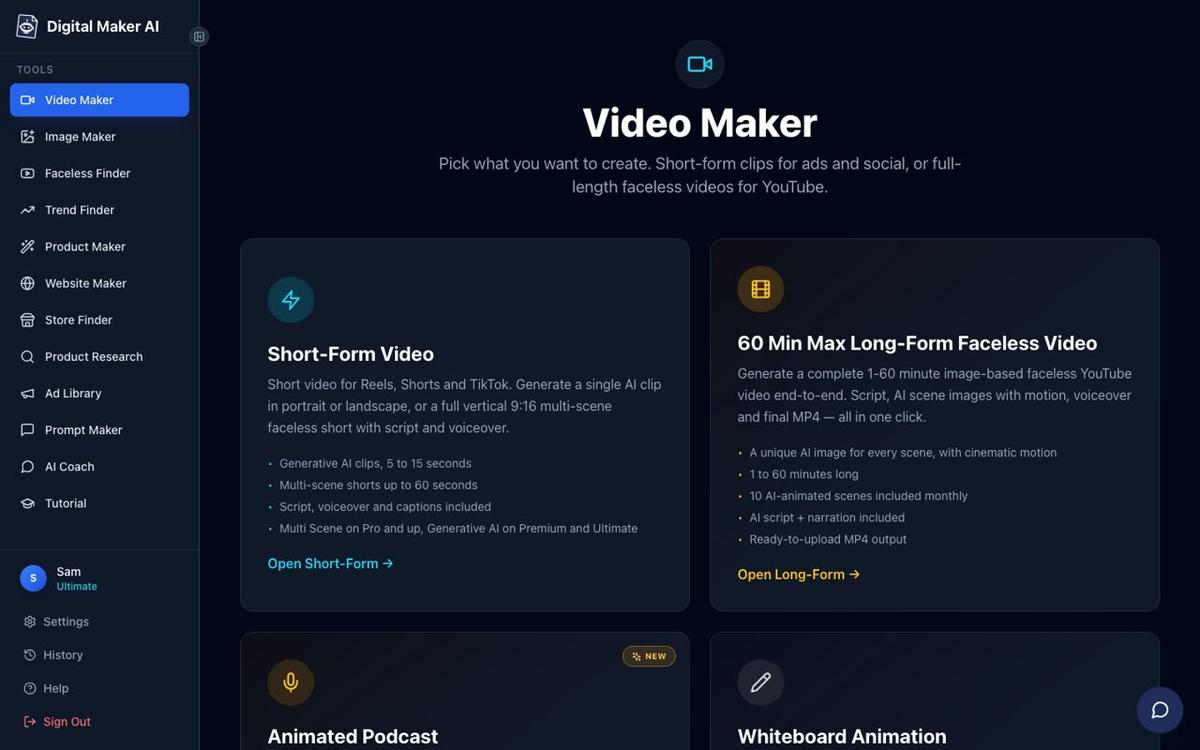
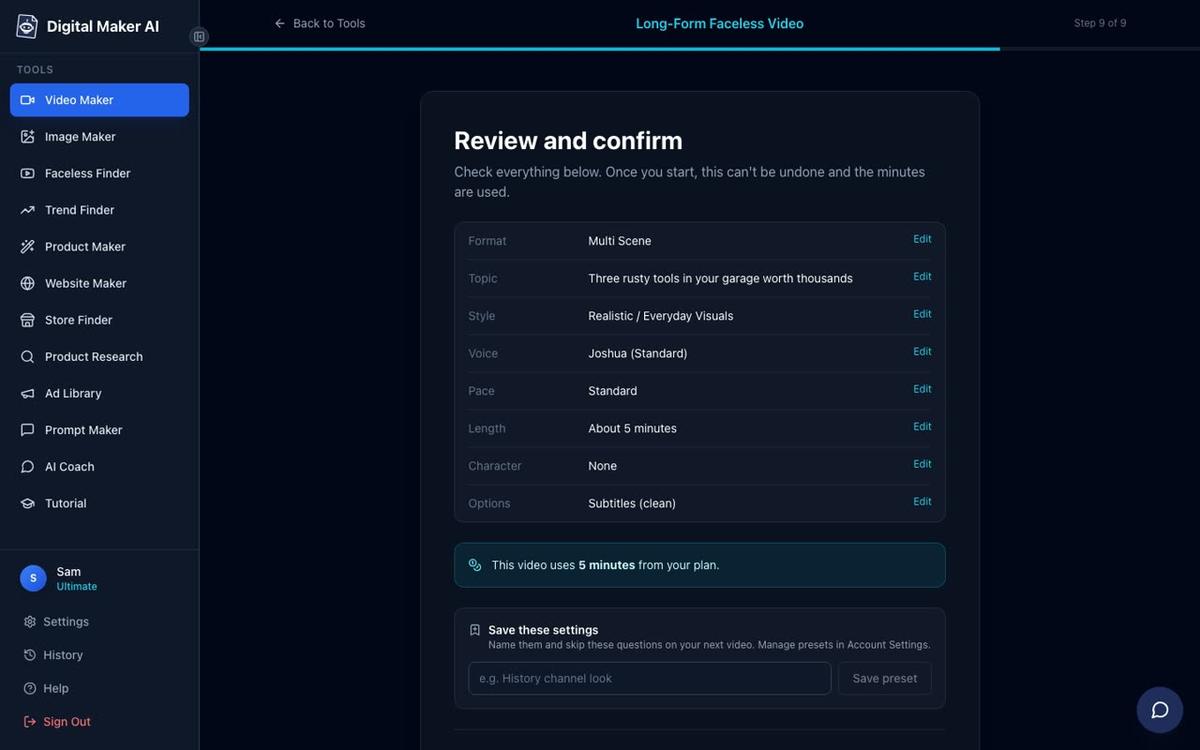
- Open the Video Maker. After signing in, press the Video Maker button in the left sidebar. This opens the free video screen where you pick your video type and press Next at the bottom.
- Choose your format: 9:16 for TikTok or 16:9 for YouTube. The AI Movie path lets you pick a vertical 9:16 mini film (the right choice for TikTok and Reels) or a landscape 16:9 film for YouTube. Pick 9:16 if your main goal is short-form social.
- Enter your one-line idea. Type a single sentence: for example, "A courier discovers the parcel she is delivering contains a letter from her future self." That is all the AI needs to get started.
- Review the outline. The AI writes a scene-by-scene outline for you. You can accept it as written, edit any scene, or replace it entirely with your own outline. Nothing is generated until you approve.
- Choose one-off film or Episode 1. If you want a series, mark it as Episode 1 and the platform saves the story state so your next session picks up where this one ended. If you just want a single film, choose one-off.
- Pick a visual style. Seven styles are available: Realistic or Everyday Visuals, Animated or Cartoon, Motivational or Dark Moody, Finance or Luxury, History or Ancient, Space or Sci-Fi, and Minimalist or Clean. For a TikTok drama, Realistic or Everyday Visuals or Motivational or Dark Moody tend to land best.
- Pick a voice and captions. Choose from more than 100 built-in narration voices. Six caption styles are available: None, Clean, Boxed, YouTube Yellow, Bold Pop, and Minimal. Bold Pop works well on vertical video because it is easy to read on a phone screen.
- Generate and review. Press Generate. The AI writes the full script, creates a unique scene image for every scene, adds narration and captions, and returns a finished MP4. After it is ready you can regenerate any scene image (10 free regenerations per video), swap in your own image or a short clip, or edit the narration text.
What plan do you need to make an AI mini movie for TikTok without a watermark?
Free accounts can make one Drag and Drop movie from their own clips (up to 8 minutes), but it carries a small Digital Maker AI watermark. Upgrading to a paid plan removes the watermark and unlocks fresh AI-generated scene images on any topic, longer films, more visual styles and the ability to post directly to TikTok and Instagram from the platform. You can compare every plan and what it includes at digitalmaker.ai/pricing. As of November 2026, Pro, Premium and Ultimate plans are available, with monthly video minute pools of 40, 150 and 300 minutes respectively, and maximum single-video lengths of 10, 30 and 60 minutes.
| Format | Best for | Aspect ratio | Typical length |
|---|---|---|---|
| AI Movie (9:16) | TikTok, Reels, YouTube Shorts | Vertical | 60 sec to 5 min |
| AI Movie (16:9) | YouTube, Facebook Watch | Landscape | 3 to 30 min |
| Multi Scene Short | Quick TikTok clips | 9:16 | 15 to 60 sec |
| Drag and Drop (Clips to Movie) | Assembling Google Flow clips | Any | Up to 8 min (Free), up to plan max (paid) |
How to make an AI mini movie for TikTok using Google Flow and the Drag and Drop Studio
Google Flow (part of Google Labs) is a tool for generating short AI video clips from text prompts. On its own it produces individual clips, not a finished movie with narration and captions. The Digital Maker AI approach turns those raw clips into a polished mini movie through three stages: a master prompt and script, clip generation in Flow, and final assembly in the Drag and Drop Studio.
- Get your master prompt and script from Digital Maker AI. Use the AI Coach inside Digital Maker AI to generate a scene-by-scene script for your mini movie and a set of ready-to-use Agent Instructions for Google Flow. The AI Coach gives you one prompt per scene, written in the style Flow expects, so you are not guessing at wording.
- Generate clips in Google Flow. Open Google Flow, paste each scene prompt and generate a clip. Flow produces short video clips (typically five to fifteen seconds each) with real generated motion. Work through each scene prompt in order and download each clip.
- Drag and drop your clips into the Drag and Drop Studio. Back in Digital Maker AI, open the Drag and Drop Studio and choose Clips to Movie. Upload your downloaded Flow clips in scene order. The platform cuts them into one continuous film, adds narration from your script, burns in captions and returns a finished MP4.
- Add voice and captions. In the Drag and Drop Studio you pick a narration voice from the same library of more than 100 voices and choose a caption style. The narration is generated from the script the AI Coach wrote for you, so the voice matches the visuals scene by scene.
- Post or download. Premium and Ultimate accounts can post the finished film directly to TikTok or Instagram from the Post to socials button, now or on a schedule. Pro and Free accounts download the MP4 and upload it themselves. Nothing posts automatically: you press Post when you are ready, and posts are labelled AI generated.
The Google Flow route takes more steps than the all-in-one AI Movie path, but it gives you real generated motion in every shot, which can look more cinematic for dramatic story genres. The trade-off is time: generating clips in Flow one by one and downloading them adds 20 to 40 minutes to the process. For a quick TikTok series the AI Movie path is faster. For a single high-impact film the Flow route can be worth it. You can read more about posting finished videos directly to social platforms at digitalmaker.ai/ai-video-auto-publishing.
How to plan a TikTok AI movie series in 2027 (a worked example)
Episodic content is one of the strongest growth strategies on TikTok in 2027 because every new episode brings back previous viewers. Here is a concrete example of how to plan one.
Niche: Psychological thriller. Series title: "The Last Voicemail." Premise: A woman finds a voicemail on her phone from a number that does not exist, and each episode follows one clue. Episode length: 90 seconds per episode in 9:16. Visual style: Motivational or Dark Moody. Voice: A calm, slightly tense female US voice from the built-in library. Captions: Bold Pop in white.
In the AI Movie path, mark Episode 1 as the start of a series. The platform saves the story state. When you come back for Episode 2, the outline picks up from where Episode 1 ended. You do not have to re-enter the premise or the character names. Over ten episodes you build a library of content that cross-promotes itself: each video ends with "Episode 2 is already up" and a link in the bio.
Practical tip: keep each episode under two minutes. TikTok's algorithm pushes videos with a high completion rate, and two minutes is easier to watch all the way through than five. Save the five-minute cut for YouTube and use the 9:16 vertical version for TikTok and Reels. If you want to explore other short-form formats alongside your series, the guide on how to make faceless YouTube Shorts in 2027 covers the Multi Scene Short path in detail.
Common mistakes when making an AI mini movie for TikTok
- Choosing the wrong aspect ratio. A 16:9 landscape video posted to TikTok is cropped or letterboxed and looks unprofessional. Always pick 9:16 for TikTok and Reels from the start.
- Writing a one-line idea that is too vague. "A love story" gives the AI very little to work with. "A florist in 1940s Paris falls for a customer who keeps ordering flowers for someone else" gives it characters, a setting and a conflict.
- Skipping the outline review. The AI's first outline is a starting point, not a final answer. Spend two minutes reading it and adjusting any scene that does not fit your vision before you generate.
- Using the wrong caption style. Clean and Minimal captions are hard to read on a phone in bright sunlight. Bold Pop or Boxed captions keep the text legible at any size.
- Posting without watching the full video. AI narration occasionally mispronounces a name or rushes a line. Watch the MP4 through once before posting. If a line sounds wrong, edit the narration text in the scene editor and regenerate just that scene.
- Treating Episode 1 as a standalone. If you plan a series, mark it as Episode 1 from the first session. Going back to convert a standalone video into Episode 1 later means re-entering the story setup.
Frequently asked questions
Can I make an AI mini movie for TikTok for free?
Yes. Free accounts on Digital Maker AI get one Drag and Drop movie from their own clips (up to 8 minutes) with no card needed. It carries a small watermark. If you bring your own clips from Google Flow, this free slot lets you assemble and export a finished mini movie at no cost.
How long does it take to make an AI mini movie?
Using the AI Movie path inside Digital Maker AI, a 90-second to 3-minute film typically generates in 3 to 6 minutes once you press Generate. The Google Flow route adds 20 to 40 minutes for clip generation and download before you start the Drag and Drop assembly step.
Do I need to write a script to make an AI mini movie?
No. The AI Movie path writes the script from your one-line idea. You review and edit the outline before anything is generated. On paid plans you can also paste your own script if you prefer full control over the dialogue and narration from the start.
Can I add a presenter or talking avatar to my AI mini movie?
Yes, on Premium and Ultimate plans. You create an AI presenter in Account Settings, then choose how much of the video they appear in and which layout to use: full screen, split screen (presenter on the left, scene on the right) or corner circle. Find out more at digitalmaker.ai/ai-avatar-video-generator.
Can I post my finished AI mini movie directly to TikTok from Digital Maker AI?
Yes, on Premium and Ultimate plans. Connect your TikTok account once in Account Settings, then press Post to socials after the video is ready. You choose to post now or schedule it for later. Nothing posts automatically, and every post is labelled as AI generated.
What is the difference between the AI Movie path and a regular faceless video?
A regular long form faceless video is built for YouTube: it covers a topic with AI narration over scene images. The AI Movie path is built for narrative storytelling: it follows characters, a plot and a scene-by-scene arc, and it supports both 9:16 vertical and 16:9 landscape output from the start.
Ready to make your first AI mini movie? Start with a free account at digitalmaker.ai/free-course, work through the free course to get your bearings, then open the Video Maker and type your one-line idea. Your first episode could be live on TikTok before the end of the day.
Alex Stevens: Alex Stevens writes for the Digital Maker AI team about faceless YouTube channels, AI presenters and AI video tools.