Hedra vs Digital Maker AI for Faceless YouTube Videos
By Alex Stevens
The verdict: which tool wins for faceless YouTube?
If your goal is a ready-to-upload faceless YouTube video, Digital Maker AI wins on end-to-end workflow. It takes you from a topic to a finished, captioned MP4 in a single session, with no external editing required. Hedra wins on expressive character animation: its lip-sync avatar clips are genuinely impressive, but each clip is a building block, not a finished video. This comparison of hedra vs digital maker ai focuses on one criterion: which tool gets a faceless YouTube video published faster, with less friction.
To judge them, we looked at the full production path from idea to upload: scripting, visuals, narration, captions, video length, and how much manual editing sits between the tool's output and a publishable file. Pricing is stated as of October 2026.
Hedra: best-in-class lip-sync avatar clips
Hedra is built around its Character-3 model, which turns a portrait image plus an audio track into a talking, expressive avatar video with natural lip-sync, head movement and facial emotion. The company states that the model blends text, image and audio to produce character-driven clips that are noticeably more lifelike than older talking-head tools. If you want a single presenter clip that looks convincing, Hedra delivers.
The core workflow is: upload or generate a character image, provide or generate audio, and receive a short animated clip. Hedra also includes image generation, text-to-speech and, on paid plans, voice cloning. The newer Omnia model adds more dynamic scene motion beyond the portrait format.
Where Hedra falls short for faceless YouTube is the production pipeline around those clips. The web app imposes a hard 60-second limit per generated clip, and multiple sources confirmed this limit applies across plans. To build a five-minute YouTube video you would need to generate several clips, write your own script, record or generate narration separately, add captions in a third tool, and cut everything together in a video editor. Hedra does not write scripts, does not generate scene images for a multi-scene narrative, and does not produce a finished landscape MP4 with captions burned in. It gives you raw material; the editing is yours to do.
Hedra pricing as of October 2026 (the company raised prices in October 2026): Free plan with roughly 100 signup credits; Basic at $20 per month for 2,000 credits; Pro at $50 per month for 7,200 credits; Ultra at $100 per month for 18,000 credits; and Teams at $75 per month for 14,400 credits. Credits are spent per second of generated video, so a 60-second clip at 720p costs around 360 credits on the standard rate. See Hedra's official site for current plan details.
Pick Hedra if: you already have a video editing workflow and you want the best standalone talking-head clips to drop into it, or you are making short social content where a single expressive avatar clip is the whole video.
Digital Maker AI: a complete faceless YouTube pipeline
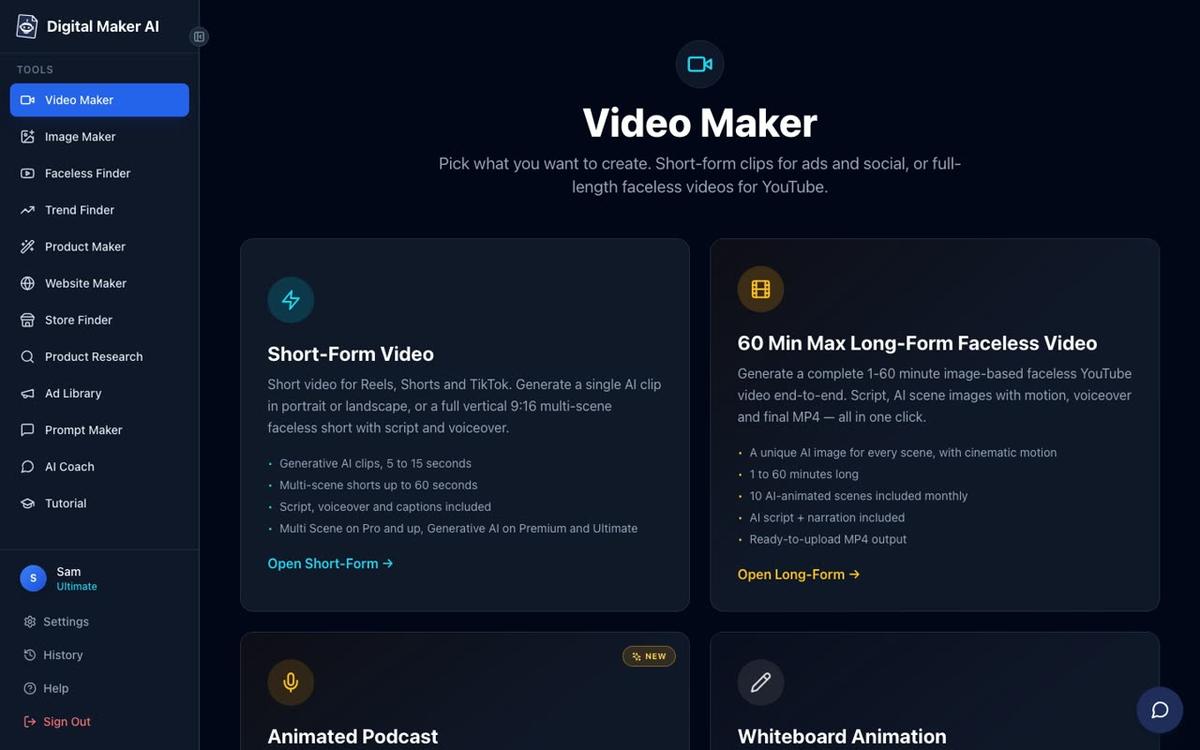
Digital Maker AI approaches the same problem from the opposite direction. Rather than producing a single clip you then edit, it runs the entire production in one workflow: it writes the script (or accepts your pasted script on paid plans), generates a unique AI image for every scene, records AI narration in your chosen voice, burns captions into the lower third, and returns a ready-to-upload landscape MP4. Nothing needs to be assembled afterwards.
Long-form videos go up to 10 minutes on the Pro plan, 30 minutes on Premium, and 60 minutes on Ultimate. That range covers everything from a standard five-minute explainer to a full documentary-length upload, all produced in one session. The platform covers more than a dozen topic areas on the Free plan and generates fresh scene images on any topic on paid plans, across seven visual styles including Realistic, Animated or Cartoon, History or Ancient, and Space or Sci-Fi.
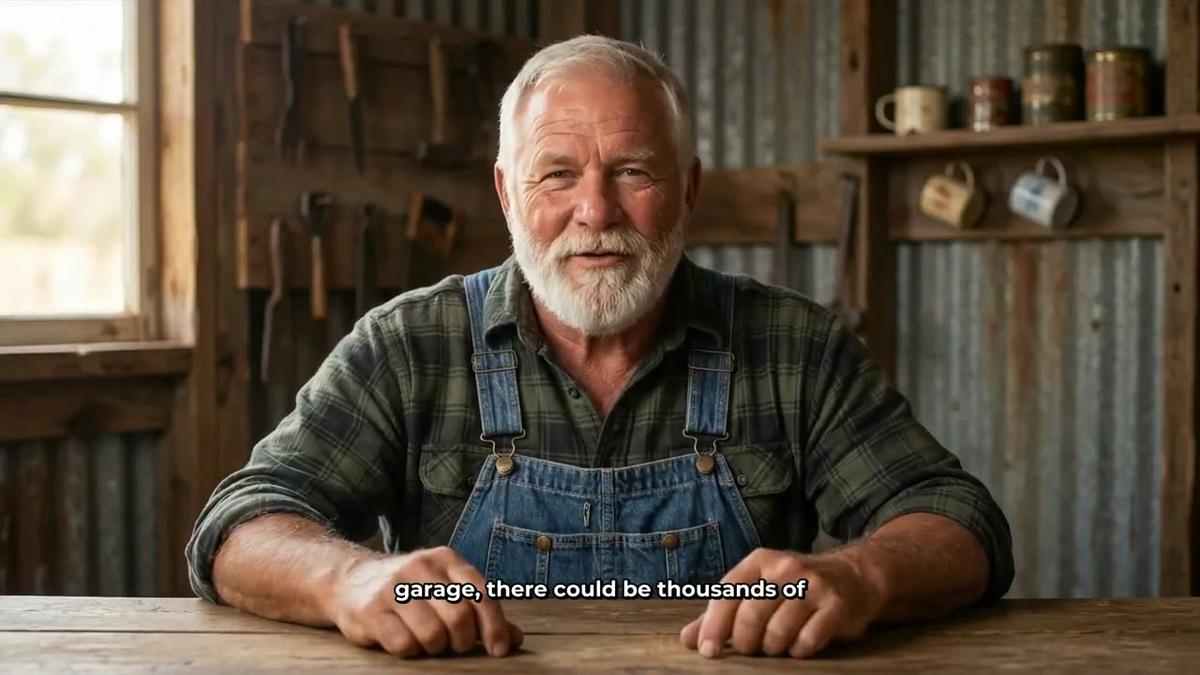
The AI Presenters feature, fully launched in October 2026 on Premium and Ultimate plans, adds a talking avatar directly inside the finished video. You describe the presenter and their setting in a sentence or two in Account Settings, the platform draws a photoreal picture of them, and you save them for reuse across every future video. In the Video Maker you pick the presenter, set how much of the video they appear, and choose one or more of three layouts:
- Full screen: the presenter fills the entire frame, speaking to camera with captions.
- Split screen: the presenter occupies the left half of the frame while the scene image sits on the right.
- Corner circle: the scene image fills the frame and the presenter appears in a small round window in the corner.

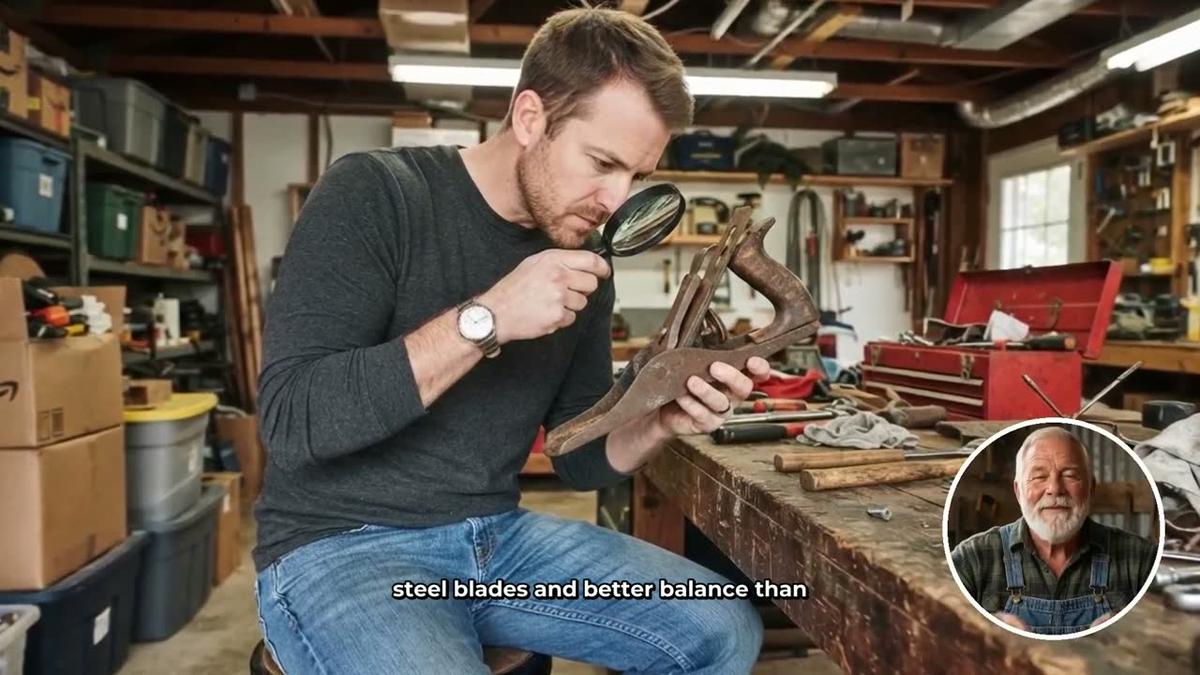
The presenter speaks the same narration voice as the rest of the video, with captions. A slider controls how much of the runtime the presenter is on screen, and markers on a timeline bar let you place them at the start, the middle, the end, or all three. The presenter can also be drawn into the scene images as a recurring character. Presenter time runs on a separate avatar time balance, measured in seconds: Premium starts with 2 minutes and Ultimate with 5 minutes, and Ultimate also receives 3 minutes of avatar time every month. Avatar Packs let you add more as one-off purchases; see digitalmaker.ai/pricing for pack prices as of October 2026.
One honest limit worth naming: Digital Maker AI does not have a timeline editor. You cannot manually trim clips, add transitions, or reorder scenes the way you can in a traditional editor. You can regenerate any scene image, swap in your own image or a short clip, and edit the narration text after the video is made, but the assembly is handled by the platform, not by you. If precise manual editing control matters to you, Hedra's clip-based output combined with a desktop editor gives you that control. Digital Maker AI trades that control for speed.
Digital Maker AI pricing as of October 2026: Free (five free videos, no card needed); Pro at $29 per month or $249 per year; Premium at $59 per month or $479 per year; Ultimate at $99 per month or $799 per year. AI Presenters are available on Premium and Ultimate. Full current prices at digitalmaker.ai/pricing.
Pick Digital Maker AI if: you want to publish faceless YouTube videos regularly without assembling anything in a separate editor, or you want a talking AI presenter built into a long-form video without any post-production work.
Hedra vs Digital Maker AI: recommendations by use case
Best for long-form faceless YouTube (10 to 60 minutes)
Digital Maker AI. Hedra's 60-second per-clip limit makes long-form YouTube production impractical without a full editing workflow on top. Digital Maker AI produces videos up to 60 minutes long as a single finished file. For creators publishing weekly 10 to 20 minute videos on topics like history, finance or true crime, the long-form video generator removes the bottleneck entirely.
Best for expressive short avatar clips
Hedra. If you need a single talking-head clip with high-quality lip-sync and emotional expression, for example a presenter intro, a product demo, or a short social post, Hedra's Character-3 model produces results that are genuinely hard to match. Digital Maker AI's AI Presenters are integrated into full videos and are not designed to export standalone avatar clips.
Best for adding a presenter to a full YouTube video
Digital Maker AI. The AI Presenters feature on Premium and Ultimate puts a photoreal talking presenter inside a finished landscape video, across three layout options, with no editing needed. The presenter is designed and saved once, then reused across every future video. Hedra produces the clip; Digital Maker AI produces the complete video around the presenter.
Best for trying before paying
Digital Maker AI on the Free plan. The Free plan gives you five complete videos, one of each type, with no card required. That includes one long-form faceless video up to 8 minutes, one vertical Short, one animated podcast, and two drag-and-drop videos. You can see the full output, including captions and narration, before deciding whether to upgrade. Hedra has a free tier with around 100 signup credits, which is enough for a handful of short clips. If you want to see what a finished YouTube video looks like before committing, Digital Maker AI's Free plan gives you more to evaluate.
Best for creators who already edit in a desktop app
Hedra. If you have an established editing workflow in Premiere, DaVinci Resolve or a similar tool, Hedra slots in as a high-quality clip generator. You bring your own structure and Hedra provides the presenter footage. Digital Maker AI is designed for creators who want to skip that editing layer entirely.
Best for researching what faceless channels are doing
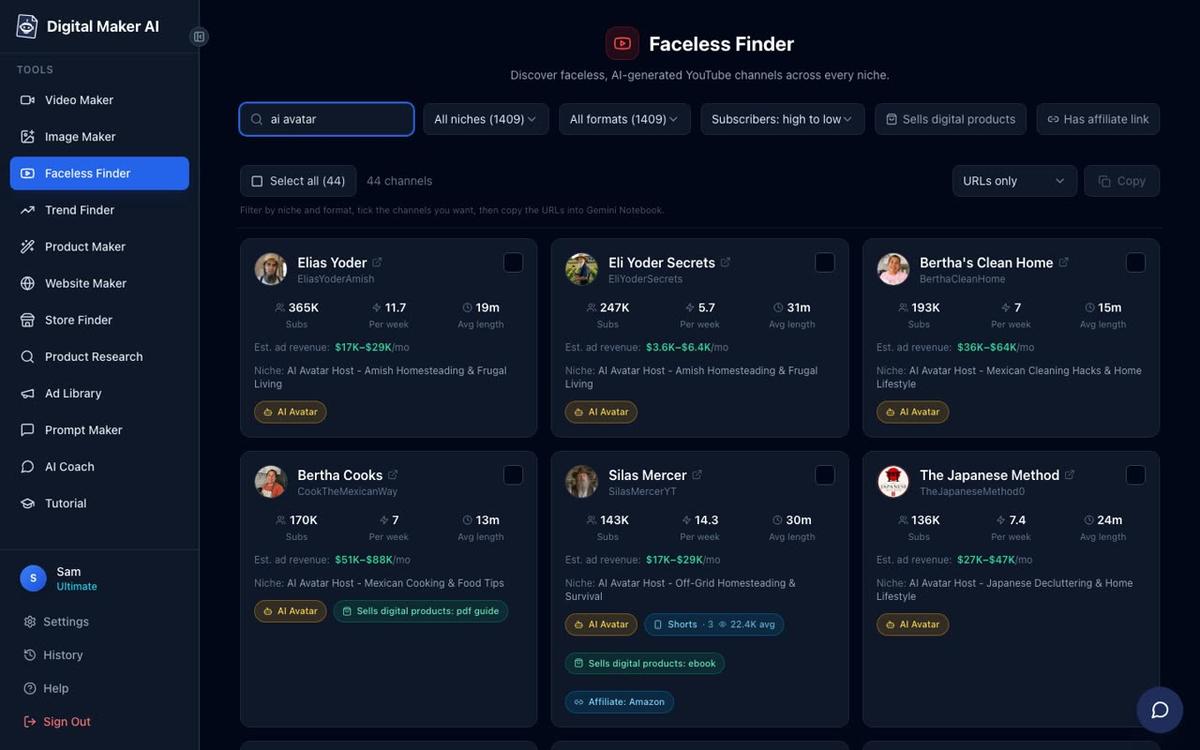
Digital Maker AI. The Faceless Finder, available to every signed-in account including Free, lets you search confirmed faceless YouTube channels by niche, see subscriber counts, upload frequency, average video length and estimated ad revenue. It also flags AI avatar channels with a label, so you can study exactly how other creators are using AI presenters on YouTube right now. That kind of competitive research has no equivalent in Hedra.
The bottom line on hedra vs digital maker ai
Both tools are genuinely good at what they were designed for. Hedra is the stronger choice if you need standalone expressive avatar clips and you are comfortable assembling them into a video yourself. Digital Maker AI is the stronger choice if you want to go from a topic to a published YouTube video with the fewest steps possible, and especially if you want a talking AI presenter built into that video without any post-production. For most faceless YouTube creators who want to publish consistently without editing every week, the end-to-end pipeline wins. You can also read how Digital Maker AI compares to other tools in the Hour One vs Digital Maker AI comparison if you are evaluating AI presenter platforms more broadly.
The best way to decide is to try it yourself. Digital Maker AI's Free plan includes five complete videos with no card needed, so you can see a finished faceless YouTube video, captions and all, before spending anything. Start at the free course to get a guided walkthrough of every feature, including the new AI Presenters, and hit the ground running from day one.
Alex Stevens: Alex Stevens writes for the Digital Maker AI team about faceless YouTube channels, AI presenters and AI video tools.