How to Make a Faceless TikTok Account With AI Videos in 2027
By Alex Stevens
You can run a faceless TikTok account with AI videos in 2027 without ever appearing on camera, recording your voice or hiring a video editor. A tool like Digital Maker AI (digitalmaker.ai) turns a one-line topic into a finished vertical 9:16 Short with narration, bold captions and a ready-to-post MP4 in about one minute of your time. That same clip can go to TikTok, Instagram Reels and YouTube Shorts from one place. Here is exactly how to do it.
Key takeaways
- A Multi Scene Short on Digital Maker AI is 15, 30, 45 or 60 seconds, vertical 9:16, and costs a flat one minute from your monthly video pool regardless of length.
- Free accounts get one free Short (15 to 60 seconds, watermarked) with no card needed, using images from a built-in library of set topic areas.
- Paid plans (Pro and above) let you post finished videos straight to TikTok, Instagram and YouTube Shorts from the platform on a schedule, as of November 2026.
- The same Short content can feed a long-form YouTube channel: use the same topic to make a longer video and link the two together.
- Every plan, including Free, includes commercial usage rights on all videos made.
What is a faceless TikTok account and why does AI make it easier in 2027?
A faceless TikTok account is a channel where the creator never appears on camera. Instead, AI-generated or illustrated visuals, a voiceover and captions carry every video. In 2027 this is one of the fastest ways to build an audience because you can publish daily without a camera, a studio or editing software. AI video tools handle the script, the visuals and the voice, so the only decision you make is what the video is about.
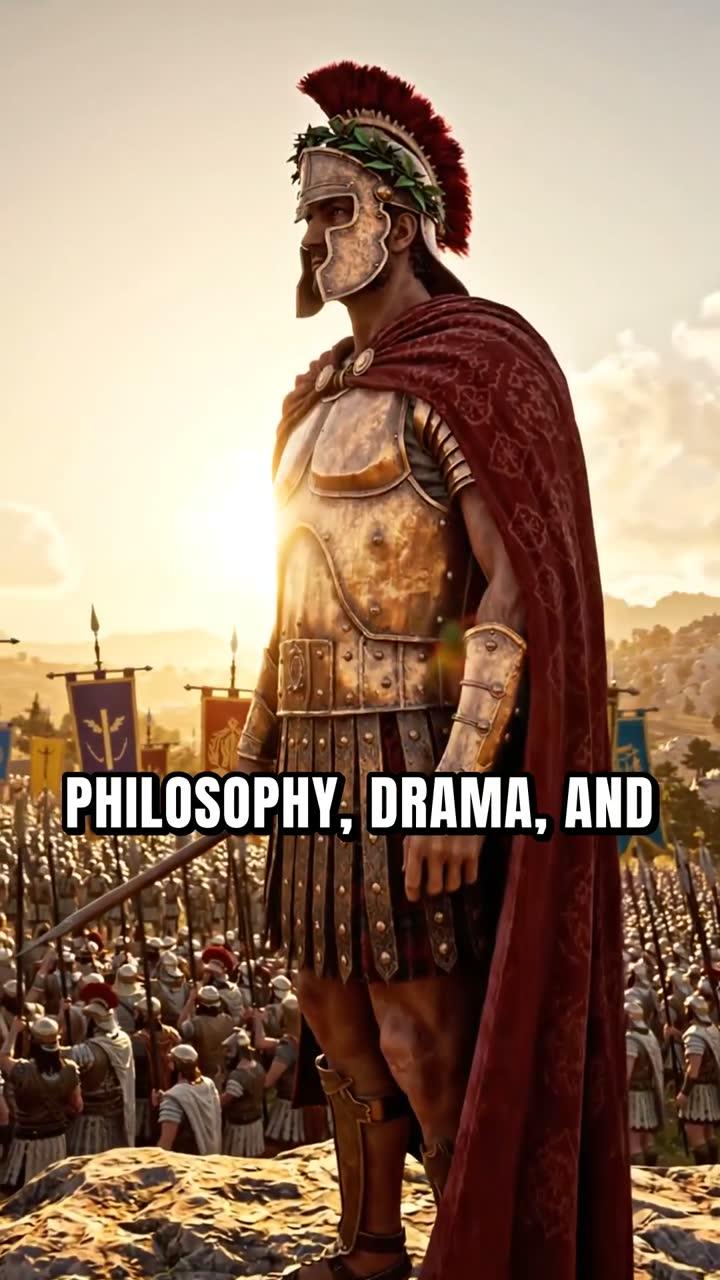
The format that works best for TikTok is the vertical 9:16 Short: a clip between 15 and 60 seconds with bold captions burned into the frame so viewers can follow along with the sound off. Digital Maker AI builds exactly this format inside its AI Shorts generator, and the same clip is ready to post to Instagram Reels and YouTube Shorts too.
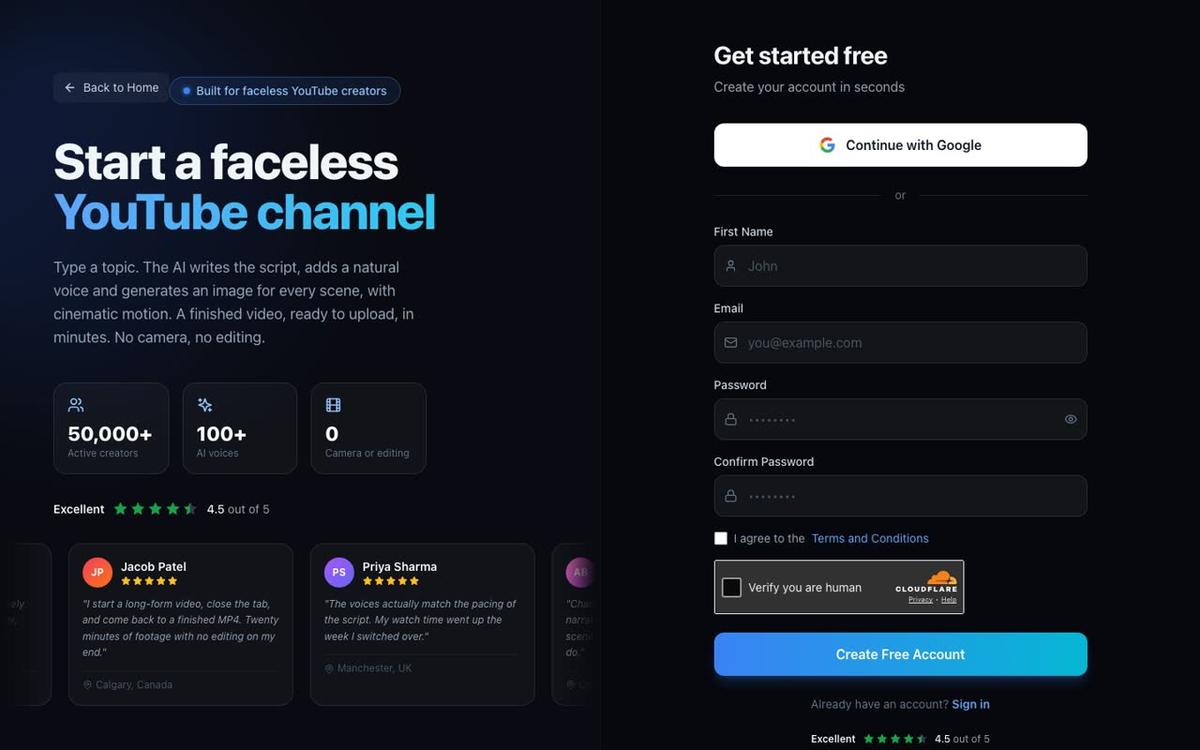
Step 1: Create your free account
Go to digitalmaker.ai/faceless and sign up with Google or an email address. No card is needed. Your free account includes one free Short (15 to 60 seconds) along with four other free video types, all watermarked. That is enough to see a finished vertical clip before you spend anything.
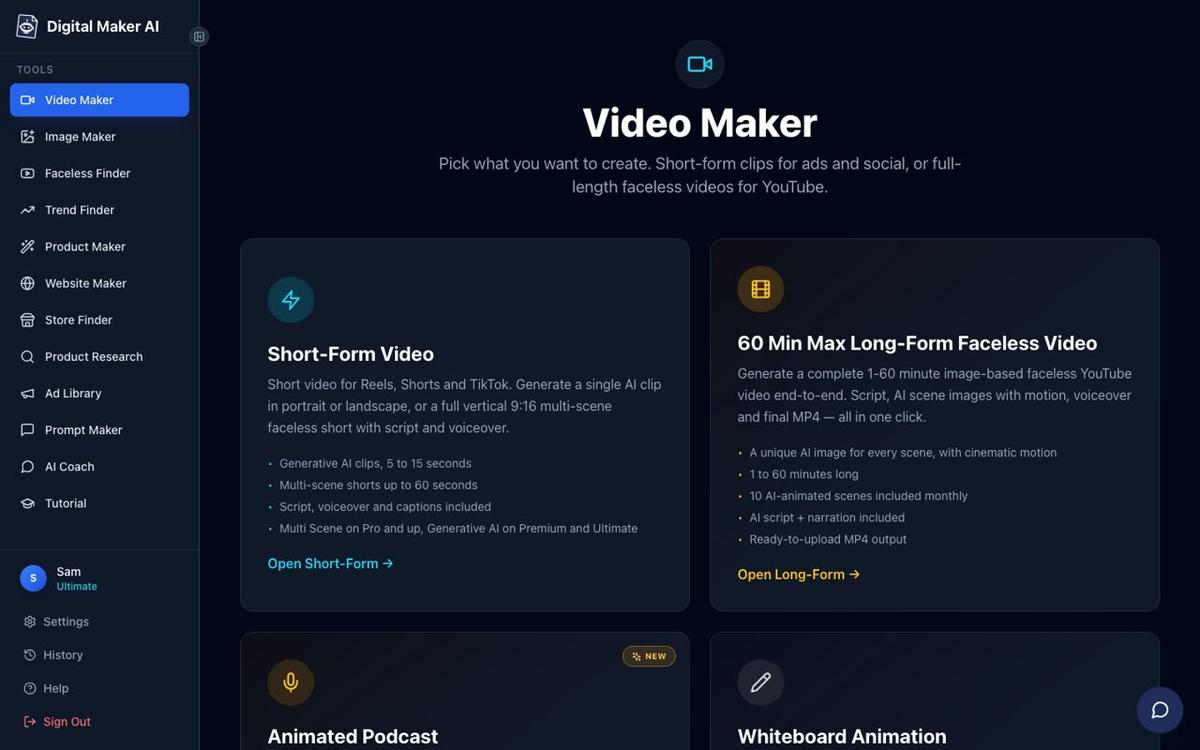
Step 2: Open the Video Maker and choose Short-Form Video
After signing in, find the Video Maker button in the left sidebar and press it. You will see choice cards for Short-Form Video and Long-Form Faceless Video. Press Short-Form Video, then press Next at the bottom of the screen. On a free account this opens the free video screen where you pick the Short type and continue from there.
Step 3: Pick your niche and topic for the faceless TikTok account AI videos
Type a one-line topic into the topic box. The AI writes the script, picks the images and records the narration. On the free plan, images come from a built-in library covering set topic areas: money and personal finance, business and side hustles, motivation, stoicism, law of attraction, history, ancient Egypt, the Roman Empire, true crime and mysteries, psychology, space, the deep sea, health and fitness, and faith. Paid plans generate a fresh scene image for every scene on any topic you choose.
Worked example: a TikTok channel in the psychology niche. Topic line: "The reason you procrastinate (and the 60-second fix)". That single line is enough. The AI writes a tight script that fits inside 60 seconds, generates scene images that match the narration and adds a voice.
Tip: keep your topic line specific and curiosity-driven. "3 signs you are smarter than you think" will outperform "interesting psychology facts" because it promises something personal and countable.
Step 4: Set the length, pick a visual style and choose a voice
Choose 15, 30, 45 or 60 seconds. For TikTok, 30 to 45 seconds tends to hold attention while still being short enough to rewatch. Then pick a visual style. The options are: Realistic or Everyday Visuals, Animated or Cartoon, Motivational or Dark Moody, Finance or Luxury, History or Ancient, Space or Sci-Fi, and Minimalist or Clean. The Animated or Cartoon style produces illustrated, cartoon-looking still scenes, not moving cartoon animation.
Next, choose a narration voice from more than 100 built-in options with male and female voices in US, UK and Australian accents. You can also adjust the pace: Calm, Standard or Energetic. For TikTok, Energetic pace works well because it matches the platform's fast rhythm.
Step 5: Review and generate the Short, one minute of pool per video
Before anything is built, a review screen shows the format, topic, style, voice, pace and length, plus the number of minutes it will use from your monthly pool. A Multi Scene Short costs a flat one minute from the pool, no matter whether it is 15 seconds or 60 seconds long. That means on a Pro plan you can make up to 40 Shorts a month. Press Generate Video and the finished MP4 is ready in a few minutes.
After the video is ready you can regenerate any scene image (up to 10 free regenerations per video), swap in your own image, or edit the narration text. There is no timeline editor, but scene-level edits cover most changes you would want to make.
| Plan | Monthly Short pool | Max Shorts per month | Post to TikTok direct |
|---|---|---|---|
| Free | 1 Short (one-off) | 1 | No, download MP4 |
| Pro | 40 minutes | 40 | No, download MP4 |
| Premium | 150 minutes | 150 | Yes, now or scheduled |
| Ultimate | 300 minutes | 300 | Yes, now or scheduled |
See the latest plan details at digitalmaker.ai/pricing.
Step 6: Post your faceless TikTok account AI videos to TikTok, Reels and Shorts
Premium and Ultimate accounts can post a finished video straight to TikTok, Instagram and YouTube Shorts using the Post to socials button. Connect your accounts once in Account Settings and you can post immediately or set a scheduled time. Nothing posts automatically: you press Post and it goes. Posts are labelled as AI generated. You can read more about the AI video publishing feature and how scheduling works.
Free and Pro accounts download the finished MP4 and upload it themselves. The MP4 is already vertical 9:16 with captions burned in, so it uploads directly to TikTok, Instagram Reels and YouTube Shorts without any extra editing.
How do Shorts feed a long-form YouTube channel in 2027?
Short-form content and long-form content work together. A 45-second TikTok clip on "why you procrastinate" can end with a line like "the full breakdown is on YouTube". That sends viewers to a 5 or 10 minute long-form video on the same topic, which earns ad revenue through the YouTube Partner Programme. Digital Maker AI builds both formats: the Short from the Video Maker Short-Form path and the long-form video from the Long-Form Faceless Video path, using the same topic and visual style so the channel looks consistent.
The long-form video can be up to 10 minutes on Pro, 30 minutes on Premium and 60 minutes on Ultimate. You can read more about building longer content with the AI long-form video generator.
What is the right posting pace for a faceless TikTok account in 2027?
Consistency matters more than volume on TikTok. One Short a day is a strong pace, but three to five a week is sustainable and enough to grow. Because each Short costs one minute from your pool and takes about one minute of your time to set up, a Premium plan's 150-minute pool covers five Shorts a day for a month. That is more than most creators need.
Practical first-week plan:
- Day 1: Pick your niche. Choose one topic area from the built-in library or any topic on a paid plan. Write down ten video ideas as one-line topics.
- Day 2: Make three Shorts. Use three of your topic lines. Review the captions and narration. Regenerate any scene that does not fit.
- Day 3: Post the first Short. Upload to TikTok (and optionally Reels and YouTube Shorts). Note the watch time in TikTok analytics.
- Day 4 to 7: Post one Short a day. Watch which topics get the most replays and use those to plan the next batch.
Common mistakes to avoid on a faceless TikTok account
- Scripts that run too long. A 60-second Short at Energetic pace fits roughly 120 to 140 words. If your topic needs more than that, split it into a series.
- Inconsistent visual style. Switching between Realistic and Animated or Cartoon from video to video makes the channel look like different creators. Pick one style and stick to it.
- No hook in the first two seconds. TikTok decides whether to push a video in the first two seconds of watch time. Start with the most surprising or specific claim, not a greeting.
- Posting without captions. Most TikTok views happen with the sound off. Bold captions are not optional. Digital Maker AI burns captions into the video automatically, so this is handled for you.
- Ignoring the long-form opportunity. Shorts build an audience fast, but long-form videos earn more per view. Use your best-performing Short topics as the basis for a longer video on YouTube.
Frequently asked questions
Can I make faceless TikTok AI videos for free?
Yes. The Digital Maker AI free plan includes one free Short (15 to 60 seconds, watermarked, no card needed). Images come from a built-in topic library. You can download the MP4 and upload it to TikTok yourself. Commercial usage rights are included on the free plan.
How long does it take to make one TikTok Short with AI?
About one minute of your time to set up the topic, style, voice and length. The video itself generates in a few minutes and arrives as a finished MP4. The total time from idea to ready-to-post clip is typically under five minutes.
Will TikTok penalise AI-generated videos in 2027?
TikTok requires creators to label AI-generated content, which Digital Maker AI does automatically when posting via the Post to socials button. Labelled AI content is allowed on the platform. Consistency, watch time and engagement still drive reach, just as with any other content.
Can I use the same AI Short on Instagram Reels and YouTube Shorts?
Yes. The finished MP4 is vertical 9:16 with captions burned in, which is the correct format for all three platforms. Premium and Ultimate accounts can post to all three from one button inside Digital Maker AI. Free and Pro accounts download the MP4 and upload it to each platform separately.
Do I need a script to make a faceless TikTok AI video?
No. On the free plan and all paid plans, the AI writes the script from a one-line topic. On paid plans you can also paste your own script if you prefer to control the exact words. Either way, the narration, scene images and captions are all handled automatically.
What topics work best for a faceless TikTok account?
Psychology, personal finance, motivation, true crime, history and health and fitness consistently perform well on TikTok. These are also among the built-in topic areas on the free plan, so you can test them without a paid subscription before committing to a niche.
If you are ready to go further, the Digital Maker AI free course walks you through building a full faceless channel strategy, from your first Short to monetisation, step by step.
Alex Stevens: Alex Stevens writes for the Digital Maker AI team about faceless YouTube channels, AI presenters and AI video tools.