Renderforest vs Digital Maker AI for Faceless YouTube Videos
By Alex Stevens
Renderforest vs Digital Maker AI: the short answer
If your goal is to run a faceless YouTube channel built on long-form, script-to-video content, Digital Maker AI is the stronger fit. That is the single criterion this comparison applies throughout. Renderforest is a genuinely capable all-in-one creative platform, and it wins on branded short-form content, logo animations and polished intro sequences. Where it falls short is the specific workflow of: write a script, generate a unique image for every scene, add AI narration, burn in captions, and export a ready-to-upload MP4 up to 60 minutes long. That pipeline is what Digital Maker AI is built around.
To judge these tools, we looked at one question: can a solo creator with no camera, no editing software and no design skills publish a narrated faceless YouTube video today, at scale, without assembling separate tools? We checked both platforms' pricing and feature pages in October 2026 before writing a word.
Renderforest: best for branded short clips and template-driven video
Renderforest is a well-established online creative suite. The company states it gives creators access to thousands of pre-designed video templates, a large stock library of footage, images and music, logo animation tools, website building and a brand kit. It supports AI voiceovers in over 50 languages, scene editing, captions and subtitle export. For short branded videos, explainer clips, intro sequences and social media content, it is a polished and practical choice.
The free tier lets users create videos at limited resolution with a Renderforest watermark, capped at three minutes in length, with limited text-to-speech minutes and a small number of AI image credits. According to G2 data, the watermark and export limits are the main reasons users upgrade. Paid plans start from around $9 to $10 per month (as of October 2026) for the Lite tier, which removes watermarks and unlocks longer video durations, with Pro and Business tiers above that offering Full HD, 4K and higher AI credit allowances. Check the Renderforest pricing page for the current figures, as these tiers have changed several times.
Where Renderforest works well for YouTube creators is in producing short, branded clips: channel intros, logo stings, promotional videos and social ads. It has a timeline editor, which gives manual control over cuts and transitions that Digital Maker AI does not offer. If you want to trim clips, rearrange scenes on a timeline and fine-tune pacing by hand, Renderforest gives you that control.
The honest limit is that Renderforest is not built to produce long-form, narrated faceless content at scale. Its workflow is template-first: you pick a template, swap in your content and export. There is no automated pipeline that takes a topic, writes a full script, generates a unique AI image for every scene, records a narration, burns in captions and delivers a finished MP4 ready for YouTube. For a creator who wants to publish a 20-minute faceless history video or a 45-minute finance explainer every week without touching a camera or editing suite, that gap matters.
Who should pick Renderforest: creators who need polished branded short clips, logo animations, channel intros or explainer videos with manual editing control, and who are comfortable assembling their own long-form workflow from separate tools.
Digital Maker AI: best for long-form faceless YouTube at scale
Digital Maker AI is built specifically for the faceless YouTube workflow. From the Video Maker in the left sidebar, you choose between a Short and a long-form video, pick a topic or paste your own script (on paid plans), choose a visual style and voice, and the platform writes the script, generates a unique AI image for every scene, records the narration, burns in captions and returns a finished landscape MP4 ready to upload.
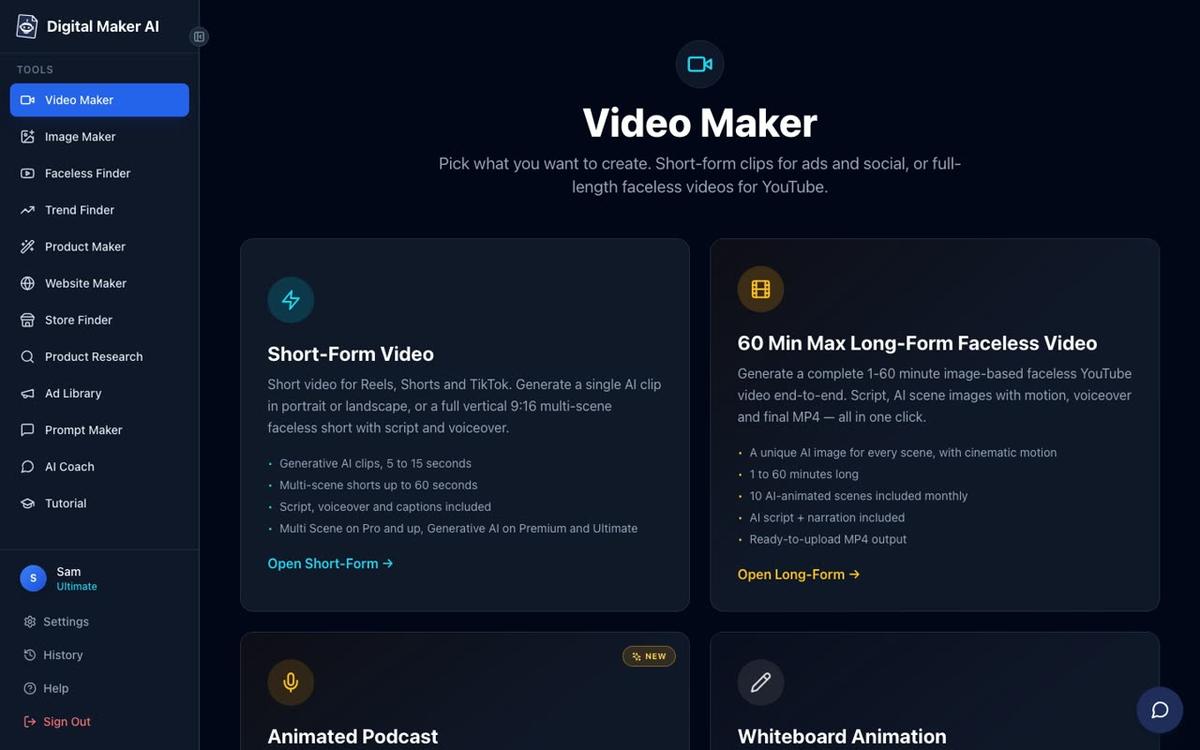
Each scene is a unique AI-generated still image held on screen while the narration plays, with optional slow zoom or pan motion and an optional film grain look. Seven visual styles cover Realistic, Animated or Cartoon, Motivational or Dark Moody, Finance or Luxury, History or Ancient, Space or Sci-Fi, and Minimalist or Clean. Six caption looks let you match the style to your channel. After the video is built, you can regenerate any individual scene image (ten free regenerations per video), swap in your own image or clip, or edit the narration text, all without rebuilding the whole video.
For creators who want something beyond still scenes, the Animate Scenes add-on turns chosen scenes into real moving AI clips. Premium plans include five animated scenes per month and Ultimate includes ten, with packs available for more. You can read more about this on the animated scenes feature page.
On the format side, the platform covers more than the standard narrated video. Premium and Ultimate users can use whiteboard animation, where hand-drawn sketches draw themselves on screen while the narration plays. There is also a Multiple Languages format (French, Spanish, Italian and German) on those same plans. For creators who want a consistent on-screen face without filming themselves, AI presenters are available on Premium and Ultimate: a photoreal talking avatar who speaks the script on screen, in Full screen, Split screen or Corner circle layouts.

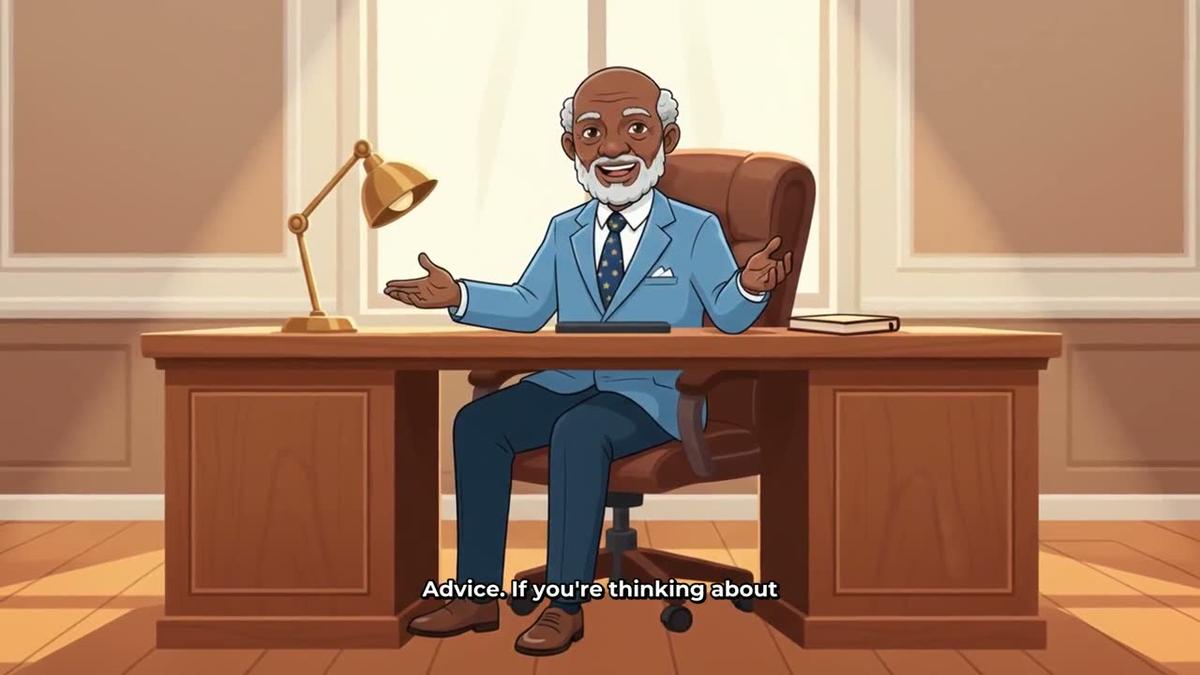
Recurring characters are another feature Renderforest does not match for faceless content. On Premium and Ultimate you can upload or build a character image, save it, and the same character is drawn into the scenes of every video you make. This is useful for finance channels, educational series or any niche where a consistent illustrated guide figure builds audience recognition. See how this looks in the Animated or Cartoon style below.
Beyond YouTube videos, the platform includes an animated podcast maker where two AI hosts talk through a topic in different voices with captions and animated sound bars, saved as a series so every new episode reuses the same hosts and studio. Premium and Ultimate users can also post finished videos directly to YouTube, TikTok and Instagram on a schedule from the platform, without downloading and re-uploading. You can learn more about this on the auto-publishing feature page.
One honest limit: Digital Maker AI does not have a timeline editor. You cannot manually trim clips, drag scenes around on a track or add custom transitions. The editing you get is scene-level: regenerate an image, swap a clip, change a voice. If you need that level of manual control, Renderforest has it and Digital Maker AI does not.
Pricing as of October 2026 (see digitalmaker.ai/pricing for the current figures): Pro is $29 per month (40 video minutes, up to 10 minutes per video), Premium is $59 per month (150 minutes, up to 30 minutes per video, plus AI presenters, recurring characters, whiteboard animation and animated podcasts), and Ultimate is $99 per month (300 minutes, up to 60 minutes per video, plus 3 minutes of avatar time monthly). There is no time-limited free trial: the Free plan is how you try it.
Who should pick Digital Maker AI: solo creators who want to publish long-form narrated faceless YouTube videos consistently, without a camera, editing software or a separate script tool, and who want the option to add AI presenters, recurring characters or animated podcasts as their channel grows.
Free plan comparison
Both platforms offer a free tier, but they serve different purposes. Renderforest's free plan lets you create videos at limited resolution (HD720) with a watermark, capped at three minutes. The watermark and the three-minute limit make it unsuitable for publishing real faceless YouTube content, though it is useful for testing the template library and export quality before upgrading.
Digital Maker AI's Free plan gives you five one-time free videos with no card required: one long-form faceless video up to eight minutes, one vertical Short (15 to 60 seconds), one drag-and-drop video from your own images, one drag-and-drop movie from your own clips, and one animated podcast up to eight minutes. Free long-form videos and Shorts are built from a ready-made image library in set topic areas (money and personal finance, business, motivation, history, true crime, psychology, space, health and fitness, faith and more). Free videos carry a small watermark, English only, with two visual styles and standard voices. Commercial usage rights are included on every plan, including Free. Upgrading later removes the watermark from that video.
For a creator who wants to publish a real faceless YouTube video before spending anything, Digital Maker AI's Free plan produces a more complete, channel-ready result.
Renderforest vs Digital Maker AI: recommendations by use case
- Best for long-form faceless YouTube (10 to 60 minutes): Digital Maker AI. No other tool in this comparison produces a long-form faceless video end to end from a topic or script. Renderforest's workflow is not designed for this.
- Best for branded short clips, intros and logo animations: Renderforest. Its template library and timeline editor are built for this kind of output, and the quality is high.
- Best for faceless Shorts and Reels: Digital Maker AI's Short-form video maker produces vertical 9:16 Shorts at 15, 30, 45 or 60 seconds with AI narration and bold captions from a single topic line.
- Best for AI presenter videos: Digital Maker AI on Premium or Ultimate. You design a photoreal presenter, set how much of the video they appear in, and choose Full screen, Split screen or Corner circle layouts, all inside the same long-form video pipeline.
- Best for manual editing control: Renderforest. Its timeline editor lets you trim, rearrange and refine in a way Digital Maker AI does not offer.
- Best free plan for testing faceless content: Digital Maker AI. An eight-minute narrated video with no card needed is a more useful test than a three-minute watermarked template export.
- Best for consistent channel branding with a recurring character: Digital Maker AI Premium or Ultimate, using the recurring character feature to draw the same illustrated figure into every video.
Which should you choose?
The answer depends on what you are building. If you want a faceless YouTube channel that publishes long, narrated, topic-driven videos regularly, Digital Maker AI is the purpose-built choice. The full pipeline from topic to MP4, the AI presenter option, the animated podcast format and the direct social posting all point in the same direction. If you need polished branded short-form clips, logo animations or a timeline editor for manual cuts, Renderforest does those things well and Digital Maker AI does not replace them.
For many creators comparing Renderforest vs Digital Maker AI, the real question is not which is better overall but which matches the specific workflow of a faceless YouTube channel. On that single criterion, Digital Maker AI is the clearer fit. You can also compare how Digital Maker AI stacks up against other tools in our Wondershare Virbo vs Digital Maker AI comparison and the Captions App vs Digital Maker AI breakdown.
If you want to go deeper on building and monetising a faceless channel, the Digital Maker AI free course walks through the whole process from picking a niche to publishing your first video, with no card needed to get started.
Alex Stevens: Alex Stevens writes for the Digital Maker AI team about faceless YouTube channels, AI presenters and AI video tools.