Powtoon vs Digital Maker AI for Faceless YouTube Videos
By Alex Stevens
Powtoon vs Digital Maker AI: the short answer
For running a faceless YouTube channel with an automated script-to-MP4 pipeline, Digital Maker AI is the stronger choice. That verdict is based on one criterion: how much of the end-to-end video production process the tool handles without you building anything manually. If you already use Powtoon for animated business presentations or classroom content and are happy building slide by slide, it remains a capable tool for that purpose. But if your goal is to type a topic and get a finished, ready-to-upload YouTube video, the two products work very differently, and those differences matter.
This comparison covers powtoon vs digital maker ai across pricing, workflow, video length, AI automation depth, social posting and the specific features that faceless YouTube creators need most. Pricing for Digital Maker AI is stated as of October 2026 alongside the current pricing page. Powtoon pricing is drawn from third-party review sites and Powtoon's own site as of October 2026.
How this comparison was judged
The single criterion is end-to-end automation for faceless YouTube: how many steps between "I have a topic idea" and "I have an MP4 ready to post" does the tool handle on its own? Secondary factors are video length limits, direct social posting, AI presenter support, and value at each price tier. Neither tool was tested for general presentation design or enterprise use cases, because that is not what faceless YouTube creators need.
Powtoon: what it is and who it suits
Powtoon is a browser-based animated video and presentation platform built around a slide-by-slide editor. You pick a template, drag characters and text onto each slide, set timing for each element, add a voiceover or text-to-speech, and export the result. The company states it is used by over 30 million people worldwide and positions the product for business explainers, HR communications, classroom content and marketing teams.
Powtoon has added AI features in recent years, including a text-to-video generator and AI avatars, but the core workflow is still template-driven and manual: you decide what goes on each slide, arrange the elements, and export when you are done. The AI tools accelerate parts of that process rather than replacing the whole pipeline.
Powtoon pricing as of October 2026 (see Powtoon's pricing page for the latest): Free plan includes videos up to 3 minutes with a Powtoon watermark and 720p quality. Lite starts at $49 per month, removes branding on up to five exports a month, supports HD 1080p and videos up to 10 minutes. Professional is $99 per month with full character customisation, lip-sync, camera movement, AI text-to-speech and videos up to 20 minutes. Advanced is $199 per month with up to 30 minutes per video and Full HD export. A Corporate tier uses custom pricing. These figures are as of October 2026 and may change.
Who should pick Powtoon: teams that need animated explainer videos or slide-style business presentations, educators building classroom content, and marketers who want a template library with character animations and brand controls. It is not optimised for the faceless YouTube automation workflow.
Digital Maker AI: what it is and who it suits
Digital Maker AI is an end-to-end faceless video platform. Its Video Maker takes a topic or a pasted script and produces a finished MP4 with AI-written narration, a unique AI-generated scene image for every scene, captions burned into the lower third, and optional background music. There is no slide editor, no manual timeline, and no template to fill in. You describe what you want and the platform builds the whole video.
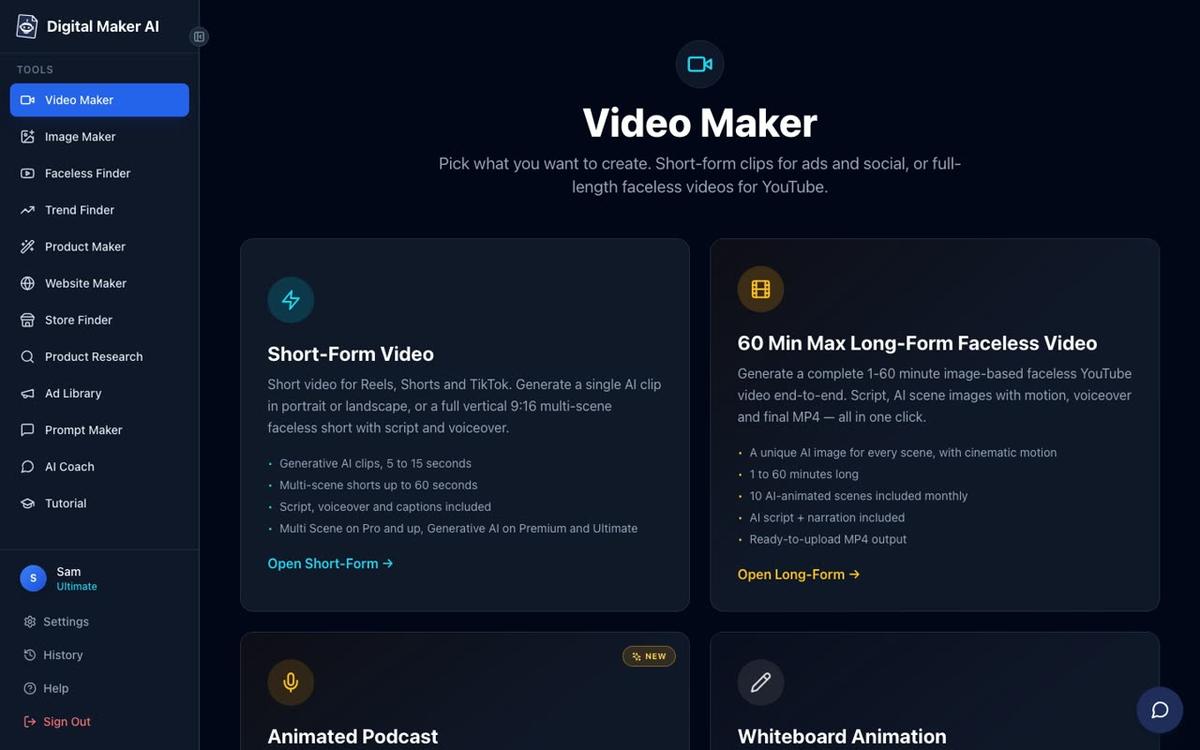
The long-form faceless video is the flagship output: landscape 16:9, built for YouTube, with the AI writing the script, generating a scene image per scene, adding narration from over 100 built-in voices, and returning a ready-to-upload MP4. Video length limits depend on your plan: Pro allows up to 10 minutes per video (40 minutes of pool per month), Premium up to 30 minutes (150 minutes per month), and Ultimate up to 60 minutes (300 minutes per month), as of October 2026. See digitalmaker.ai/pricing for current plan details.
Seven visual styles are available: Realistic or Everyday Visuals, Animated or Cartoon, Motivational or Dark Moody, Finance or Luxury, History or Ancient, Space or Sci-Fi, and Minimalist or Clean. You can also choose from six caption styles, pick a background music track or mood, and after the video is made you can regenerate any scene image, swap in your own image or clip, or edit the narration text. There is no timeline editor for manual trimming.
One honest limit to name upfront: Digital Maker AI does not offer a stock footage library, b-roll clips, green screen or screen recording. The normal Multi Scene video uses AI-generated still images held on screen, not moving footage. Moving footage is only available through the Animated Scenes add-on (which animates chosen scenes into real AI clips) and the Generative AI Clip tool for short-form content.
Digital Maker AI pricing as of October 2026 (see digitalmaker.ai/pricing): Free plan gives you five free videos, one of each type, no card needed. Pro is $29 per month (or $249 per year). Premium is $59 per month (or $479 per year). Ultimate is $99 per month (or $799 per year). Commercial usage rights are included on every plan, including Free.
Who should pick Digital Maker AI: creators who want to run a faceless YouTube channel without recording anything, building slides or editing a timeline. If your workflow is "topic in, MP4 out," this is the tool built for that job.
AI Presenters: a feature Powtoon does not match for YouTube automation
Digital Maker AI's AI Presenter feature (fully launched as of October 2026, available on Premium and Ultimate) lets you create a photoreal talking presenter who appears inside your long-form faceless video. You describe the presenter in a sentence or two in Account Settings, the AI draws a photoreal picture of them, and you save them for reuse across every video you make.

In the Video Maker you pick which layouts to use: Full screen (presenter fills the frame), Split screen (presenter on the left, the scene on the right), or Corner circle (scene fills the frame with the presenter in a small round window). A slider controls how much of the video the presenter appears on screen, and markers on a timeline bar set where they show up. The presenter speaks the same narration voice as the rest of the video, with captions. Presenter time is counted separately in avatar seconds, and Avatar Packs let you add more. See digitalmaker.ai/pricing for Avatar Pack details.
Powtoon does include AI avatar characters on its higher plans, but these operate within its slide-based editor rather than as part of a fully automated script-to-MP4 pipeline for YouTube. The use case and the workflow are different.
Animated podcasts and recurring characters
Two more features that set Digital Maker AI apart for faceless channel creators are the Animated Podcast and recurring characters.
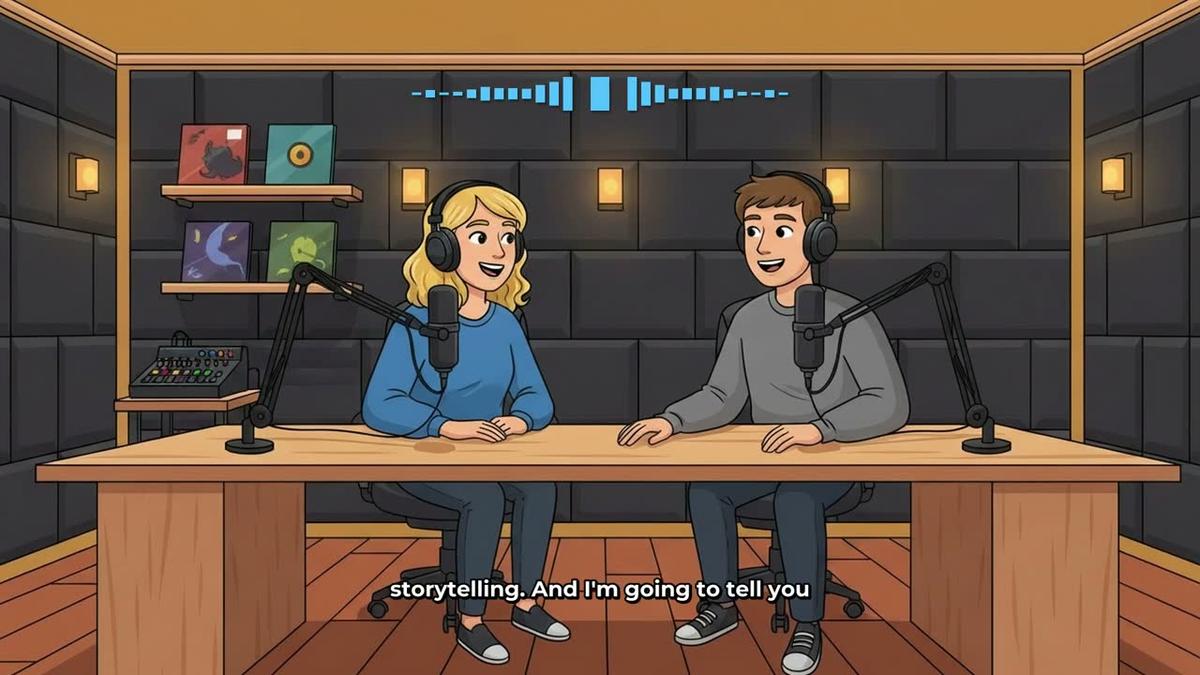
The Animated Podcast puts two AI hosts in an animated studio scene, talking through a topic in two different voices with captions and animated sound bars. You name and style the hosts, pick their voices and a studio, and the platform writes and records the whole episode. Shows are saved so every new episode reuses the same hosts and studio. Premium supports episodes up to 30 minutes; Ultimate up to 60 minutes. Pro does not include this feature.
Recurring characters (Premium and Ultimate) let you upload or build a character image, save it, and have that same character drawn into the scenes of every video you make. This gives your channel a consistent visual identity across videos without you doing any illustration work. Powtoon has character libraries, but characters are placed manually on each slide rather than being drawn automatically into AI-generated scenes.
Direct posting to YouTube, TikTok and Instagram
Premium and Ultimate users can post a finished video straight to YouTube, TikTok and Instagram from the "Post to socials" button, either immediately or on a schedule, after connecting their accounts once in Account Settings. Nothing posts automatically: it posts when you press Post. Posts are labelled as AI generated. Pro and Free users download the MP4 and upload it themselves.
Powtoon allows you to share videos via a Powtoon link or export the MP4, but the platform is not built around direct scheduled posting to YouTube, TikTok and Instagram as part of a faceless channel workflow. If that kind of direct publishing to social platforms matters to your workflow, it is a meaningful difference between the two tools.
Powtoon vs Digital Maker AI: recommendations by use case
- Best for faceless YouTube long-form videos: Digital Maker AI. The script-to-MP4 pipeline, up to 60 minutes per video on Ultimate, and direct YouTube posting make it the purpose-built choice. Powtoon requires manual slide building and is optimised for shorter animated content.
- Best for animated business presentations: Powtoon. Its template library, character animations, lip-sync and brand controls are designed for that format. Digital Maker AI does not offer a slide editor or presentation templates.
- Best for YouTube Shorts and Reels: Digital Maker AI's Short-Form Video tool produces vertical 9:16 videos at 15, 30, 45 or 60 seconds from a single topic line, at a flat one minute of pool cost. Powtoon's free plan caps at 3 minutes total.
- Best on a budget: Digital Maker AI's Free plan gives you five complete videos, one of each type, with no card needed. Powtoon's free plan caps at 3 minutes and adds a watermark. Digital Maker AI Pro at $29 per month (as of October 2026) is also significantly cheaper than Powtoon Lite at $49 per month for a faceless YouTube use case.
- Best for AI presenter videos: Digital Maker AI's AI Presenter feature on Premium and Ultimate creates a photoreal talking presenter inside a fully automated long-form video. Powtoon has animated avatar characters within its slide editor, which serves a different purpose.
- Best for animated podcasts: Digital Maker AI is the clear choice here, since Powtoon is not designed for the two-host animated podcast format.
- Best for classroom and HR content: Powtoon. Its template library and character customisation tools are well suited to internal communications and educational slide-style videos.
If you are weighing up other tools in this space, the comparisons of Vyond vs Digital Maker AI and Animaker vs Digital Maker AI cover similar ground for animation-first platforms and are worth reading alongside this one.
The bottom line on powtoon vs digital maker ai
Powtoon is a well-established animated video platform that works well for what it was built for: slide-style business and educational content. Digital Maker AI is built for a different job entirely: taking a topic and returning a finished, ready-to-upload faceless YouTube video with no manual building required. For faceless channel creators, the automation depth, video length ceiling (up to 60 minutes on Ultimate), AI Presenters, animated podcasts and direct social posting make Digital Maker AI the more practical tool. For teams who need animated presentations with character libraries and brand controls, Powtoon still has a strong case.
The best way to see how Digital Maker AI fits your workflow is to use the Free plan, which gives you five complete videos with no card needed, covering every video type on the platform. And if you want a step-by-step guide to building a faceless channel from scratch, the free course at digitalmaker.ai walks you through the whole process.
Alex Stevens: Alex Stevens writes for the Digital Maker AI team about faceless YouTube channels, AI presenters and AI video tools.