Animaker vs Digital Maker AI for Faceless YouTube Videos
By Alex Stevens
Animaker vs Digital Maker AI: the quick verdict
For creators who want to run a faceless YouTube channel, Digital Maker AI is the stronger choice on the single criterion that matters most: how fast you go from a topic idea to a finished, ready-to-upload MP4. Animaker is a capable drag-and-drop animation studio, and it genuinely wins on character animation depth, but it asks you to build every scene by hand. Digital Maker AI handles the script, the scene images, the narration, the captions and the export in one automated pipeline. If your goal is to publish consistently without spending hours in an editor, that difference is decisive.
To judge these two tools, the comparison focuses on one criterion: the end-to-end effort required to produce a publishable faceless YouTube video from a topic prompt. Both tools were assessed on their publicly stated features and pricing as of October 2026. Animaker pricing figures below are drawn from third-party review sites and Animaker's own pricing pages as found in October 2026 searches; always confirm the latest figures directly on Animaker's pricing page before subscribing.
Animaker: what it is and who it suits
Animaker is a browser-based DIY animation platform that has been around since 2014. Its core strength is a drag-and-drop canvas where you build scenes by placing pre-animated characters, props and backgrounds from a large asset library. The company states that the platform offers over one billion character combinations through its custom character builder, auto lip-sync that matches a character's mouth to a voiceover, and more than 1,800 AI voices across 200-plus languages. It also includes whiteboard animation, a screen recorder, and a text-to-video feature that generates a draft scene layout from a prompt.
For explainer videos, HR training content, and branded educational clips, Animaker is a well-established choice. The timeline-based editor gives you precise control over when each element appears, how long it stays on screen, and how characters move. That control is exactly what makes it slower to use for faceless YouTube content, where you typically need ten, twenty or thirty scenes built and timed individually.
Animaker pricing as of October 2026: Animaker offers a free plan with watermarked exports and a video length cap of around two minutes. Paid plans on the web platform are listed as Personal at around $12 per month billed annually, Startup at around $19 per month billed annually, and Business at around $39 per month billed annually, with an Enterprise tier at custom pricing that removes video length limits and adds 4K exports. A free trial is available on paid plans. Note that third-party review sites report that professional users often encounter additional export charges and premium asset fees on top of the base subscription price, so check the current terms carefully on Animaker's pricing page before committing.
Who should pick Animaker: creators who need animated characters that move and speak on screen, teams making branded explainer or training videos, and anyone who prefers a traditional animation timeline workflow over an automated pipeline.
Where Animaker wins over Digital Maker AI: Animaker has genuine moving character animation with auto lip-sync. Digital Maker AI does not offer moving characters in its standard long-form video: the normal Multi Scene format uses a unique AI-generated still image held on screen for each scene, with optional slow zoom or pan motion effects. The animated scenes add-on can turn chosen scenes into real moving AI clips, but that is a separate add-on rather than the core output. If your channel concept depends on a cartoon character talking and walking through scenes, Animaker is the more natural fit.
Digital Maker AI: what it is and who it suits
Digital Maker AI is an end-to-end faceless video platform built specifically for YouTube creators who want to publish at scale without appearing on camera. Its Video Maker takes a topic prompt, writes the script, generates a unique AI image for every scene, records the narration in your chosen voice, burns in captions, and returns a finished MP4. There is no timeline to manage and no assets to drag into place.
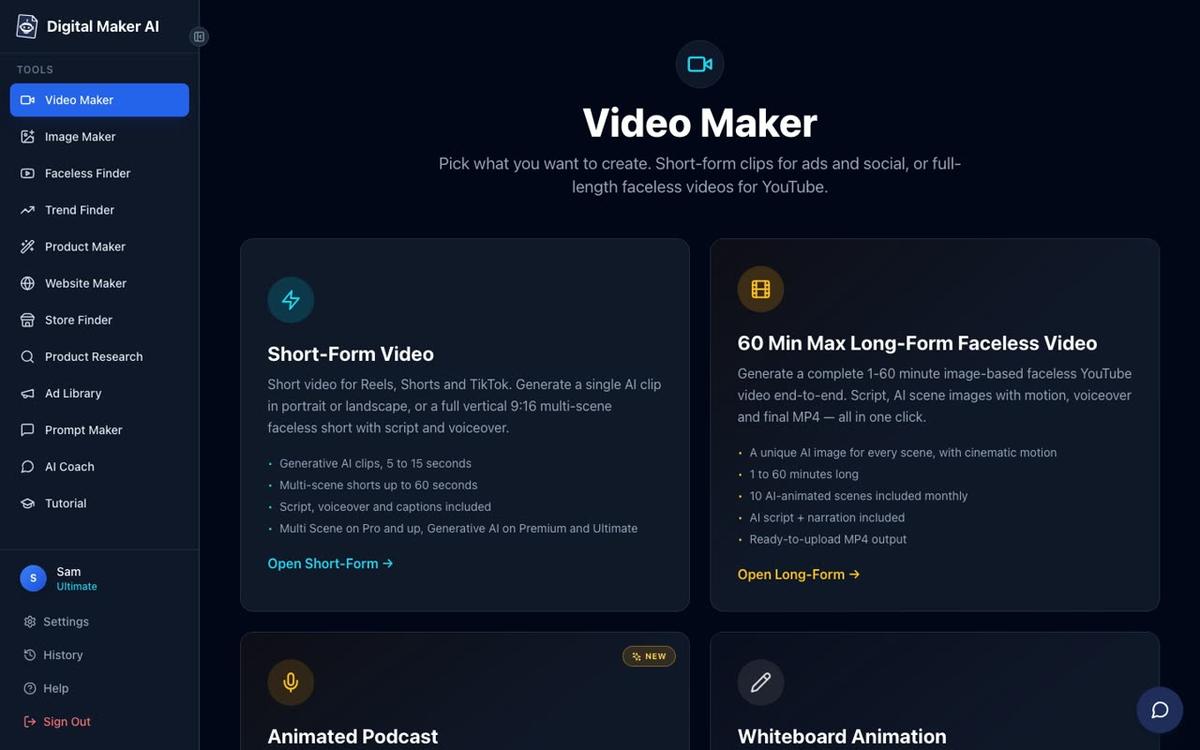
The long-form faceless video is the main product. Videos are landscape 16:9, built for YouTube, and can run up to 60 minutes on the Ultimate plan. Seven visual styles cover a wide range of channel niches: Realistic or Everyday Visuals, Animated or Cartoon, Motivational or Dark Moody, Finance or Luxury, History or Ancient, Space or Sci Fi, and Minimalist or Clean. Six caption looks let you match the aesthetic of your channel. After a video is built, you can regenerate any scene image, swap in your own image or a short clip, or edit the narration text, all without rebuilding the whole video.
Premium and Ultimate users can add an AI presenter to any long-form video. You describe the presenter in a sentence or two, the platform draws a photoreal picture of them, and you save them for reuse across every future video. Three layouts are available: Full screen, Split screen, and Corner circle. A slider controls how much of the video the presenter appears on screen, so you can use them for the intro and outro only, or throughout the whole video.

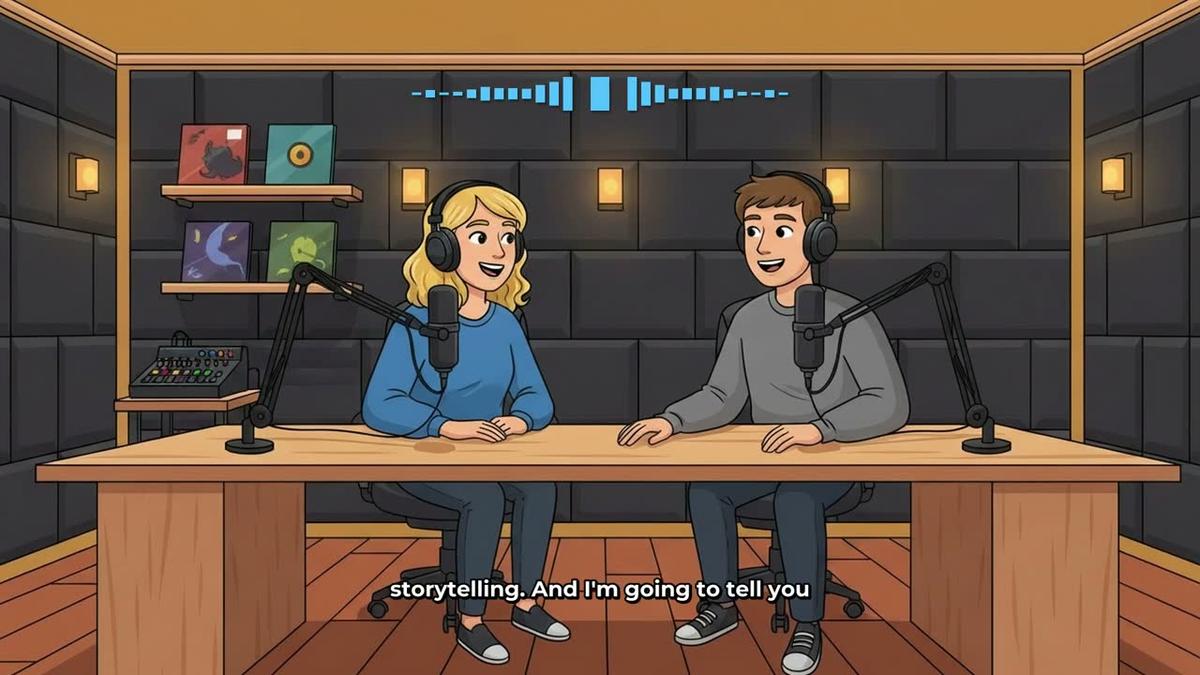
One feature that Animaker does not offer is the animated podcast. Two AI hosts in an animated studio scene discuss a topic in two different voices, with captions and animated sound bars that react as each host speaks. You name and style both hosts, pick their voices and a studio, and the show is saved so every new episode reuses the same setup automatically. Free users get one podcast episode up to 8 minutes. Premium supports episodes up to 30 minutes, and Ultimate up to 60 minutes.
Digital Maker AI pricing as of October 2026: the Free plan costs nothing and requires no card. It gives you five free videos, one of each type, including one long-form video up to 8 minutes, one animated podcast up to 8 minutes, and one vertical Short. Commercial usage rights are included on every plan. Paid plans are Pro at $29 per month (or $249 per year), Premium at $59 per month (or $479 per year), and Ultimate at $99 per month (or $799 per year). Full details are at digitalmaker.ai/pricing.
Premium and Ultimate can post finished videos directly to YouTube, TikTok and Instagram from a "Post to socials" button, now or on a schedule, after connecting accounts once in settings. Pro and Free users download the MP4 and upload it themselves. You can read more about posting directly to YouTube, TikTok and Instagram from inside the platform.
Who should pick Digital Maker AI: faceless YouTube creators who want to publish regularly without spending hours building scenes, solo creators running multiple channels, and anyone who wants an animated podcast format alongside their video output.
Animaker vs Digital Maker AI: head-to-head by use case
- Best for long-form faceless YouTube (10 to 60 minutes): Digital Maker AI. A single prompt produces a complete video with script, scene images, narration and captions. Animaker's free and lower paid tiers cap video length at 5 to 15 minutes, and every scene must be built manually regardless of length.
- Best for character animation: Animaker. Its moving characters with auto lip-sync are a genuine strength. Digital Maker AI's Animated or Cartoon style produces illustrated still scenes, not moving cartoon animation, and the animated scenes add-on generates real motion clips as an extra purchase rather than the default output.
- Best for animated podcasts: Digital Maker AI. Animaker has no equivalent animated podcast feature.
- Best for AI presenter videos: Digital Maker AI on Premium or Ultimate. The platform generates a photoreal presenter from a text description and places them in three layout options inside a long-form video. Animaker's auto lip-sync is tied to its cartoon character system rather than a photoreal presenter workflow.
- Best on a budget or to try first: Digital Maker AI's Free plan. Five free videos with no card required, including one long-form video up to 8 minutes, gives you a real test of the output before spending anything. Animaker's free plan caps exports at around two minutes and watermarks everything.
- Best for multilingual content: Animaker, which the company states supports over 200 languages for voiceover. Digital Maker AI offers French, Spanish, Italian and German on Premium and Ultimate (Multi Scene format only), with English available on all plans.
- Best for direct social publishing: Digital Maker AI Premium or Ultimate, which post to YouTube, TikTok and Instagram from inside the platform. Animaker does not include a built-in direct-to-social posting workflow.
Which tool fits your channel in October 2026?
The honest answer in the animaker vs digital maker ai comparison is that these tools are built for different workflows. Animaker is an animation studio that happens to be used for YouTube content. Digital Maker AI is a YouTube content machine that happens to include animation as one of its visual styles. If your channel needs characters that walk, talk and gesture, Animaker gives you more control over that animation. If your channel needs a steady output of complete, well-produced videos on any topic, Digital Maker AI removes most of the manual work from the process.
For a broader look at how Digital Maker AI compares with other video platforms, you may also find the Renderforest vs Digital Maker AI comparison useful, or the Wondershare Virbo vs Digital Maker AI breakdown if you are weighing up presenter-focused tools.
The best way to test Digital Maker AI is to use the free plan: no card, five free videos, and commercial rights included from day one. Start at digitalmaker.ai/pricing to see the full plan details, or head straight to the free course to see how other creators are building faceless channels with the platform.
Alex Stevens: Alex Stevens writes for the Digital Maker AI team about faceless YouTube channels, AI presenters and AI video tools.