D-ID vs Digital Maker AI: Which Is Better for YouTube Creators?
By Alex Stevens
D-ID vs Digital Maker AI: the short answer
If your goal is building a recurring YouTube channel with complete, ready-to-upload videos, Digital Maker AI is the stronger choice. The deciding criterion here is end-to-end video production: which tool takes you from a topic idea to a finished MP4 without requiring you to stitch clips together in a separate editor. D-ID wins on one specific task, animating a still photograph into a short talking-head clip, and that is genuinely useful in the right context. But for a creator who wants a full video with a script, scene images, narration, captions and an AI presenter all in one place, the two tools are not really competing at the same level.
This comparison covers what each product is built for, how the pricing works as of October 2026, and which one makes sense depending on how you plan to use it. Every D-ID figure below comes from their published pricing and FAQ pages, verified before writing.
What is D-ID and who is it for?
D-ID is one of the original AI talking-head platforms. Its core capability is taking a still photograph of a face and making it speak, with realistic lip-sync driven by a text script or an audio file. The company states that its Creative Reality Studio supports more than 100 stock avatars alongside personal avatars built from an uploaded photo. Videos are capped at five minutes per clip, and each credit covers up to 15 seconds of output, so a 60-second video costs four credits.
Pricing as of October 2026 (see D-ID's pricing page for the latest): the Lite plan starts at around $4.70 to $5.90 per month with annual billing but permits personal use only. Commercial rights require the Pro plan, which costs approximately $16 per month on annual billing or $29 per month billed monthly. An Advanced tier sits at around $108 per month. Credits reset each month and unused credits do not carry over. There is a 14-day free trial on paid plans.
D-ID is a strong fit for a specific use case: you have a photo of a person (a character, a historical figure, yourself) and you want a short clip of that face delivering a spoken message. It is also used by developers via its API to build conversational avatar agents. What it does not offer is a full video production pipeline. There is no AI script writer, no scene image generator, no background music library, no caption system and no way to produce a complete multi-scene YouTube video inside the tool. You get a talking-head clip, and then you take that clip elsewhere to finish your video.
What is Digital Maker AI and who is it for?
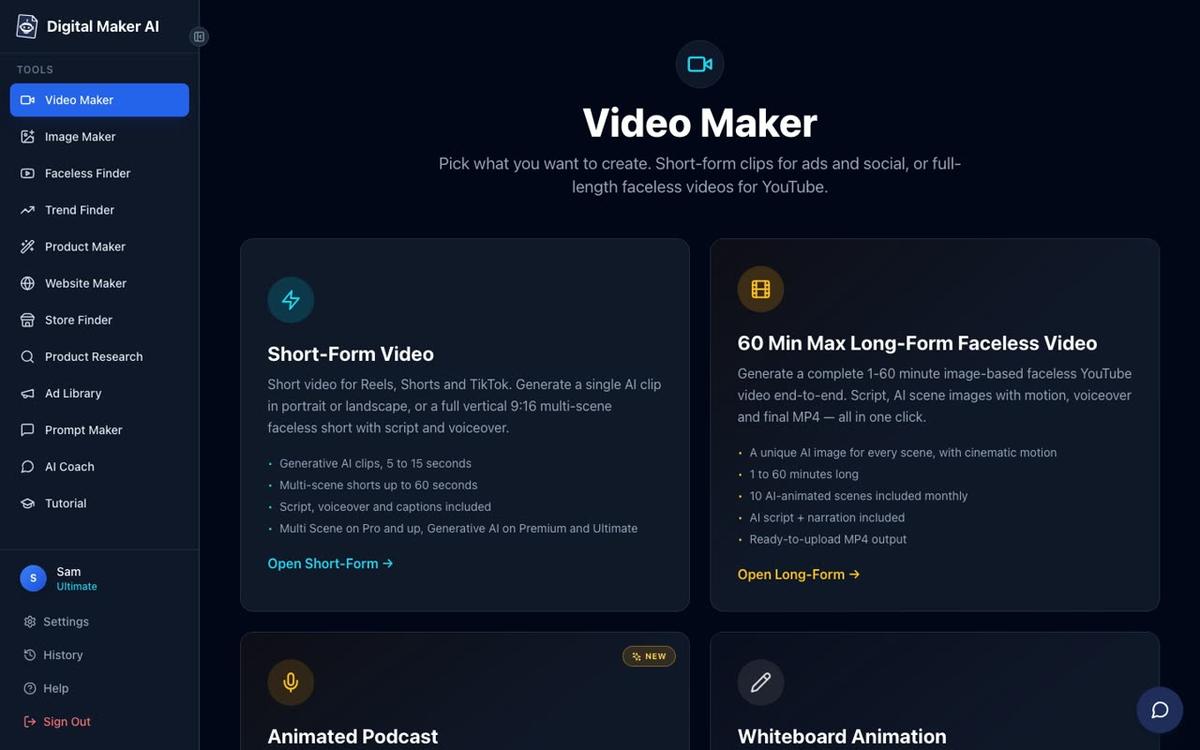
Digital Maker AI is an end-to-end video production platform built specifically for YouTube creators who want to publish without appearing on camera. It covers the entire workflow: the AI writes a script from a topic (or you paste your own on paid plans), generates a unique scene image for every scene, adds AI narration from more than 100 built-in voices, burns captions into the lower third and returns a finished MP4 ready to upload. There is no separate editing step and no clip-stitching.
The platform's AI Presenter feature, fully launched in October 2026, adds a photoreal talking presenter to any landscape Multi Scene long-form video. You describe the presenter in a sentence or two inside Account Settings, the AI generates a photoreal image of them, and you save them for reuse across every future video. This is where the d-id vs digital maker ai comparison gets interesting, because Digital Maker AI's presenter is not just a talking-head clip dropped into a timeline. It is integrated into the full video.
Plans and pricing as of October 2026 (see digitalmaker.ai/pricing for current rates): Pro is $29 per month (or $249 per year) with 40 video minutes per month and videos up to 10 minutes long. Premium is $59 per month (or $479 per year) with 150 minutes and videos up to 30 minutes. Ultimate is $99 per month (or $799 per year) with 300 minutes and videos up to 60 minutes. AI Presenters are available on Premium and Ultimate. There is no time-limited free trial; instead, a Free plan lets you make one of each video type to see the output before committing.
D-ID vs Digital Maker AI: the AI Presenter head to head
This is the most direct point of comparison. Both tools produce a talking on-screen presenter. The way they do it, and what you can do with the result, are very different.
With D-ID, you upload or select a photo, type or paste a script, and the platform animates the face to speak the words. The output is a standalone clip of up to five minutes. You then download it and use it however you like, typically by importing it into a video editor to add it to a longer project. Every clip you generate costs credits, which reset monthly.
With Digital Maker AI, the presenter is built from a text description rather than an uploaded photo. You write something like "a confident woman in her 40s, business casual, in a bright modern office" and the AI draws a photoreal image of that person. You save them once and reuse them across every video you make. The presenter is then placed inside a finished long-form video using one of three layouts: Full screen (the presenter fills the frame), Split screen (presenter on the left, scene image on the right) or Corner circle (scene fills the frame with the presenter in a small round window in the corner). You can tick one, two or all three layouts and the video rotates through them.
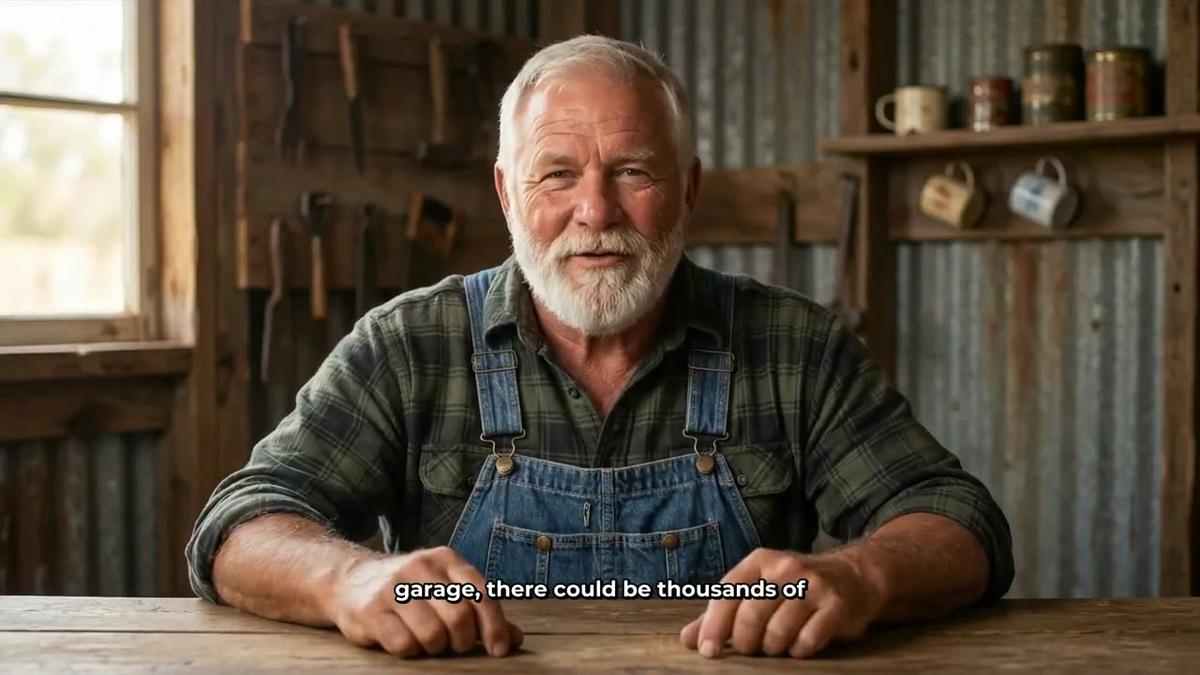

A slider controls how much of the video the presenter is on screen, from as little as 5 percent up to the entire video. Markers on a timeline bar let you choose where the presenter appears, for example only at the start and end, or throughout. The rest of the video plays as normal scene footage. The presenter speaks the same narration voice as the rest of the video, with captions included.
Presenter time runs on a separate pool called avatar time, counted in seconds. Creating a new presenter uses 30 seconds. A video only uses the seconds the presenter is actually visible. Premium plans start with 2 minutes of avatar time and Ultimate with 5 minutes. Ultimate also receives 3 minutes of avatar time every month. Avatar Packs let you add more as a one-off purchase at any point. See digitalmaker.ai/pricing for current Avatar Pack prices.
Pricing compared: per-credit vs flat plan
D-ID's credit model means every clip you generate has a direct cost. One credit covers 15 seconds of video, so a two-minute talking-head clip costs eight credits. Credits reset monthly, and the company states that unused credits do not roll over. If you are making a lot of videos, the costs can accumulate quickly, and you still need to factor in the time spent editing those clips into a finished video using a separate tool.
Digital Maker AI uses a flat monthly plan. You pay a set amount and get a pool of video minutes to use across as many videos as you like. A 10-minute video costs 10 minutes from the pool; a 5-minute video costs 5. There are no per-clip charges for the core video. Avatar time for presenters is separate, but one pool of avatar time covers the presenter seconds across every video you make that month, and packs do not expire while you are subscribed.
For a creator publishing two or three videos a week, the flat plan arithmetic tends to work in Digital Maker AI's favour. For someone who only occasionally needs a short talking-head clip and has their own editing workflow, D-ID's lower entry price makes sense.
What Digital Maker AI does not do that D-ID does
Honesty matters in a comparison, so here is what D-ID offers that Digital Maker AI does not. D-ID can animate an existing photograph of a real person, turning a still image into a speaking clip. If you want to bring a historical figure to life, animate a product photo or create a clip from a specific image you already own, D-ID is purpose-built for that. Digital Maker AI's presenters are generated from a text description, so you cannot feed in a photo of a specific real person and have them speak.
D-ID also has a developer API and an interactive conversational agent product, which are aimed at builders embedding digital humans into apps and websites. Digital Maker AI is focused on video content production rather than live interactive agents.
Recommendations by use case
- Building a recurring YouTube channel with full videos: Digital Maker AI. The end-to-end pipeline (script, scenes, narration, captions, presenter) means you can go from a topic to a finished upload without touching a video editor. The flat plan covers multiple videos per month at a predictable cost.
- Animating a specific photograph into a talking clip: D-ID. If you have a particular image and want it to speak, D-ID is the right tool. It is fast, the output is a standalone clip, and the entry price is low for occasional use.
- Adding an AI presenter to a YouTube video without a separate editor: Digital Maker AI's AI Presenters on Premium or Ultimate. The presenter is placed inside the finished video with Full screen, Split screen or Corner circle layouts, and the slider controls how much screen time they get.
- Budget-conscious one-off projects: D-ID's Lite or Pro plan for short clips. But note that commercial rights require Pro (around $29 per month billed monthly as of October 2026, per their published pricing). For ongoing channel production, Digital Maker AI's flat plan works out more cost-effective per video.
- Researching which AI avatar channels are already succeeding on YouTube: Digital Maker AI's Faceless Finder lets you search for AI Avatar channels specifically, showing subscriber counts, upload frequency and estimated ad revenue, which is useful before you invest in either tool.
If you are curious about how other AI presenter tools compare, the DeepBrain AI vs Digital Maker AI article covers a similar head-to-head for talking-head video versus full-video production.
D-ID vs Digital Maker AI: the final verdict
D-ID is a focused, well-established tool for one job: turning a still image into a short talking video. It does that job well and its per-credit pricing suits someone who only needs occasional clips. Digital Maker AI is built for a different job: producing complete YouTube videos end to end, with an AI presenter integrated into the finished video rather than handed to you as a raw clip to edit. For a creator who wants to run a channel consistently, publish regularly and have a recognisable AI presenter appear across every video, Digital Maker AI's Premium or Ultimate plan is the more practical choice. The presenter is created once from a text description, saved, and dropped into every video you make from that point on, across Full screen, Split screen and Corner circle layouts, with a slider controlling their screen time.
The best way to see the output for yourself is to start with the free plan, which includes one full long-form video at no cost and with no card required. When you are ready to add a presenter, the free course at Digital Maker AI walks through the full setup from account creation to your first published video.
Alex Stevens: Alex Stevens writes for the Digital Maker AI team about faceless YouTube channels, AI presenters and AI video tools.