AI-Generated Images for Etsy: Tips and Best Practices
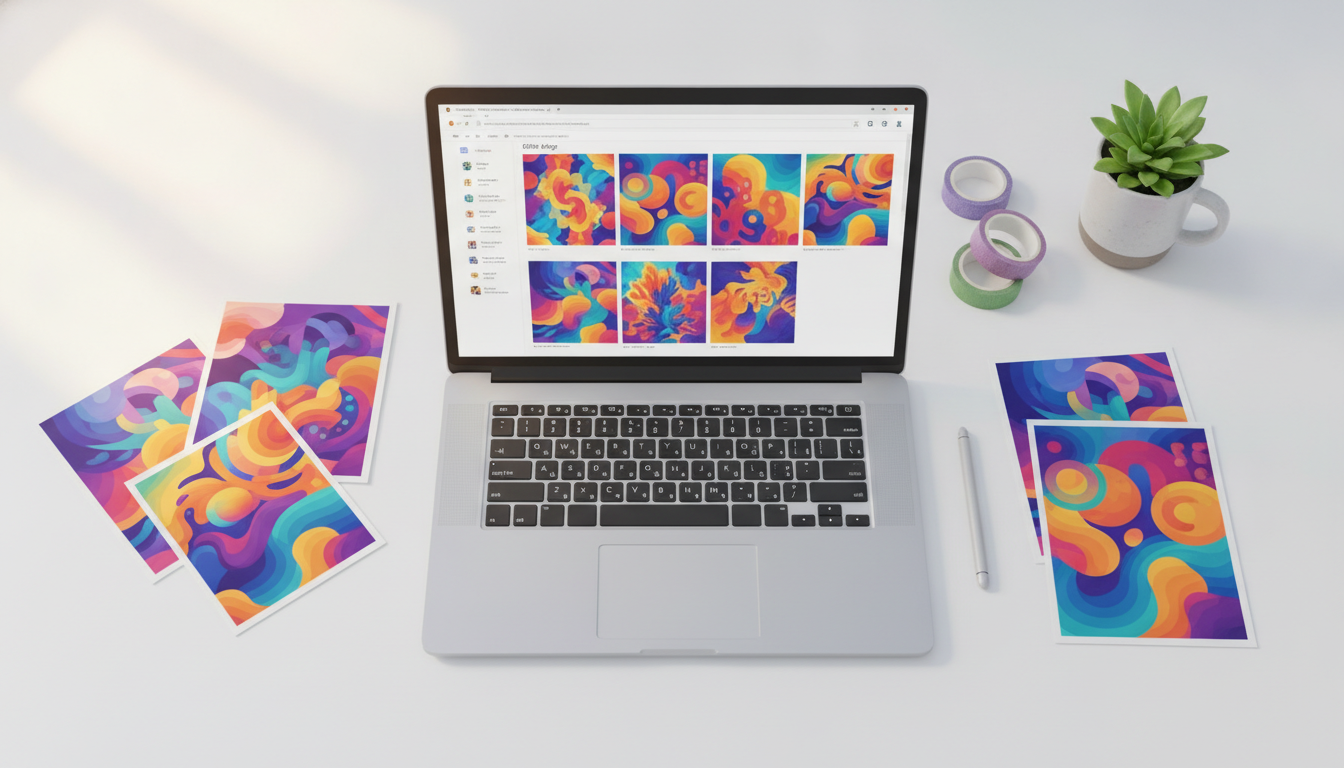
Why AI Images for Etsy Are a Game-Changer for Digital Sellers
If you've been looking for a smarter way to build a passive income stream, selling AI images on Etsy could be your golden opportunity. The market for digital downloads on Etsy is booming, and AI image generators have completely lowered the barrier to entry for creative entrepreneurs. Whether you're a seasoned designer or someone who has never picked up a digital paintbrush, tools like the Image Maker feature on Digital Maker AI make it possible to produce stunning, professional-quality artwork in minutes, ready to list and sell.
In this guide, we'll walk you through everything you need to know to get started, stand out in a crowded marketplace, and build a shop that buyers keep coming back to.
Understanding What Buyers Actually Want When They Search for AI Images on Etsy
Before you start generating images, it pays to think like a buyer. Etsy shoppers looking for digital art are typically searching for pieces they can print at home, use as wall decor, frame as gifts, or incorporate into their own projects. The most popular categories include:
- Printable wall art, minimalist prints, botanical illustrations, abstract designs, and inspirational quotes paired with visuals
- Digital planners and journal covers, decorative imagery used inside productivity tools
- Holiday and seasonal artwork, Christmas, Halloween, and spring-themed prints that spike in demand around key dates
- Nursery and children's room art, soft, whimsical illustrations that parents love
- Portrait-style and pet art, stylized artwork with a painterly or illustrative feel
Spend time browsing Etsy's bestseller lists and using its search autocomplete feature to identify trending themes before you start creating. The more aligned your images are with real buyer intent, the faster you'll make sales.
How to Create High-Quality AI Images for Etsy Using Digital Maker AI
Getting the technical side right is crucial. Buyers expect images that look polished, print cleanly, and match their home decor. Here's how to use AI tools effectively to meet those expectations.
Start With Detailed, Descriptive Prompts
The quality of your AI-generated image depends almost entirely on the quality of your prompt. Vague prompts produce generic results. Instead, be specific about style, mood, color palette, and composition. For example, rather than typing "flower art," try something like "soft watercolor illustration of pink peonies on a cream background, botanical style, minimalist, high detail." The more intentional your prompt, the more sellable your output.
The Image Maker feature inside Digital Maker AI is built specifically for digital product creators. It gives you access to powerful image generation capabilities without requiring any design experience, making it one of the most beginner-friendly tools available for Etsy sellers.
Always Generate at High Resolution
One of the most common mistakes new sellers make is listing images that look great on screen but print poorly. For printable wall art, you generally want files that are at least 300 DPI (dots per inch) at the intended print size. When using an AI image generator, opt for the highest resolution output available, and consider upscaling your images using a dedicated AI upscaling tool before listing them.
Create Collections, Not Just Single Pieces
Etsy rewards shops that offer variety and cohesion. Instead of generating random one-off images, think in sets. A buyer who loves a minimalist botanical print is likely to want a matching set of three or four to fill a gallery wall. Creating themed collections also makes your shop look more professional and encourages higher average order values.
AI Images Etsy Listing Optimization: Get Found in Search
Creating beautiful images is only half the battle. You also need buyers to find them. Etsy operates as its own search engine, so SEO inside the platform is essential.
- Use all 13 tags, Fill every available tag slot with relevant, specific phrases buyers are actually searching for, like "printable boho art," "digital download wall decor," or "minimalist nursery print."
- Write keyword-rich titles, Lead with your most important descriptive keywords. Instead of "Pretty Floral Print," try "Watercolor Floral Print, Botanical Wall Art, Digital Download, Printable Home Decor."
- Craft detailed descriptions, Explain exactly what the buyer gets, what sizes are included, how to download and print, and what the artwork looks like in a room. Answer every question before they have to ask it.
- Add lifestyle mockup photos, Etsy listings with mockup images showing your art on a wall or in a frame consistently convert better than flat image previews alone. Use free mockup tools to show your prints in real-life settings.
Navigating Copyright and Originality With AI Art
This is one of the most important topics for any seller working with AI-generated images. While AI tools can produce original-looking artwork, it's your responsibility to ensure your listings don't infringe on existing copyrights or trademarks. Here are some practical rules to follow:
- Avoid prompts that reference specific living artists by name or ask for replicas of their style in a way that could mislead buyers.
- Do not generate images of trademarked characters, logos, or brand identities.
- Review the terms of service of any AI image tool you use to understand commercial licensing rights for the images you create.
- Focus on original themes, abstract concepts, and evergreen styles that are clearly your own creative direction.
Etsy has its own policies on AI-generated content, which continue to evolve. It's worth reviewing Etsy's seller policies regularly to stay compliant and protect your shop.
Pricing Your AI Image Downloads for Maximum Profit
Pricing digital downloads can feel tricky, but the good news is that once your file is created, it costs you nothing to sell it again and again. Most printable wall art on Etsy sells in the range of $2 to $15 per listing, with bundles and collections commanding higher prices. Don't undervalue your work just because it was created with AI, buyers are paying for the design, the curation, and the convenience.
Consider offering both individual prints and bundled sets. A single print at $4 versus a set of six coordinating prints at $15 gives buyers a reason to spend more in a single visit. Over time, as your shop grows and earns reviews, you can gradually increase your prices with confidence.
Building a Sustainable Etsy Shop With AI-Generated Art
The sellers who succeed long-term on Etsy aren't just uploading images and hoping for the best. They're treating their shops like real businesses, studying their analytics, updating listings regularly, running seasonal promotions, and continuously expanding their catalog.
If you want to build real momentum, consistency is key. Aim to add new listings regularly, especially in the weeks leading up to key shopping seasons like the holidays, Valentine's Day, and back-to-school. Use your Etsy shop stats to see which listings get the most views and favorites, and create more content in those styles.
Want to learn the full process of building and scaling a digital product business from scratch? Check out the free course at Digital Maker AI, it covers everything from creating your first digital product to driving consistent sales.
Get Started With AI Images on Etsy Today
Selling AI-generated art on Etsy is one of the most accessible ways to start earning passive income online. With the right tools, a focused niche, and a commitment to quality, you can build a shop that generates revenue while you sleep. The Image Maker feature on Digital Maker AI is designed to make the creative process fast, intuitive, and optimized for digital product sellers exactly like you.
Start experimenting with prompts, build your first collection, and get your listings live. The sooner you start, the sooner your shop starts working for you. If you're not sure which plan is right for your business, take a look at the Digital Maker AI pricing options to find the best fit for where you are right now.