What YouTube Needs Before It Will Monetise Your Channel
By Alex Stevens

If you have just started a YouTube channel and want to earn money from it, you need to meet a specific set of criteria before YouTube will let you in. This guide walks you through every youtube monetization requirements for new channels in late 2026, explains exactly what counts and what does not, and shows you how to use Digital Maker AI to hit those thresholds without burning out.
Step 1: Understand the Two Tiers of the YouTube Partner Programme
YouTube does not have a single monetisation gate anymore. There are now two tiers, each unlocking different ways to earn. Knowing which one you are aiming for first will shape your entire upload strategy.
Tier 1: Shopping and Channel Memberships
This lower tier lets you sell products through YouTube Shopping and offer paid channel memberships to your audience. To qualify you need:
- 500 subscribers
- 3,000 valid public watch hours in the past 12 months, or 3 million valid public Shorts views in the past 90 days
- No active Community Guidelines strikes
- Two-step verification switched on for your Google account
Tier 2: Full Ad Revenue (the one most creators are aiming for)
This is the tier that lets you run ads on your videos and earn a share of the revenue. The bar is higher:
- 1,000 subscribers
- 4,000 valid public watch hours in the past 12 months, or 10 million valid public Shorts views in the past 90 days
- No active Community Guidelines strikes
- Two-step verification switched on
- An approved AdSense account linked to your channel
Both tiers require you to live in a country where the YouTube Partner Programme is available, and your channel must follow all of YouTube's monetisation policies. Once you hit the numbers, you apply inside YouTube Studio and YouTube reviews your channel manually, which usually takes a few weeks.
Step 2: Know What Counts Toward Your Watch Hours
Watch hours are the trickiest part of the youtube monetization requirements for new channels because not every view counts the same way. Here is what YouTube actually measures:
- Valid public watch hours: Only hours from videos that are set to Public count. Private, unlisted and deleted videos do not count.
- The rolling 12-month window: YouTube only looks at the last 365 days. Hours earned more than a year ago drop off. If your channel goes quiet for months, old hours can expire before you hit the threshold.
- Shorts views are counted separately: Shorts views go toward the Shorts view counter (3 million for Tier 1, 10 million for Tier 2), not the 4,000-hour watch time counter. You cannot mix and match the two.
- Replays count: If the same viewer watches a video twice, both sessions add to your total.
- Embedded views count: Someone watching your video on another website still adds to your watch time.
- Paid ads and looping do not count: YouTube filters out views it considers artificial, including video loops left running overnight.
The practical takeaway is simple: longer videos earn more watch time per view. A viewer who watches a 10-minute video all the way through gives you 10 minutes. A viewer who watches a 60-second Short gives you one minute at most, and that minute goes toward the Shorts counter, not the 4,000-hour total. This is why long-form content is the fastest route to full ad monetisation.
Step 3: Use Long-Form Faceless Videos to Accumulate Watch Hours Faster
A faceless YouTube channel publishes videos without ever showing the creator on camera. The video is built from AI-generated scene images, a narrated script and captions. Because there is no filming, no editing suite and no on-camera confidence required, you can produce videos consistently, which is exactly what watch-hour accumulation demands.
The maths work strongly in your favour. Suppose you publish one 10-minute faceless video a week. Each video needs to average just 24 minutes of total watch time per day across the year to contribute roughly 8,700 watch hours over 12 months, well past the 4,000-hour target. In practice, a well-titled video in a popular niche can collect far more than that.
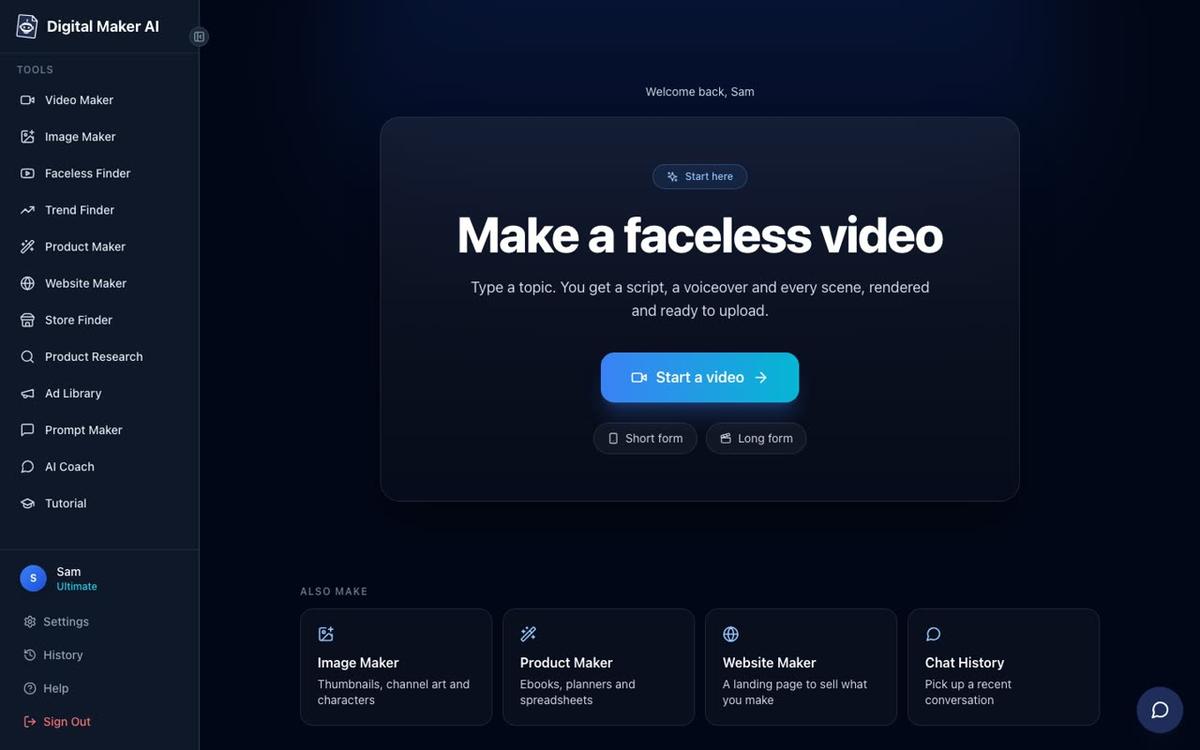
Digital Maker AI's Long-Form Video Maker is built for exactly this. You type a topic, pick a visual style, choose a voice and a length, and the tool writes the script, generates a unique AI scene image for every scene, adds narration and captions, and returns a finished MP4 ready to upload. There is no filming, no screen recording and no timeline editor to learn. You can read more about the long-form process at the AI long-form video generator page.
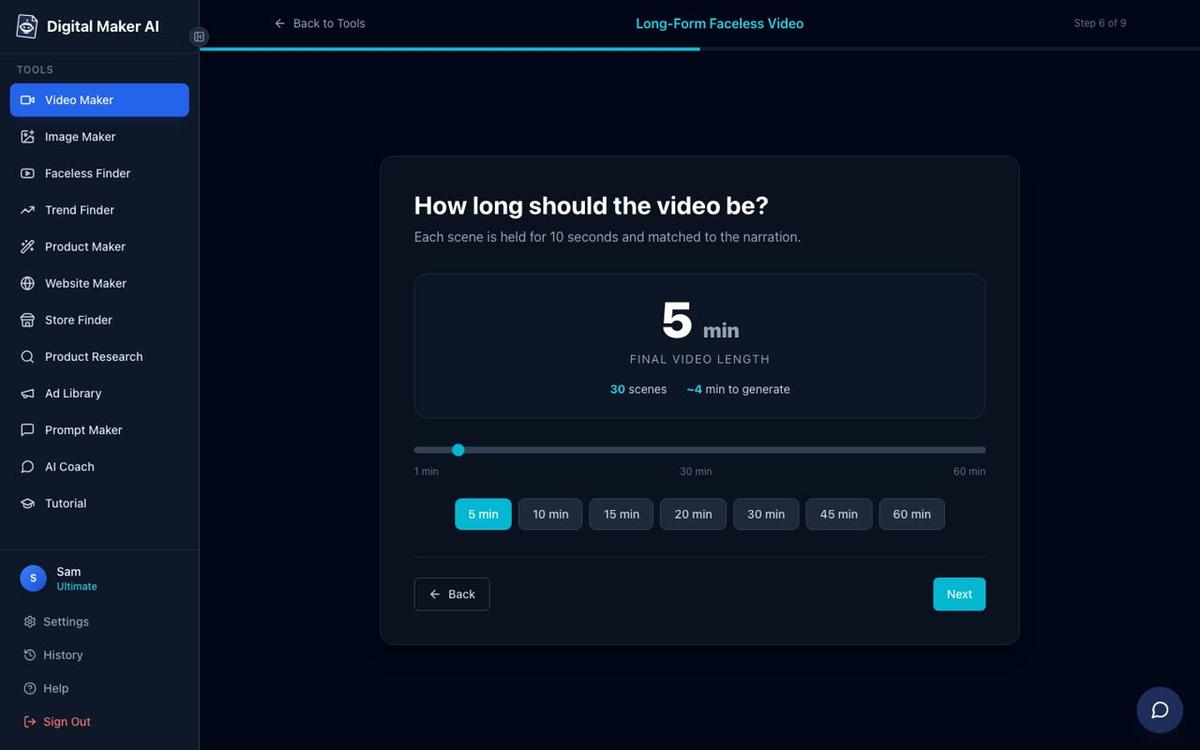
At step 6 of the video maker you choose how long the video will be. Pushing that slider toward 10 minutes on a Pro plan, or higher on Premium and Ultimate, means every upload delivers more potential watch time per viewer.
A practical tip: pick topics that encourage viewers to watch to the end. Listicles ("7 things you never knew about ancient Rome"), mystery formats ("what really happened to...") and how-to explainers all have strong watch-through rates because the viewer wants the payoff at the end. The History or Ancient, Space or Sci-Fi, and Finance or Luxury visual styles in the Video Maker are particularly well suited to these formats.
Step 4: Research Successful Channels Before You Pick Your Niche
One of the biggest mistakes new creators make is picking a niche based on personal interest alone, without checking whether that niche can actually attract the watch time they need. The Faceless Finder inside Digital Maker AI solves this before you make a single video.
Faceless Finder is a searchable directory of confirmed faceless YouTube channels. For each channel it shows the number of subscribers, how many videos they upload per week, their average video length and an estimated monthly ad revenue figure. That estimated revenue is Digital Maker AI's own rough calculation from recent views and typical ad rates for the niche, not the channel's actual earnings, but it gives you a useful signal about which niches attract advertisers willing to pay well.
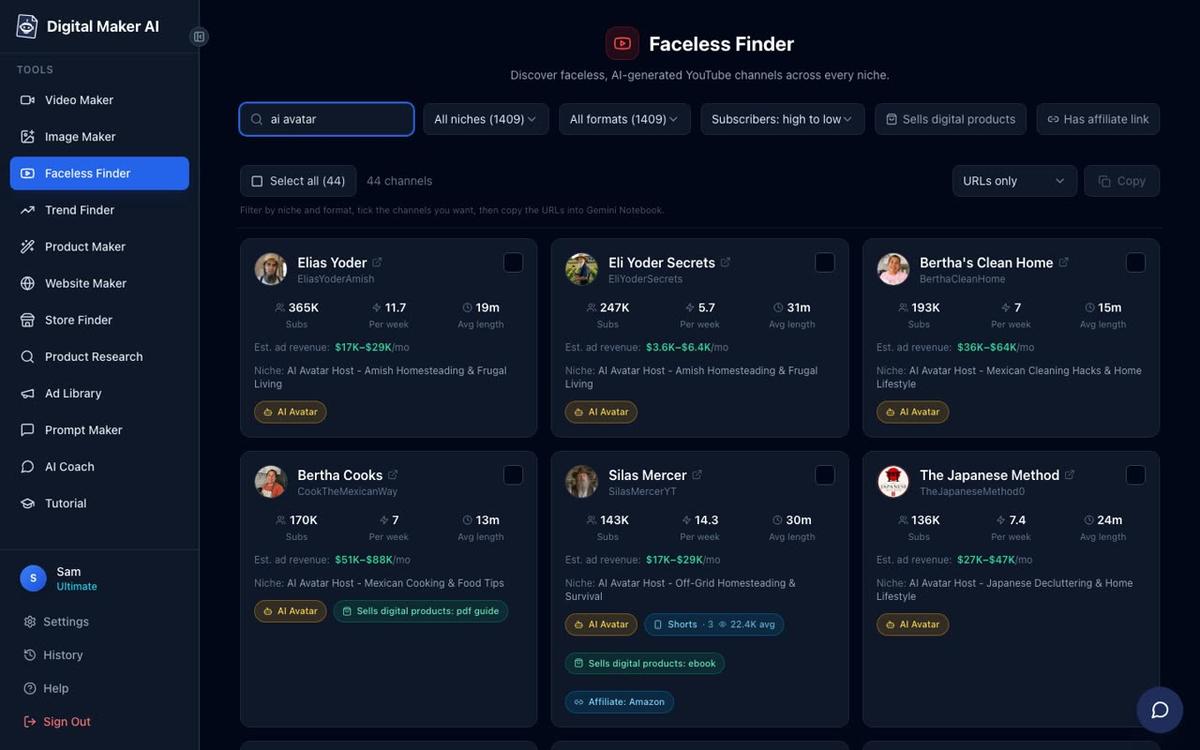
Look at the "uploads per week" figure for channels in your target niche. If the successful channels in that niche post twice a week, that is the cadence you are competing against. Look at their average video length too. If the top channels run 12 to 15 minutes, shorter videos in that niche may struggle to hold viewers long enough to matter. Use this data to set a realistic upload plan before you start, not after three months of guessing.
You can also type "AI avatar" in the Faceless Finder search box to see only channels that use an AI-generated presenter on screen. This is a fast-growing format and the channel cards show whether the approach is working in different niches. For a deeper look at how AI avatar channels build audiences, see this post on how to get your first 1,000 YouTube subscribers with AI videos.
Step 5: Build a Consistent Upload Schedule Without Burning Out
Consistency matters more than frequency. YouTube's algorithm rewards channels that publish on a predictable schedule because regular uploads keep subscribers coming back and signal to the platform that the channel is active. But posting three videos a week is only useful if you can keep it up for months, not just the first fortnight.
Here is a sustainable approach for a new channel aiming at the 4,000-hour threshold:
- Start with one video a week. One solid 10-minute video every seven days is 52 videos in a year. That is a respectable library and a realistic pace for someone building a channel alongside other commitments.
- Batch your production. Make two or three videos in one sitting rather than one at a time. The Digital Maker AI Video Maker lets you queue up different topics quickly because the script writing is handled by the AI. You provide the topic; it handles the words, images and voice.
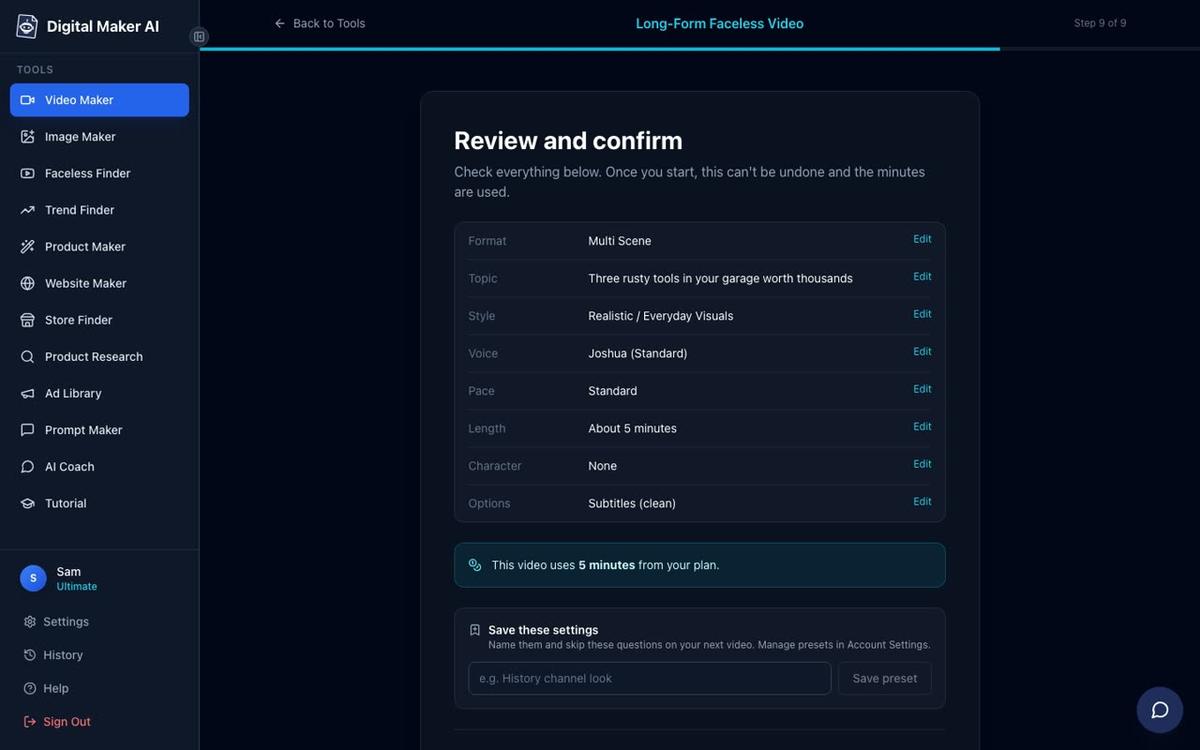
- Schedule your posts. Premium and Ultimate accounts on Digital Maker AI can post a finished video directly to YouTube from the built-in Post to Socials button, either immediately or at a scheduled time. You connect your YouTube account once in Account Settings, then set the date and time for each upload. Nothing posts automatically; you press Post when you are ready. This means you can produce a week's worth of videos on a Sunday afternoon and have them go live on their own schedule across the week. Find out more about the AI video publishing feature.
- Keep a topic backlog. Use the Prompt Maker inside Digital Maker AI to generate batches of title and topic ideas for your niche. Having 20 topics ready removes the blank-page problem that stalls most new creators.
Step 6: Do Not Ignore Shorts Entirely
Shorts will not get you to 4,000 watch hours on their own, but they serve a different purpose: subscriber growth. Hitting 1,000 subscribers is the other half of the full monetisation requirement, and Shorts can reach new viewers very quickly because YouTube pushes them to non-subscribers through the Shorts feed.
A good strategy is to use Shorts as a trailer for your long-form content. Take the most interesting 30 to 45 seconds from a finished long-form video, reframe it as a vertical clip with a hook at the start, and post it as a Short with a call to action pointing viewers to the full video. New subscribers who arrive through the Short then watch the long-form video, which adds to your watch hours. The two formats work together rather than in competition.
The Digital Maker AI Short-Form Video maker produces vertical 9:16 Shorts at 15, 30, 45 or 60 seconds, with a new scene image every few seconds, narration and bold captions. You can learn more at the AI YouTube Shorts generator page.
Common Mistakes New Channels Make
Even creators who know the numbers often stall before they reach monetisation. Here are the most common reasons why, and how to avoid them:
- Posting unlisted videos by accident. Only Public videos count toward your watch hours. Double-check the visibility setting every time you upload. It sounds obvious but it catches many new creators out.
- Going quiet for two or three months. Watch hours are measured over a rolling 12-month window. A long break means older hours start dropping off before new ones replace them. Even one video a fortnight is better than a two-month gap.
- Making only Shorts. Shorts views count toward a separate 10-million-view counter, not the 4,000-hour watch time counter. A channel made entirely of Shorts needs 10 million views to qualify for full ad revenue, which is a much harder target for a new channel than 4,000 hours of long-form watch time.
- Ignoring the AdSense step. Many creators hit the subscriber and watch hour thresholds and then discover their AdSense application is rejected because of account issues. Set up and verify your AdSense account early, well before you expect to hit the numbers. YouTube will not pay you without it.
- Choosing a niche with no advertiser interest. Watch hours get you into the programme, but the ad revenue rate (CPM) varies enormously by niche. Finance, business, health and technology niches typically attract higher CPMs than entertainment or gaming. Use the Faceless Finder to check estimated revenue figures before you commit to a niche.
- Expecting overnight results. Most channels take six to twelve months to reach the 4,000-hour threshold from a standing start. That is normal. The creators who get there are the ones who kept publishing consistently, not the ones who made the best single video.
What to Do Next
You now have a clear picture of the youtube monetization requirements for new channels: two tiers, specific thresholds for subscribers and watch hours, a rolling 12-month window, and the knowledge that long-form public videos are the most efficient way to accumulate the hours you need. The practical steps are straightforward: research your niche with Faceless Finder, make your first long-form video with the Video Maker, set a weekly upload schedule and use Post to Socials to stay consistent without manual effort every week.
If you want to see how the whole process works from the very first video, the free Digital Maker AI course walks you through building a faceless channel step by step, from choosing a niche to publishing your first video and tracking your progress toward monetisation.
Alex Stevens: Alex Stevens writes for the Digital Maker AI team about faceless YouTube channels, AI presenters and AI video tools.