Do You Need a Paid AI Video Tool to Monetise on YouTube
By Alex Stevens

The short answer: for most YouTube creators, a free plan gets you started, but a paid plan is what gets you monetised faster
If you are weighing up the paid vs free AI video YouTube question right now, here is the honest answer upfront: Digital Maker AI offers the most generous free entry point of the four tools compared here, with commercial rights included and no credit card required. For creators who need stock footage matched to a script, Pictory is the stronger specialist choice once you are ready to pay. We judged every tool on one criterion: how much usable, monetisable YouTube content can you make before you need to spend anything, and what does upgrading actually unlock?
How we judged these tools
Four tools made this comparison: Digital Maker AI, InVideo AI, Pictory AI, and Synthesia. We looked at three things for each: what the free tier actually produces, what the entry paid tier costs and unlocks, and whether the output is realistic for YouTube monetisation. All pricing was verified by searching current sources as of September 2026 and is shown with that qualifier. Where a search did not confirm a specific figure, we link to the product's own pricing page rather than guess.
Digital Maker AI: best free starting point for faceless YouTube
The free plan on Digital Maker AI is the most practical no-cost option in this comparison. You get five free videos, one of each type, with no credit card needed. That includes one long-form faceless video up to 8 minutes, one vertical Short between 15 and 60 seconds, one animated podcast up to 8 minutes, and two drag-and-drop videos using your own images or clips. Every free video carries a small watermark, but crucially, commercial usage rights are included on the free plan. That means you can upload a watermarked video to YouTube and legally monetise it the moment your channel qualifies, then upgrade later to remove the watermark from that same video.
Free long-form videos and Shorts are built from a ready-made image library covering topics like money and personal finance, true crime, history, psychology, space and more. You pick a topic area, choose a visual style (Realistic or Animated or Cartoon), and the tool writes the script, generates a scene image for every scene, adds AI narration and captions, and returns a ready-to-upload MP4. The free plan is English only and does not allow you to paste your own script or add a recurring character.
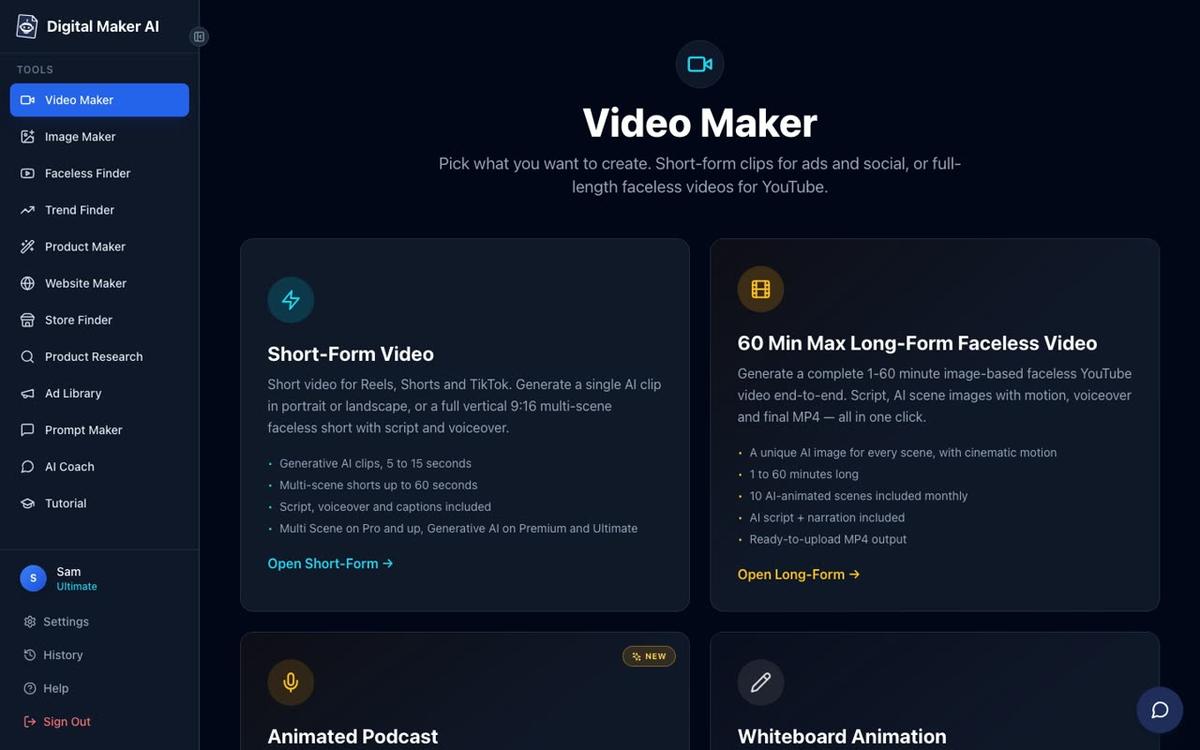
Paid plans unlock a significant step up. The Pro plan costs $29 a month (or $249 a year, as of September 2026) and gives you 40 minutes of video a month, long-form videos up to 10 minutes, any topic (not just the preset library), all seven visual styles, the ability to paste your own script, and no watermark. Premium at $59 a month (or $479 a year, as of September 2026) raises that to 150 minutes a month and videos up to 30 minutes, adds AI presenters, recurring characters, Single Scene and Whiteboard formats, direct posting to YouTube and TikTok, and Multiple Languages. Ultimate at $99 a month (or $799 a year, as of September 2026) goes to 300 minutes and 60-minute videos.
The one honest limit to name: Digital Maker AI does not include a stock footage library or a timeline editor. Normal long-form videos are built from AI-generated still images, not motion footage. You can add real moving clips through the Animated Scenes add-on or the Generative AI Clip tool on Premium and Ultimate, but if your workflow depends on searching a large library of licensed stock clips to match your narration, Pictory is better suited to that.

Who should pick Digital Maker AI: Creators who want to test the full output before spending a penny, anyone building a faceless channel from scratch on a tight budget, and channels that want a consistent recurring character or an AI presenter once they upgrade.
InVideo AI: best for high-volume generative content
InVideo AI has a free plan that lets you evaluate the tool with watermarked exports, but the AI generation minutes are very limited at the free tier. Paid plans, according to current third-party sources as of September 2026, start at around $25 a month on annual billing for the Plus tier, rising to around $48 a month for Max and around $96 to $120 a month for the top generative tier. One important note confirmed by independent reviewers: unused AI minutes do not roll over between months on any InVideo plan.
InVideo is built around a prompt-to-video workflow and pulls in stock footage alongside AI-generated visuals, which suits creators who want that stock-heavy look. The company states that its AI can generate full videos from a single text prompt, including script, voiceover and scenes. For creators producing a high volume of short social clips or repurposing content at scale, the higher InVideo tiers are competitive. For a solo YouTube creator just starting out, the free tier is thin and the paid entry point is comparable in price to Digital Maker AI's Pro plan but with fewer minutes before you hit limits.
Who should pick InVideo AI: Creators already publishing consistently who need volume and do not mind paying for it, and those who prefer a stock-footage aesthetic over AI-generated scene images.
Pictory AI: best for turning written content into video
Pictory does not offer a permanent free plan. It offers a 14-day free trial with three full projects and watermarked exports, after which you must subscribe. As of September 2026, its Starter plan costs around $25 a month on annual billing (around $29 month-to-month), the Professional plan around $35 a month annually, and the Teams plan around $119 a month annually. These figures come from current review sources; check Pictory's own pricing page for the latest.
Where Pictory genuinely leads the field is in turning existing written content into video. You can feed it a blog post URL, a PDF, a PowerPoint or a script and it will match scenes from a large licensed stock library (the company states it includes footage from Getty Images and Storyblocks). It also lets you edit a video by editing its transcript, which is a workflow no other tool in this comparison offers. The tradeoff is that stock footage can look generic and the AI scene-matching sometimes picks irrelevant clips, meaning you often need a manual pass before publishing.
Who should pick Pictory: Bloggers and content marketers who already have a library of written content and want to repurpose it into YouTube videos quickly, and anyone who needs a real transcript-editing workflow. If you are starting from scratch without existing content, the lack of a free tier makes it a harder first choice.
Synthesia: best for corporate-style AI presenter video
Synthesia has a free plan at $0 a month that includes roughly 10 minutes of video per month and a small set of AI avatars. According to G2 data as of September 2026, the Starter plan costs $29 a month for 10 minutes of video, and the Creator plan costs $89 a month for 30 minutes and access to over 180 avatars. Synthesia is built primarily for corporate training videos, internal communications and marketing explainers with a talking AI avatar on screen throughout.
For YouTube monetisation specifically, Synthesia is less focused on the faceless video format that performs well on the platform. Its avatars speak a script on a clean background or a simple set, which works well for product demos and educational content but does not produce the scene-by-scene documentary style that dominates faceless YouTube channels. The free tier's 10-minute monthly cap also limits how much you can test before committing to a paid plan.
Who should pick Synthesia: Businesses creating training or onboarding video at scale, or creators who want a polished AI presenter speaking directly to camera in a clean, professional format. For scene-based faceless YouTube content, other tools in this comparison are better matched.

Paid vs free AI video YouTube: recommendations by use case
Here is where each tool wins depending on what you actually need to do.
- Best free plan for YouTube monetisation: Digital Maker AI. Five complete videos with commercial rights, no card required, and the watermark can be removed later when you upgrade. No other tool in this comparison gives you commercial rights on a permanent free tier.
- Best free plan for AI presenters: Synthesia's free tier includes a talking avatar, which Digital Maker AI's free plan does not (AI presenters are Premium and Ultimate only on Digital Maker AI). If you specifically need a presenter on a zero-budget plan, Synthesia's free 10 minutes is worth testing.
- Best paid entry point for faceless long-form YouTube: Digital Maker AI Pro at $29 a month as of September 2026 gives 40 minutes of video a month, any topic, all visual styles and no watermark. That is four 10-minute videos a month, which is a realistic weekly publishing schedule.
- Best for repurposing existing blog content: Pictory, once you are ready to pay. Its transcript-editing and stock-matching workflow is built for this and no other tool here matches it.
- Best for Shorts alongside long-form: Digital Maker AI, which includes vertical Shorts in the same plan as long-form video. Each Short costs a flat one minute from your monthly pool, so a Pro plan can cover both formats without a second subscription.
- Best for volume at scale: InVideo AI's higher tiers, for creators already publishing daily who need a large generative AI minute allowance.

The honest verdict on paid vs free AI video for YouTube
The paid vs free AI video YouTube debate comes down to what you need right now. If you have not yet published a single video, start on a free plan and prove the format works for your channel before paying anything. Digital Maker AI's free tier is the most practical for this because commercial rights are included from day one. If you are already publishing and hitting limits, the step up to a paid plan on Digital Maker AI or InVideo is roughly the same entry price, but the right choice depends on whether you want AI-generated scene images or stock footage. Pictory earns its place if you have existing written content to repurpose, but the absence of a permanent free tier means you are committing before you have tested the output. You can also explore how other faceless video tools compare if you want a wider view of the market before deciding.
If you want a guided walkthrough of building your first faceless YouTube channel with AI, the free course at Digital Maker AI covers the whole process from picking a niche to publishing your first video, at no cost.
Alex Stevens: Alex Stevens writes for the Digital Maker AI team about faceless YouTube channels, AI presenters and AI video tools.