How to Use Hermes to Make Faceless Videos for YouTube Automation
By Alex Stevens
What You Will Be Able to Do
By the end of this guide you will have hermes faceless youtube automation running from your web dashboard or your phone. You type a request in the Hermes chat, and Hermes Agent connected to Digital Maker AI handles the rest: it writes the script, generates every scene image, adds narration and captions, and returns a finished MP4 ready to upload to YouTube. You can also tell it to post directly to YouTube, TikTok or Instagram on a schedule, research faceless channels in your niche, build thumbnails and check how many video minutes you have left, all without opening a browser tab.
Hermes Agent is an AI assistant that supports the Model Context Protocol (MCP), which lets it connect to external tools and services through a simple server URL. Because it runs on both its web dashboard and Telegram, you can fire off a video request from your phone while you are away from your desk, then come back to a finished video waiting in your library.
What Connecting Hermes to Digital Maker AI Actually Means
When you connect Hermes Agent to Digital Maker AI, you are giving Hermes a set of tools it can call on your behalf. Those tools cover every major action in the platform: making a long form faceless video, a whiteboard animation, an animated podcast, a Short, or an AI presenter video; posting to YouTube, TikTok or Instagram; researching faceless channels; generating thumbnails; checking your remaining minutes; and saving finished videos to Google Drive.
Nothing happens automatically. Hermes only uses a tool when you ask it to. Before it starts a video it confirms the minute cost with you, so you are never surprised by a deduction. Videos take a little while to build, just as they do inside the platform, and when one is ready it comes back as a link and appears in your Digital Maker AI library.
The connection is not a third party integration that needs separate credentials. It uses a single URL tied to your Digital Maker AI account. You create the key once and Hermes holds it in its own config from that point on.
How to Set Up Hermes Agent for Faceless YouTube Automation
The whole setup takes about two minutes. Here are the exact steps:
- Open Digital Maker AI, click your avatar in the top right and go to Account Settings, then the API tab.
- Under "What are you connecting?" choose Hermes Agent and click Create key. Your connection URL is generated immediately. It looks like
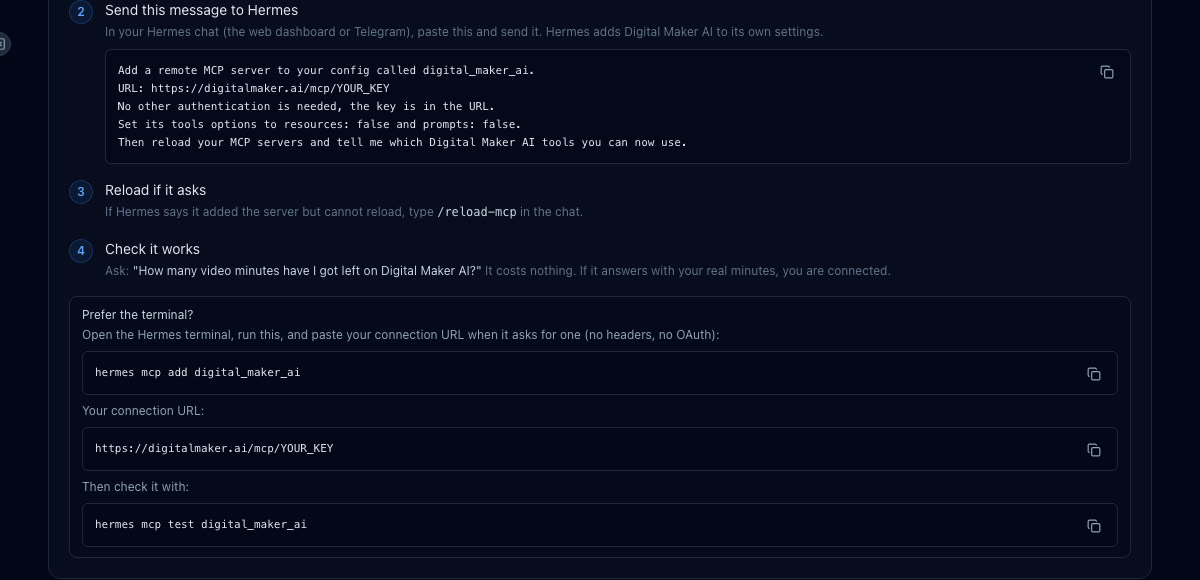
digitalmaker.ai/mcp/YOUR_KEYin plain text. - A ready made message appears on screen. Copy it, open the Hermes chat (web dashboard or Telegram) and send it. That message tells Hermes to add a remote MCP server called
digital_maker_aiusing your URL, with no other authentication, then reload and list the available tools. - If Hermes says it added the server but cannot reload, type /reload-mcp in the chat and it will try again.
- Test the connection by asking: "How many video minutes have I got left on Digital Maker AI?" This costs nothing. A real answer with a number means everything is working.
If you prefer the terminal, run hermes mcp add digital_maker_ai, paste the URL when prompted (no headers, no OAuth), then run hermes mcp test digital_maker_ai to confirm.
Realistic Faceless Long Form Videos
Long form faceless videos are the core of any YouTube automation strategy. Each one is a complete landscape 16:9 MP4: AI script, a unique generated image for every scene, narration, captions and optional background music. You can ask for any topic on a paid plan, and the History or Ancient visual style produces the kind of cinematic documentary look that performs well in niches like ancient Rome or ancient Egypt.
A real Hermes request might look like this:
"Make me a 10 minute faceless YouTube video about daily life in ancient Rome, History or Ancient style, cinematic look, bold captions, dramatic background music."
Hermes confirms the minute cost, starts the build and sends you the link when it is done. This format needs Premium or Ultimate for the full topic range and the longer lengths. You can see the kind of result it produces below.

For more on what the long form video maker can do, including lengths up to 60 minutes on Ultimate, the product page has the full breakdown.
Whiteboard Animation Videos
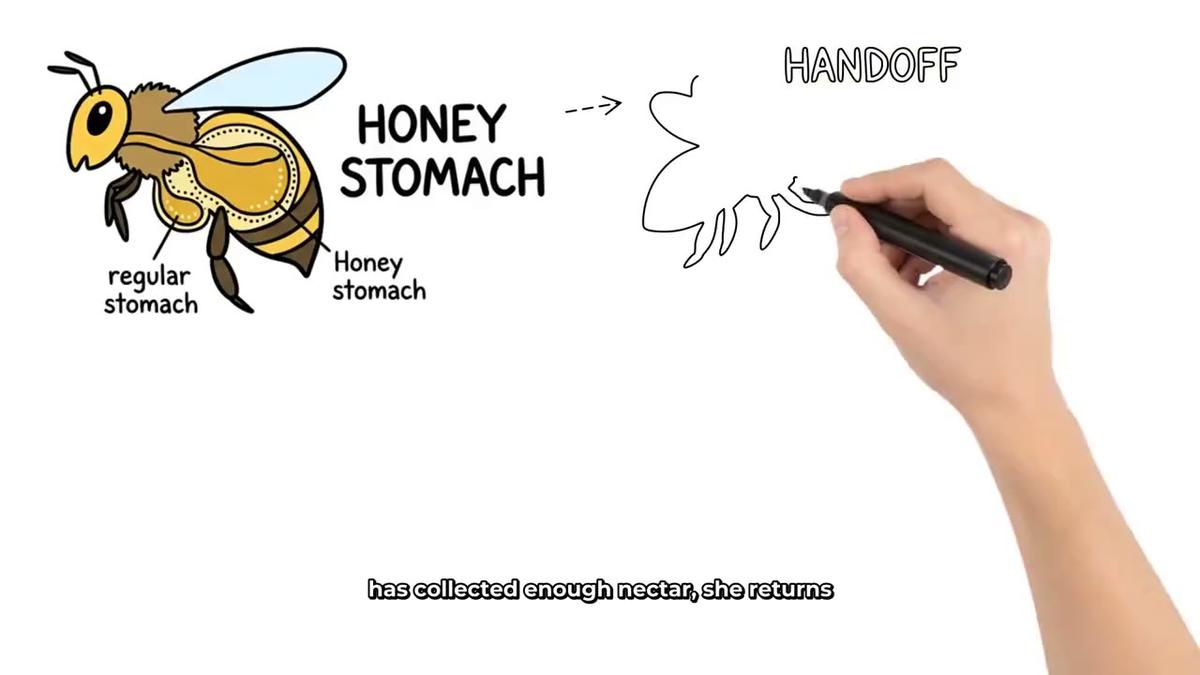
Whiteboard animation is one of the most distinctive faceless formats on YouTube. Digital Maker AI draws hand sketches on screen in real time, with a choice of drawing hand styles and optional captions. It works well for educational topics, science explainers and how things work videos.
Try asking Hermes something like:
"Make a whiteboard animation video about how bees make honey, Story Boards style, brown drawing hand, clean captions."
Hermes will confirm the minutes and get started. Whiteboard needs Premium or Ultimate. There are no recurring characters or AI presenters on whiteboard videos, but the hand drawn style is its own kind of personality.
The AI whiteboard animation generator page covers the classic and Story Boards styles in more detail.
AI Presenter Videos
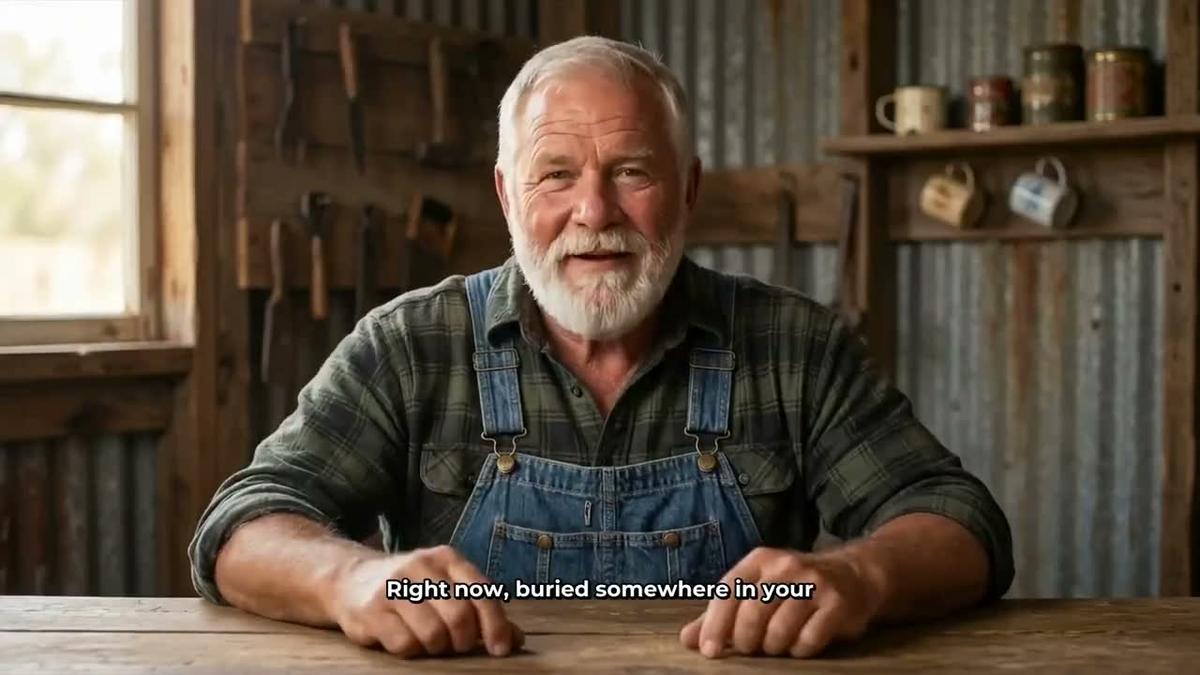
An AI presenter is a photoreal talking avatar who appears on screen and speaks the narration, inside a normal Multi Scene long form video. You create the presenter once in Account Settings under the Presenters tab: write a sentence or two describing who they are and their setting, the AI draws a photoreal image, you check it and save. From then on you can call them up in any video.
Ask Hermes:
"Make a video about common car maintenance mistakes with my mechanic presenter, split screen layout, YouTube Yellow captions."
The video rotates between the presenter on screen and the scene images, using whatever layouts you have set up. This needs Premium or Ultimate and uses avatar time separately from your video minutes. Avatar Packs add more avatar time as one off purchases: see the pricing page for current pack options.
You can read more about how presenter videos work on the AI presenter video generator page.
Cartoon Videos with a Recurring Character
The Animated or Cartoon visual style produces illustrated, cartoon looking scenes. Add a recurring character and the same illustrated figure appears in every scene across every video in your series. This is ideal for channels built around a persona, whether a caveman philosopher, a patient investor or any character you design.
A Hermes request for this format might be:
"Make a cartoon video about why humans discovered fire, using my caveman character, Animated style, Bold Pop captions, upbeat background music."
Creating a character and using it in videos needs Premium or Ultimate. Hermes can also create a new character for you if you describe it.
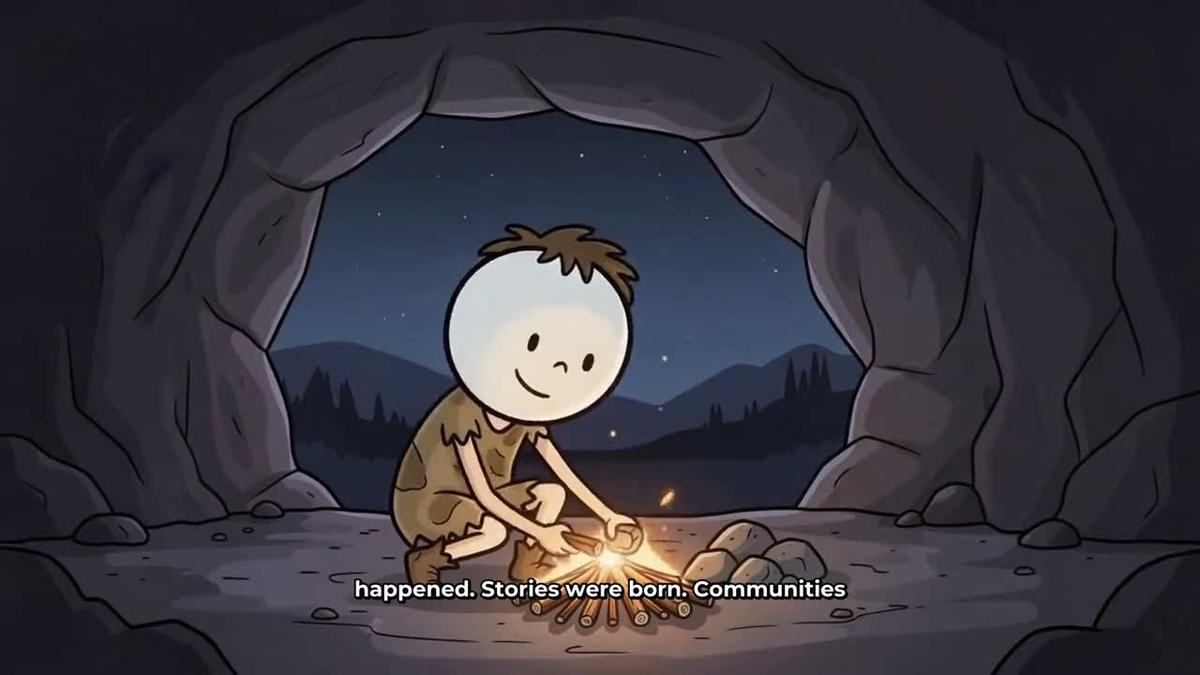
The consistent AI character video generator page explains how to build and save characters for use across your channel.
Animated Podcasts
Animated podcasts put two AI hosts in an illustrated studio, talking through a topic in different voices with sound bars and captions. They feel more like a real show than a narrated video, which makes them a good fit for opinion, commentary and interview style content.
Ask Hermes:
"Make a 20 minute animated podcast episode about the psychology of money, conversational tone, hosts named Marcus and Priya, studio with bookshelves."
Long episodes are written and recorded in sections, so a 30 to 60 minute episode can take 45 to 90 minutes to build. Hermes will let you know it is in progress and you get an email when it is ready. Animated podcasts need Premium or Ultimate. The show is saved so every new episode reuses the same hosts, voices and studio automatically.
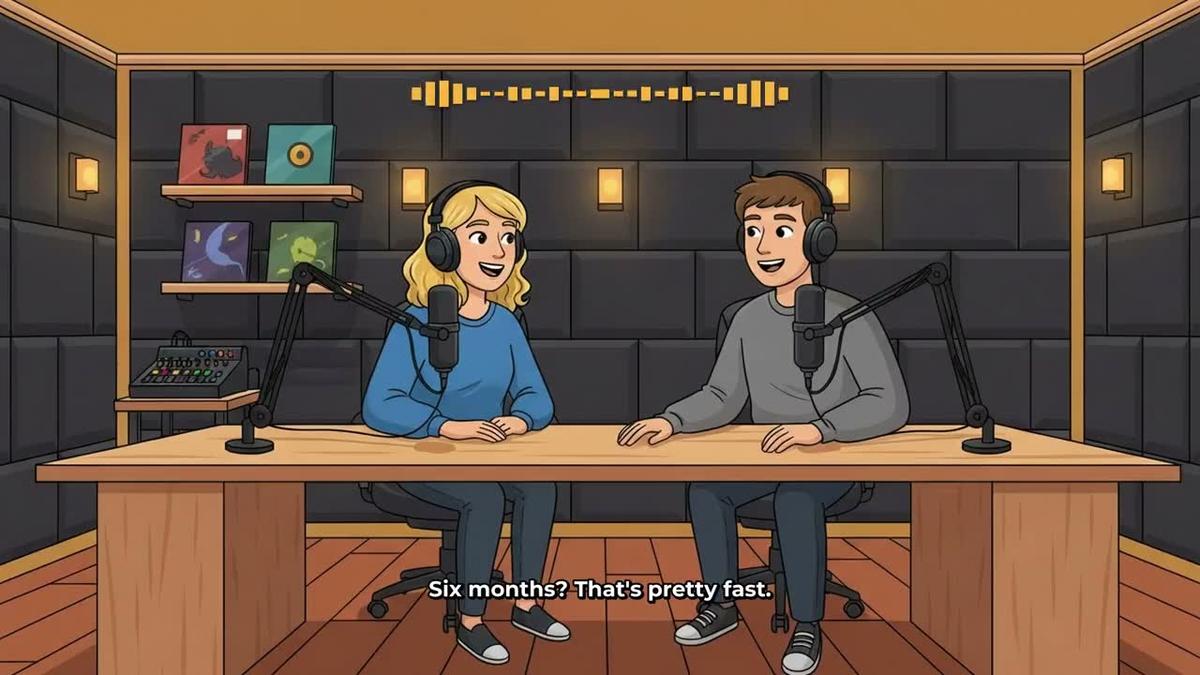
More details are on the AI animated podcast generator page.
YouTube Shorts
Shorts are vertical 9:16 videos, 15 to 60 seconds long, with bold captions and a new scene image every few seconds. They cost a flat one minute from your pool regardless of length, which makes them efficient to produce in volume.
Try:
"Make a 30 second Short about the fall of the Roman Empire, Realistic style, bold captions."
Hermes builds it and returns the vertical MP4. Shorts need Pro, Premium or Ultimate.
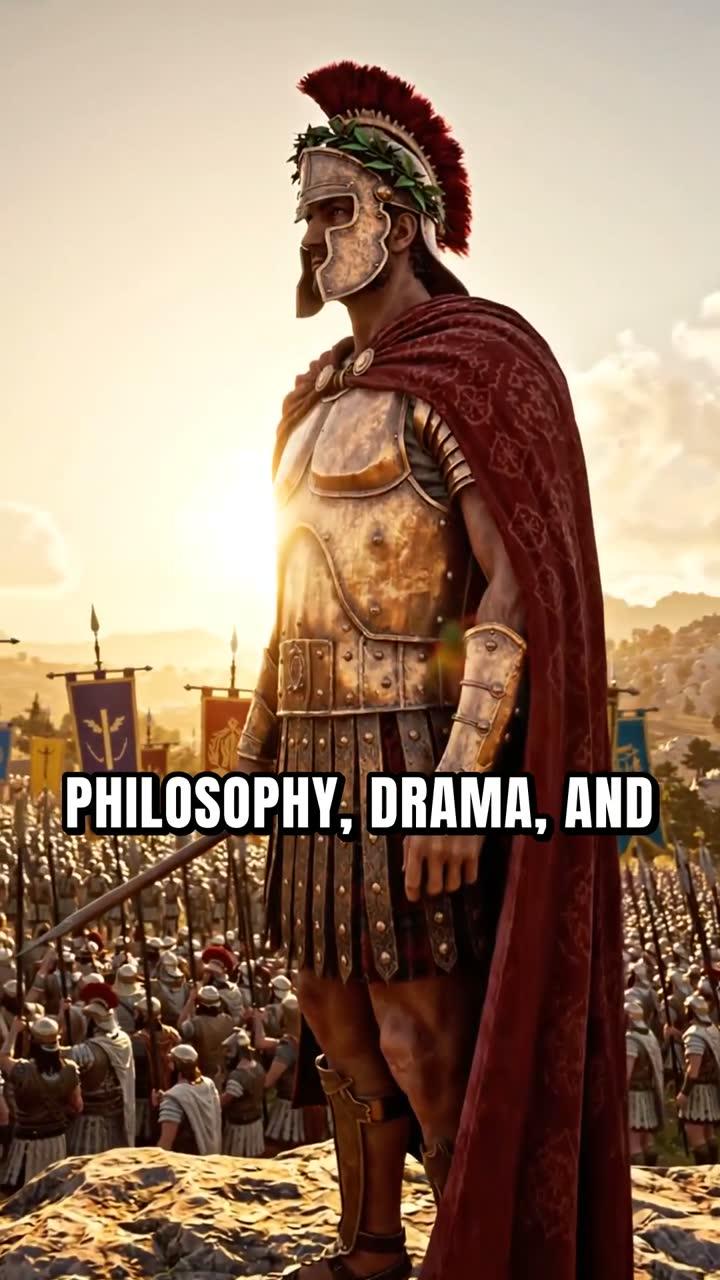
The AI YouTube Shorts generator page has more on formats and caption styles.
Channel Research, Thumbnails, Scheduling and a Simple Weekly Routine
Making videos is only half of hermes faceless youtube automation. The other half is knowing what to make and getting it in front of viewers. Hermes can help with both.
Channel and Trend Research
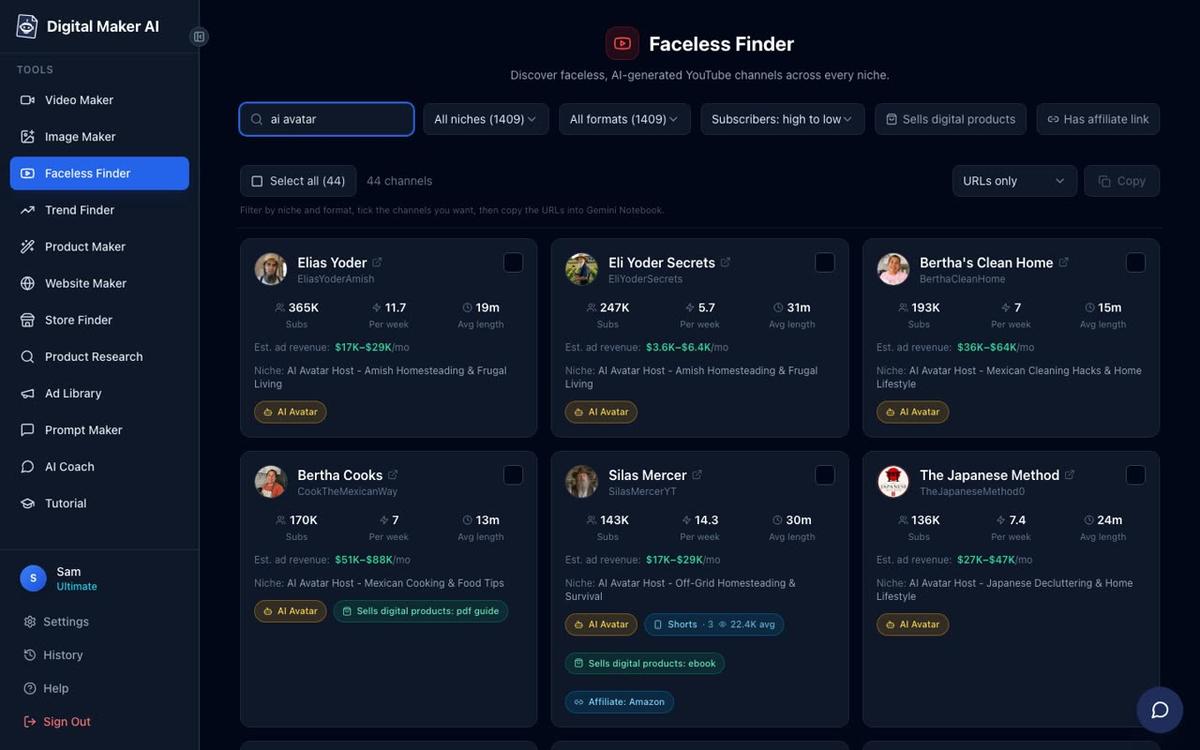
Digital Maker AI includes a Faceless Finder: a searchable list of confirmed faceless YouTube channels showing subscribers, uploads per week, average video length and an estimated monthly ad revenue. Ask Hermes to research channels in your niche and it will pull results directly from the Faceless Finder. For example:
"Find me the top faceless channels in the history niche and show me their estimated revenue."
You can also search for AI avatar channels specifically by asking Hermes to search for "AI avatar" channels. Channel research works on Pro, Premium and Ultimate.
Thumbnails
Ask Hermes to generate a thumbnail for any video topic using the Image Maker. A request like "Make a YouTube thumbnail for a video about the fall of Rome, dark dramatic style" returns a finished image you can download or use directly. This works on all paid plans.
Posting to YouTube, TikTok and Instagram
Once you have connected your social accounts in Account Settings, Hermes can post a finished video for you now or on a schedule. A request like "Post my latest Rome video to YouTube tomorrow at 9am, title 'The Last Days of Rome', mark it as AI generated" queues it up. Nothing posts without you asking: every post is triggered by your instruction. Posting needs Premium or Ultimate.
A Simple Weekly Routine
Here is a practical weekly rhythm that keeps your channel moving without spending hours at a desk:
- Monday morning (5 minutes): Ask Hermes which niche channels uploaded most this week and what topics they covered. Use that to pick your video topic.
- Monday afternoon: Ask Hermes to make your main long form video. Confirm the minute cost and let it build while you do other things.
- Tuesday: Ask Hermes to make a Short from the same topic for Shorts and Reels. Ask it to generate a thumbnail.
- Wednesday: Review the finished video in your Digital Maker AI library. Regenerate any scene you want to change (10 free regenerations per video). Ask Hermes to schedule the video to post to YouTube on Thursday at 10am and the Short to Instagram on Friday at 6pm.
- Thursday to Friday: Posts go live on schedule. Ask Hermes to check your remaining minutes so you know what you have left for the rest of the month.
Tips for Getting the Best Results
- Be specific in your requests. Include the topic, length, visual style, caption style and whether you want background music. The more detail you give, the closer the first result will be to what you want.
- Use Hermes from Telegram when you are away from your desk. Because Hermes runs on Telegram, you can queue up a video from your phone on a commute and find it ready when you get home.
- Check minutes before long sessions. Ask "How many video minutes do I have left?" before starting a batch. It costs nothing and takes two seconds.
- Save your show settings. For animated podcasts, your hosts, voices and studio are saved automatically. Each new episode is just a topic and a length.
- Build characters once, use them everywhere. Save your recurring character in Account Settings and Hermes can drop them into any new cartoon video you ask for.
- Regenerate before you post. If a scene image does not look right, ask Hermes to flag it, then regenerate it in the library. Each video gets 10 free regenerations.
If you are curious how the same connector works inside Claude or ChatGPT, the post Can You Make YouTube Videos Inside ChatGPT or Claude? covers that setup in detail.
To get started, check your plan options at digitalmaker.ai/pricing and then head to the Hermes Agent setup page to generate your key. If you want to go deeper on building a faceless channel from scratch, the free course at Digital Maker AI walks you through the whole strategy, from picking a niche to publishing your first video.
Alex Stevens: Alex Stevens writes for the Digital Maker AI team about faceless YouTube channels, AI presenters and AI video tools.